

ROM Editing
Post ROM editors for Pokémon games here!
87 files
-
My first nuzlock
This will be my first random nuzlock weather or not itl be a soulink idk
84 downloads
(0 reviews)Submitted
-
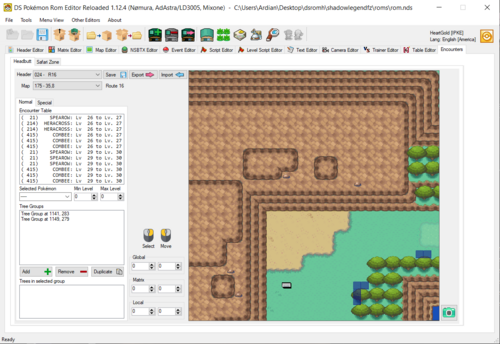
DSPRE DS Pokemon Rom Editor
By Knoxyz
If you have any questions or need help. join here for quick assistance. Anyone who hacks Gen 4/5 should be in there!
new and way better SDSME
Pokemon Gen 4 Editor
If you are looking for an gen 5 Editor click here
By AdAstra, Nomura
Official DSPRE Reloaded Github
(check this out for infos about all the features of this tool!)
the changelog is messy since I can't seem to edit it, sorry for that.
-When adding new screenshots the version gets automatically updated, can't seem to do anything about it.
38856 downloads
- SDSME
- DSPRE Reloaded
- (and 48 more)
(6 reviews)Updated
-
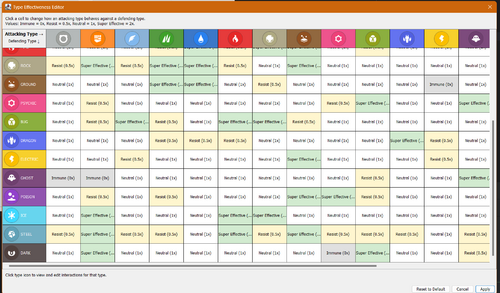
Universal pokemon randomizer with TYPE CHART and Pokemon/move data editor
By Renovice
Github page
Universal Pokémon randomizer with type chart and Pokémon editor. Based on universal-pokemon-randomizer-fvx
This is a General sandbox tool to allow you to edit and randomize Pokémon games without having to open separate editors
the editor itself includes
Personal data editor Learnable TM editor Learn set editor Egg move editor Evolutions editor Move data editor IE a move's power or typing Which Move tutors a Pokémon can learn a Type chart editor for each gen NOTE: to GET THE settings to save, click save/apply in the type editor or the pkmn data editor then click randomize to generate a new rom with your saved changes.
Contact
for bug reports use the github or discord
You can find me on frost's discord server https://discord.gg/rA9gZ7v3na (grayenjoyer50)
299 downloads
(0 reviews)Updated
-
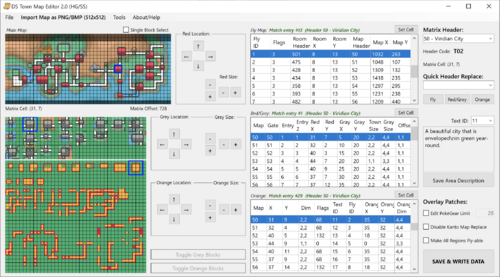
DS Town Map Editor
By ravenDS
Complete Custom Map Creator & Fly Locations editor, compatible with D/P/Pt/HG/SS !
Notes:
You might need to enable « High DPI Scaling Override » To make a valid Fly Location, the Header must be both on the Matrix, in the Fly list and as an actual Town/City (all 3) Japanese ROMs are partly supported (Rev 6 only) https://github.com/RavenDS/town-map-editor/releases/latest
274 downloads
(0 reviews)Updated
-

Pokemon Sinjoh Editor
By Greylily3
The Pokemon Sinjoh Editor is a multi-purpose binary rom hacking tool for Generation 4 pokemon games (Diamond, Pearl, Platinum, Heartgold, SoulSilver) with the goals of speed, user-friendliness, and compability with decompilation hacks (including HG-Engine). The Sinjoh editor also aims to reduce the barrier of entry when it comes to ROM hacking, users shouldn't need to know teachnical knowledge of the data they're editing or worry about setting invalid values that lead to game crashes. Sinjoh editor is also compatible with Mac-os and Linux using WINE.
Partial translations for French, Spanish, Italian, German, Japanese, & Korean.
Source code and bug reports can be found at https://github.com/GreyLily3/Pokemon_Sinjoh_Editor
Planned features:
A dark mode Item Editor (change buy prices, fling power and effect, natural gift power and effect, what pocket it appears in, etc.) Pokedex editor (change height, weight, description, and type of pokemon (ex. mouse pokemon) Text editing capabilities Trainer editor wild encounter editor (including safari zone and headbutt encounters) XP group editor (adjust formulas for xp per level) Learnset editor (change what moves a pokemon learns by leveling up) Evolution editor (change method and level-up requirement) Translation for chinese (Mandarin) and support for Taiwanese versions530 downloads
(0 reviews)Updated
-
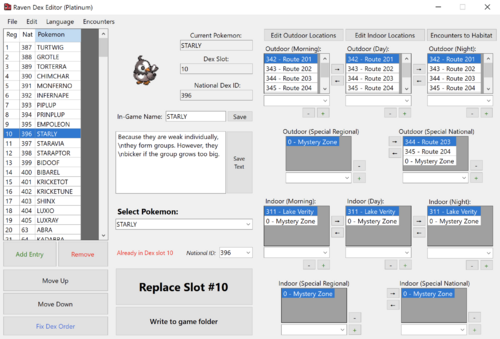
Raven Dex Editor (DS)
By ravenDS
Pokédex & Habitat/Area editor for DP/HGSS/BW/BW2
Features:
DP/Pt/HG/SS support BW/BW2 support Area/Habitat editor Add, Remove, Edit & Move entries Language-specific naming (English, French, German and Japanese) Import/Export entire Dex as .txt Export all .bin files ready to insert Folder Mode writes data directly to a selected DSPRE folder, you'll just have to save the new ROM with DSPRE afterwards.
In Classic Mode, you'll need Tinke or something similar to insert the generated files into the game.
https://github.com/RavenDS/dex-editor/releases/latest/
2700 downloads
(1 review)Updated
-
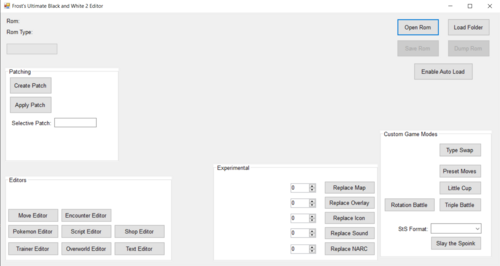
FrostsBW2Editor
By Knoxyz
New Editor for BW/2
Features:
Move Editor
Enmcounter Editor
Pokemon EDitor
Script Editor
Shop Editor
Trainer Editor
Overworld Editor
Text Editor
Developer: FrostFalcon
GitHub Page
1447 downloads
- BW editor
- BW2 Editor
- (and 8 more)
(0 reviews)Updated
-
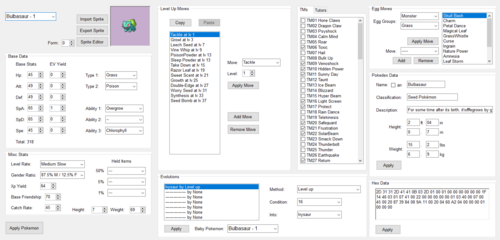
Frost's Gen 5 Editor
By Knoxyz
(GitHub Page)
This is a general purpose editor made to handle all of the most important rom hacking features in a single user friendly package. It fully supports black 2 and white 2 roms and mostly supports black and white roms with a few features missing.
Currently, the editor contains the following features:
Pokemon stats, movesets, evolutions, tms, tutors, and egg moves Pokemon sprites and icons (experimental) Move data Move animations (experimental) Trainers and trainer teams Wild encounters Hidden Grottos Overworld data, objects, and npcs Scripting (experimental) Text Pokemarts (BW2 only) Experience curves Custom game modes (some are BW2 only) Rom patching (alternative to xdelta, less feature complete but capable of merging patches to an extent) File extraction for hex edits Common Issues
Roms that include the fairy type implementation (This includes Blaze Black 2 and Volt White 2 Redux) will require you to open the text editor, file 199 for BW or 398 for BW2, and add "Fairy" to the list of types before edits can be made.
This editor should be fully compatible with rom hacks and other editors.
If you have any other issues with the editor, you can join Frost's Discord server to get help. https://discord.gg/rA9gZ7v3na
3136 downloads
- Gen 5
- Gen 5 Editor
- (and 6 more)
(2 reviews)Updated
-
Pokemon Text narc export import tool - Let's go translate!
By EkE017
---
# 🇭🇺 **MAGYAR ÚTMUTATÓ**
---
# Pokémon NARC Szövegkezelő Eszköz 📝🎮
Egy sokoldalú parancssori eszköz a Pokémon Black, White, Black 2 és White 2 játékokban használt `NARC` archívumok szövegeinek exportálására és importálására. Ez az eszköz elengedhetetlen ROM-hackelési projektekhez, különösen a rajongói fordításokhoz.
Helyesen kezeli a játékok által használt egyedi XOR titkosítást, biztosítva, hogy a szövegek tökéletesen dekódolódjanak és újra kódolódjanak, megelőzve ezzel a hibás szövegek megjelenését vagy a játék összeomlását.
## ✨ Funkciók
- **Kettős Export Mód**: Exportáld a szövegeket egyetlen, könnyen kezelhető `JSON` fájlba, vagy egyedi `.txt` fájlokként egy mappastruktúrába.
- **Kettős Import Mód**: Importáld vissza a lefordított szövegeket egy `JSON` fájlból vagy egy `.txt` fájlokat tartalmazó mappából.
- **Helyes Titkosítás**: Az 5. generációs játékokhoz szükséges, pontos XOR titkosítási/dekódolási algoritmust implementálja.
- **Biztonságos és Megbízható**: Indításkor önellenőrzést végez a kodek integritásának ellenőrzésére, megelőzve a sérült NARC fájlok létrehozását.
- **Felhasználóbarát Parancssor**: Világos parancssori struktúra, részletes súgó menükkel és példákkal.
- **Önálló**: Egyetlen Python szkript, külső függőségek nélkül.
## ⚙️ Követelmények
- Python 3.x
## 🚀 Telepítés
Nincs szükség telepítésre! Ez egy önálló Python szkript.
1. Töltsd le a szkriptet (`pokemon-text-narc-export-import-tool-hu.py` a magyar verzióhoz vagy `pokemon-text-narc-export-import-tool-en.py` az angolhoz).
2. Mentsd el a projektmappádba.
3. Futtasd a terminálból.
## 📖 Hogyan használd
Az eszköz két fő parancs köré épül: `export` és `import`.
### Segítség kérése
A parancsok és példák részletes listáját bármikor elérheted, ha a szkriptet parancs nélkül vagy a `-h` kapcsolóval futtatod.
Általános súgó
python pokemon-text-narc-export-import-tool-hu.py -h
Az 'export' parancs súgója
python pokemon-text-narc-export-import-tool-hu.py export -h
Az 'import' parancs súgója
python pokemon-text-narc-export-import-tool-hu.py import -h
### **1. Lépés: Szövegek exportálása a NARC fájlból**
Két módszer áll rendelkezésedre a szövegek exportálására.
#### **1. Munkamenet: JSON fájl használata (Ajánlott)**
Ez a módszer az összes szöveges bejegyzést egyetlen `.json` fájlba exportálja. Ez a legtisztább módja a fordítások kezelésének.
1. **Futtasd az export parancsot:**
```
python pokemon-text-narc-export-import-tool-hu.py export a003.narc -o szovegek.json
```
- `a003.narc` a bemeneti NARC fájlod.
- `szovegek.json` lesz a kimeneti fájl.
2. **Fordítsd le a szövegeket:**
Nyisd meg a `szovegek.json` fájlt. A következőhöz hasonló struktúrát fogsz látni:
```
{
"entries": [
{
"entry_index": 0,
"texts": [
{
"text_index": 0,
"original_text": "Pikachu",
"translated_text": "Pikachu"
}
]
}
]
}
```
**Fontos:** Csak a `"translated_text"` mező értékét módosítsd. Minden mást hagyj változatlanul.
#### **2. Munkamenet: Egyedi `.txt` fájlok használata**
Ez a módszer minden szöveges bejegyzést saját `.txt` fájlba exportál egy mappastruktúrán belül.
1. **Futtasd az export parancsot:**
```
python pokemon-text-narc-export-import-tool-hu.py export a003.narc -d szovegfajlok
```
- Ez létrehoz egy `szovegfajlok` nevű mappát, benne egy `0000` almappával, amely olyan fájlokat tartalmaz, mint `0001.txt`, `0002.txt`, stb.
2. **Fordítsd le a szövegeket:**
Nyisd meg az egyes `.txt` fájlokat, és szerkeszd közvetlenül a szöveget.
### **2. Lépés: Szövegek importálása vissza a NARC fájlba**
Miután a fordítások elkészültek, importálhatod őket vissza egy új, módosított NARC fájl létrehozásához.
#### **1. Munkamenet: Importálás JSON fájlból**
1. **Futtasd az import parancsot:**
```
python pokemon-text-narc-export-import-tool-hu.py import szovegek.json a003.narc uj_a003.narc
```
- `szovegek.json` a szerkesztett JSON fájlod.
- `a003.narc` az eredeti NARC fájl.
- `uj_a003.narc` a létrehozandó új, módosított NARC fájl neve.
#### **2. Munkamenet: Importálás `.txt` fájlokat tartalmazó mappából**
1. **Futtasd az import parancsot:**
```
python pokemon-text-narc-export-import-tool-hu.py import szovegfajlok/ a003.narc uj_a003.narc
```
- `szovegfajlok/` az a mappa, amely a lefordított `.txt` fájlokat tartalmazza.
Az `uj_a003.narc` fájlod készen áll, hogy visszailleszd a játék ROM-jába!
## 🔧 Technikai Részletek: A XOR Titkosítás
A Pokémon 5. generációs játékok egy speciális, XOR-alapú titkosítást használnak a szövegeik tárolására. Ez az eszköz a pontos, visszafejtett algoritmust implementálja:
1. Egy kezdő kulcsot (`0x1234`) használ egy kulcssorozat generálásához.
2. A kulcssorozatot visszafelé generálja, egy `(key >> 3) | (key << 13)` bites eltolásos rotációval.
3. Egy karakterlánc minden karakterét XOR-olja a sorozat megfelelő kulcsával.
4. A végére egy kontroll karaktert (`0xFFFF ^ kezdő_kulcs`) fűz.
Ez az eszköz ezt a teljes folyamatot automatikusan kezeli, biztosítva a tökéletes kompatibilitást a játékmotorral.
⚡️ Egy üzenet a Pokémonjaidtól! ⚡️
Eleged van a szövegekből, amik úgy néznek ki, mint egy Tangela gubancos frizurája? Nekünk is! Szóval, elbeszélgettünk egy kicsit az emberekkel.
Psyduck: "Psy-aj-aj?! Fáj a fejem... Az edzők egy új történetet próbálnak olvasni, de a szavak... pont úgy néznek ki, mint amilyen a fejfájásom. Csupa tüske és furcsaság! Nem tudom, hogy a Végzeteset vagy a Farokcsóválást kellene bevetnem!"
Meowth: "Fogd már be, te két lábon járó migrén! A gond nem veled van, hanem azokkal a vacak eszközökkel, amiket az emberek használnak! Annyit érnek, mint egy Magikarp a szárazföldön. De Meowth-nak van egy tuti tippje, egy igazi gyöngyszem: a Pokémon NARC Szövegkezelő Eszköz!
Ez nem akármilyen bigyó. Ismeri a titkos kódot, a különleges kézfogást, az egész hóbelevancot! Fogja azt a sok zagyvaságot, és újra olvasható szavakká alakítja. Ez a tuti befutó, a macskák... nos, egyszerűen szuper!"
Pikachu: "Pika-Pika! (Szuper egyszerű és biztonságos!) Mi magunk teszteltük!
Pika-Pi! (Exportáld az összes játékszöveget!)
Chuuu! (Fordítsd le bármilyen nyelvre, amire csak akarod!)
Pikachu! (Importáld vissza, tökéletesen és csillogóan tisztán, fura jelek nélkül!)"
Meowth: "Ahogy a kis sárga szőrmók mondta! Kiöntheted az összes szöveget egy nagy JSON fájlba, vagy egy csomó apró .txt fájlba. Tiéd a választás! Ez az eszköz okosabb, mint egy Alakazam, aki a saját kanalait próbálja megszámolni. Egyszerűen csak működik!"
Oak professzor: "Khm! Úgy tűnik, ezek a Pokémonok igencsak lelkesek. És jó okkal! Ez az eszköz fantasztikus áttörés minden feltörekvő ROM-hacker és rajongói fordító számára. Kezeli a bonyolult szövegtitkosítást, így ti a tartalom készítésére koncentrálhattok.
A saját Pokémon-kalandotok vár! Töltsétek le a Pokémon NARC Szövegkezelő Eszközt, és kezdjétek el az utazást még ma!"
## ⚖️ Licenc
Ez a projekt a MIT Licenc alatt áll.
---
#### 6️⃣ A projektről
> _Ez a projekt szinte teljes egészében mesterséges intelligencia segítségével készült, de kellett hozzá egy Droid is (vagyis én)!_
---
---
## 🇬🇧 **ENGLISH GUIDE**
---
# Pokémon NARC Text Tool 📝🎮
A versatile command-line tool for exporting and importing text from `NARC` archives used in Pokémon Black, White, Black 2, and White 2. This tool is essential for ROM hacking projects, especially for fan translations.
It correctly handles the unique XOR encryption used by the games, ensuring that texts are decoded and re-encoded perfectly, preventing corrupted text or game crashes.
## ✨ Features
- **Dual Export Modes**: Export texts into a single, easy-to-manage `JSON` file or as individual `.txt` files in a directory structure.
- **Dual Import Modes**: Import your translated texts back from either a `JSON` file or a directory of `.txt` files.
- **Correct Encryption**: Implements the exact XOR encryption/decryption algorithm required for Gen 5 games.
- **Safe & Reliable**: Includes a self-test on startup to verify the integrity of the codec, preventing corrupted NARC files.
- **User-Friendly CLI**: Features a clear command structure with detailed help menus and examples.
- **Standalone**: A single Python script with no external dependencies.
## ⚙️ Requirements
- Python 3.x
## 🚀 Installation
No installation is required! This is a standalone Python script.
1. Download the script (`pokemon-text-narc-export-import-tool-en.py` for English or `pokemon-text-narc-export-import-tool-hu.py` for Hungarian).
2. Save it to your project folder.
3. Run it from your terminal.
## 📖 How to Use
The tool operates using two main commands: `export` and `import`.
### Getting Help
You can get a detailed list of commands and examples at any time by running the script without a command or with the `-h` flag.
General help
python pokemon-text-narc-export-import-tool-en.py -h
Help for the 'export' command
python pokemon-text-narc-export-import-tool-en.py export -h
Help for the 'import' command
python pokemon-text-narc-export-import-tool-en.py import -h
### **Step 1: Exporting Texts from the NARC file**
You have two methods for exporting texts.
#### **Workflow 1: Using a JSON file (Recommended)**
This method exports all text entries into a single `.json` file. It's the cleanest way to manage translations.
1. **Run the export command:**
```
python pokemon-text-narc-export-import-tool-en.py export a003.narc -o texts.json
```
- `a003.narc` is your input NARC file.
- `texts.json` will be your output file.
2. **Translate the texts:**
Open `texts.json`. You will see a structure like this:
```
{
"entries": [
{
"entry_index": 0,
"texts": [
{
"text_index": 0,
"original_text": "Pikachu",
"translated_text": "Pikachu"
}
]
}
]
}
```
**Important:** Only modify the value of the `"translated_text"` field. Leave everything else unchanged.
#### **Workflow 2: Using individual `.txt` files**
This method exports each text entry into its own `.txt` file within a directory structure.
1. **Run the export command:**
```
python pokemon-text-narc-export-import-tool-en.py export a003.narc -d text_files
```
- This will create a directory named `text_files` with a `0000` subdirectory containing files like `0001.txt`, `0002.txt`, etc.
2. **Translate the texts:**
Open each `.txt` file and edit the text directly.
### **Step 2: Importing Texts back into the NARC file**
Once your translations are complete, you can import them back to create a new, modified NARC file.
#### **Workflow 1: Importing from a JSON file**
1. **Run the import command:**
```
python pokemon-text-narc-export-import-tool-en.py import texts.json a003.narc new_a003.narc
```
- `texts.json` is your edited JSON file.
- `a003.narc` is the original NARC file.
- `new_a003.narc` is the name of the new, modified NARC file that will be created.
#### **Workflow 2: Importing from a directory of `.txt` files**
1. **Run the import command:**
```
python pokemon-text-narc-export-import-tool-en.py import text_files/ a003.narc new_a003.narc
```
- `text_files/` is the directory containing your translated `.txt` files.
Your `new_a003.narc` file is now ready to be inserted back into your game ROM!
## 🔧 Technical Details: The XOR Encryption
Pokémon Gen 5 games use a specific XOR-based encryption to store their text. This tool implements the exact reverse-engineered algorithm:
1. A seed key (`0x1234`) is used to generate a sequence of keys.
2. The key sequence is generated backwards, using a `(key >> 3) | (key << 13)` bit shift rotation.
3. Each character in a string is XORed with its corresponding key in the sequence.
4. A final control character (`0xFFFF ^ seed_key`) is appended to the end.
This tool handles this entire process automatically, ensuring perfect compatibility with the game engine.
⚡️ A Message From Your Pokémon! ⚡️
Tired of text that looks like a Tangela's bad hair day? We were too! So we had a little chat with the humans.
Psyduck: "Psy-ay-ay?! My head hurts... The trainers are trying to read a new story, but the words... they look like my headache feels. All spiky and weird! I can't tell if I'm supposed to use Tackle or Tail Whip!"
Meowth: "Pipe down, ya walking migraine! The problem ain't you, it's the tools the humans are usin'! They're about as effective as a Magikarp on dry land. But Meowth's got the inside scoop on a real gem: the Pokémon NARC Text Tool!
This ain't no ordinary doohickey. It knows the secret code, the special handshake, the whole shebang! It takes all that garbled nonsense and turns it back into words you can actually read. It’s the top banana, the cat’s meow, the... well, it’s just really, really good!"
Pikachu: "Pika-Pika! (It's super easy and safe!) We tested it ourselves!
Pika-Pi! (Export all the game text!)
Chuuu! (Translate it into any language you want!)
Pikachu! (Import it back in, perfect and sparkly clean, with no weird symbols!)"
Meowth: "What the little yellow fella said! You can dump all the text into one big JSON file, or into lots of little .txt files. Your choice! This tool is smarter than an Alakazam trying to count its own spoons. It just works!"
Professor Oak: "Ahem! It seems these Pokémon are quite enthusiastic. And for good reason! This tool is a fantastic breakthrough for all you aspiring ROM hackers and fan translators out there. It handles the complex text encryption so you can focus on creating.
Your own Pokémon adventure is waiting! Download the Pokémon NARC Text Tool and start your journey today!"
## ⚖️ License
This project is licensed under the MIT License.
---
#### 6️⃣ About this project
> _This project was almost entirely created with AI, but it still needed a Droid’s helping hand (that’s me)!_
---
33 downloads
(0 reviews)Submitted
-
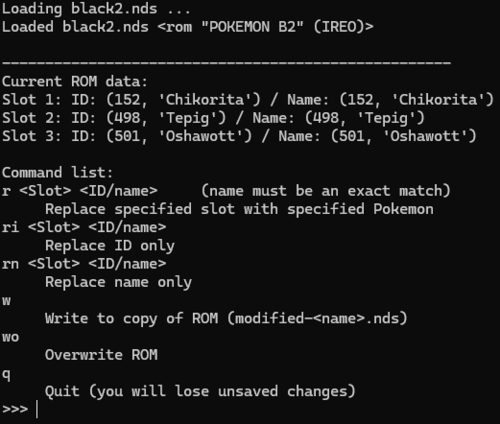
LuStarterEditBW
A very simple starter editing program for Pokémon BW and B2W2
Compatible with Windows 10 and later, but can also run on other OSes with additional steps
For installation on Windows 10/11, right click RUN_THIS_FIRST.ps1 and click Run with PowerShell. Then double click StarterEdit-RUN.bat to launch the program.
Pokémon BW/BW2 ROM(s) are autodetected and must be in the same folder as the program (and have the .nds file extension)
For other OSes, installation instructions are provided on the GitHub release page
85 downloads
(0 reviews)Updated
-

SkyTemple PMD2 ROM Editor
By Parakoopa
SkyTemple: The Explorers of Sky ROM editor for maps, backgrounds and scripts, including an interactive debugger for the game's script engine.
This is a very early pre-release of SkyTemple, please expect many bugs and make backups of your ROMs!
Windows version
Is attached here, just click "Download" on the right! You may need to install the latest Microsoft Visual C++ Redistributable (2022) for your platform, otherwise the debugger and emulator will not work correctly: https://learn.microsoft.com/en-us/cpp/windows/latest-supported-vc-redist?view=msvc-170
Mac version
Is also attached, the minimum supported macOS version is macOS 11
Linux version
The Linux version is available as a Flatpak at https://flathub.org/apps/details/org.skytemple.SkyTemple.
Support
For information and support:
Github: https://github.com/skytemple
Known issues: https://github.com/orgs/SkyTemple/projects/1
50585 downloads
(2 reviews)Updated
-
SkyTemple Randomizer
By Parakoopa
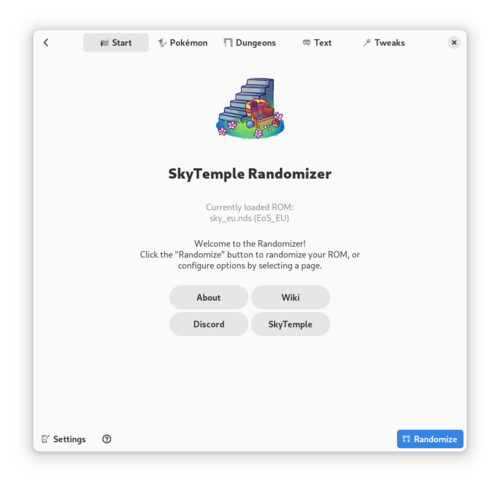
Randomizer for Pokémon Mystery Dungeon Explorers of Sky. For Windows, macOS and Linux.
This randomizer randomizes...
- ... all NPCs on the overworld (with matching portraits and names; additional portraits are downloaded from the PMDCollab Sprite Repository)
- ... all dungeon layouts (including tilesets, music, weather, darkness, traps, items, Pokémon spawns, etc.)
- ... Pokémon moves, types, abilities
- ... boss fights matching the NPCs and boss fight layouts
- ... chapter names and location names.
- ... if wanted: all text in the game.
Pokémon level are randomized between -3/+3 of the minimum/maximum level that the Pokémon on that floor had in the original game.
Additionally patches by End45 to improve gameplay are installed. All settings can be toggled off!
Also contains additional optional patches, like the Complete Team Control Patch from Cipnit.
Part of the SkyTemple project:
Support
Please join our Discord server for support: https://discord.gg/4e3X36f
Install on Windows and Mac
Download the Installer (exe Windows [we recommend the x64 Version if you have a 64bit Computer!], dmg Mac) and install it. After this run "SkyTemple Randomizer".
Install on Linux
The Linux version is available as a Flatpak at https://flathub.org/apps/details/org.skytemple.Randomizer.
89251 downloads
(11 reviews)Updated
-
Pokemon DS Map Studio Pokemon DS Map Studio
By Knoxyz
If you have any questions or need help. join here for quick assistance. So there is a new Tool for Pokemon DS mapping, which i want to show you, made by Trifindo. Official PDSMS GitHub --------------------------------------------------------------------------------------------------- If you want to import your maps into Gen 4 games, you will need: DSPRE (DS Pokemon Rom Editor)
--------------------------------------------------------------------------------------------- Important! you need to download: G3DCVTR in order to make the tool work.
Put the (g3dcvtr.exe) file and the (xerces-c_2_5_0.dll)
into the following path: Pokemon DS Map Studio-2.2\bin\converter
---------------------------------------------------------------------------------------------
Description:
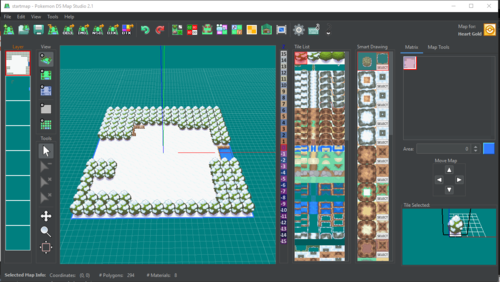
Pokemon DS Map Studio is a tool for creating maps for Pokemon DS games. This tool must be used along with SDSME for importing the maps in the games.
The tool contains some predesigned tilesets for each game but custom tiles can also be created.
Games available:
Pokemon Diamond / Pearl Pokemon Platinum Pokemon Heart Gold / Soul Silver Pokemon Black / White Pokemon Black 2 / White 2
What Pokemon DS Map Studio can do?
Create Pokemon DS maps [*.nsbmd] Edit map collisions [*.per] Edit map terrain files [*.bdhc] Edit textures (experimental) [*.nsbtx] Import 3D tiles as OBJ format Edit 3D tiles and IMD materials Export maps as OBJ, IMD and NSBMD View maps in 3D and 2D
What Pokemon DS Map Studio CAN'T do?
Edit already existing maps from the original games Import maps into the game (that is done with DSPRE) Modify game files ------------------------------------------------------------------------ If you wanna know, how to use this Tool, check out this Tutorial: https://youtu.be/Xnj8cWDRbaA (An older version of PDSMS was used for this Video) -------------------------------------------------------------------------------------------------------------- How to run Pokemon DS Map Studio
You will need the following requirements:
Windows or Linux Java 8 (higher versions can be problematic) A graphics card compatible with OpenGL 2
For running the program:
Double click the exe file "PokemonDsMapStudio 2.0.exe" Double click the jar file "PokemonDsMapStudio.jar" If the previous method doesn't work, probably there is one requierement that is not fulfilled.
If you can't run the program after those steps, please, do the following for cheking the error:
Open Windows file explorer and go to the folder where "PokemonDsMapStudio.jar" is located. Type "cmd" in the file explorer's path. That will open Windows command prompt. In Windows command prompt type: "java -jar PokemonDsMapStudio.jar" Then the error message will be displayed in the command prompt. You can share the error message with me for finding a solution.
---------------------------------------------------------------------------------------------------------------------------------------------------------------
Enjoy Ds mapping
10786 downloads
- PDSMS
- Pokemon DS Map Editor
- (and 3 more)
(0 reviews)Updated
-
battle revolution Pokemon Battle Revolution Tool (OSX)
By StarsMmd
Pokemon Battle Revolution hack tools.
If you need advice or support you can find me in the NGC/Wii Pokemon Games ROM hacking Discord. Join the discord server for information on the beta version of the windows tool.
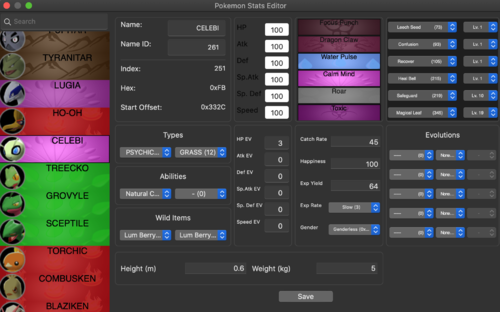
The all-in-one tool for hacking Pokemon Battle Revolution. The tool can be used for:
- Colosseum Pokemon
- Pokemon, Move, Item Stats
- Type Matchups
- Game Text
- Textures and Images
- Randomizer
- Unzip .fsys files
5465 downloads
(1 review)Updated
-
xd Gale of Darkness Tool (OSX) +Colosseum Tool
By StarsMmd
Pokemon Colosseum and Pokemon XD: Gale of Darkness hack tools and randomisers.
If you need advice or support you can find me in the Gamecube Pokemon Games ROM hacking Discord. Join the discord server for information on the beta version of the windows tool.
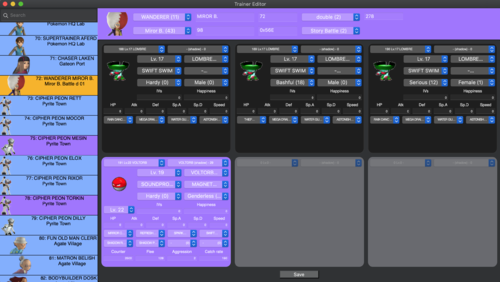
The all-in-one tool for hacking and randomising the Gamecube Pokemon Games. The tool can be used for:
- Trainers
- Pokemon, Move, Item Stats
- Pokespots
- Gift Pokemon
- Type Matchups
- Scripts and Game Text
- Item Boxes
- Textures and Images
- Patches like Physical/Special Split
- Randomiser
- Save editor
- Unzip .fsys files
The tool can also be used to export/import files from/to any Gamecube ISO.
28893 downloads
(15 reviews)Updated
-
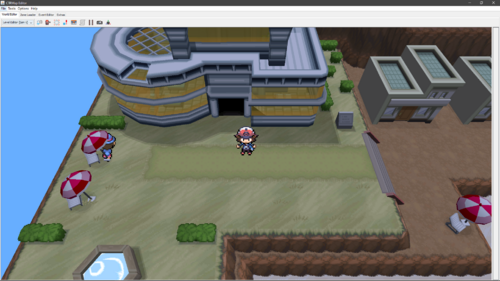
CTRMap (Community Edition)
CTRMap is an experimental level and script editor, developed primarily by Hello007 with contributions by others, with strong emphasis on graphical interface and interactivity.
As of right now, only the following games are recognized:
- IRDO | Pokémon White 2 (USA)
- IREO | Pokémon Black 2 (USA)
- IRAO | Pokémon White (USA)
- IRBO | Pokémon Black (USA)
Please note that all features that rely directly or indirectly on data or tables stored in game executables are currently only supported on Pokémon White 2 (USA).
Installation Instructions
1) First, get Java if you do not already have it. The link for Windows users is below. For those on Linux, you want JRE 1.8; this is platform-specific so I cannot really cover it here.
https://www.java.com/en/download/
2) You must download the base version of CTRMap from the link below:
https://github.com/kingdom-of-ds-hacking/CTRMap-CE/releases
3) And, the plugin from here:
https://github.com/kingdom-of-ds-hacking/CTRMapV/releases
Then, simply just run CTRMap.jar, add CTRMapV to the global plugin manager, add a ROM, then make & open a project.
Support
For support, join the Kingdom of DS Hacking Discord Server. The link is here: https://discord.gg/zAtqJDW2jC
3357 downloads
- CTRMap
- Generation V
- (and 3 more)
(0 reviews)Updated
-
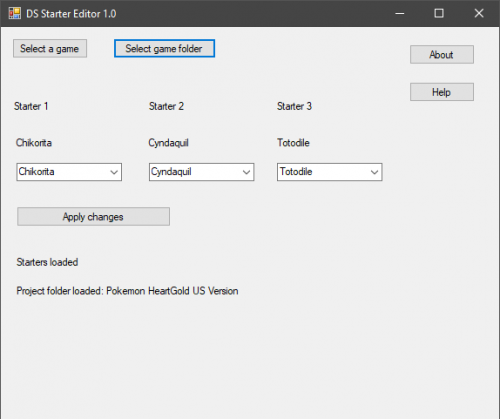
DS-Starter-Editor
By Knoxyz
Note: rn the 1.1 zip contain the 1.1exe. (It will show 1.0 cuz the dev forgot to rename)
If you haven't already, create project with DSPRE this will generate a folder at the same location of your ROM containing the extracted data Launch DS Starter Editor and choose the game Select the project folder that was created by DSPRE Edit your starters and then click apply changes Close the tool, launch DSPRE and open your project, then you can save the ROM with the new starters. Remember to not re-extract the contents of the ROM! The tool does not edit text or the rival team, but both can be done in DSPRE anyway. Platinum starters will not have their sprites changed if they have a national dex number between 256 and 260 and are in the first slot, between 256 and 264 and are in the second slot, or between 256 and 268 and are in the third slot Credits: turtleisaac for the Platinum starter sprites research Misfit for HGSS starter cries PlatinumMaster for the BW2 starters kr3nshaw for Knarc CUE for blz Platinum starters, sprites and cries can be edited HGSS starters and sprites can be edited
Official GitHub Page
3990 downloads
(0 reviews)Updated
-
Pokemon moves editor by latios chan id
Not work for download? No problem, please download mirror 2 link > https://www.dropbox.com/s/33bior6axewk0f1/rationatsu.gamecreationmoveseditor.apk?dl=0
695 downloads
(1 review)Submitted
-
New Super Ultimate Injector NSUI
By theSLAYER
Add custom skins to your official VC dumps! Swap games around!
Original Link:
https://gbatemp.net/threads/discussion-new-super-ultimate-injector-nsui.500376/
8327 downloads
(0 reviews)Updated
-
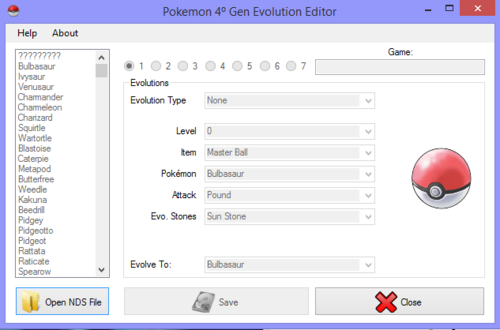
Gen 4 Evolution Editor
By theSLAYER
Used to edit Evolutions of Pokemon, example Evolve without Trading, evolve without stones etc.
Supported games
Original Developer:
@Pedro250
8221 downloads
(1 review)Updated
-
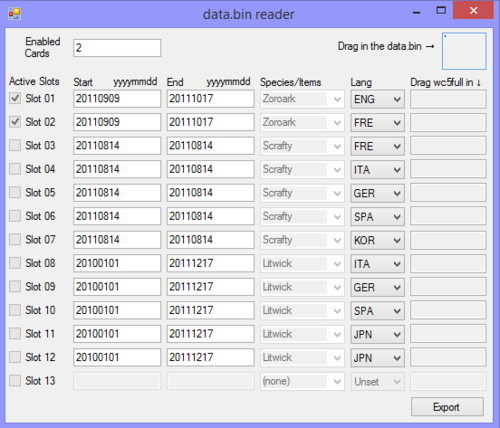
Data.bin reader and wc5full injector
Background
Used to easily edit the data.bin, view unused inactive slots, editing required activation dates, replacing wc5full, changing the languages that can receive the various wc5full, and enabling/removing active slots, mass extracting all the wc5full in data.bin.
Steps
0. Back up/dump your own Gen 5 local distributor cart
1. Make a copy of the Gen 5 local distributor dump
2. Load up the Gen 5 local distributor copy into NitroExplorer
3. Extract the data.bin
4. Load the data.bin into this program
5. Perform whatever changes you want
6. Export the edited data.bin from this program
7. Replace the data.bin in NitroExplorer (with the local distributor copy loaded) with the edited one
8. Profit!
Data structure references
5th Gen Wonder Card Map
5th Gen Wonder Card Full Map
data.bin structure
[We will not distribute distribution ROMs. Asking for it is piracy and against our rules. Thus, do not ask]
1141 downloads
(0 reviews)Updated
-
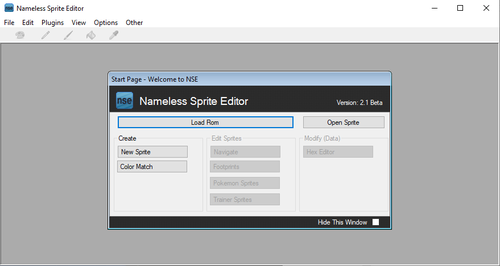
Nameless Sprite Editor
By BERRY Guru
Original Dev: @link12552
Description: Sprite editor for Gen III GBA games.
This appears to be the currently final version of NSE, but the Codeplex archive the program is stored on is set to shut down in July of 2021.
18787 downloads
(0 reviews)Submitted
-
ROM hacking tools
By phillyboii
most or all of the tools you need for making a rom hack. please tell me if im missing anything or add suggestions. for unzipping everything if it needs a password the password is HackRomTools.
6402 downloads
(0 reviews)Updated
-
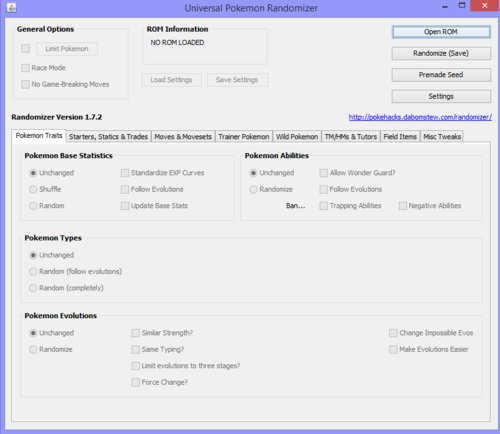
Universal Pokemon Randomizer (Gen 1 to Gen 5)
This awesome randomizer works for Gen 1 to Gen 5 games. Check the original link for updates.
Original Link: https://pokehacks.dabomstew.com/randomizer/index.php
Source code Link: https://github.com/Dabomstew/universal-pokemon-randomizer
390376 downloads
(1 review)Updated
-
RTDX ROM Editor Dev Build
By evandixon
A work-in-progress ROM editor for PMD: RTDX that doesn't have a proper name yet. See this thread for more details:
5117 downloads
(0 reviews)Updated