



theSLAYER
-
Posts
22855 -
Joined
-
Last visited
-
Days Won
1000
Content Type
Profiles
Pokédex
Portal
Technical Documentation
Pages
Tutorials
Forums
Events
Downloads
Gallery
Blogs
Everything posted by theSLAYER
-

[PKHeX] Moving Pokemon between 2 save files.
theSLAYER replied to Vladcik's topic in Saves - Editing Help
Maybe it was some other program? I don't really know : x -
[PKHeX] Moving Pokemon between 2 save files.
theSLAYER replied to Vladcik's topic in Saves - Editing Help
don't think so? Think of it this way: Imagine dragging a mon to your Desktop, would create a pk file. (and it still exists in your save) Then, dragging in the pk file would set it to your box. (meaning you're cloning it) The whole dragging from window to window basically skips the create a pk file process, but I believe it acts the way as I mentioned above. -
[PKHeX] Moving Pokemon between 2 save files.
theSLAYER replied to Vladcik's topic in Saves - Editing Help
Yeah, open 2 windows, drag mons from one window into the other, and it doesn't delete the mon from the source window. Alternatively, on first window dump all mons to folder, then in second window, load mons from folder. -
Do not ask for ROMs, as anyone linked you ROMs (or directing you to it, thus enabling piracy) is not allowed by our site rules. Given that we have answered your main question, thread locked.
-
So you want a fully legitimate route from Cartridge Gen 2 -> Gen 5? Not possible. Retail carts Gen 1 and 2 cannot be transferred on to further generations. What you're asking for, in terms of injecting the save into a VC game, goes against the entire "legitimate route" shtick. Even if you inject the save into a VC game, VC Gen 1 and 2 can only go to Gen 7 (at least), so once again what you're asking for, via legitimate means, it not possible. As mentioned, Even if we ignore the illegality of transferring a retail cart save into a VC game, there is no legitimate route for VC mons to exist in Gen 5. If you want a mon from Gen 2 to be transferred into Gen 5, that is sadly what you have to do. You're gonna need some tool like this in order to achieve G2 - > G5 (well at least G2 -> G3 then PKHeX it into G5), if you decided to throw away the "legitimate route" idea.
-
did you save in-game? PKHeX open save files, not save states. For example, DSV works but DST doesn't.
-
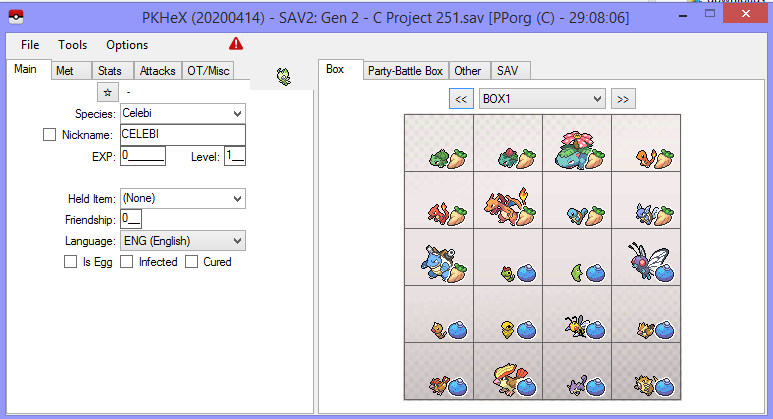
have you tried renaming it to sav.dat? It loads in PKHeX: To load on VC, you may need to convert the save.
-
You can only export a save, if you first loaded a save. Use the File > Open in menu, or just mouse click and drag a save into the window, your choice.
-
Pokemon Ultra Moon Copy Corrupt File
theSLAYER replied to doctorC3's topic in Saves - Files and Requests
@doctorC3 I don't know what you did but this is not a save file. This "message" goes on to the end of the file. Safe to say, there's no "remnant save data" to be found, due to the phenomenon I mentioned above.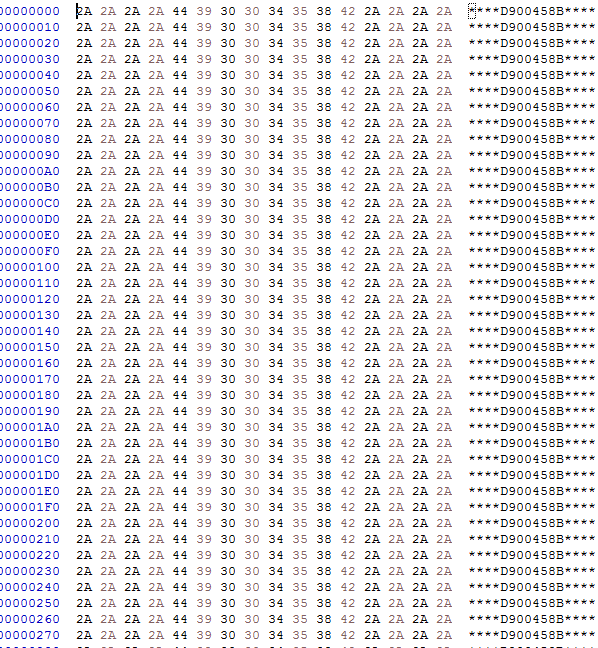
-
editing Pokedex skins into pokemon BW saves
theSLAYER replied to hildawhite's topic in Miscellaneous Help
https://projectpokemon.org/home/files/file/2506-pokestock2/ -
you did not load a save in PKHeX, did you?
-
@valixide why don't you open up the link and check what is listed?
-
looks like you need to delete the update file from the cache on your Switch. maybe this from gbatemp helps: All at your own risk, of course
-
pk3DS: Pokémon 3DS ROM Editor and Randomizer
theSLAYER replied to Kaphotics's topic in ROM - 3DS Research and Development
updated first post with images, try that. -
As in the save? I do not think there's any changes in the save beyond V1.0.0 to V1.1.0 Why don't try try starting up the game in V1.1.0 and see if that works?
-
PKHeX corrupting Pokemon Let's Go save
theSLAYER replied to TrainerMaster's topic in Saves - Editing Help
I tried what was said above, except done via an emulator, no corruption. OP, can you: 1) specify how you transfer back to Switch (FTP? SD in computer?) 2) Show us a screenshot of the folder containing your save? (place the screenshot inside a spoiler in the post, before you post it) -
Not that we know off
-
Can Pokemon HOME be accessed on a hacked switch?
theSLAYER replied to Tesvey's topic in ROM - Switch Discussion & Help
Erm, if you're sending over the user profile (that has info on the game save + play hours), that fulfills the point that you have played it before. Unless you're saying you pirated the game. In that case I would not recommend it. You can use CFW to import the save into a fresh new profile that is clean from whatever illegal stuff you had installed on the other user profile, but once again, I can't comment on whether HOME needs you to have played the game. (plus, I would think having a save, and 0 play time in the logs, is another dead giveaway that you had CFW) -
Can Pokemon HOME be accessed on a hacked switch?
theSLAYER replied to Tesvey's topic in ROM - Switch Discussion & Help
have your EVER played SWSH on either Switches that has the user profile? I never tried to import a save into a Switch that has never played the game before, so I can't answer that. same answer as before. -
Can Pokemon HOME be accessed on a hacked switch?
theSLAYER replied to Tesvey's topic in ROM - Switch Discussion & Help
I need to preface this by saying: I don't own a banned Switch. As such, I cannot be certain that verification by Nintendo servers is needed for the transfer process to succeed. Now, onto my main point: I've done two things before, which is (a) akin to sharing/cloning (via official methods) of my user profile. That means I have the same user profile on both Switches. I can transfer saves (locally) between the Switches (one of the benefits of sharing user profile). I've done another thing before, which is (b) transferring user profile. This is more permanent than (a), in the sense that the user profile is permanently sent from one Switch, and only resides on the receiving Switch. Now, why did I mention all of this? It is to note, that the user save is part of the user profile. If you used (b), any saves will be transferred over, even if you never played the game on the receiving Switch. (because once again, saves are part of the user profile. If you're transferring the user profile, the save will have to go along) If you used (a), you can also opt to use the Save Data transfer to transfer between both devices. Do note you wanna ensure which device has the save you want to keep, cause you wouldn't want to overwrite your save with a blank copy. [Note: since I have the same user profile on both devices, that means buying the DLC for one effectively means I have both on both devices. Buying the subscription for HOME always means I have it on both devices. After all, these things mentioned follow user profile, not device. Though sadly, I cannot go online on both devices; I have to go online on one or the other.] -
Can Pokemon HOME be accessed on a hacked switch?
theSLAYER replied to Tesvey's topic in ROM - Switch Discussion & Help
If you only have one banned Switch, and wanna transfer from that Switch to HOME, it is hopeless. Mobile HOME does not connect to your saves on your Switch. If you at least had another Switch on hand, you may be able to transfer the entire profile to the unbanned Switch, then use that to connect to HOME.. -
what version are you using, and what are you trying to do?
-
Own Tempo Rockruff cannot be traded to SM. Own Tempo Rockruff is actually a different form of Rockruff (just that looks the same), and it's just that the form doesn't exist in SM. You can't trade over mons & forms that don't exist in SM.
-
In your first post, the image shows your Cottonee is an egg. I don't have data for an egg, but presumably there's only relearn data after you hatched it. (basically relearn moves is cloned from the learned moves after the egg hatches.) Give that a try.
-
Yup, that's the case for LGPE 1) HAS to be named savedata.bin 2) HAS to be the only file in the folder Just glad it's worked out :3
