theSLAYER
-
Posts
22961 -
Joined
-
Last visited
-
Days Won
1016
Content Type
Profiles
Pokédex
Portal
Technical Documentation
Pages
Tutorials
Forums
Events
Downloads
Gallery
Blogs
Everything posted by theSLAYER
-
read:
-

USUM - Ultra Final Online Competition Shiny Tapu Koko
theSLAYER replied to Rayquaza911's topic in Event Pokémon News
I'll be uploading the wonder cards later. We already have em -
The save removes the older records beyond recent 32. They do keep track of the number of total wins you've had, but that's about it.
-
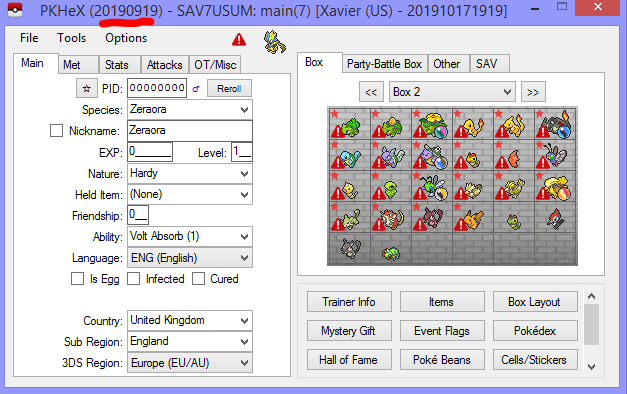
what version of PKHEX are you using? the save loads just fine I'm under the impression that you're using a version of the PKHeX that is prior to USUM being supported.
-
glad you figured it out.
-
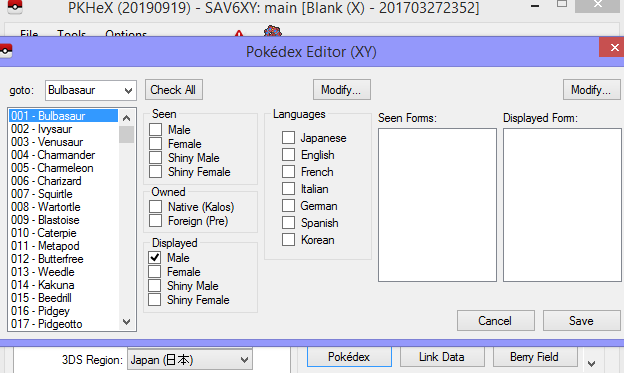
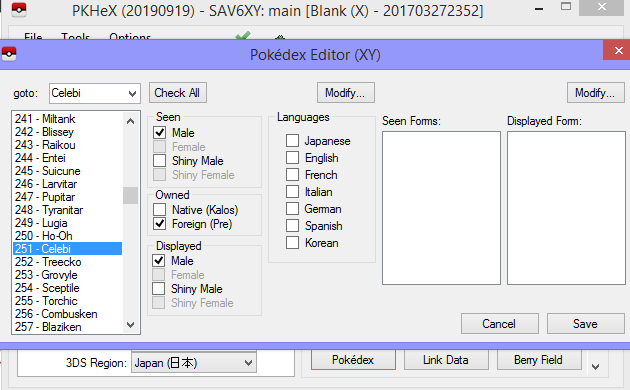
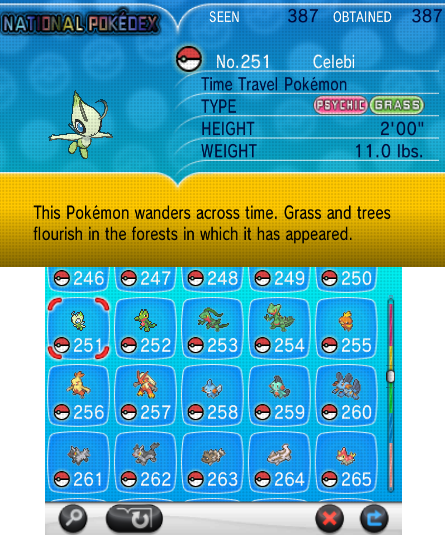
not doubting you, but just pointing out that in this case, PKHeX being rather inconsistent? As per my mini tutorial above, when I wipe out the seen/caught flags, it does wipe out the language flags as well. Meaning that for my example earlier, PKHeX was assigning languages, hence why I could see my imported dex entries afterwards. edit: Yup, was checking a Celebi (Japanese entry) to see what language was assigned to it, and it didn't assign any. However, it doesn't appear shiny in-game tho. (correct Seen/Owned)
-
Hmm, I'm wondering if "set to male" for the female only species is a default setting Pokédex (the game) has, or something PKHeX overlook. @Kaphotics any ideas?
-
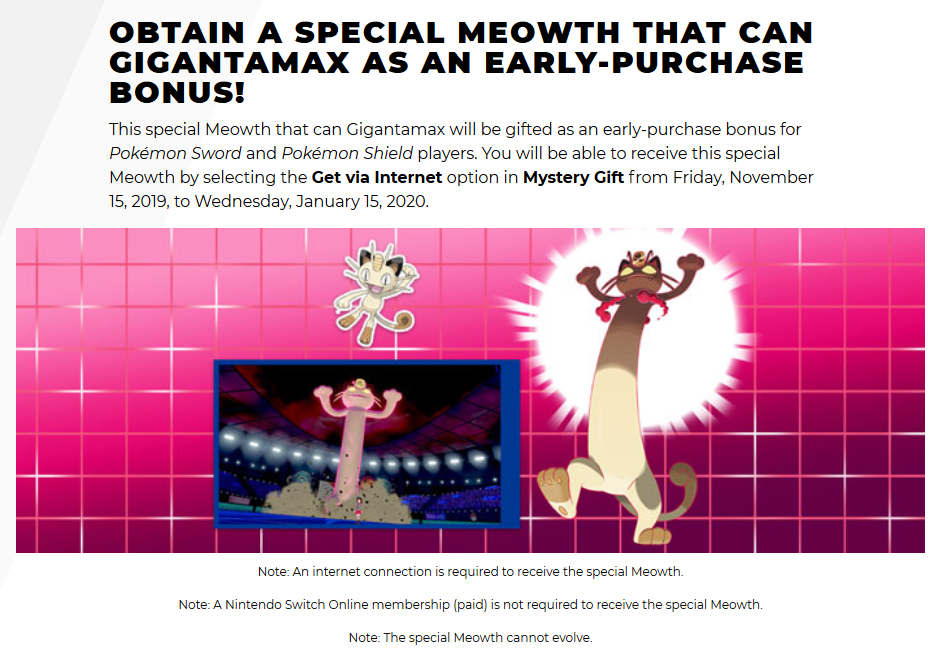
It was announced that this event would allow players to obtain a special Meowth that is capable of the Gigantamax phenomenon. This event will start from launch day through Jan 15, 2020. Interestingly enough, this Meowth would not be able to evolve. Official (EN): https://swordshield.pokemon.com/en-us/buy-now/gigantamax-pokemon/



-
- 2
-

-
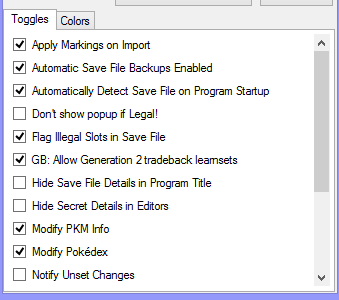
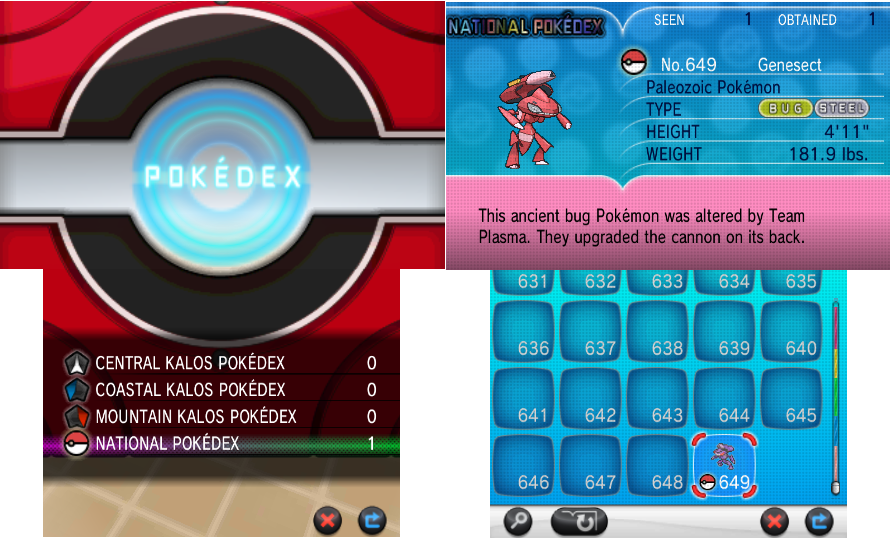
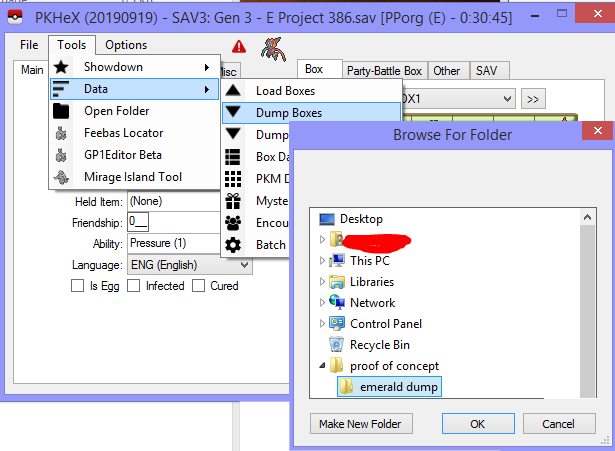
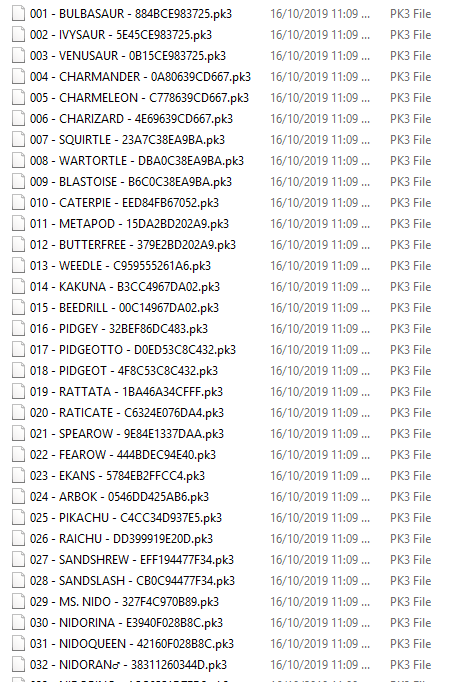
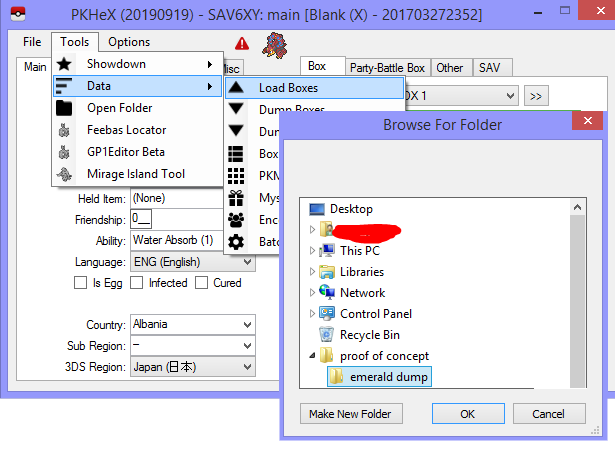
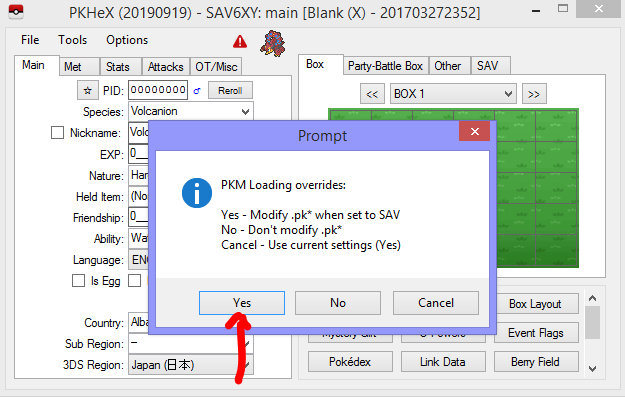
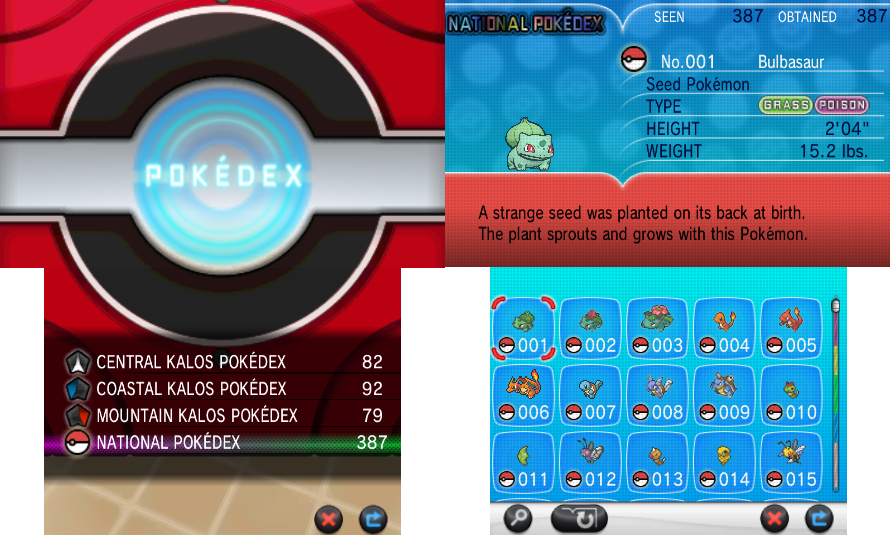
You ask for a "solution", but in reality there isn't anything wrong with PKHeX. And I know that the issue is not with PKHeX, because I'm able to import my files just fine. The best I could do for you, is give you a few images to follow, and you should try to follow em. If they still fail you, then I'll be equally lost as you. Read the text in the spoiler below thoroughly, and follow the images as closely as possible I hope this will be of some help to you
-
that seems to be the problem. When it is not registered as both "seen" or "caught" upon import, and you manually triggered the seen (with what you described above), that is what happens. Also in the first example above (which did not show it as shiny), I didn't edit the seen/caught flags. I'm merely showing the state of the flags after the import. I recommend you dump the mons into folders (on your PC), then try to import from the box again, while the modify Pokedex is checked. There was a similar thread from a few weeks ago, which more or less had the same issue. The user was having issues, and following these steps, I was able to get the dex to function properly:
-
It's not how you generate the mon that determines whether it's legal, but whether all the conditions on the mon is legal. And that is what PKHeX checks. Thus I've already answered your question
-
GameFreak hack checks don't actually check PID/IV correlations. As long as every single stat/option is legal, and PKHeX says it's legal (and future PKHeX updates continues to say it is legal) then you are fine.
-
No idea which tool it is, but I assume Celebitest only checks Ageto Celebi. If PKHeX marks the PID/IV from Eligor (on that Pokemon) as legal, then you're fine
-
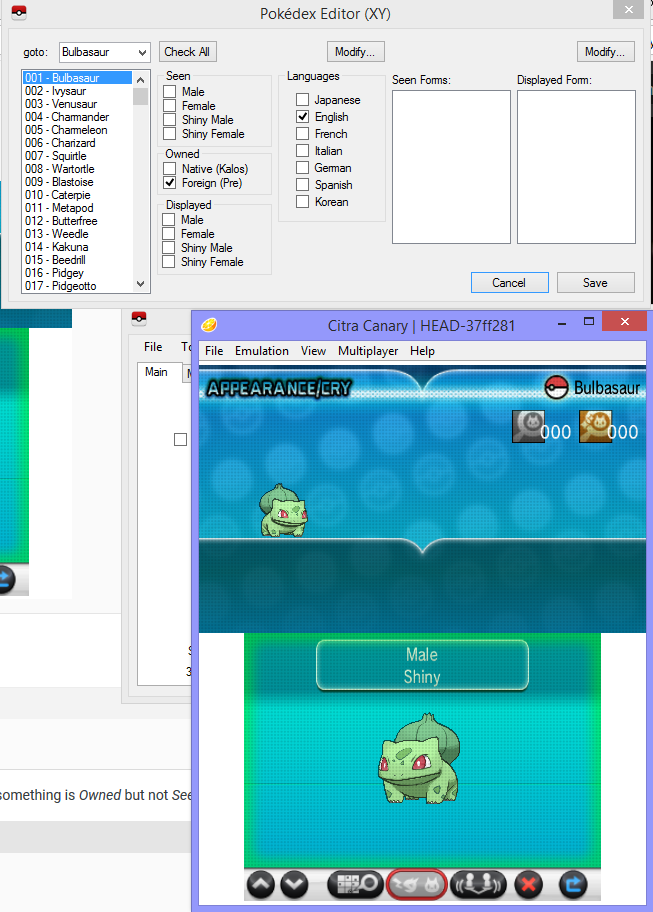
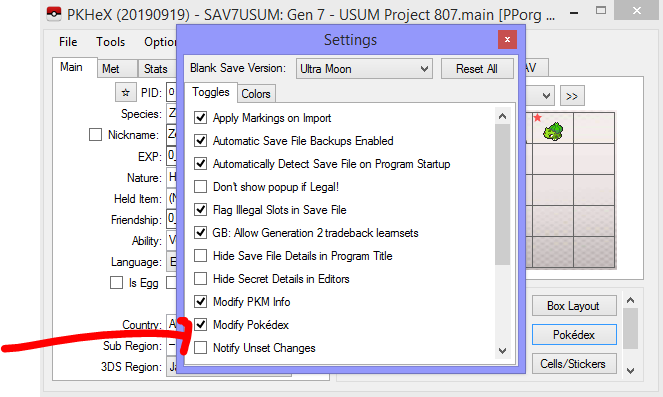
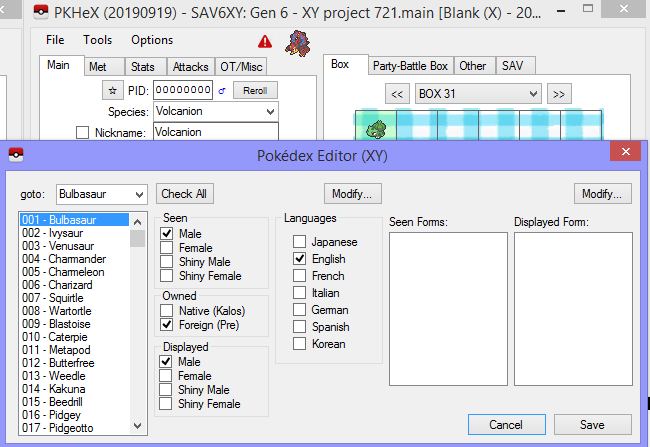
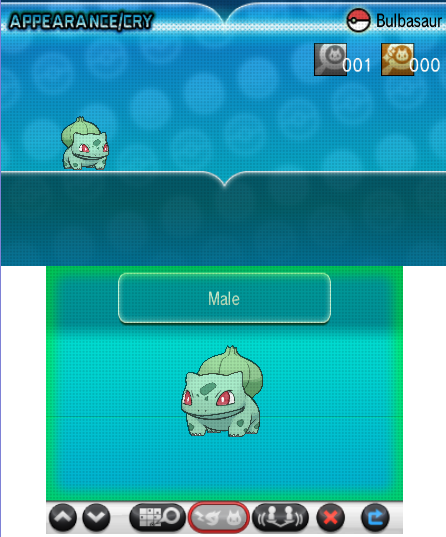
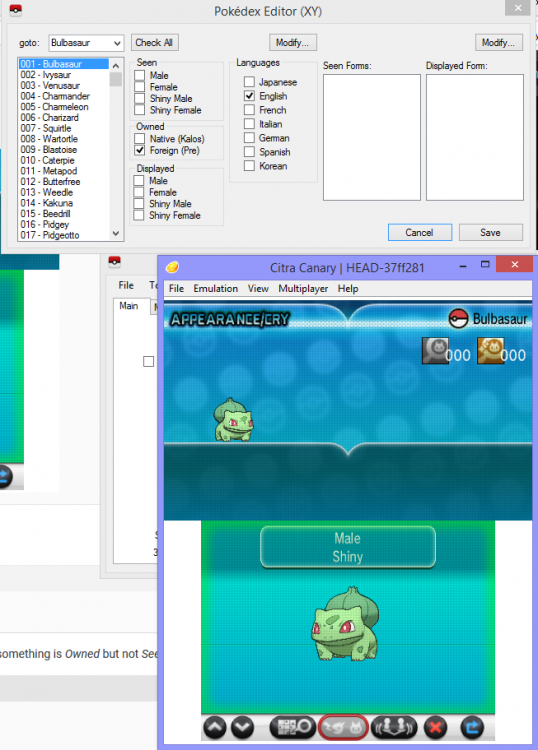
@loonix200 is this option checked? I just dragged a Bulbasaur over from Gen 3, and it was registered as both Seen and Owned (no shiny icon) What version of PKHeX are you on? I'm on 20190919, and as you can see, the Bulbasaur transferred up just fine. If I'm not mistaken the phenomenon described happens when something is Owned but not Seen. While looking at your Grovyle image, that doesn't fully seem to be the case, it's probably related to Seen/Caught flags.
-
I'm sorry what? (what is celebi test?) Are you trying to generate a shiny Celebi? Ageto Celebi cannot be shiny.
-
for Shiny Colo, you're supposed to use another program called Eligor.
-
Temporary fix, give it a try, but it won't fix that number if it's already changed. Let me know how it goes Pokestar Pokemon Enabler.exe
-
@juanpironi could you send me your before and after save? I'll look into it when I get time.
-
I never knew that’s a thing
-
Structure of Pokémon in RAM from Generation 4 Games
theSLAYER replied to Poke J's topic in RAM - NDS Research & Development
hey, I hope you don't mind that I changed the table type. It was somehow messing with the end div that was below table. Anyway, I appreciate your hard work relating to the documentation -
I don't understand what you're trying to get at. You want to view the 2 boxes of the same save at the same time? If so, simply open 2 PKHeX windows, and open both saves at the same time. (note, I recommend you only make all modifications to one of the windows, tho) If not, kindly elaborate further.
-
Looking for a save file for Gold VC
theSLAYER replied to bombchu's topic in Saves - Files and Requests
No. any save injection has to be done on a hacked 3DS. The only exception is using Cyber Gadget Pro to place hacked saves on Japanese 3DS carts (only). No other exceptions as far as I remember.. (While Powersaves provide cheats, it doesn't allow users to inject their own saves 1. Any modification has to be done via PS's own codes) In any case, the above exception doesn't work for VC, so thoroughly no for your question. notes. 1. Their own saves in this context any externally modified saves (such as using PKHeX). Powersaves only allows injections of saves directly handled by that program. -
Can save files from new HAC-001(-01) Switch be edited?
theSLAYER replied to Gr4dy's topic in Saves - Editing Help
All answers are based on Switch hacks available to public, at time of writing. Saves are encrypted per console per game, if I'm not mistaken. So no, can't gain access to save files (for view or edit) without a hacked unit. It's one of the reasons why people want a hacked unit at the first place. If people have access to save files without hacking, why risk the hacking? Normally not possible. I've seen people suggest using Ninty's official save transfer mechanic to send their saves to a hacked console, but ultimately the restrictions are: It's a one way transfer (save doesn't get duplicated, gets destroyed on sender end) Both Switches need to be firmware 8.0.0 or higher Transfer only possible locally, internet connection required (so cannot send to someone far away with a hacked Switch) Both consoles have to be linked to same Nintendo Account (risk of ban lol) You still require one of the Switches to be a hacked Switch tl;dr: not possible if you only have one switch that is unhacked/unhackable. -
[User Error] Invalid Static Encounter Shiny Mismatch
theSLAYER replied to Iz.'s topic in Saves - Editing Help
At this point, Sheer Force Landorus was only available via Pokémon Dream Radar (transfer to B2W2), and Pokémon from Dream Radar cannot be shiny. And in case you (or any other reader) have been wondering: Ability Capsule cannot be used to get Hidden Abilities onto a Pokémon with Ability 1/2. If anyone else tells you so, they're lying. Locking this thread -
You mind showing me a screenshot of the folder that Yuzu reads the save from?