theSLAYER
-
Posts
22960 -
Joined
-
Last visited
-
Days Won
1016
Content Type
Profiles
Pokédex
Portal
Technical Documentation
Pages
Tutorials
Forums
Events
Downloads
Gallery
Blogs
Everything posted by theSLAYER
-
Version .
20005 downloads
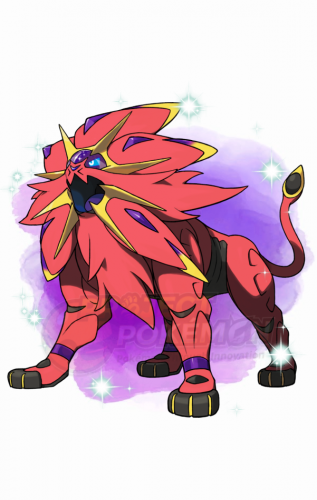
This Pokémon was distributed to commemorate the release of the TCG Expansion: Cosmic Eclipse. For players in Europe, players can obtain the serial code from participating retailers between October 1 to November 15, 2019. For players in North America, players can obtain the serial code from Pokémon Pass by visiting Gamestop, between October 21 to November 10, 2019. This marks the first time Shiny Solgaleo is available in the games, as Solgaleo is shiny-locked in Pokémon Sun and Pokémon Ultra Sun. Our news thread relating to this distribution: https://projectpokemon.org/home/forums/topic/54719-sm-usum-eclipse-shiny-solgaleo-lunala-gift/ Species Solgaleo Nickname (default, save lang) OT Eclipse TID 100419 Distribution Serial Code Location a lovely place Dates (Various) PID Shiny PID Games US & EU 3DS: M UM Lv. 60 Nature Random Ability Full Metal Body (1) Item Gold Bottle Cap Bundled Item None Card Per Save Only One Allowed Moves (ITALIC means Relearnable) Sunsteel Strike Zen Headbutt Noble Roar Morning Sun WC ID 693: 「Brilliant Solgaleo」's receiving text 0x2C Thank you for playing Pokémon! Please pick up your gift from the deliveryman in any Pokémon Center. Classic Brilliant Solgaleo Feel the warmth of Shiny Solgaleo! The Legendary Pokémon beams with power, delivering huge attacks with Sunsteel Strike and recovering from damage with Morning Sun. Format Ver.1.0.8-2, Post Updated Date:20191001_0804 -
That's drastic. Warnings (w/ infraction points) only lead to bans if you don't learn from said warnings. I have received points before; everyone needs to learn. In any case, the original intention of this thread was to ask how to import/export saves for PKHeX editing, and you've accomplished that. I'm locking this thread. In the mean time, I'll restructure the tutorial, since you've had such a hard time understanding it.
-
yes, always backup your save whenever you make progress in the game, then edit a copy of that new backup, then restore the edited copy.
-
@Terasaurus last warning to you: stop multi-posting, alright. That's your prerogative. I don't know, copy the mains to folders, name the folders, never edit those. Only edit COPIES of those. I already suggested what has to be done. Anything else regarding that you gotta figure that one out. Why don't you try it then find out by loading the game and see if anything changed? As long as you've got an unedited copy on your copy, you can always restore that. Learn to test things by trial and error.
-
Before you perform any edits on PKHeX, make sure you keep an unedited copy of the save file somewhere safe on your computer. In case of any errors, at least you'll be able to restore the unedited save. And yes, give it a try and find out
-
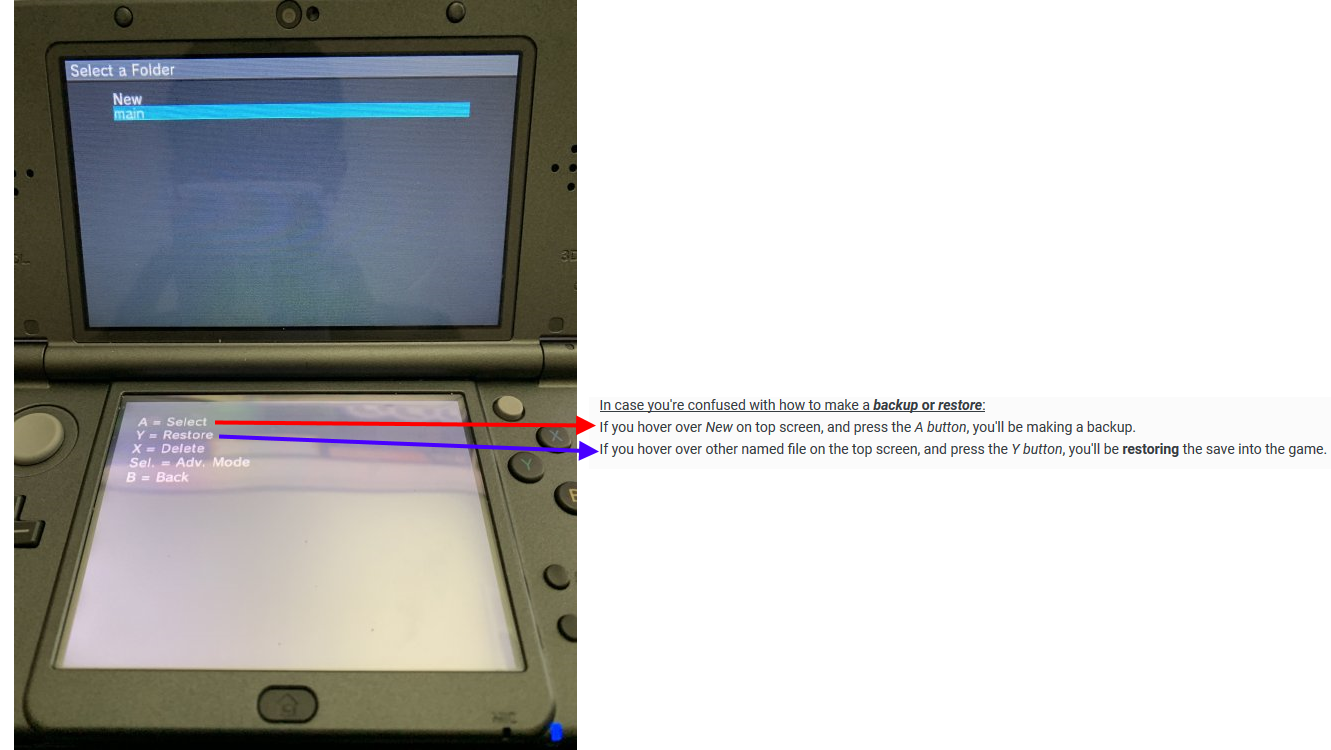
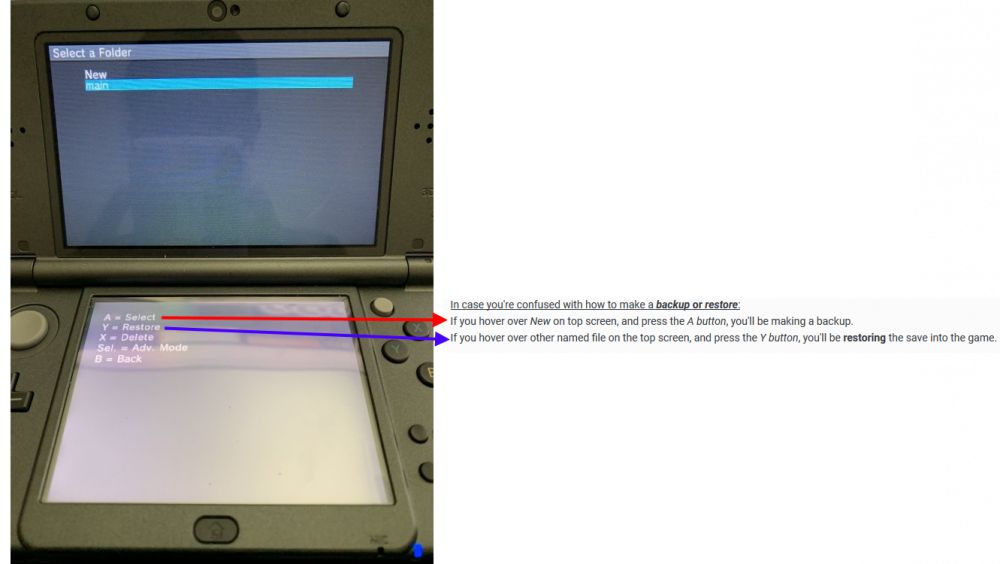
read the image above that has the blue arrow.
-
No. Read this properly. (It's literally as per the tutorial) Also, I know you have landed on that screen before, because you showed me this: This screen shows up after you enter Save data, and it's the same screen as the image I'm showing above.
-
Erm, can you read what's written on the bottom screen of the image above? edit, to reply to the edit: The step by step was literally in the tutorial. They are simple steps, that comes with images, that anyone should have been able to follow. I can only assume you weren't actually reading it.
-
Look, I just downloaded that version of JKSM, and I verified it works the same as the tutorial. Titles > (Game title) > Save Data > (Import/export screen) Import/export screen looks like this (which is also in the tutorial) If you can't follow what is mentioned above, then I do not know how to help you.
-
that's probably the one from when you just clicked (Y) earlier. Now, what's on the bottom screen (that goes along with this image you just sent over?)
-
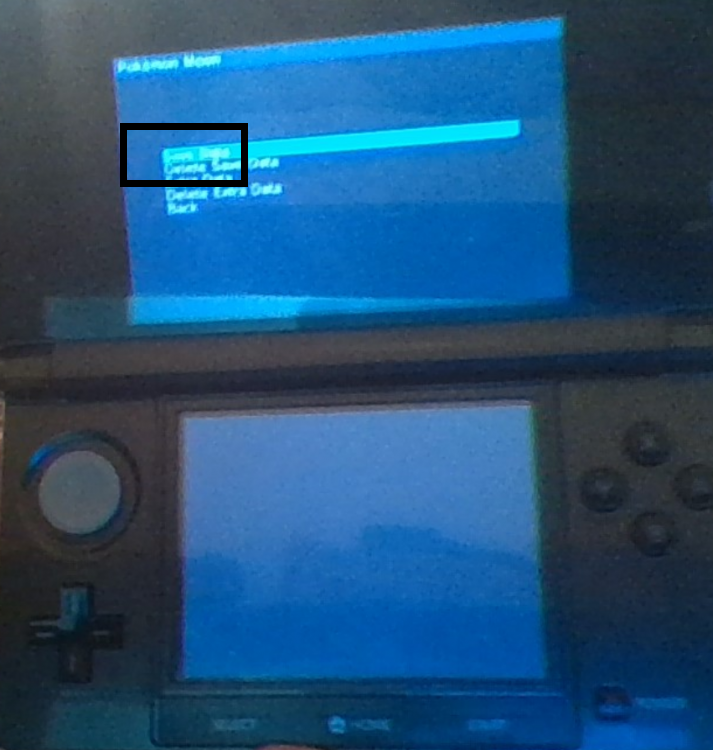
-.- Probably Dumps the save file, as the word implies. Also have you tried going into this option? I'm assuming it says Save Data. What happens when you go into that?
-
Have you tried "Dump Selected (Y)" to dump the save file? Also, I'm confused, which screen comes first? They're so blurry it's giving me a headache
-
Okay, Take a clear image of with both the top and bottom screen, after you select the game title. At the screen that you say there's "nothing else"
-
erm, the game titles appearing is it working (lol). Did you even follow the tutorial? If " JKSM - 12/20/2018 " is your version, then it is the same as the tutorial. Follow the tutorial to learn how to dump your save. Refer to the step-by-step images, and read the words that accompany the images. Give it a try first. Then if you have any issues, come back and explain what you did, and which step of the tutorial you're stuck at.
-
1. Don't muti-post (if your latest post has no replies after it, just edit the post to add in new information. 2. I prefer solving issues on the forums; others can join in and help, or someone with a similar issue can chance upon the thread in the future. 3. You haven't told me whether Reload Titles then Titles worked for you. edit: I also moved your thread to the appropriate sub-forum. You are asking for save editing help, and not partaking in a creative discussion. In the future, please post the thread in the correct sub-forum
-
you can upload images straight to our site. Okay, first try Reload Titles, then go to Titles. there's no need to "install a different version" since they all work. Also I'll like to clarify, are you on CFW?
-
Go into titles. Even if your version is different, go to our tutorial on JKSM and read it. It might give you an idea on what to do.
-
De;ends on how you installed the CFW. Not sure if coldboot exists beyond FW 1
-
It's about going online with a CFW. It doesn't matter if it's emunand or sysnand, as long as the nand w/ cfw went online and they detected error reports that shouldn't be there, among other things, if I'm not mistaken.
-
I've seen people get banned in the early days, not so sure recently. At your own risk.
-
I don't have a nintendo online subscription, so that only "online" I've done is Mystery Gift redemptions for Let's Go.
-
ah then it's worth a try.
-
yup.
-
could give that a try, but I think there's something about the other switch needing to have the same user profile or connected to same nintendo account or something. Gotta check out the details before trying.
-
well to be fair the people who got banned on their 3DS either pirated the games and went online early, or made mistakes with their saves. But yeah now they ban devices for just having CFW (if they detect it)