



Kaphotics
-
Posts
8128 -
Joined
-
Last visited
-
Days Won
504
Content Type
Profiles
Pokédex
Portal
Technical Documentation
Pages
Tutorials
Forums
Events
Downloads
Gallery
Blogs
Everything posted by Kaphotics
-
No, use the shortcuts.
-
 https://github.com/kwsch/pkNX/blob/696eea1a1b63aea8495fc6f1689ace7fdf3b182c/pkNX.WinForms/Dumping/GameDumperSV.cs#L652 https://github.com/kwsch/pkNX/blob/696eea1a1b63aea8495fc6f1689ace7fdf3b182c/pkNX.Structures.FlatBuffers/Gen9/Move/Waza9Table.cs
 -
No, because the ROM updates the abilities. Change the ROM to stop changing abilities (nobody has done this before, so you're likely not going to either), or edit the ability in the save file editor after it evolves. PKHeX is a save file editor. It cannot bypass game behaviors that update data.
-
Incorrect save size. Needs to be 128KB (0x20000 bytes), not whatever you have it exporting as. Trim it down in a hex editor and it works fine.
-
Names not saving when added an egg to a box.
Kaphotics replied to It Might Be Vid's topic in Miscellaneous Help
PKHeX is correcting your mistake; eggs do not have a nickname besides "Egg" (localized). If you would like to disable this feature, change the setting the [SlotWrite] SetUpdatePKM boolean to false via the program settings (Options->Settings). -
What does "Block Data" mean and how do I use it?
Kaphotics replied to Rainbowdutches04's topic in PKHeX
Mass outbreaks: sure, if you modify the correct block. Which block is the correct block? Nobody has identified which blocks are responsible for mass outbreaks, or what is needed to be changed in each to get specific results. The block editor can do savefile diffs to let you know what changed between save files, so that will help narrow down the list to identify which is responsible. Remember that the save file changes can't make the game behave differently (like spawning unavailable species in the wild); that requires editing the ROM. How likely a shiny would appear: no, outside of giving yourself a Shiny Charm. Changing the amount of shiny rolls the game does is a game-code change, not a savefile change. Use a cheat code to change the game code while the game is running: https://gbatemp.net/threads/pokemon-scarlet-violet-cheat-database.621563/ -
Encounter-only Marks (like Weather and time of day) can only be obtained on wild encounters, not gifts or static encounters like raids. Use the encounter database to pick a template that will be compatible with whatever end result you want to have.
-
What does "Block Data" mean and how do I use it?
Kaphotics replied to Rainbowdutches04's topic in PKHeX
It exposes the raw savedata for research (before/after diff), and allows direct/indirect modifications for everything about the save file even if it is undocumented. SWSH/PLA/SV save files are stored as a collection of savedata objects (uniquely identified by a 32bit FNV-hash key), and each object has embedded metadata about the object (shown in the block detail list label). The dropdown allows you to select any savedata block object; the program will show the 32-bit key if it does not have a name assigned (manually identified and hardcoded by PKHeX's maintainers). If a block is a recognized object, you can see properties on the right side to change as you see fit. Otherwise, it will show the raw data similar to a hex editor, which you can export and modify yourself, and import when finished via the buttons on the left. There are some things that PKHeX doesn't edit, like fashion or importing past distribution raid data. But you can import these blocks via this interface. -
Exports just fine.
-
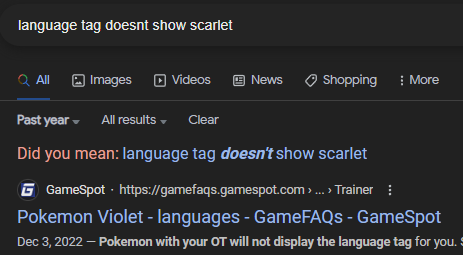
https://gamefaqs.gamespot.com/boards/359434-pokemon-scarlet/80261655 First result with an aptly termed google search:
-
bug PKHeX always reports invalid checksum after scrolling PC box view
Kaphotics replied to ageispolis's topic in PKHeX
Switching boxes changes the "Current Box" value for the save file. After which, the save file is "modified", not un-tampered. The program doesn't track every mutation to the save data to check if it was edited, so you should only really be checking immediately after opening the save file. -
pkNX edits a folder that contains a ROM dump. Any files that are changed from the ROM dump are stored in the ROM dump's folder, inside a 16-digit folder (ROM's Title ID). This Title ID folder is what you copy to your console, and the console's layeredfs feature will load the files from that folder instead of the cart/SD when requested by the game. When loading files to edit, pkNX checks the Title ID folder to see if the file has been edited. If it exists, it loads it, otherwise, it reads it from the unmodified romfs. When you wish to revert modifications completely, you go into the Title ID folder and delete the modded files, so that pkNX loads from the unmodified romfs. When the files are deleted, the modded files will be gone, and you should be seeing unmodified data in-game and in the editor. If you are seeing randomized data in a fresh ROM dump, then you either didn't open the correct ROM dump folder, or you pirated a pre-modded ROM. Neither of which are issues with pkNX. pkNX does not load data that does not exist. It is up to you to ensure you are copying files and managing mods correctly; pkNX is just a program that loads data from where it is told to load from, same as the console.
-
Attempted to load an unsupported file type/size
Kaphotics replied to al3xl0p3s's topic in Saves - Editing Help
PKHeX does not support ROM Hacks that modify the save file structure, or change things significantly from the base game. -
Delete the layered FS folders on both your console and pkNX's local folder.
-
Yes.
-
It's in the tutorials and guide. Randomization of PID is a single command.
-
Depends. Things like exclusive tutor and level up moves that require the Pokemon to level up / evolve will require a higher level prior to transfer. Same for Gen1/2. Can always brute force the lowest possible value yourself.
-
Which code can batch remove pokemon markings?
Kaphotics replied to Ju1yChan's topic in Saves - Editing Help
There are 4 markings for early formats and 6 markings in more recent games. Keep looking. -
Which code can batch remove pokemon markings?
Kaphotics replied to Ju1yChan's topic in Saves - Editing Help
Refer to the batch editor guides on how to find property names that you can use. All 6 that you listed are not in the list of properties. There's one property that starts with Mark***** that should be obvious how to set. -
G-Max moves not showing up in PKhex
Kaphotics replied to DarthGreymon's topic in Saves - Editing Help
G-Max moves are not storable moves, see the Bulbapedia link. Entirely separate handling by the game. -
G-Max moves not showing up in PKhex
Kaphotics replied to DarthGreymon's topic in Saves - Editing Help
Z-Moves and Dynamax Moves are hidden from the legal move list dropdowns as they are not valid out-of-battle moves to know. Google is your friend: https://bulbapedia.bulbagarden.net/wiki/List_of_moves -
Encouter Database's Pokéwalker Pokémon PID Remains Constant
Kaphotics replied to foohyfooh's topic in Saves - Editing Help
The entity db setting for Use Tabs as Criteria can be turned off, or you can pick a random nature in the editor then view the template. -
Encouter Database's Pokéwalker Pokémon PID Remains Constant
Kaphotics replied to foohyfooh's topic in Saves - Editing Help
Pokewalker PIDs are deterministic. Gender Ratio+Nature+TID/SID => PID. They're always going to be the same if the inputs (above) are the same. -
PKHeX uses the 3DS wordfilter. When trading, it would have its nickname reset and the OT changed to a version-specific bland name. Just because you understand a word as being tame does not mean it isn't foul per Nintendo's standards. https://bulbapedia.bulbagarden.net/wiki/List_of_censored_words_(Generation_V) It is my choice to use the 3DS wordfilter for all games, instead of no wordfilter or spending time reverse engineering wordfilters for every game. Better to use the most aggressive one for all so that cross-game transfer issues will be known ahead of time.
-
Cant have ball for encounter type [user error]
Kaphotics replied to wowdude11's topic in Pokémon Legality
Educate yourself on how ball inheritance works. The parent of the same species lineage has to already be in that ball. If you cannot capture a fuecoco in a beast ball, then you cannot breed one to have one either.

