theSLAYER
-
Posts
22959 -
Joined
-
Last visited
-
Days Won
1016
Content Type
Profiles
Pokédex
Portal
Technical Documentation
Pages
Tutorials
Forums
Events
Downloads
Gallery
Blogs
Everything posted by theSLAYER
-
B3 of Lysandre Labs (the room with the screen)
-
 Except you can. I use a modded Switch. I go online with CFW Sysnand. It is fine as long as you aren’t banned nor have anything sketchy (like custom to themes or piracy)
 -
Save file of Pokemon Legend Z-A with DLC trenchcoat
theSLAYER replied to ElHagucci's topic in Saves - Files and Requests
It probably detects something else in the save. Either it sets some other flag or it checks against the wonder record. -
Save file of Pokemon Legend Z-A with DLC trenchcoat
theSLAYER replied to ElHagucci's topic in Saves - Files and Requests
Go to Fashion Editor > AllInOne and type in this ID. Consider making it IsEquipped on top of being IsOwned. You probably need to visit or have visited the clothing store Boutique Couture at Vernal Avenue for the clothing to show up. (The game does this thing where we can't just import clothing items without having visiting shops that has it or a family of it)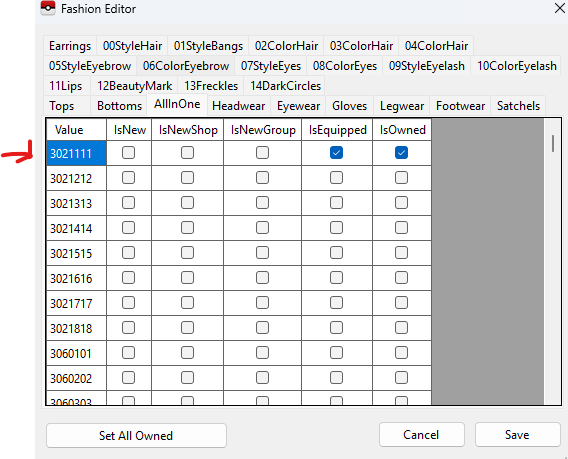
-
Sounds like PKHeX is working as intended; in-game captures has predictable stats (PID+correlated), so any stats that were changed randomly (which includes reroll) will cause that message to show up.
-
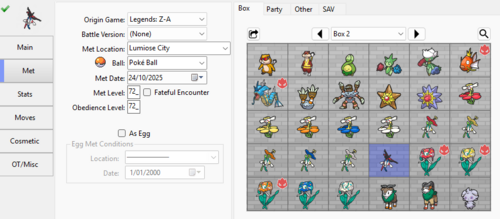 I don’t think every thread says that. I’ve said in multiple thread that I use CFW (including backing up and restoring saves) and able to go online with my CFW Sysnand. the idea is to not have anything fishy that will get you banned, like cheating on online multiplayer, piracy, custom themes etc.
 -
2288 downloads
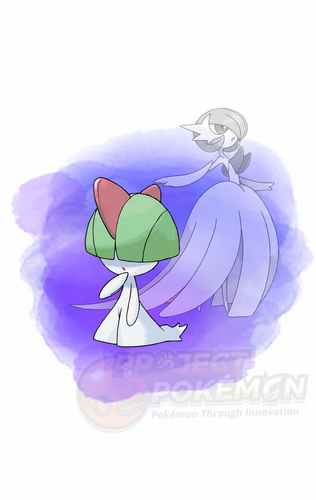
This event was distributed to players to commemorate the release of Pokémon Legends: Z-A, and features a Ralts holding a Gardevoirite. While it is possible to obtain a Gardevoirite during normal gameplay, it would require quite a bit of progress; this Ralts and Gardevoirite can be received much earlier than regular gameplay. This gift was distributed between October 16, 2025 to February 28, 2026. Do note that in Pokémon Legends: Z-A, Mega stones cannot be traded to another player. Wonder Card ID #1601: Ralts and Gardevoirite Gift Species Ralts TID (recipient) Distribution Online Wi-Fi Location a lovely place Dates Oct 16, 2025 to Feb 28, 2026 PID Cannot Be Shiny Games Legends: Z-A Nature Random Ability Synchronize (1) Item Gardevoirite IVs EVs HP ALL RND ALL 0 ATK DEF SPA SPD SPE Lv. 6 Moves (ITALIC means Relearnable) Disarming Voice Growl Confusion Swift Classic Ribbon (Ribbons not shown in game) Lang Slot Mon's Lang Nickname OT Name OT's Lang JPN (lang' tag default) (recipient) - ENG (lang' tag default) (recipient) - FRA (lang' tag default) (recipient) - ITA (lang' tag default) (recipient) - DEU (lang' tag default) (recipient) - ES-ES (lang' tag default) (recipient) - KOR (lang' tag default) (recipient) - CHS (lang' tag default) (recipient) - CHT (lang' tag default) (recipient) - ES-LA (lang' tag default) (recipient) - Only One Redemption Allowed Format Ver.4.0.0-5, Post Updated Date:20251107_2022 What can be done with these files PKM creation with PKHeX (drag & drop the wondercard file in the spot where you want the Pokémon) In-Game Mystery Gift redemption with Switch Gift Data Manager -
BDSP mysterygifts
theSLAYER replied to NickThecollector's topic in ROM - Switch Research and Development
As far as I know, there isn't. -
Just to add on, maybe for the past decade, save gender related switching is tied to too many flags and little story beats. I’m not surprised the game ends up like that. Best way is to simply replay the game, it isn’t worth the trouble. If you aren’t trying to swap Taunie vs Urbain, you may not even want to bother, since you could just change your fashion to match whichever gender you want to be.
-
So, the one from HOME is directly dumped from their CDN (their online asset, not within the game). Certainly, it'll be interesting to see if the SV dump from Switch 2 is any good. Now, to see if I remember how to do all that.
-
Everything aside, you probably didn’t “evolve” your Machamp right; you need to assign some other trainer’s name to Latest Not OT Trainer (Handling Trainer) Unless the Mon was found as a Gible, you can’t revert a Gabite to Gible and expect legality. while evolving via Link Trade deserved its own thread, everything else you mentioned doesn’t
-
I suppose it’s less of an error and more of a game specific issue. The flag ID probably differed between DP and Pt. Thanks for reporting!
-
Did you try placing the save back to the Switch to see if this happens? Did you use some cheats before this?
-
Thread locked.
-
Drag a ph3 into the left side of PKHeX. May need to have this plugin: if that’s what you’re doing, can you specify what “error”?
-
The dates involved are not part of wonder card. Instead, it’s part of the bin/save as related to the local distributor apps example: title: already part of wonder card, so yes Flavour text/message, no. It is data unique to the wonder card full. Initially, wonder cards were data extracted from saves. However, I always see the temporary splashed flavour text during card redemption and eventually figured it had to be stored temporarily in RAM. That’s the beginning for wonder card full. The tool doesn’t try to predict what the flavour text would be, and also wouldn’t be interested to allow users to add it, as it could increase the chances of people submitting fakes (still happens to this day) ANYHOW Going back to what I was saying, if you’re downloading local distributor app off the internet, it’ll be piracy. Chances are high so I’m gonna lock this thread.
-
I’ve got a crappy full card maker here: in any case, downloading those apps are piracy, if you don’t happened to own a dev unit that came with those apps. So don’t download them just FYI.
-
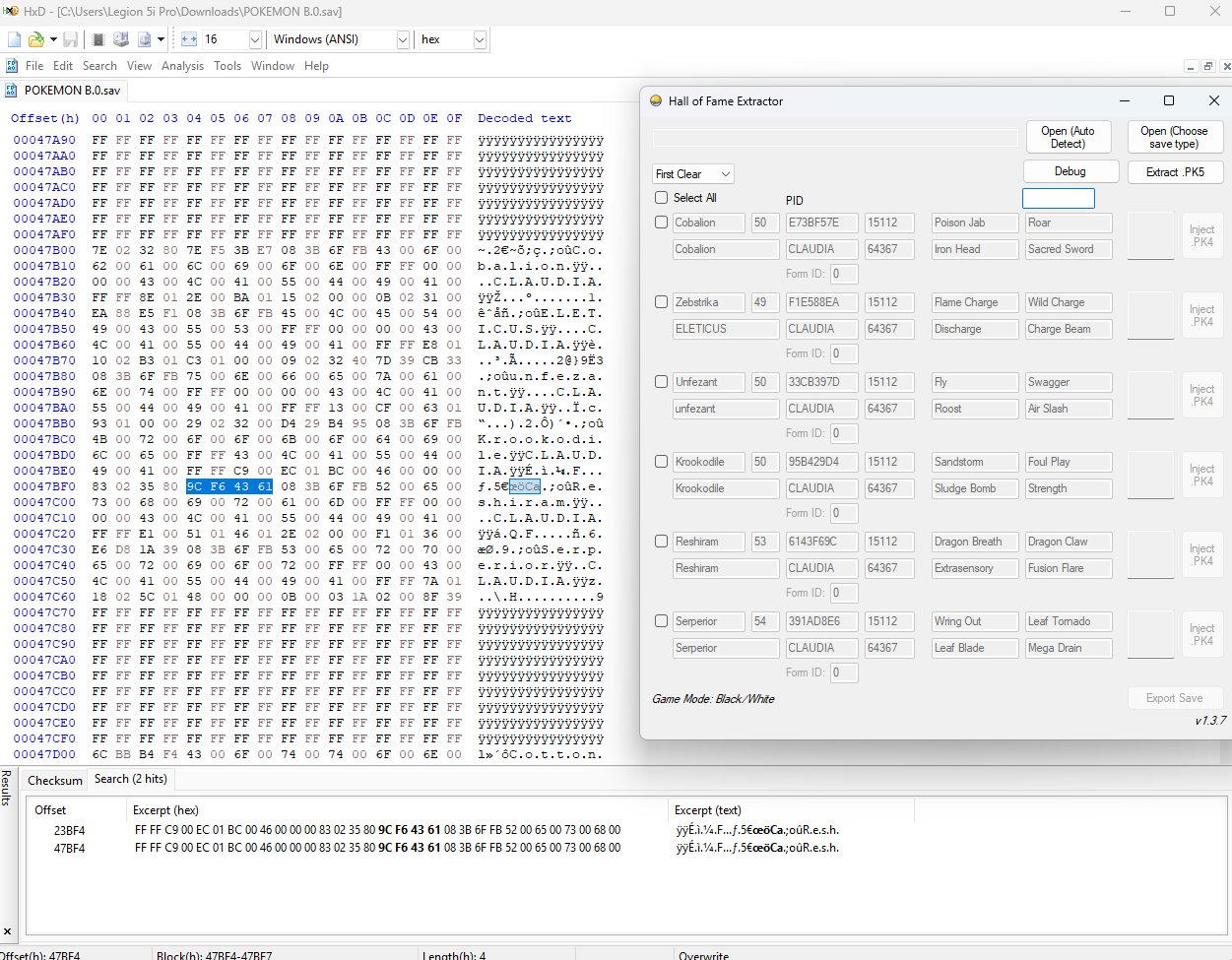
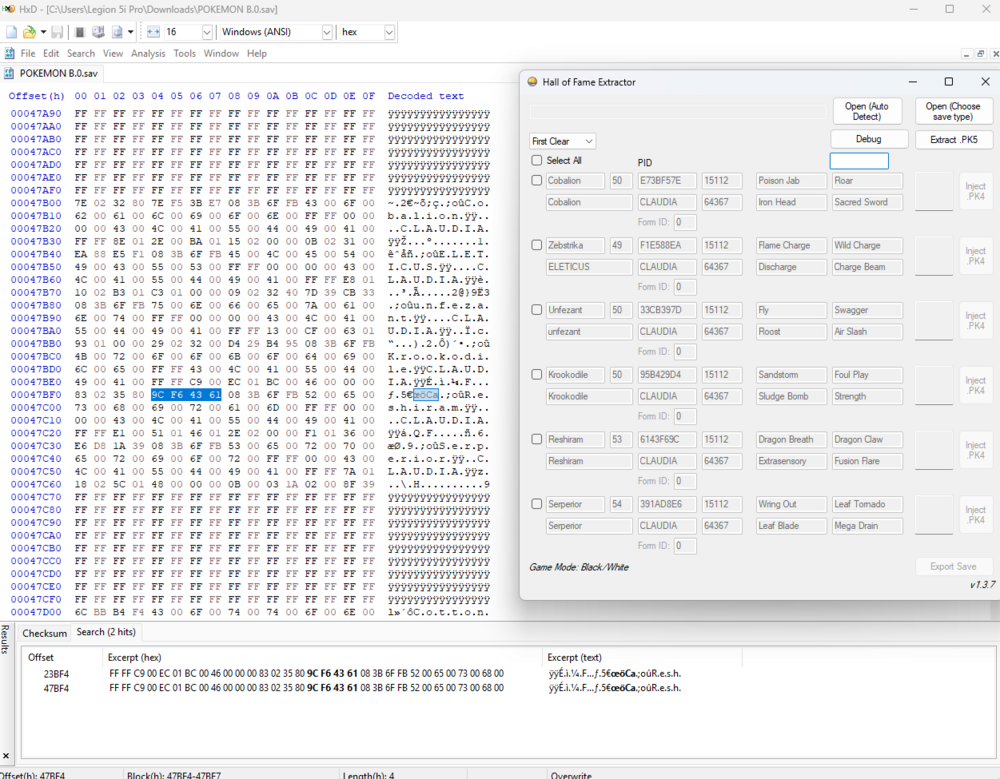
Sorry, forgot about this. Let's look at it this way: In most scenarios, even if the data of Pokémon is changed/modified, the PID will remain intact, as it is used for shiny determination. (let's say it'll be used as a sprite for a museum painting, for example). Additionally, prior to Gen 6, the PID is the key used the encrypt the Pokemon's data. Meaning as long as they store the Pokémon somewhere, whether encrypted or decrypted, searching the PID will result in some hits. Now, I used HOF extractor to see what the PID is. Then, I searched your entire save (note the values I used accounted for endianness, so every 2-byte word is swapped; example 1W 2X 3Y 4Z => 4Z 3Y 2X 1W) I found exactly two hits. These hits are both the HOF data, one for main save, one for backup save (yes, a single Gen 5 save contains a main and a backup) In conclusion, as expected, besides the HOF data your Reshiram data does not exist in your save. So back to the drawing board, and create the IVs yourself.
-
Trading with yourself with 2 different Switches rumor...
theSLAYER replied to TokoyamiTheDark's topic in Generation 9
Under the impression that SV can still trade and raid locally etc. I've traded recently (to transfer items), and raided recently (use hacked Switch to find shiny raids via raidcrawler). -
You could try Pokefinder, gen 5 mode.
-
IIRC -> if I remember correctly. its less English and more internet-lingo. Don’t worry bout it. As far as I know, the seed for encounter stats are independent from the seed of the rental mons. It’s not part of the save, so you can’t input it.
-
IIRC the seed from the plugin is sufficiently random and thus should Be fine
-
Provided the WCs are legal, would be okay
-
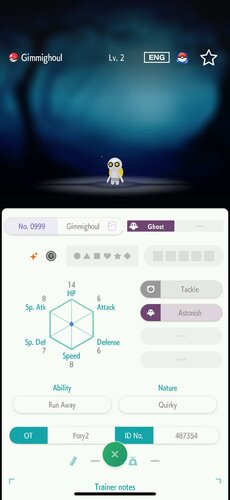 TID ain't mutable so I'll advise against trying
 -
Yes, drag in each wc9 in for each Mon, then set the correct game version.