theSLAYER
-
Posts
22960 -
Joined
-
Last visited
-
Days Won
1016
Content Type
Profiles
Pokédex
Portal
Technical Documentation
Pages
Tutorials
Forums
Events
Downloads
Gallery
Blogs
Everything posted by theSLAYER
-

Missing wondercards section for Gen 6 and 7
theSLAYER replied to Snakki's topic in Miscellaneous Help
There used to be a google sheet tracking what events are where, but when shifting images around in site directory it somewhat broke the sheet. It’s also outdated cause it hasn’t been updated in a while. Frankly I think it reached a point where if a Gen 6/7 event has a wonder card, we have it, so that isn’t necessary any more I should remove that table altogether. -
Well, they’re there cause the Gen 4 entry is all grouped together. It’s a rather easy thing to notice I think. When it comes to reuploading, perhaps I’ll do that. You’ll think that users will be smart enough to know that those mons don’t exist in those games, or perhaps first assume they themselves are wrong and attempt to search for the reason for their perceived ‘wrongness’, but clearly that isn’t the case I’ll reupload if I find time. This is a rather low priority issue and I’ve got other things to attend to
-
Missing wondercards section for Gen 6 and 7
theSLAYER replied to Snakki's topic in Miscellaneous Help
As in if we could provide them? check the GitHub for eventgallery. If it’s not there, it’s not there -
I've not heard of such a way. Maybe someone more into the encryption protocols would know
-
Nah encryption is there. It's the game that applies an extra layer of encryption. It's there all right. Well your save is completely garbled, like a encrypted file would be. To be clear, you're not saving with save states and stuff right?
-
Given SWSH saves itself are encrypted, I don’t think you can just hex compare to a different save. If the encryption key is messed up, I doubt anything can save the save. PKHeX can’t load both saves right?
-
Don’t use save states. Save the game using the game’s (not emulator’s) menu.
-
The question for you is whether the “met location” shows up correctly in HOME, as well as other data like moves and Dynamax Level. When you try to inset Ho-Oh into HOME, when you already have the same tracker in HOME, it’ll reassign a new tracker, but carry forward the other information. also, HOME might internally track which game the tracker exited to..
-
They’re easy to calculate from an initial seed. However once you’ve advanced the frames, it’s not like the original seed is saved. So one can’t tell the difference if you legitimately advanced to the current seed, or hacked the current seed.
-
pkNX: Nintendo Switch ROM Editor & Randomizer
theSLAYER replied to Kaphotics's topic in ROM - Switch Research and Development
Are you talking about SWSH? I am unsure if the randomizer (without specifically removing the shiny lock for the encounter) would enable shininess for shiny-locked encounters/gifts. Pretty sure the starters obtained from Leon are shiny locked.. -
Provided all you did was a save edit to change the den that shows up (and not a ROM edit to edit the contents of the dens itself), there isn't a known way to differentiate whether the den came from RNG or save edits. So it technically should be safe. However, do note that it is all at your own risk.
-
Help with Saves for Local Distributor
theSLAYER replied to sceptilelad's topic in Saves - Guides and Other Resources
If it's a .CIA, you can just install it using FBI or DevMenu or something. Anyhow, I would imagine you'll need to be on the latest Luma CFW to even be able to get anywhere with it. If it isn't a .CIA file, then well, you didn't manage to acquire it. If you're on some weird NinjaHax or whatever, that doesn't give you proper rights and/or on some funky CFW, then well, I imagine you won't be able to install it, even if you did find it. Ignoring everything I've said so far, chances are you've obtained this via piracy (if you indeed did get it). Everything is written on that post you've quoted. Staying within our rules, this is all we can say: we legally can't discuss it further than that, as we want to keep our site afloat. -
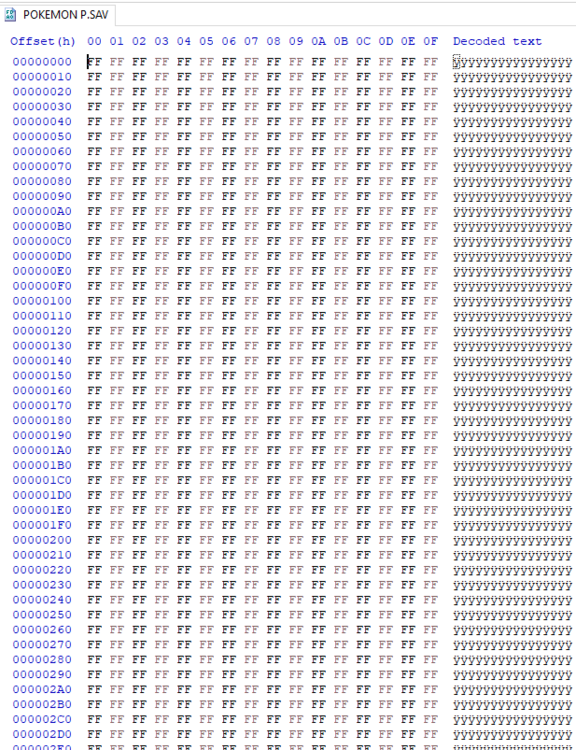
Completely filled with null data. So nothing can be retrieved from this, since there's nothing of use here.
-
SWSH - Rental Team Codes, and the mons from within.
theSLAYER replied to theSLAYER's topic in Saves - Research
Rent the team. Dump the save. Extract the block using block editor. Drag the block into empty PKHeX -
This?
-
I’m gonna need to play around with the event later, pretty sure it should only have one game of origin. Yeah only some Gen 4 events have fixed game of origin tho.
-
Some Gen 4 events have fixed game origin set to Diamond. Check if it’s one of them. Don’t go messing with the game of origin.
-
Have we discovered any other MARIO mews besides 51273?
theSLAYER replied to BatonPassingCelebi's topic in Miscellaneous Help
You've already posted this in the Mario thread, no need to post it multiple times. I'll hide this thread in a few hours.- 1 reply
-
- 1
-

-
I think there's CTR transfer files on the 3ds guide website. Anything beyond that is probably piracy. Reminder that piracy is against our rules. Do dump the apps from your own 3DS. As the operative word used was "find/found", it sounds like piracy was involved. While I cannot confirm that is the case, to stop the issue from spiraling out of control, I'm locking the thread.
-
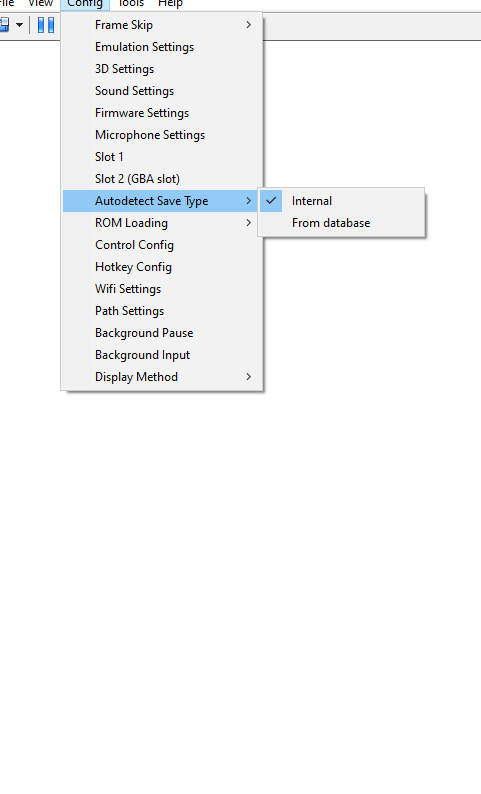
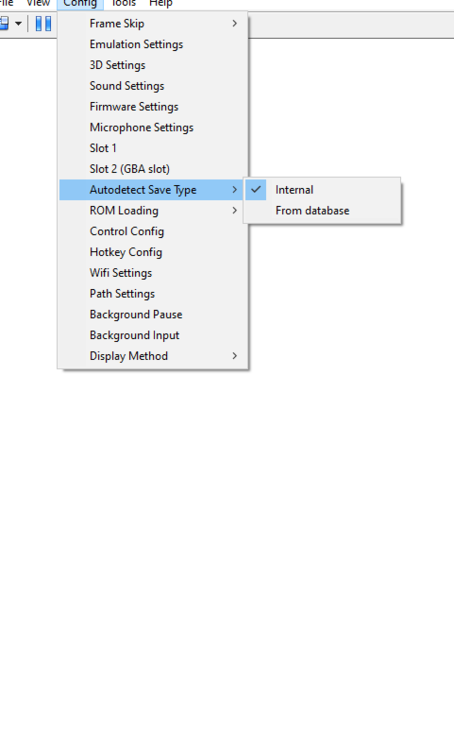
I've shrunken them with HxD. edge.sav Maybe switch your save options.
-
Are Rotom Forms Supposed to Show As Illegal?
theSLAYER replied to PLAFiles's topic in Saves - Files and Requests
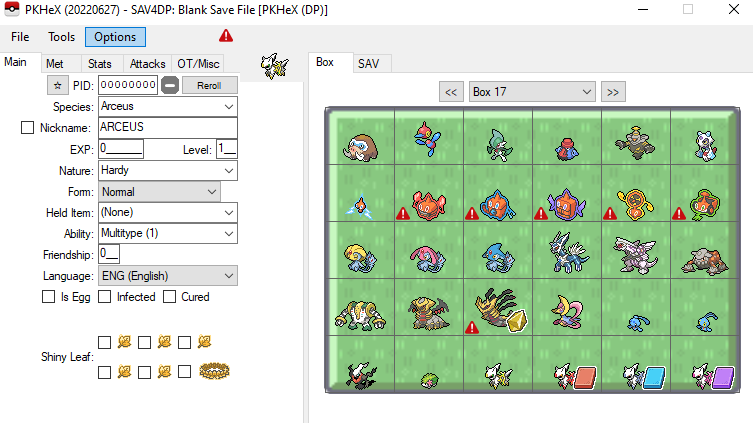
Sounds like exactly what they're doing. Appears fine in Pt. and in DP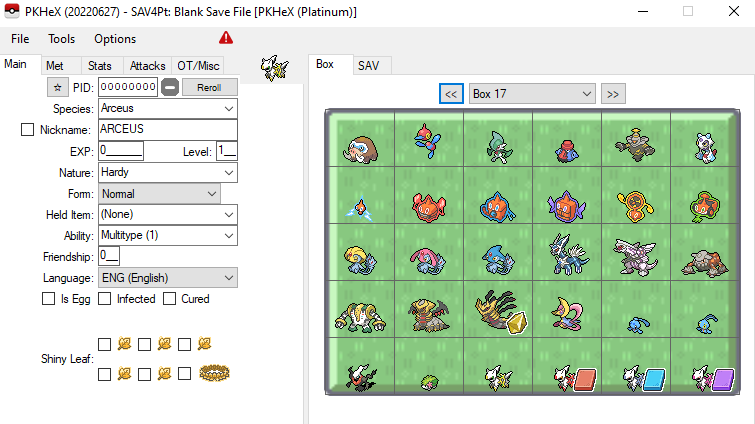
-
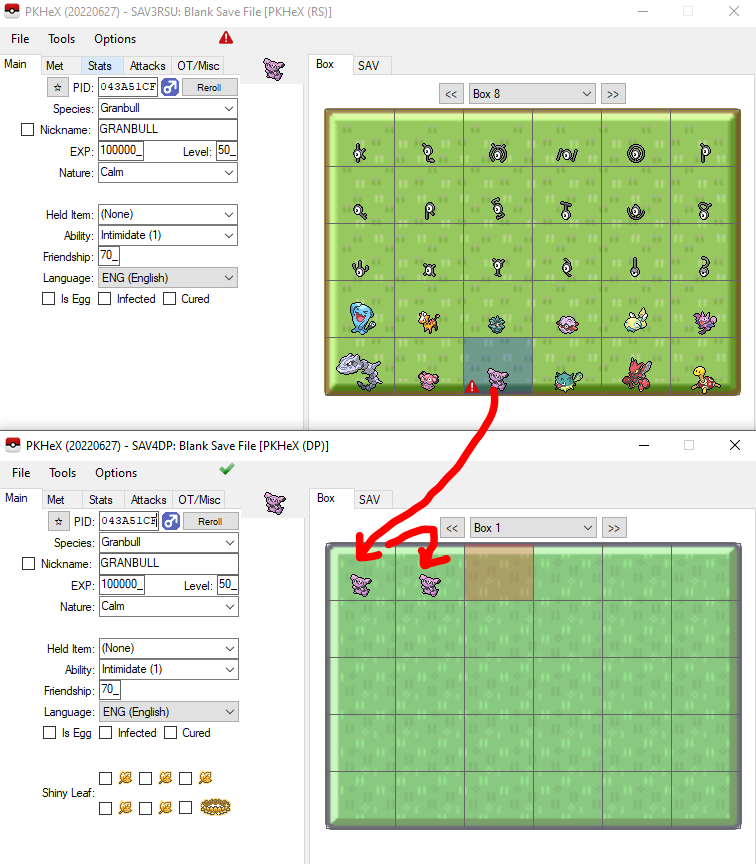
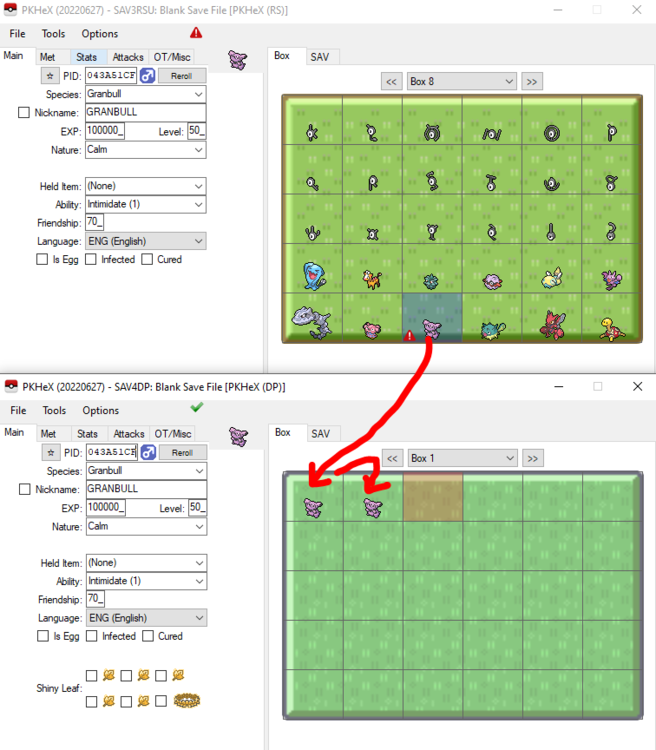
@PLAFiles Regarding Granbull: I believe it's related to a mon having dual abilities in Gen 4 and having only one ability in Gen 3. The same Granbull is legal in Gen 4 with both Intimidate and Quick Feet. I think the 1->2 abilities is handled in Gen 4, but not Gen 3? @Kaphotics did I get this right? Granbull.zip Regarding Rotom-forms/Giratina-O: You tried loading those mons into DP. This is an example of user error. Of course they'll show up illegal. Those forms don't exist in DP. Delete them and move on.
-
It’s an issue because it’ll be recognised as a new Mon. The HOME data won’t have the relevant info from the original transfer. Right now they’re not acting on this kind of stuff, but people may be able to tell that it is an issue.
-
It says "object event" cause you're talking to a NPC model you're not supposed to. Trying leaving the NPC's range, then walking north into the entrance. Or same thing but from the east. Basically trigger the NPC to leave the gym and talk to the player. Trigger the script to play, as opposed to talking to a script item that isn't supposed to interact with the player.
- 3 replies
-
- 1
-
-
- object event
- glitch
- (and 4 more)
-
Emerald Save isn't working (mGBA emulator)
theSLAYER replied to Hard_Guess's topic in Saves - Editing Help
Yeah that’s how PKHeX works, and how to use emulators to export and import saves. PKHeX doesn’t work with save states. Gotta make it a .sav (or .dsv for Desmume/Drastic) Since OP resolved the issue on their own, in locking this thread.