



theSLAYER
-
Posts
22961 -
Joined
-
Last visited
-
Days Won
1016
Content Type
Profiles
Pokédex
Portal
Technical Documentation
Pages
Tutorials
Forums
Events
Downloads
Gallery
Blogs
Everything posted by theSLAYER
-

HOME - Original Color Magearna Event
theSLAYER replied to Hello, it's me!'s topic in Event Pokémon News
It was a bug that allowed allowed you to receive 1 per shift (in 1.0.6). It seems they patched it when they released 1.0.7 -
Invalid Relearn Move 2: Not an expected Relearnable move.
theSLAYER replied to StrangeGuy999's topic in Pokémon Legality
It means it's been written to the program (the commit shows the code changes) and it'll be bundled with the next public update. -
don't do it.
-
HOME - Original Color Magearna Event
theSLAYER replied to Hello, it's me!'s topic in Event Pokémon News
I wouldn't call shifting all the boxes to get the detection working shady, but it certainly isn't ideal. Well, it's an unannounced distribution, I'll give you that. However, do note that all of HOME's mystery gifts so far have been unannounced: Initial Login Pikachu, Kanto Starters, GTS Rotom, Wonder Box Eevee, First Challenge Pichu. The National Dex Completion Magearna looks as official as the other ones I just named. (Granted, the initial copy looks glitch/bugged, with impossible moves and 15 ribbons lol) -
do it at your own risk. I use my hacked Switch all the time. Raid battles, HOME, Mystery Gift etc. I don't pirate games, don't use illegal themes, don't use homebrew while online, etc.
-
HOME - Original Color Magearna Event
theSLAYER replied to Hello, it's me!'s topic in Event Pokémon News
actually that Original Color Magearna is the official distribution. They just borked up and made it repeatable. -
try setting up a profile and linking it on your unhacked switch, then you transfer to your hacked switch, then restore the saves onto that profile, then transfer them back to the unhacked save? This is the only way to transfer locally https://en-americas-support.nintendo.com/app/answers/detail/a_id/45047/~/how-to-transfer-your-save-data-to-a-nearby-nintendo-switch-system If the method to not use internet isn't there, then it doesn't exist.
-
HOME - Original Color Magearna Event
theSLAYER replied to Hello, it's me!'s topic in Event Pokémon News
At least you got it right? I farmed a full box then I stopped >< Also, to any other readers, we have a page/pk8 up (not that it'll be usable in SWSH yet): -
The extension should not be .pk7 It should only be main, with no extension.
-
It restores just fine for me. Can you show me a screenshots of the insides of the folder you're trying to restore?
-
can you tell us which save you were looking at, and which game were you trying to restore into?
-
On the non-CFW Switch, try to launch a game, and it'll ask for User. Rather than selecting an existing user, click on the (+). At the next screen, where the options are Create New User and Import User from Another Nintendo Switch Console, opt the latter option. With that, you can transfer over the user profile and the saves associated. You could also try: In System Settings > Data Management > Transfer your Save Data to do save data transfers locally. I've been using this to transfer my saves to and fro my CFW unit, so that I can back it up. As I have the same profile on two Switches, I can connect to the same HOME app on either Switch
-
seems similar to the content discussed here. Read it, any questions post there.
-
https://github.com/Atmosphere-NX/Atmosphere/issues
-
In that case don't know what's the problem. If your games are able to be stored on the SD card, and you can launch them, then who knows what is the issue. Raise an issue on the atmosphere github.
-
are you sure you didn't create a partition on your original SD card? How big are your SD cards?
-
Basically I'm asking if you cloned your nand onto a partition of your SD card for CFW, or is your CFW running of the nand on your Switch. In any case, if you didn't understand what I said, and don't recall doing any steps like that, I imagine you're not using emunand or emuMMC. Anyhow, if you Switch suddenly doesn't boot when all the settings and firmware hasn't changed, it might be time for you to get a new SD card.
-
You're on emunand/emuMMC?
-
Instead of RCMGui, maybe try RCMsmash? Drag the primary bin onto it, with USB C connected. TegraRcmSmash.exe
-
Did you reformat your SD card?
-
Did you turn off your Switch for this? You sure the fusee primary bin isn't corrupted? If "yes" and "yes", I recommend you clone all the files on your SD card (and the enunand partition if applicable), reformat your SD card, then copy the files over. Based on your original post, you were getting an SD error message, so maybe your SD got corrupted in particular sectors, but not all.
-
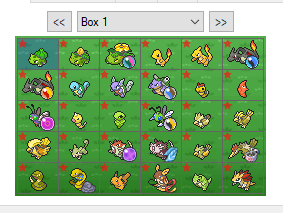 sure why wouldn't it?
 -
how are you loading up CFW?
-
HOME - Original Color Magearna Event
theSLAYER replied to Hello, it's me!'s topic in Event Pokémon News
nothing to do with iOS or Android (I'm on iOS, for the record) Gotta shift the boxes with the living dex to the left or right, and you'll get it. -
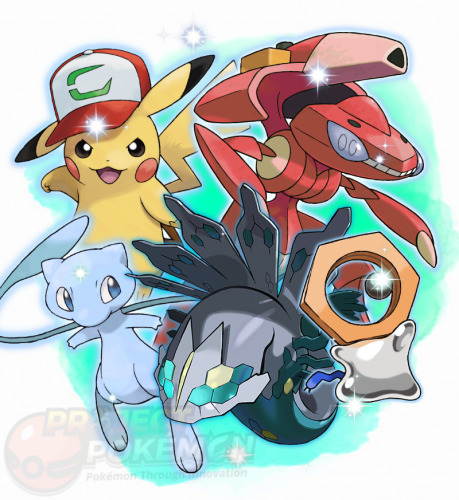 The Gen 3 folder will contain gen 1 & 2 species. This is because GBA games could not connect to GB/GBC games. Thus they allowed Gen 1 and Gen 2 species to be recaught. These files are created with that limitation in mind. I also mention that towards the end of the file description above...

