

theSLAYER
-
Posts
22963 -
Joined
-
Last visited
-
Days Won
1016
Content Type
Profiles
Pokédex
Portal
Technical Documentation
Pages
Tutorials
Forums
Events
Downloads
Gallery
Blogs
Everything posted by theSLAYER
-
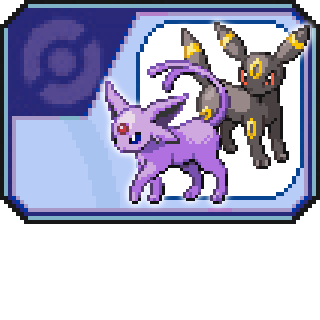 If I recall correctly, this saying is accurate:
 -
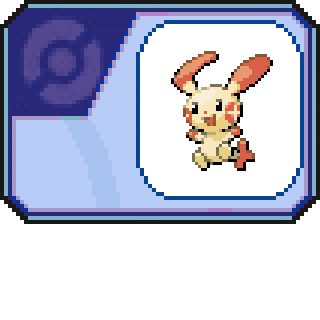
Version .
640 downloads
In Pokémon Colosseum, after the player rescues the character Duking's Plusle, Duking will then proceed to give the Plusle to the player. -
Version .
1884 downloads
In Pokémon Colosseum, when the player starts a new game, these Pokémon will already be part of the player's party. -
potentially corrupt gen 8 save file help
theSLAYER replied to chilidog's topic in Saves - Editing Help
@chilidog yeah I don't have any solutions to this. Got no idea why they both stopped working together. It could have been Auto Save + CFW + exFAT. There was something going around about them a while back if I'm not mistaken. While I use CFW + exFAT, I don't use Auto Save, so I've never encountered this Also, if your backup file can't load into PKHeX, then it's dead. -
if you don't do illegal stuff, like piracy or theme manipulation, should be fine. Up to now I can use them despite having CFW.
-
well I hope it works! Once you get CFW and get the save working, I recommend that you dump all the saves using JKSM/Checkpoint. These are console decrypted saves, so they can be imported into another console, provided the other console has CFW and the save manager. (which isn't too big of a worry, since every 3DS/2DS model can install CFW) Then you won't have to worry about this ever again ><
-
yeah, what I sent is for after you install CFW. What SkyLink98 sent is for installing CFW. The savedatafiler is somewhere in the wild. We can't mention where to find it.
-
@MajinDJX so you have a 00000001.sav from your 3DS, but you can't load it back, is that the main gist of it? if so: 0) DO NOT FORMAT YOUR 3DS 1) Install CFW on your 3DS 2) Install savedatafiler (can't tell you where) 3) Run savedatefiler, remove the secure value of the game 4) Off the console, place 00000001.sav into where it's supposed to be 5) Now on the console, load the game. Effectively:
-
make sure you fix the checksum as well. (or load the save into PKHeX then export the save, to fix the checksum)
-
Doesn't sound like the wild area event for it was added in PKHeX yet.
-
Well, PKHeX probably edited into which version is the "latest". I mean, to be frank, I'm used to the backup save being the one further in (+0x40000), but it's possible that for that instance, that is your latest save, and the backup starts at 0x0. Who knows at this point.
-
Looks like what you are observing is in the backup save. It's likely that PKHeX only edits the bytes in only one save location, not both (normally you game only loads the most recent save). If you want to check for it, try loading the edited save in-game, save twice, then load the new save into a hex editor. If you look at other pages of saves in the same era (such as this; see the second paragraph), you'll discover that there's actually 2 saves block per save. The game actually keeps 2 saves, just in case you corrupt one, you can load the other.
-
HELP! DesMuMe to Original Gamecart .sav Transfer gone wrong
theSLAYER replied to lilbigman's topic in Saves - Editing Help
glad you got it resolved, also thanks for sharing the specific link. Hopefully this doesn't occur to others, but when it does, at least I know where to go :3 -
HELP! DesMuMe to Original Gamecart .sav Transfer gone wrong
theSLAYER replied to lilbigman's topic in Saves - Editing Help
To quote a gbatemp post: you probably need to search a more 3DS dedicated community in relation to how to fix your twl firmware. -
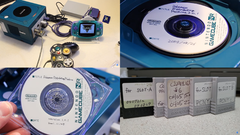
From the album: Distribution Devices
Screenshot taken from linked below. Image shows the NR reader + devices needed for the PCNY setup, Other images shows the NR disc read by the NR reader. Disc 1 for Gen 2, Disc 2 for Gen 3. Another image included the Memory Cards, which held campaign information. Please do watch the video, leave a like! -
HELP! DesMuMe to Original Gamecart .sav Transfer gone wrong
theSLAYER replied to lilbigman's topic in Saves - Editing Help
Hey, first off, don't multi-post. Any new information, edit your latest unanswered post. I've merged your posts :3 Next, can you try booting into Nintendo DS Connections in the System Settings? Let me know how it goes. -
No idea, maybe try making it 0x7A or something.
-
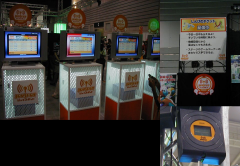
From the album: Distribution Devices
Joyspot modules, battle rankings, mystic ticket poster. Credits: http://nds.jpn.org/ibenntonatu.html -
HELP! DesMuMe to Original Gamecart .sav Transfer gone wrong
theSLAYER replied to lilbigman's topic in Saves - Editing Help
Are you certain you have a legit cart? It'll normally either load your save correctly, or tell you the save loaded is corrupted, and be able to play a fresh game after. Additionally, if you restore the old save, it should just continue from there. Unless someone has any better ideas, what I'll say is.. it sounds to me like it was a fake cart to begin with.. -
Is it possible to transfer save data between hacked/clean Switch?
theSLAYER replied to a topic in Saves - Editing Help
yeah. I've used the Official Nintendo method to transfer saves between my CFW and OFW devices before. Tho of course, I don't do illegal nonsense using my devices, so supposedly that helps to mitigate the ban risk. But I can't say that for everyone, so as said above, just be careful with what you do, and only you yourself shall be held liable for your actions. -
Is it possible to transfer save data between hacked/clean Switch?
theSLAYER replied to a topic in Saves - Editing Help
I can't say whether this method is "devoid of ban risks", but you can transfer the save from one Switch to another, provided you also share the same user accounts between both Switches. To do that, you will need a Nintendo Account tied to the user profile, which means the hacked Switch will need to go online. Once that is done, you can keep transferring saves between a shared user profile on both Switches. Those transfers are done locally. -
 Dates on the card do not fully matter; NDS dates can be changed before receiving a event. Tho if you want to change it..
 -
Wild Area Event #25: September Equinox 2020
theSLAYER commented on Project Pokémon Bot's file in Sword & Shield
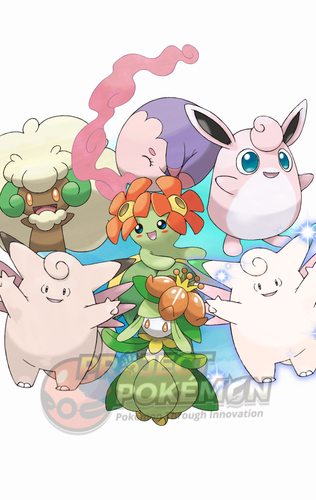 Details for Index 37 of normal_encount and normal_encount_rigel1 (minor differences, in raid chance) Rewards for Index 37 of normal_encount and normal_encount_rigel1 (minor differences, in raid chance) Details for Index 37 of dai_encount Rewards for Index 37 of dai_encount
 -
 I can't help you with Code generator. One thing I can say is, it's definitely not the suspected UK or US card issue. They're both the same card, hence why not listed.
 -
It appears when you mark a Pokémon as favorite in LGPE.
