Leaderboard



Popular Content
Showing content with the highest reputation on 05/24/18 in all areas
-
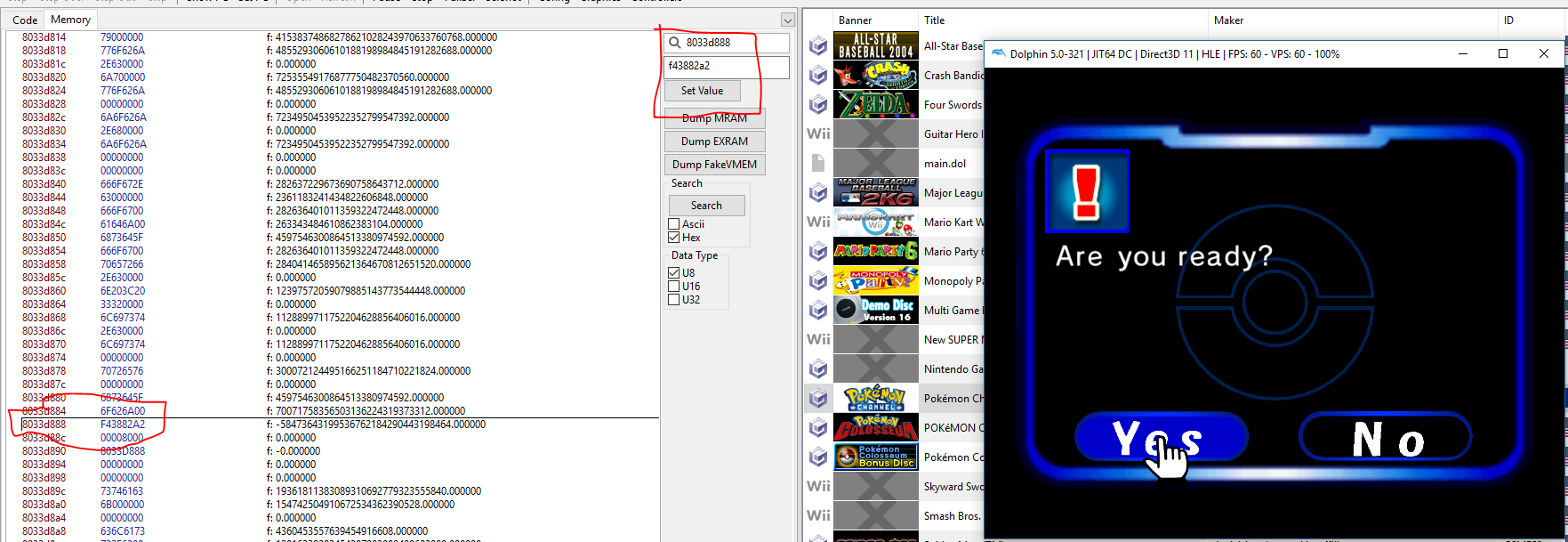
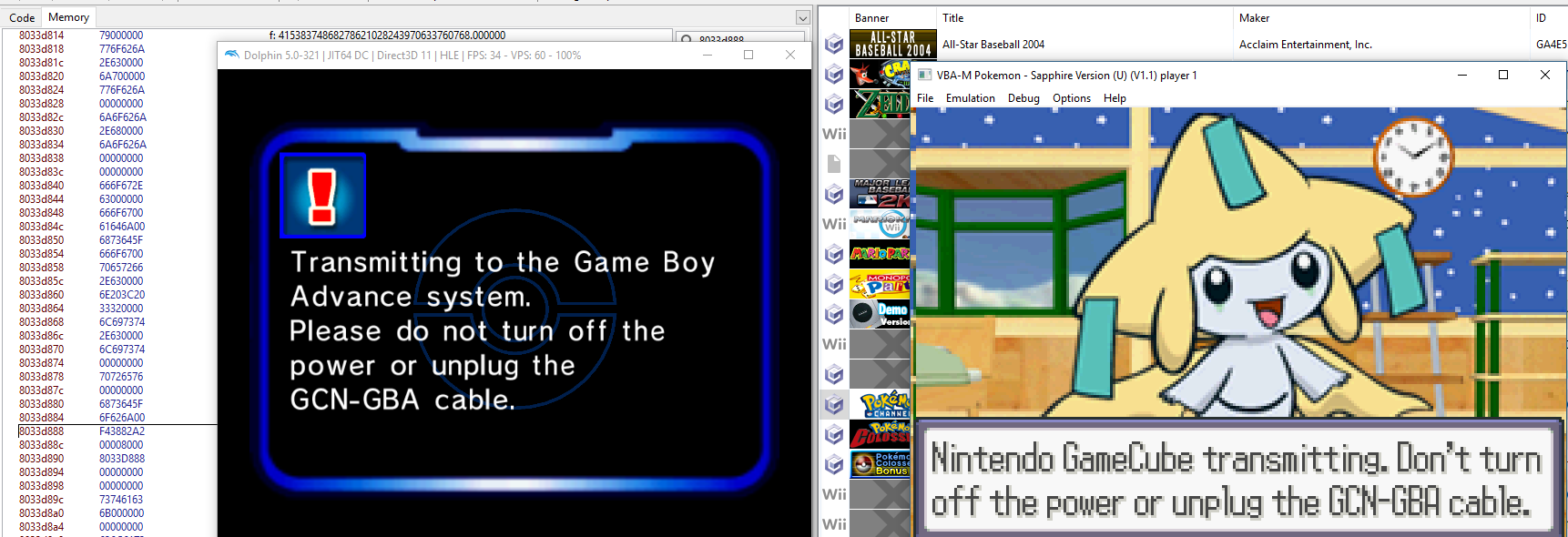
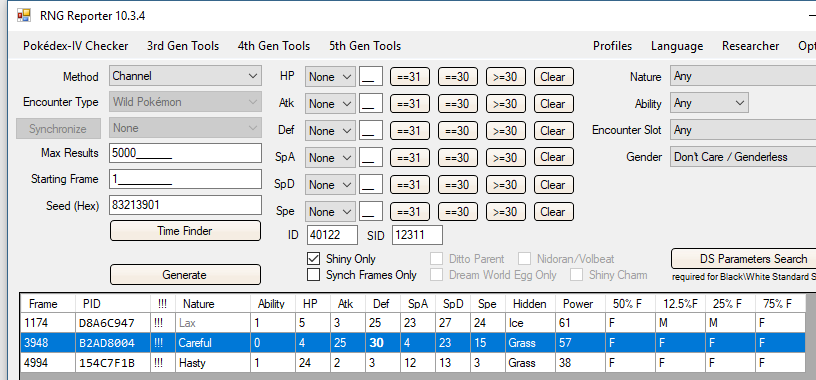
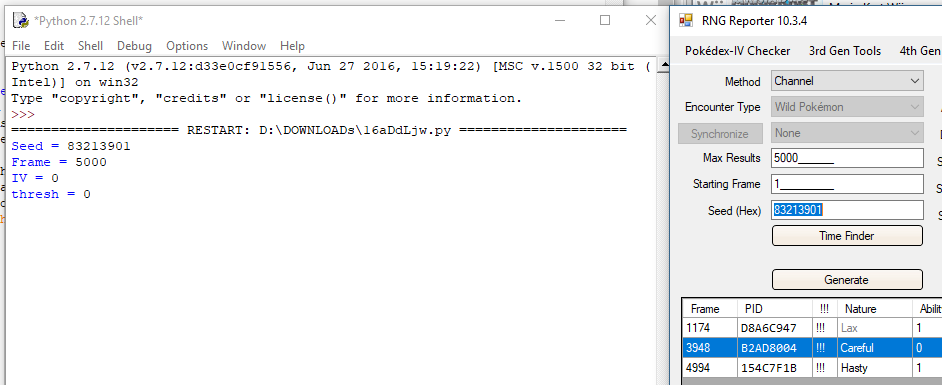
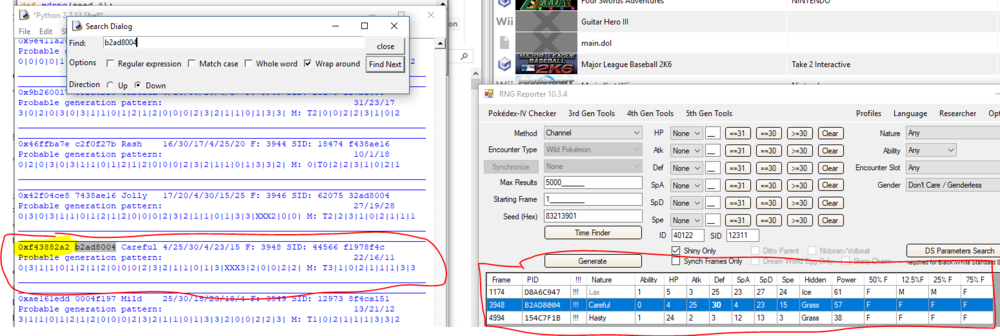
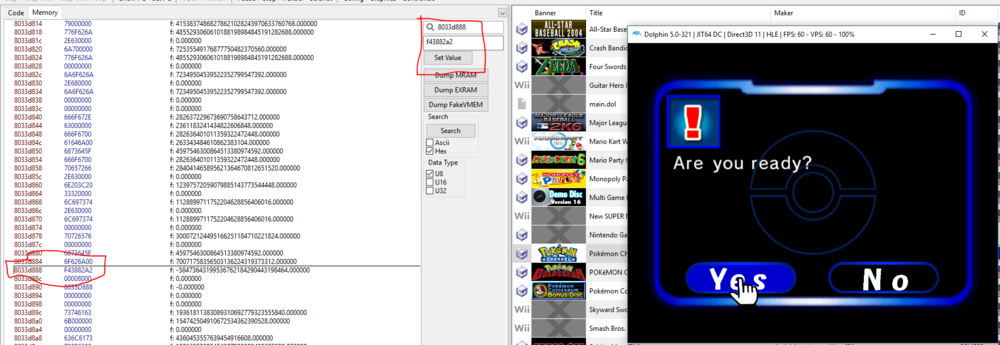
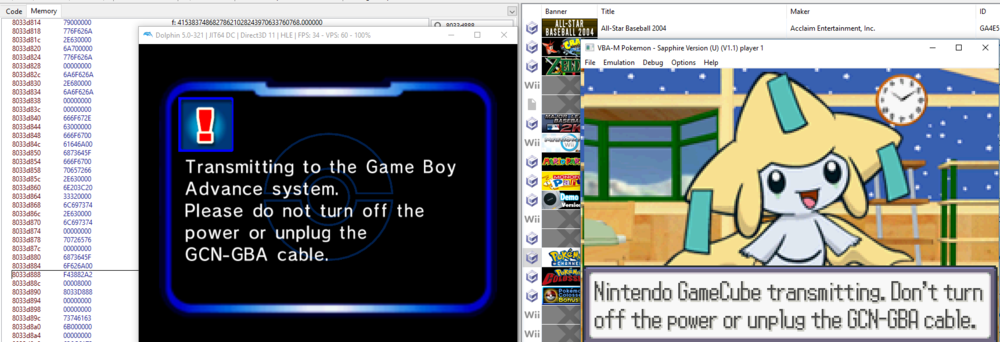
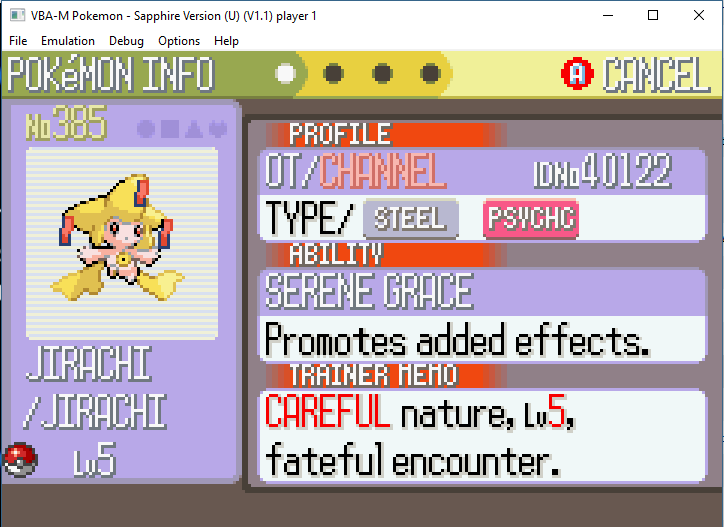
EVERYONE SHOULD BE AWARE THAT USING THIS PROCESS HAS A MODERATE TO HIGH LIKELIHOOD OF CREATING AN ILLEGAL POKEMON. DO NOT TRADE THESE ON OTHER FORUMS OR COMMUNITIES AS LEGAL. MORE INFORMATION ABOUT THE MENU/ANIMATION AFFECTING THE RNG, READ HERE. First and foremost, although all of these Jirachi's are "legal" and can be in theory generated and retrieved by the Pokemon Channel game; in actuality lots of them could almost certainly not be redeemed through normal RNG on retail hardware/emulators. There is an entire methodology that goes into determining whether or not a certain Jirachi spread can actually be redeemed through RNG (due to the necessity to hit things are certain frames that would be impossible to interact with on actual hardware), and even if you follow that guide to a tee, sometimes redeeming that specific spread Jirachi will just not be possible. If you want to ensure that the Jirachi you are trying to redeem could actually be retrieved on hardware, there are more in-depth guides here and here. With that said, nothing "illegal" is being created through this process; the Pokemon Channel game can, in theory, produce all of these different spread / shiny Channel Jirachis. For this process you are going to need: A developer version of Dolphin Emulator at least 5.0+ and a PAL Copy of the Pokemon Channel A version of VBA + a western Ruby/Sapphire game that can redeem the Jirachi. The ability to run this python script RNG Reporter 10.3.4 (Optional) A list of very good possible Channel Jirachi Spreads One final note before starting, the majority of the research that was done into figuring this out was done by people with much more knowledge of RNGing Channel Jirachi than I will ever have. So if you want to know most of the logic behind it, I probably cannot help you haha. All I did was figure out how to put this guide together. First off, we are going to run RNG Reporter 10.3.4 and make sure the Method is set to 'Channel.' Then you are going to choose a desired seed, and the maximum amount of frames you are willing to go up to. For this example, and to keep things simple, I picked a random seed '83213901,' set the frame counter a very small amount (5000). and clicked off the "Shiny Only" box as I want to retrieve a shiny Channel Jirachi. Now we are going to run the python script linked in the requirements. I have set the IV and thresh to 0, in order to generate every possible spread between frames 0-5000. This takes longer, and for an actual desired spread you would want to find out what threshold the Jirachi would be at, in order to generate as few results as possible. Once we've run the python script, you want to find the PID of your desired spread. Make sure that the spread matches, and then copy down the highlighted memory address of your spread. This is the important part! Next you are going to want to launch Dolphin in developer mode. In order to do that you need to launch dolphin from CMD or command line with the '-d' parameter. At this point you want to setup VBA and make sure that it is ready to connect to Dolphin. Once that is done, launch the Pokemon Channel and proceed through the standard Jirachi redemption process to this screen: Once on this screen you want to find the Memory location '8033d888' and set the value equal to whatever you address that you copied from the python script. Now you can begin the redemption process: And retrieve your desired CHANNEL Jirachi! JKSM.cia JKSM.zip View full tutorial
 5 points
 -
RS 0206FF5E:XXXX FRLG 020786AE:XXXX2 points
-
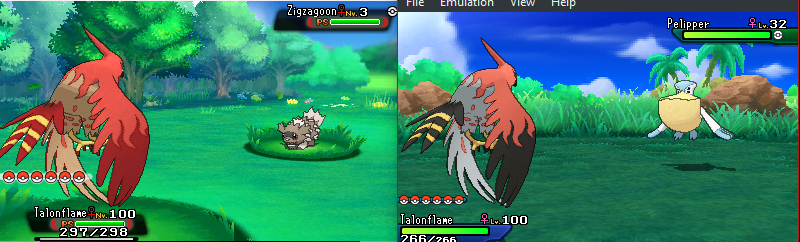
I looking at both: the pokedex and the battle, I could not see any difference
 2 points
 -
There are a few youtube videos showing a live demonstration of: 1. 10ANNIV, 2. Aura Mew, 3. Shiny Zigzagoon, But I can't link you the youtube videos, cause it contains links to the roms.2 points
-
Great job @Gridelin on this guide. IIRC, @Admiral_Fish was having a problem with the RNG that leads up to the PID/IVs which was resulting in a small % of the PID/IVs generated from RNGReporter missing during the redemption. @Admiral_Fish, do you have an update on this?2 points
-
Correct, the only valid Mew from 3rd Gen are Ruby and Emerald.1 point
-
I'd gladly help out, but first of all: does it matter what IVs/EVs, and does the level matter?1 point
-
Thank you i try to find it in youtube straightly.At last i found i have no way to get" FL MEW".All kinds of languages GEN3 events show " ruby". How disappointed I am.1 point
-
Pokemon Temp Data Offset Type Description Before Generation 0x0 u64 Encryption Constant If = 0xFFFFFFFF FFFFFFFF, random u32 0x8 u32 PID If = 0xFFFFFFFF, random 0xC u32 PID Type 1: Anti-Shiny 2: Forced Shiny 3: Random 0x10 u64 OT TID/SID If = 0xFFFFFFFF FFFFFFFF, random u32 0x18 u16 Species ID 0x1A u16 Form ID If = 0xFF, random according to personal info 0x1C u16 Level 0x1E u16 Gender If = 0xFF, random(252) according to personal info 0x20 u16 Nature If = 0xFFFF, random(25) 0x22 u8 Ability Number If = 0xFF, random 1/2; If = 0xFE random 1/2/H. 0x23 u8 PID Roll Count For PID type = 3 (random), related to shiny chance 0x24 u16 HP IV If = 0xFFFF, random(32) 0x26 u16 Attack IV If = 0xFFFF, random(32) 0x28 u16 Defense IV If = 0xFFFF, random(32) 0x2A u16 SpA IV If = 0xFFFF, random(32) 0x2C u16 SpD IV If = 0xFFFF, random(32) 0x2E u16 Speed IV If = 0xFFFF, random(32) 0x30 u16 Friendship If = 0xFFFF, set default friendship 0x34 u8 Perfect IV Count If > 0, clear all IV locks SOS Status Data RAM location: 0x30038E20 (USUM v1.2); 0x30038C44 (SM v1.2) Offset Type Description 0x10 u32 [624] SFMT RNG Table 0x9D0 u16 SFMT RNG Table Index 0x9D8 u8 Adrenaline Orb Used 0x9D9 u8 Chain Length 0x9DA u8 Ally Identifier? 0x9DB u8 Last SOS Call Succeeded Berry Pile Data RAM location: 0x32DE3208 (USUM v1.2) Offset Type Description 0x25 u8 Bit flag for Crabrawler existence 0x26 u16 Crabrawler level 0x28 u16 [6] Regular random berry ID1 point
-
 This tutorial will show you how and where to access your save files while using a 3DS emulator. This guide will cover the most popular emulator for running 3DS games: Citra (Computer). This guide assumes that you have already set up and played one of these emulators at least once. This is not a setup guide. This guide is meant to show where to find or inject your save files. Citra: 1. Open up Citra. 2. Right click on your desired game. Then click on "Open Save Data Location" 3.Inside this folder will be your save file. 4. MAKE A BACKUP OF THIS FILE BEFORE USING OR EDITING IT WITH ANY SAVE EDITORS. For this to work, make sure: (1) File name is main (2) It is the only file in this folder.1 point