



Kaphotics
-
Posts
8122 -
Joined
-
Last visited
-
Days Won
503
Content Type
Profiles
Pokédex
Portal
Technical Documentation
Pages
Tutorials
Forums
Events
Downloads
Gallery
Blogs
Everything posted by Kaphotics
-
Should be fixed on the latest release.
- 1 reply
-
- 1
-

-
Transfer your save file correctly. It is not a valid save file (I have hidden your attachment of your save file). Assuming you used an FTP application to transfer it, be sure to turn on the Binary data type transfer setting (not ascii/text). Data Type - FileZilla Wiki If your save file is slightly too small, it should imply that it was truncated. This is not a PKHeX problem.
-
Did you originally open the zip file from a file/folder that you later removed from your computer?
-

Save file keeps reverting to base state after editing and saving
Kaphotics replied to Antonirecser's topic in PKHeX
Try saving again in-game in a separate play session. That way both halves of the save data are populated correctly. Web editors using PKHeX are the same backend code. -
Changing gender in Z-A with Pkhex causes infinite loading screen.
Kaphotics replied to moomoomiltank's topic in PKHeX
PKHeX works properly. As I already said, you need to change the values for current model appearance. PKHeX already lets you change PlayerAppearance and PlayerFashion via the Block Data editor. The save editor script you mentioned uses leaked source code/information (not legal) in its implementation, and I refuse to read/reference it. Changing the player's appearance/fashion automatically when gender is changed requires someone to dump the default fashion/appearance and implement it in a pull request. It is not worth my time as other featurese are much more important, and such a feature primarily is only useful for players who are using other people's save files (more frequent in pirated game copies). -
As I already said in this thread: You should be using the name, not the index within the list.
-
DLC has only been out for a couple of days, and you expect PKHeX to be updated with various quality of life edits? Temper you expectations.
-
Use the Block Data editor to change the Starter choice.
-
Oh no, the game doesn't like my level 5 alpha legendary! Start with a legitimate copy, then see what you can get away with changing. Gross hacks are gross.
-
Changing gender in Z-A with Pkhex causes infinite loading screen.
Kaphotics replied to moomoomiltank's topic in PKHeX
Changing Gender Causes Infinite Load (Legends Z-A) · Issue #4614 · kwsch/PKHeX -
Outdated version of Wine. If you googled the error message (DpiAwareness) you'd find discussion from over a year ago.
-
There are no guaranteed shiny results. Use the criteria to specify what you want your result to be.
-
If you are only searching for a shiny (and no other specific criteria), why not use PKHeX's encounter database? It generates max lair shinies without issue.
-
No, you need a hacked console (Nintendo Switch, not Switch 2) to export the encrypted save data.
-
As per the first post in this thread: I had reminded you this two years ago with your previous false report. I am 99.9999% sure you've attempted to hack in the 'mons rather than present your legitimately obtained as examples of the legality checker not working. There are multiple failing features present in your screenshot that are indicative of cheating: 1. Having maxed EVs at a very low level. While not impossible (due to Daycare resetting back to the current level's 0% threshold), I highly doubt you painstakingly did this. 2. Having maxed IVs. I really doubt you abused the RNG to get a perfect IV spread. 3. Catch Rate of 0, indicative that you traded it to Gen2 and removed the item, and traded it back. Highly unlikely you did that, and instead just forgot to manually enter the untouched catch rate when generating it. 4. Finally, the fatal flaw: In-game trades do not store the actual Trainer name in the OT field. They use a special 1-character string to tell the game to display the localized variant of "TRAINER". PKHeX is rightfully flagging that the OT name has been altered, because it does not match what the OT name should be.
-
Without seeing a screenshot of what you see, it is impossible to figure out what you have wrong.
-
Still unable to replicate. Did you disable Legality.Tradeback.AllowGen1Tradeback in settings?
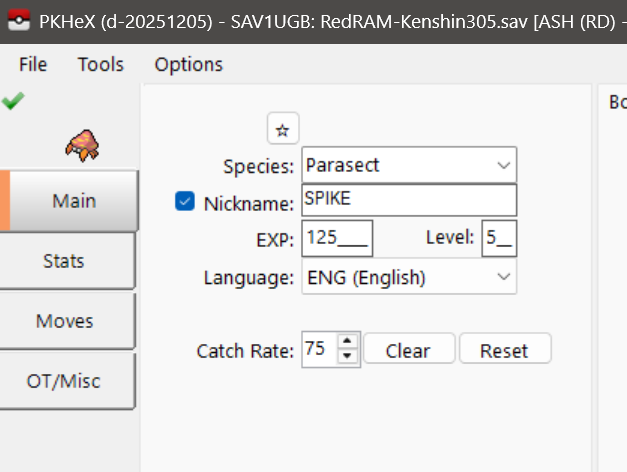
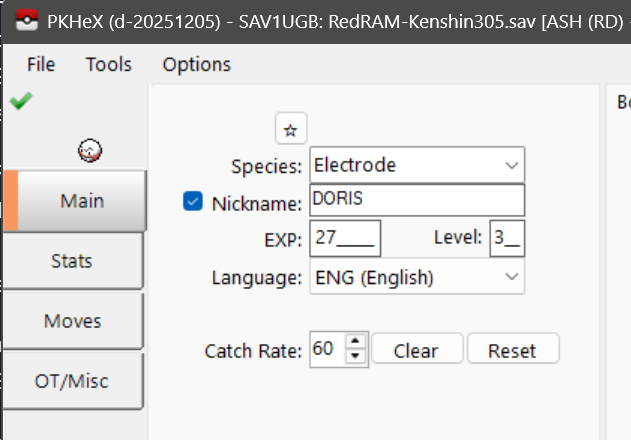
-
Not able to replicate.
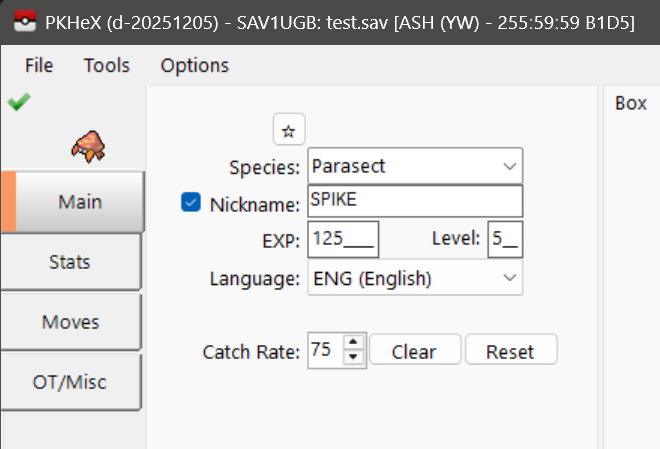
-
Probably isn't safe to change ranked match counts when GameFreak's servers could know you didn't actually do them. Can't you connect online and do them yourself? These stats are editable in the Event Flag editor.
-
Shiny Rayquaza Raid Boss Event Issue
Kaphotics replied to tah5274's topic in Events Help and Questions
https://bulbapedia.bulbagarden.net/wiki/Personality_value#Shininess Since the encounter is always shiny, it uses the TID/SID to create a shiny PID. If you change one, you have to change the other to the correct value. Load a save file with the desired TID/SID rather than editing it after the fact. -
Need help verifying my Arceus' legitimacy - Strange Circumstances
Kaphotics replied to Veganator's topic in Pokémon Legality
There were events like TRU Arceus that would have allowed you to register it in your Pokédex. You are misremembering the legitimacy of whatever Arceus you have in mind. -
Pokémon Legends ZA - Corrupt Save File (?)
Kaphotics replied to Teardrops's topic in Saves - Editing Help
https://projectpokemon.org/home/forums/topic/67485-pokemon-legends-z-a-version-103-save-files-not-supported/ -
No. Go ask the maker of that hack ROM, not this site.
-
PKHeX does not support ROM Hacks.
-
I've force-loaded the save file in PKHeX in order to export your Party and Box data, attached. There was enough damaged in the save file metadata sections that part of the party data/OT data was lost, as well as the overall save structure data. Box and Party rip.zip
