theSLAYER
-
Posts
22961 -
Joined
-
Last visited
-
Days Won
1016
Content Type
Profiles
Pokédex
Portal
Technical Documentation
Pages
Tutorials
Forums
Events
Downloads
Gallery
Blogs
Everything posted by theSLAYER
-
I don't think PKHeX handles finding PID for Gen 3 (including Colo/XD) and Gen 4. (because for those gens, PID-IV-Gender tied) If I'm not mistaken, the dev once said there's already existing programs that handles the PID finding process, and it would be way to much effort to add such a small feature in, when other programs exist that can accomplish said feature.
-
 so far, based on my experience, Hekate isn't able to boot into sysMMC with CFW when emuMMC exists. Meaning, the only way to do so, is to remove emuMMC. well I can't say if it'll be worth it. As it is, it is risky enough (for me anyways) to be using a CFW unit online. (to clarify: I bring a CFW'd unit for online competitions and stuff) Tho, I say it is risky, because I absolutely do not edit the save in the profile that I go online with. As such, I do not know whether it is safe or unsafe bringing an edited save online. Tho, I do disable my Wi-Fi switch on my Switch, when I go into Homebrew. I don't pirate any games nor use any installed themes (people tend to make illegal themes). So that's something.
 -
It doesn't appear you can access your sysMMC stock when you have an emuMMC CFW. If you want to be mostly risk free, then: 1. First Switch has homebrew 2. Second Switch pure stock and has Bank/HOME access. First Switch allows for save editing. Then trade to the Second Switch. Then access Bank/HOME. Besides that, we can't give any other advice. Your method seems fine, but you gotta accept the risk that you might get banned, no matter how small the risk is.
-
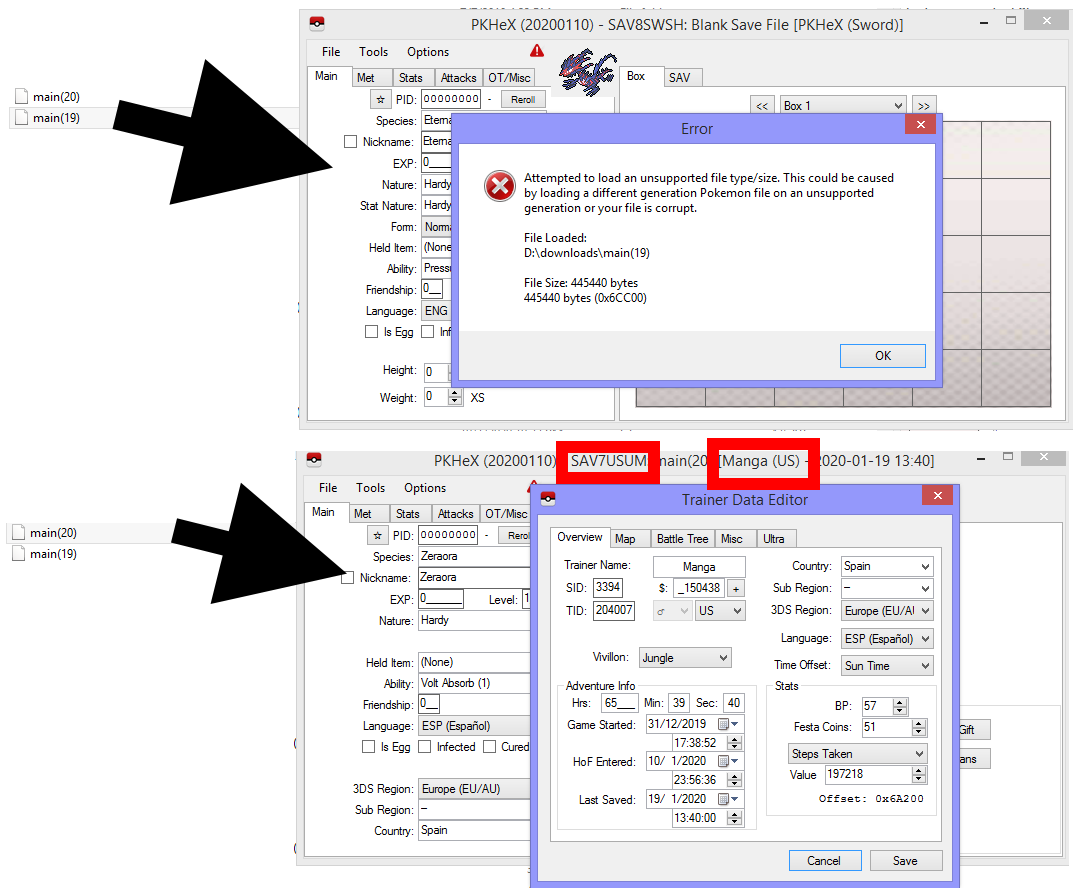
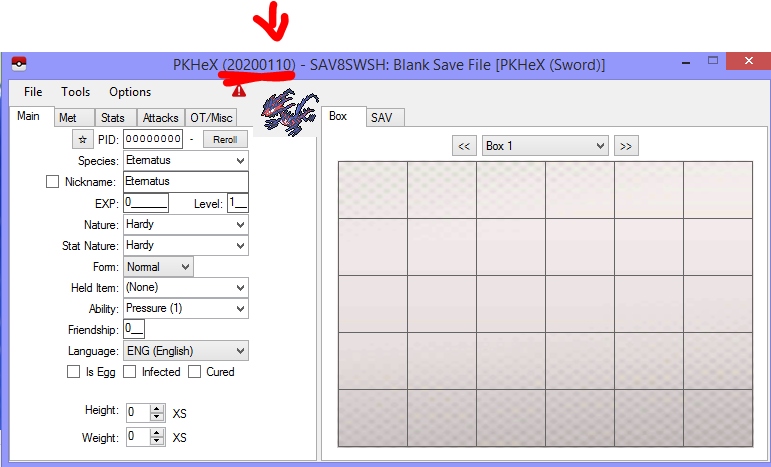
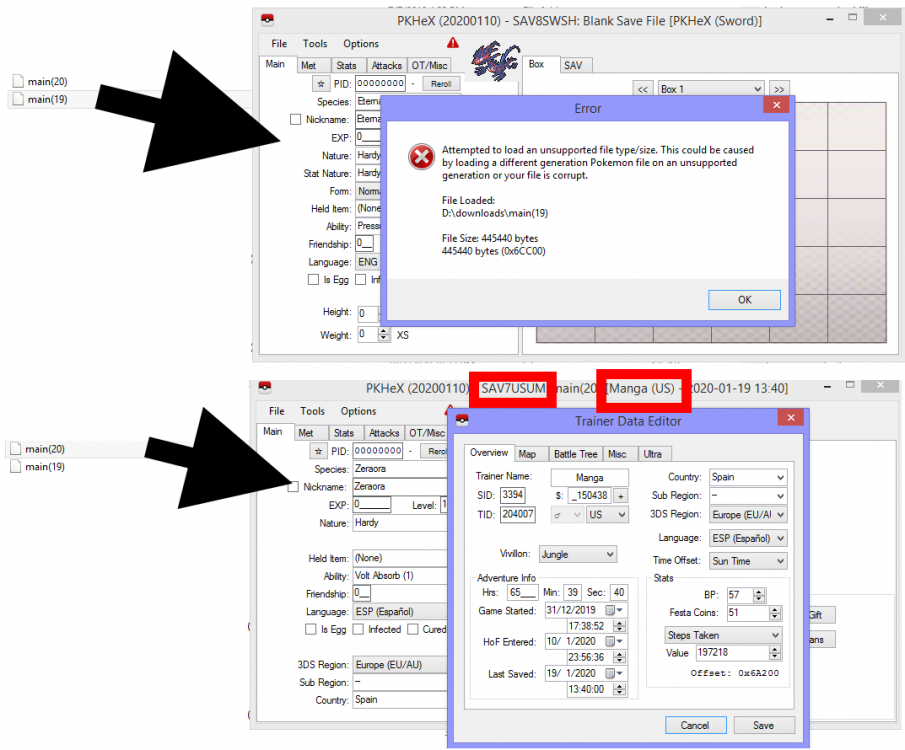
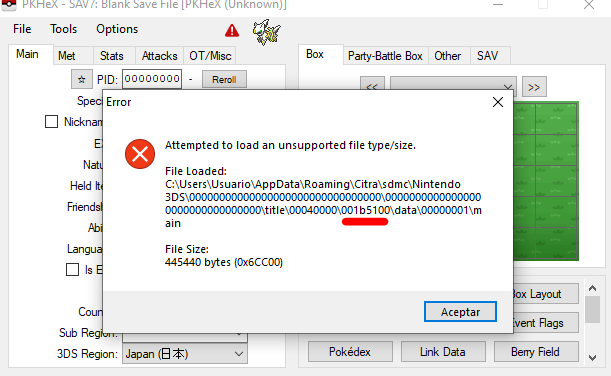
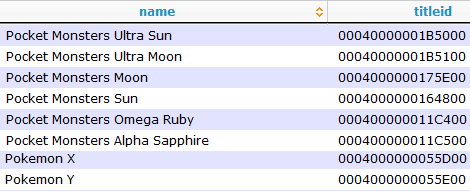
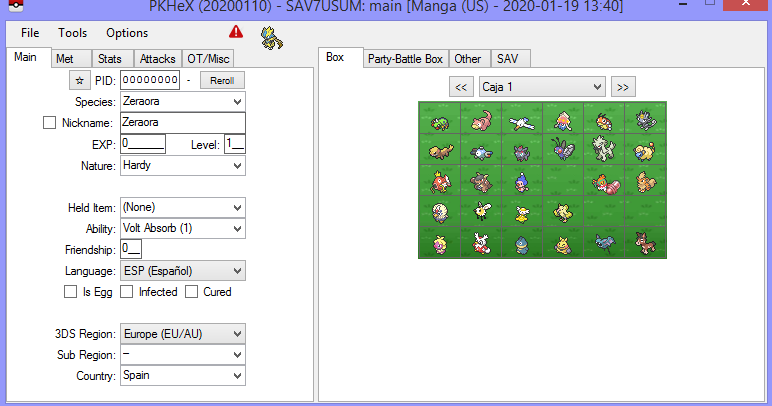
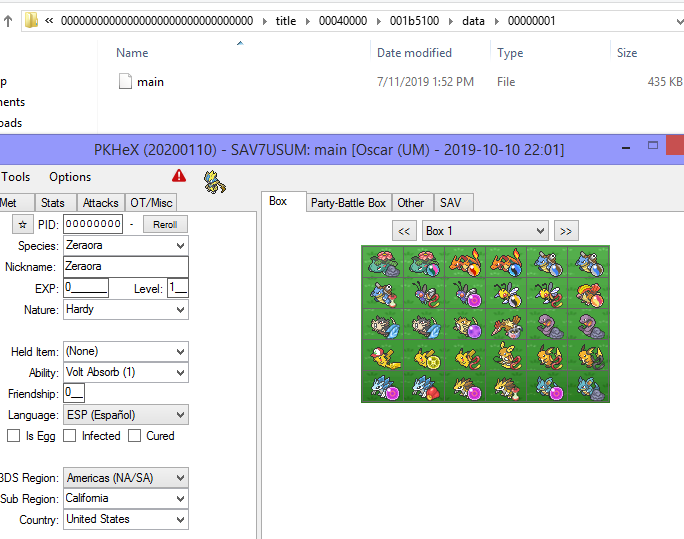
that can't be right: Look at the title bar of PKHeX. It says "US", and that means the save is Ultra Sun. (Also, it shows USUM, in case you're unaware.) Thus, the save that I loaded was a Ultra Sun save. (Also, the image you sent me, with the "Manga" OT, I'm sure that screen is a Ultra Sun screen. Did you mix up which save is which?) I was asking if it loaded in Citra, not PKHeX. Also, use the latest PKHeX. You're using an outdated PKHeX. Your screenshot from earlier is missing the date portion. Get the latest version via this link. In any case, I think you were using a version from before Ultra Sun and Ultra Moon was supported. Conclusion: You are not certain which saves are which. You probably went into the wrong folder and sent me the wrong file as the first file (has empty playthrough). If you update your PKHeX to the latest version, the Ultra Sun (the second file) will load just fine. PKHeX will continue to not load the empty first file, because well, there's no progress in that file for PKHeX to load.. Additionally, both files have the save size of Ultra Sun or Ultra Moon. Pokémon Sun save files are smaller. Example below: More proof that you sent the wrong save: 001b5100 isn't Pokémon Sun as you claimed, but rather the game code for Pokémon Ultra Moon Anyway, a list of the IDs, to help you in the future:



-
The second file you sent loads fine in PKHeX. I can't get PKHeX or Citra (Canary 1539) to load your first file. If you replace your Citra main with the first file, does it load?
-
Pokemon Platinum Shift Battle Style?
theSLAYER replied to kloud's topic in ROM - NDS Research and Development
hmm probably somewhere in the ROM too. you just to find out how to write that value. Or alternatively, bundle your game with a must use sav, and figure out how to turn off that option for the game. -
event archive Gen I - V Event Contributions Thread
theSLAYER replied to theSLAYER's topic in Event Contributions
Yay battery lives! sadly no, only the one that has name GF will be legal via transporter -
You know that file you sent me? Try this: Removing that file from that folder (but keep it safe on your Desktop). Then, try launching the game. What happens then?
-
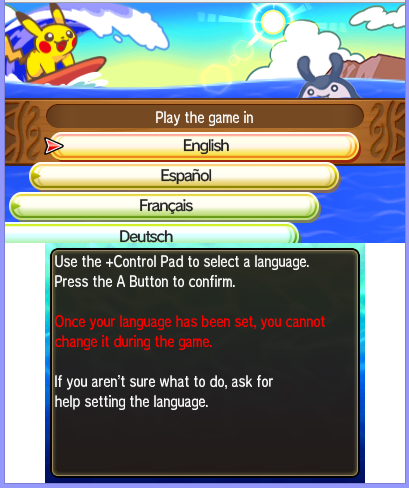
Your save file is empty. It appears that you didn't save the game in Citra. When I place the file in Citra, it asks me to start a new game. Not the "corruption" screen, but rather sent me straight to the language selection screen. Did you save in-game in Citra?
-
Okay, here it goes: Send me, via our forums, the file. Send the file to me. Yes, this one: When you make a post, drag and drop that file here: Then, hit submit reply with the file attached.



-
Pokemon Platinum Shift Battle Style?
theSLAYER replied to kloud's topic in ROM - NDS Research and Development
0x00000064 of the referenced save block. 6th bit (with the right most bit being the 0th), 0 is Shift, 1 is Set. [also, I don't see how this info can be derived from the disassembly; I did a simple before and after save, and did a hex-comparison of the saves] -
Upload the save file. This is not what I asked. I asked for the save file.
-
Upload said save file to here, let us have a look. Maybe there's something wrong with your save. My Ultra Moon save in Citra loads just fine.. edit: Also, to correct your lingo, you aren't "running PKHeX in Citra". You're running a save from Citra on PKHeX. They're very different things.
-
First Image: Nidoran Male Second Image: Unovan Darmanitan. erm, those were illegal mons to begin with. It's just that the latest update finally caught up. For the record, those mons you show cannot be caught in the wild of Sword and Shield. (Or bred from existing, but those don't exist) Thus the only way to get them legitimately is via HOME, but that isn't out yet. Given you cannot catch them in the game, and you cannot transfer them, they're illegal.
-
event archive Gen I - V Event Contributions Thread
theSLAYER replied to theSLAYER's topic in Event Contributions
Sure, you may post the file, as well as an image of the cert hope the battery survives. I had memory batteries die before, so I know the pain >< -
No, Pokémon bank stores the save data server side. However, you can gen mons into an existing save, then import it in
-
.PID=$shiny0
-
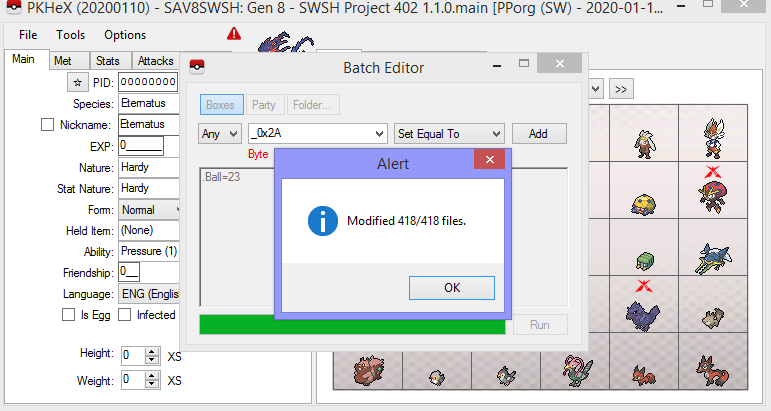
Seems fine for me Don't hit "enter" to create a new line/line break. Basically type in ".Ball=23", then immediately Run (note: and indeed, they were in Moon Ball)
-
For the record, we have various Mew uploaded to our on-site page. Open your save in PKHeX, then drag the file into one of your PC boxes. PKHeX will do the "transfer up" process for you.
-
Use Eligor to calculate the stats for stuff from Colo/XD
-
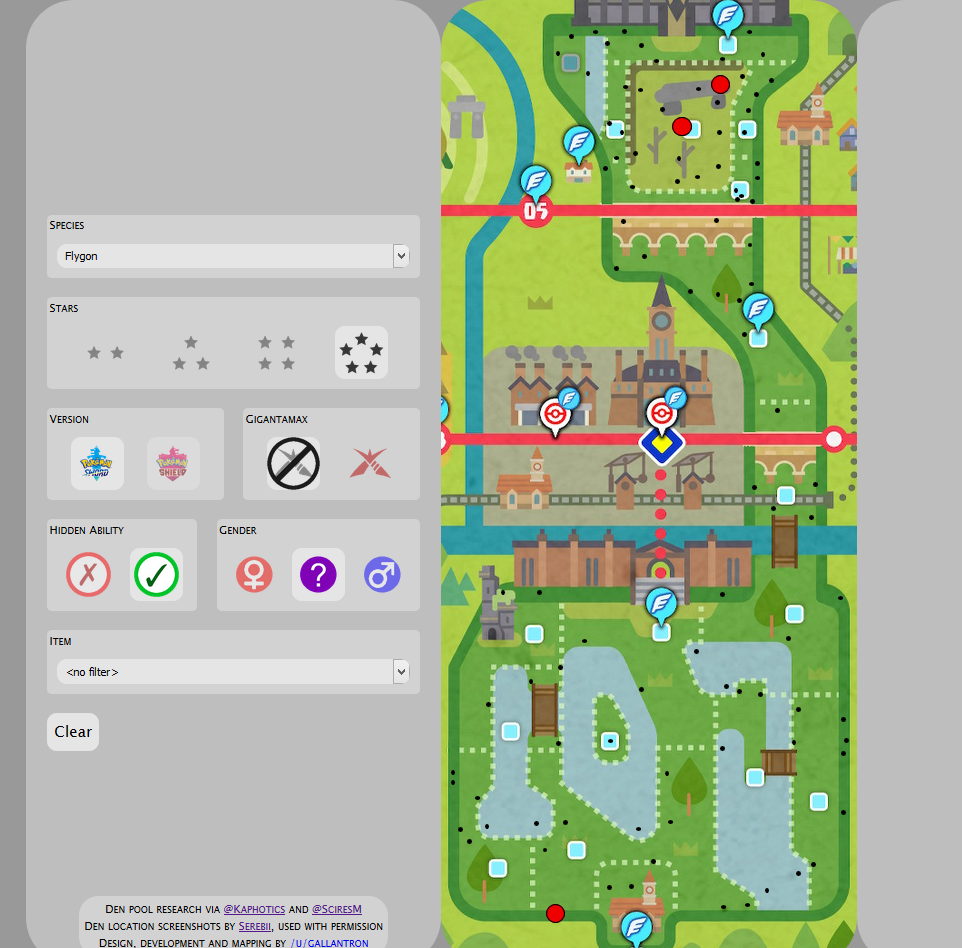
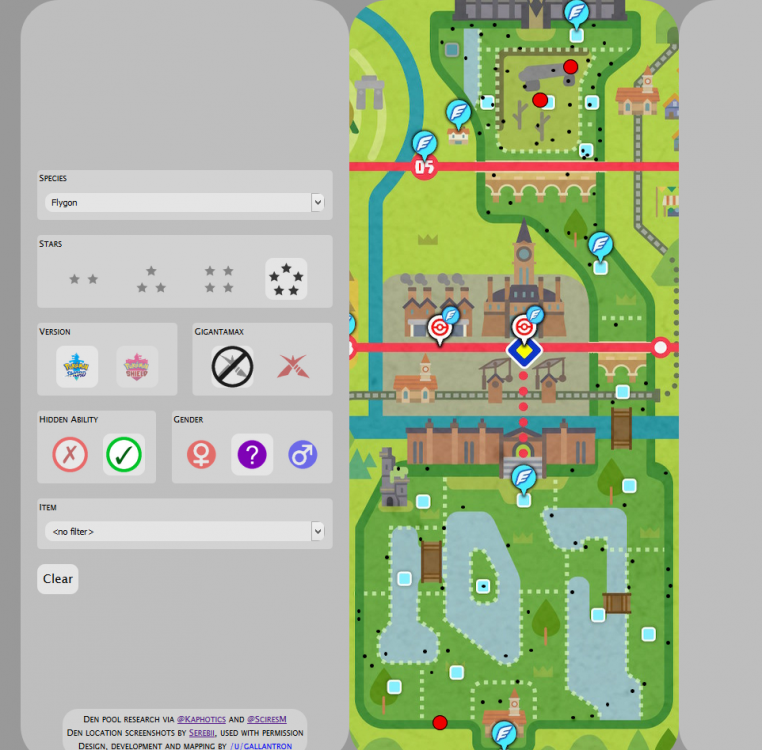
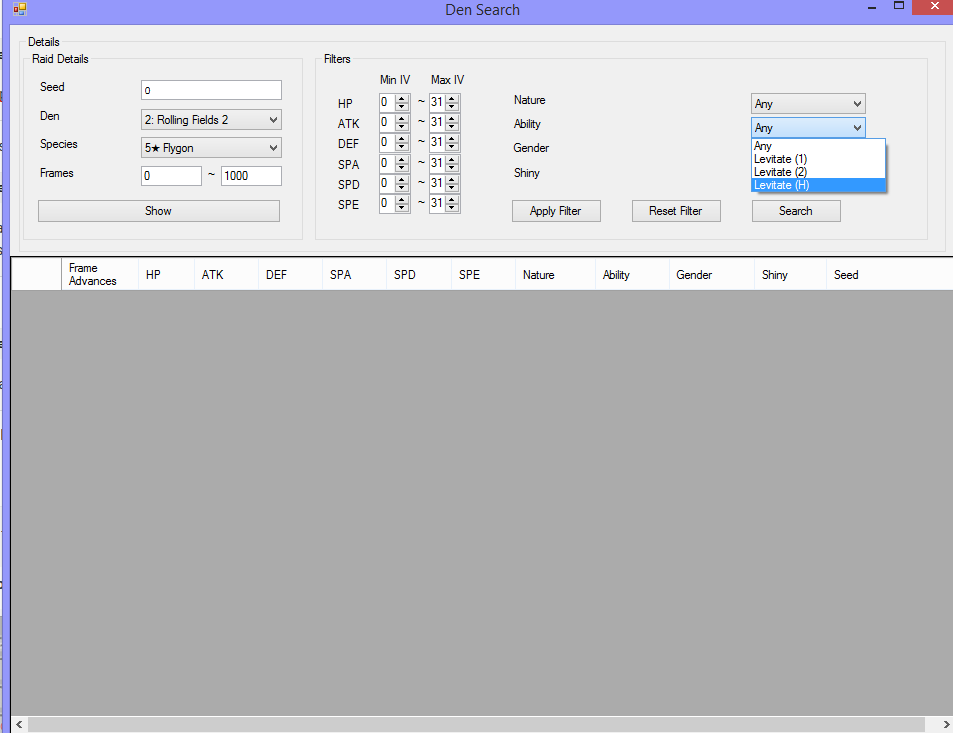
maybe it updated in this past 42 mins? It clearly shows that in Pokemon Sword, it's common light and hidden ability encounter... Unsure if his data is inaccurate, or you read it inaccurately, but I caught that Flygon (the one I linked in an earlier post) in Sword. no and no. As for the plugin, Flygon is now showing Levitate (H) for me now. I believe I performed a update so the program now shows that when defining calculation. (it previously didn't, as mentioned in an earlier post) Unsure what you're referring to. If you caught a mon that isn't HA when that slot can have HA, then yeah, obviously the seed you have doesn't generate an HA. Throw another wishing piece into the den and try again.
-
Looking 4 Tradeable Legendary/Mythical Pokemon
theSLAYER replied to Zeraora101's topic in Pokémon Requests
Any shiny for the above mentioned are illegal. I’m assuming the Poké ball color form. Wasn’t released in any capacity, hence also illegal. -
General Events Help, FAQ and Discussion Thread
theSLAYER replied to Ahito95's topic in Event Contributions
If you don't mind, you may upload the saves. I'm sure there's some that rather use save files as opposed to cheats to unlock them. However, keep in mind that: 1. Wonder cards aren't stored in saves (to they can't be extracted) 2. PKHeX presently doesn't support wonder records (can't be extracted) nor clothing options (can't press a button to unlock em) -
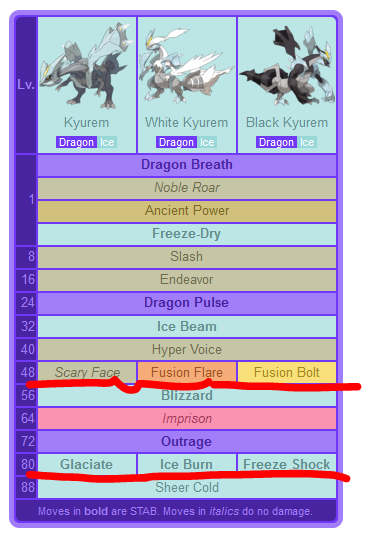
In previous generations, Kyurem cannot be transferred when Fused. I expect that to be the same. (Additionally, a Black/White variant that was hacked in, thus unfused, also cannot be transferred.) As per here, base Kyurem's Scary Face and Glaciate move changes when fused. Given Kyurem learns those moves in Gen 8 (as seen here), you won't have to worry.

-
Gigantamax Charizard
theSLAYER commented on Project Pokémon Bot's file in Sword & Shield (Base Game)
 If you don’t get the details using a Den Seed finder, it’ll appear legal on PKHeX but won’t be legal. Den RNG is pretty well understood at this point. also note that modifying PID to use for battles online against unsuspecting opponents is against our rules.