



theSLAYER
-
Posts
22962 -
Joined
-
Last visited
-
Days Won
1016
Content Type
Profiles
Pokédex
Portal
Technical Documentation
Pages
Tutorials
Forums
Events
Downloads
Gallery
Blogs
Everything posted by theSLAYER
-
2685 downloads
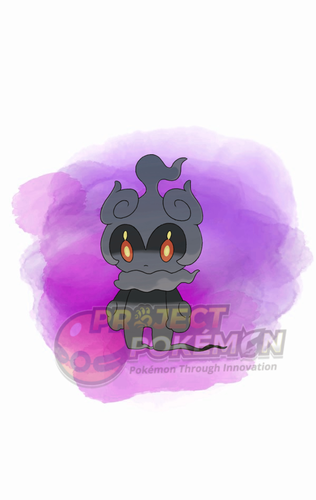
This gift was distributed as part of the Pokémon Adventure 25 (Grab these Mythicals) campaign. The gift codes can be obtained via exchanging scraps for codes. User could exchange their scraps on this site: http://adventure25pokemonkorea.co.kr/ Do note this site limits access to Korean IP only. Wonder Card ID #1014: Mythical Pokémon Marshadow Gift Species Marshadow TID 210426 Distribution Serial Code Location a lovely place Dates Apr 26 to Oct 31, 2021 PID Cannot Be Shiny Games SWSH Nature Random Ability Technician (1) Item None IVs EVs HP RND, 3x 31 IVs ALL 0 ATK DEF S.ATK S.DEF SPE Lv. 60 Moves (ITALIC means Relearnable) Spectral Thief Drain Punch Force Palm Shadow Sneak Classic Ribbon Lang Slot Mon's Lang Nickname OT Name OT's Lang JPN 마샤도 어드벤처 KOR ENG 마샤도 어드벤처 KOR FRE 마샤도 어드벤처 KOR ITA 마샤도 어드벤처 KOR GER 마샤도 어드벤처 KOR SPA 마샤도 어드벤처 KOR KOR 마샤도 어드벤처 KOR CHS 마샤도 어드벤처 KOR CHT 마샤도 어드벤처 KOR Only One Redemption Allowed Format Ver.2.1.0-2b, Post Updated Date:20210426_1631 -
2596 downloads
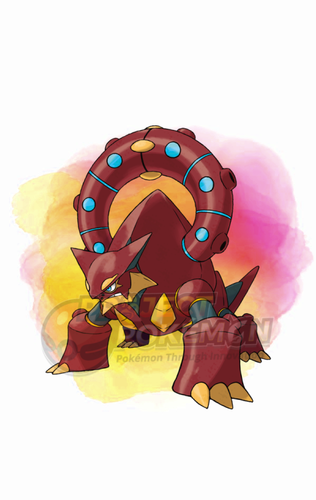
This gift was distributed as part of the Pokémon Adventure 25 (Grab these Mythicals) campaign. The gift codes can be obtained via exchanging scraps for codes. User could exchange their scraps on this site: http://adventure25pokemonkorea.co.kr/ Do note this site limits access to Korean IP only. Wonder Card ID #1013: Mythical Pokémon Volcanion Gift Species Volcanion TID 210426 Distribution Serial Code Location a lovely place Dates Apr 26 to Oct 31, 2021 PID Cannot Be Shiny Games SWSH Nature Random Ability Water Absorb (1) Item None IVs EVs HP RND, 3x 31 IVs ALL 0 ATK DEF S.ATK S.DEF SPE Lv. 60 Moves (ITALIC means Relearnable) Steam Eruption Flare Blitz Incinerate Haze Classic Ribbon Lang Slot Mon's Lang Nickname OT Name OT's Lang JPN 볼케니온 어드벤처 KOR ENG 볼케니온 어드벤처 KOR FRE 볼케니온 어드벤처 KOR ITA 볼케니온 어드벤처 KOR GER 볼케니온 어드벤처 KOR SPA 볼케니온 어드벤처 KOR KOR 볼케니온 어드벤처 KOR CHS 볼케니온 어드벤처 KOR CHT 볼케니온 어드벤처 KOR Only One Redemption Allowed Format Ver.2.1.0-2b, Post Updated Date:20210426_1630 -
2414 downloads
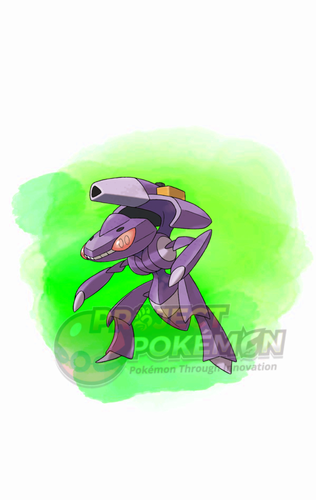
This gift was distributed as part of the Pokémon Adventure 25 (Grab these Mythicals) campaign. The gift codes can be obtained via exchanging scraps for codes. User could exchange their scraps on this site: http://adventure25pokemonkorea.co.kr/ Do note this site limits access to Korean IP only. Wonder Card ID #1012: Mythical Pokémon Genesect Gift Species Genesect TID 210426 Distribution Serial Code Location a lovely place Dates Apr 26 to Oct 31, 2021 PID Cannot Be Shiny Games SWSH Nature Random Ability Download (1) Item None IVs EVs HP RND, 3x 31 IVs ALL 0 ATK DEF S.ATK S.DEF SPE Lv. 60 Moves (ITALIC means Relearnable) Techno Blast X-Scissor Metal Claw Fell Stinger Classic Ribbon Lang Slot Mon's Lang Nickname OT Name OT's Lang JPN 게노세크트 어드벤처 KOR ENG 게노세크트 어드벤처 KOR FRE 게노세크트 어드벤처 KOR ITA 게노세크트 어드벤처 KOR GER 게노세크트 어드벤처 KOR SPA 게노세크트 어드벤처 KOR KOR 게노세크트 어드벤처 KOR CHS 게노세크트 어드벤처 KOR CHT 게노세크트 어드벤처 KOR Only One Redemption Allowed Format Ver.2.1.0-2b, Post Updated Date:20210426_1629 -

Pokemon ultra sun sun save file rquired
theSLAYER replied to ASH GRENINJA's topic in Saves - Files and Requests
Read the instructions for this tool properly. Use it on a save that isn't corrupted. IIRC the games are cross compatible (between US and UM), so it should be fine whether you use a US or UM save, as long as you're not at key story moment (Before leading up to the flute, and in possession of the flute) -
Error Code 2144-0001 Checkpoint
theSLAYER replied to Gajeel's topic in Systems, Flashcards, and Emulation
Yes and no. It's rather simple. Just load the homebrew, and dump the save. Then you'll get the same save format as the one checkpoint would have provided. I would think you should be able to figure it out by performing trial and error on it for a small bit :3 -
Error Code 2144-0001 Checkpoint
theSLAYER replied to Gajeel's topic in Systems, Flashcards, and Emulation
I don't think Checkpoint has updated in a while, especially not with recent Atmosphere changes. You may have to stop using Checkpoint for the time being. (I switched over to JKSV a while back) -
PKHeX Legality for Pre-Evolution/Egg Moves? (Gen 4)
theSLAYER replied to cperrine320's topic in Pokémon Legality
No worries, glad you got that figured out. Now for Gen 4 PID Mismatch: -
PKHeX Legality for Pre-Evolution/Egg Moves? (Gen 4)
theSLAYER replied to cperrine320's topic in Pokémon Legality
Not the ROM. ROM sharing is against our rules. I was talking about the Mismagius. I'm expecting you didn't set it to hatched or something, since my hatched one shows up fine (as seen in my earlier post) -
PKHeX Legality for Pre-Evolution/Egg Moves? (Gen 4)
theSLAYER replied to cperrine320's topic in Pokémon Legality
upload the file for us to see. A hatched Mismagius I just made shows curse just fine.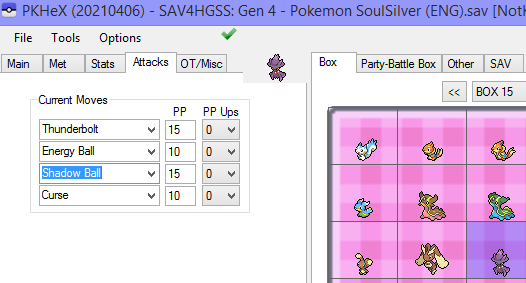
-
Unable to mega evolve multiple Pokemon
theSLAYER replied to MegaBlaziken257's topic in ROM - 3DS Discussion & Help
YOU PROBABLY CAN'T. Store the mons with their formes already mega'd in the PC. But I imagine if they're in your party after one battle (even if they didn't participate), they'll revert to their regular formes. That's just how the game programmed Megas to work. You're gonna need ROM editing, not SAV editing. -
Help - cannot see any modifications made on PokeHex
theSLAYER replied to intostaprost's topic in ROM - NDS Discussion & Help
Yup, I was getting to that. Examples of possible variants of why the game doesn't load an "Edited" save: - user loads save state instead - user didn't set mon into PC/box - user didn't export save after editing it - user didn't place edited save in the correct directory So first thing I check usually is if the save is actually edited, ie. dragging the 'edited' save back into a new window of PKHeX. In any case, glad that it's resolved! -
Help - cannot see any modifications made on PokeHex
theSLAYER replied to intostaprost's topic in ROM - NDS Discussion & Help
Do you still have the purported edited save? -
Unable to mega evolve multiple Pokemon
theSLAYER replied to MegaBlaziken257's topic in ROM - 3DS Discussion & Help
Issue with either your cheat code probably; it probably didn't change the core game mechanic of having more than one mega evolution per battle, and only allowed any mon that can mega, to be able to mega with any item. I don't see how "game decryption" has anything to do with this. AND YUP, I GUESSED IT BECAUSE IT WAS AMBIGUOUS IN YOUR EXAMPLE, AND I HAD TO CLARIFY. -
Unable to mega evolve multiple Pokemon
theSLAYER replied to MegaBlaziken257's topic in ROM - 3DS Discussion & Help
are you trying to mega evolve more than 1 mon in the same battle? -
you should still look at it. For all you know, the remaining space is just blank space. just assume it's flushed to the top left corner.
-
hey sorry, I added in other details in that post you may have missed. Do refresh the page and read the new edits ><
-
So you're only interested the usage of custom sprites in-game right, nothing to do with trying to convert a e-reader card to usable game data or anything, right? If that is the case, the function you want relating to importing/extracting the sprite is documented in the source code: https://github.com/projectpokemon/Gen3-WCTool/blob/cc512ea396a35bc9d5d31401abb5a8976a9d4fca/WC3Tool/WC3/ECB.cs Tho as far as I can tell, all it does is import and export the data as is. There is no "convert PNG to data" segment. (and it's not like the program redraws the data to a PNG for you, hence probably why the function isn't there. There's a possibility that the way the game handles the data is the same way the game redraws other sprites from data; I can't imagine them creating a new unique subroutine just for it. If the way the game handles the data is indeed the same as any other data<-> onscreen sprite conversion the Pokemon gen 3 games use, maybe you could try this: https://www.pokecommunity.com/showthread.php?t=208837
-
Extract images? Where is that option again? Your usage of the phrase images in the context of data extraction confuses me. As far as I know, while this tool allows exporting and importing of ECB (e-card berry data), no images of e-reader dot code are involved. From what I know, it doesn't import/export e-card berry data into dot code format (what e-reader reads), thus I'm confused by your "The program lets you extract Berry images" and "convert an BMP/PNG into a e-Reader-compatible picture" assertion.
-
I don't remember what's the value of the object, but I mentioned it somewhere. And no, you can't just "import into BCAT". From what I recall, that's not how it all works.
-
Wild Area Event #43: World Penguin Day (2021)
theSLAYER commented on theSLAYER's file in Sword & Shield
 Details for Index 65 of normal_encount and normal_encount_rigel1 and normal_encount_rigel2 (minor differences, in raid chance) Rewards for Index 65 of normal_encount and normal_encount_rigel1 and normal_encount_rigel2 (minor differences, in raid chance) Details for Index 65 of dai_encount Rewards for Index 65 of dai_encount
 -
Version .
1018 downloads
This is a Wild Area event held by Sword and Shield. This event does not appear to host any Gigantamaxes. This raid gives players a chance to land on a slot with a guaranteed shiny Eiscue, 2% chance at 5 star raids. Every slot gives players an encounter with Eiscue, to commemorate the World Penguin Day. To import these files into your save, use PKHeX's block importing function. Our tutorial should guide you through it. Our first post of this page contains some data relevant to the importing stage. There's info and some common questions regarding Wild Area Events here. To see other Wild Area Events, here. -
Unable to open Pokémon Green [JP] save file in PKHeX
theSLAYER replied to Elbub's topic in Saves - Editing Help
No worries, glad to help. It's not like I memorized the offsets by heart of anything, I just checked PKHeX's source of where the party data would be located at >< -
Unable to open Pokémon Green [JP] save file in PKHeX
theSLAYER replied to Elbub's topic in Saves - Editing Help
oh so your dumped was on an older firmware that made it dump weird. I'm glad it works now :3 -
Unable to open Pokémon Green [JP] save file in PKHeX
theSLAYER replied to Elbub's topic in Saves - Editing Help
yeah at the very least it doesn't seem non-functional. It is dumping some kind of data but the crucial parts are all filled with FFs. Do clean the contacts, and also make sure your cart is real. -
Depends if the item functionality was added during that wild area update. (It's usually noted in the comments of my update page of what crystals can be used, under dai_encount)


