Leaderboard




Popular Content
Showing content with the highest reputation on 04/06/23 in all areas
-
Version 3.1.3-0
51562 downloads
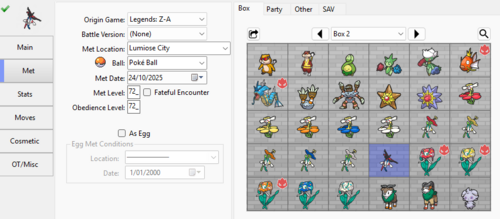
Pre-HOME HOME Non Shiny Living Dex | Shiny Living Dex Switch Core Living Dex (Regular and Shiny) Pokémon GO Transfers Key Description: This page hosts several pcdata.bin files, that have stored all available Pokemon in the Boxes. Simply drag the pcdata.bin onto a save of that file's version-pair. (For example: drag SWSH pcdata.bin into a SW save or SH save.) The Pokémon in these files are compatible with Pokémon HOME, as long as you don't change any of the stats. DO NOT CHANGE any of immutable values (EC, PID, IVs, shininess, etc), it can be transferred across games via HOME, and would have the correct stats, regardless of whichever HOME compatible Switch title you inserted it into first. DO NOT blank out nor manually change the HOME tracker (doing so defeats the purpose of this collection); when deposited into HOME, if the HOME tracker already exists on the servers (even if it were to be in another player's HOME account), a fresh tracker will be assigned, while maintaining existing connectivity. If you want to have a brief understanding of why you should not change immutable values, check here. (you'll also find an example there) Folders you will find: Note: if you're looking to complete HOME's Game-Origin living dex for a particular version, use the Regular pcdata.bin for that version. Folder Description Potential Uses 1. Lets Go's Pikachu and Let's Go Eevee Full living dex of every shiny & non-shiny Pokémon originating from Let's Go Pikachu & Let's Go Eevee 1. Inside LGPE (no HOME tracker) Self explanatory 2. Outside LGPE (with HOME tracker) LGPE Pokémon format (pb7) do not store HOME trackers. Thus, the Pokémon are sent into other games where it'll continue to show LGPE origin and also retain the tracker. At present, there are no Switch core series that can hold Alolan Rattata/Alolan Raticate with a tracker. (Reminder that when LGPE mons enter another game, it can no longer be transferred back into LGPE) The Regular pcdata.bin could be used to complete the player's Pokémon HOME's Pokédex for the Let's Go Pikachu & Let's Go Eevee games, in order to receive the gift Shiny Meltan. 2. Sword and Shield SWSH Regular pcdata.bin: Full living dex of every non-shiny Pokémon originating from Sword or Shield SWSH Shiny pcdata.bin: Also contains every avaialble shiny Pokémon, with some being transferred in from other games. The Regular pcdata.bin could be used to complete the player's Pokémon HOME's Pokédex for the Sword & Shield games, in order to receive the gift Shiny Keldeo. 3. Brilliant Diamond & Shining Pearl BDSP Regular pcdata.bin: Full living dex of every non-shiny Pokémon originating from Brilliant Diamond & Shining Pearl BDSP Shiny pcdata.bin: Also contains every avaialble shiny Pokémon, with some being transferred in from other games. The Regular pcdata.bin could be used to complete the player's Pokémon HOME's Pokédex for the Brilliant Diamond & Shining Pearl games, in order to receive the gift Shiny Manaphy. 4. Legends Arceus PLA Regular pcdata.bin: Full living dex of every non-shiny Pokémon originating from Legends: Arceus PLA Shiny pcdata.bin: Also contains every avaialble shiny Pokémon, with some being transferred in from other games. The Regular pcdata.bin could be used to complete the player's Pokémon HOME's Pokédex for the Legends: Arceus game, in order to receive the gift Shiny Enamorus. 5. Scarlet & Violet SV Regular pcdata.bin: Full living dex of every non-shiny Pokémon originating from Scarlet & Violet SV Shiny pcdata.bin: Also contains every avaialble shiny Pokémon, with some being transferred in from other games. The Regular pcdata.bin could be used to complete the player's Pokémon HOME's Pokédex for the Scarlet & Violet games, in order to receive the gift Shiny Meloetta. 6. Legends: Z-A ZA Regular pcdata.bin: Full living dex of every non-shiny Pokémon originating from Legends: Z-A. ZA Shiny pcdata.bin: Also contains every avaialble shiny Pokémon, with some being transferred in from other games. The Regular pcdata.bin could be used to receive the gift Shiny Volcanion, from completing Pokémon HOME's Lumiose Pokédex and Hyperspace Lumiose Pokédex, done using Pokémon with origins from Legends: Z-A. Kindly keep in mind that completing HOME's Mega Evolution Pokédex is also required; To achieve this, complete the Mega Evolution Pokédex (for Lumioise and Hyperspace Lumiose) in the Z-A save (one does not need event flags nor the Mega Stones in their bag); This is something that cannot be accomplished by these files, and will require player intervention (using PKHeX, for example) 7. Virtual Console FireRed & LeafGreen (not included at this moment, but being planned) Planned to include the Full living dex for every non-shiny Pokémon originating from Virtual Console FireRed & LeafGreen, if HOME identifies these entries as separate from retail FireRed & LeafGreen. Nintendo of America made a tweet that showed the sticker/stamp and the origin mark . Do keep in mind we do not know whether this will apply retroactively to retail hardcopies of FRLG, or just for the VC entries. It appears having the Pokédex entries registered in VC FRLG is enough. Gift is a cherish ball non-shiny Celebi. Extra note: together with having all the regular pcdata.bin sets above in your HOME account, if you can also get the Spinda (via other methods such as from GTS or Bank transfer), you'll be able to get the HOME Magearna gift. Exceptions: - Spinda is missing; while Spinda exists in BDSP, its implementation was bugged thus it cannot be deposited from BDSP into HOME (and vice versa) - Gift and Recruit Pokémon could not be transferred out of Pokémon Champions, thus those will not be in these files. Last Word: Despite these Pokemon being legal, and HOME has not taken any actions on cloned tracker deposits for the past 5 years (cloned trackers get overwritten with fresh trackers), I still need to say this: ProjectPokemon.org is not liable, if you somehow managed to get yourself banned with these Pokemon. Also, don't be stupid or don't do stupid things. I can't possibly give every directive or comment on every possibility. Be reasonable, alright :3 And don't use them on Pokémon Champions! (Cheating against unsuspecting Pokémon are against our rules, and injections count as cheating; them's the rules)1 point -
Version 1.22.0
31671 downloads
Collection of various PKHeX plugins I have made Plugin Purpose Thanks Sorting Plugin Sorting by different regional Pokédexes Raid Importer Importing Raid and Outbreak Files From Event Gallery in Sword and Shield or Scarlet and Violet SVivillonPlugin Edit Vivillon Spawns in Scarlet and Violet Fashion Editor Pokémon Sword / Shield, Brilliant Diamond / Shining Pearl and Legends Arceus Fashion Editing theSLAYER for original idea SV Profile Picture Viewer View and Save Profile Picture and Icon in Pokémon Scarlet and Violet Pako96 for the original code TM Tool Miscellaneous TM edits Roamer Tool Edit the roaming Legendary Birds in Pokémon X and Y and gen 4 roamers. Teams Viewer View battle and rental teams in Sword/Shield and Scarlet/Violet Special Pokémon Finder Check for Three-Segment Dunsparce, Family of Three Tandemaus or Wurmple Evolution suloku for the original idea SwSh Download Rules Exporter Export the download rules from Sword and Shield saves for preservation Unmaintained Plugin Purpose Original Author Sword/Shield Event Editor Editing Max Lair, Gift Pokémon and CT Legendaries Darkfiggy (GitHub) Sword/Shield Raid Tool Display And Search Dynamax Dens Leanny AutoMod QR Plugins Scan (Defunct) PGL Rental Team QR Codes To Import Them architdate and Kaphotics (GitHub kwsch) BW Tool Various Editors For Gen 5 games suloku (GitHub) Source Code: https://github.com/foohyfooh/PKHeXPluginPile Thanks wubinwww, BlackShark, ppllouf, easyworld, Pako96, ZiYuKing, StevensND, baichen2314 for language support If you can contribute multilingual support, please make a PR1 point -
In this tutorial you will learn how to properly use the Batch Editor in PKHeX. The batch editor, when utilized fully and correctly, can be an extremely useful tool for fixing, and editing Pokemon. Please Note: The Batch Editor does NOT have an undo option and therefore all actions taken with the Batch Editor are FINAL unless you quit PKHeX without saving. As a result. MAKE SURE YOU HAVE BACKUPS OF YOUR SAVE BEFORE YOU EDIT IT WITH THE BATCH EDITOR. Section 1: Basic Fundamentals and operation of the Batch Editor The Batch editor works on the simple premise that all possible characteristics pertaining to a Pokemon, boil down to a set of numbers which correspond to certain values in the Pokemon games themselves. Because of this, changing, and editing Pokemon using the Batch Editor is like a mathematical statement, with if then, and true/false statements. The basic operators of the Batch Editor are: "." = Sets the desired value Equal to the value you input "=" = Narrows the editing of Pokemon down to the Pokemon which have the same value as your input value "!" = Narrows the editing of Pokemon down to the Pokemon which do not have the same value as your input value. As an example of how these operators are used, Once you select a variable you would like to change (OT Name, Pokemon Species, Pokemon Level, etc...) and the correct operator, click "Add". This will add your desired variable with your desired operator in the correct format. The next step is to create the formula in which the Batch Editor will run. As an example of a possible combination for use in the Batch Editor, the following formula will change the OT trainer name on Pokemon with a specific OT to a specified OT trainer name, as well as give every Pokemon with that filter, a Master Ball to hold. =OriginalTrainerName=PKHeX This line instructs the Batch Editor to narrow it's scope down to every Pokemon with the OT Trainer Name "PKHeX" .OriginalTrainerName=TEST This lines instructs the Batch Editor to set the OT Trainer Name for all of the previously filtered Pokemon to "TEST" .HeldItem=1 This line instructs the Batch Editor to set the Held Item for all of the previously filtered Pokemon to a Master Ball - which Item Index number is 1. Some Special Tricks to use in the Batch Editor, Courtesy of @Kaphotics (Creator of PKHeX) The Batch Editor window references the PKM that is currently viewed in the editing tabs. If you select a property name, the Batch Editor will indicate whether or not the tabs PKM has that property. If the tabs PKM has that property, the Batch Editor will display the property's current value as well as the data type (number, text, etc). To Randomize a PID, use ".PID=$rand". To Randomize EncryptionConstant, use ".EncryptionConstant=$rand" To Randomize a value within a range, use ".Nature=$x,y" for an inclusive range of [x,y]. To make a Pokémon Shiny: use ".PID=$shiny". To copy the Encryption Constant to the PID, use ".EncryptionConstant=PID" To delete a Pokémon, use ".Species=0" To set a date (Met / EggMet), use yyyyMMdd for the string. Example: ".MetDate=20160409" will set the Met Date to April 9th, 2016. Suggestions can be automatically applied for Moves, RelearnMoves, and Met_Location. Example: ".Moves=$suggest" will retrieve and apply suggested moves from the legality interpreter, same as if you clicked on the Moves groupbox in the tabs editor. Legality can be used as a filter. Use "=Legal=false" to only modify illegal Pokémon. A full up to date list is available by reading the Pokémon properties from the PKHeX source code Section 2: ID Numbers for Use with the Batch Editor This section will focus on the input values you can use in conjunction with the Batch Editor. The Batch Editor uses the in-game index values to set the desired properties to Pokemon. Because of this you will need to use said index numbers instead of relying on the standard text based input present in PKHeX. As an example, to set the species of a Pokemon using the Batch Editor, you must use the equation .Species=150 Not .Species=Mewtwo Below are many of the common variables you may want to use, along with the possible values to use with those variables. Please Note: Some variables (like location, items etc...) have different ID numbers for different generations. Please ensure that you are using the correct ID numbers that correspond to the generation of the game you are editing. Ability: AbilityNumber: Form: Ball: Box: CanGigantamax ConsoleRegion: Country: CurrentFriendship: CurrentLevel: DynamaxLevel: TeraTypeOriginal and TeraTypeOverride: EggLocation: EggMetDate: EV_ATK, EV_DEF, EV_HP, EV_SPA, EV_SPD, EV_SPE: FatefulEncounter: Gender: HeldItem: HPType: IsEgg: IsNicknamed: IV_ATK, IV_DEF, IV_HP, IV_SPA, IV_SPD, IV_SPE: Language: Legal: MarkCircle, MarkDiamond, MarkHeart, MarkSquare, MarkStar, MarkTriangle: MetLevel: MetLocation: MetDate: Move1, Move2, Move3, Move4: Move1_PPUps, Move2_PPUps, Move3_PPUps, Move4_PPUps: Nature: Nickname: OriginalTrainerGender: OriginalTrainerName: PID: RelearnMove1, RelearnMove2, RelearnMove3, RelearnMove4: Ribbons ShinyLeaf (Gen 4 HG/SS Only) SID16 or TrainerSID7: TID16 or TrainerTID7: Slot: Species: Stat_ATK, Stat_DEF, Stat_HP, Stat_SPA, Stat_SPD, Stat_SPE: Version: JUST IN CASE ANY OF THE VALUES ABOVE ARE NOT UPDATED: You can use Batch Editor to also view the particular values you want. Special Thanks to @theSLAYER for help with making and researching this guide with me1 point
-
Releases now available on ProjectPokemon's Downloads page! CLICK HERE. Just a note that the latest updates will be posted to GitHub over at https://github.com/ReignOfComputer/RoCs-PC Update: We continue into 2019 and beyond! Little project I'm working on to go through all the Pokémon games and establish a library in 2016-2018. Yes, some people have done so before me - but this is more of a personal goal to well... Complete the PokeDex. Though my Pokémon journey started in ~1998, it never really took off until 2006 with the release of Diamond/Pearl. With the GTS and the going online, meeting many like-minded people from communities such as PokemonGTS, ProjectPokemon, and Secure, I can see how peaking behind the curtain got me to where I am today. Still here? Cool. In this thread you can find my collection, amassed since 2006 through my own game-play, The Global Terminal, friends, and more. This includes quite a number of 3rd Gen events (pre-PalParked, see 13 - Gen IV - Gen III Pal Park, rough file list here). I'm still digging through my archive folders so there's probably a lot more, but with the sheer amount of files this will take some time. Also as a disclaimer, it's been so long that I can't tell if any of the events are hacked (especially those GCEA, WISH, etc). I wouldn't assume everything is legit. I'm working on creating updated 2016-2018 versions of every game's PokeDex since I'm playing through everything from Gen I to VII (#completionist), but you can find my old 2011/2013 5/6th Gen files in zArchive. Lots of files belonging to other people, if I didn't credit you, let me know. Progress: Tools used: Thanks: Download:1 point
-
Version 1.0.43
511281 downloads
Pre-HOME HOME Non Shiny Living Dex | Shiny Living Dex Switch Core Living Dex (Regular and Shiny) Pokémon GO Transfers Key Description: This page hosts several pcdata.bin files, that have stored all available Pokemon in the Boxes. Just drag the pcdata.bin onto a save of that file's generation. Last Word: Despite these Pokemon being legal, I still need to say this: ProjectPokemon.org is not liable, if you somehow managed to get yourself banned with these Pokemon. Also, don't be stupid or don't do stupid things. I can't possibly give every directive or comment on every possibility. Be reasonable, alright :31 point -
11439 downloads
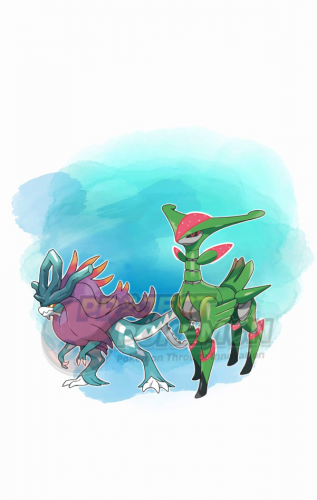
Event description This is an event raid held by Scarlet and Violet. Notably, with this event you get a chance to encounter Tera raids featuring a level 75 Walking Wake in Scarlet and a level 75 Iron Leaves in Violet. This event ran from February 27 to March 12, 2023 and from May 1 to May 14, 2023 What can be done with these files The files to be imported into your save file are placed in the Files directory. We also provide human-readable data in Json format, and an Identifier.txt file containing the event index. Use our tutorial to import these files into your save. After importing you might need to advance one day in the Date/Time from your console System Settings, to reroll the dens. To see other Poké Portal Events, here.1 point -
This guide to resolve any issues users get when they try to change their stats of a Pokémon from Gen 8. DO NOT USE ANY SIGNIFICANTLY HACKED POKéMON ONLINE! Foreword One reason why people get various PID-Mismatch or Invalid Encounter type of messages for Pokémon that originate from SWSH, is because they did not modify the Pokémon correctly. (Remember: if your encounter details are invalid, then doing this won't work. This assumes your other encounter details are valid.) In Generations 8, due to an in-depth understanding of how the game mechanics call stats for (mostly) Overworld Pokémon, the Personality Value (PID) is tied to various other values related to the Pokémon generation procedure in-game, such as Individual Values (IVs), Height, Weight, and Encryption constant. This method of correlation is known as overworld8. You can read more about it here: https://projectpokemon.org/home/forums/topic/58824-swsh-overworld8-pid-type/ Basic Preparation 1. Gen 8 OW PID Genner will be the tool we use to find correct information (PID/IVs etc) 2. PKHeX Plugin for OVerworld8 IV Searcher for searching by IVs (it would have similar UI as the one above, for the most part) 3. Time and patience. I cannot stress this enough. 4. Knowing whether your encounter can have any guaranteed IVs. 5. (Optional) For beginners, I recommend Searching for particular IVs, then Shinification (Keeps PID, changes TID/SID). Other options for beginners: If you want to search for IVs I recommend Searching for particular IVs. If you want to make any given legal overworld8 PID shiny I recommend Shinification (Keeps PID, changes TID/SID). If you don't care about IVs, and just want a shiny with your TID/SID combo I recommend Shinification (Keeps TID/SID, changes PID). If you want a Pokémon with a certain PID, TID and SID to be shiny I recommend Shinification (Keeps TID, SID, and PID). If you've become accustomed to how the tool works you can play around with other options, but all at your own risk. Searching for particular IVs Shinification (Keeps PID, changes TID/SID) Shinification (Keeps TID/SID, changes PID) Shinification (Keeps TID, SID, and PID)1 point
-
With HOME 2.0, they made an internal data structure in their servers that can hold separate partitions for a Pokemon. If I’m not mistaken, the partitions are for: LGPE, SWSH (default Gen 8), BDSP, and PLA. Typically, if you transfer a mon between games via HOME, any exclusive data (moves, balls) will get written to their respective partitions, and gets left out from the other partition. And it remains associated to the Pokémon via HOME tracker. For example, a Pokémon with Gigantamax would have the data for it in the SWSH partition, but left out from the rest. When you withdraw such a Pokémon in PLA, that byte won’t be there in the pa9, but would be given back to your Pokémon when withdrawn back in SWSH. The reverse is true for Alphas from PLA -> SWSH, as well as any unique PLA balls. They are temporarily Poke Ball and non-alpha in SWSH, but shows back up with sent to PLA. So basically, if they don’t have a valid HOME tracker with sent in from the correct game, they may become illegal when transferred to a different game via HOME. (Kinda why I did my HOME compatible living dex) by extension, the proper ball and first met location is tied and tracked by HOME tracker. You probably changed something that resulted in HOME not being able to recognise it.1 point
-
Not every PID/EC can be completely. In that scenario, the stats are said to be ‘correlated’. Correlated means -> the values are generated sequentially back to back, in a predictable fashion/pattern, from an RNG seed. So if something ‘breaks’ the pattern, it’s obviously hacked. This doesn’t apply to most encounters but they exist, across different generations.1 point
-
Version 1.0.0
371 downloads
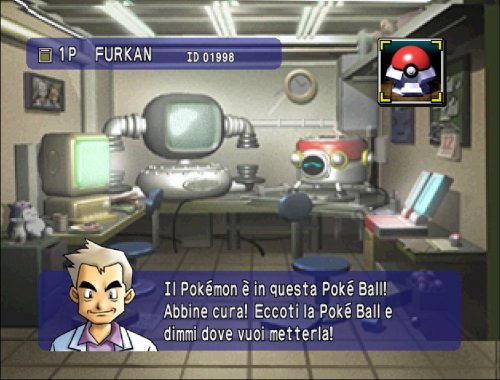
Hi to everyone, This is my first post here, I wanted to share my Pokémon stadium save. I noticed that online is quite hard to find Italian save files for this game so I did play through the game completing all most everything. Professor Oak has the Psyduck with amnesia so get that first before doing anything else. I did put in the first 2 boxes of the N64 cartridge all the Pokémons that I got while battling the Pokémon League. I did play on Project64 with an emulated GameBoy cartridge to use some teams that made this experience faster and doable. I didn't touch the minigames and I didn't fight Mewtwo in round 2. You can even go and do the Prime Cup MasterBall tournament in Round 2 to get surf on your Pikachu. The registered teams are the ones on my Pokémon Blu save with perfect stats and ideal moves made with PkHex, You can easily delete them ad use your own teams. You can not use this file with stadium in another language or with red,blu and yellow that are not in Italian. That is the reason why I had to play this game in first place instead of dowloading an english version. Ciao!1 point -
And you’ll still need Spinda from Bank, because currently Spinda from both GO and BDSP cannot be transferred into HOME.1 point
-
On the Nintendo Switch to the best of my knowledge these Pokemon are not currently obtainable in any game: Snivy, Servine and Serperior Tepig, Pignite and Emboar Patrat and Watchog Pansage and Simisage Pansear and Simisear Panpour and Simipour Blitzle and Zebstrika Sewaddle, Swadloon and Leavanny Ducklett and Swanna Furfrou Pikipek, Trumbeak and Toucannon Minior Meltan and Melmetal However you can obtain them all except Minior from Pokemon Go. Keep in mind Pansage, Pansear and Panpour are regional Pokemon on Go, so depending on where you are in the world you'd only be able to get one of the three without trading with someone local to you or waiting for an event. Failing that you'd have to trade on home for them or import from the 3DS.1 point
-
You need CFW on your Switch. If you have it, just use a save manager homebrew to insert the save. https://projectpokemon.org/home/tutorials/save-editing/managing-switch-saves/ Also, don't hijack someone elses thread for something seemingly unrelated. Start your own thread.1 point
-
Those already exist. .PID=$rand .EncryptionConstant=$rand1 point
-
Read the shortcuts list that is built into the program. Hold shift & click.1 point
-

Version 1.0.0
10269 downloads
Summer Keldeo This Keldeo was distributed at Gamestop stores in the US and EB Games stores in Canada during the above dates to promote pre-orders of Black 2 and White 2. It was also distributed at GAME and Gamestation stores in the UK from September 1 to October 11 and at EB Games and Target Stores in Australia from September 15 to October 11. If brought to the Moor of Icirrus along with Cobalion, Terrakion, and Virizion, this Keldeo can learn the move Secret Sword. In Black 2 and White 2, it can learn Secret Sword at Pledge Grove and will be in its Resolute Form while it knows it. Wondercard ID 069 PID Random Games BW Type Local Wireless Dates 08.27.2012-10.06.2012 Nickname Keldeo Gender Genderless Level 15 Nature Random Ability Justified OT SMR2012 SID 00000 Location Lovely place Ribbon Wishing Ribbon Ball Cherish Ball Held Item PP Max Moves Aqua Jet Leer Double Kick BubbleBeam1 point