

User Contributed Saves
Unless you specifically mention in both the title and description, DO NOT UPLOAD and save that is hacked/cheated/filled with illegal Pokémon.
Other saves uploaded by various users. Do share your save files with everyone here!
Due to differences in save file formats, please indicate which game the save is for and which format it is. (For example, a Pokémon Moon save for JKSM or a Pokémon Diamond save for DeSmuMe.)
Warning: Some Nintendo Switch games have extra verification to detect when multiple people use the same save file online at the same time, resulting in the save being banned from online play. It is unclear at this time whether this will affect Pokémon Legends: Arceus, so do not upload any save you want to keep using online, just in case.
83 files
-
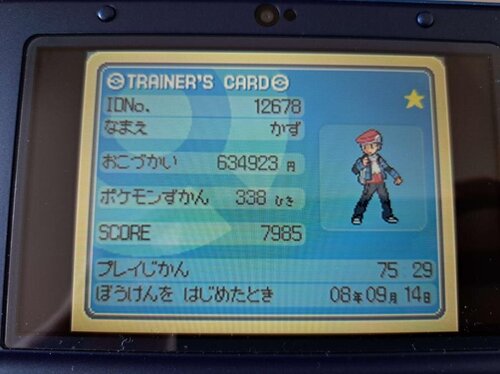
Pokemon Platinum (JPN)
By LukasEins
backed up the save file from a japanese Platinum game a friend found in Tokyo and wanted to make sure it survives by posting it on here, the save was started in 2008 which is pretty neat, also has multiple pokerus pokemon in team
2173 downloads
(0 reviews)0 comments
Updated
-
.thumb.png.921e0b2c5e05264c5e7083b428bbb184.png)
Generation 1-7 Shiny Starter Save Files
There are 3 save files per game, each with a shiny rng'd starter for the following games
Blue
Gold
Crystal
Ruby
Leaf Green
Emerald
Diamond
Platinum
Soul Silver
Black
White 2
Y
Alpha Sapphire
Ultra moon
gen 1 and 2 were done on emulator using a lua script to check for shiny,
.sav format for 1-5 main for 6-7
All saved at first opportunity after receiving your starter
rng done by myself, spreads vary wildly from terrible to decent, just went for early frames, enjoy
7933 downloads
-
Pokemon Trading Card Game (USA, Australia) (SGB Enhanced) (GB Compatible).sav
By SSSSSno
All 228 pokemon trading cards. First, create any savestate in your own game; then, replace(and/or back-up) your .sav file with this one. Reset the game and then load your savestate. That's it.
233 downloads
(0 reviews)0 comments
Submitted
-
Pokemon: Completed Game
This is a completed game, bought the game for £30 and preserved the file here.
Whoever was Smurph with TID 30824, I'd like to talk with ya! You got an amazing save!
1267 downloads
-
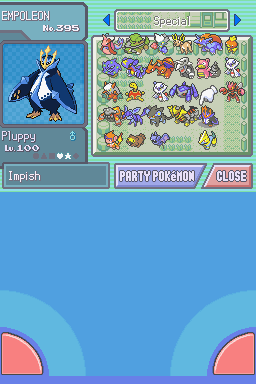
Pokemon_D_Save.sav
By P80pHat
My Pokemon Diamond save file. I completed the Pokedex back on June 11th. In case you're wondering why I have so many random eggs and Pachirisus, I was using the Masuda method to do shiny hunting because after 500 hours of playing this game (counting all the accidental resets) I have still not found a single shiny, and had to trade over the red Gyrados from my SoulSilver file to this to at least have one shiny (excluding the event Pokemon).
2042 downloads
-
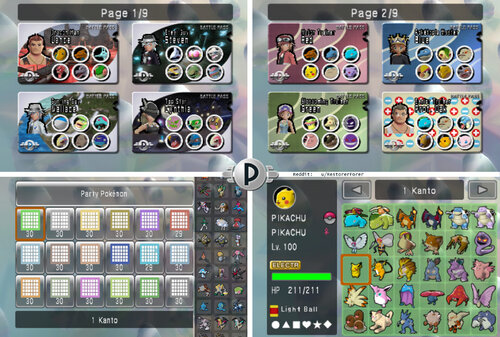
Pokemon Battle Revolution Complete Savefile All Fully Evolved Pokemon Competitive Builds + Little Cup + Custom Passes for Iconic Trainers
By Forer
> FINAL VERSION: 31 March 2026
reddit post if you want to comment
> 日本語 (Japanese): ダウンロード
> ESPAÑOL (Spanish): DESCARGAR
> FRANÇAIS (French): TÉLÉCHARGER
> ITALIANO (Italian): SCARICAMENTO
> DEUTSCH (German): HERUNTERLADEN
>>> VIDEO GUIDE HOW TO INSTALL DOLPHIN AND PBR AND EDIT POKEMON IN PKHEX thanks to WooperEnjoyer!
>>> IF YOU ARE PLAYING ON DOLPHIN EMULATOR <<<
Battle passes will not display correctly (The Trainer avatar will be missing). In Dolphin settings go to Graphics -> Hacks and at the top turn "Store EFB Copies to Texture Only" OFF. This fixes it.
>>> I ALSO RECOMMEND THIS CHEAT CODE TO BOOST GRAPHICS AND REDUCE BLUR <<<
USA: 0462A0F0 00000000 EUR: 04641E88 00000000
Simply go to "Cheats Manager" while PBR is open, and input the Gecko Code.
NOTE: THIS IS NOT ILLEGAL OR PIRACY.
It is a savefile I created myself, NOT A ROM. It's to help people who want to play the game they LEGALLY bought without having to grind for everything before being able to battle. (very legally!!)
I want to share it with people, so they can use it for single-player playthroughs of the game, local-play with friends, or for online play!
CONTENTS OF THIS GUIDE:
About the File About the Pokémon How to Install (Wii) How to Install (Dolphin) 4.5. How to Install (Android Dolphin)
How to edit the Pokemon/ Savefile/ Create Custom Team TROUBLESHOOTING LAGOON COLOSSEUM WITHOUT ONLINE??? (Cheat Code!)
1. About the File:
This save file comes with: all Fully Evolved (and many Little Cup) Pokemon with competitive builds; all battle passes and fashion items unlocked; as well as 87 teams I have made of characters from across the series, such as Red, Cynthia, Jasmine, May, Giovanni, Paul and more!
> For shiny Leader costumes, you can now use the new version of PKHeX to enable them, thanks to abcboy! But they mess with the costumes I made, hence I turned them off.
▸ The game has 4 Savefiles: PKTOPIA, Red, Blue, Green. You can rename these (see: 5. Editing Savefile).
>>> PKTOPIA is a complete file with all Colosseums unlocked and completed. It has 104 pre-made battle passes (You can delete them, however I recommend using Red file if you want to make lots of teams, as deleting / reorganizing the passes in PKTOPIA may lead to them glitching and locking, as I have set some of them to Friend Passes for it to work).
They are handy for having battles with friends/ in singleplayer when you do not want to make your own teams, but for example want to have a themed battle like Misty VS Ash, or Lance VS Cynthia.
»»» This file has all Colosseums at Rank 8, meaning you can have fun fighting against challenging opponents with stronger Pokémon rather than the weak ones they usually use!
>>> Red is a complete savefile with everything unlocked, but has no pre-made battle passes. This file is for when you want to make your own teams! (It also now has 60 friend passes!)
This is the best file for making your own teams to battle with friends, or against the Colosseums! The Pokemon are now all grouped together. All Pokemon are in Poke-Balls, EXCEPT Some are in Premier-Balls; this is to show they are the Pokemon intended for Singles (OU) and may have items like Choice Band, so you and your friends may agree upon not using the ones in Premier-Balls as they can be unfair.
»»» This file also has all Colosseums at Rank 8, meaning you can have fun fighting against challenging opponents with stronger Pokémon rather than the weak ones they usually use!
>>> Blue has all 493 Pokemon INCLUDING MIDDLE STAGES!, but has not been played. This is for you to have your own playthrough with the Pokemon! It still has all clothing and pass designs unlocked! (It also now has 60 friend passes!)
»»» You can challenge yourself to use weaker / not-fully-evolved Pokémon for your playthrough, as the trainers in this game on the first playthrough are notoriously weak!
>>> Green has no Pokémon, and has not been played, so you can connect a DS, or play only with Rental Passes if you find that challenge fun! However it still has all clothing unlocked!
2. About the Pokémon
- I have now made a database of all the Pokémon. There's an excel file, and a text database, in the folder. If you want to find a specific move/ sort the Pokémon by Speed stat, for example, now you can!
- I chose not to give any Pokemon "Choice" items (except ones using Trick) and was sparing with Life Orbs, so that when playing with friends, sets aren't too complicated, and speed tiers are more predictable. Plus they kind of ruin the balance of the game. But if you're really into competitive, build your own sets!
- In terms of Pokemon's legality, all Pokemon have fully legal Generation 4 movesets except these 7 cases:
» Some Legendaries know moves they cannot learn, to make them weaker. For example Kyogre has Aurora Beam, a weaker version of Ice Beam, to balance him. THIS ONLY APPLIES TO: Mewtwo (Psybeam), Mew (Psybeam), Kyogre (Aurora Beam), and Giratina (Growth) (weaker version of Calm Mind)
» Machoke has Fissure. He learns it in Gen 1 but technically it's not transferrable to Gen 4
» Unown has... a special moveset. Just for fun! (he still sucks)
» Kecleon knows Copycat. I just thought it suited him, and it works well with his Ability- he can reflect back a move of the same type he was just hit with, to get STAB.
» Pachirisu has Follow Me. He does not learn this until Generation 5, but I think it suits him and he is useless without it.
» Magikarp has Hydro Pump. He has this as an event-exclusive in Gen 5 and learns it by TM since Gen 8 now.
» Rotom in Box 14 (OU Singles) knows Hydro Pump, because this Rotom is meant to be Rotom Wash. When I hacked him to have 1000 EVs, to match the actual stats of Rotom Wash, sadly the game will say "Cannot use illegal Pokemon" even when doing local-battles. If anyone knows a way around this I will update his stats.
- In terms of Hidden Power, I excluded it from every Pokemon, except Unown, and the Singles OU Pokemon in Box 14. Their Hidden Powers are: Unown(fire) Magnezone(fire) Latias(fire) Slowbro(electric) Rotom(ice).
- All Pokemon have legit statspreads and EVs. EXCEPT in save PKTOPIA, I made some new Friend Passes. 11 of these passes use weak Pokemon like Goldeen with hacked abilities (no change to stats). These Pokemon are NOT accessible and are not in the PC storage, so all you can do is play with the passes as they are. The Pokemon aren't that strong even with their special abilities though, it's just for fun!
These abilities are:
Huge Power: Ash (Buizel), Jessie (Meowth), Zinnia (Whismur), Brock (Onix, Geodude, Bonsly, Croagunk), Misty (Psyduck, Goldeen), Lt. Surge (Voltorb), Blaine (Ponyta)
Intimidate: Dawn (Piplup), James (Mime Jr.), Whitney (Clefairy)
Filter: Brock (Golbat), Erika (Ivysaur), Blaine (Magcargo)
Swift Swim: Misty (Corsola), Drizzle: Misty (Politoed), Levitate: Lt Surge (Magnemite)
Also, the only hacked move in these passes is Brock's Blissey using Trick Room.
These passes are not on the other save files! Only PKTOPIA has hacked ones.
Finally, to balance Legendary Pokemon, some will have slightly subpar movesets, stats, and items. This is to make them feel fair against non-legendary Pokemon, so you can use them against friends without them feeling obligated to also use Legendaries!
This applies to: Ho-Oh, Lugia, Groudon, Kyogre, Rayquaza, Palkia, Dialga, Giratina, MEWTWO, MEW, JIRACHI, ARCEUS, AND DARKRAI - and I did not make Latios, Cresselia, or any other legendary/mythicals weaker!
3. How to Install (Wii)
- importing the save to Wii REQUIRES Homebrew because PBR is locked to not allowing a save to be imported; using Homebrew with SaveGameManagerGX bypasses this.
First, unzip the downloaded file, open it >> open your game region >> open "PBR SAVE FILES" folder >> open "(MAIN GAME SAVE FILE)" folder, and copy the "0001000052504245" or similar named folder to the root of your SD card.
You CAN NOT just place the game save on its own, you must put the ENTIRE "0001000052504245" FOLDER in!
Then, insert SD card to Wii. Then;
Using SaveGameManagerGX on Homebrew, on the top menu, navigate to the SD card. Find the icon for PBR. Click the PBR icon and click install. This will overwrite any data you have on PBR so make sure you back it up first if you want to keep an old file.
Done!
» IF THIS DOES NOT WORK/ HAS ERROR "unable to copy datas", delete the "0001000052504245" folder from your SD card.
» Now try the folder BELOW the "(MAIN GAME SAVE FILE)" folder, "[BINARY]" - Put the"data.bin" file onto root of SD card. Now try installing this in SaveGameManager.
» And if this does not work, then in SaveGameManagerGX you might have to click the .bin file, click "Decompress" and it will create a new file in SGMGX and THIS file should finally work.
To extract the save file for editing, like say you play for 20 hours but now want to edit a Pokémon without losing your progress, go to SaveGameManagerGX, on the top menu navigate to the Wii icon, click PBR’s icon and click Extract to Custom and navigate to your SD card.
Once editing is complete re-inject the save file.
4. How to Install (Dolphin)
First, create a new save game on PBR, by saving after creating a save slot. Then close the game. This creates folder structure.
In the game-select menu of Dolphin, right click PBR and click “Open Wii Save Location”. In the "GeniusPbr" folder, replace the "PbrSaveData" file with mine. To find my PbrSaveData file go to PBR SAVEFILE COMPLETE\(REGION)\PBR SAVE FILES\(MAIN GAME SAVE FILE)\0001000052504245\GeniusPbr and it will be in the GeniusPBR folder.
Now open Dolphin and play!
ONE SETTING YOU WILL NEED TO TURN OFF IN DOLPHIN:
Battle passes will not display correctly (The Trainer avatar will be missing). In Dolphin settings go to Graphics -> Hacks and at the top turn "Store EFB Copies to Texture Only" OFF. Should fix it and won't affect anything in other games.
4.5. How to Install (Android Dolphin)
Make sure you have gone into the game, and SAVED at the reception desk first, or else the folders will not have been created!
Go to Config ==> User Data ==> Open User Data Folder
Then navigate to Data ==> GeniusPBR, and inside this folder is where you put the new save by replacing the old pbrSaveData.
5. How to edit the Pokémon/ Savefile/ Create Custom Team
Open the "PbrSaveData" file in PKHex. It's pretty self-explanatory how to edit Pokémon.
One tip I have is, Pokémon will sometimes not work correctly if they have no Met Location/ OT info. You can take any existing Pokémon, copy it to a few slots, and now these slots will have that data, now you can edit that Pokémon into whatever you want, or import a Pokémon from Showdown on top of it by using Ctrl+T when the text from Showdown is copied to clipboard and then Shift-Click to replace the old Pokémon with the new one.
You can edit your savefile name in PKHex by going to SAV --> Save Slot: (select the file you want to edit) --> Block Data, and simply edit the value of Current OT. This will be your online display name if you choose to do online play.
I also added the Binary "PCDATA" file in the "RAW POKEMON DATA" folder.
If you open your own savefile in PKHex and drag-and-drop this file into the PKHex window, it will replace all the Pokemon in your save with my Pokemon. This can bypass a region lock but will NOT import complete save game data, custom battlepasses, etc., and you will retain your savefile, just with all my Pokemon.
In case you are dragging these Pokemon into a new file, for them to work, in PKHEX you need to go to “block data” in the SAV tab, and you need to input some trainer information. The save file needs any Trainer ID + Secret ID or the Pokémon won’t be accessible.
Also for those of you who edit the savefile, a small guide on how I convert to .bin:
You'll need to download Dolphin on PC, then have a copy of PBR on Dolphin. Put your current PbrSaveData file from PKHex into the Dolphin Save folder "GeniusPbr" (right click PBR in Dolphin Loader, then click "Open Wii Save Folder").
Then in the Dolphin loader, right click PBR, and click "Export Wii Save" and it will save the file in the save folder into a .bin - you can now import this .bin to your Wii (if you have problems with the original file).
6. TROUBLESHOOTING
There's one main glitch that can occur (only in PKTOPIA slot) that will lock your passes so I will explain it.
In order to have the passes the way they are, I have marked some of them as "Friend Passes" despite them not actually being in the friend-pass menu. If you somehow end up with one of these passes at the front of the Passes menu on page 1, it will lock all other passes from being editable.
If you delete all the passes in the Custom Pass page to make your own, you will be unable to create edit ANY passes!
To fix it:
0. Just don't make a new pass, simply edit an existing one on page 1 or 2 into your own character.
1. Make sure you delete every pass EXCEPT one that is NOT a friend pass like Lance (You cannot edit the Pokemon or Trainer of a friend pass, so it's easy to tell).
2. If you already deleted all the passes, either just reinstall the save file, or go into PKHex and edit the battle pass to NOT be a friend pass, and it will fix it.
6. TROUBLESHOOTING (Wii)
Ensure you install the entire "0001000052504245" folder to your SD card INCLUDING the "0001000052504245" folder, and do not rename it as this is the game code for PBR. Do not rename ANY FILES or edit the file structure or it may not work. Make sure you're using the matching region PBR game (USA, EUR or JAP). ENSURE SAVEGAME MANAGER GX IS ON THE NEWEST UPDATE VERSION!!! Link: https://sourceforge.net/projects/savegame-manager-gx/
simply go into the "apps" folder on your WII SD card, delete SaveGameManagerGX folder, replace it with the new one (unzipped). If the error message "unable to copy datas" still occurs, try the following: Ensure my "0001000052504245" folder is NOT on your SD card. Move it to anywhere else on your PC for now. Go into the basic Wii home menu, settings, and go to your game save data. Delete PBR. (Backup your current save with SGMGX if you don't want to lose it). Open PBR, this will create a fresh save file. Now close out of PBR. In SaveGameManagerGX, download this new savefile from the Wii to your SD card. This will now create the exact folder structure you need on your SD card. Go to your PC and on the SD, replace MY "PbrSaveData" file with the one you just installed from your Wii in the exact same location. Install using SGMGX and play! - IF NONE OF THIS WORKS, you may not have installed CIOS correctly when setting up homebrew. You need the latest version. Look up a tutorial online or on YouTube, and redo CIOS installation for Homebrew. This fixes the issue for a lot of people.
7. NEW CHEAT CODE TO UNLOCK LAGOON COLOSSEUM IN FREE BATTLE!!!
This is all thanks to abcboy! He made the PKHex version that can now edit Battlepasses and dialogue directly in PKHex!
To use the code, in Free Battle mode, when you select any Colosseum, hold in the PLUS (+) button while clicking the (A) button to select any Colosseum. This turns it into Lagoon Colosseum for the next battle!
To install the code,
on Wii: Install Ocarina in Homebrew. Put the Gecko Code folder "codes" in the download on the root of your SD card and make sure cheats are turned on in the game settings on the screen before you load PBR.
on Dolphin: While PBR is open, go to Tools -> Cheats Manager and go to Gecko Codes, then add new code and put in the code!
USA CODE:
02135150 00004181 2851DD12 FFEF0010 02135150 00004800 E0000000 80008000
EUROPE CODE:
0213028c 00004181 285356d2 FFEF0010 0213028c 00004800 E0000000 80008000
JAPANESE CODE:
021288c8 00004181 28507292 FFEF0010 021288c8 00004800 E0000000 80008000
As a bonus for all the Battle Revolution Maniacs, my custom USBLoaderGX Pokemon Battle Revoluton homescreen theme is here: https://projectpokemon.org/home/files/file/5726-pokétopia-usbloadergx-theme/
Just drag that folder to your SD card. You can go to the theme settings in USBLoaderGX on the Wii to select the PBR music track that is there to play on the Wii menu!
Ennnnnjoy! And let me know how it goes or if there are any errors!
7161 downloads
-
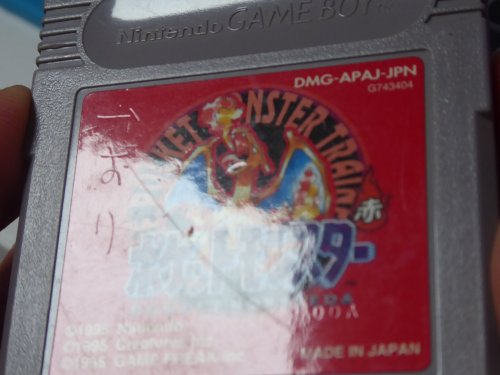
Taiga's Save File (Used Japanese Pokemon Red Save)
By JuneDreamer
I recently purchased a used copy of Pokemon Red off eBay, and the cartridge miraculously still had a save on it. The file belonged to "タイガ", they had beaten the game, caught a few Pokemon, it's a pretty ordinary little save file. This cart ended up bleeding into another project I had going on, which was restoring an old Kemco Pikachu link cable. So before the save battery died, I traded over all of タイガ's Pokemon to a flash cart, and saved them onto PKHex. I've uploaded the save file as well as the individual PK1 files, have fun!
You can watch the video I made detailing the entire process here:
1032 downloads
(0 reviews)0 comments
Updated
-
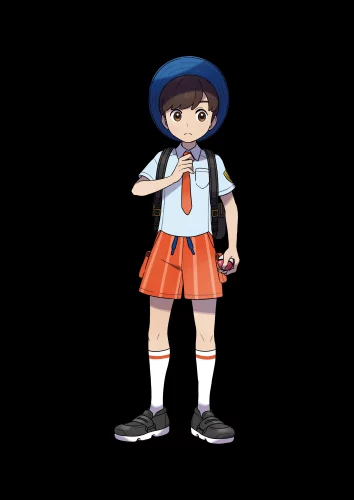
Scarlet Male Fashion blocks (mostly complete)
By atomicdalton
This is a file contains the vase majority of the fashion items with in the game to include hats, glove, shoes, glasses, socks, and phone cases. I gathered this all in scarlet so I don't think you can us it in violet but you can always try though I take no responsibility for it if it messes up your game . the only DLC items include are the "new" uniforms I exported all the fashion blocks into one file than turned it in to a rar for ease of upload and download so you will have to decompress it with something like winrar or 7zip.
Update 1.2.0: I missed a few items so I added them to update the file as I find and collect more items I will continue to update thought I think I have nearly all of it now.
1127 downloads
(0 reviews)0 comments
Updated
-
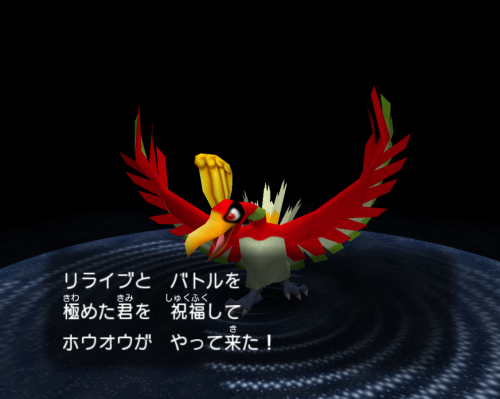
(In)complete Pokemon Colosseum (JP)
By Dararakz
I finish Pokemon Colosseum (JP)
Finish history. 48 purified Pokemons (No Ho-Oh, No Celebi, No e-Reader)
I beat the Mt Battle to obtain Ho-Oh but save don't works, the Ho-Oh is avaible in the savestate in case of anyone fix to work. I cant save any battle in Mt.Battle, In normal game the saves works correctly.
Hope enjoy my game
650 downloads
(0 reviews)0 comments
Submitted
-
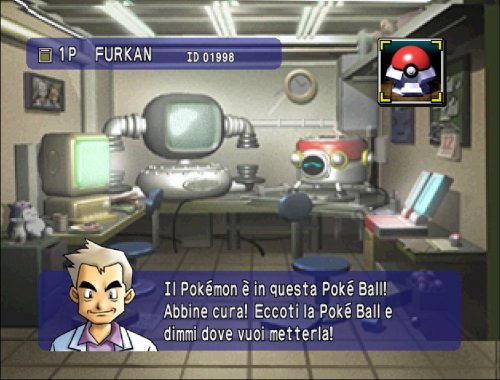
Save Pokemon Stadium Italian version complete with Amnesia Psyduck (Italiano)
By FurkanM7
Hi to everyone,
This is my first post here, I wanted to share my Pokémon stadium save. I noticed that online is quite hard to find Italian save files for this game so I did play through the game completing all most everything. Professor Oak has the Psyduck with amnesia so get that first before doing anything else. I did put in the first 2 boxes of the N64 cartridge all the Pokémons that I got while battling the Pokémon League. I did play on Project64 with an emulated GameBoy cartridge to use some teams that made this experience faster and doable. I didn't touch the minigames and I didn't fight Mewtwo in round 2. You can even go and do the Prime Cup MasterBall tournament in Round 2 to get surf on your Pikachu. The registered teams are the ones on my Pokémon Blu save with perfect stats and ideal moves made with PkHex, You can easily delete them ad use your own teams.
You can not use this file with stadium in another language or with red,blu and yellow that are not in Italian. That is the reason why I had to play this game in first place instead of dowloading an english version.
Ciao!
332 downloads
(0 reviews)0 comments
Submitted
-
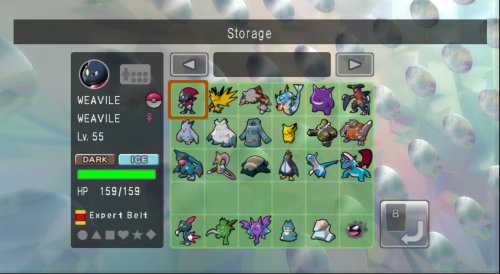
Save Pokemon Battle Revolution (NTSC-U) Save - Fresh Post Game Start
By Tsunau
Start your Shiny Costume Hunt with my save file! This is after defeating each Colosseum once and the credits first rolled putting you into post game!
Box 1 are teams that are used for Doubles while Box 2 is for the Singles format.
Fresh Post Game is under File 1 labeled "DAWN" Save is synced with HeartGold This means Mysterial will use the Pearl Version Team when facing him on Sets 4 and 8 Accessories were not purchased All Level 50 Colosseum Ranks starts fresh at 1 No Rental Pass swaps1248 downloads
(0 reviews)0 comments
Submitted
-
Fossil Conversion Glitch - Shiny Hunting Save File
By Danius88
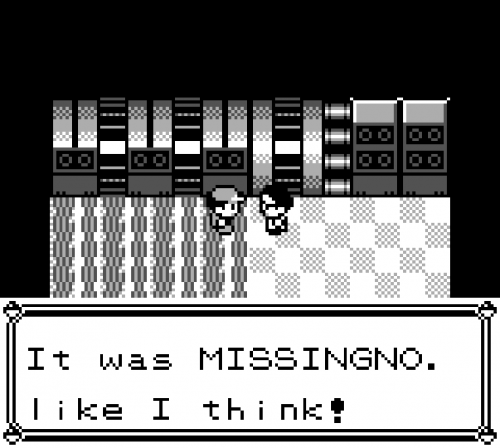
This save file has been set up with ACE to be able to shiny hunt any Kanto or Johto Pokémon in Pokémon Red using the fossil conversion glitch. The current Pokémon to hunt is Ho-oh, though it will be explained how to change it to any Pokémon (except Celebi). This save file should only work with the English version of Pokémon Red (including 3DS VC), though it is also possible to perform it on Blue and Yellow. The OT has been changed to PPorg. If you want to use this save file for the original Game Boy version, change the extension to .sav.
This glitch allows to change the Pokémon that you can recieve from the fossil researcher in Cinnabar Island. All the required stats for each species can be found in the Generation 1 Shiny Tool, where you will also find a guide to set up manually the fossil conversion glitch. This save file is exactly in Part 10 - Step 15 of the guide. If you are hunting a Johto Pokémon (with a few exceptions) it is absolutely recommended to read the remaining steps in order to peform ACE to change the type of the Pokémon.
How to use
Once you have transfered your Pokémon to Gold/Silver/Crystal, you can perform the following ACE codes to clear the received flag and/or change the species of the Pokémon:
0101A3D7 (Clear the received flag)
01XX10D7 (Set the species of the Pokémon, where XX is its internal ID number in hexadecimal)
The codes have this format: 01XXYYZZ
XX: the number of Lemonades you need to have in the inventory.
YY: the number of X Accuracies you need to have in the inventory.
ZZ: the number of Carbos you need to have in the inventory.
Once you have the exact amount of each item, double check you have the same item amounts as in Part 12 - Step 2 of the previously mentioned guide (except Lemonades, X Accuracies and Carbos), and use the "4F" item to perform the code. Keep in mind that, for example, "D7" is "215" in decimal, the exact amount of the item you should have.
Special thanks to Kazzouli, Nautoum and Oliver_MKP for providing video guides and support of this glitch. All the credit goes to them. Check out Kazzouli's video guide for a step-by-step tutorial.
287 downloads
-
Pokémon Mini 100% Save Files
By Danius88
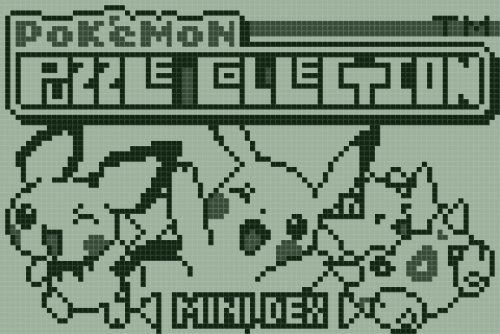
A collection of 100% save files from the Pokémon mini console.
Available games and regions:
-Pokémon Party mini (Japan, USA, Europe)
-Pokémon Puzzle Collection Vol. 1 (Japan, USA, Europe, France, Germany)
-Pokémon Tetris (Japan, Europe)
-Pokémon Puzzle Collection Vol. 2 (Japan, English fan-translation)
-Pichu Bros. Mini (Japan, English fan-translation)
-Togepi's Great Adventure (Japan, English fan-translation)
Additionally, the Pokémon Tetris save files have the event-exclusives Pokémon Mew and Celebi unlocked!
1356 downloads
(0 reviews)0 comments
Updated
-
Mt.Battle Ho-oh Dolphin Savestates
By jsnkhiu
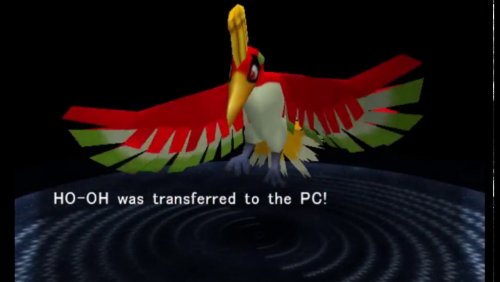
Tested on Dolphin 5.0.17995.
Warning! This will overwrite your existing save. Please backup your existing save elsewhere.
Pre-requisite:-
- Enable 'Allow Memory Card saving with Saveastates'
(Right Click the game -> Properties -> Patches -> Checked 'Allow Memory Card saving with Saveastates' -> Close)
Steps:-
1. Extract the savestates (GC6E01.s01) to ...\Dolphin-x64\User\StateSaves\
2. Load the savestates (Emulation -> Load -> Load the State -> select Slot 1)
3. Continue the scene until Ho-Oh obtained and saved.
4. Trade to GBA or Extract via PKHex.
5. Repeat Step 1 to replay to obtain different IV.
415 downloads
(0 reviews)0 comments
Updated
-
(V1.1)_000.thumb.png.28202ba252679cad1914c04dbe82d067.png)
Shiny WISHMKR Jirachi Save (Use For Colosseum Bonus Disc)
By Kelz1015
This save has been RNG manipulated to receive a Shiny Jirachi when you use the Colosseum Bonus Disc.
Info: Seed: 0x7236, PID: 0x2ec1608d, Nature: Lonely, HP: 31, AT: 23, DF: 26, SA: 29, SD: 18, SP: 5
1523 downloads
-
![More information about "Pokémon Art Academy Free Downloable Special Event Templates [6/7]"](https://projectpokemon.org/home/uploads/monthly_2022_08/0.thumb.png.36c4cef56fb23f4b12d108c551736c16.png)
Pokémon Art Academy Free Downloable Special Event Templates [6/7]
By FerozElMejor
This is for preserving all the special templates for Pokémon Art Academy.
The templates are to drawn the Pokémon on the game, they were time limited downloable templates.
As far I know, they are region free (at least America/Europe).
Template list:
-Groudon
-Kyogre
-Mega Gengar
-Gourgeist & Mismagius
-Rayquaza
-Cosplay Pikachu
-Hoopa (Not yet)* Japan exclusive
More info:
https://www.serebii.net/artacademy/downloadtemplates.shtml
Credits to:
EUR Rayquaza: @FerozElMejor
USA Groudon, Kyogre, Rayquaza and Cosplay Pikachu: noctis90210
EUR Groudon, Kyogre, Rayquaza, Geurgeist & Mismagius, and Cosplay Pikachu: YukikoSnowflake
EUR Groudon, Kyogre, Rayquaza, Geurgeist & Mismagius, Cosplay Pikachu and Mega Gengar: IngeniousDefault
How to insert the templates:
First you need to download the templates here, then on JKSaveManager (for example) do a backup of your Extra Data. On your computer add the files inside of the folder "Freepaint" to your "Freepaint" folder. Then go back to JKSaveManager and restore that save. You will have the new templates then!
Important:
We are searching for Hoopa, if you have or know anyone who have it, please, contact me or put the files here on a comment, you will be credited as well.
553 downloads
(0 reviews)0 comments
Updated
-
Pokédex 3D 100% Save
By FerozElMejor
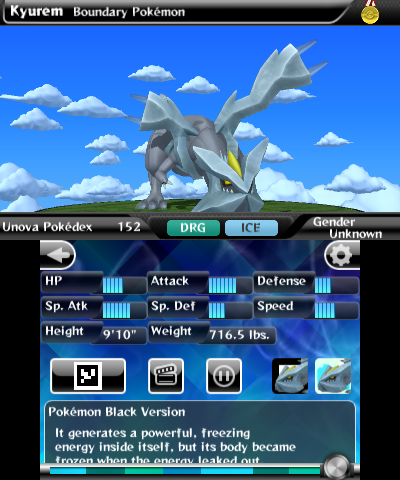
Save for the Nintendo 3DS game "Pokédex 3D" (not "Pokédex 3D Pro").
Includes all the Pokémon and all the AR stickers and photo stickers.
706 downloads
-
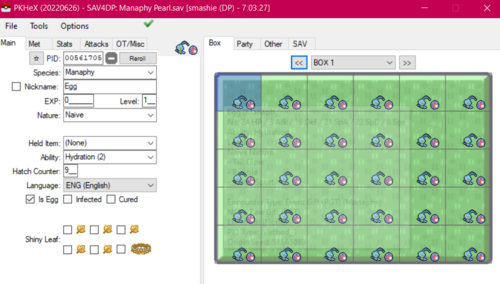
Pokemon Pearl Save - Unique Manaphy Eggs All 18 Boxes
By smashfanDS
All eggs generated by claiming each each individually from Pokemon Ranger Save File.
1698 downloads
(0 reviews)0 comments
Submitted
-
Pokemon Ruby Rngd Shiny Starter Saves
3 pokemon ruby save files each with an rng'd shiny starter and saved right after birch tells you to go see may
rng was done by me, not the best spread just went for early shiny frame
enjoy!
932 downloads
(0 reviews)0 comments
Updated
-
Pokemon Emerald - Ultimate Save
This Save Will Have What It Takes To Complete The Game Itself,
- Lots Of Items, Rare Candies, And Master Balls
-Some Pokemon In PC
-Save Starts At Beggining, With 0 Badges
Good Luck!
1352 downloads
(0 reviews)0 comments
Submitted
-
Pokémon Dream Radar 100% Save File
By Danius88
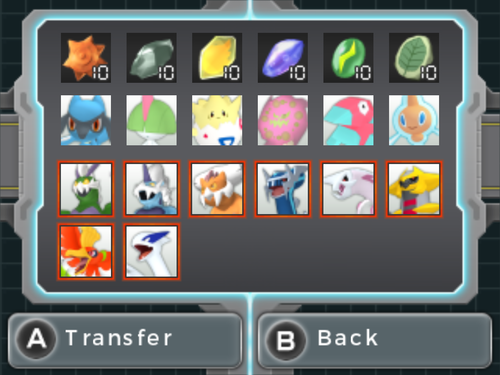
This a Pokémon Dream Radar save file that can be used to directly transfer all the Legendary Pokémon, and some extra Pokémon and items to Pokémon Black 2 and White 2.
Available Pokémon and Items to transfer:
-Tornadus, Thundurus, Landorus, Dialga, Palkia, Giratina, Ho-oh and Lugia
-Riolu, Ralts, Togepi, Spiritomb, Porygon and Rotom
-Sun Stone x10, Moon Stone x10, Fire Stone x10, Water Stone x10, Thunder Stone x10 and Leaf Stone x10
This save is also 100% cleared, so it can be used to catch any non-Legendary Pokémon and collect any item:
-999999 Orbs
-All Extensions Unlocked
-All Upgrades Unlocked
-Max Game Records
Note: It is not needed to use Pokémon Dream Radar to transfer Pokémon and items to B2W2, thanks to the Gen 5 Save Tool. This save has also been edited using the Pokémon Dream Radar Save Editor, both tools made by Suloku. It's recommended to use JKSV or Checkpoint for importing 3DS save files.
2721 downloads
- dream radar
- save file
- (and 1 more)
-
RNG'd GEN 3 (Sapphire) Shinies!
Hi, so this is dumped directly from my Pokemon Sapphire cartridge I have. (Also don't mind the odd nicknames on some of the non-shinies, I was an odd kid back then) Recently I've gotten into RNG manipulation, and this game happened to have a decently early frame to hit for RNG, so here! The shinies DON'T have nicknames.
(Party has 2 shinies, an Alakazam and a Trapinch)
Boxes that Shinies are in: Grass (Shiny Oddish) Norm, (Shiny Whismur) Fight, (Machop) Dark/Ghost (Poochyena)
Also I will likely NOT update when I get more shinies.
1005 downloads
(0 reviews)0 comments
Updated
-
PC data (Sword, Shinies)
Same shinies as a previous post (Gen 2 shinies) (As of its version 1.1.1)
836 downloads
(0 reviews)0 comments
Updated
-
Cute Charm save (Plat.)
Shiny Pokemon in this save: Bidoof, Silcoon, Budew, Chingling, Zubat, Meditite, Buizel, Shellos (West AND East sea), Geodude, Pachirisu, Ralts, Starly, Shinx, Wurmple. Psyduck, Bibarel, Roselia, Ponyta, Staravia, Lickitung, Marill, Gastly, Buneary, Cascoon, Torterra, Golbat, Rhyhorn, Houndoom. Graveler, Tentacool, Croagunk.
790 downloads
(0 reviews)0 comments
Updated
-
Gen 2 Shinies (100% legal, self caught/received)
Obtained by either breeding with shiny ditto or by wild encounters (lua scripts) Hope you guys enjoy! (Silver save)
Shiny Pokemon in the save:
PARTY: Feraligatr, Crobat
Shiny Box 1 (aka just Box 2): Magikarp, Pidgey, 2 bellsprouts, drowzee. rattata, venonat, hoothoot, abra, geodude, scyther, pinsir, stantler, vulpix, both nidoran genders. marill, zubat, furret, psyduck
Shiny Beast Box (Box 4): Entei, suicune, raikou, lugia
Shiny Box 2 (box 5): umbreon, dragonair, oddish, slowpoke, quagsire, arbok, sudowoodo, caterpie, krabby, tentacool. flaaffy, gyarados, yanma, miltank, tauros. meowth, espeon
15298 downloads