

All Activity
- Past hour
-
I just noticed that I was saving onto the computer where the backup copy is, when I tried to save it onto the SD card it gives me an error message saying that I cannot save to the zip file and to choose a different location.
-
You overwrite the save file you opened, which is main.
-
 Does anyone know the significance of the numbers at the end of these? What's the difference between these deoxys:
 -
Ok, I got the write protection removed, my next question is (because it has been ages since I used PKHEX), when I save the file, I have the options of main and backup, do I want to rename the one to save to the SD card the same name as the backup created by JKSV to then restore it or upload it to the Legends ZA game? I have saved a copy of the JKSV created backup to my computer in case of an issue.
- Today
-
I don't think the micro SD cards have a write protection switch, at least my Sansdisk doesn't. Also I did a google search, it did mention ways around the issue, like saving the files to my computer and using either Checkpoint or JKSV to load it back to the SD card, so I thought I would go that route.
-

Pokémon Diamond Version Five Star Save File (Italian)
keemylmao commented on JackyJack307255's file in User Contributed Saves
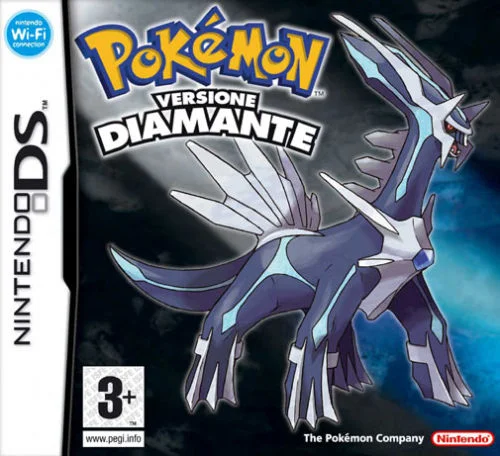 I have a question, how do you move all your previous pokemon to your save, do you use the tedious palpark, or pksm? These saves are all a joy to look through, as I am building my own forever saves. :)
 -
 hushy changed their profile photo
 -
Pokemon Mystery Dungeon: Explorers of Fortune
hushy replied to WindchildWhimsy's topic in ROM - NDS ROM Hacks
yes, windchild does indeed plan to add it in within the next update. i, however, posted a guide on how to do implement it in yourself awhile back. -
The program gave you every hint possible. Look at your SD card and check the write protection switch. If you aren't able to figure it out, it should be an easy Google search.
-
 Home checks are not related to how a gift in mainline games is obtained.
 -

Safe to add BDSP Ribbons without entering game?
Josimo replied to Tanzer's topic in Saves - Editing Help
Yes, you’re very likely creating problems for yourself. Once a Pokémon has a HOME ID, its game-visit history is effectively locked in. -
 im playing sinking sapphire on my 2ds but i do not have the updated poke mart changes. what can i do to fix it?
 -
_TikTok-Brave.thumb.png.124ded5733568955341e8c3cf11ac70f.png) If I generate Pokémon using PKHeX with wc9 without using this method, can I send them to the Home?
If I generate Pokémon using PKHeX with wc9 without using this method, can I send them to the Home? -
 Thank you. I don’t have much coding background, so I had no idea this was possible. Glad you pointed it out—I’ll definitely give it a try.
 -
I am having an issue with saving file onto my sd card. I used JKSV to create a backup of Pokemon Legends ZA, was able to do the mod I wanted on PKHEX, but when I tried to save it to the sd card I get an error message saying "you can't save to d:file name" Please choose another location. I noticed that JKSV created the backup as a zip file. I also notice that when I opened up the backup on PKHEX that I got a message that the sd card was write protected. I am guessing one of those messages is part of the issue. How do I go around this? I am trying to activate the Diancie and Mewtwo quests.
- Yesterday
-

Pokemon Mystery Dungeon: Explorers of Fortune
Willow_Witch replied to WindchildWhimsy's topic in ROM - NDS ROM Hacks
I think Windchild has said that she intends to make it easy to use other Pokémon too as starters, so even if Buneary isn't an option it shouldn't be too hard to add them. -
 right. Maybe the clothes block data?
 -
 NuGet Gallery | PKHeX.Core 25.12.21 You can write your own C# scripts and run them with LINQPad; you can aggregate all the donuts as you see fit with a dozen or so lines of code: const string path = @"D:\main"; var data = File.ReadAllBytes(path); var sav = new SAV9ZA(data); var donuts = sav.Donuts; for (int i = 0; i < DonutPocket9a.MaxCount; i++) { var donut = donuts.GetDonut(i); // interact with the Donut9a object }
 -
I’m currently trying to reverse-engineer the mechanics and probabilities of combination effects for donuts in the Pokémon Legends: Z-A DLC. However, this approach requires a very large sample size. The only way I’ve been able to record this sample data so far is by manually noting down the results one by one in the game. I noticed that PKHeX can read save files and export donut data, but as far as I can tell, it only allows exporting one donut at a time. I’m wondering if there’s a way to export data for all donuts at once? Having just the effect data would be enough, but it would be even better if other attribute values could be included as well. Ideally, the exported data should be in a format that’s easy to work with in Python or Excel. If anyone knows of a method like this, I’d really appreciate the help. Thank you in advance!
-
Thank you for your help. I did what you recommended: I saved the game again and made a copy. Today it reads without problems. Thank you very much.
-
The expected size is 0x309FA6, not 0x309F9E. Your save file is 8 bytes too small. Based on save file structure, 8 bytes different is assumedly "wrong" in that it can't be a missing block (a block is 4 bytes identifier, 1 byte type, then however many bytes needed for data -- 3 is not representative of anything, and not a 2-byte boolean array missing). If you transferred the same truncated save file back to the console, then the original (correct) size file is probably lost. Try backing it up again? Try saving again in-game, and transfer that file? If that still doesn't work, you can try private messaging me the file so I can see what is actually missing (truncation, or cheat codes corrupting the save data).
-
I've transferred the file in several ways: from my Type-C cable and directly from the micro SD card, and it's always the same size error. To back up my save, I'm using JKSV, but it's not working. If you could help us with the steps, that would be great so you can see that the error isn't ours. Thank you very much.
- Last week
-
 Is there a quick way to find specific posts in a post history? I've never really navigated through this website before, and scanning through 30+ pages to see if a bug or particular question has already been addressed anytime I find one would take a lot of time.
 -
Hi! I didn't rename the files, the only items I added to the save were the Kalos starters' megastones, and the transfer was done with JKSV. I did a copy of the file, turned the switch off, then conected the SD to the PC, edited w PKHeX, then replaced the save, put the SD back into the switch, and used JKSV to inject it back into the game. Anyways, I started a new save since I deemed this one dead. This time tho, I couldn't even change the Event Flag for the Mewtwo and Diance missions (and add the megastones for said pokemon) nor add the free Ralts and Charizard (all of which I was able to safely add into the first save without the game crashing) without it crashing it so I just gave up and played the whole thing again without those rewards haha
-
Did you search for anything? It's not going to display every single encounter because that is a little wasteful.
-
I am not sure it just me but I am trying to use the encounter database and it stuck on a loading. I waited 10-20 minutes but it is still stuck


