
Knoxyz
-
Posts
50 -
Joined
-
Last visited
-
Days Won
2
8 Followers








Recent Profile Visitors
11885 profile views





-
Current Features (v 0.7.1) - Start with Diancie, Yveltal or Hoopa. - Route 29 Map changes (with Axew Event). - Added Fairy Type (Thanks to HG Enginge). - Mt. Silver is full of Legendary Pokemon. - Arceus on top of Mt. Silver after beating Red. - Some minor changes and adjustments. - Secret Room after beating Red (Zekrom, Reshiram, Meloetta) - added Hoopa to Mt. Silver - added Mega Evolutions (Diancie) - added Diancinit to the Tower of Teak Town -added dns splicers to secret room - added Kyurem to secret room - added gen 5,6 Encounters (till Mt.Silver currently) Stuff I want to add in the Feature: - Gen 5 Encounters. - More custom Events/Cutscenes. - Mega Evolutions. (partially added) Known Bugs/Issues: - Daycare System is not working (HG Engine is not supporting it currently) -------------------------------------------------------------------------- Download: (Mediafire) To play this hack, you need to find a clean US Heart Gold Rom and then use xDelta Patcher to patch my Hack onto it. Diancit and Hoopa at Mt. Silver: 2025-06-15 15-46-06.mp4 Secret Room after beating Red (Zekrom, Reshiram, Meloetta): Pokemon Shadow Legendz Secret Room after Beating Red! HG rom hack.mp4 Angry Axew at Route 29: Pokemon Shadow Legendz angry axew at Route 29.mp4 Fairy Type: Pokemon Shadow Legendz 0.6 (Fairy Type).mp4 Mt. Silver is full of Legendary Pokemon! (In honor of this Video, that got me into rom hacking) Mt. Silver Cave is Full of Legendary Pokemon [Download] Pokemon Shadow legendz 0.5.mp4 Kyurem and DNS-Splicer 2025-06-18 15-21-33.mp4 ------------------------------------------------------------- Keep in mind that this is not a too serious Hack rn. Im still experimenting with Tools and stuff and don't have too much time. Tools I use: DSPRE (Scripting, adding new Events, importing 3D Maps, Text editing etc..) PDSMS (Map Making) HG-Engine (Fairy Type, Mega Evos, Dex Expansion etc..) Changelog: 0.7.1 - added gen 5,6 Encounters (till Mt.Silver currently) 0.6.9 - added dns splicers to secret room - added Kyurem to secret room 0.6.81 - added Hoopa to Mt. Silver- Fixed Hoopa Flag - added Mega Evolutions (Diancie) - added Diancinit to the Tower of Teak Town - Fixed HM07 0.6.6 - Added Secret Room after beating Red (Zekrom, Reshiram, Meloetta) - Minor Bugfixes and adjustments Download: (xDelta Patch) 0.6.5: - Route 29 Map changes (with Axew Event). - Added Fairy Type (Thanks to HG Enginge). - Mt. Silver is full of Legendary Pokemon.


-
Version 5.0.1
5041 downloads
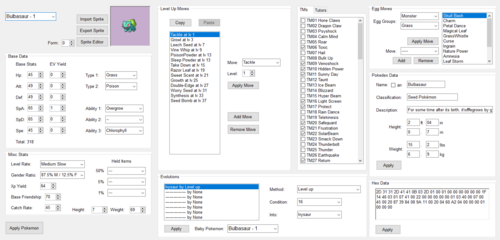
(GitHub Page) This is a general purpose editor made to handle all of the most important rom hacking features in a single user friendly package. It fully supports black 2 and white 2 roms and mostly supports black and white roms with a few features missing. Currently, the editor contains the following features: Pokemon stats, movesets, evolutions, tms, tutors, and egg moves Pokemon sprites and icons (experimental) Move data Move animations (experimental) Trainers and trainer teams Wild encounters Hidden Grottos Overworld data, objects, and npcs Scripting (experimental) Text Pokemarts (BW2 only) Experience curves Custom game modes (some are BW2 only) Rom patching (alternative to xdelta, less feature complete but capable of merging patches to an extent) File extraction for hex edits Common Issues Roms that include the fairy type implementation (This includes Blaze Black 2 and Volt White 2 Redux) will require you to open the text editor, file 199 for BW or 398 for BW2, and add "Fairy" to the list of types before edits can be made. This editor should be fully compatible with rom hacks and other editors. If you have any other issues with the editor, you can join Frost's Discord server to get help. https://discord.gg/rA9gZ7v3na -

tool SDSME - Spiky's DS Map Editor
Knoxyz replied to Markitus95's topic in ROM - NDS Research and Development
This Tool (SDSME) is not in development anymore. You should use DSPRE -
Version 3.1.0
1815 downloads
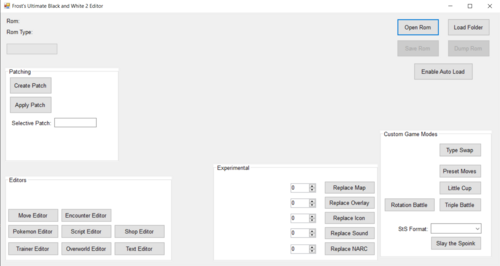
New Editor for BW/2 Features: Move Editor Enmcounter Editor Pokemon EDitor Script Editor Shop Editor Trainer Editor Overworld Editor Text Editor Developer: FrostFalcon GitHub Page-
- 1
-

-
- BW editor
- BW2 Editor
- (and 8 more)
-
Version 1.1.0
4544 downloads
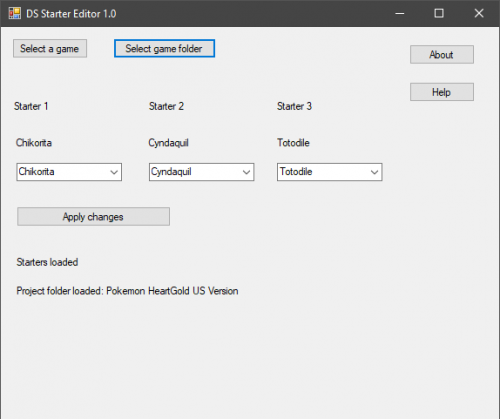
Note: rn the 1.1 zip contain the 1.1exe. (It will show 1.0 cuz the dev forgot to rename) If you haven't already, create project with DSPRE this will generate a folder at the same location of your ROM containing the extracted data Launch DS Starter Editor and choose the game Select the project folder that was created by DSPRE Edit your starters and then click apply changes Close the tool, launch DSPRE and open your project, then you can save the ROM with the new starters. Remember to not re-extract the contents of the ROM! The tool does not edit text or the rival team, but both can be done in DSPRE anyway. Platinum starters will not have their sprites changed if they have a national dex number between 256 and 260 and are in the first slot, between 256 and 264 and are in the second slot, or between 256 and 268 and are in the third slot Credits: turtleisaac for the Platinum starter sprites research Misfit for HGSS starter cries PlatinumMaster for the BW2 starters kr3nshaw for Knarc CUE for blz Platinum starters, sprites and cries can be edited HGSS starters and sprites can be edited Official GitHub Page -
join here for further help: https://discord.gg/zAtqJDW2jC
-
 Best Gen 4 Editor!
 -
Version 2.0
42547 downloads
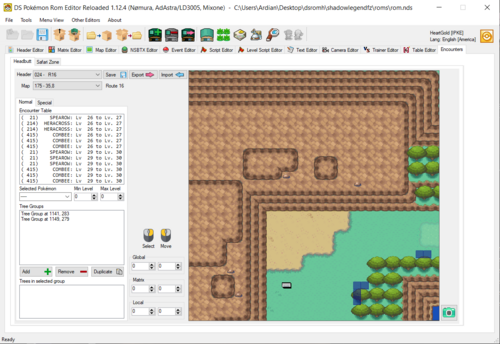
If you have any questions or need help. join here for quick assistance. Anyone who hacks Gen 4/5 should be in there! new and way better SDSME Pokemon Gen 4 Editor If you are looking for an gen 5 Editor click here By AdAstra, Nomura Official DSPRE Reloaded Github (check this out for infos about all the features of this tool!) the changelog is messy since I can't seem to edit it, sorry for that. -When adding new screenshots the version gets automatically updated, can't seem to do anything about it.- 6 reviews
-
- 1
-

-
- SDSME
- DSPRE Reloaded
- (and 48 more)
-
damn. I have never seen this gem
-
Version 2.2 Unofficial
11607 downloads
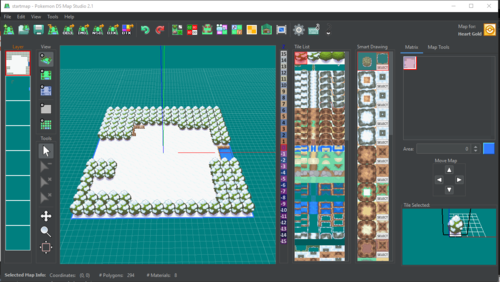
If you have any questions or need help. join here for quick assistance. So there is a new Tool for Pokemon DS mapping, which i want to show you, made by Trifindo. Official PDSMS GitHub --------------------------------------------------------------------------------------------------- If you want to import your maps into Gen 4 games, you will need: DSPRE (DS Pokemon Rom Editor) --------------------------------------------------------------------------------------------- Important! you need to download: G3DCVTR in order to make the tool work. Put the (g3dcvtr.exe) file and the (xerces-c_2_5_0.dll) into the following path: Pokemon DS Map Studio-2.2\bin\converter --------------------------------------------------------------------------------------------- Description: Pokemon DS Map Studio is a tool for creating maps for Pokemon DS games. This tool must be used along with SDSME for importing the maps in the games. The tool contains some predesigned tilesets for each game but custom tiles can also be created. Games available: Pokemon Diamond / Pearl Pokemon Platinum Pokemon Heart Gold / Soul Silver Pokemon Black / White Pokemon Black 2 / White 2 What Pokemon DS Map Studio can do? Create Pokemon DS maps [*.nsbmd] Edit map collisions [*.per] Edit map terrain files [*.bdhc] Edit textures (experimental) [*.nsbtx] Import 3D tiles as OBJ format Edit 3D tiles and IMD materials Export maps as OBJ, IMD and NSBMD View maps in 3D and 2D What Pokemon DS Map Studio CAN'T do? Edit already existing maps from the original games Import maps into the game (that is done with DSPRE) Modify game files ------------------------------------------------------------------------ If you wanna know, how to use this Tool, check out this Tutorial: https://youtu.be/Xnj8cWDRbaA (An older version of PDSMS was used for this Video) -------------------------------------------------------------------------------------------------------------- How to run Pokemon DS Map Studio You will need the following requirements: Windows or Linux Java 8 (higher versions can be problematic) A graphics card compatible with OpenGL 2 For running the program: Double click the exe file "PokemonDsMapStudio 2.0.exe" Double click the jar file "PokemonDsMapStudio.jar" If the previous method doesn't work, probably there is one requierement that is not fulfilled. If you can't run the program after those steps, please, do the following for cheking the error: Open Windows file explorer and go to the folder where "PokemonDsMapStudio.jar" is located. Type "cmd" in the file explorer's path. That will open Windows command prompt. In Windows command prompt type: "java -jar PokemonDsMapStudio.jar" Then the error message will be displayed in the command prompt. You can share the error message with me for finding a solution. --------------------------------------------------------------------------------------------------------------------------------------------------------------- Enjoy Ds mapping-
- 1
-
-
- PDSMS
- Pokemon DS Map Editor
- (and 3 more)
-
Alright. The latest version is 1.18.1 I hope you habe downloaded it. Join here: https://discord.gg/cTKQq5Y There I can help you (or someone else). It is really not difficult ;)
-
actually the mew gen 1 trading app was leaked. i got it installedon my 3ds but its just the normal game (pkmn red)
-
Yes 1.16
- 9 replies
-
- 1
-
-
- Pokemon DS Map Studio
- PDSMS
- (and 6 more)
-
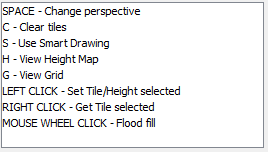
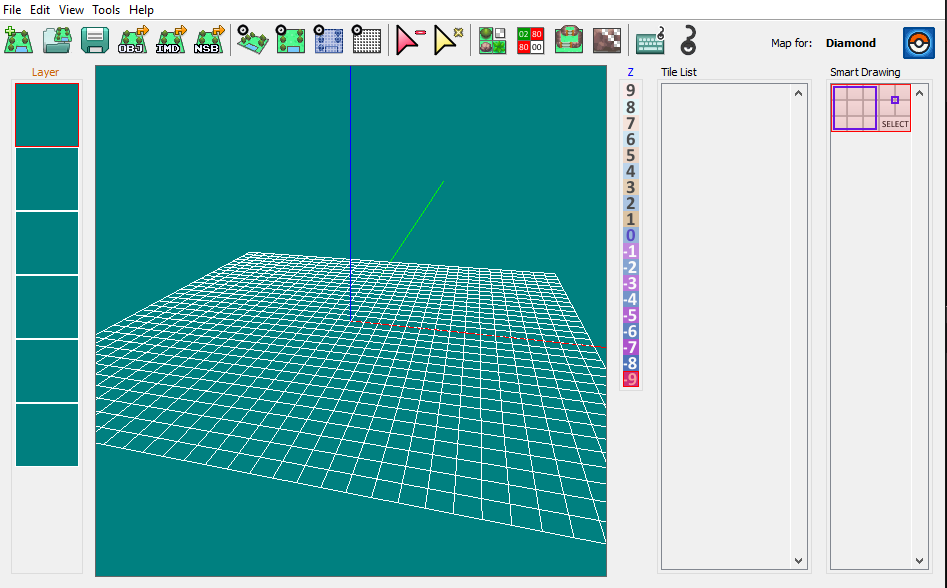
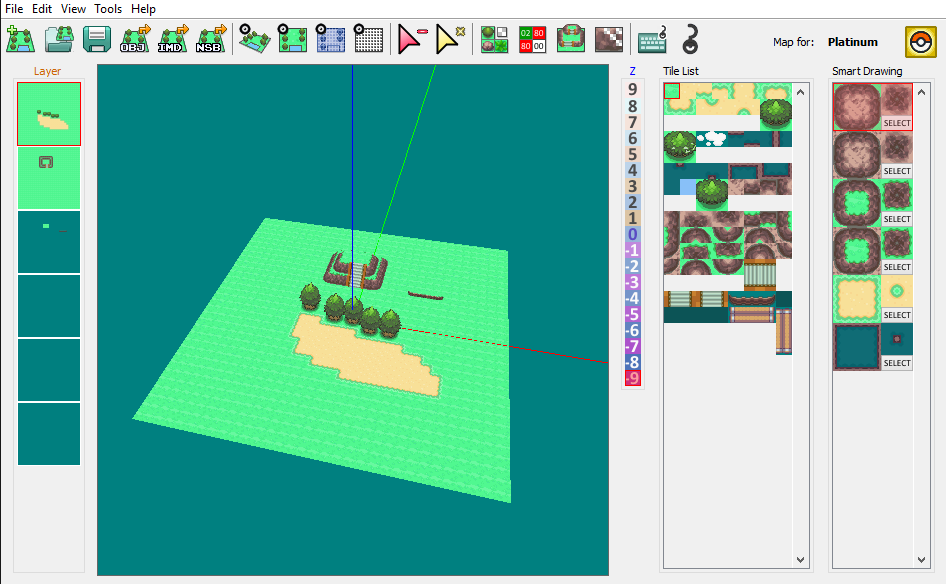
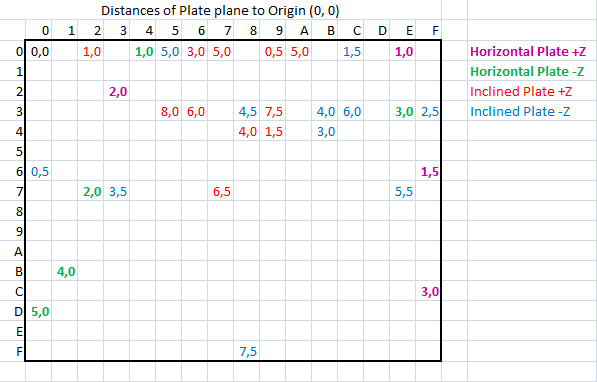
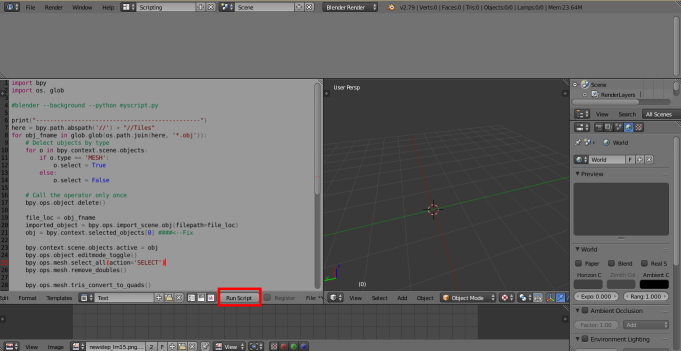
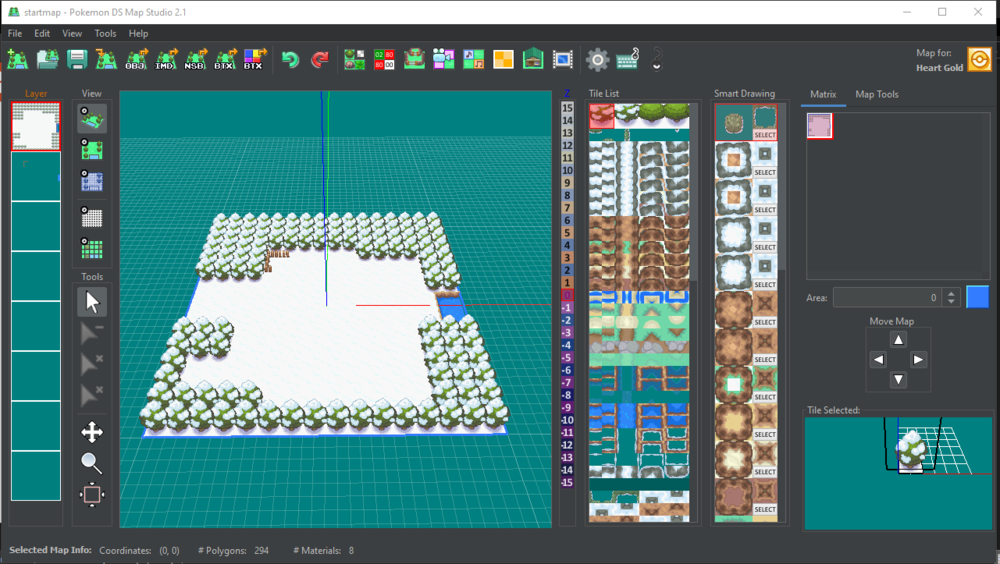
So a spanish guy named Trifindo released a tool yesterday, which you can use to map for Pokemon DS games. ----------------------------------------------------- In order to make this tool work, you need to download G3DCVTR: G3DCVTR (You need this to convert Imd-->Nsbmd) ----------------------------------------------------- Latest versions (Windows/Linux): PDSMS 2.2 PDSMS Source (Github) ---------------------------------------------------------------- Features: Create Pokemon DS maps [*.nsbmd] Edit map collisions [*.per] Edit map terrain files [*.bdhc] Edit textures (experimental) [*.nsbtx] Import 3D tiles as OBJ format Edit 3D tiles and IMD materials Export maps as OBJ, IMD and NSBMD View maps in 3D and 2D How to use? For running Pokemon DS Map Studio on Windows, Java must be installed in the computer. Pokemon DS Map Studio can be executed by double clicking the "PokemonDsMapStudio.jar" file. If this does not work, use the "PokemonDsMapStudio.bat". If these methods do not work, it may be because your graphics card is not compatible with OpenGL 4. For exporting .nsbmd files, "g3dcvtr.exe" and "xerces-c_2_5_0.dll" must be placed int the "converter" folder. These files can be downloaded easily. Keybinds: Screenshots: ---------------------------------------- Tutorials: How to import custom tiles to PDSMS How to import custom textures in PDSMS How to convert triangles into quads in PDSMS using Blender Phython Script: This can be used for converting a whole tileset of 3D tiles from triangles, to quads. Tiles with quads are better than tiles with triangles, because they use less polygons. That means that you can put more tiles in a Pokemon Map if those tiles are made of quads instead of triangles So, for transforming the whole tileset, go to PDSMS, open your tileset, go to File/export all tiles as OBJ, and select the folder called "Tiles" that is included in the RAR I've just shared. That will export all the tiles and textures in that folder Then open the file called "TrisToQuads.blend" and press the button "Run Script" Then some numbers will appear near the cursor, wait until they dissapear. Once they are gone, the tileset would have been converted And you can import all the tiles again in PDSMS. (Just go to Tileset editor, and click on "Add tiles") ----------------------------------------------------- INFOS and CHANGELOGS: Updates v 1.3: Updates v 1.4: This version has a new option for importing tiles. Now tiles from sketchup should work fine Just make sure that the model has only quads and trianlges, or triangulate it when exporting Updates v 1.5: -Bug fixes with the collision editor Updates v 1.6: - Bug fixes - Possibility to view background image while drawing map. - New folder (Example OBJs) that provides some OBJ tiles that were used for building in default tileset Updates v 1.7: - IMD Exporter now supports Quad Strips for using less polygons (Triangle Strips are not aviable yet) -IMD Exporter normals are reduced by grouping polygons with same normals -BDHC Editor now supports all types of plates and custom angles -Added Undo/Redo button for map editor -Added option for clearing full layers -Bugfix for some Platinum materials on default tileset -Other technical bugfixes v 1.7.1: -Fixed two bugs with exporting IMD Properly Updates 1.8: 1.8 Version is out! It includes the following changes and fixes: - Added wireframe shading in Tileset editor - Added texture thumbnails in Material editor - Added material texture tiling editor (repeat, clamp, flip) - Added button for moving tiles on Z axis - Tile selector now can move multiple tiles by using right click for selecting range and drag for moving - Added more info and colors for BW collisions - Added more tiles for BW - Added Tileset preview when opening maps - Tileset editor dialog can be resized now - Fixed texture coordinates bug when exporting IMD quad stripes - Added 2 Extra Tilesets for Platinum in the folder named "Extra Tilesets" thanks to Driox, the author of the tilesets This table can be used in BW for finding the values of the 3rd collision layer (HEIGHT layer in PDSMS) For cheking the value you need for some stairs, for example, you will need to check the distance of the plane that contains the stairs plate to the origin of coordinates (0,0) in Blender (that will be a perpendicular line with respect to the plane, that passes through the origin). One you have the distance value, you have to get the point that intersects the line and the plane and check if its Z coordinate is positive or negative. Once you have that, you know the value of the distance. Lets say, for example stairs plane is at distance 6.0 to the origin and the position of the intersection point has negative Z coordinate. Then you have to find the value in the table (cheking also the color for the sign). If you find the value of the distance in the table, then you know the Byte value that has to be used in the 3rd collision layer for the tile. In the case of 6.0, the Byte value would be 3C If the value is not in the table, then you would have to find in the game for a map that has a plane at the same distance to the origin as the one you want to use. And then check the byte value used in the 3rd collision layer for that tile I have not been able to find how to transform a distance into the corresponding byte value. All the values shown in the table were obtained by measuring the distance of the planes in BW from many maps and cheking the byte value used in the corresponding tile in 3rd collision layer Updates 1.9: -Added nsbtx exporter: pallets aviable are: 4,16, 256 colors and semitransparent A315 and A513 -Added color format option to the material editor -Solved a bug related with the undo/redo button -Solved a bug related with the IMD Exporter that was producing extra vertex normals Updates 1.10.0: -Added lights to the IMD Material Exporter -Added Button for exporting one Tile as obj -Added Button for exporting all the tiles of a Tileset as obj Updates 1.11.1: - Border maps added for visually helping the map creation - IMD Exporter now indexes textures automatically (even semitransparent!) using k-means clustering algorithm - IMD Exporter now supports textures that share the same palette - Tileset editor allows the use of external image editors - Tileset editor "replace" and "update" texture buttons have been added - OBJ exporter bug fixed: now transparent textures are exported properly - Now the map's name is shown in the window title - Change game in a map Change game in a map feature: 2020-02-17_21-01-12.mp4 Updates 1.12: The IMD exporter now supports materials with the same texture but different palette -The Map editor display now shows some tiles of the maps sorrounding it -New dialog for creating new maps and choosing tilesets -New tilesets (credits to Driox) It has the following bugfixes: -Now you can right click in the height editor for selecting the height from the map -Now when you right click in a tile, it will scroll the tile selector for showing the tile Updates 1.13.1: -Button for replacing texture instead of adding. Updates 1.16: bugfixes Updates 2.1: -New interface. -Choose between 3 different themes. -Terrain editor for gen 5. -BDHCAM editor. -3D display for the BDHC editor. -New tilesets. -Normal display. -New tile material display ---------------------------------------------------------------------------- Updates 2.2: -Event Editor warp headers are now shown as names as well. -A blue box now appears under each Warp collision, as a visual aid for placing Warp events. -New "Locate File" buttons in most editor tabs, to easily locate the selected file. -Clicking the "Open Matrix" button of a Header now autoselects the first cell which uses that Header, if such cell exists. -Improved detection of incompatible ROMs. -Updated many HGSS and Platinum command names and parameters. Download section (1.13.1 and above support more Computers and the python script) --------------------------------------------------------- Older versions/infos: TrisToQuads.rar (Phyton Script (Triangels to Quads)) See more in the Tutorial section Pokemon DS Map Studio 1.13.1 Pokemon DS Map Studio 1.12 Pokemon DS Map Studio 1.11.1 Pokemon DS Map Studio 1.10 ------------------------------------------- Download Pokemon DS Map Studio v 1.9 Download Pokemon DS Map Studio v 1.8 Download Pokemon DS Map Studio v 1.7.1 Download Pokemon DS Map Studio v1.7 Download Pokemon DS Map Studio v1.6 Download Pokemon DS Map Studio v1.5 Download Pokemon DS Map Studio v1.4 Download: Pokemon DS Map Studio v1.3 ------------------------------------------------ PDSMS doesn't work on your Computer? Some computers may have problems with running Pokemon DS Map Studio. If so, try out this version: Pokemon DS Map Studio 1.13 "Pokemon DS Map Studio 1.13 is out!This version is specially made for people who couldn't run Pokemon DS Map Studio. I have rewritten all the renderer to OpenGL 2, so this will work for much more computers than before. The overall performance of this version should not be very different from the previous ones. But if you find any bug or performance issue, just let me know Despite this version includes only a couple of bugfixes and it doesn't have any new feature, you can download it anyway" ~Trifindo -------------------------------------------------------------- Download PDSMS Source v 1.12 Download PDSMS Source v 1.8 ------------------------------------------------------------------- These games are supported in the version 1.3: Games fully supported: - Pokemon Diamond and Pearl (YES) - Pokemon Platinum (YES) - Pokemon Heart Gold and Soul Silver (YES) - Pokemon Black and White - Pokemon Black and White 2 I will keep this post updated if newer versions of the Tool will be released. Also you can check Trifindos YouTube-Channel for more informations Trifindo YT

- 9 replies
-
- 1
-
-
- Pokemon DS Map Studio
- PDSMS
- (and 6 more)
-
Hello, so I recently scripted an Event for Pokemon Platinum where you can battle Arceus but i did not found any list for the Overworld ID of Arceus, or Legendarys in general, So I found them by myself and want to share them here for other Platinum Hackers here is the Video (If interested) : Arceus script 151= Uxie 152 = Mesprit 153= Azelf 154= Dialga 155= Palkia 156= Arceus 157=Darkrai 158= Shaymin 159= Cresselia 160= Giratina (standing) 161= Heatran Not Legendarys that I somehow found: 195: Magikarp 225: Infernap You can write down more Overworld ID's (If you know more) I will add them to the list!