
Kaphotics
-
Posts
8128 -
Joined
-
Last visited
-
Days Won
504
Content Type
Profiles
Pokédex
Portal
Technical Documentation
Pages
Tutorials
Forums
Events
Downloads
Gallery
Blogs
Everything posted by Kaphotics
-
By researching the changes required to the save file to get the state you want, documenting them, and implementing them into the program? PKHeX is not magic.
-
Not a bug; PKHeX just prevents you from toggling the Captured/Defeated state back to any of the not-presented states because a simple ComboBox does not handle the changes required to set the requested not-roamed or roaming state. // CurrentStat:ComboboxSource // Not roamed: Not roamed/Defeated/Captured // Roaming: Roaming/Defeated/Captured // Defeated: Defeated/Captured // Captured: Defeated/Captured // Top 2 bit acts as flags of some sorts for (int i = 0; i < cbr.Length; i++) { int c = SAV.Data[ofsRoamer + 0x2E + i]; var states = GetStates(); if (states.All(z => z.Value != c)) states.Add(new ComboItem($"Unknown (0x{c:X2})", c)); cbr[i].Items.Clear(); cbr[i].InitializeBinding(); cbr[i].DataSource = new BindingSource(states.Where(v => v.Value >= 2 || v.Value == c).ToList(), null);
-

Got HG/SS to work on my 3ds via Twilight menu. Question: Can I use pkhex...
Kaphotics replied to ForTheWin00's topic in PKHeX
PKHeX converts between formats automatically, using transfer logic to mimic the games. -
Got HG/SS to work on my 3ds via Twilight menu. Question: Can I use pkhex...
Kaphotics replied to ForTheWin00's topic in PKHeX
Dump boxes->import boxes, or drag and drop individual files. Familiarize yourself with what the program can do. -
Use the encounter database. Stop trying to fudge data if you don't know the requirements for the encounter. 1. Should have 4 flawless IVs, not 3. 2. Should have a Dynamax Level of at least 8. 3. Must be ability 1. Changing the PID/EC/IV/Nature for these encounters is traceable, by the way. There's a correlation for Max Lair raids, but its computation is too slow to be done without impacting the program's performance.
-
Programs don't magically become "smart". It takes time to add features. Old versions of the program don't have all the smarts that a prior version would have. We're skeptical of your memory, because multiple different tools are telling us the data did not originate how you're saying it originated. Programs don't magically become "smart". It takes time to add features. Old versions of the program don't have all the smarts that a prior version would have. If you use cheat codes, don't assume they have no side effect. The game generates data according to patterns, because that's how the game code works. If your data does not follow a pattern, then obviously you did something outside the bounds of normal gameplay (cheats). Again, programs don't become "smart" without effort. Nobody has documented, organized, and codified receivability restrictions for all games.
-
Read the stickies.
-
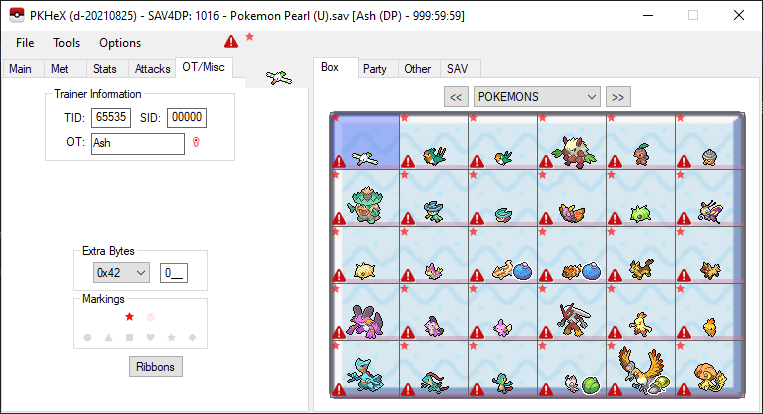
Did you even bother looking at the save file within PKHeX? Literally everything is illegal, so this is a hacked save file for sure.
-
JERMEY stuff is just wild captures from the game. Literally nothing special besides it was an official cloned PKM. I'm not sure if they've been vetted to RNG conditions being able to encounter the encounterslot with the PIDIV, but I wouldn't be surprised if they were debug-ROM forced encounters (ignoring encounter slot and Method H nature loop).
-
pk3DS: Pokémon 3DS ROM Editor and Randomizer
Kaphotics replied to Kaphotics's topic in ROM - 3DS Research and Development
No. If only there were options in the main window. -
You're supposed to beat the 50th trainer afterwards in game.
-
Problem: Nobody has serialized the event data needed for PKHeX to recognize those gifts.
-
SWSH Event Locked Pokemon won't obey
Kaphotics replied to JaxKasatushi's topic in Saves - Editing Help
https://bulbapedia.bulbagarden.net/wiki/Obedience -
Cant legalize my pokemon anymore with new update
Kaphotics replied to SkyMeRimBlaze's topic in PKHeX
PKHeX does not provide auto-legality functions, that is a plugin. Update your plugins. Ask for plugin help wherever you found the plugins, not here.- 1 reply
-
- 1
-

-
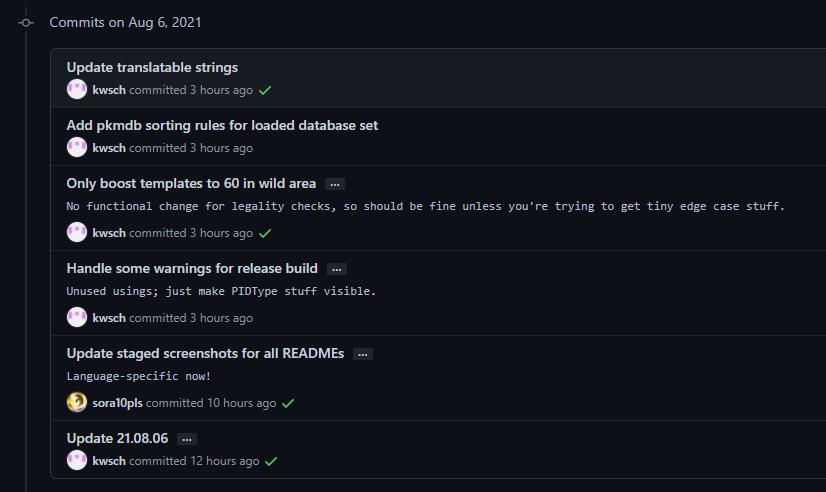
Dev build is fine to use, no real internal changes have been made since the release earlier besides this extra sort setting -- no risk of data corruption. It's stable. I post new releases when the program feels "stable" enough, but I don't want to spam people with update notifications in posting new releases constantly. I don't expect the next "stable" release until September or October, as there really isn't enough being added at this time. Besides bug fixes and small additions, there might be trashbyte legality checks in the future which will take time to fully iron out before being pushed to as a release.
-
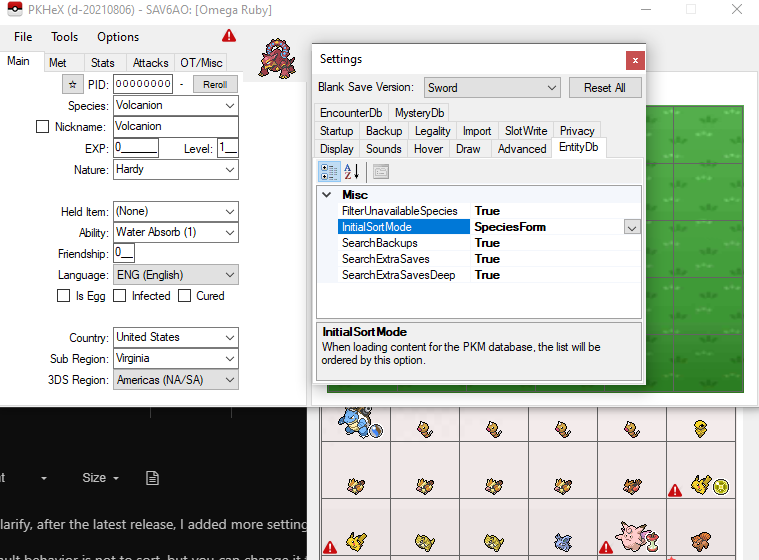
To clarify, after the latest release, I added more settings so that you can have your sorting behavior. The bleeding edge builds have this setting now. Default behavior is not to sort, but you can change it to whatever sorting mode you want.
-
I've added something to sort the database when it initially loads, via the program settings. Try it out on the bleeding edge build -- https://projectpokemon.org/home/files/file/2445-pkhex-development-build/ The existing logic would sort by the slot identifier string; when viewing dumped pkm files, would be based on the filename. Slots in save files would be named after their box/slot & save file, matching the order in the save file. The new "Identifier" option replicates that behavior. The new "SpeciesForm" will just order by Species->Form->Identifier. I have more than 100k files for my database; sorting them slows down the loading of the database, hence why the default option is disabled. Try to rely on the search options & advanced filters more than visually scrolling
-
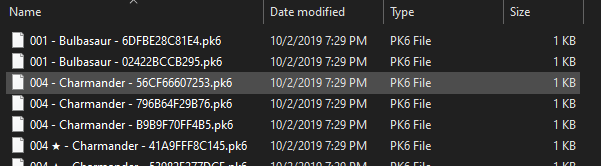
Outside of the PKHeX program is not controlled by PKHeX. You can sort your folders however you want. In Windows's File Explorer, you can click on the column titles to change the sort order.
-
Refer to the timestamp at the top of PKHeX's window, indicating the version is from May. Palkia was captured in July. Palkia is not a persistently-available Pokémon in GO. PKHeX's database (as of May) does not have any entries for future availability. It's legal with current-date legality databases, which will come in a future PKHeX update (probably in a few hours, actually).
-
The required .NET Framework version hasn't changed since 2017, so a download from 2018/9 won't really do you any good
-
Already reported and fixed, will be fine in the next release. https://github.com/kwsch/PKHeX/commit/7ee60d9e98ea6902733e40435c78de1f9e5da876#diff-5f2545732600db97b50b7bc2a2214cbc60c4689ce5a887f144930dae611e52d4
-
The dumping logic adds in the swarm slots after the base slots are dumped; issue is, there are two "Dark Cave" tables with the same ID, and the "First()" call returns the high-leveled dark cave instead of the low level one where the swarm is present for. https://github.com/kwsch/PKHeX.EncounterSlotDumper/blob/8f3a5ce58f3318fd3a6ce8732d97445f29526df7/Gen4/Dumper4.cs#L292-L298 https://github.com/kwsch/PKHeX.EncounterSlotDumper/blob/8f3a5ce58f3318fd3a6ce8732d97445f29526df7/Gen4/Dumper4.cs#L702-L746 I need to check if there's any other instance where a parent location ID has multiple tables, then ensure that the correct table gets the correct swarm mutations to slot0/1/etc. edit: just marill and dunsparce have multiple tables/location. Need to have a small workaround and redump Resolved on latest commit: https://github.com/kwsch/PKHeX/commit/fc03076093dbafb1bd9741b99d8d3570043aaa82
-
Already behaves fine on the latest commits; was fixed before any of this was reported.
-
Invalid: Encounter Type PID mismatch - Pokemon Sword and Shield
Kaphotics replied to WJP123's topic in Pokémon Legality