



theSLAYER
-
Posts
22962 -
Joined
-
Last visited
-
Days Won
1016
Content Type
Profiles
Pokédex
Portal
Technical Documentation
Pages
Tutorials
Forums
Events
Downloads
Gallery
Blogs
Everything posted by theSLAYER
-

ORAS..How to change the name of the secret base trainer name?
theSLAYER replied to Smile's topic in Saves - Editing Help
The base you're selecting is the player's base. (as in it's not any other trainers, it is your player's base) If you're OCD, and couldn't change the name (I also couldn't change the name of the player's base after I changed my name), just set up your own base elsewhere. The game will pick your name for the base. -
ORAS..How to change the name of the secret base trainer name?
theSLAYER replied to Smile's topic in Saves - Editing Help
Now that I look at it closely, isn't that your own trainer's secret base? From my experience, you can change other details, but you can't change your own secret base's name. (It'll just take on your name) -
PkHex Error - Crystal Save don't load
theSLAYER replied to FlufflyPichu876's topic in Saves - Editing Help
Can you upload the saves here? Preferably, a save from before you loaded it onto stadium 2, and a save from after you loaded it onto stadium 2. -
depends on the gifts. So far, the first 2 gifts were distributed at non-shiny. As for the rest, only time would tell..
-
Probably. The items player status+value pair thats needs to be the same probably remains consistent, regardless of what skin tone you're trying to change to. So it appears that if your various settings (that cannot be change in-game) were not consistent for that skin color, the game won't allow you to change clothes. This isn't a PKHeX issue, but rather game behavior. You probably should close the issue on the github.
-
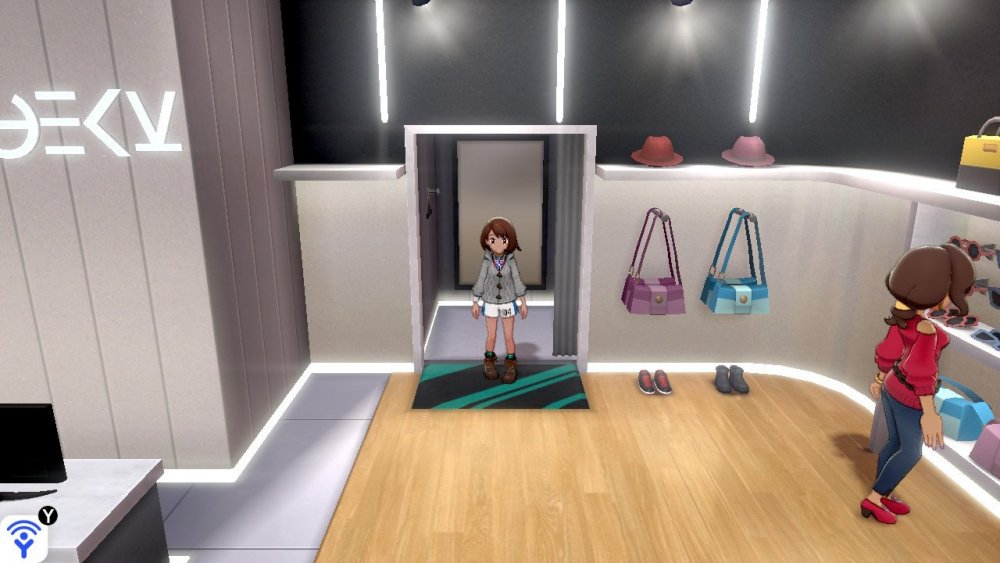
Open a save with the intended skin color, and copy over their Lips, Brows, Contacts, Hair over, and it should work. I managed to make cloth changing work this way (for a skin tone edited save) (ignore the lack of hat, I copied the hat value over from a save that just started ><)
-
yeah, so the issue seems to be only because you changed skin color, but neglected everything else. What you're seeing seems to be the game's behaviour, as opposed to a PKHeX issue. I'm presently trying to see what else needs to be changed (I tested, and it's not just hair and eye)
-
You'll find this interesting So just to reclarify: you actually were able to import the fashion blocks, just weren't able to change clothes right? Try changing clothes in a non-skin edited save.
.thumb.jpg.2ea906a22de7883238f7ea60839dc981.jpg)
.thumb.jpg.d5b5d7437fe838d055225961ef688375.jpg)
.thumb.jpg.224912dd332a57de571f865747660109.jpg)
.thumb.jpg.ea4dcf37b53153c7ad9af2344c063248.jpg)
.thumb.jpg.8a857d58b37995ef199820efbf2ff3e9.jpg)
.thumb.jpg.1cd32b28279b33072c796df97bc8458c.jpg)
.thumb.jpg.da5f0ae711ec5247e8661f37ce4d78e0.jpg)
.thumb.jpg.03459c8a4049cd4feb0fad94b502d90a.jpg)
-
To change the clothes they wear in the overworld, you have to go into the clothing booth to change the clothes. At least you have all the clothes in the booth right? I'll be testing a female save soon, hang tight. Yeah, that sounds like the procedure I did.
-
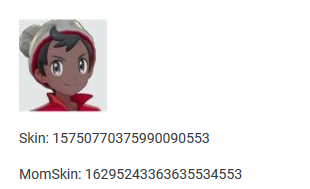
Check the spoiler and images below. I'll try going through your problem part by part. Maybe this will convince you there isn't any issues with editing those options. 3 supposed issues, and me being able to do all of them, 3 for 3. While the first issue *may* be gender specific, the remaining two aren't. For now, try only doing the last two, and see if you can get them to work.
.thumb.jpg.f432560ac16b74c74f1913d8b0358cde.jpg)
.thumb.jpg.f4eb12c8da65d685902070a33c9c2e93.jpg)
.thumb.jpg.ae1ffda540ac24ae91cb4008cdb27b86.jpg)
.thumb.jpg.2f0b359436e47f9152a83392c7617da6.jpg)
.thumb.jpg.9b4f032d82e3b4f535cece5ec30f3f1f.jpg)
.thumb.jpg.dd7a17b23edad7bb32c7e9c9b97581c0.jpg)
-
I think there are plans for that, but I'm unsure if it's already released.
-
I can't speak for changing skin tone, since I don't edit it, but I definitely can speak for fashion block editing. I literally just imported it, and checked the clothing, and they are indeed there. edit: I just changed by skin tone via block editing, and it indeed changed. I'm under the impression you're doing something wrong, hence neither the fashion block edit or skin tone edit are showing up for you. /edit Try to only import the fashion block, and see if the change it there. Then export the save with PKHeX, and import the save into your game with a save manager. If not, you're clearly doing something wrong. If that worked, now try to do the same steps, except now with skin tone changing. Just change one for now. See if that works.
-
ORAS..How to change the name of the secret base trainer name?
theSLAYER replied to Smile's topic in Saves - Editing Help
After you click on "save", did you proceed to export that save using PKHeX, and then proceed to import that edited save into your game? -
Did you export the save with PKHeX after importing the block? Did you then import that edited exported save with a save manager into your game?
-
I merged your posts, please don't multipost Just drag the save into PKHeX. It'll tell you what game it is for.
-
Yes, yes you did. But OP clearly didn't search hard enough.
-
 an alternative is to note have to at level 100. Drop their levels down to their met level (assuming that their met level wasn't 100). Then read up on the stamp requirement for Alola. Keep in mind that if they go past that level, they'll stop obeying you. (here) In any case, any other questions, start a proper thread. The comments section for this file, is meant for this file. Not for troubleshooting other issues. As I have shown earlier, there's nothing wrong with this file. So, any other questions, start a proper thread.
 -
Try harder with your search then. There's tons of saves in the saves and user contributed saves section.
-
Complete the game. It sounds like they are not obeying because you haven't completed the game.
-
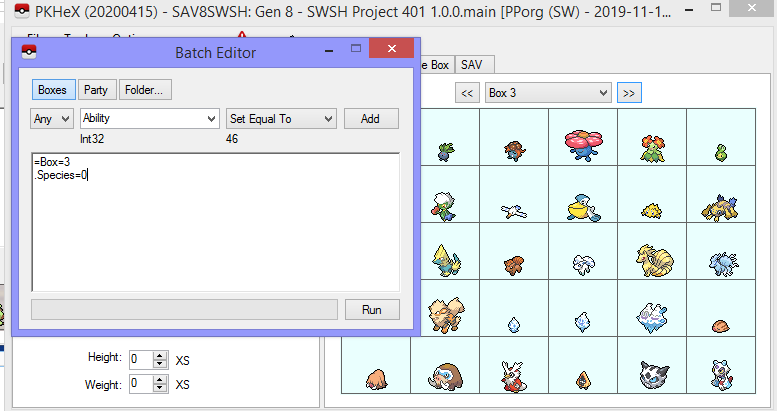
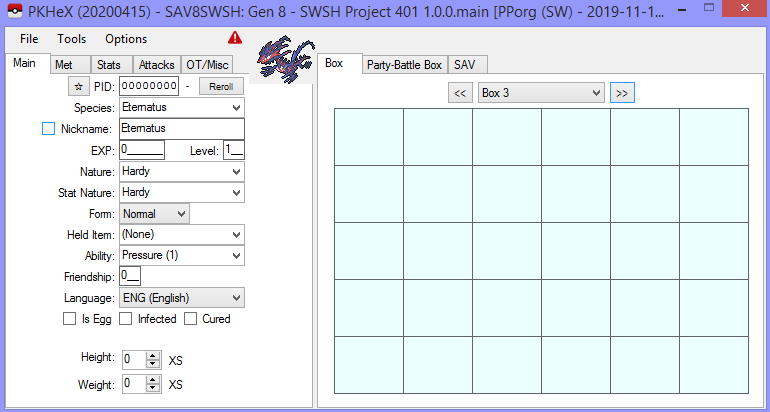
Put the code in the box. Copy paste the code over -.- (in this example, I'm clearing box 3)
-
Let's say we want to clear box 30 Open your save in PKHeX, open batch editor =Box=30 .Species=0
-
Cyber Gadget Save Editor 2 stops its services
theSLAYER replied to blkbull's topic in Saves - Editing Help
Go to https://3ds.hacks.guide/ Use it own your own risk. -
ultra wormholes Circle Pad or Motion Controls?
theSLAYER replied to CrystalBorf's topic in General Gaming
I see you deleted some icons from your Desktop. You know, you can just edit image, and focus on the emulator (basically crop it), before submission right? :3 Did you mean Ultra Sun, there's no warp ride in Sun and Moon. Anyway as long as you properly went to use the warp ride for the first time, the NPC should arrive. (you know, if you weren't mucking around with event flags or teleportation etc) If you did everything as close to the way the game intended, and the guy didn't show up, I can only assume it's a bug in the emulator or something. Consider loading my event flags into your game (make sure you keep a safe backup of your unedited save). I'm pretty sure I'm using Circle Pad for control in post game. The guy should also be there.
-
The base stat of each Pokemon is not stored in the save. Additionally, PKHeX doesn't read ROMs.
-
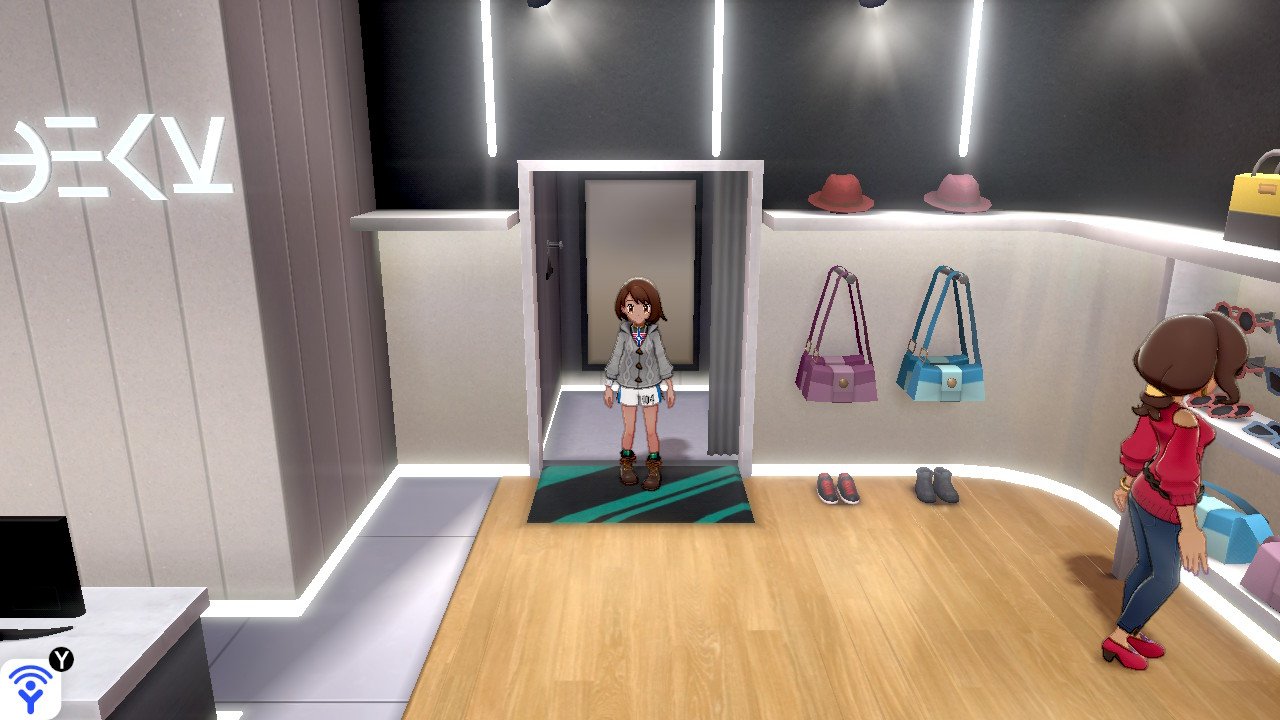
in order to export save, you must first import a save -.- Also stop posting so many comments back to back. Either compile all your responses then post, or edit it into your latest unanswered comment

.jpg.fce83b42f2e0df137b2233267e8b3549.jpg)
.jpg.6b5f9e600e038ac152c34bb1e5d7eaaa.jpg)
.jpg.941af9522e0772f9066a07bdee0b2140.jpg)
.jpg.52b834e1a64c09bf3af2c16511f9327c.jpg)
.jpg.5731dad39eee813ee7c73822bc030146.jpg)
.jpg.91463294bb9fb1f1659ea900c0d98653.jpg)
.jpg.f6f56d324731c0720d07b4f55adeedb7.jpg)
.jpg.7a68e258a23cb5570a1b993735498a98.jpg)
.jpg.443c88ed6c2261fff2dbaf881284968c.jpg)
.jpg.b4884a64c00ee73ac0a0408377cc628d.jpg)
.jpg.0ea4efb8339a380ad6304bb6df0e41aa.jpg)
.jpg.75e7e43f9c490caa7bf124a17b542561.jpg)
.jpg.b0bdd68d39698c00d31f737f92fdbd66.jpg)
.jpg.7bff039a3893528c2897d01cb1507516.jpg)
