



theSLAYER
-
Posts
22962 -
Joined
-
Last visited
-
Days Won
1016
Content Type
Profiles
Pokédex
Portal
Technical Documentation
Pages
Tutorials
Forums
Events
Downloads
Gallery
Blogs
Everything posted by theSLAYER
-
 maybe, who knows. My guide only goes for 100%. If you want other percentages, you gotta do your research. Perhaps perform trial and error with the value provided. At your own risk.
 -
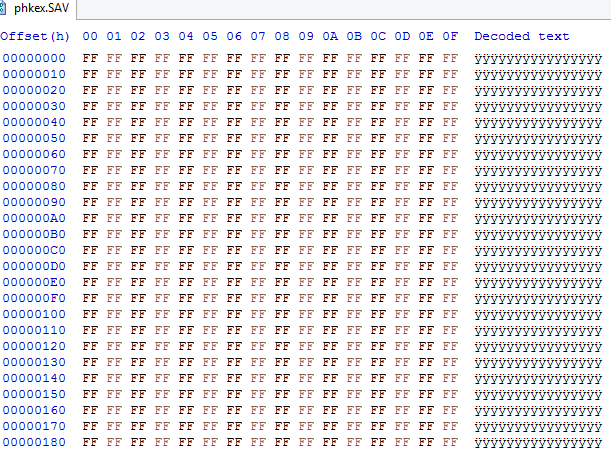
I'm guessing you didn't save the game in-game. For GBA games, you need to save at least twice in-game. According to the data, it's all null, meaning you probably didn't save in-game, or you copied the wrong file
-
We're not a Citra support forum. Anyhow, you've been told by BlackShark that it appears your computer probably can't handle it. If you still want to play on Citra despite this, you should go to a Citra Support forum/Discord. I'm locking this thread cause we won't be able to assist you further. Don't ask us anything relating to this again, okay? This is for your own good: you're asking the wrong place, find the right place to ask :3
-
You mind showing me where this date feature is at?
-
The .sav file that you’re trying to open in PKHeX. If you’re trying to open a .gba file with PKHeX, then you’re doing it *wrong*.
-
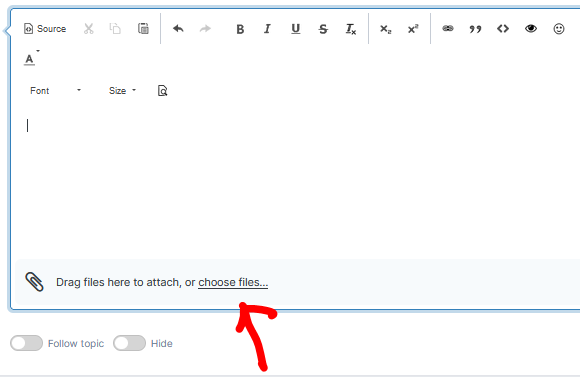
Our site allows files to be attached when replying. See:
-
can you upload the file (just in case you did it wrong, please don't upload a ROM)
-
there's isn't; it's not stored in the game.
-
@Kaphotics I can confirm this to be an issue. I caught 2 Lv2 Dunsparce during a swarm. Cute Charm'd and regular. 206 - DUNSPARCE - 7EB91FF6B7B0.pk4206 ★ - DUNSPARCE - 742000000003.pk4 The same thing doesn't happen to lv 13-14 Marill caught during Swarms (Swarm Lvs: 13-15, Wild Lv: 15), so I wonder if Dunsparce just got left out from the swarm table..
-
hacking is not allowed in competitions, full stop.
-
pkNX: Nintendo Switch ROM Editor & Randomizer
theSLAYER replied to Kaphotics's topic in ROM - Switch Research and Development
Just try it and see what it does. My educated guess is the "fusion" just covers stuff like Necrozma and Kyurem alt forms, not the stupid fusions of Pokémon people see online. -
you're uploading an entire PK8. the OT and ID you choose is included in the pk8. Should be safe enough.
-
Well it’s good to leave this up. Hopefully others with a similar issue can find this. I’m glad you got it worked out :3
-
pkNX: Nintendo Switch ROM Editor & Randomizer
theSLAYER replied to Kaphotics's topic in ROM - Switch Research and Development
From my experience, I don’t think it’s abandoned. At the very least it handles standard randomisation as well as and reading of game files. Ignoring miscellaneous features that aren’t fully fleshed out, most errors seem to occur due to user error or users using badly dumped (or pirated) ROMs. I can imagine things get out of hand when people keep suggesting different features to add.. -
check what the maq guy says. https://gbatemp.net/threads/need-help-getting-save-game-manager-to-work.359398/
-
1) Trade your mons to a sysbot (Basically Discord Servers that support Sysbot. What this means is, you'll trade to a CFW Switch, which then dumps the mon to the PC, and the Discord automatically DMs you the file. sysbot effectively connects the Discord server to a CFW Swich) 2) Edit the file on PKHeX 3) Export the edited file from PKHeX 4) Now use Sysbot to trade you the edited file.
-
Request : Balanced/Hard Difficulty hack for XY
theSLAYER replied to ordepyoshi's topic in ROM - 3DS Research and Development
@ordepyoshi in any case, I'll be deleting one of your accounts. Would you like to keep this, or the other one? -
Request : Balanced/Hard Difficulty hack for XY
theSLAYER replied to ordepyoshi's topic in ROM - 3DS Research and Development
just post screenshots of the changes, and the summary of said changes, all in a spoiler tag. -
Request : Balanced/Hard Difficulty hack for XY
theSLAYER replied to ordepyoshi's topic in ROM - 3DS Research and Development
I've added additional details to my previous post, read it. -
Request : Balanced/Hard Difficulty hack for XY
theSLAYER replied to ordepyoshi's topic in ROM - 3DS Research and Development
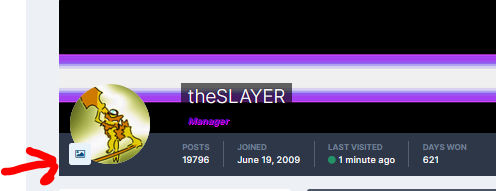
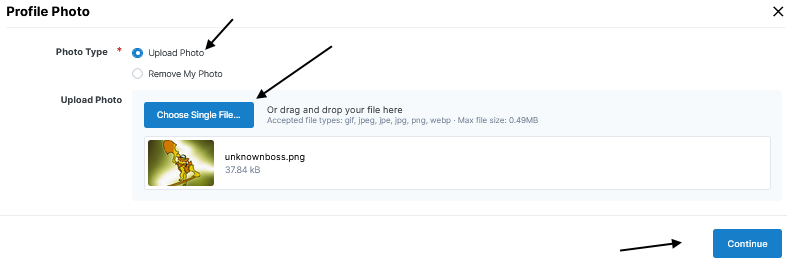
Note: This is obviously my profile, but the same step applies to yours. I'm telling you to actually create a ROM hack first, then edit all the details after. More often than not, people who want to make ROM hacks can't actually do it. So it may do you good to prove that you can make one. For starters, it may be good to just follow the levels given by the game. If you want a difficulty hack, maybe +1 x (factor) to the levels given by the game, but you decide on the multiplication factor based on some arbitrary rule in your mind, such as amount of gym badges. Asking for levels and teams isn't against the rules, but more often than not, others won't want to contribute when there is no indication that you can do deliver proper ROM hacks. As I've said, many 'creators' want a ROM hack, but can't actually do it.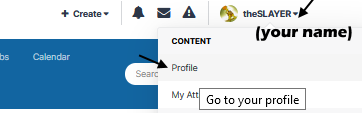
-
Request : Balanced/Hard Difficulty hack for XY
theSLAYER replied to ordepyoshi's topic in ROM - 3DS Research and Development
While you're not using multiple accounts for ban evasion, I suggest you stop using this account and go back to your main. Also, you should create a game first (to show that you can make a proper game). Maybe you'll get teams and level caps afterwards. There's too many pages out there where "I wanna make a game" but the devs don't have the knack or skill for it, so it doesn't go anywhere. -
Wild Area Event #49: Kanto Fossil Pokémon
theSLAYER commented on Project Pokémon Bot's file in Sword & Shield
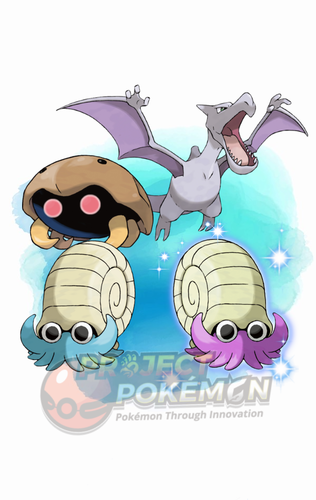 Details for Index 77 of normal_encount and normal_encount_rigel1 and normal_encount_rigel2 (minor differences, in raid chance) Rewards for Index 77 of normal_encount and normal_encount_rigel1 and normal_encount_rigel2 (minor differences, in raid chance) Details for Index 77 of dai_encount Rewards for Index 77 of dai_encount
 -
pkhex on pokemon shield and lets go pickachu
theSLAYER replied to nickBorgerding's topic in Saves - Editing Help
you're not supposed to open the game with PKHeX, you're supposed to open the save. How did you obtain the save? -
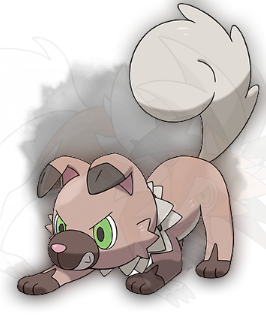 should be 5 to 5:59 am of your 3DS. (it'll be evening in game) Edit: You said Moon, but I hope you meant Ultra Moon, because Dusk form isn't in Sun and Moon. It's only in the Ultra games.
 -
yeah nah, it's not like I'm into trading communities and all. We do say untrained/untouched, but I guess it is not frequent enough to abbreviate it. >< IVs -> Nah Level -> Only for Met level yup seems fine :3



