theSLAYER
-
Posts
22854 -
Joined
-
Last visited
-
Days Won
1000
Content Type
Profiles
Pokédex
Portal
Technical Documentation
Pages
Tutorials
Forums
Events
Downloads
Gallery
Blogs
Everything posted by theSLAYER
-
If you import battery file, and it's the edited version, then it'll load the edited version. Just make sure you save in game after that to keep the changes. It'll be best that you try it out. Nothing beats experience.
-
Drag the save from the battery folder into PKHeX to open it. Then when you're done, export from PKHeX into the same location. Give that a try.
-
How to edit what, the save? Just use PKHeX to do so? You gotta be more specific than that.
-
yeah usually editing the .sav in the save folder would be enough. But in case it doesn't work, importing battery save is the way to go.
-
mind showing me the file menu of visual boy real quick. I *think* there's an option to import battery save, but can't be sure. I don't have it on this PC
-
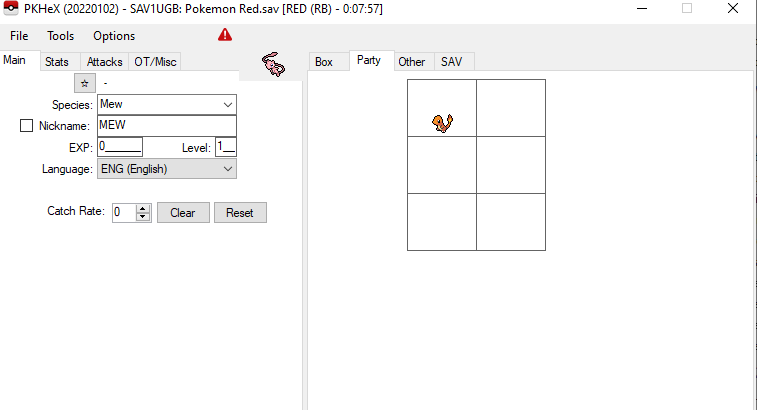
Save loads fine on my end. Make sure you're using the latest version of PKHeX
-
I just went out to get back, I’ll come back check it out in a bit
-
 Have the Pokémon’s TID SID OT name OT gender match your save. Note: not every Pokémon can have details matching yours.
 -
No offense, but it is as though you didn't read anything I said. To repeat and to explain: I don't know specifically what PKHeX checks for every save. (every as in the different games throughout the years) I just know that it is usually a combination of these things: 1. Get starter 2. Access Pokemon Boxes 3. Saving twice. Is that good enough? With that info, try to run a test with a duplicate save. If you don't run the test, don't provide a save, there isn't nothing much I can help you. For all I know, your issue is something else. Once again, can't help you until you actually run the test and pass the save over. I hope you understand where I'm coming from. I can't perform magic. I can only give my best guess based on info you provided, and you did not provide a lot. Edit: As an addendum, if you're running some kind of Randomizer or ROM hack, PKHeX may not work anyway. PKHeX is meant for unmodified official games.
-
Why don't you keep a copy of the "no starter save". Then perform a test where you get starter + go to first PC. That should be enough to use and confirm if PKHeX works. When it works, revert back to the no starter save.
-
I don't remember how every save works with PKHeX, but that certainly is a possibility. Saves need to be initiated. I don't know what PKHeX checks for every Gen, but one of the things it may check is if "party + PC contains Pokemon". Your save would fail that check.
-
If you don't send the save, I can't diagnose the problem. Well in any event, based on that description, sounds like you didn't get far enough in the game. Make sure you at least reach the PC in the Pokemon Center and opened it once. Save twice in the game, using the game's menu (if using emulator, not the emulator's menu). Saves needs to be initialized in order for PKHeX to read it. If you've yet to receive a starter and have PC data loaded, then there'll be no data for PKHeX to read.
-
yes. our forum allow uploads of files. Lemme take a look. So upload it.
-
Upload the save. (only the save)
-
Corrupt Pokémon Yellow (virtual console) save file
theSLAYER replied to Miguel B's topic in Saves - Files and Requests
What the heck. Long story short, as long as you've not written any more saves or started a new game to Yellow on the 3DS, you can write back the 00000001.sav to the same folder *on the 3DS*, and the Yellow would be still alive. If you don't hack *that* 3DS, you will never be able to get a decrypted save (that PKHeX can read) for Yellow from it. You can't just shift encrypted saves between consoles and think that's all okay. Each console has their own unique encryption. Think of each console being a house, and each house having their own unique lock and key. You can't use key B to unlock house A. -
The bot trades to you, so the info should update on trade I think. So make sure it's legal before you get the bot to trade it to you, and should be all good.
-
Piracy is against our rules :3
-
I sincerely hope that's a dump of your own game.
-
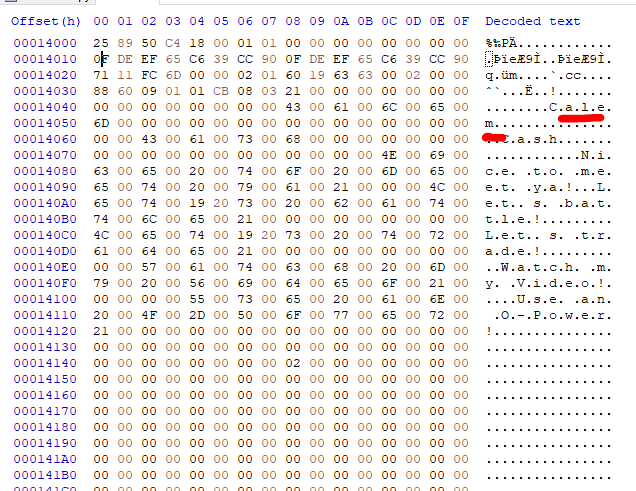
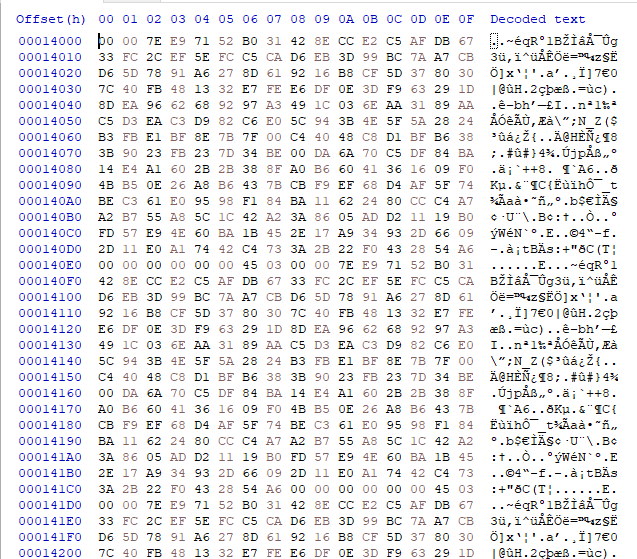
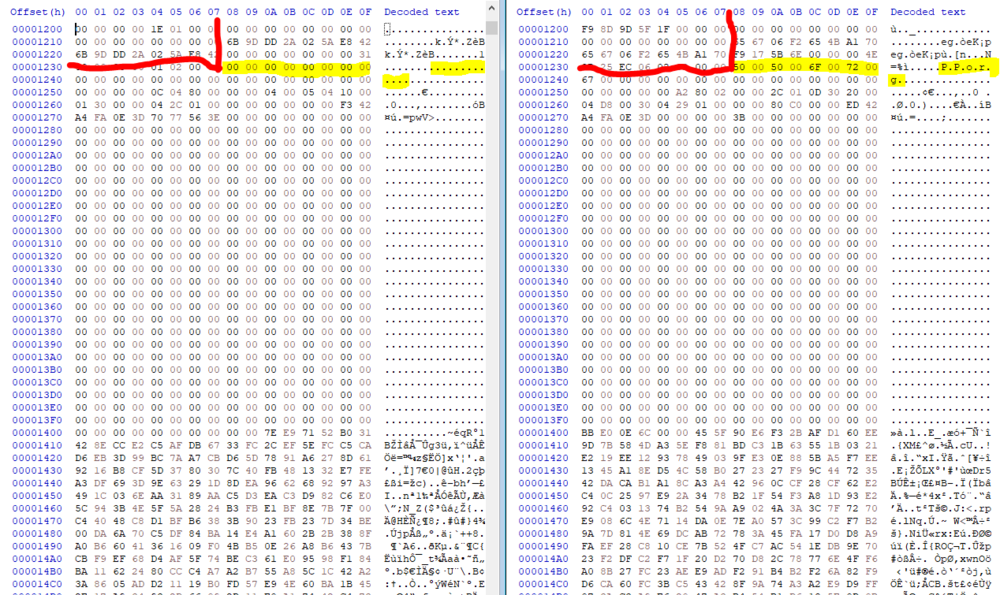
@Leovonnny At offset 0x14000, you should be able to see the trainer info if the save was properly initiated. For example, looking at my XY save with the name Calem: Now look at yours: For some reason, it looks like it's filled with blank encrypted data for the PC. Is this even an XY save? The size is wrong. How did you get this save? I get the feeling you're checking the wrong save entirely. edit: This appears to be a Pokemon S/M save, and one that hasn't been proper initialized. For example, the trainer name is blank (yours is the one on the left) You're not looking at the right save.
-
Corrupt Pokémon Yellow (virtual console) save file
theSLAYER replied to Miguel B's topic in Saves - Files and Requests
Custom Firmware. Your device needs to be hacked first before you can obtain a save using homebrew. No hacked device = no homebrew = no way to extract and inject saves. Just so you know, I did point it out in the tutorials..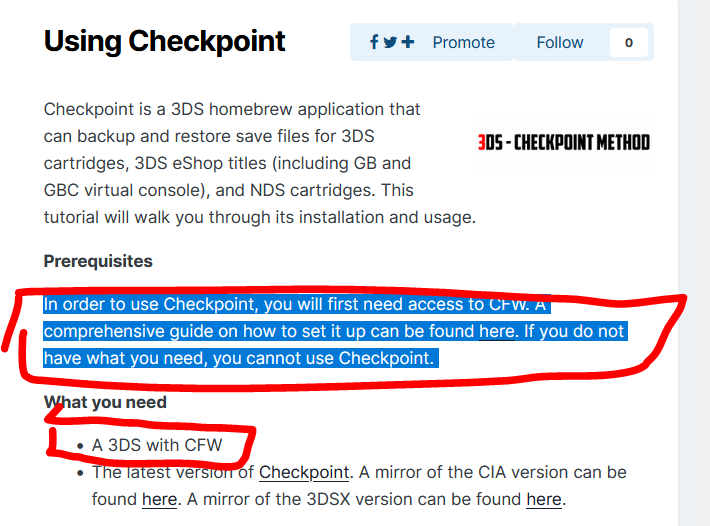
-
Corrupt Pokémon Yellow (virtual console) save file
theSLAYER replied to Miguel B's topic in Saves - Files and Requests
How am I suppose to extract the save for you? It's not like your device is with me. Do you even have CFW installed on your 3DS? -
Pokemon White 2 : Route 10 re-introduced!
theSLAYER replied to theSLAYER's topic in ROM - NDS Discussion & Help
It doesn't for me. I don't have any advise to give. -
Additionally, if playing on emulator, please don’t save using “state saves” To be precise, don’t save using the emulator’s menu. Instead, use the games menu to save.
-
There's no "Mew" in the Poke Ball Plus. Think of it as containing the serial code, and the game merely automatically redeems it for you when you select to pair and receive. So if the code is already used, there is absolutely no way to get the code to function again. (FYI it is marked used on the server's side, and we can't mess with server sided stuff). What you could do is just inject a Mew into your save anyway, but it is unrelated to the Poke Ball Plus functionality.
- 1 reply
-
- 1
-

-
Doubts and questions about a whole transfer from Gen 4 to 8
theSLAYER replied to a topic in Miscellaneous Help
Yeah if it fell in the range of 0-7 on a modified game, that potentially means you probably encountered ‘an actual shiny’. (I say probably because it depends on whether you used cheat codes or modifications that also messed with other data of the mon) yeah 3DS games doubled the odds. Range is from 0-15. anything that is range 8-15 in NDS/GBA games get their values changed when transferred into 3DS game, to keep their non-shininess consistent. (imagine if they were non shiny before, and became shiny after transfer. GF can’t have that..)