theSLAYER
-
Posts
22962 -
Joined
-
Last visited
-
Days Won
1016
Content Type
Profiles
Pokédex
Portal
Technical Documentation
Pages
Tutorials
Forums
Events
Downloads
Gallery
Blogs
Everything posted by theSLAYER
-
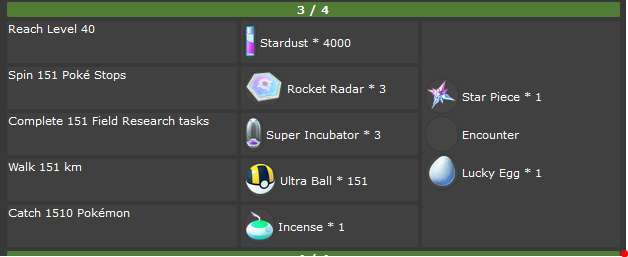
ooh, fun times. (credits: https://www.serebii.net/pokemongo/masterworkresearch/all-in-one151.shtml) They (Niantic) also made a tweet, about how they changed Spin 151 Unique stops to Spin 151 stops. At least not time gated, but pretty annoying. edit: oh page 4 is autocompleted, like other special researches
-
Hint: Dynamax Adventure bosses Dynamax level must be at least level 8. Dynamax Level cannot reduce. Dynamax Adventure bosses have at least 4 perfect IVs.
-
PKHeX should have a function to have Seen All
-
 Can it be done, probably. Can it be done with present public knowledge, AFAIK no. You're gonna need to dig through the game yourself
 -
I assume the FTP process is messing up your save size. If I recall correctly, ASCII transfer type trims the file.
-
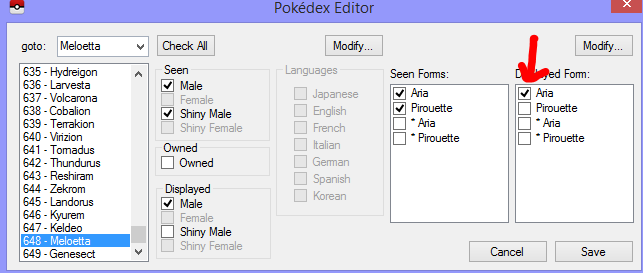
@Kaphotics it appears that if Complete Dex is used without certain mons already been seen, certain displayed forms won't be checked, and the game will stutter when trying to view said mons. Is it possible to add these into consideration for BW/B2W2's complete dex function?
-
The file size isn't even correct. The issue could be with dumping or transferring. How did you transfer the file to your PC?
-
I relied on Grunts for the hours I'm not out; their balloons tend to appear periodically. Or maybe when I happen to walk past a Grunt stop, I'll think twice about whether to fight it. It's good to know in advance which type of Grunts may or may not be worth your time :3
-
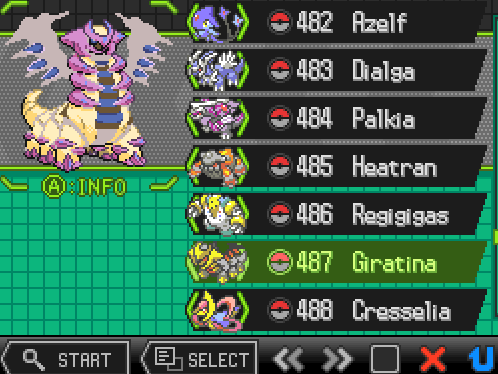
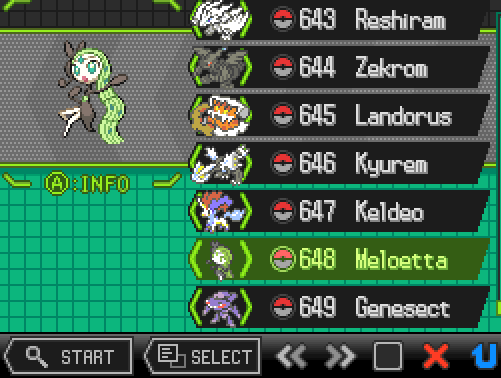
I can confirm that your Meloetta appeared wonky in my game. It appears I fixed it by simply selecting a Displayed form. It appears to happen when a Displayed form ain't selected. Same thing happens to Giratina: I guess the game simply doesn't know what to display, when a displayed form isn't selected.
-
I hope you don't take this the wrong way, but that reply from me (that you quoted) wasn't directed to you. I was asking for the main PKHeX dev to confirm whether it's an oversight programmed into PKHeX, or whether I overlooked something. Let's just wait for his reply.
-
@Kaphotics sorry to disturb, I'll like your input on this one. It appears PKHeX thinks that HA for this cannot be obtained in Gen 5, however a female Sigilyph can be obtained from WindSwept Sky, and bred from there. Any chance this is an error? (For the record, if the mon's ability was changed to 1 or 2, it becomes valid)

-
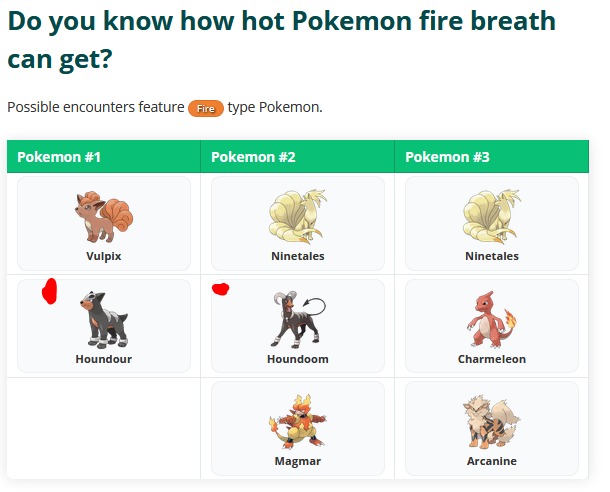
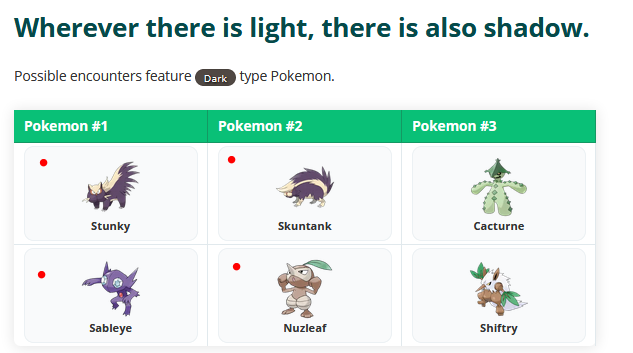
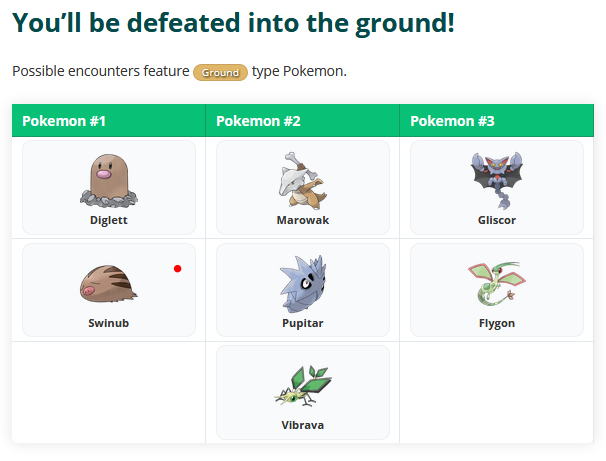
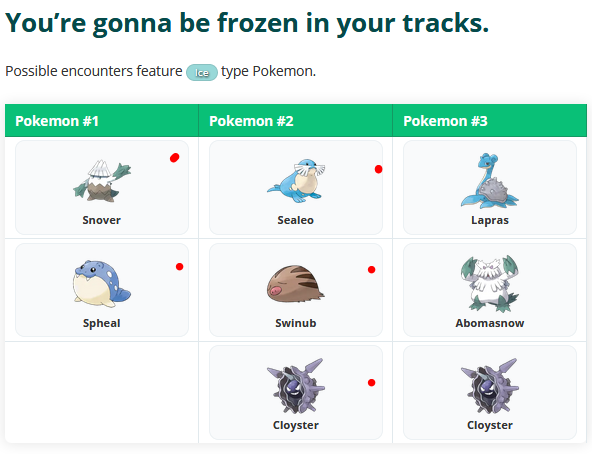
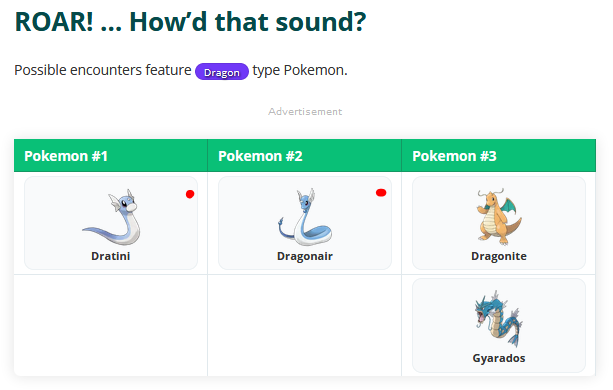
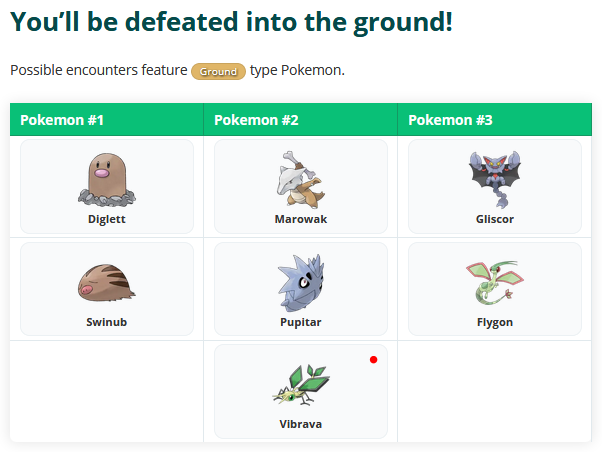
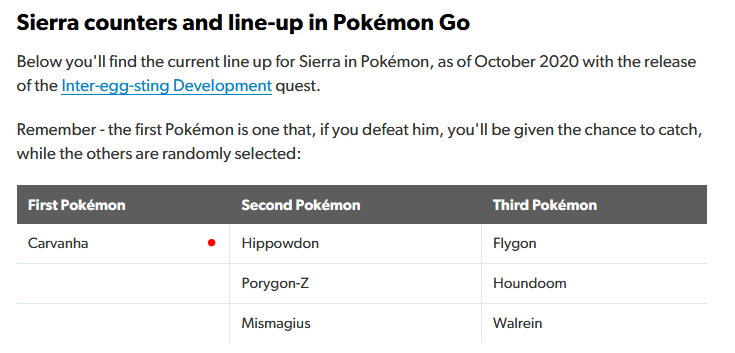
So I properly looked at Grunts lineup, to present somewhat accurate information. (Accuracy is limited to the time I wrote this post. If the rosters shift, and this post wasn't updated, then the details would naturally stop being accurate) To my recollection, for Grunts, both first slot and second slot have a chance of being captured (I recall encountering shadow Ninetales from them before.) Here's the important ones
-
beware that some of the cheaper units might be faked (or they seem to commonly call it reproductions right now), and those aren't official, and chances are you won't be able to back up the save properly. Keep a lookout, read all the details thoroughly :3
-
or you could keep doing that on emulator, but dispose the ones that have illegal PIDIVs. I imagine finding a affordable real JAP cart right now isn't the easiest thing to do..
-
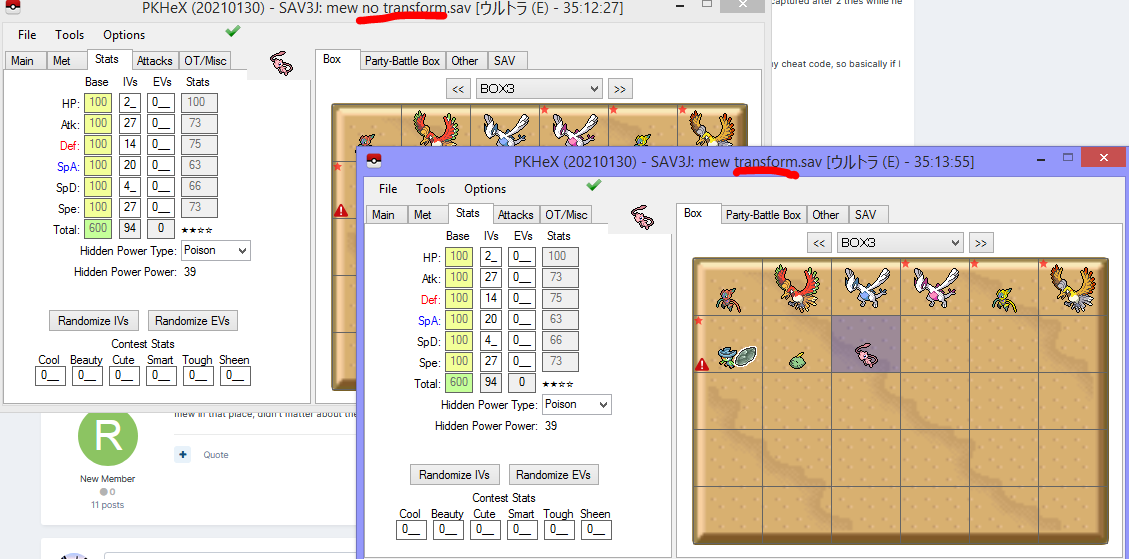
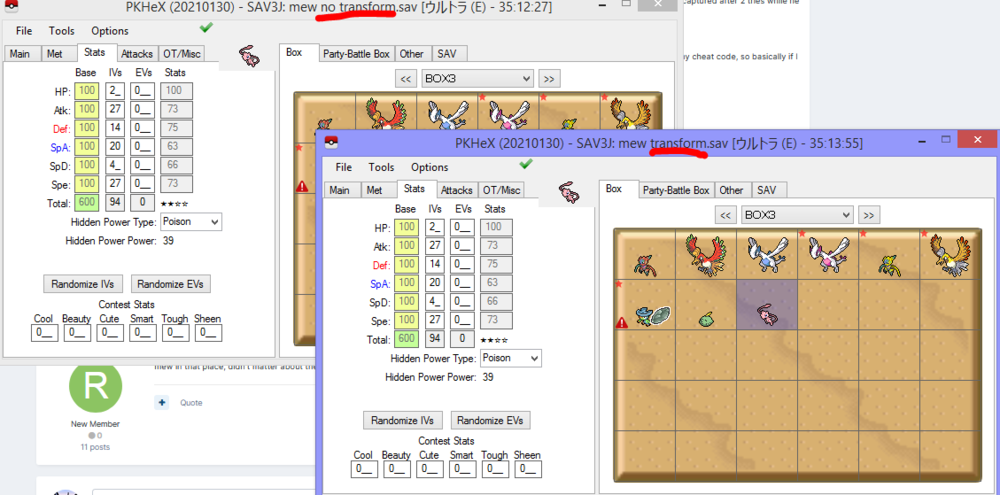
@ranqt there's no such thing. Given that you're using an emulator to catch Mew: emulators sometimes have hiccups during PIDIV generation, which can cause legality issues. [such hiccups are problematic, because actual hardware generation won't lead to those] Your Mew is illegal due to IVs. (How the RNG works, is that PID is called first, then the IVs) I've just tested it with a single state save, and both Mew, transformed or not transformed, PID and IVs are exactly the same. If you don't believe me, try bumping into the Mew, then press A (to trigger encounter), and immediately state save. Then capture on state where it transformed, and capture another state where it didn't transform. You're gonna need to save the game after both states, and export both saves. Then compare the Mew on both saves.
-
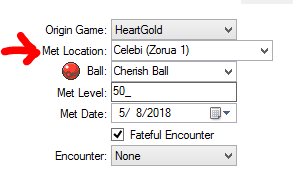
1) Regarding Meloetta: I think this is an artifact of the ROM you're playing. Mine is fine with complete Pokedex: Consider uploading your save for us to check. (and you may wanna consider redumping your ROM) 2) Regarding Zorua: I've heard of the Zoroark oversight in B2W2, not the Zorua oversight in BW. In any case, it'll take me a while to get to that spot in game, probably. And in any case, make sure your Celebi has the correct met location to trigger the event. So I've reached the Zorua spot. To redo the event, Unset 0729, unset 0730, change constant 199 to 0. Ensure your Celebi has the right met location in PKHeX edit: Additionally, i tested your claim on you can't reactivate the Zorua event in Castelia even if you didn't save, and there wasn't such a thing. Here's what I did: 1) Spoke with the boy (who then transformed into Zorua) 2) Received Zorua 3) Soft reset the game without saving. (because apparently the saving part was the part you had contention with). 4) Was able to receive Zorua. (because.. that's how the game works?)
-
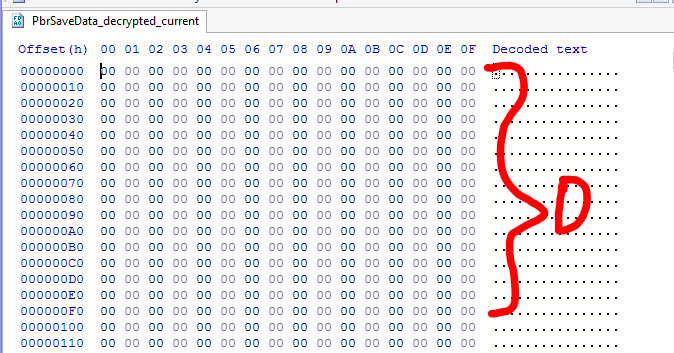
I don't know how you dumped it, but your "current" save is entirely empty.
-
I think people have been saying something about walking 151km, spinning 151 unique stops, and 999 great throws (?), all presumably based on screenshots featuring the mon. Also, I'm not entirely sure about my grunts line-up, but I think they're mostly right
-

-
Looking for a new save with the 3 starter pokemon.
theSLAYER replied to Λlpha's topic in Saves - Editing Help
Your options: a) Inject a save with 3 starters (you can mod in the 3 starters yourself). [will need modded Switch. For simple explanation sake, this cannot be done with a unmodded Switch, nor with a Switch that cannot be modded.] b) Trade with a Sysbot; they basically inject mons into someone else's modded Switch, then trade the injected mons to you. [you will need Nintendo Subscription Online to trade online. Also need to have reached the point that you have Y-comm enabled in-game] c) Have 3 profiles on your Switch, each profile with a different starter, then use Pokemon HOME to transfer the starters to the profile you wanna stick with. [Can be done on Vanilla Switch, each save needs to at least obtain the Pokedex for HOME to interact with them. You also need to catch at least one mon on each save, so that your starter can be deposited into the PC] -
I ended up being left with Dragons. For Dark types, I hunted for Rocket Grunts, and hoped for the Ghost Grunt (Sableye), Fire Grunt (Houndour) and of course, Dark Grunt (any dark types). For Ice types, the Ice grunt spawns felt rare so I really had to diversify. Had to hope for Water (Seel), Ground (Swinub), Grass (Snover) and Ice Grunt (any ice type). Though, being able to use Glacial Lure (or position myself at someone else's Glacial Lure) certainly helped with it.
-
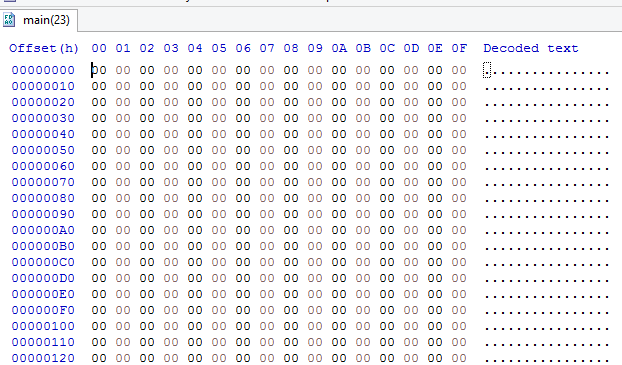
This file has no data. Where was it exported from?
-
PKNX (or mods IDK) Makes my Game Crash
theSLAYER replied to HenryHeliolisk's topic in ROM - Switch Research and Development
if other mods also cause a crash, you would think that maybe your game version is the problem..