



theSLAYER
-
Posts
22961 -
Joined
-
Last visited
-
Days Won
1016
Content Type
Profiles
Pokédex
Portal
Technical Documentation
Pages
Tutorials
Forums
Events
Downloads
Gallery
Blogs
Everything posted by theSLAYER
-
guess you should wait
-
Not about whether the software works on non-pirated games. It's about piracy being against our forum's rules, for various other reasons including legal ones.
-
No clue, never dealt with a pirated game before. You probably wanna reinstall the latest version of JKSV. Also, we cannot offer any more assistance; we legally cannot assist with issues related to piracy.
-
Okay. When you're launching the game to check the progress, you doing it in CFW or OFW?
-
It's not a problem, it's just a symptom. So to confirm, you have a Sysnand OFW mode, and a EmuMMC CFW mode right? Or do you not understand what I'm asking?
-
Okay next thing. Do you have an OFW mode and a CFW mode? Is there a certain time when you press the album and it doesn't boot the Homebrew Launcher?
-
Did you use the homebrew up to restore the edited save back into the game. You mentioned "put it on my Switch" then went straight to "turned on my game", which implies you placed the edited card into the SD, placed the SD card into the Switch, then straightaway booted the game. The step of "injecting the save into the game" wasn't mentioned.
-
Are you trying to Create a Mew from scratch? looks like you're trying to make an event mon from scratch. Just add one from the Mystery Gift Database under options. Also, even if it's illegal, you can still add it your save and export it..
-
You can. However, user made-from-scratch Pokemon tends to be illegal. You might want to use the Encounter Database (in PKHeX) to get a base Legendary, then edit from there.
-
PKHeX still works. Has been working. What do you mean "do legendarys". Clarify.
-

Pt/HGSS Trainer Records offsets & Misc. (research)
theSLAYER replied to futuu's topic in Saves - Research
I've merged your messages. Also, no need to send unsolicated pings to specific people to ask for help. -
pk3DS: Pokémon 3DS ROM Editor and Randomizer
theSLAYER replied to Kaphotics's topic in ROM - 3DS Research and Development
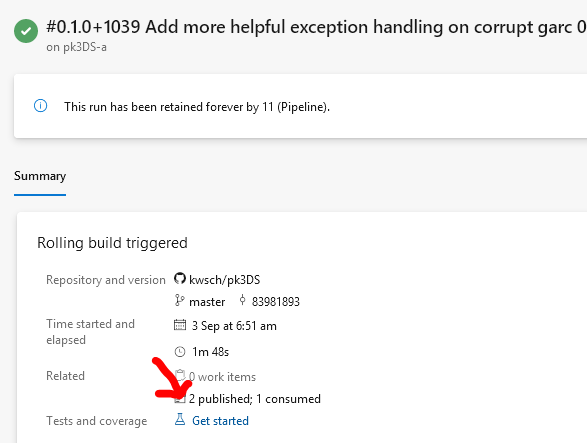
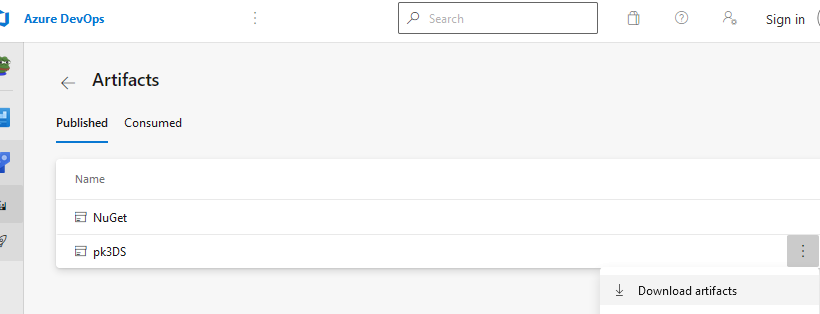
Did you do this? It downloads fine for me.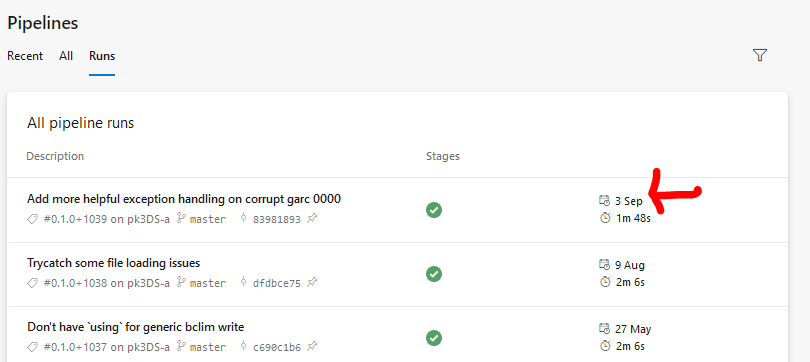
-
Is There A Way to Edit 3 Legendary Birds' Encounter Times in XY?
theSLAYER replied to PKHex_User's topic in PKHeX
Block Editor > Encount > Roamer Also, even if it wasn't in PKHeX, I looked it up and documented it here: -
I have 200 to giveaway! DM me on-site (not Discord) for the codes. First come first serve. I may take a while to reply, but do know I'll be giving out codes in relation to the 'time/date I received the DMs'. Presently: Expired. Get em before they expire at the end of 2021! Big thanks to @Gridelin for getting the codes for us! (Also I reckon you definitely shouldn't bug him for codes ) Anyway, have fun! Cheers! edit: I have wiped the other posts in this thread. Hopefully people will focus on the big bold words. edit 2: Purportedly according to an e-mail with support, the expiry date is Dec 31, 2021.
- 1 reply
-
- 14
-

-

-

-
PKHeX normally can load dsv anyway. Given how little context we've gotten, I can only assume this user never saved with the in-game menu, and only used save states of the emulator. Please save using the in-game menu (not the emulator menu) twice, then close the emulator, then load the DSV into PKHeX.
-
The Galarian birds have PIDIVs correlations. Haphazardly changing any values will cause illegalities. Consider trying to follow the tutorial:
- 1 reply
-
- 1
-
-
The mega stones for the other Sceptile and Swampert don't exist in Y.
-
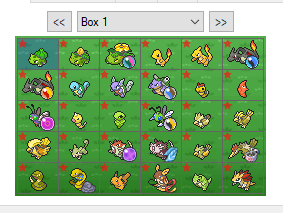 Unless powersaves changed their model, all bins from powersaves can only be used by the cartridge it was exported from. So, what you're asking is not possible.
 -
Pokemon Go legality Issues. Help would be appreciated.
theSLAYER replied to Charblee's topic in Saves - Editing Help
Yeah, best not to fake HOME tracker ID. They'll be assigned one when they enter HOME with no ID anyway. Anyhow, like I said, traded GO mons in HOME won't have the GO OT, so it's fine. -
I don't see why you PM'd me. Anyway. Step 1) Download a save from here. Step 2) Use this program to properly import the event flags. Step 3) Use PKHeX to fix the checksum. Step 4) Now restore the save into your game, and play it.
-
What game are you playing? If SWSH, just get one traded from a sysbot. (Also, you posted in the wrong thread. Begging for Pokémon != contribution. I've split out your posts, and merged them)
-
Pokemon Go legality Issues. Help would be appreciated.
theSLAYER replied to Charblee's topic in Saves - Editing Help
That information isn't stored on PK8. It's on HOME tracker ID. The mons you injected do not have a "GO Transferred HOME tracker ID". If I'm not mistaken, once the mon is traded or transferred away, it would lose the original GO trainer details anyway. Also, to add on, once it is transferred out to SWSH, it loses the GO symbol. (at where the arrow is located; that info too is held by HOME tracker, not on the pk8) Why don't you try trading for a mon obtained from GO on the GTS, see if the GO trainer name shows up? ;3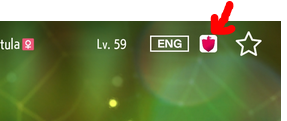
-
Yes. Don't bother,
-
Pokemon Go legality Issues. Help would be appreciated.
theSLAYER replied to Charblee's topic in Saves - Editing Help
@Charblee It is one of two things: 1) For that date, you can only get Groudon via Research, not via raid, hence why you couldn't change the ball. 2) Met level is below 20. Raid Pokémon have a minimum of Met Level 20 when transferred. [Note: I'm not checking the date against known dates, so I'm just listing it as a possible issue] If you wanna change the ball to Premier Ball, change the date to a period where it could be found shiny in raids. Also make sure the Met Level is at minimum 20. -
Issues with batch editing, many changes not working?
theSLAYER replied to Soggg's topic in Saves - Editing Help
As for .HT_Name, I'm assuming it's the same issue as .CurrentHandler. It presumably partially auto corrects to fit the save's OT. If the mon's OT data is the same as the save, then perhaps it can be changed. If the mon's OT data isn't the same as the save, .HT_Name has to bear the save's name? That's just my guess. So to modify CurrentHandler, one of the details, either OT or HT, needs to match the save's OT, that's what I think. I just did a test where I made the HT follow the save's OT, and I was able to edit CurrentHandler (it was on the OT section of the mon, and I forced it to the HT section) [all edits mentioned are batch edits] As for Hyper Train Flags suggest, got no clue really.