
Kaphotics
-
Posts
8122 -
Joined
-
Last visited
-
Days Won
502
Content Type
Profiles
Pokédex
Portal
Technical Documentation
Pages
Tutorials
Forums
Events
Downloads
Gallery
Blogs
Everything posted by Kaphotics
-
The file you dumped is the ROM, your save file should be 128KB not 16MB.
-
No it's not; how are EVs acquired, if not by vitamins? PKHeX only recently added a simple "nonzero EVs" sanity check, where to have any non-vitamin EVs, you should have gained experience as well. The amount of experience (minimum amount) isn't easy to calculate and isn't worth the time. The batch editor can be used to bump EXP easily with the improvements made in the past year: .CurrentLevel=30 -EXP=1 The above batch instruction sets all levels to 30, then decrements EXP by 1 (reducing its level to 29.9999). Useful for nuzlocking. You can do similar for adding EXP (using + instead of -), but again, just adding 1 EXP is not a "legal" workaround because 1 EXP is not enough for gaining many EVs. The error message is pretty clear if you think about it
-
 Change the PID/IV.
 -
Help with previous PVP battles data between Pokemon XY and ORAS
Kaphotics replied to SternDust's topic in Miscellaneous Help
Only place your console would save their data is if you saved a battle video. -
If you are just going to change them in PKHeX, then use the encounter database within PKHeX to generate new ones. Then copy the PID/IV over to your existing pkm manually.
-
because the values are correlated to the RNG seed that generated the pokemon. use the encounter database instead of manually changing individual properties. settle for imperfect values that you can make perfect via in-game mechanics (such as bottle caps). nobody is going to believe you when you show them a 6*31IV Pokémon.
-
Not supported.
-
Then install the correct version of .NET compatible with the latest version of PKHeX. .NET 7 and .NET 10 both work on the Steam Deck, you just have to install whichever you need and bottle them appropriately.
-
Sword/Shield - Invalid PID+ Correlation
Kaphotics replied to GodMachine's topic in Saves - Editing Help
Different encounters, different restrictions. The encounter database is pretty straightforward, just experiment with it. -
Here's the relevant line of code that replicates how HOME ingests the ZA entity and updates its contents: https://github.com/kwsch/PKHeX/blob/06c742ac789f31831ab01ed0ec3b62f9fd2847fd/PKHeX.Core/PKM/HOME/GameDataPA9.cs#L129 Size ratings in S/V use the Scale value. In games with separate sizing for height and weigh (like LGPE/E) they use height and weight values. Transferring around in HOME, HOME tries to make things consistent in its own way.
-
Champions does not transfer any data back to mainline games, nor do mainline games transfer any champions-new data like Champions specific titles.
-
Sword/Shield - Invalid PID+ Correlation
Kaphotics replied to GodMachine's topic in Saves - Editing Help
Use the encounter database. Different types of Pokemon have different patterns that they are generated with, and some have detectable relationships between values that are expected to be present. -
The transfer logic sets the height and weight to match the scale value. You can check the transfer logic recreation in PKHeX's source code on GitHub.
-
thanks, fixed on latest commit Slot9a: overqwil defer, ignore hasTracker · kwsch/PKHeX@06c742a
-
Check to see if it is running in Task Manager. Not sure if you have any external hard drives / network drives that are unresponsive...
-
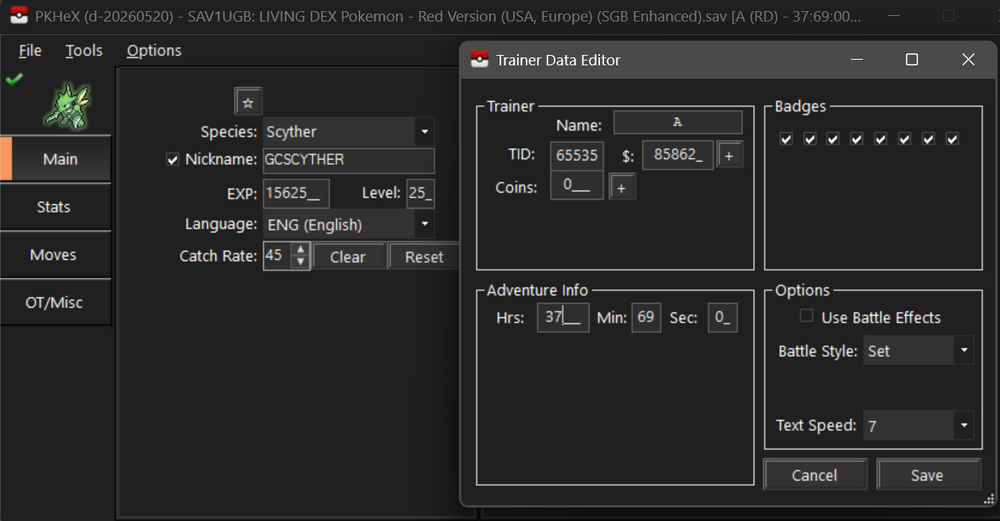
Looks like a ton of data is missing (partial/incorrect dump). After forcing it to load, only a few box/party slots load. Not sure how much you'd want to try and recover. I would just accept it as a loss because you'd need to fabricate practically everything.
-
"Transfer" a mon from Pt to B1 with only 1 3DS
Kaphotics replied to keyfeat's topic in Saves - Research
Correct.- 1 reply
-
- 1
-

-
 You need to load a save file first. Look at the top of the program you are using.
 -
It is a Generation 5 file, for Black/White and Black 2/White 2. Transferring to Z-A is a transfer.
-
Files stored on the SD card are encrypted per the individual console encryption keys. If you no longer have access to the console to recover those keys, you cannot decrypt it.
-
The save file does not store individual records of each ribbon acquisition; it is only stored on individual PKM via bitflags (1 bit per ribbon, and a single byte for the contest ribbons). Your best bet is to try and check the save file for sufficient participation in the actions that award the ribbons. If sufficient ribbons AND sufficient participation, then it's possible it wasn't hacked in. No progress/participation, must be hacked.
-
I Require Assistance With Creating A Certain Pokemon In PKHEX
Kaphotics replied to TheKalephant's topic in Pokémon Franchise
Sorry, not entertaining this conversation as it falls under "Dangerous Activities". -
I Require Assistance With Creating A Certain Pokemon In PKHEX
Kaphotics replied to TheKalephant's topic in Pokémon Franchise
Trade bots check legality. Dogshit hacks won't be traded by trade bots. https://bulbapedia.bulbagarden.net/wiki/List_of_unobtainable_Shiny_Pokémon#Intentionally_unobtainable_Shiny_Pokémon -
PKHeX does not support ROM hacks. Transfer a legitimate save file from your Nintendo Switch after dumping it with homebrew like JKSV/Checkpoint.
-
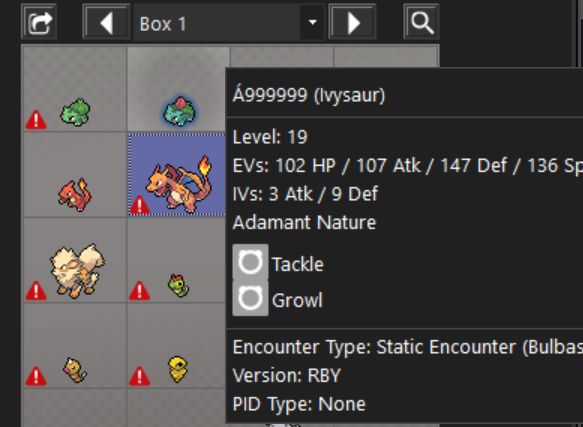
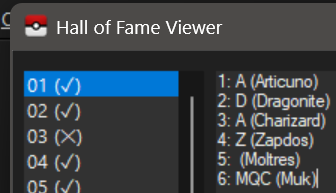
Works fine on latest commits; was reported a couple days ago and fixed at that time. Your two uploads are fine: Feel free to try the development build if the red triangles irk you