
theSLAYER
-
Posts
22963 -
Joined
-
Last visited
-
Days Won
1016
Content Type
Profiles
Pokédex
Portal
Technical Documentation
Pages
Tutorials
Forums
Events
Downloads
Gallery
Blogs
Everything posted by theSLAYER
-
Does this work? edit: also moved your post. You're not contributing anything creative, nor are you discussing any kind of creative product.
-
that probably means your save isn't valid. Something something you used the wrong file or something.
-

Bootleg With Save Chip
theSLAYER replied to sobbingsobble's topic in Systems, Flashcards, and Emulation
does my program generate two saves? I can't remember frankly. Maybe your cart keeps a backup. who knows at this point. As long as you can check the values on the saves, what does it matter? It's not like I am the authority of bootleg carts XD Also, I'm kinda confused by what you said. Using my program to extract saves from your ROM dump is not the same as editing said ROM dump with a Hex editor. -
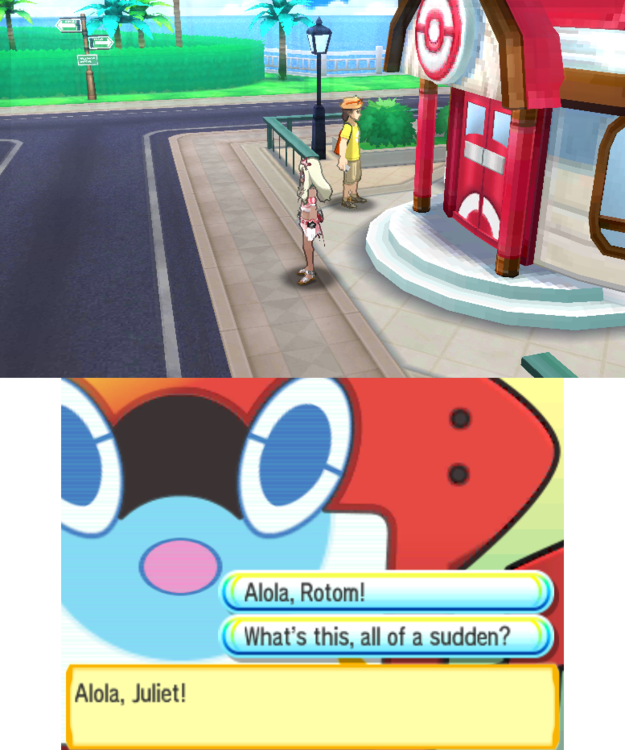
Are you sure you used the right save? I've got it working on my end.
-
No idea what you did, so I tried to fix it by importing a few of my blocks. (typically the same process to fix bad map edits) main
-
Yeah please be clearer. I don't look at every save file that is posted on our site, just take a look. Also moving your thread to save requests.
-
you didn't say that in your first post. You only said and that's what I gave you.
-
Look harder.
-
Bootleg With Save Chip
theSLAYER replied to sobbingsobble's topic in Systems, Flashcards, and Emulation
I don't think there is one. Note: what I'm about to say only applies to bootleg copies that stores the save as a sector of the rom dump. Not every bootleg treats saves this way. For starters, learn how to find a save in your rom dump using hex editor. Once you get that done, learn how to replace the save in your rom dump using hex editor. If you cannot get the above 2 points done, no point worrying about restoring the save. -
"Legit save file". If the save file can be sent to your as a PC file, it's not legit. At most legal. Our forums have lots of save files, just grab one from there, then gen in a Treecko.
-
Bootleg With Save Chip
theSLAYER replied to sobbingsobble's topic in Systems, Flashcards, and Emulation
As in back into a Bootleg GBA cart? I'm not sure if you want to. I'm unsure if the bootleg GBA memory [for that particular kind of bootleg] (which stores the ROM + save) can be reflashed. Given that it can be reflashed by the cart itself to store the save, you would think that the memory chip can be reflashed. However if you screw up, you'll also lose any playability (cause the sector that contains the game is gone). If you want to risk it, you'll gonna have to place the edited save back into where part of the ROM dump where it was stored, then use whatever tool you used to dump the ROM to restore the ROM. Basically not a methodology I'll recommend to people who don't know what they're doing. Stick to real carts, not bootleg carts.. Once again, if your bootleg cart stores the save as part of the ROM, refer to the first part of my answer. Treat it as impossible for your technical level. -
Help Us With Binary Incompatible Save Issue
theSLAYER replied to KMSteter_88's topic in Miscellaneous Help
No worries. To explain what Kaphotics said to you (which I assume went over your head). hex editor: a piece of software that can view the raw data of any file. (all files are made up of raw data) When the save you uploaded was viewed using a hex editor, it is completely garbled, which should not be the case for a gen 3 save file. Which means (a) the save is encrypted or (b) the save is garbage. PKHeX deals with console decrypted saves (and not garbage), which is why it will neither load (a) nor (b). Hence he was presumably saying (without actually stating it) to use a proper save file. I guess people who have some technical knowledge would logically reach that conclusion, but maybe you weren't one of these people hence you didn't see it. [Contents uploaded are garbage, hence PKHeX won't load it -> So grab a proper save, and PKHeX will load it] Also, as for VBA, don't use state saves and export save battery file (or something close to that). As for your Myboy emulator, no idea what the issue is. Make sure you save in-game, and if you have questions, load that save here. -
Help Us With Binary Incompatible Save Issue
theSLAYER replied to KMSteter_88's topic in Miscellaneous Help
Reload the page, and read what I said. I've made that edit quite a while ago. Based on what you're quoting, you've missed what I edited in.- 9 replies
-
- 1
-

-
- binary
- Incompatible
- (and 2 more)
-
Help Us With Binary Incompatible Save Issue
theSLAYER replied to KMSteter_88's topic in Miscellaneous Help
@KMSteter_88 it basically means you (and other parties you mentioned) didn't attach a proper save file. Nothing wrong with PKHeX. You mentioned you're using a repro cartridge? For your case, the save is stored in the ROM (cause it's a bootleg isn't it. That's how some store saves). Dump the ROM and run it through this program. Reminder: do not upload the ROM here.- 9 replies
-
- 1
-
-
- binary
- Incompatible
- (and 2 more)
-
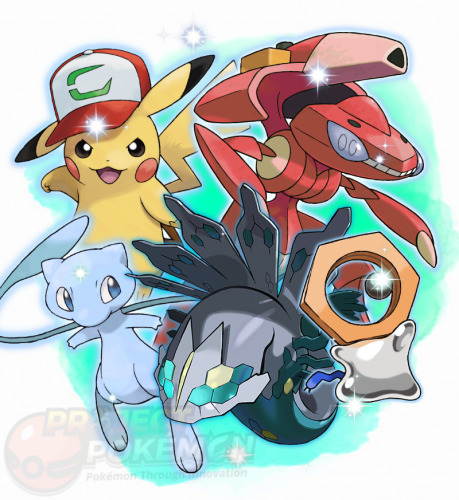 wait. It's already there, in the gen 8 folder. The listing of "gens" is based on released gen. (all the files match the generation file type they're in. For example, pk8 for gen So Zeraora was released Shiny only in Gen 8.
 -
I'm in the midst of replacing them. In the mean time, https://github.com/projectpokemon/EventsGallery/tree/master/Released/Gen 2/Classic/ENG/Pokémon Center New York
-
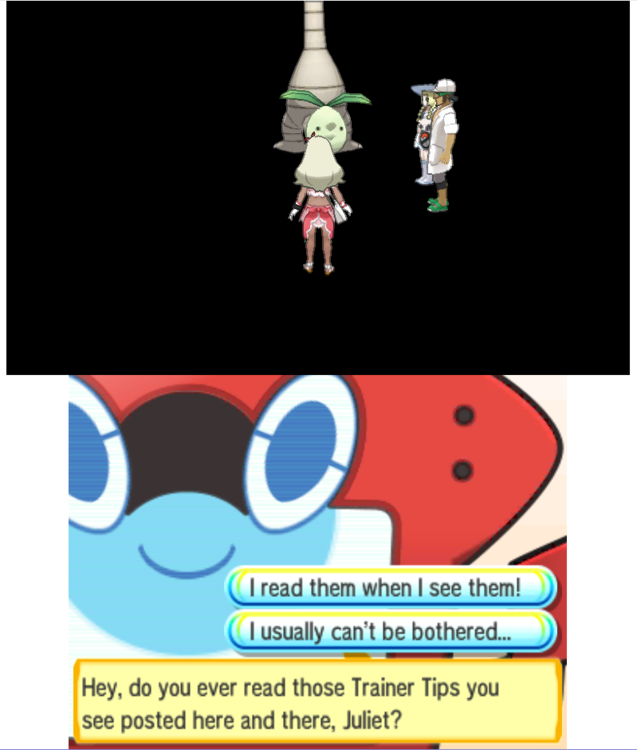
You're certain you didn't modify the map coordinates? This looks kinda weird. The NPCs can't be interacted with too
-
Inside again. I need to see the save Show me the inside of the folder that contains the save.
-
That only answers Question 2. Answer the remaining questions if you want help.
-
1. Did you edit map coordinates 2. Does the edited save load in PKHeX 3. Show my a screenshot of the inside folder on JKSM/Checkpoint that contains the save.
-
you're not answering my question.
-
what edits did you do.
-
Or just join a Discord that has sysbot. You can then make a mon (as pk8) and have the sysbot trade it to you, without needing to have CFW on your device. It’s real easy to learn too.
-
Changing the Trainer Name of all Pokemon in all boxes
theSLAYER replied to Iz.'s topic in Saves - Editing Help
https://projectpokemon.org/tutorials/save-editing/using-pkhex/how-to-use-the-batch-editor-in-pkhex-r77/ -
should be okay.