Leaderboard



Popular Content
Showing content with the highest reputation on 05/12/18 in all areas
-
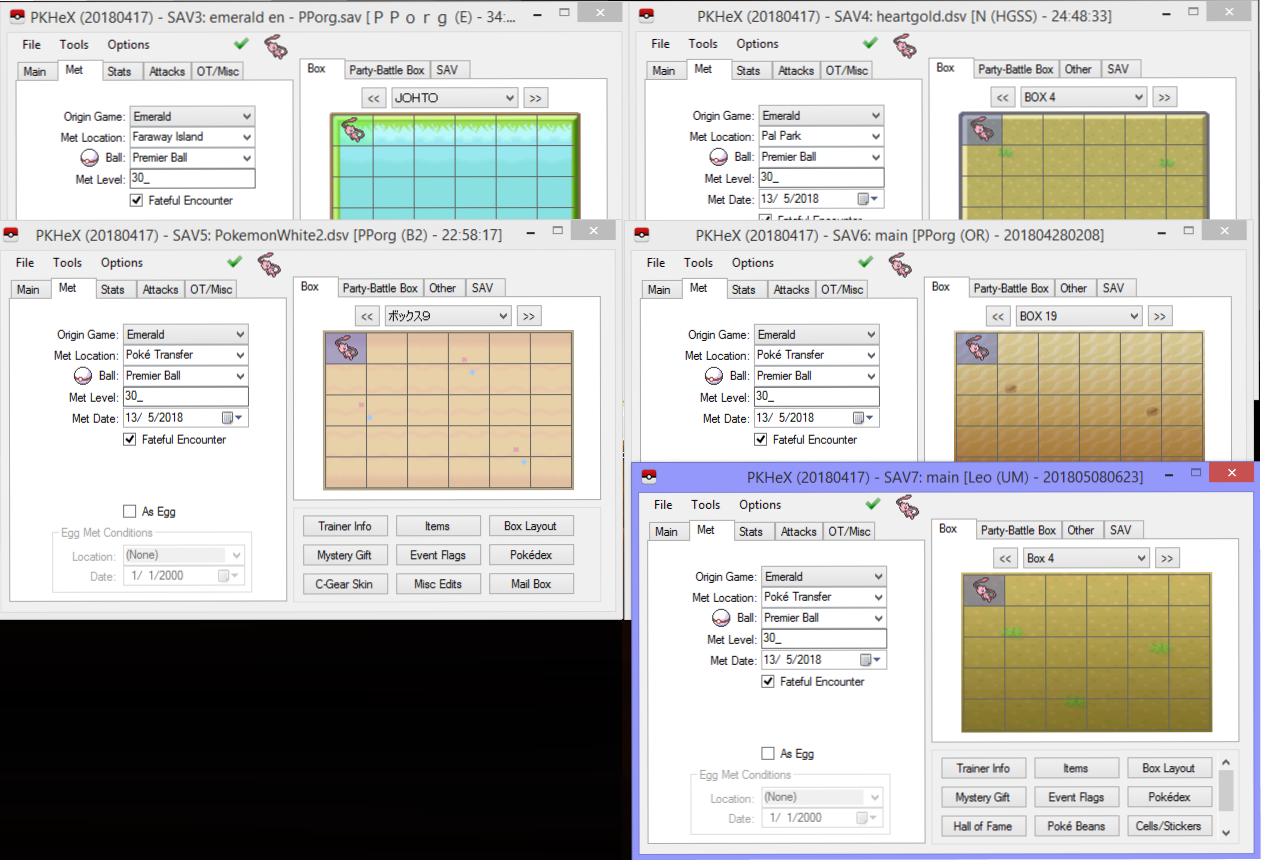
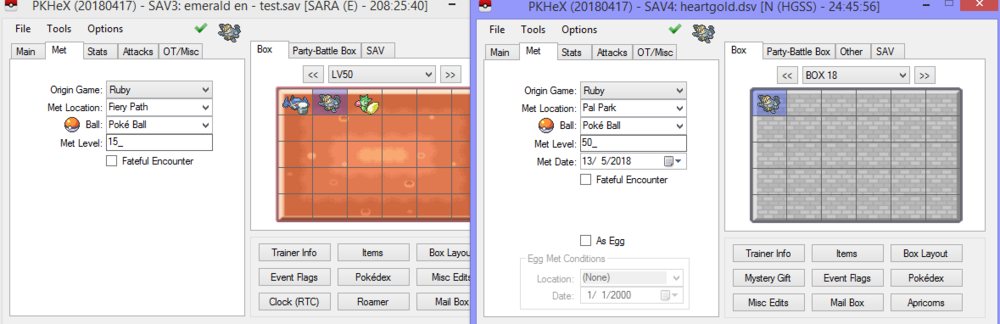
My response has to be in a spoiler below, cause my reply is huge. With everything I've shown and said, it's probably enough for you to reach a conclusion, right? XD
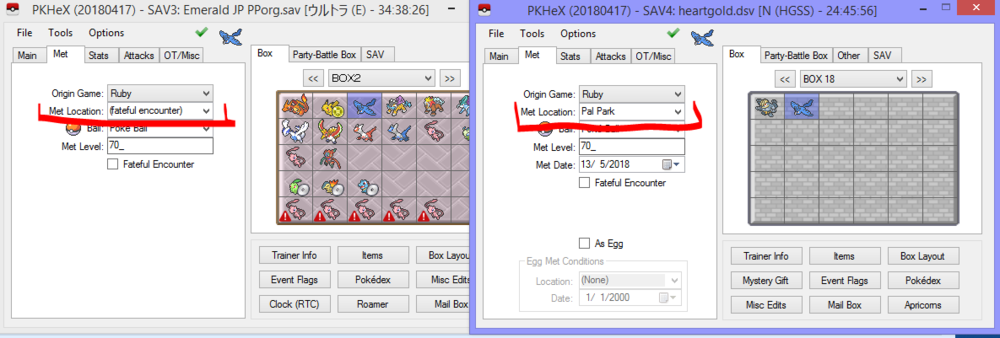
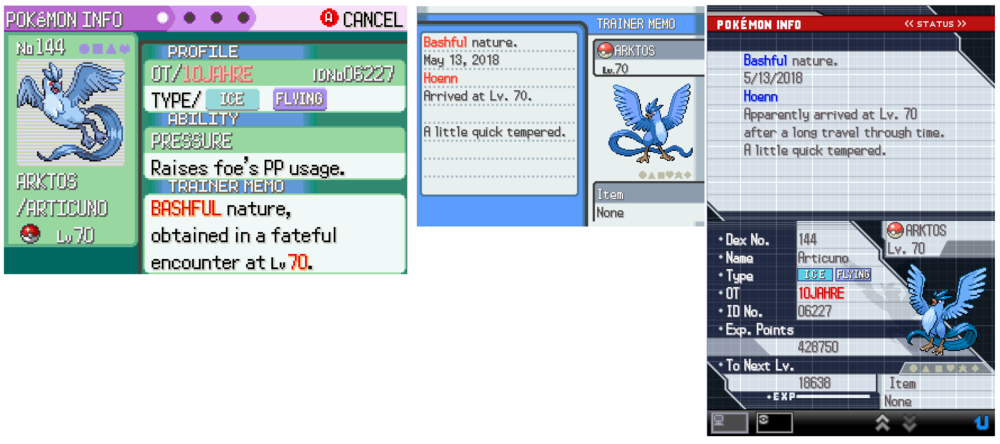
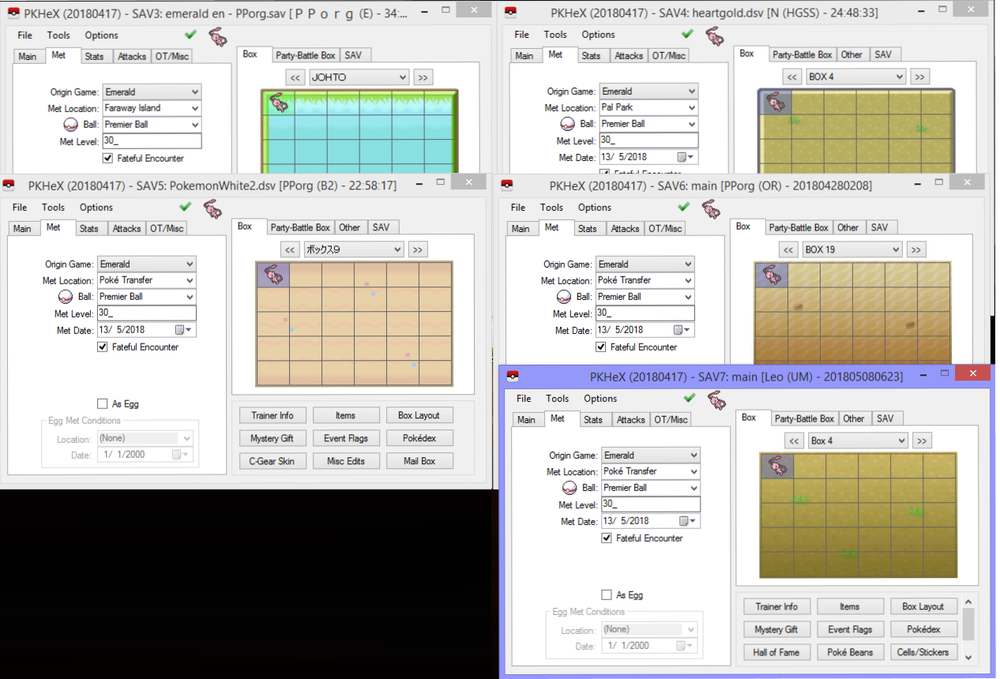
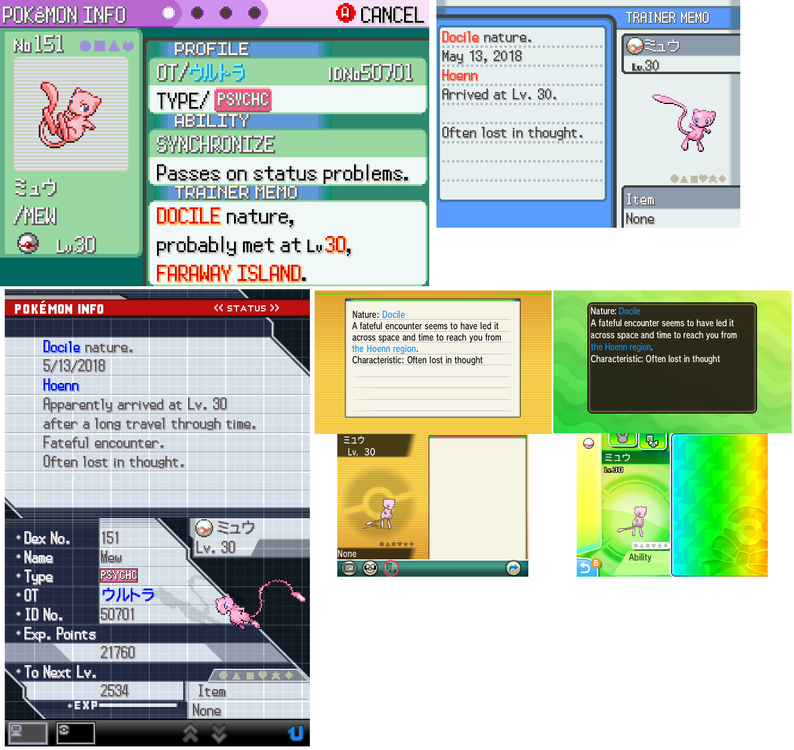 2 points
 -
This is the exact same method as the previous guide, but instead of backup up the entire memory card, we will be backing up a single save file (gci) that you can inject back into your memory card later instead of overwriting the entire memory card. 1. Open the homebrew channel on your Wii and launch GCMM. 2. Click "A" to use your SD card as the destination for the save backup. 3. Click "-" to Enter "Backup Mode". To restore your save after editing it, you will need to press "+". 4. Choose what memory card you would like to backup and click the corresponding button. In my case, my memory card is in Slot A so I will click "A". 5. Find the game you want to backup. Then click "A". 6. Wait for your save to be backed up to your SD card. Then click "A". 7. Eject your SD card from your Wii and insert it into your computer. Then navigate to "MCBACKUP". Inside this folder will be your save file. 8. MAKE A BACKUP OF THIS FILE BEFORE USING OR EDITING IT WITH ANY SAVE EDITORS. View full tutorial2 points
-

Version 1.0.0
2017 downloads
Sakura Shinkansen Pikachu This Pikachu was distributed on bullet trains running in Kyushu to commemorate the one-year anniversary of its completion. This Wonder Card does not have the normal shiny check in place, so it is possible for it to be a shiny color-variant. Wondercard ID 067 PID Random Games BW Type Local Wireless Dates 03.01.2012-05.06.2012 Nickname ピカチュウ Gender Female Level 50 Nature Random Ability Static OT さくら SID 00000 Location Pokémon Event Ribbon Classic Ribbon Ball Cherish Ball Held Item --- Moves ExtremeSpeed Thunderbolt Grass Knot Brick Break1 point -
5186 downloads
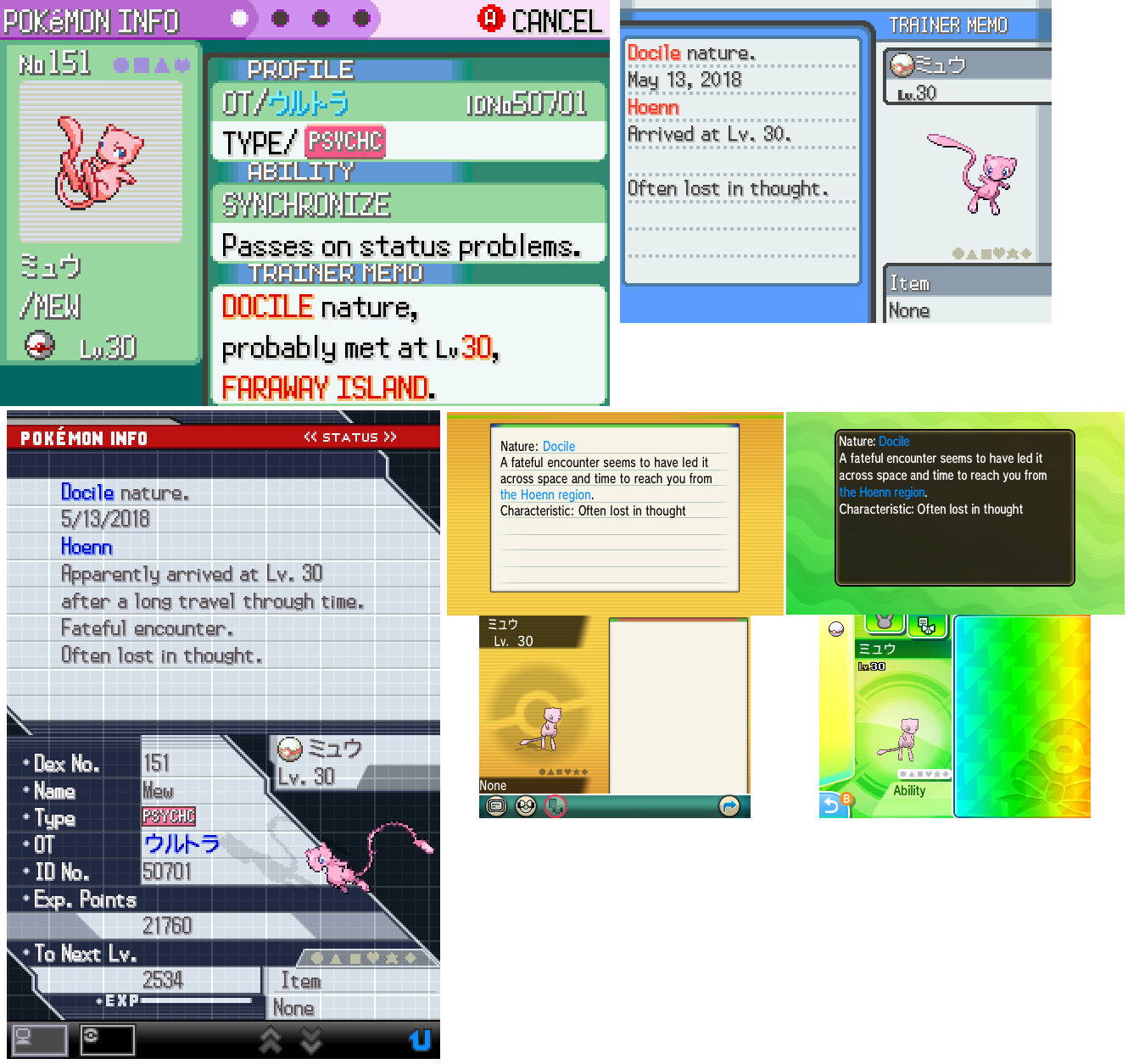
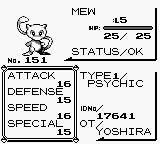
This page contains the first ever publicly available savefile that was dumped from an original Pokemon Red cart, which was used to distribute YOSHIRA Mew by direct trade. The distribution took place at Toys R Us stores in the United States from the 8th to 12th of December 1999. The players who were allowed to obtain a Mew were determined among the first 1500 customers at each Toys R Us store on 26 November 1999, where they were able to receive a special "Peel & Win" sticker card (pictured above). 200 of these cards at each store contained the text "Caught Me!" underneath the sticker of Mew. These Mew distribution carts are known to have been either a Red or a Blue cartridge, which were sealed into a GameBoy Pocket with official Nintendo non-tamper security tape. So far only two devices have publicly surfaced on the internet. The first one was a Blue cartridge still sealed into a silver GBP, of which pictures have been on the internet for several years (pictured above). This device is said to have been lost in shipping during ownership change in 2013. The second one is a Red cartridge that has since been cut loose from its GBP, but the Nintendo security tape is still intact on the cartridge (pictured above). This Red cartridge was first seen on Reddit several months back, which is owned by a former Toys R Us employee who personally distributed Mews from the cartridge back in 1999. I recently contacted this Redditor, and offered to ship her my cart dumper in order to get the savefile dumped and safely preserved. As save data in the first two generations rely on a low-power battery, after approximately 18 years it was clear that the savefile would not have survived much longer. Due to this and the extreme rarity of these devices, this may have very well been a one time opportunity to ever preserve save data from one of these carts. Every Mew has identical IV stats: 5 HP, 10 Attack, 1 Defense, 12 Speed, and 5 Special. Every Mew in this savefile has the Original Trainer name of YOSHIRA (none YOSHIRB). I can only speculate that perhaps those on the Blue cartridges contained YOSHIRB Mews. The Trainer IDs are all unique however, and imply the Mews were generated in groups of 5 (eg. 16385, 16386, 16387, 16388, 16389, then 16443, 16444, 16445, 16446, 16447, and so on). My theory is that the Mews were generated with a "Mew machine", which was a quicker method used at other event locations to distribute YOSHIRA/YOSHIRB Mews. We know these machines distributed Mews with TIDs that incremented by 1, so due to the Trainer IDs we see here, we could assume that each savefile had different Mews(or at least that several different savefiles may exist). So other than TID, the Mews on this savefile are all identical. The way I figure it, a cart was inserted in a Mew machine, a party full of 5 were generated, the cart was removed, and while someone manually placed those 5 Mews in a PC Box, another cart was in the machine having it's party filled. I don't figure it could have been practical to give every cart unique Mews, but multiple carts were filled to have a wider variation of existing TIDs. After a handful of carts were full of Mews, their savefiles were likely copied among the hundreds of carts send to Toys R Us stores. Keep in mind though, this is purely my speculation based of the information we have. All the traded pokemon from this savefile had been previously released, so only the Mews remain. Box 11 and 12 are totally empty. Box 5 and 10 are each missing one or two Mews. Boxes 1 to 4, and 6 to 9 remain fully untouched. I did return a few Mews from the party to their proper box slot, so the TIDs line up as they were originally. Any oddball TIDs that couldn't be matched up were placed in the Party. I also want to note that I did request the rom to be dumped as well, and it was 100% identical to any other retail Red cart. While we were 99% positive this was obviously the case, it's still nice to have that confirmation. In the past some people have speculated whether or not the rom was special and would have the PC filled with Mews if a New Game was started. Once again, I want to give special thanks to Jenn from Reddit, because without her generosity, we may have never been able to obtain one of these savefiles. She did promise to supply her personal experience/memory of the event and any details, so when she does, that will be shared here as well.1 point -
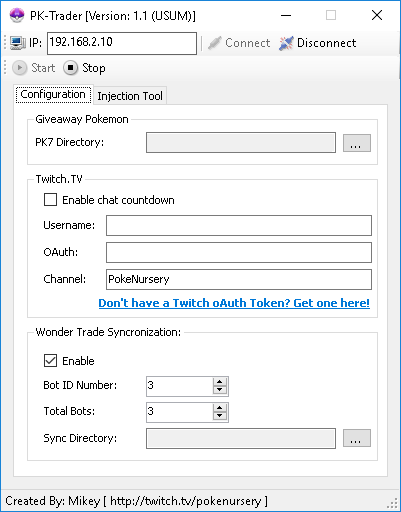
Project Pokemon, I'm not sure how much longer I will be doing giveaways so I've decide to go ahead and make one of my automated trade bots public. Currently I am releasing my Wonder Trade bot to the public. If you'd like to use it feel, free, it will be attached to this thread. If you have any questions on how to use it, please, don't hesitate to ask. This software requires a 3DS, both old & new supported, with CFW/NTR & InputRedirection. I've also add a Twitch.TV integration to it, so your Wonder Trades can have a timer for your chat participants to see. It also supports synchronizing multiple consoles together. Here's a basic breakdown of how to operate it: Above is a screen shot of the UI. Pretty straight forward. 1) In the IP text box, enter the local IP address of the 3DS console you wish to connect to. 2) For the PK7 directory, select the folder on your PC that contains the PK7 (Pokemon) files you wish to Wonder Trade. Optional: If you would like your trades to have a countdown in your Twitch.TV channel, 1) Check the box "Enable chat countdown." 2) Enter the username of your bot into the Username text box. 3) Enter your oAuth Token into in the oAuth Token text box. (If you do not have an oAuth Token you can quickly have one generated by clicking the blue link) 4) Enter the channel name you want your bot to enter when performing the countdown. Synchronization: As stated above, you can also "sync" numerous consoles to trade at the same time, on the same timer countdown. To do so, open multiple copies of the application, also make sure to put each executable in their own folder! Assign each console you're connect to a unique Bot ID Number, and select how many trade bots you are using total. The sync directory can be any directory of your choice on your PC. The bot merely writes/deletes text files from this directory to perform the synchronization. Good luck, and enjoy! PK-Trader 1.1.zip
 1 point
 -
just i have searching this file, thanks so much =D1 point
-
.thumb.PNG.22df330e075fed0cd427b3dcc0659de6.PNG) i Love this Save file Thanks So much @Deoxyz1 point
i Love this Save file Thanks So much @Deoxyz1 point -
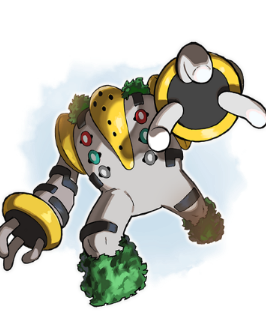 "Foes will cower at the immensity of the Legendary Pokémon Regigigas as it enters battle!" https://www.youtube.com/watch?v=nxXEPk3dzFg1 point