

Save Editing
Post save editors for Pokémon games here!
67 files
-
PKHeX Plugin: Mystery Gift History Editor
By Gifted
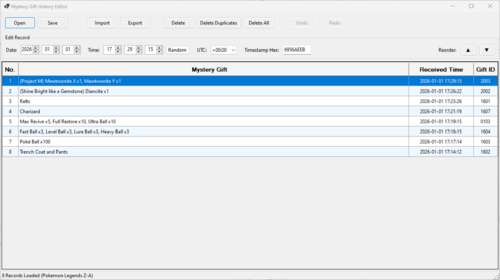
Mystery Gift History Editor is a PKHeX plugin designed to edit Mystery Gift history records. (Not the Mystery Gift itself).
Core Features
Multi-Game Support: Automatically detects and edits Mystery Gift history form save files of Pokemon Scarlet/Violet and Pokemon Legends Z-A. Comprehensive Record Editing: Time & Date: Modify the received date and time with automatic validation. Timezone Control: Adjust timestamps using a UTC offset selector. Hex Editor: Directly edit the raw hexadecimal timestamp for precise control. Randomizer: Instantly generate valid random received times. User Interface
Modern Grid View: Displays Gift Name, Received Time, and Gift ID. Multi-Selection: Supports Ctrl+Click, Shift+Click, and Ctrl+A to select and manipulate groups of records. Context Menu: Right-click rows to quickly copy the Gift Name, ID, or Decimal Timestamp to the clipboard. Rich Data Display: Correctly parses and displays names for Pokemon, Items (with quantities), Clothing, Money/LP, and Event Flags. Dark Mode: Full UI support for Dark Mode. File & Batch Operations
Supported Formats: Import and export support for .msv (Scarlet/Violet) and .mza (Legends: Z-A) records. Partial import support for .wc9 and .wa9 files (Pokémon Mystery Gifts only). Smart Import: Bulk Processing: Drag-and-drop multiple custom files at once; imports run asynchronously to keep the UI responsive. Duplicate Prevention: Automatically detects and skips duplicate Gift IDs during import. Batch Export: Single Export: Save individual records to your custom file format. Multi-Export: Select multiple rows to automatically batch export them into separate files. Record Management
Reordering: Move single or multiple records Up and Down to organize history. Cleanup Tools: Delete Duplicates: One-click removal of all duplicate entries. Delete All / Single: Clear the entire history or remove specific unwanted records. Full Undo/Redo: Robust history support for every action (Edits, Moves, Deletes, Imports).
I have included most of the Pokémon Legends: Z-A Mystery Gift records, which you can import into your save file.
Please note: This is my first PKHeX plugin, and it is relatively complex. I chose not to release it until all planned features were implemented, in order to ensure reliability and to establish a solid foundation for future plugins. As this is the first public release, please report any bugs or issues you encounter.
Special thanks to Kaphotics (GitHub kwsch) and theSLAYER for their outstanding work and invaluable contributions to the Project Pokémon community.
1402 downloads
(0 reviews)Updated
-
Bootleg Pokémon GBA Save Extractor and Injector
By theSLAYER
Introduction
Normally, save dumps from bootleg GBA carts are not usable on emulators nor save editors.
Instead of the designated save location (which is where regular homebrew for retail carts pull data from), the actual save is typically stored within the ROM data.
This means that players would need to dump their ROM data, then somehow figure out how to manually extract the save.
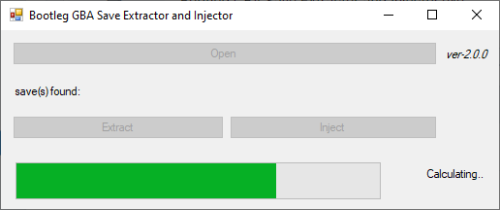
This program is an attempt at automatically extracting, and also injecting saves into bootleg Pokémon GBA ROMs, without the need to mess with hex editors.
Additionally, while it is not the main purpose of this tool, this program can also dump .sav files from .xps or .sps files.
[I can't find a working copy of XPS2SAV or SPS2SAV]
Usage
You can drag and drop the game (.gba/.bin) onto the program, or open the file with a click of the button.
The save (if available) is then dumped into the same directory as where the game is.
You can extract the save for editing, and then choose to inject back the edited save.
If you were to dump .sav files from .xps or .sps files, the program will default to and enforce Full Search.
Technical Explanation
Quick Search
This program checks every 0x1000 of the save file, starting from 0xFF8.
(if it's a save, the initial 2-words at every 0xFF8 in the save are identical to each other,
and the initial 2-words at every 0xFFE in the save are the same, that being blanks)
Image example:
Full Search
This program goes through every byte in the file, and looks for the first instance of 0x2025. Once it finds the first instance of 0x2025, it checks 0x1000 away to see if that byte is also 0x2025 - this is to determine if the position contains a save.
It then checks 0x10000 away to see if this save contains a backup.
Tests done.
Tested on a copy obtained from here, as well as on an owned bootleg cartridge.
13083 downloads
(0 reviews)Updated
-
![More information about "[PKHeX Plugin] SWSH Raid Plugin (Leanny's Plugin)"](https://projectpokemon.org/home/uploads/monthly_2023_10/Capturel2.thumb.PNG.1c2defc8e470e4e209b8be9ea831439c.PNG)
[PKHeX Plugin] SWSH Raid Plugin (Leanny's Plugin)
By theSLAYER
Leanny's plugin for SWSH has not been supported by PKHeX for a few years.
The file here is an attempt to update the plugin to work for the current PKHeX.Core.
Original Github:
https://github.com/Leanny/PKHeX_Raid_Plugin
2374 downloads
(0 reviews)Updated
-
PKHeX CLI cross platform (macOS/Linux/Windows)
By arleypadua
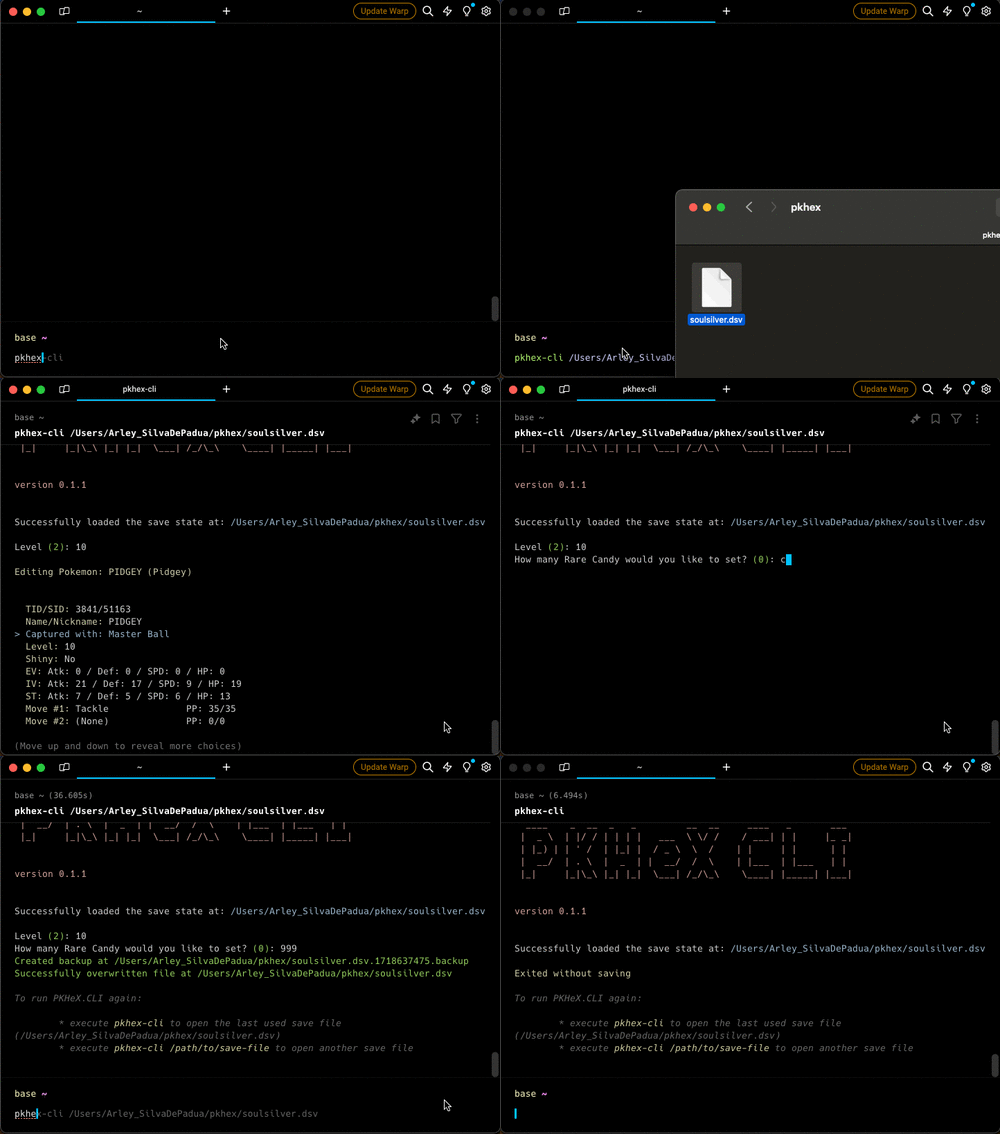
This is a cross platform Command Line Interface (CLI) tool for interacting with Pokémon save files. It provides various functionalities to manage and modify Pokémon save data.
Features
Load Save File: Load a Pokémon save file from a specified path. View Trainer Info: View information about the trainer in the save file. View/Edit Inventory: View and edit the inventory of the trainer. View/Edit Party: View and edit your party. View/Edit Pokemon Box: View and edit all pokemons in your box. Backups: When exiting the program, if changes were made, a backup will be created. Installation
Homebrew
brew tap arleypadua/homebrew-pkhex-cli brew install pkhex-cli Script
curl -sL https://raw.githubusercontent.com/arleypadua/PKHeX.CLI/main/install.sh | sudo bash Compatibility with batocera
PKHeX.CLI is compatible with batocera:
Make sure you can access batocera with SSH. (Details here). Open an ssh session: ssh root@batocera the default password is usually linux run curl -sL https://raw.githubusercontent.com/arleypadua/PKHeX.CLI/main/install.sh | bash note that because we are accessing as root there's no need to run sudo bash You should be able to use it as stated here. Manual download
Download the latest version for your system here Put the file somewhere that's visible from your PATH directory Verify the installation with
pkhex-cli --version should print out
PKHeX CLI: x.y.z Usage
pkhex-cli /path/to/savefile.bin Command Line Options
savefile: (Optional) The path to the save file. Defaults to "./data/savedata.bin". --version: Shows the version1502 downloads
(0 reviews)Updated
-
Pokemon Ranger Net Mission Distribution Tool (PRNMDTool)
By Wokann
Pokemon Ranger Net Mission Distribution Tool (PRNMDTool) made by wokann
宝可梦巡护员网络任务配信器——卧看微尘制作
This tool currently has two language interfaces (Chinese, English) (it also supports additional multi-language display, see i18n.h for details in source code)
Feature
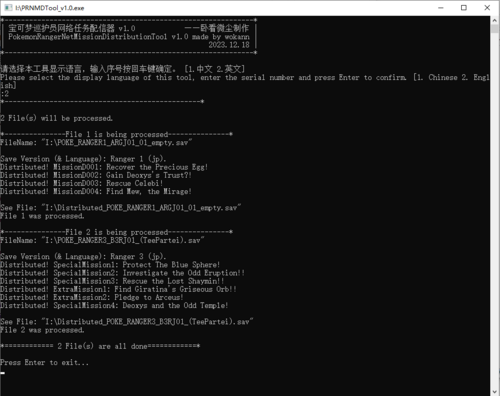
Distribute Missions for r1(jp), r2(jp&oversea), r3(jp&oversea) which already have game progress. Create Initial save files which contain Missions for r1(jp), r2(jp&oversea), r3(jp&oversea). Reset Manaphy mission from egg sent to egg not received or egg received but not sent. (Now only support Ranger1 jp&oversea) Note: r1(oversea) don't need to be distributed, cause missions are already in game and can be played or unlocked after finishing game. If you drag save files of r1(oversea) on tool, tool will show you the codes to unlock manapphy mission in difference regions.
Usage
Drag save file(s) onto this tool PRNMDTool.exe support multiple files in one time. (Corresponding to feature 1 and 3) Using command line. (Corresponding to feature 1 and 3) PRNMDTool.exe [filename1] [filename2] [filename3] ... Double-click tp open PRNMTool.exe to generate initial distribution save. (Corresponding to feature 2)
Credit
1. ranger1 save decrypt/encrypt and ram research: @ajxpk @BlackShark @DeadSkullzJr
Reference
Source code:https://github.com/Wokann/PokemonRangerNetMissionDistributionTool
800 downloads
(0 reviews)Updated
-
![More information about "[PKHeX Plugin] PKHeX Sprite Plugin"](https://projectpokemon.org/home/uploads/monthly_2023_01/dkpkhexspriteplugin.thumb.gif.6ba56257fc5b7955a740713be43a4c0f.gif)
[PKHeX Plugin] PKHeX Sprite Plugin
By DarkKrimson
Only works with PKHeX versions that were built on .NET 4. The lastest version has moved to .NET 7.
This plugin replaces all Pokemon sprites in PKHeX to larger and more vibrant sprites. They are based on the Pokemon HOME sprites and are a bit more stylized.
Currently, this contains all previous generation HOME sprites up to PLA with Gen 9 sprites being the current in-game sprites.
To use the plugin:
Create a folder named "plugins" in the same folder as PKHeX. Place the .dll inside the plugins folder. Start PKHeX.exe3962 downloads
(0 reviews)Updated
-
![More information about "[PKHex Plugin] Dynamax Adventure Reset"](https://projectpokemon.org/home/uploads/monthly_2020_12/1405769236_MaxRaidForm.thumb.PNG.99422545a854a445230ebaa5453c9048.PNG)
[PKHex Plugin] Dynamax Adventure Reset
By Darkfiggy
Reset the caught flag of your Dynamax Adventures +
Current Implemented Features version 1.1
Reset the caught flag for Dynamax Adventures.
*NEW * Change the noted pokemon @ the scientist and modify Peonia's hint.
Regi Reset (Reset which new Regi you decided to catch)
Swords of Justice Caught reset
To be safe please always keep a clean backup of your save just in case!
* We want to make sure to say a big thanks to the PKHeX crew for all their hard work on the main PKHeX application thus making this plugin possible.
Don't forget to unblock the plugin before use.
Example of how to unblock:
6696 downloads
(0 reviews)Updated
-
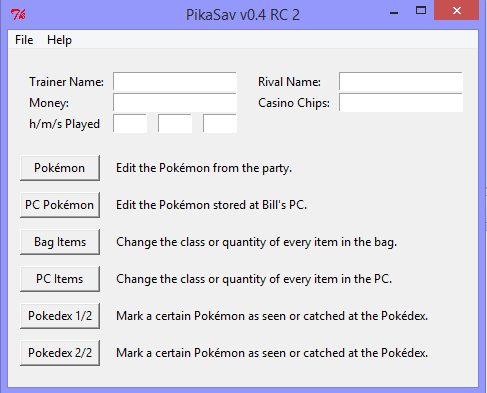
Pikasav
By theSLAYER
Original Developr:
Ritchie (not a user on our site?)
Description:
[If you] enjoy throwbacks to Pokesav and Generation I and II, then this is the program for you!
Box editing, Party Editing, basics.
32108 downloads
(0 reviews)Updated
-
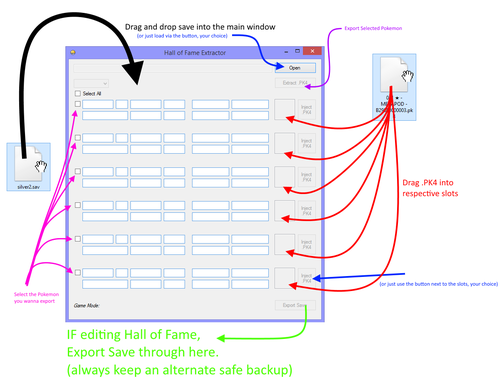
Hall of Fame Extractor
Note: this project is not being maintained. The author does not intend to add features to this.
The author isn't taking PMs regarding this. Author would prefer their identity to stay private.
Original description:
23751 downloads
(0 reviews)Updated
-
.thumb.png.f7faf91cad58f2505e235e6c8c77f955.png)
Generation 5 Save Tool
Original Developer: @suloku
Note: Downloads section mirror, will be replaced if the original developer uploads to the downloads page.
Description: Multipurpose save game editor. Can edit the Entralink, Medals, Memory Link, Join Avenue, and Hidden Grotto.
Original Thread
9862 downloads
(0 reviews)Updated
-
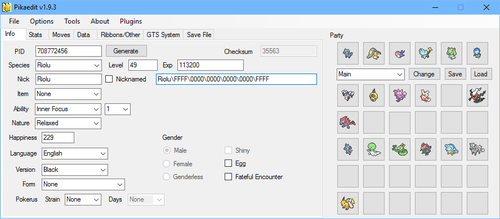
PikaEdit
By evandixon
Original Author: RubenPikachu
Source retrieved from https://pikaedit.wordpress.com/
6396 downloads
(0 reviews)Updated
-
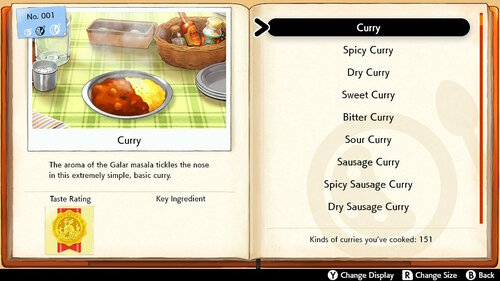
SWSH Complete Curry Dex Block
By tomx86
Hi, guys if some one want's to have a complete curry dex in couple of minutes, here is how.
Open your save in PKHeX, go to SAV/Block Data, choose "*Object KCurryDex", and import the correct .bin file to your game:
"151 Charizard Class Curry Dex - Sword Cinderace and Dottler 12.13.2019 Hammerlocke Hills.bin"
"151 Charizard Class Curry Dex - Shield Inteleon and Dottler 11.18.2019 East Lake Axewell.bin"
You also need to edit the "campin" and "cooking" under Trainer Info of PKHeX, to make it legit, for my Data Blocks it should be:
Sword - 2 times "campin" and 302 times "cooking". (cooked with 2 Pokemon all 151 curries twice).
Shield - 2 times "campin", and 302 times "cooking". (cooked with 2 Pokemon all 151 curries twice).
And also for your LEAGUE CARD "Curry Dex" entry, edit the "recipe" value to 151, and update it in a pokemon center.
Save, and restore the save file back to your game.
If you want to personalize your curry dex then, open the .bin file in a HEX editor and use this as a guide:
In my opinion just edit:
1st Pokemon you Cooked with.
2nd Pokemon you Cooked with (But leaving Dottler is fine because you need to cook with a small
pokemon to unlock the Small size).
1st and 2nd Place and Date of Cooking (Best solution to make them the same place and date for all 151 curries).
In order to get your pokemon, place and date of cooking, just cook one curry with the chosen pokemon in your chosen place, or
choose from existing one in your original "*Object KCurryDex", and replace all entries in my file (Use the "Replace" function in your
HEX editor, to make it faster).
And that's it enjoy.
PS. For those who want to change the date here is an example:
The date code is "77 13 0C 0D" (12/13/2019) in the "1st and 2nd Place and Date of Cooking" strings:
HEX 77 = 119 (the game reads it like the 20 from 2019, for some reason, maybe it's like 1+19=20).
HEX 13 = 19 (from 2019).
HEX 0C = 12 (month).
HEX 0D = 13 (day).
1685 downloads
(0 reviews)Updated
-
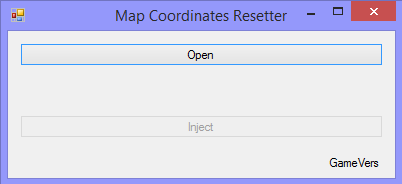
Maps Coordinates Resetter
By theSLAYER
Maybe you've did some glitch and got stuck in a map? Maybe you've edited the map coordinates and somehow it went wrong?
This tool aims to fix it. This tool will warp you to a somewhat starting area.
Note: Only for DP, Pt, XY, ORAS, SM, USUM
Note 2: Kinda works for DP and Pt. Gen 4 recognition depends on a) having either Male or Female gender b) the journey was started with one of the proper starters.
Instructions:
0. Keep a safe backup of your save. This program will not create a backup.
1. Launch the program
2. Open/drag&drop the save onto the open window
3. Press the Inject button
4. Close the program
5. Now open PKHeX, drag your save into it
6. Save the progress in PKHeX (should fix the checksums)
7. Now restore the save back into your game, and launch the game :3
8. When the game loads properly, but you're in black screen, enter the Bag/Pokédex/Party to reload the map of the overworld. To fix NPCs, enter and exit a building.
1070 downloads
(0 reviews)Updated
-
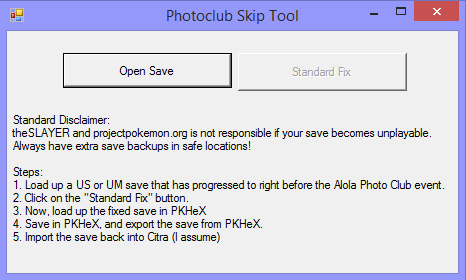
Alola Photo Club Skip Tool
So, "need help with skipping Alola Photo Club" has been an issue that plagued users (primarily those that play on Citra)
With that, this tool was born.
Standard Disclaimer:
projectpokemon.org is not responsible if your save becomes unplayable.
Always have extra save backups in safe locations!
How it works:
It basically imports the event flags for a save, right after the Photo Club event was done.
It still requires PKHeX to fix the checksums of the save.
How to use it:
Follow the instructions on the tool, or:
Steps:
1. Load up a US or UM save that has progressed to right before the Alola Photo Club event.
2. Click on the "Standard Fix" button.
3. Now, load up the fixed save in PKHeX
4. Save in PKHeX, and export the save from PKHeX.
5. Import the save back into Citra (I assume)
1094 downloads
(0 reviews)Updated
-
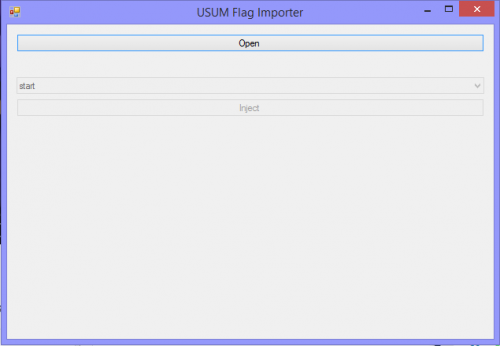
USUM Flag Importer
By theSLAYER
Brief Description
This tool imports flags into your USUM save.
Instructions
1. Load the program
2. Load up your decrypted non-corrupted USUM save
(decrypted non-corrupted USUM save basically means a USUM save that loads in PKHeX)
3. Select an option within the drop down box
(note, these set of event flags were obtained from a save that backed up the point in time explained in the text of the drop down box)
4. Click Inject
5. Open the save in PKHeX, then save in PKHeX, to fix the checksum.
Author's notes
Unless there's any major game-breaking bug (excluding users not fixing the checksums properly), I have no intention of fixing/updating this.
While the text in the drop down box contains a lot of misspellings, this should be something users can figure out..
Also, if you can't load the save after the edit, and you're sure you fixed the checksum, check out this tutorial:
https://projectpokemon.org/tutorials/save-editing/managing-3ds-saves/troubleshooting-corrupt-saves-r92/
1164 downloads
(0 reviews)Updated
-
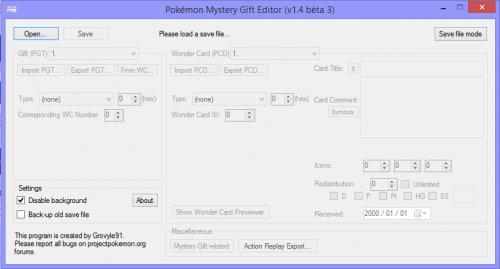
Mystery Gift Editor (Gen 4 & 5)
By theSLAYER
@Grovyle91's original program.
Can be used with saves, or strictly with Gen 4 and 5 wonder cards (PCD and PGF respectively)
Known Bugs:
Original Thread:
14758 downloads
(0 reviews)Updated
-
PKHeX for Mac
By jasenyoface
PKHeX for Mac
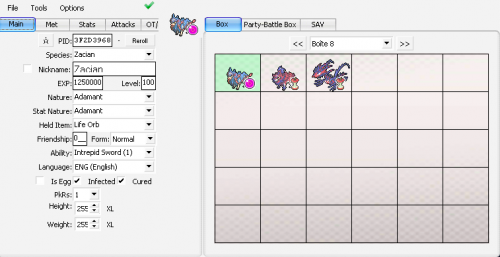
PKHeX is a save editor for core-series Pokémon games. With it, users can manipulate various save files including: .sav, .dsv, .dat, .gci, .raw, and .bin types. PKHeX can also read and write: .pk files, which are individual Pokémon files, and .pgt, .pcd, .pgf, .wc, which are Mystery Gift files.
PKHeX for Mac is a Mac OS App that was made using Wineskin. Thus, it is not a port of PKHeX. Using Wineskin, we can recreate an environment where executable files will run on Mac OS. All features from the original program should work in this app.
Visit the discussion thread for assistance, please.
Credit to Kaphotics
Source: https://projectpokemon.org/home/files/file/1-pkhex/
Issues with Wine and PKHeX? This app not working for you? Check out the PKHeX on Mac guide:
166635 downloads
(0 reviews)Updated
-
(0 reviews)
Submitted
-
XYORAS Friend Safari and Mirage Island Tool!
By theSLAYER
Original Creator
@suloku
XY friend safari usage
To be added
ORAS Mirage Island usage
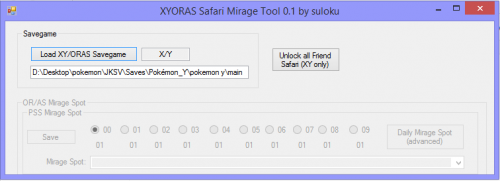
This tool works by adding the wanted Mirage Spots to the PSS Passerby data.
Unlike standard daily mirage spots, players will not be able to access the hidden items.
However with this tool, players will be able to reach Crescent Isle much easily, to encounter Cresselia.
In order for this tool to work:
1. Make a fresh save for the day (Save in-game for that day, before you continue)
2. Use PKHeX to set the Player's Trainer ID to 00000,
3. Use this tool to set the ID of the islet you wanted.
4. Must remain as TID 00000 when soaring in the sky.
5. Land on the intend islet.
6. Save the game
7. You may now switch back to your previous TID
Original Research Thread
Research done covered Teleportation coordinates to the islands, and StreetPass Passerby Data for Mirage spots:
3601 downloads
(0 reviews)Updated
-
Mystery Gift Tool (Gen 3)
Original Developer: @suloku
Note: Downloads section mirror, will be replaced if the original developer uploads to the downloads page.
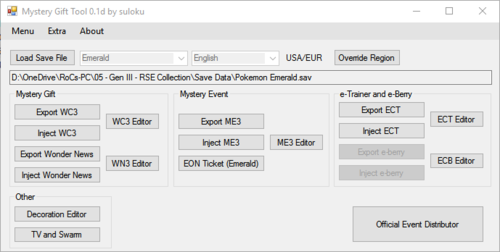
Description: Nintendo Events, Wondercards, e-Trainer cards and e-Berry editor.
Original Thread
56878 downloads
(0 reviews)Updated
-
Feebas Fishing Spot Finder
Original Developer: @suloku
Note: Downloads section mirror, will be replaced if the original developer uploads to the downloads page.
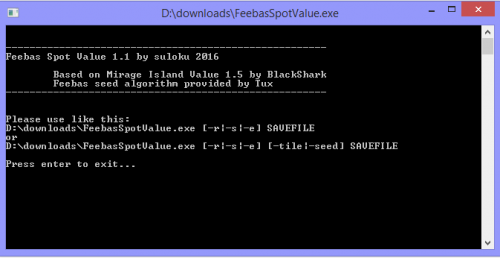
Description: This tool allows to see the Feebas fishing spot seed in a Pokemon Ruby/Sapphire or Emerald savegame.
Original Thread
8876 downloads
(0 reviews)Updated
-
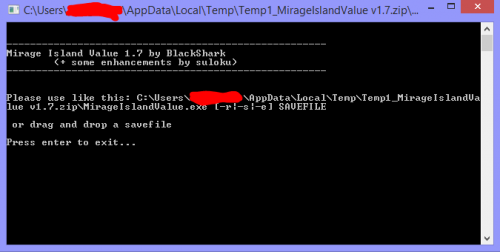
Mirage Island Finder (RSE)
Original Developer: @BlackShark
Note: Downloads section mirror, will be replaced if the original developer uploads to the downloads page.
Description: For finding Mirage Island in RSE.
Original Thread
1703 downloads
(0 reviews)Updated
-
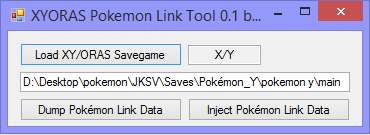
Pokemon Link Tool
Original Developer: @suloku
Note: Downloads section mirror, will be replaced if the original developer uploads to the downloads page.
Description: Allows dumping and injecting of Pokemon Link data for XYORAS.
Original Thread
1334 downloads
(0 reviews)Updated
-
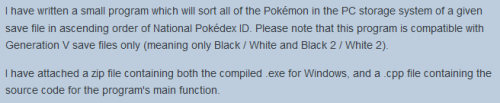
PKMDS G5 PC Storage Sorter
Original Developer: @codemonkey85
Note: Downloads section mirror, will be replaced if the original developer uploads to the downloads page.
Description: As an example of what the aforementioned code library can do, this tool sorts your entire Gen 5 PC in National Dex order.
Original Thread
791 downloads
(0 reviews)Updated
-
Save Converter for Gen II VC Games
By MichiS97
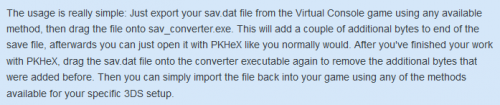
Many people are playing custom Virtual Console versions of Pokemon Gold, Silver and Crystal. The saves of these games cannot be easily edited with PKHeX though, since PKHeX expects a different file size for Gen II saves. Direct support for these kind of files will surely be added by Kaphotics someday but in the meantime, you can use this converter right here to easily modify the size of your save file so that it can be used with PKHeX. It also works the other way around of course so that you can actually use your edited save files in your Virtual Console games.
The usage is really simple: Just export your sav.dat file from the Virtual Console game using any available method, then drag the file onto sav_converter.exe. This will add a couple of additional bytes to end of the save file, afterwards you can just open it with PKHeX like you normally would. After you've finished your work with PKHeX, drag the sav.dat file onto the converter executable again to remove the additional bytes that were added before. Then you can simply import the file back into your game using any of the methods available for your specific 3DS setup.
Due to the nature of the tool, I can't provide any screenshots, since there's just nothing to show, the program does not have a GUI.
If you have any questions, just send me a PM
12230 downloads
(0 reviews)Updated