All Activity
- Today
-
Behind the scenes we are starting to prepare for a major upgrade of the forum software. More details will be shared when they're available, but one change of note relates to how you sign into your account. Currently, everyone signs in with their username and password. However, the next version requires everyone to sign in with their email and password. To limit the number of changes happening at once, we will switch to email + password sign in on September 1st. If you do not remember your email address, please make note of it in your Account Settings page. If you have any questions, please feel free to reply to this post, send me a DM, or use the Contact Us form at the bottom of the page. I would like to thank those who help us out with server costs on Patreon. However, for several months this income has not met our server costs, so unfortunately we have to bring back ads to help pay for hosting. The specifics will be fine tuned over the next few days/weeks, but anyone who's an active patron will be exempt no matter what. If you are a patron and see ads while signed in, please send me a DM either on this site, on Patreon, or with the Contact Us form at the bottom of the page. View full article
-
- 1
-

-
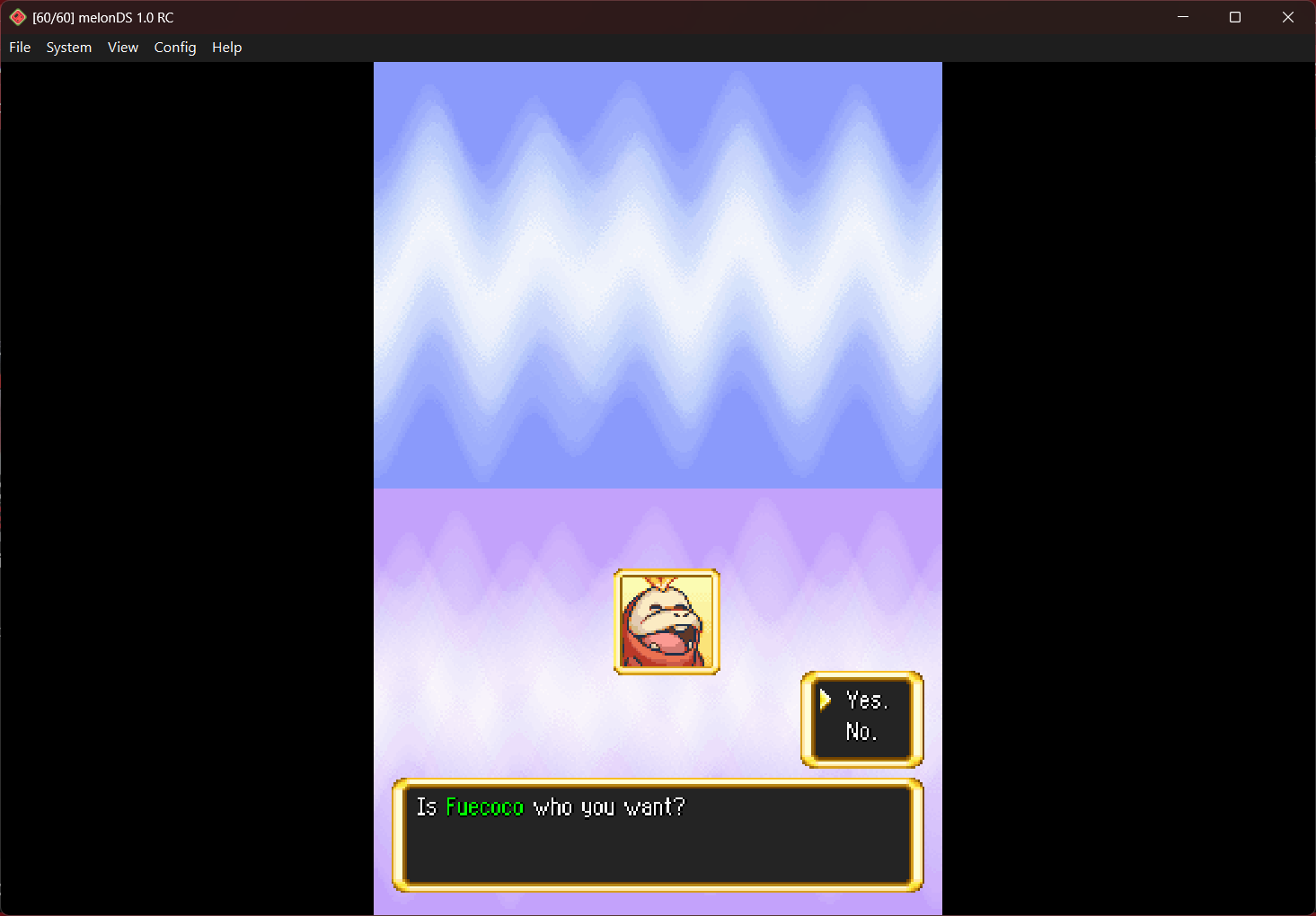
.thumb.png.ea33e5c9ba734eca4b340acd985292e0.png) Yes my boi Fuecoco is in here
Yes my boi Fuecoco is in here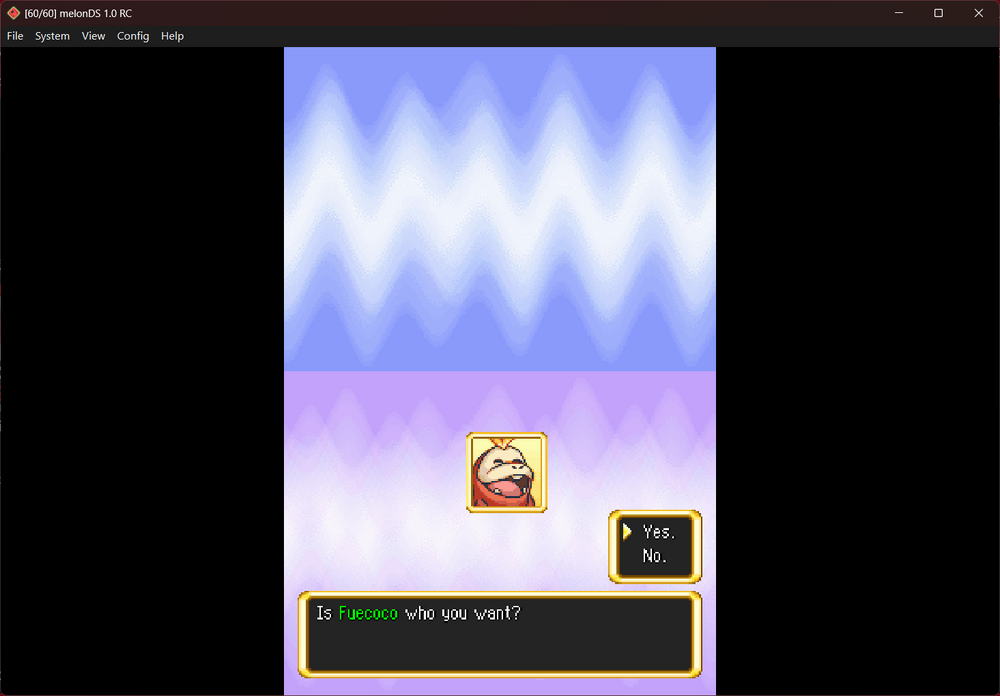
-
Red the Hedgehog268 changed their profile photo
-
 vnemisedu changed their profile photo
 -
figured it out now
- Yesterday
-
I have given myself the mega stones for magearna and zeraora but they are not appearing my mega dex. Like I can see the entries for them and they arent greyed out as I own the pokemon but when I hover over them theres just a "?" and I cant view the actual entry. I have tried editing the pokedex in Pkhex for them but its still the same, any help would be appreciated. Thanks
-
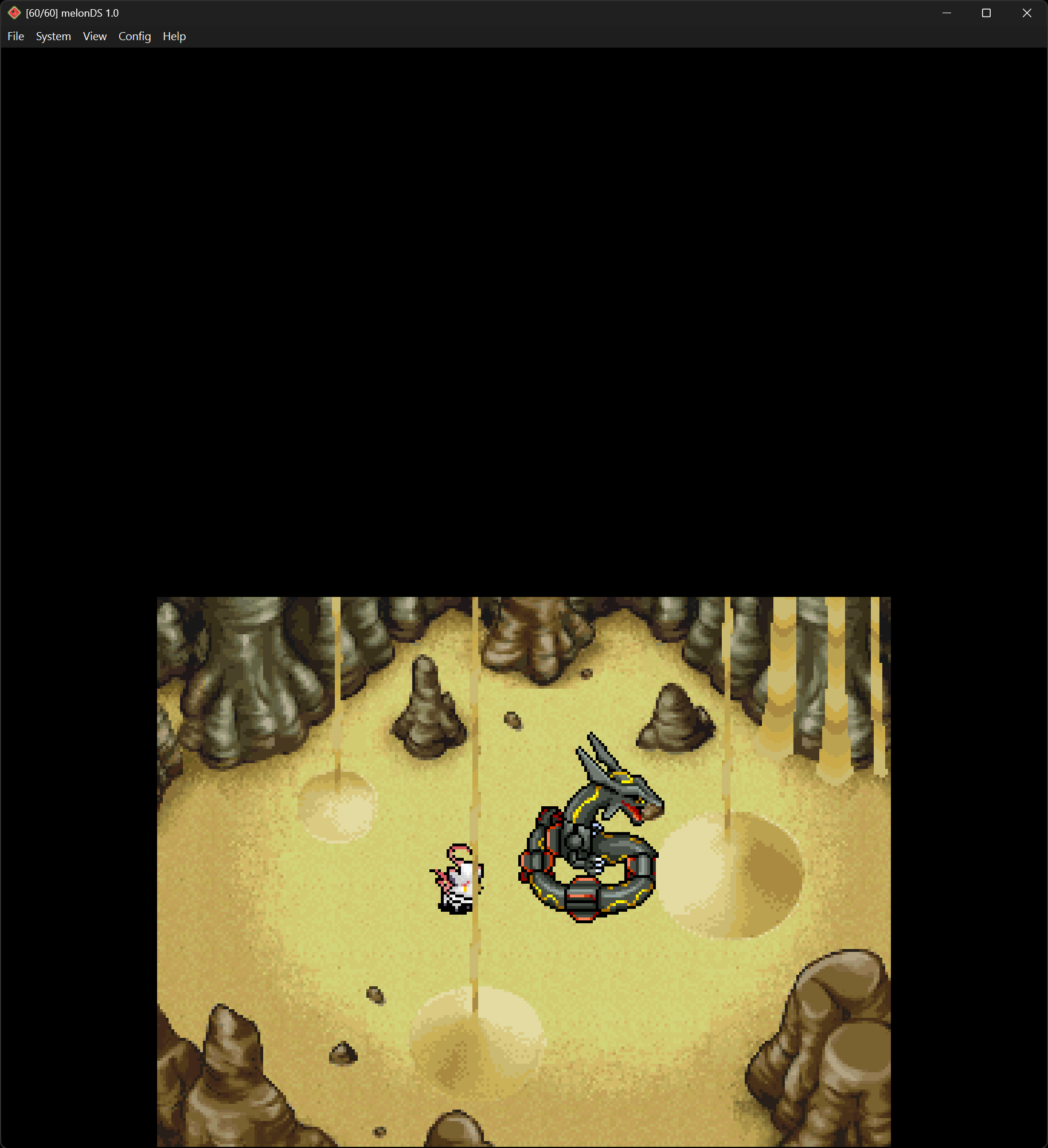
 Hello! Loving this so far. I seem to be stuck during the cutscene when entering Quicksand Desert for the first time. It's odd because the characters freeze up but the falling sand in the background keeps flowing. I've tried playing around with the settings like disabling daily cutscenes, etc. but nothing seems to resolve the issue and I can't advance beyond this point. Could it be because of my starting team? My MC is Shiny Rayquaza and partner is H-Zorua. Is there a way to get around this or do I need to start over with a new team? Here is a screenshot of where the game freezes: (I am playing on PC) UPDATE: Ended up testing separately with vanilla starters (Shinx and Riolu) and was able to progress past that point without any issues, so it does seem like it has something to do with Shiny Rayquaza/H-Zorua maybe?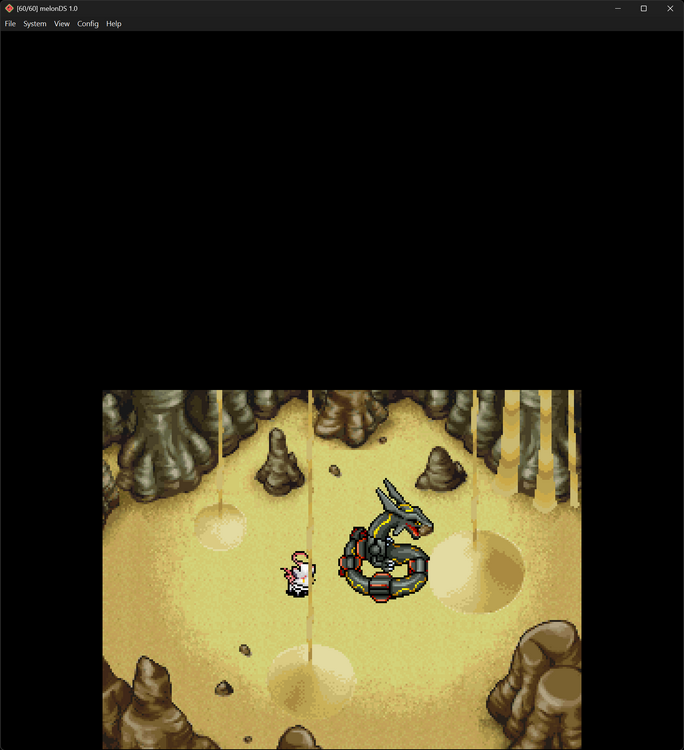
- Last week
-
yeah ok i understand, i will just find another wurmple, just in case, but im 90% sure that the 2 cheats i use don't mess with the pokemon generation address on ram memory
-

 I have been waiting for this for so long after hearing this was in the works you guys are amazing!
 -
 Hey question, Is there a easier way to get a Frozen rock than just praying to RNG that you get the item you need? I'd like to be able to evolve my starter but I need one for it.
 -
Reports with cheats active may be unreliable since cheats may modify things you do not know about. You should only be reporting errors from an unmodified game. There is no record of an alpha Wurmple being obtainable at the level you provided.
-
thank you!
-
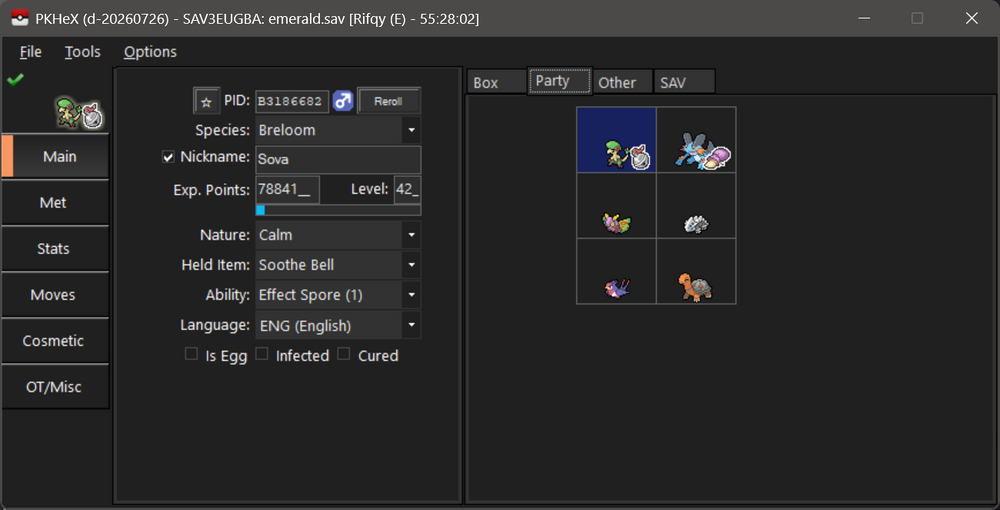
projectpokemon/RecoverSaveGen3: Try and recover a Gen3 save file via console app! works just fine.
-
I cant remember what i was doing when the save stopped working on the game but now it boots up to the "Save has been erased due to corruption" message. Tried a method in the forum but to no avail . Would be grateful for any help :) emerald.sav
-
humm i only use 2 cheats, 100% catch and items not reduced if i have L stick pressed only. No cheats related to pokemons
-
Version 0.4.1
44 downloads
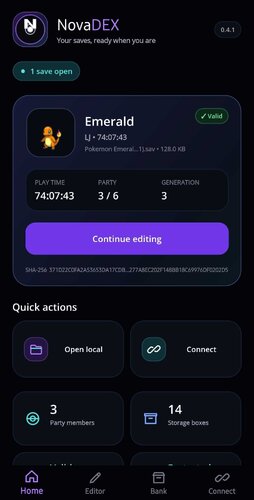
NovaDEX is an independent, unofficial Android-first Pokémon save editor built with .NET MAUI and PKHeX.Core 26.7.7. This is not an official Android release of PKHeX and is not a renamed copy of PKHeX.Mobile. NovaDEX has its own touch-first Android interface and workflow while using PKHeX.Core for save-format handling, legality analysis, and Pokémon data operations. Features - Open saves through the Android system file picker - Create a private working copy and dated original backup before editing - Browse the party and Box 1 with bundled offline Pokémon sprites - Edit species, nickname, level, gender, nature, ability, held item, friendship, shiny state, moves, IVs, and EVs - Create Pokémon in empty box slots from compatible encounters - Apply encounter-aware PID/IV correction with legality checks - Edit trainer name, displayed IDs, gender, money, and play time - Search and edit Potions, Poké Balls, TMs/HMs, Berries, and supported inventory items - Protect Key Items from ordinary editing - Store Pokémon copies in the private on-device NovaBank, export them, delete them, and restore them to the first empty Box 1 slot - Save a new verified local copy without overwriting the selected Android file - Browse and download saves over FTP - Browse Anbernic-style HTTP directory listings and download saves - Upload a verified backup copy or explicitly replace a remote save when the server supports the required operation Compatibility NovaDEX requires Android 7.0 or newer and a 64-bit ARM or x86_64 device. It accepts decrypted or unencrypted save files recognized by PKHeX.Core. Common names and extensions include main, .sav, .dsv, .dat, .gci, and .bin. Console saves must first be exported with an appropriate save manager. Neither PKHeX nor NovaDEX can open saves that are still encrypted with console-specific keys. The developer has tested personal workflows involving GB/GBC/GBA/DS saves from an Anbernic handheld, Nintendo 3DS saves, and Nintendo Switch saves. This is an early preview rather than a guarantee that every editor field behaves identically in every game. Installation 1. Download NovaDEX.apk. 2. Compare its SHA-256 with the value below. 3. Allow your browser or file manager to install unknown apps when Android asks. 4. Let Google Play Protect scan the APK if prompted. 5. Install and open NovaDEX. 6. Keep an untouched external backup, then choose Open local save. Important safety information Always keep a known-good backup outside NovaDEX before editing. Close the game or emulator before replacing a save. Version 0.4.1 is an early preview. It does not yet include the later Backup & Recovery Center or a persistent interruption-recovery journal. An interrupted FTP or HTTP overwrite can leave a remote save incomplete. Uploading a separately named backup copy is safer than replacing the original. Plain FTP and HTTP are unencrypted and should be used only on a trusted home network. HTTP replacement depends on the server's upload behavior and cannot guarantee that the server created its own backup. NovaBank is private application storage and is not Nintendo's Pokémon Bank service. Export important Bank entries before uninstalling NovaDEX because uninstalling removes app-private data. Do not use modified Pokémon to deceive other players or gain an unfair advantage online. Known limitations - This early preview uses a temporary Android development signing certificate. Moving to a permanent signing key will require preview users to export their data, uninstall this build, and install the newly signed build. - NovaBank restores to the first available slot in Box 1. - Key Items are read-only by default to reduce progression and softlock risks. - FTP/HTTP upload and replacement support depends on the homebrew server. - Network replacement is not power-loss-safe in v0.4.0. - Version 0.4.0 does not include the later Backup & Recovery Center work. - 32-bit-only Android devices are not supported by this APK. Credits and licensing NovaDEX Android application and interface: VENM0U5 PKHeX.Core, legality analysis, save-format support, and Pokémon sprite resources: Kaphotics and PKHeX contributors FTP support: FluentFTP by Robin Rodricks and contributors NovaDEX is licensed under GPL-3.0-or-later. Complete corresponding source for this exact v0.4.1 build is attached as NovaDEX-v0.4.1-complete-source.zip. PKHeX.Core 26.7.7 source: https://github.com/kwsch/PKHeX/tree/26.07.07 PKHeX license: https://github.com/kwsch/PKHeX/blob/26.07.07/LICENSE NovaDEX is not affiliated with or endorsed by Project Pokémon, Nintendo, Game Freak, Creatures, The Pokémon Company, PKHeX, or its contributors. SHA-256 `DCD2678FA82BBAC2499FA590E0B3FF40927546B9FDD5934B3E149884CFC944F5` Changelog field v0.4.1 - Initial public early preview - Introduced the redesigned mobile interface - Added verified local Save As support - Added FTP and Anbernic-style HTTP directory browsing - Added verified network backup-copy uploads and explicit replacement controls - Preserved extensionless filenames such as `main` - Improved Switch save export handling - Included Pokémon, trainer, item, PID/IV, creation, legality, and NovaBank tools -
Level 6 is way too low for an alpha Wurmple. That's in the non-alpha range. Do you have some sort of cheat active? For reference: https://www.serebii.net/pokearth/hisui/horseshoeplains.shtml https://bulbapedia.bulbagarden.net/wiki/Horseshoe_Plains
-
 VENM0U5 changed their profile photo
 -
Fixed on latest commit. Thanks for reporting gen4 hgss ball: handle traded eggs · kwsch/PKHeX@b483ad4
-
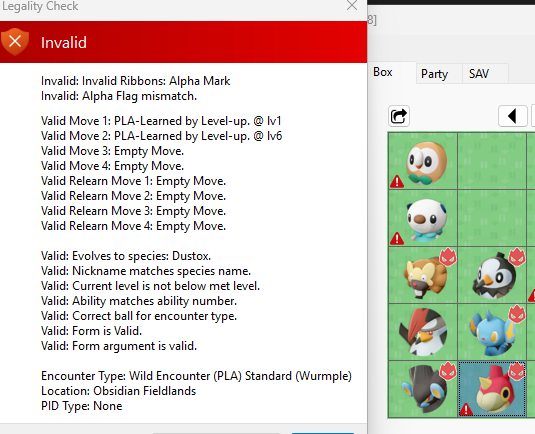
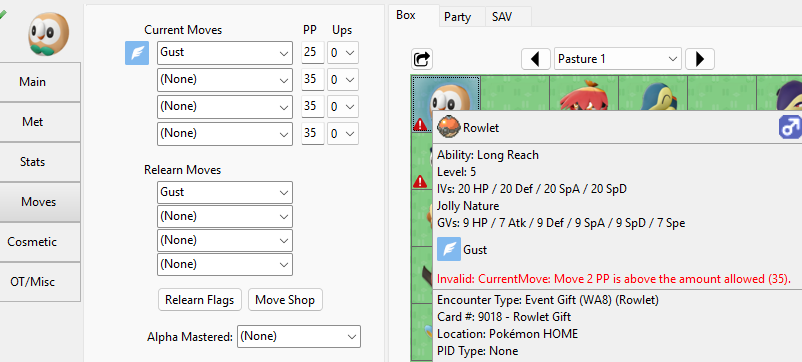
I get this wurmple has a invalid, but i caught it in the wild, and it is 100% legit also the gifts from home gets has invalid by the PP, and i won't resave, because it may mark the pokemon has edited 0265 - Wurmple - D8AE98A721AE.pa8
-
 The contents of your attached file are of something completely unrelated to what is expected in a save file for Pokemon Platinum. In other words, it's not a valid dump.
- 1 reply
-
- 1
-

-
 Thzzzz
 -
 Yes... I do recall getting that "where's the target Pokémon?" message. It happened to me twice, both times with outlaw missions in different dungeons. That pic is the second time. I guess it's just a glitch then. Thanks for answering.
 -
 Hi everyone, I'm hoping someone can help me determine whether my Pokémon Platinum save is still recoverable. A few days ago, the microSD from my R4 suddenly became corrupted. Windows detected it as RAW and asked me to format it. Before doing anything else, I used DMDE to recover my files. During recovery, I found two Pokémon Platinum save files: Both are exactly 524,288 bytes (512 KB). One has a timestamp of 2026-07-19 10:00 AM. The other has a timestamp of 2026-07-19 3:00 PM (this should have been my latest save). I successfully restored the R4 kernel, my ROMs, and my cheat database (usrcheat.dat). The R4 now works normally. I also tested with a clean Spanish Pokémon Platinum ROM. The ROM boots correctly, but: If I rename the save so it exactly matches the ROM filename, the game detects that a save file exists (it doesn't create a new .sav anymore). However, it always starts a New Game instead of loading my progress. PKHeX also refuses to open the save and displays: "Attempted to load an unsupported file type/size. This could mean PKHeX doesn't support your save file or your save file is corrupt." The save file is attached to this post. Is there any way to determine whether the save still contains valid Pokémon Platinum data? Is it possible that only the save header or checksums are damaged? Can anything be repaired or reconstructed? Any help would be greatly appreciated. This save contains many hours of gameplay, and I'd like to know if there is any chance of recovering it. Thank you very much! 3787 - Pokemon - Edicion Platino (Spain).sav
 -
 Hello all! I've been starting a ROM hack and am learning a lot about programming (I guess) through the process. I've been working a lot with the moves lately. I learned enough about modifying the data of the game to make a custom move using the "move effect" hex of another move into my custom one. Besides the point. The real problem I'm having is that I cannot seem to find an accurate NARC path to the move tutors move selection in the game. I'd like to switch out one of the moves offered for a different move. However, I am lost once I get there. I just know I'm not in the right parts because the hex values do not reflect the current selection of moves offered by a tutor anywhere I look. I tried my best with this post but of course, the one reply that seemed to have been helpful only had a dead link If anyone could help me out, it'd be super appreciated. I'm having so much fun doing this. EDIT: I've figured it out and am including the way to do it for future people to see. Well, actually I talked to the developer of the ROM hack GUI. Shout out to Frost! The proper bin to edit is overlay bin 36. I'm using Frost's Ultimate Gen V ROM editor. Navigate through its "File Explorer" and follow the path in Overlays and fine ov_036. Decompress it, then export it. open it up in a Hex editor (I tested it without decompressing and it doesn't work). Go to Hexademical address 51544. In it, you should start on a string that reads AD 00, the full byte being AD 00 00 00. Note the first highlight. if you put AD 00 in a programming calculator, you'll get the value for 173. That is the move ID, the move ID for Snore. If you wanted to change it to Air Slash, you'd put its move ID (ID: 403) into a calculator HEX 193 or in a hexstring: 93 01. The next highlighted box "02" is how many shards it costs. In this case two shards. The last highlighted box "01" is the place in which the selectable move is offered in its listing. Snore is the second in the list for the Humilau move tutor, so since the indexes start from "00," that's why its listing is "01" despite it being second. Bind would have index listing "00." For some reason, all of the Shard move tutor moves are bunched together. like, the pool of them across all four cities. Additionally, I haven't yet got an idea on how to change the move bio in the move tutor selection. So it has the new move, but there's no description. I imagine it's somewhere in the script editor but I wanted to post this as soon as I learned how to do it so it was fresh in my mind.
 -

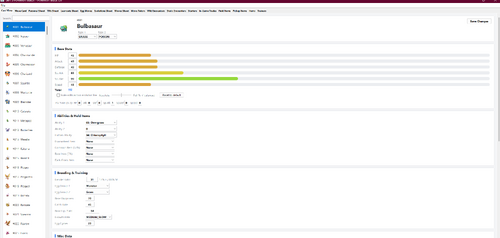 It is absolutely wonderful.
 -
Version 1.0.2
334 downloads
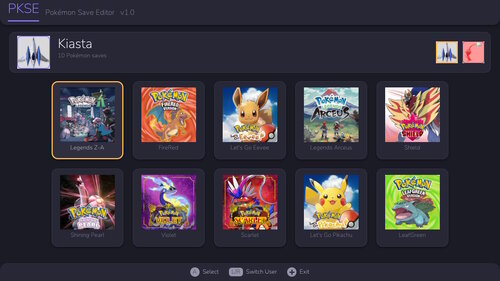
PKSE is an open-source Pokémon save editor that runs directly on a hacked Nintendo Switch console. It reads, edits, and writes save files in place on the console, so no PC, save transfer, or external tooling is required. SUPPORTED GAMES Gen 3: FireRed / LeafGreen Gen 7: Let's Go, Pikachu! / Eevee! Gen 8: Sword / Shield, Brilliant Diamond / Shining Pearl, Legends: Arceus Gen 9: Scarlet / Violet, Legends: Z-A Per-game save version and DLC detection is handled automatically. CROSS-GAME BANK PKSE includes a native storage bank shared by every supported game. A Pokémon deposited from one game is converted into the destination game's format on withdrawal, preserving origin data: OT, trainer IDs, met location and level, IVs, nature, and PID. EDITING Party and box Pokémon: species, level, stats, IVs/EVs (AVs in Let's Go), nature, ability, moves, held item, ball, OT/met/origin data, shininess, gender, and ribbons. Trainer info and item pouches are editable with per-game item and count limits enforced. A Pokémon creator builds an entity from scratch in any supported game's format, with legal values highlighted. LEGALITY A legality checker flags illegal values as you edit. It is informational only — it never blocks an edit or silently alters your data. Encounter matching is not yet implemented, so the checker should not be treated as a substitute for PKHeX's legality analysis. SAVE HANDLING Backup and restore are performed on-console with retained backup history. Users are strongly encouraged to take a backup with Checkpoint or an equivalent tool before first use. INTERFACE HOME-style UI built with NanoVG, 256px HD sprites, full touch controls, and scrollable storage and lists. REQUIREMENTS A Nintendo Switch running custom firmware with access to the Homebrew Menu. Place PKSE.nro in sd:/switch/. Tested on firmware 22.5.0. PKSE operates only on save data already present on your own console. CREDITS Built using PKHeX as a reference throughout — much of the format and structure knowledge behind this tool comes from that project and the documentation work of this community. Licensed under AGPL-3.0 license. Source and releases: https://github.com/kiasta/PKSE PKSE_1.0.2.7z -
 It's an error of the game, although the one-room "version" I've only seen recently on the hack. Sometimes the game fails to properly load the target Pokémon of a mission (both one that needs rescue or an outlaw), so the Pokémon just... isn't there, and you get a message when entering the mission floor saying "... but where's the target Pokémon?". It seems like this can be accompanied with what you experienced, the game also fails to properly load a randomly generated floor on top, and as such defaults to a one-room floor.