
VENM0U5
-
Posts
3 -
Joined
-
Last visited
-
 Gracias por informarme sobre este problema. Actualmente estoy trabajando en ello e investigando qué causa el error al guardar o exportar. Actualizaré la aplicación en cuanto tenga una solución disponible. ¡Gracias de nuevo por el aviso!
 -
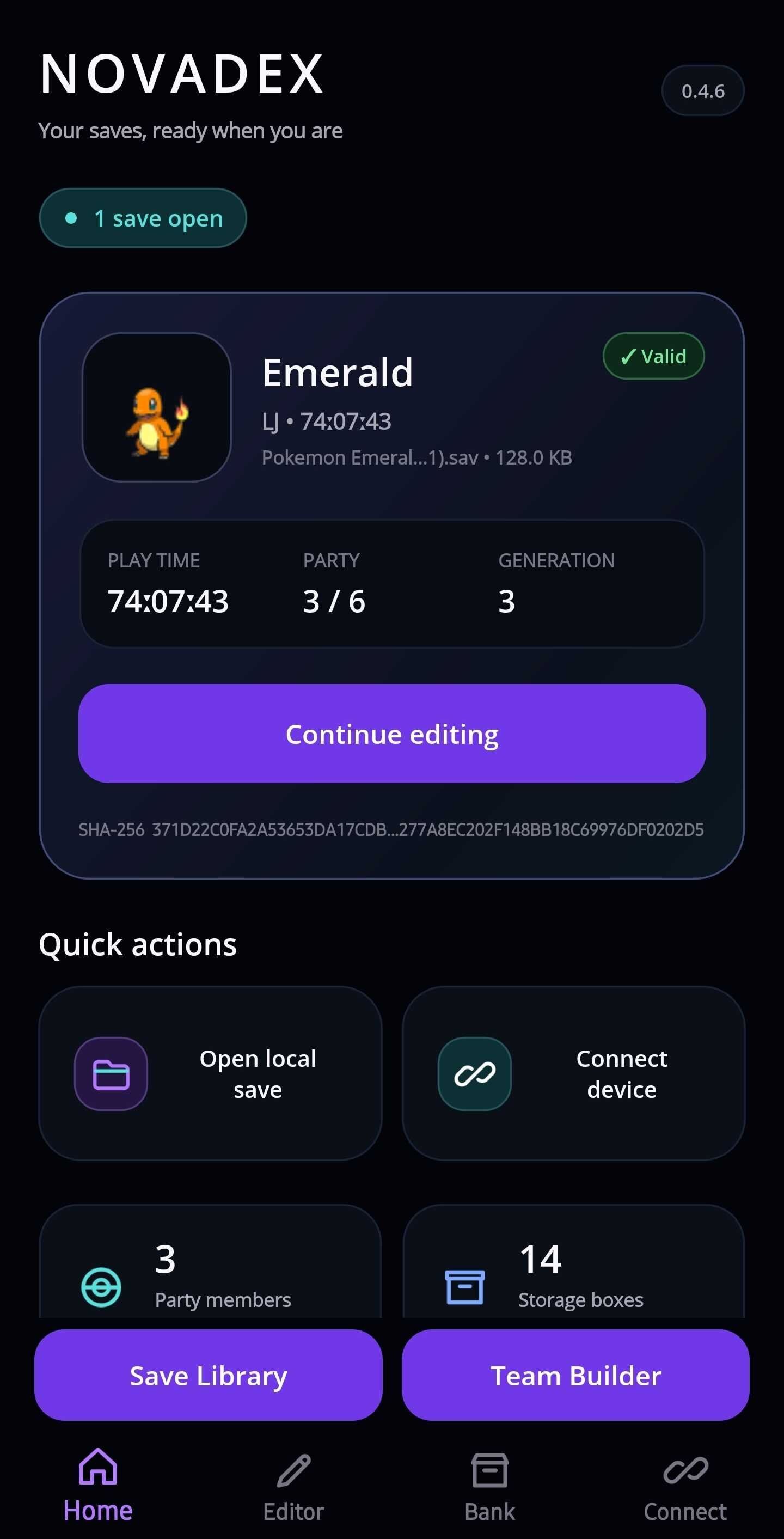
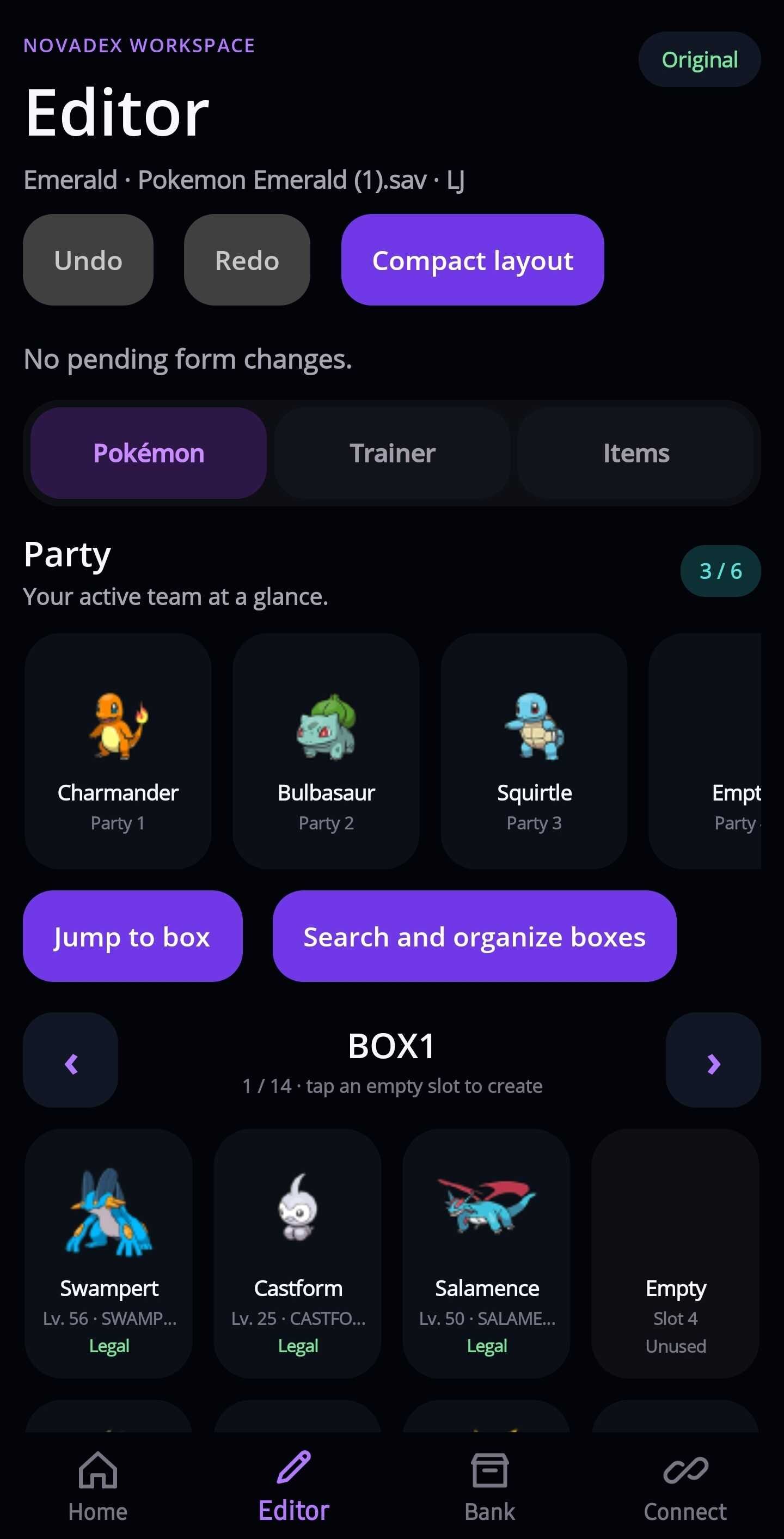
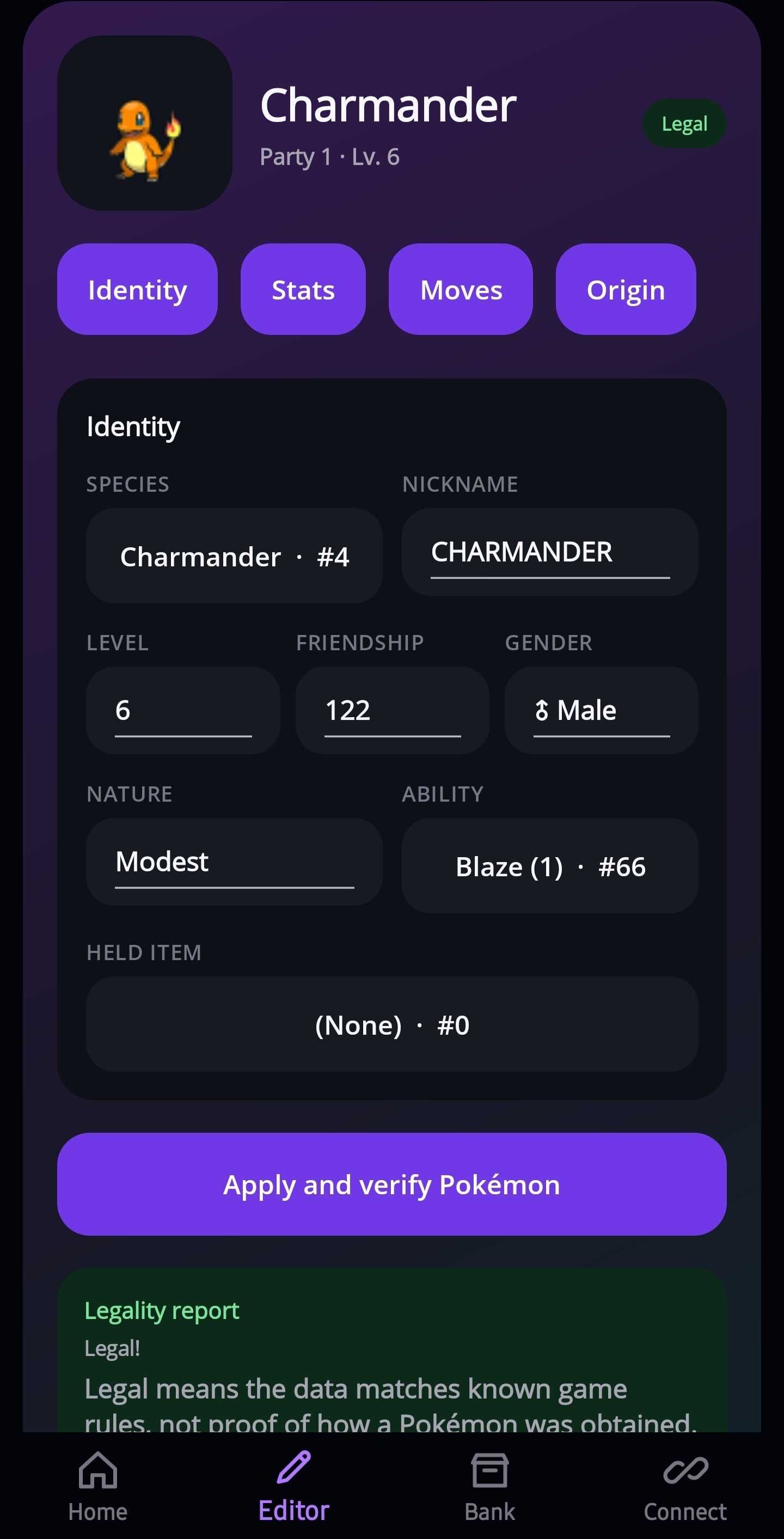
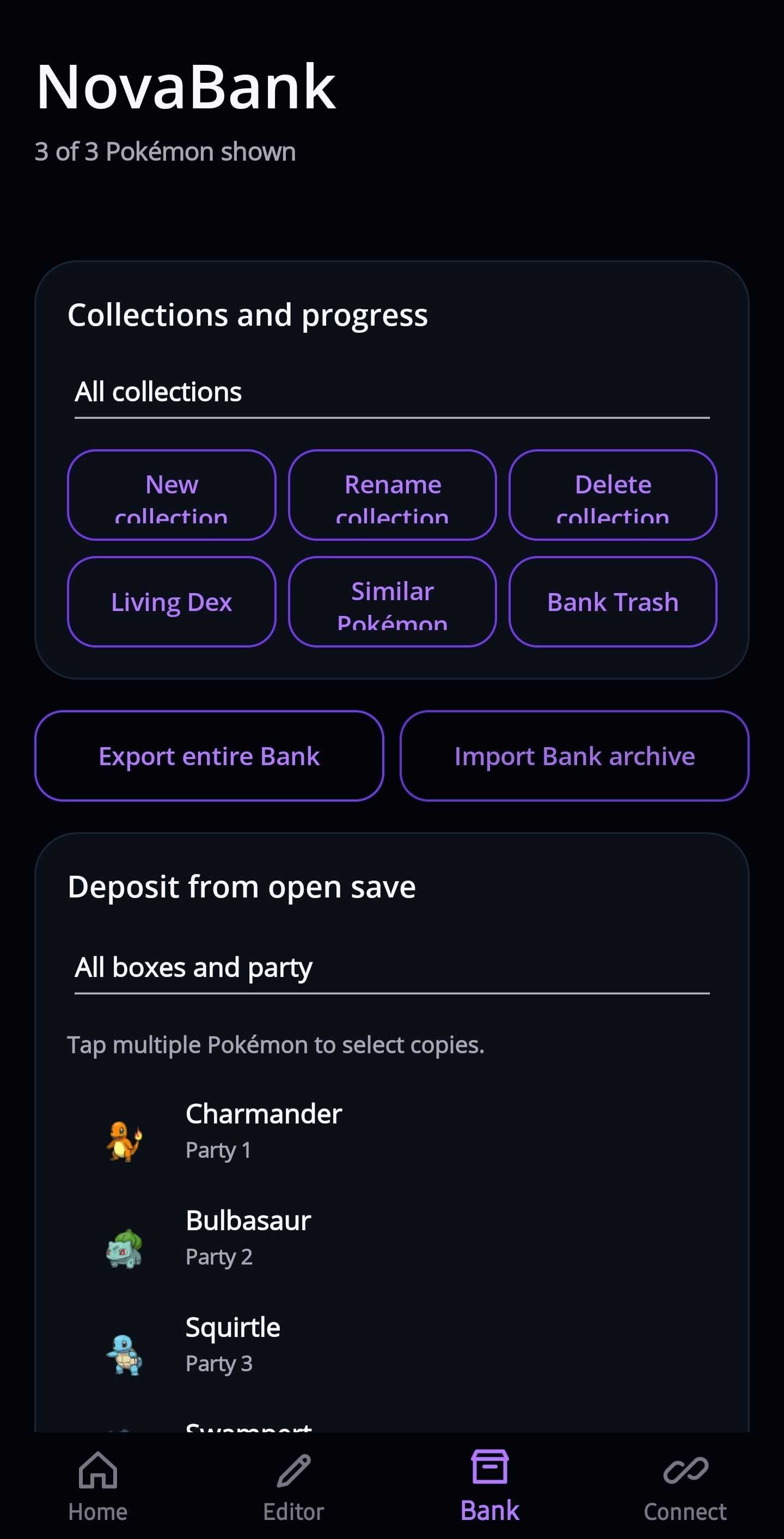
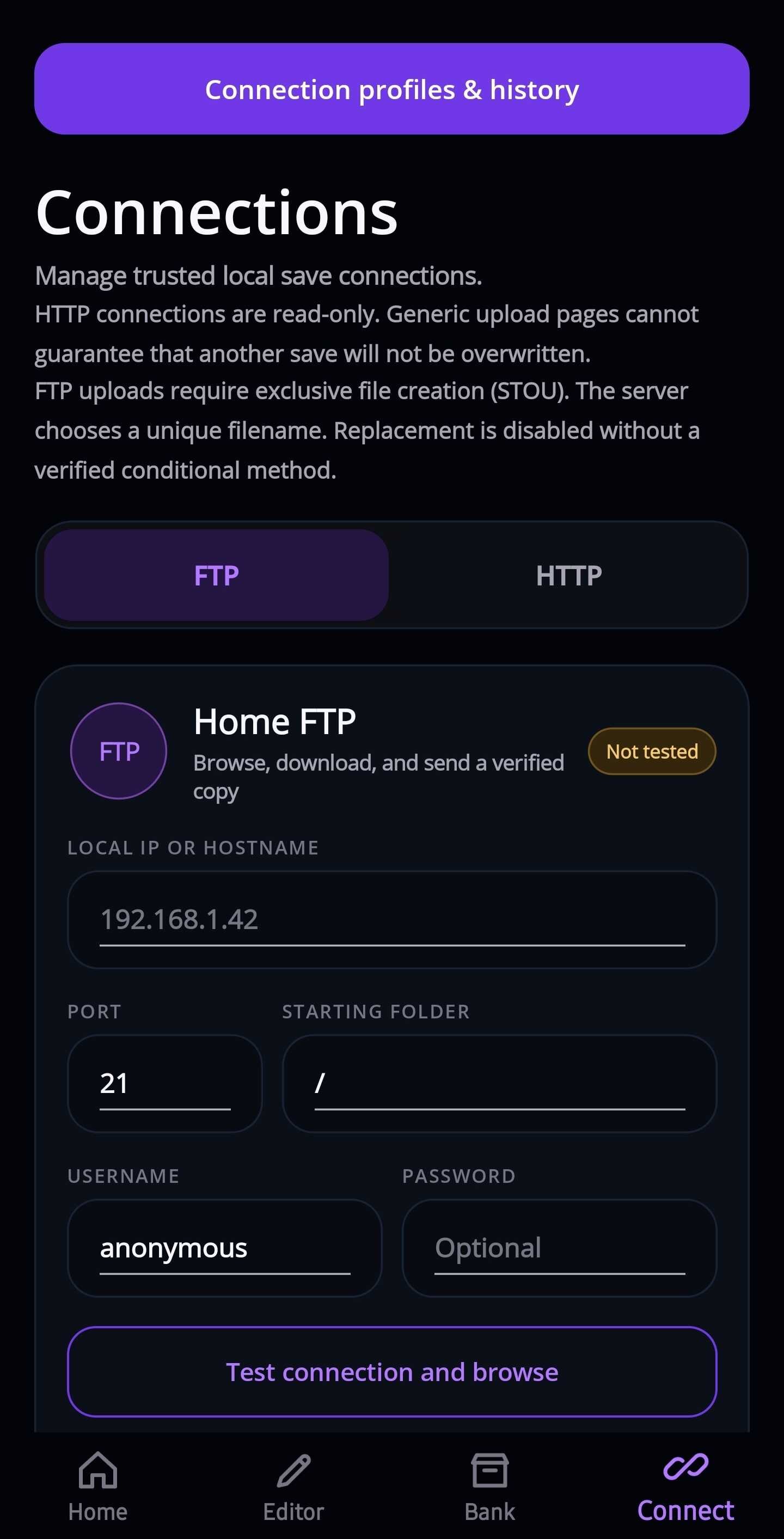
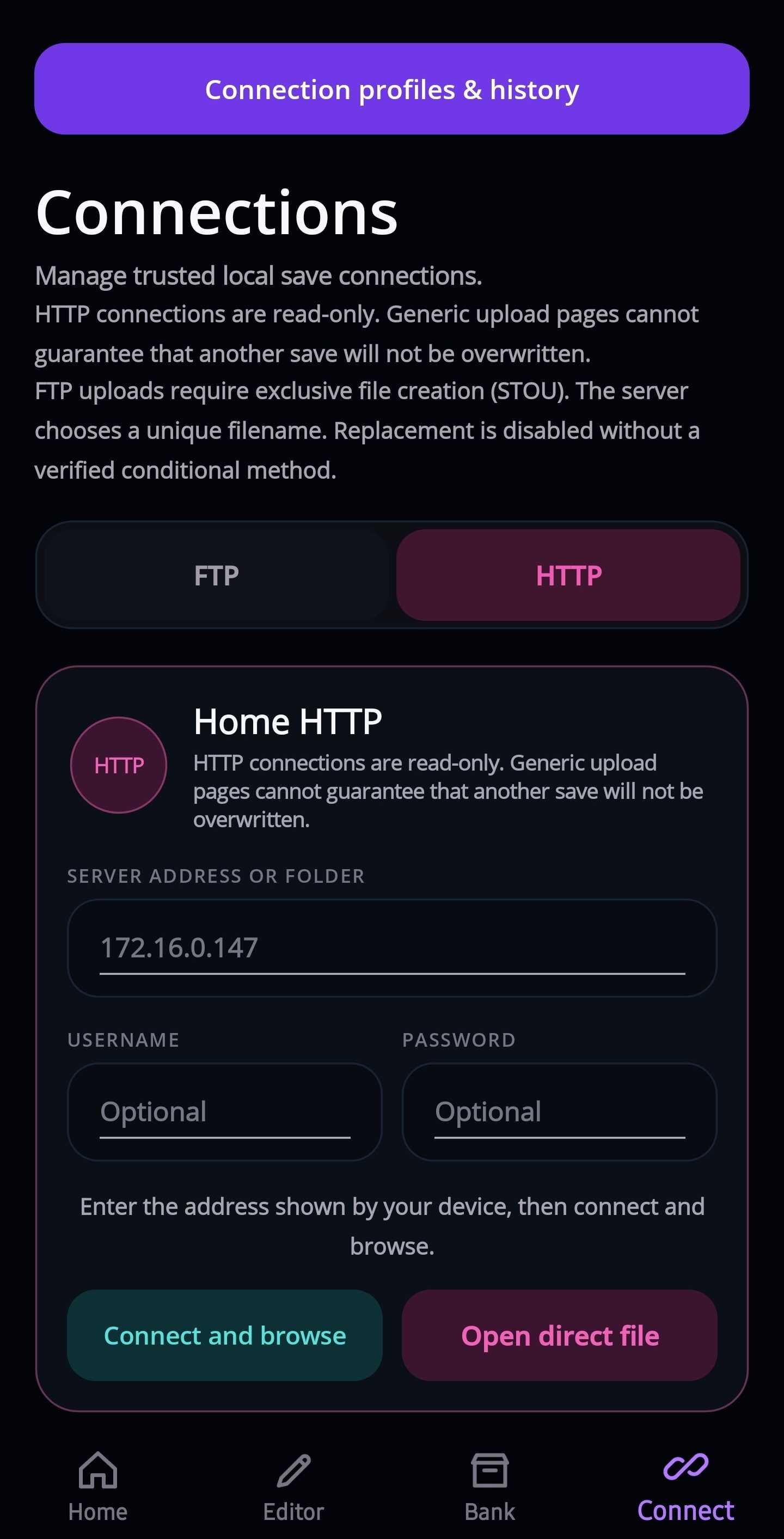
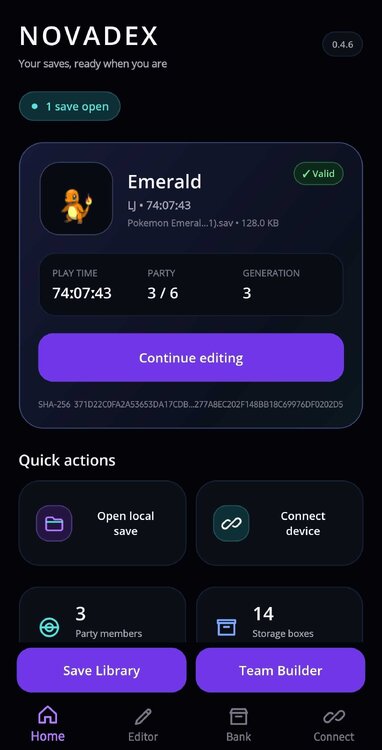
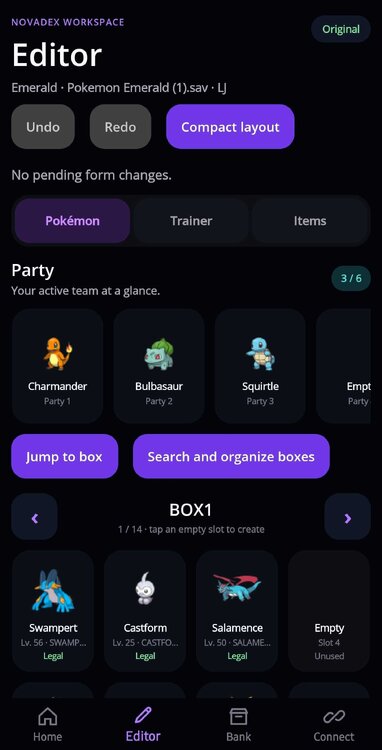
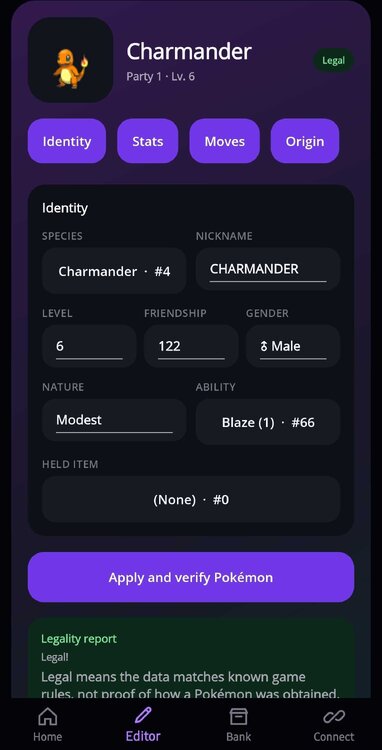
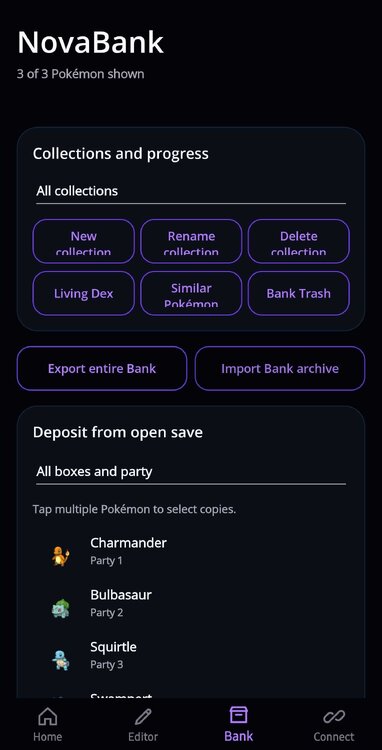
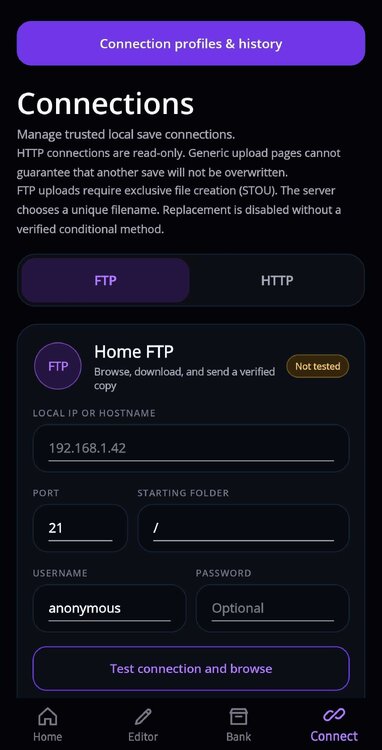
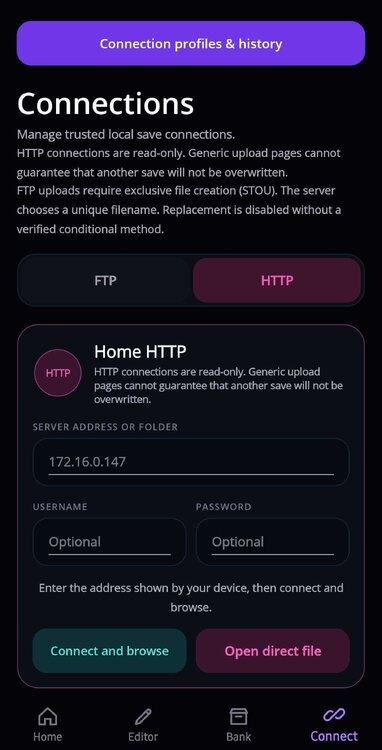
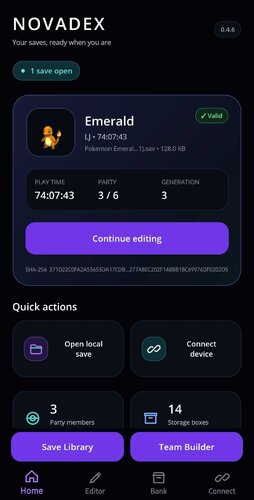
NovaDEX v0.4.6 is now available for Android. NovaDEX is my independent Pokémon save editor built around a touch-friendly Android interface and PKHeX.Core. It brings save editing, collection management, backups, and supported local-network transfers together on your phone. This release includes the improvements developed since the original v0.4.1 announcement, with a cleaner NOVADEX Home header and expanded tools for managing your saves and Pokémon. Save Library Keep your saves organized with searchable game cards, pinned favorites, backup status, and access to retained editing sessions. Removing a Library card does not delete the underlying saves. Pokémon, trainer, and item editing Browse your party and storage boxes with offline Pokémon sprites. Edit supported identity, moves, held items, friendship, IVs, EVs, and training details. Create Pokémon from supported encounters and use encounter-aware PID/IV correction. Review Pokémon legality through PKHeX.Core. Edit supported trainer information, money, and play time. Browse categorized inventory sections, including medicine, Poké Balls, TMs/HMs, Berries, and Key Items, with item choices appropriate to the supported pocket. Use supported origin fields, including Original Trainer information, met details, Poké Ball, and selected ribbons. Available fields depend on the game and Pokémon format. Key Items remain protected by default. NovaBank and collections NovaBank provides private, on-device storage for Pokémon copies. Organize entries with collections, favorites, tags, and filters. Track generation-scoped species progress, compare entries, review similar Pokémon, and recover deleted entries through Bank Trash. Bank archives can be exported and imported. Restoring Pokémon uses compatible empty storage slots and keeps the copies stored in NovaBank. NovaBank is separate from Nintendo’s Pokémon Bank and Pokémon HOME and does not connect to either service. Team Builder and box organization Create saved team templates containing up to six Pokémon, reorder and compare members, and review basic type coverage. Supported English Showdown text can be imported and exported. Unsupported requests remain drafts rather than being silently applied. Box tools include searching, sorting, moves, reviewed swaps, and selected-Pokémon batch edits. Party members can also be reordered. Backups and recovery The Backup & Recovery Center brings original backups, retained sessions, and saved exports together. Applied edits use checkpoints, with bounded Undo/Redo and verified save-copy export. You can also create portable backups containing original saves and NovaBank data in a folder you choose. These backups are read back and checked after writing. Optional daily backups run while NovaDEX is open. External backup archives do not include editor form drafts or team templates. FTP and HTTP connections Save connection profiles and browse supported file servers on your trusted local network. Current transfer behavior differs from v0.4.1: HTTP/HTTPS connections support browsing and downloading, not uploading. FTP supports browsing and downloading. FTP backup uploads require server support for exclusive new-file creation (STOU). The server chooses a separate filename. Remote save replacement is disabled. An uploaded backup does not automatically become the game’s active save. Restore it deliberately using your device’s save manager or file-management workflow. Plain FTP and HTTP are unencrypted. Use them only on a trusted local network. Languages and interface NovaDEX includes English, Spanish, French, and German interface options, compact and comfortable layouts, offline sprites, and an adaptive editor for wider windows. Version 0.4.6 replaces the Home header emblem with a clean NOVADEX wordmark. The Android launcher icon and splash artwork are unchanged. Requirements and compatibility Android 7.0 or newer. A 64-bit ARM or x86_64 device. A compatible decrypted or unencrypted save recognized by PKHeX.Core. Console saves must first be exported using an appropriate save manager. NovaDEX is a save editor, not an emulator, and does not provide games or ROMs. Features vary between save formats. NovaDEX does not include every desktop PKHeX feature. Download and updating https://projectpokemon.org/home/files/file/5936-novadex-v046-android-pok%C3%A9mon-save-editor-save-library-novabank/ Back up important saves and NovaBank data outside the app before updating. Install v0.4.6 over your existing installation—do not uninstall or clear app data first. Uninstalling or clearing app data removes private backups, Bank contents, drafts, and saved team templates. Keep an independent backup elsewhere, not only on the same phone. Credits and source NovaDEX uses PKHeX.Core 26.7.7 for save handling, Pokémon data operations, and legality analysis. Credit goes to Kaphotics and the PKHeX contributors. FTP connectivity uses FluentFTP by Robin Rodricks and its contributors. NovaDEX is licensed under GPL-3.0-or-later. The matching application-source archive includes app source, tests, assets, build scripts, and third-party notices. Upstream dependency sources are referenced separately and are not bundled into that archive. NovaDEX is not an official Android release of PKHeX and is not affiliated with or endorsed by Project Pokémon, Nintendo, Game Freak, Creatures, The Pokémon Company, or the PKHeX team. Legality checks do not prove legitimate acquisition or guarantee online safety. Please do not use edited data to deceive other players or gain an unfair advantage online. Feedback and compatibility reports are welcome. When reporting a problem, include your NovaDEX version, Android version, game, steps to reproduce it, and the exact error message. Avoid publicly posting saves or diagnostic details containing personal information.
-
Version 0.4.6
665 downloads
NovaDEX v0.4.6 is an independent, unofficial Android-first Pokémon save editor built with .NET MAUI and PKHeX.Core 26.7.7. This is not an official Android release of PKHeX or a renamed copy of PKHeX.Mobile. NovaDEX has its own touch-first interface and workflow, using PKHeX.Core for save-format handling, legality analysis, and Pokémon data operations. ## Features - Open compatible saves through the Android system file picker and edit a private working copy while retaining an original backup. - Organize saves in a searchable Save Library with pinned cards, backup status, and access to retained editing sessions. - Browse the party and storage boxes with bundled offline Pokémon sprites. - Edit supported species, nickname, level, gender, nature, ability, held item, friendship, shiny state, moves, IVs, and EVs. - Create Pokémon from supported encounters and apply encounter-aware PID/IV correction with legality checks. - Edit supported trainer information, displayed IDs, money, and play time, plus supported Pokémon origin fields. - Search categorized inventory sections for medicine, Poké Balls, TMs/HMs, Berries, and other supported pockets, with pocket-appropriate item choices. Key Items remain protected by default. - Store Pokémon copies in NovaBank using collections, favorites, tags, and filters. Track species progress, compare entries, recover deleted entries through Bank Trash, and import/export Bank archives. - Restore compatible Bank copies into consecutive empty slots within a chosen destination box without replacing existing Pokémon or removing Bank copies. - Save team templates of up to six Pokémon, import/export supported English Showdown text, and review basic type coverage. - Search, sort, move, and swap boxed Pokémon; reorder party members; and batch-edit supported level, friendship, and EV values. - Use the Backup & Recovery Center, retained editing checkpoints, and bounded Undo/Redo. - Save a verified local copy without overwriting the selected original. - Export original-save and NovaBank backups to a chosen folder, with read-back verification. Optional daily backups run while the app is open. - Browse supported FTP and HTTP/HTTPS file servers, download saves, and save connection profiles without storing passwords. - Upload separate FTP backup copies when the server supports exclusive new-file creation (STOU). The server chooses the filename; remote replacement is disabled. - Choose English, Spanish, French, or German, with compact/comfortable layouts and an adaptive wide-window editor. ## Compatibility Requires Android 7.0 or newer and a 64-bit ARM or x86_64 device. NovaDEX accepts compatible decrypted or unencrypted saves recognized by PKHeX.Core, including supported files named main and formats such as .sav and .dsv. A filename or extension alone does not establish compatibility. Console saves must first be exported using an appropriate save manager. Encrypted console saves cannot be opened directly. The developer has tested personal workflows involving GB/GBC/GBA/DS saves from an Anbernic handheld, Nintendo 3DS saves, and Nintendo Switch saves. Supported fields and operations vary between games; these tests are not a guarantee for every save or device. ## Installation 1. Download NovaDEX-v0.4.6.apk. 2. Compare its SHA-256 with the value below. 3. Back up important saves and NovaBank data outside the app. 4. Allow your browser or file manager to install unknown apps when Android asks. 5. Let Google Play Protect scan the APK if prompted. 6. Install and open NovaDEX. When updating, install over the existing app. Do not uninstall or clear app data first. Version 0.4.6 retains the existing application ID and signing certificate; it does not migrate to a new production signing key. ## Important safety information Always keep a known-good backup outside NovaDEX. Close the game or emulator before manually restoring an edited save. HTTP/HTTPS connections are browse/download only. FTP uploads create separate server-named copies on compatible servers. NovaDEX does not replace remote saves. An interrupted upload can leave an incomplete new file, which should not be restored. An uploaded backup is not automatically the game's active save. Restore it deliberately using your device's save manager or file-management workflow. Plain FTP and HTTP are unencrypted. Use them only on a trusted local network. Uninstalling NovaDEX or clearing its data removes private backups, drafts, team templates, and NovaBank contents. Export important data first and keep another copy away from the phone. NovaBank is private application storage, not Nintendo's Pokémon Bank or Pokémon HOME. Legality checks do not prove legitimate acquisition or guarantee online safety. Do not use modified Pokémon to deceive other players or gain an unfair advantage online. ## Known limitations - This is not complete desktop PKHeX feature parity. - Key Items are read-only by default. - Origin and batch-training tools support selected standard generation 3–9 formats; available fields vary. - Team Builder supports a limited subset of English Showdown text. Type coverage is not a battle simulator. - External backups contain original saves and NovaBank data, not editor form drafts or team templates. Optional daily backups are not a background service. - FTP servers without STOU support remain available for browsing/downloads but cannot receive backup uploads from NovaDEX. - 32-bit-only Android devices are not supported by this APK. ## Credits and licensing NovaDEX Android application and interface: VENM0U5. PKHeX.Core, legality analysis, save-format support, and Pokémon sprite resources: Kaphotics and the PKHeX contributors. FTP support: FluentFTP by Robin Rodricks and contributors. NovaDEX is licensed under GPL-3.0-or-later. The matching application-source package is NovaDEX-v0.4.6-app-source.zip. It contains application source, tests, assets, build/reference-fetch scripts, and third-party notices. Upstream dependency sources are referenced separately and are not bundled into this archive. [PKHeX.Core 26.7.7 source](https://github.com/kwsch/PKHeX/tree/26.07.07) [PKHeX license](https://github.com/kwsch/PKHeX/blob/26.07.07/LICENSE) NovaDEX is not affiliated with or endorsed by Project Pokémon, Nintendo, Game Freak, Creatures, The Pokémon Company, or the PKHeX team. ## SHA-256 NovaDEX-v0.4.6.apk: F0AD045054AC15EA56A2DCDC89A663A35FEA41E6FF6D3847EB538B7BDB290C6D NovaDEX-v0.4.6-app-source.zip: 3F95AE1943BB122B9A739C029CBCEAAAA1414A37D1066B585CA47100FF5F2984 ## Changelog field v0.4.6 — Clean NOVADEX header - Replaced the Home header emblem with a clean uppercase NOVADEX wordmark. - Removed early-preview release branding from current interface wording and documentation. - Retained the Save Library, expanded NovaBank, Team Builder, recovery tools, and four-language interface from preceding updates. - Preserved existing save-verification checks, network restrictions, and in-place update compatibility. The Android launcher icon and splash artwork are unchanged. This update changes presentation and wording, not save-format handling or transfer behavior.