



theSLAYER
-
Posts
22963 -
Joined
-
Last visited
-
Days Won
1016
Content Type
Profiles
Pokédex
Portal
Technical Documentation
Pages
Tutorials
Forums
Events
Downloads
Gallery
Blogs
Everything posted by theSLAYER
-
From the album: Temporary HOME images holding spot
-

From the album: Temporary HOME images holding spot
-

From the album: Temporary HOME images holding spot
-

From the album: Temporary HOME images holding spot
-
From the album: Temporary HOME images holding spot
-

From the album: Temporary HOME images holding spot
-

From the album: Temporary HOME images holding spot
-

From the album: Temporary HOME images holding spot
-

From the album: Temporary HOME images holding spot
-

From the album: Temporary HOME images holding spot
-

From the album: Temporary HOME images holding spot
-
From the album: Temporary HOME images holding spot
-
From the album: Temporary HOME images holding spot
-
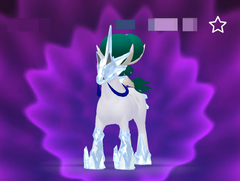
From the album: Temporary HOME images holding spot
-
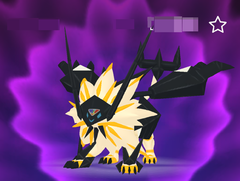
From the album: Temporary HOME images holding spot
-

Pokemon White 2 Cartridge: cannot save data or delete old data
theSLAYER replied to pulpjoe71's topic in Saves - Editing Help
maybe the cart is damaged and unable to write data to itself in some form. -
I'm assuming you didn't name your save right when you tried to restore the file, or had other files in the folder, when you tried to restore the file. Wonder cards do not cause such errors. User error does.
-
Exefs and Romfs
theSLAYER replied to ExeFs and romfs's topic in ROM - Switch Guides and Other Resources
don't ask for them again. You're effectively asking for files from ROMs, which is piracy, which is against our rules. Also, if he has the game legitimately, he can always disable the mods and redump the files that are unmodified, so that's a horrid excuse. -
Pokemon Battle Revolution mod
theSLAYER replied to Red Zardy's topic in ROM - Other Discussion & Help
For now, ignore the choice of word I used. You wrote unsolicited messages from StarMmd's wall. That qualifies. So just wait patiently here for a reply, alright :3 -
yeah do that. Dump your save. Then make a copy of that dumped folder. then replace the save in the dumped folder. Make sure the save is named sav.dat Then restore that copied (&edited) folder into the game.
-
A HOME banwave has been reported, and as of time of writing, it apparently is still ongoing. It restricts access to HOME accounts that may have, and not limited to: god egg, bad eggs, shiny variants of shiny locked mons, impossible Gmax mons, impossible moves (not Hydro Pump Drillbur nor the GO Alolan transfer mishap). Furthermore, there are reports indicating certain URL nicknamed mons are restricting from trading. Anyhow, do release all illegal and impossible mons, as well as any Nickname/OT that has a URL, before you get caught up in it. Reports indicate that while your console isn't banned from online usage, it cannot make HOME accounts ever again (even in other profiles). This could be a console restriction or IP restriction, details are not clear at this point. Given HOME's ability to fix Pokémon in saves, it is presently not known if this capability will be used to restrict the online connectivity of players based on the Pokémon they have in their saves. With that being said, don't break HOME's TOS ever again. Edit: Based on preliminary reporting, it appears that the HOME bans are given out to user accounts that interacted with any other HOME account that has a lot of usage (possibly high volume of varying IP traffic or association with different console IDs), and has illegal mons. (Basically, HOME accounts might be shared across several people or interaction with such accounts). Also, do not confused HOME bans with URL trade restrictions. Not the same thing. View full article
-
Wild Area Event #33: Lunar New Year 2021
theSLAYER commented on Project Pokémon Bot's file in Sword & Shield
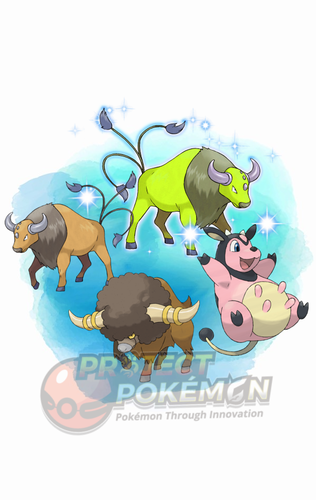 Details for Index 51 of normal_encount and normal_encount_rigel1 and normal_encount_rigel2 (minor differences, in raid chance) Rewards for Index 51 of normal_encount and normal_encount_rigel1 and normal_encount_rigel2 (minor differences, in raid chance) Details for Index 51 of dai_encount Rewards for Index 51 of dai_encount
 -
Pokemon HOME Live Plugin not available on PKHeX?
theSLAYER replied to - x - - -'s topic in Miscellaneous Help

-
General Events Help, FAQ and Discussion Thread
theSLAYER replied to Ahito95's topic in Event Contributions
A lot of the gen 3 and gen 4 events have predetermined received game. So it's not based on the receiving game. -
Does Pokemon legality matter for in-game playthrough?
theSLAYER replied to Kaitou's topic in Debate Forum
As long as you don't use anything that causes softlocks. Most normal editing should be fine.

