



theSLAYER
-
Posts
22855 -
Joined
-
Last visited
-
Days Won
1000
Content Type
Profiles
Pokédex
Portal
Technical Documentation
Pages
Tutorials
Forums
Events
Downloads
Gallery
Blogs
Everything posted by theSLAYER
-
For the majority of Pokemon, no. They only get a TR flag set after you taught them a TR. Give allI simulates a Pokemon having learnt all the TRs before. Which for most Pokemon, they don't have access to all the TRs.
-
 Hey, please don't ask the same thing in multiple locations. I've merged them into the same thread.
 -
A Collector's Guide to WC6 & WC7 Language and Region Mayhem
theSLAYER replied to theSLAYER's topic in Event Pokémon News
There was an image that would show region and language but it appears to be gone right now. For Region locked events (mainly serial code/nintendo network): EU Console - Languages that can follow game save language: ENG, FRE, GER, ITA, SPA If game save language ain't one of the above: Default to ENG gift. edit: I added the image into the first post. -
 You can view you received card while having the wireless adapter plugged in. Unlike modern day games, you can only view the card you have right now, not past cards.
 -
A Collector's Guide to WC6 & WC7 Language and Region Mayhem
theSLAYER replied to theSLAYER's topic in Event Pokémon News
download the ones that match your save file language. What matters isn't your language as a person, but the language of your game. As a matter of fact, you could speak any language, and play the game in any other language. The factors are the region of your console, and the subsequently the language of your game save. -
You see this? Your save is not in a proper save format that PKHeX can recognize. Open your NO$GBA.INI using Notepad, and edit the portion of that line after == to Raw. If the line item isn't there, else add it in.
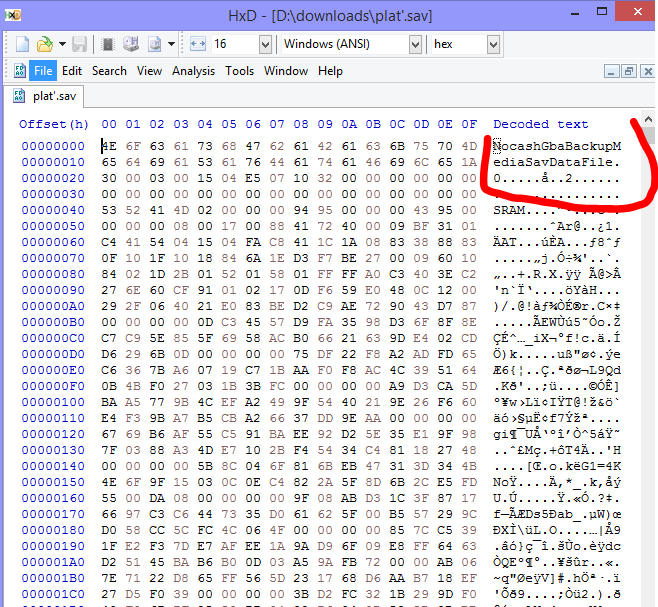
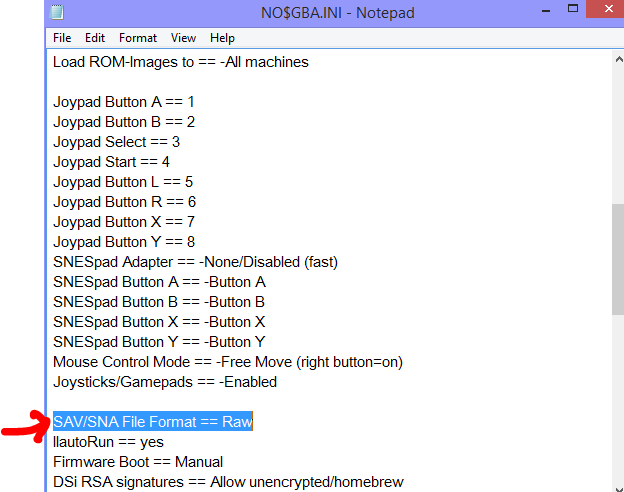
-
at the DLL (not in PKHeX, but rather viewing the file in your file explorer), right click on it > properties. You may see an unblock there. Example: Every DLL you use with PKHeX has to be unblocked.
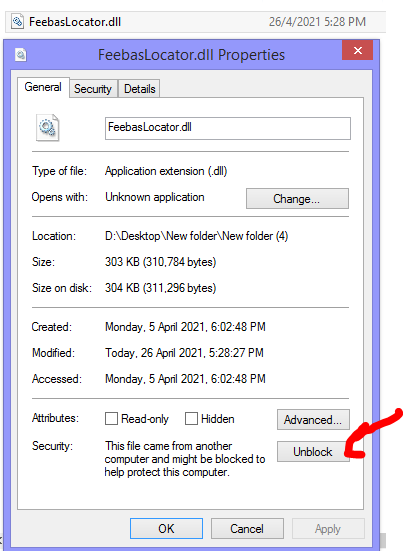
-
Pokemon ultra sun sun save file rquired
theSLAYER replied to ASH GRENINJA's topic in Saves - Files and Requests
You're not making much sense to me. Anyway, you can simply edit in the items that are missing (z-ring, z-crystal, and what not), and you can simply edit in the event flags (as per the program I recommended) for progress. -
Pokemon ultra sun sun save file rquired
theSLAYER replied to ASH GRENINJA's topic in Saves - Files and Requests
PKHeX can edit your bag tho? I don't understand what you mean by battle list empty. Did you mean party? From what I can see, your party ain't empty, so you probably meant something else. -
have you tried unblocking the plugins?
-
Pokemon ultra sun sun save file rquired
theSLAYER replied to ASH GRENINJA's topic in Saves - Files and Requests
Please don't multipost. Also, it appears there's nothing wrong with your save. Alter the save on your own. -
Pokemon ultra sun sun save file rquired
theSLAYER replied to ASH GRENINJA's topic in Saves - Files and Requests
that's not answering my question. -
Pokemon ultra sun sun save file rquired
theSLAYER replied to ASH GRENINJA's topic in Saves - Files and Requests
quick question: is the game working just fine, it you load save states? -
2610 downloads
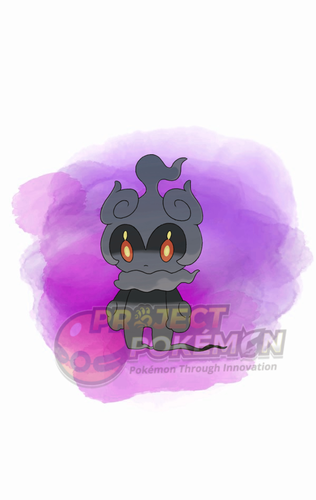
This gift was distributed as part of the Pokémon Adventure 25 (Grab these Mythicals) campaign. The gift codes can be obtained via exchanging scraps for codes. User could exchange their scraps on this site: http://adventure25pokemonkorea.co.kr/ Do note this site limits access to Korean IP only. Wonder Card ID #1014: Mythical Pokémon Marshadow Gift Species Marshadow TID 210426 Distribution Serial Code Location a lovely place Dates Apr 26 to Oct 31, 2021 PID Cannot Be Shiny Games SWSH Nature Random Ability Technician (1) Item None IVs EVs HP RND, 3x 31 IVs ALL 0 ATK DEF S.ATK S.DEF SPE Lv. 60 Moves (ITALIC means Relearnable) Spectral Thief Drain Punch Force Palm Shadow Sneak Classic Ribbon Lang Slot Mon's Lang Nickname OT Name OT's Lang JPN 마샤도 어드벤처 KOR ENG 마샤도 어드벤처 KOR FRE 마샤도 어드벤처 KOR ITA 마샤도 어드벤처 KOR GER 마샤도 어드벤처 KOR SPA 마샤도 어드벤처 KOR KOR 마샤도 어드벤처 KOR CHS 마샤도 어드벤처 KOR CHT 마샤도 어드벤처 KOR Only One Redemption Allowed Format Ver.2.1.0-2b, Post Updated Date:20210426_1631 -
2526 downloads
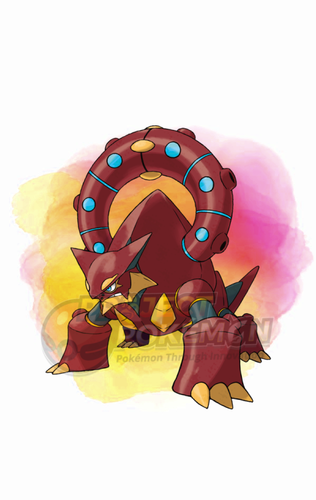
This gift was distributed as part of the Pokémon Adventure 25 (Grab these Mythicals) campaign. The gift codes can be obtained via exchanging scraps for codes. User could exchange their scraps on this site: http://adventure25pokemonkorea.co.kr/ Do note this site limits access to Korean IP only. Wonder Card ID #1013: Mythical Pokémon Volcanion Gift Species Volcanion TID 210426 Distribution Serial Code Location a lovely place Dates Apr 26 to Oct 31, 2021 PID Cannot Be Shiny Games SWSH Nature Random Ability Water Absorb (1) Item None IVs EVs HP RND, 3x 31 IVs ALL 0 ATK DEF S.ATK S.DEF SPE Lv. 60 Moves (ITALIC means Relearnable) Steam Eruption Flare Blitz Incinerate Haze Classic Ribbon Lang Slot Mon's Lang Nickname OT Name OT's Lang JPN 볼케니온 어드벤처 KOR ENG 볼케니온 어드벤처 KOR FRE 볼케니온 어드벤처 KOR ITA 볼케니온 어드벤처 KOR GER 볼케니온 어드벤처 KOR SPA 볼케니온 어드벤처 KOR KOR 볼케니온 어드벤처 KOR CHS 볼케니온 어드벤처 KOR CHT 볼케니온 어드벤처 KOR Only One Redemption Allowed Format Ver.2.1.0-2b, Post Updated Date:20210426_1630 -
2344 downloads
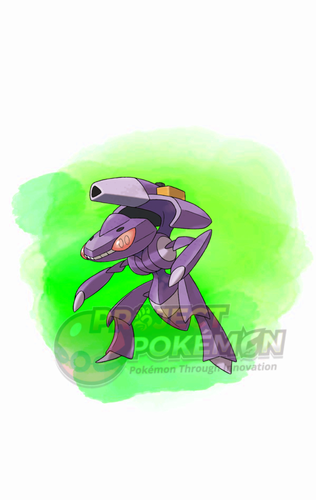
This gift was distributed as part of the Pokémon Adventure 25 (Grab these Mythicals) campaign. The gift codes can be obtained via exchanging scraps for codes. User could exchange their scraps on this site: http://adventure25pokemonkorea.co.kr/ Do note this site limits access to Korean IP only. Wonder Card ID #1012: Mythical Pokémon Genesect Gift Species Genesect TID 210426 Distribution Serial Code Location a lovely place Dates Apr 26 to Oct 31, 2021 PID Cannot Be Shiny Games SWSH Nature Random Ability Download (1) Item None IVs EVs HP RND, 3x 31 IVs ALL 0 ATK DEF S.ATK S.DEF SPE Lv. 60 Moves (ITALIC means Relearnable) Techno Blast X-Scissor Metal Claw Fell Stinger Classic Ribbon Lang Slot Mon's Lang Nickname OT Name OT's Lang JPN 게노세크트 어드벤처 KOR ENG 게노세크트 어드벤처 KOR FRE 게노세크트 어드벤처 KOR ITA 게노세크트 어드벤처 KOR GER 게노세크트 어드벤처 KOR SPA 게노세크트 어드벤처 KOR KOR 게노세크트 어드벤처 KOR CHS 게노세크트 어드벤처 KOR CHT 게노세크트 어드벤처 KOR Only One Redemption Allowed Format Ver.2.1.0-2b, Post Updated Date:20210426_1629 -
Pokemon ultra sun sun save file rquired
theSLAYER replied to ASH GRENINJA's topic in Saves - Files and Requests
Read the instructions for this tool properly. Use it on a save that isn't corrupted. IIRC the games are cross compatible (between US and UM), so it should be fine whether you use a US or UM save, as long as you're not at key story moment (Before leading up to the flute, and in possession of the flute) -
Error Code 2144-0001 Checkpoint
theSLAYER replied to Gajeel's topic in Systems, Flashcards, and Emulation
Yes and no. It's rather simple. Just load the homebrew, and dump the save. Then you'll get the same save format as the one checkpoint would have provided. I would think you should be able to figure it out by performing trial and error on it for a small bit :3 -
Error Code 2144-0001 Checkpoint
theSLAYER replied to Gajeel's topic in Systems, Flashcards, and Emulation
I don't think Checkpoint has updated in a while, especially not with recent Atmosphere changes. You may have to stop using Checkpoint for the time being. (I switched over to JKSV a while back) -
PKHeX Legality for Pre-Evolution/Egg Moves? (Gen 4)
theSLAYER replied to cperrine320's topic in Pokémon Legality
No worries, glad you got that figured out. Now for Gen 4 PID Mismatch: -
PKHeX Legality for Pre-Evolution/Egg Moves? (Gen 4)
theSLAYER replied to cperrine320's topic in Pokémon Legality
Not the ROM. ROM sharing is against our rules. I was talking about the Mismagius. I'm expecting you didn't set it to hatched or something, since my hatched one shows up fine (as seen in my earlier post) -
PKHeX Legality for Pre-Evolution/Egg Moves? (Gen 4)
theSLAYER replied to cperrine320's topic in Pokémon Legality
upload the file for us to see. A hatched Mismagius I just made shows curse just fine.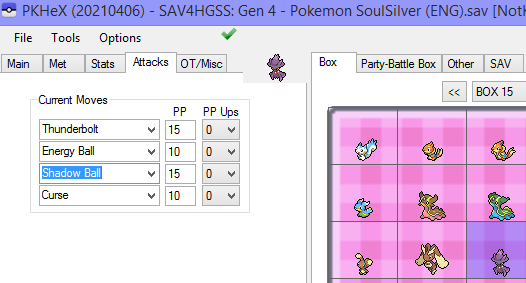
-
Unable to mega evolve multiple Pokemon
theSLAYER replied to MegaBlaziken257's topic in ROM - 3DS Discussion & Help
YOU PROBABLY CAN'T. Store the mons with their formes already mega'd in the PC. But I imagine if they're in your party after one battle (even if they didn't participate), they'll revert to their regular formes. That's just how the game programmed Megas to work. You're gonna need ROM editing, not SAV editing. -
Help - cannot see any modifications made on PokeHex
theSLAYER replied to intostaprost's topic in ROM - NDS Discussion & Help
Yup, I was getting to that. Examples of possible variants of why the game doesn't load an "Edited" save: - user loads save state instead - user didn't set mon into PC/box - user didn't export save after editing it - user didn't place edited save in the correct directory So first thing I check usually is if the save is actually edited, ie. dragging the 'edited' save back into a new window of PKHeX. In any case, glad that it's resolved! -
Help - cannot see any modifications made on PokeHex
theSLAYER replied to intostaprost's topic in ROM - NDS Discussion & Help
Do you still have the purported edited save?
