Leaderboard




Popular Content
Showing content with the highest reputation on 11/25/22 in all areas
-
Version 26.07.07
13418153 downloads
Pokémon core series save editor, programmed in C#. Supports the following files: Save files ("main", *.sav, *.dsv, *.dat, *.gci) GameCube Memory Card files (.raw, .bin) containing GC Pokémon savegames. Individual Pokémon entity files (.pk*) Mystery Gift files (.pgt, .pcd, .pgf, .wc*) including conversion to .pk* Importing teams from Battle Videos Transferring from one generation to another, converting formats along the way. Data is displayed in a view which can be edited and saved. The interface can be translated with resource/external text files so that different languages can be supported. Pokémon Showdown sets and QR codes can be imported/exported to assist in sharing. We do not support or condone cheating at the expense of others. Do not use significantly hacked Pokémon in battle or in trades with those who are unaware hacked Pokémon are in use. FAQ Support Forum <-- Post here if you have questions or found bugs8 points -
Version 20251217
132048 downloads
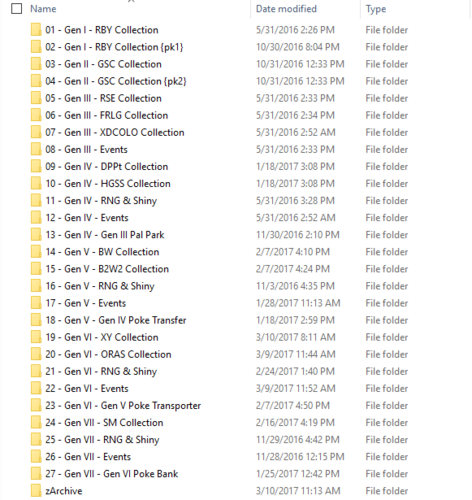
A collection of Pokemon from every game. See thread for more information and progress: And GitHub for latest updates: https://github.com/ReignOfComputer/RoCs-PC1 point -
1 point
-
Updated and completed! Note on the saves in there: these have never gone online, nor will I ever be going online on these. Nevertheless, you are advised not to go online with these as I don't know what additional telemetry might exist if multiple people use the same save to go online, which may result in a console ban.1 point
-
It's working with SV?1 point
-
Let me tackle your title part by part. Directly? No. HOME is server based, and PKHeX is a save hacking tool. Indirectly: Place the mons in your Sword save, then place them in HOME. Yes, just modify your Pokemon Sword save in PKHeX. Requires a CFW'd switch tho. I already answered this: cannot directly go into HOME. At present, there's no DNS trick public to accomplish this. Here's a suggestion, and I hope you can follow this train of thought: Nintendo Switch allows you to create multiple user profiles. Now, assume user profile A has your "legit" save. Create a user profile B. Create a Sword game save using B (as in start the game then save...) Use a save manager to dump the "legit" save in A (let's call this A save). Make copy of A save (named A save copy now), THEN edit it with PKHeX, then save over A save copy. (this means you'll have 2 saves: A save and A save copy) Now inject A save copy into B. (Now's let's call this B save) Now, HOME allows you to view saves for other user profiles. So, starting up HOME with A, use it to view B save. Drag the hexed mons into HOME. Then still using HOME, access A save. Now drag the hexed mons into A save. Congratulations, you have edited mons in A, without editing the A save.1 point
-
1 point