

User Contributed Saves
Unless you specifically mention in both the title and description, DO NOT UPLOAD and save that is hacked/cheated/filled with illegal Pokémon.
Other saves uploaded by various users. Do share your save files with everyone here!
Due to differences in save file formats, please indicate which game the save is for and which format it is. (For example, a Pokémon Moon save for JKSM or a Pokémon Diamond save for DeSmuMe.)
Warning: Some Nintendo Switch games have extra verification to detect when multiple people use the same save file online at the same time, resulting in the save being banned from online play. It is unclear at this time whether this will affect Pokémon Legends: Arceus, so do not upload any save you want to keep using online, just in case.
103 files
-
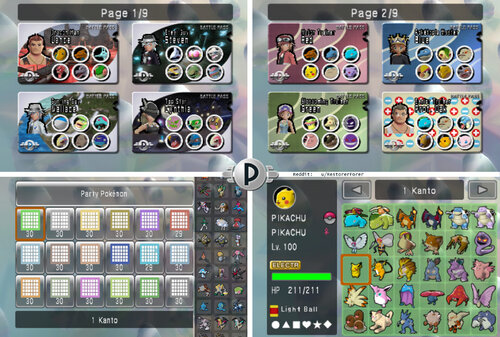
Pokemon Battle Revolution Complete Savefile All Fully Evolved Pokemon Competitive Builds + Little Cup + Custom Passes for Iconic Trainers
By Forer
> MASSIVE CHANGES: 23 May 2026
reddit post if you want to comment
> 日本語 (Japanese): ダウンロード
> ESPAÑOL (Spanish): DESCARGAR
> FRANÇAIS (French): TÉLÉCHARGER
> ITALIANO (Italian): SCARICAMENTO
> DEUTSCH (German): HERUNTERLADEN
>>> IF YOU ARE PLAYING ON DOLPHIN EMULATOR <<< Battle passes will not display correctly (The Trainer avatar will be missing). In Dolphin settings go to Graphics -> Hacks and at the top turn "Store EFB Copies to Texture Only" OFF. This fixes it.
>>> I ALSO RECOMMEND THIS CHEAT CODE TO BOOST GRAPHICS AND REDUCE BLUR <<< USA: 0462A0F0 00000000 EUR: 04641E88 00000000
Simply go to "Cheats Manager" while PBR is open, and input the Gecko Code.
>>> VIDEO GUIDE HOW TO PLAY ONLINE thanks to Big!
- If you are gonna play online, edit the file in PKHex first: go to SAV tab, then Trainer Info, and type in a random TID, SID, and change the Trainer name! This way it definitely won't register you as someone else who used the file.
NOTE: THIS IS NOT ILLEGAL OR PIRACY.
It is a savefile I created myself, NOT A ROM. It's to help people who want to play the game they LEGALLY bought without having to grind for everything before being able to battle. (very legally!!)
I want to share it with people, so they can use it for single-player playthroughs of the game, local-play with friends, or for online play!
CONTENTS OF THIS GUIDE: About the File About the Pokémon How to Install (Wii) How to Install (Dolphin) 4.5. How to Install (Android Dolphin)
How to edit the Pokemon/ Savefile/ Create Custom Team TROUBLESHOOTING LAGOON COLOSSEUM WITHOUT ONLINE??? (Cheat Code!)
1. About the File: This save file comes with: all Fully Evolved Pokemon, Competitive VGC Pokemon, Every SMOGON Format Pokemon of all tiers, all Little Cup Pokemon, and all battle passes and fashion items unlocked; as well as 87 teams I have made of characters from across the series, such as Red, Cynthia, Jasmine, May, Giovanni, Paul and more!
> For shiny Leader costumes, you can now use the new version of PKHeX to enable them, thanks to abcboy! But they mess with the costumes I made, hence I turned them off.
▸ The game has 4 UPDATED Savefiles: "PKTOPIA", "OU/ VGC", "All 493", "Lil Cup". You can rename these (see: 5. Editing Savefile).
>>> "PKTOPIA" is a complete file with all Colosseums unlocked and completed at Rank 8. It has 104 pre-made battle passes.
»»» This file is for for having battles with friends/ in singleplayer when you do not want to make your own teams, but for example want to have a themed battle like Misty VS Ash, or Lance VS Cynthia!
»»» You can delete the passes, but I recommend using the other files if you want to make lots of teams, as editing the passes in PKTOPIA too much may lead to them glitching. (See: 6. TROUBLESHOOTING)
>>> "OU/ VGC" is a complete savefile with everything unlocked and Colosseums Level 8, and has some sample ZU/NU/UU/OU/Ubers teams, with space to make your own as well. It has 540 Pokemon based on competitive Smogon Sets, and the boxes are ordered by the Smogon Tiers.
»»» There are also 6 2008/09 VGC winner Teams, in the Rental Passes!
»»» This is the best file for making your own teams for COMPETITIVE battles with friends, or against the Colosseums! The Pokemon are grouped by SMOGON tier, but were made with VGC in mind as well.
(If you only want to play VGC, in PKHeX, RIGHT-CLICK the "Box" tab, then you can click "Sort by Pokedex no." while holding in SHIFT to sort all boxes!)
>>> "Lil Cup" has 459 competitively-built Little-Cup Pokemon, and also includes Little-Cup versions of 67 of the Friend Passes! They are for Singles or Doubles!
>>> "All 493" has all 493 Pokemon INCLUDING MIDDLE STAGES AND BABIES, all at level 100. This is designed for playing through the Colosseums, but also for battling with friends / family who may be unfamiliar with Pokemon. I urge you to check this one out, it's the most fun for relaxed battles!
»»» The Pokemon have balanced sets, so Monferno has Brick Break, whereas Infernape has Double Kick, for example. This is so, if you want to play with randomly-generated teams, it's more fair even if it's Dialga VS Bulbasaur. The babies will feel like they actually do something. The sets are similar to the old Stadium Rentals.
»»» The Custom Passes and Rental/Friend Passes have prebuilt teams which simply use the balanced Pokemon from the boxes. You can just delete them to make room for your own.
»»» It has all Colosseums unlocked at Level 1, but not completed yet. You can still play through the game as if it were your first playthrough, simply leave Stargazer Colosseum for last. You can edit the Colosseums to be like normal in PKHeX, in SAV => Trainer Info tab. Just leave the first 2 Colosseums checked.
»»» Boxes are ordered by EVOLUTION FAMILY. So Elekid, Electabuzz, and Electivire are all together in Gen 1. This is so unfamiliar players can see how the Pokemon evolves!
When you go to Storage, and click the Search Magnifying-Glass in the top-right corner, the Pokemon are in a very satisfying order to scroll down. I had to move a couple Pokemon to make it line up:
- Heracross and Miltank are with Pinsir and Tauros in Kanto
- Chansey line is in Johto
- Skarmory & Mantine are in Hoenn (as everyone thinks they are from Hoenn)
- Regigigas is in Hoenn
- Snorlax is in Sinnoh with Munchlax
2. About the Pokémon - I have now made databases of the Pokemon. If you want to find a specific move/ sort the Pokémon by Speed stat, for example, now you can!
- In "PKTOPIA" and "All 493" I chose not to give many Pokemon "Choice" items (except ones using Trick) and was sparing with Life Orbs, so that when playing with friends, sets aren't too complicated or powerful, and speed tiers are more predictable. Some of the unevolved-Pokemon will still use them to become stronger though.
There is also no Hidden Power.
- However in the competitive files, "OU/ VGC" and "Lil Cup" there are many Choice items. I tried to make the Pokemon with Choice Items the Shiny version.
There is also Hidden Power in these files. ALL Pokemon are in standard Poké-Balls, EXCEPT ones using Hidden Power. The ball color and Trainer Name on those Pokemon match the Hidden Power.
A guide image is at the top of this download page.
- In terms of Pokemon's legality, all Pokemon have fully legal Generation 4 movesets except these 5 cases:
» Unown has... a special moveset. Just for fun! (he still sucks)
» Kecleon knows Copycat. It suits him.
» Pachirisu has Follow Me. Useless without it; learns it in Gen 5.
» Magikarp has Hydro Pump. Useless without it; learns it in Gen 5.
»» Rotom may know the Appliance-Forme moves. You can replace these Rotom with the ones included in the download, that have the stats of his various formes, and then use the included cheat code to allow using Hacked Pokemon in battles.
- ONLY in "PKTOPIA" & "All 493":
» Mewtwo (Psybeam), Mew (Psybeam), and Kyogre (Aurora Beam) have weaker versions of Psychic and Ice Beam, to balance them.
» Mothim has Nature Power, to make him stand out from all the other Butterflies.
» In 493, Chingling has Psywave. For some reason Chimecho can learn it but he cannot.
» In 493, Combusken has Blaze Kick. Grovyle and Marshtomp learn Leaf Blade and Muddy Water respectively, so I think it's fair.
» In PKTOPIA, the extra Arceus all know the moves that were not used in the file, in case you need to see the animations for them.
» In PKTOPIA, Misty's Politoed has Drizzle, Brock's Onix has Solid Rock, and Brock's Blissey has Trick Room. These Pokemon are not accessible in the storage and are only on their friend-passes.
- Otherwise all Pokemon have legit statspreads and EVs.
» I finally found a way in PKHeX to go through all the moves flagged as illegal, so I think I finally got rid of all of them, except maybe a couple in the premade passes in "PKTOPIA".
3. How to Install (Wii) - importing the save to Wii REQUIRES Homebrew because PBR is locked to not allowing a save to be imported; using Homebrew with SaveGameManagerGX bypasses this.
First, unzip the downloaded file, open it >> open your game region >> open "PBR SAVE FILES" folder >> open "(MAIN GAME SAVE FILE)" folder, and copy the "0001000052504245" or similar named folder to the root of your SD card.
You CAN NOT just place the game save on its own, you must put the ENTIRE "0001000052504245" FOLDER in!
Then, insert SD card to Wii. Then;
Using SaveGameManagerGX on Homebrew, on the top menu, navigate to the SD card. Find the icon for PBR. Click the PBR icon and click install. This will overwrite any data you have on PBR so make sure you back it up first if you want to keep an old file.
Done!
» IF THIS DOES NOT WORK/ HAS ERROR "unable to copy datas", delete the "0001000052504245" folder from your SD card.
» Now try the folder BELOW the "(MAIN GAME SAVE FILE)" folder, "[BINARY]" - Put the"data.bin" file onto root of SD card. Now try installing this in SaveGameManager.
» And if this does not work, then in SaveGameManagerGX you might have to click the .bin file, click "Decompress" and it will create a new file in SGMGX and THIS file should finally work.
To extract the save file for editing, like say you play for 20 hours but now want to edit a Pokémon without losing your progress, go to SaveGameManagerGX, on the top menu navigate to the Wii icon, click PBR’s icon and click Extract to Custom and navigate to your SD card.
Once editing is complete re-inject the save file.
4. How to Install (Dolphin) First, create a new save game on PBR, by saving after creating a save slot. Then close the game. This creates folder structure.
In the game-select menu of Dolphin, right click PBR and click “Open Wii Save Location”. In the "GeniusPbr" folder, replace the "PbrSaveData" file with mine. To find my PbrSaveData file go to PBR SAVEFILE COMPLETE\(REGION)\PBR SAVE FILES\(MAIN GAME SAVE FILE)\0001000052504245\GeniusPbr and it will be in the GeniusPBR folder.
Now open Dolphin and play!
ONE SETTING YOU WILL NEED TO TURN OFF IN DOLPHIN:
Battle passes will not display correctly (The Trainer avatar will be missing). In Dolphin settings go to Graphics -> Hacks and at the top turn "Store EFB Copies to Texture Only" OFF. Should fix it and won't affect anything in other games.
4.5. How to Install (Android Dolphin)
Make sure you have gone into the game, and SAVED at the reception desk first, or else the folders will not have been created!
Go to Config ==> User Data ==> Open User Data Folder
Then navigate to Data ==> GeniusPBR, and inside this folder is where you put the new save by replacing the old pbrSaveData.
5. How to edit the Pokémon/ Savefile/ Create Custom Team
>>> VIDEO GUIDE HOW TO INSTALL DOLPHIN AND PBR AND EDIT POKEMON IN PKHEX thanks to WooperEnjoyer!
Open the "PbrSaveData" file in PKHex. It's pretty self-explanatory how to edit Pokémon.
One tip I have is, Pokémon will sometimes not work correctly if they have no Met Location/ OT info. You can take any existing Pokémon, copy it to a few slots, and now these slots will have that data, now you can edit that Pokémon into whatever you want, or import a Pokémon from Showdown on top of it by using Ctrl+T when the text from Showdown is copied to clipboard and then Shift-Click to replace the old Pokémon with the new one.
You can edit your savefile name in PKHex by going to SAV --> Save Slot: (select the file you want to edit) --> Block Data, and simply edit the value of Current OT. This will be your online display name if you choose to do online play.
I also added the Binary "PCDATA" file in the "RAW POKEMON DATA" folder.
If you open your own savefile in PKHex and drag-and-drop this file into the PKHex window, it will replace all the Pokemon in your save with my Pokemon. This can bypass a region lock but will NOT import complete save game data, custom battlepasses, etc., and you will retain your savefile, just with all my Pokemon.
In case you are dragging these Pokemon into a new file, for them to work, in PKHEX you need to go to “block data” in the SAV tab, and you need to input some trainer information. The save file needs any Trainer ID + Secret ID or the Pokémon won’t be accessible.
Also for those of you who edit the savefile, a small guide on how I convert to .bin:
You'll need to download Dolphin on PC, then have a copy of PBR on Dolphin. Put your current PbrSaveData file from PKHex into the Dolphin Save folder "GeniusPbr" (right click PBR in Dolphin Loader, then click "Open Wii Save Folder").
Then in the Dolphin loader, right click PBR, and click "Export Wii Save" and it will save the file in the save folder into a .bin - you can now import this .bin to your Wii (if you have problems with the original file).
6. TROUBLESHOOTING There's one main glitch that can occur (only in PKTOPIA slot) that will lock your passes so I will explain it.
In order to have the passes the way they are, I have marked some of them as "Friend Passes" despite them not actually being in the friend-pass menu. If you somehow end up with one of these passes at the front of the Passes menu on page 1, it will lock all other passes from being editable.
If you delete all the passes in the Custom Pass page to make your own, you will be unable to create edit ANY passes!
To fix it:
0. Just don't make a new pass, simply edit an existing one on page 1 or 2 into your own character.
1. Make sure you delete every pass EXCEPT one that is NOT a friend pass like Lance (You cannot edit the Pokemon or Trainer of a friend pass, so it's easy to tell).
2. If you already deleted all the passes, either just reinstall the save file, or go into PKHex and edit the battle pass to NOT be a friend pass, and it will fix it.
6. TROUBLESHOOTING (Wii)
Ensure you install the entire "0001000052504245" folder to your SD card INCLUDING the "0001000052504245" folder, and do not rename it as this is the game code for PBR. Do not rename ANY FILES or edit the file structure or it may not work. Make sure you're using the matching region PBR game (USA, EUR or JAP). ENSURE SAVEGAME MANAGER GX IS ON THE NEWEST UPDATE VERSION!!! Link: https://sourceforge.net/projects/savegame-manager-gx/
simply go into the "apps" folder on your WII SD card, delete SaveGameManagerGX folder, replace it with the new one (unzipped). If the error message "unable to copy datas" still occurs, try the following: Ensure my "0001000052504245" folder is NOT on your SD card. Move it to anywhere else on your PC for now. Go into the basic Wii home menu, settings, and go to your game save data. Delete PBR. (Backup your current save with SGMGX if you don't want to lose it). Open PBR, this will create a fresh save file. Now close out of PBR. In SaveGameManagerGX, download this new savefile from the Wii to your SD card. This will now create the exact folder structure you need on your SD card. Go to your PC and on the SD, replace MY "PbrSaveData" file with the one you just installed from your Wii in the exact same location. Install using SGMGX and play! - IF NONE OF THIS WORKS, you may not have installed CIOS correctly when setting up homebrew. You need the latest version. Look up a tutorial online or on YouTube, and redo CIOS installation for Homebrew. This fixes the issue for a lot of people.
7. NEW CHEAT CODE TO UNLOCK LAGOON COLOSSEUM IN FREE BATTLE!!! This is all thanks to abcboy! He made the PKHex version that can now edit Battlepasses and dialogue directly in PKHex!
»»» All the codes are included in the download!
To use the code, in Free Battle mode, when you select any Colosseum, hold in the PLUS (+) button while clicking the (A) button to select any Colosseum. This turns it into Lagoon Colosseum for the next battle!
To install the code,
on Wii: Install Ocarina in Homebrew. Put the Gecko Code folder "codes" in the download on the root of your SD card and make sure cheats are turned on in the game settings on the screen before you load PBR.
on Dolphin: While PBR is open, go to Tools -> Cheats Manager and go to Gecko Codes, then add new code and put in the code!
USA CODE:
02135150 00004181 2851DD12 FFEF0010 02135150 00004800 E0000000 80008000
EUROPE CODE:
0213028c 00004181 285356d2 FFEF0010 0213028c 00004800 E0000000 80008000
JAPANESE CODE:
021288c8 00004181 28507292 FFEF0010 021288c8 00004800 E0000000 80008000
As a bonus for all the Battle Revolution Maniacs, my custom USBLoaderGX Pokemon Battle Revoluton homescreen theme is here: https://projectpokemon.org/home/files/file/5726-pokétopia-usbloadergx-theme/
Just drag that folder to your SD card. You can go to the theme settings in USBLoaderGX on the Wii to select the PBR music track that is there to play on the Wii menu!
Ennnnnjoy! And let me know how it goes or if there are any errors!
9921 downloads
-
Pokémon Quetzal version 8.2-English
By Roxie2046
Fully completed PokeDex with EVERY Pokemon and LIVING DEX in the PC.
Location: Littleroot in Players' house
Trainer name: Alex Money at max
Team at Level 100
Greninja
Skeledirge
Rillaboom
Manectric
Lucario
(Shiny) Nidoking
9496 downloads
(0 reviews)0 comments
Updated
-
Alpha Sapphire Sections/Legendary Save Files
By Melampus
These are save files for my Alpha Sapphire game. Each save file is for a specific section/legendary pokemon.
Each file has a number corresponding to when it happened in the game chronologically. The legendary pokemon files are saved before they are encountered. This way, you can fight them if you want to. If you want a specific pokemon after it was captured, you download the next file. For ex: If you want Raikou already caught, you download the "11. Entei" file. You can also download the "27. Current" file for every legendary pokemon; excluding Groudon and Cresselia. A "26. Cresselia" file will be included when/if I capture it.
Please note: The legendary mirage spots that are time/day specific may not work unless that is your current time/day. For ex: Raikou, Entei, and Suicune can only be captured at a specific time and Cobalion, Terrakion, and Virizon during a specific day. Here is a link to the list: https://www.ign.com/wikis/pokemon-omega-ruby-alpha-sapphire/Mirage_Spots.
PKHeX can be used to change the trainer information to your own.
Rename each save file to "main" in order for them to work.
1. Starting point 2. Kyogre 3. Before Elite 4 4. Before Steven 5. After Elite 4 6. Rayquaza & Deoxys 7. After Delta Episode 8. Lugia 9. Suicune 10. Raikou 11. Entei 12. Heatran 13. Uxie 14. Azelf 15. After Azelf 16. Cobalion 17. Virizon 18. Mespirit 19. Thundurus 20. Landorus 21. Dialga 22. Giratina 23. Zekrom 24. Kyurem 25. Terrakion 27. Current
2632 downloads
(0 reviews)0 comments
Submitted
-
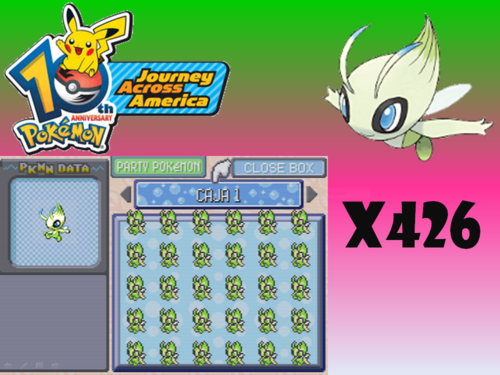
Pokémon Emerald CELEBI 10 ANIV Event Sav File
By GalosAlan10
Spanish:
Esta es una recreación del Rom 10ANNIV en archivo Sav.
El Pokémon elegido fue Celebi.
Cambios hechos:
EO: 10ANNIV a 10 ANIV
ID: 06227 a 00010
Los Iv's y PID no fueron modificados.
Prácticamente son legítimos.
Herramientas usadas: A-Save y PkHex.
English (Traduction).
This is a recreation of Rom 10ANNIV in Sav file.
The Pokémon chosen was Celebi.
Changes made:
OT: 10ANNIV to 10 ANIV
ID: 06227 to 00010
The Iv's and PID were not modified.
They are practically legitimate.
Tools used: A-Save and PkHex
3696 downloads
-
.thumb.png.921e0b2c5e05264c5e7083b428bbb184.png)
Generation 1-7 Shiny Starter Save Files
There are 3 save files per game, each with a shiny rng'd starter for the following games
Blue
Gold
Crystal
Ruby
Leaf Green
Emerald
Diamond
Platinum
Soul Silver
Black
White 2
Y
Alpha Sapphire
Ultra moon
gen 1 and 2 were done on emulator using a lua script to check for shiny,
.sav format for 1-5 main for 6-7
All saved at first opportunity after receiving your starter
rng done by myself, spreads vary wildly from terrible to decent, just went for early frames, enjoy
9260 downloads
-
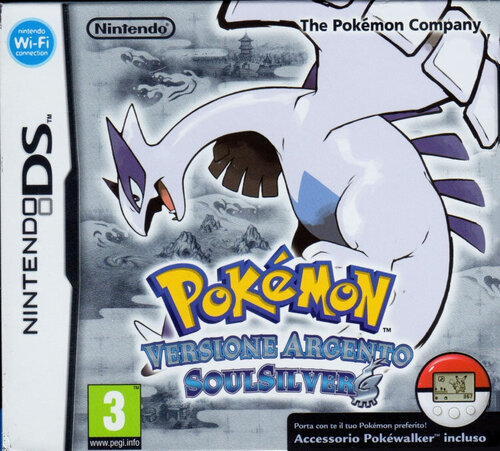
Pokémon SoulSilver Five Star Save File WITH Cute Charm Glitch (Italian)
Hello Everyone! While completing Pokémon Diamond, i also decided to complete Pokémon SoulSilver by basically doing everything that this game has to offer, including getting the colored frame of every battle facility and a 100 win streak at the Battle Tower 😃
THIS SAVE FILE CONTAINS:
All of the 493 Pokémon in the Gen.4 Pokédex. This is NOT a living dex but everything is in here and 100% legal. (I hold NO RESPONSIBILITIES in case some of these Pokemon seem to be hacked/illegal. As far as i am concerned these are all legal for me) A LOT of shinies obtained using the cute charm glitch+ a full odds male shiny Ponyta i found while grinding A collection of HG/SS exclusive events + some other event mons i added for the Pokédex A Wigglytuff in Box 11 with Smoke Ball that will activate the glitch The entire Unown alphabet My Gen 3-4 story teams (if you want them, you may never know) My battle frontier team of Starmie, Scizor and Garchomp (Starmie has been RNG manipulated, the others have been bred "traditionally") (team made with the help of the Battle Facility Discord) A collection of shinies obtained in other save files, either via full odds, RNG manipulation or via trade through the Poke Classics Network A shiny LVL 50 Aggron named "Smash" with maxxed out contest stats to use in other games as well as a lot of ribbons And that's it! As you can see a lot of time and effort has gone through this save file (And i'm still not done). Please feel free to grab whatever you want and edit this save file to your liking.
5587 downloads
(0 reviews)0 comments
Updated
-

POKEMON RED COMPLETED POKEDEX WITH MEW
By hiro991
SAVE FILE INFO -
poke Dex completed (all 151)
YOSHIRA mew
all TMs acquired
56 hrs. played
ADDITIONAL INFO -
I want to make this clear that I've played it on an emulator, but I didn't use any cheats, hacks, glitches or even speed up the gameplay nor any usage of save states (I only used in game saves).
I acquired all the TMs, but I used some of them (maybe like 5 or 6), most of the unused TMs are in the PC and few of them in the BAG.
All the Pokémon are caught legitimately (I spent hours at the safari zone to catch those four miserable mons [Chansey was quite easy though]).
I played Pokémon blue three times to get the starters and two Eevees (I didn't use any speed up here either [I lost blue save from which I traded the Venasaur]).
I traded the Mew from an event mew distribution save file dumped from an original cartridge.
Total time I've spent to complete the Dex would be around 64 hrs. (include the three blue run's playtimes).
I tried to preserve as may items as possible but because of the limited BAG and PC storage I couldn't (still managed to save 6 rare candies).
(Also, it's not that important but I caught the rare Pokémon of the safari zone did not buy them at the game corner).
I don't have much money because I spent around 600k to get the Porygon and the three TMs.
Also, there is nothing in the daycare, so you don't have to bother checking it.
This was my first time completing a poke Dex (I've played many Pokémon games before but never bothered to complete the Dex because of the trade evos).
I hope this save file might be of some use to others.
Pokemon - Blue Version.sav Pokemon - Blue Version2nd run.sav
3786 downloads
-
Gen 2 Shinies (100% legal, self caught/received)
Obtained by either breeding with shiny ditto or by wild encounters (lua scripts) Hope you guys enjoy! (Silver save)
Shiny Pokemon in the save:
PARTY: Feraligatr, Crobat
Shiny Box 1 (aka just Box 2): Magikarp, Pidgey, 2 bellsprouts, drowzee. rattata, venonat, hoothoot, abra, geodude, scyther, pinsir, stantler, vulpix, both nidoran genders. marill, zubat, furret, psyduck
Shiny Beast Box (Box 4): Entei, suicune, raikou, lugia
Shiny Box 2 (box 5): umbreon, dragonair, oddish, slowpoke, quagsire, arbok, sudowoodo, caterpie, krabby, tentacool. flaaffy, gyarados, yanma, miltank, tauros. meowth, espeon
16301 downloads
-
Pokémon Dream Radar 100% Save File
By Danius88
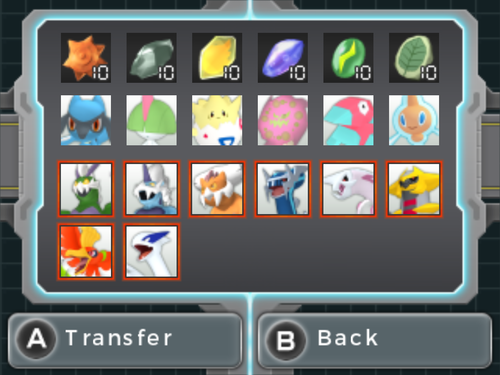
This a Pokémon Dream Radar save file that can be used to directly transfer all the Legendary Pokémon, and some extra Pokémon and items to Pokémon Black 2 and White 2.
Available Pokémon and Items to transfer:
-Tornadus, Thundurus, Landorus, Dialga, Palkia, Giratina, Ho-oh and Lugia
-Riolu, Ralts, Togepi, Spiritomb, Porygon and Rotom
-Sun Stone x10, Moon Stone x10, Fire Stone x10, Water Stone x10, Thunder Stone x10 and Leaf Stone x10
This save is also 100% cleared, so it can be used to catch any non-Legendary Pokémon and collect any item:
-999999 Orbs
-All Extensions Unlocked
-All Upgrades Unlocked
-Max Game Records
Note: It is not needed to use Pokémon Dream Radar to transfer Pokémon and items to B2W2, thanks to the Gen 5 Save Tool. This save has also been edited using the Pokémon Dream Radar Save Editor, both tools made by Suloku. It's recommended to use JKSV or Checkpoint for importing 3DS save files.
2884 downloads
- dream radar
- save file
- (and 1 more)
-
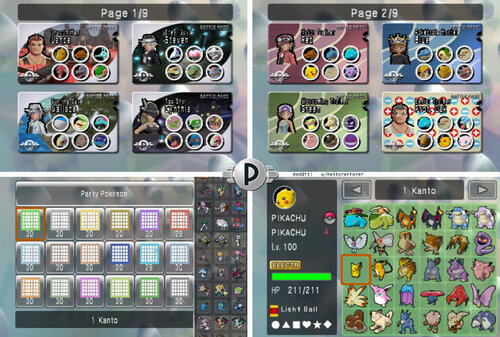
Pokémon Battle Revolution español archivo guardado completo con todos los Pokémon completamente evolucionados con configuraciones competitivas y pases personalizados para entrenadores icónicos. SPANISH VERSION
By Forer
English Version: https://projectpokemon.org/home/files/file/5057-pokemon-battle-revolution-all-fullyevolved-pokemon-competitive-builds-little-cup-custom-passes-for-iconic-trainers/
NOTA: ESTO NO ES ILEGAL NI PIRATERÍA.
Es un archivo de guardado que he creado yo mismo, NO UNA ROM. Es para ayudar a las personas que quieren jugar el juego que compraron LEGALMENTE sin tener que transferir para todo antes de poder luchar.
CONTENIDO:
1. Acerca del Fichero
2. Acerca de los Pokémon
3. Cómo instalar (Wii)
4. Cómo instalar (Dolphin)
5. Cómo editar el archivo Pokemon/ Savefile/ Crear equipo personalizado
6. SOLUCIÓN DE PROBLEMAS (Wii)
7. ¡Coliseo del Lago en Batalla Libre!
1. Acerca del archivo:
Este archivo de guardado incluye: todos los Pokémon Completamente Evolucionados (y muchos de la Copa Pequeña) con equipamientos competitivos; todos los pases de batalla y objetos de moda desbloqueados, así como 87 equipos que he formado con personajes de toda la serie, como Rojo, Cynthia, Jasmine, May, Giovanni, Paul ¡y muchos más!
▸ El juego tiene 4 Archivos de Guardado: PKTOPIA, Rojo, Azul, Verde. Puedes cambiarles el nombre (ver: Editar Archivo de guardado).
" PKTOPIA es un archivo completo con todos los coliseos desbloqueados y completados. Tiene 104 pases de batalla pre-hechos (¡Puedes borrarlos!).
" Red es un savefile completo con todo desbloqueado, pero no tiene pases de batalla pre-hechos. (¡Para hacer los tuyos propios!) (¡Ahora también tiene 60 pases de amigo!)
" Azul tiene todos los Pokemon, pero no ha sido jugado. ¡Esto es para que tengas tu propia aventura con los Pokemon! ¡Todavía tiene todos los diseños de ropa y pases desbloqueados! (¡Ahora también tiene 60 pases de amigos!) >> ¡AHORA TAMBIÉN TIENE LOS 493 POKÉMON, INCLUIDAS LAS ETAPAS INTERMEDIAS! <<
" Verde no tiene Pokemon, y no ha sido jugado, así que puedes conectar una DS, ¡o jugar sólo con Pases de Alquiler si encuentras ese reto divertido! Sin embargo, ¡todavía tiene toda la ropa desbloqueada!
2. Acerca de los Pokémon
- Ahora he hecho una base de datos de todos los Pokémon. Hay un archivo excel, y una base de datos de texto, en la carpeta. Si quieres encontrar un movimiento específico u ordenar los Pokémon por velocidad, por ejemplo, ¡ahora puedes hacerlo!
- Decidí no dar a ningún Pokemon objetos de "Elección" (excepto a los que usan Truco) y fui modesto con las vidaesferas, para que cuando juegues con amigos, los sets no sean demasiado complicados, y los niveles de velocidad sean más predecibles. Además, arruinan un poco el equilibrio del juego. Pero si de verdad te gusta el competitivo, ¡construye tus propios sets!
- En cuanto a la legalidad de los Pokemon, todos los Pokemon de las cajas tienen combinacion de movimientos de la Generación 4 totalmente legales, excepto estos 5 casos:
" Algunos Legendarios conocen movimientos que no pueden aprender, para hacerlos más débiles. Por ejemplo Kyogre tiene Rayo Aurora, una versión más débil de Rayo Hielo, para equilibrarlo. ESTO SÓLO SE APLICA A LOS LEGENDARIOS DE LA CAJA ARTE, MEWTWO, MEW, JIRACHI, ARCEUS, Y DARKRAI, ¡y no he hecho más débiles a Latios, Cresselia, ni a ningún otro legendario/mítico!
" Kecleon conoce a Copion. Simplemente pensé que le quedaba bien, y funciona bien con su Habilidad: puede reflejar un movimiento del mismo tipo que acaba de recibir para obtener STAB.
" Pachirisu tiene Sígueme (Follow Me). No lo aprende hasta la Generación 5, pero creo que le sienta bien y que es inútil sin él.
" Unown tiene... una combinacion de movimientos especial. Sólo por diversión. (sigue siendo un asco)
" Magikarp tiene Hidrobomba.
" Rotom en la Caja 14 (OU Individuales) conoce Hidrobomba, porque este Rotom está destinado a ser Rotom Lavadora.
- En cuanto al Poder Oculto, lo excluí de todos los Pokemon, excepto Unown, y los Pokemon OU Individuales de la Caja 14. Sus Poderes Ocultos son: Unown(hielo) Magnezone(fuego) Latias(fuego) Slowbro(eléctrico) Rotom(hielo).
- Todos los Pokemon tienen Estadisticas y EVs legítimos. EXCEPTO en guardar PKTOPIA, hice algunos nuevos Pases Amigos. 11 de estos pases usan Pokemon débiles como Goldeen con habilidades pirateadas (sin cambios en las estadísticas). Estos Pokemon NO son accesibles y no están en el almacenamiento del PC, así que todo lo que puedes hacer es jugar con los pases tal cual. Los Pokemon no son tan fuertes incluso con sus habilidades especiales, ¡es sólo por diversión!
Estas habilidades son:
Poder Enorme: Ash (Buizel), Jessie (Meowth), Zinnia (Whismur), Brock (Onix, Geodude, Bonsly, Croagunk), Misty (Psyduck, Goldeen), Lt. Surge (Voltorb), Blaine (Ponyta)
Intimidacion: Dawn (Piplup), James (Mime Jr.), Whitney (Clefairy)
Filtro: Brock (Golbat), Erika (Ivysaur), Blaine (Magcargo)
Nado Rapido: Misty (Corsola), Llovizna: Misty (Politoed), Levitacion: Lt Surge (Magnemite)
Además, el único movimiento pirateado en estos pases es el Blissey de Brock usando Trick Room.
¡Estos pases no están en los otros archivos de guardado! Sólo PKTOPIA tiene los hackeados.
3. Cómo instalar (Wii)
- Para importar los archivos guardados a Wii es necesario Homebrew porque PBR está bloqueado y no permite importar archivos guardados; si usas Homebrew con SaveGameManagerGX no tendrás que hacerlo.
Primero, descomprime el archivo descargado, ábrelo >> abre tu región de juego >> abre la carpeta "Archivos de Guardado PBR" >> abre la carpeta "(ARCHIVO DE GUARDADO DEL JUEGO PRINCIPAL)", y copia la carpeta "0001000052504245" o de nombre similar a la raíz de tu tarjeta SD.
NO PUEDES colocar el archivo de guardado del juego solo, ¡debes colocar la CARPETA "0001000052504245" ENTERA!
A continuación, inserta la tarjeta SD en la Wii. A continuación;
Usando SaveGameManagerGX en Homebrew, en el menú superior, navega hasta la tarjeta SD. Busca el icono de PBR. Haz clic en el icono de PBR y haz clic en instalar. Esto sobrescribirá cualquier dato que tengas en PBR, así que asegúrate de hacer primero una copia de seguridad si quieres conservar un archivo antiguo.
Listo.
» SI ESTO NO FUNCIONA/TIENE EL ERROR "unable to copy data", borre el archivo "0001000052504245" de tu tarjeta SD.
» Ahora prueba la carpeta DEBAJO de la carpeta "(ARCHIVO DE GUARDADO DEL JUEGO PRINCIPAL)", "[BINARY]" - Ponga el archivo "data.bin" en la raíz de la tarjeta SD. Ahora intente instalar esto en SaveGameManager.
» Y si esto no funciona, entonces en SaveGameManagerGX puede que tengas que hacer clic en el archivo .bin, hacer clic en "Descomprimir" y se creará un nuevo archivo en SGMGX y ESTE archivo finalmente debería funcionar.
Para extraer el archivo guardado para editarlo, por ejemplo, si has jugado 20 horas y quieres editar un Pokémon sin perder tu progreso, ve a SaveGameManagerGX, en el menú superior ve al icono de Wii, haz clic en el icono de PBR y haz clic en Extraer a Personalizado y ve a tu tarjeta SD.
Una vez finalizada la edición, vuelve a inyectar el archivo guardado.
4. Cómo instalar (Dolphin)
Primero, crea una nueva partida guardada en PBR, guardando después de crear una ranura de guardado. Luego cierra el juego. Esto creará una estructura de carpetas.
En el menú de selección de juegos de Dolphin, haz clic con el botón derecho en PBR y haz clic en "Abrir ubicación de guardado de Wii". En la carpeta "GeniusPbr", sustituye el archivo "PbrSaveData" por el mío. Para encontrar mi archivo PbrSaveData, ve a ARCHIVO DE GUARDADO DE PBR COMPLETO (REGIÓN) Archivos de guardado de PBR (ARCHIVO DE GUARDADO DEL JUEGO PRINCIPAL) 0001000052504245 GeniusPbr y estará en la carpeta GeniusPBR.
¡Ahora abre Dolphin y juega!
UN AJUSTE QUE PUEDE QUE TENGA QUE DESACTIVAR EN DOLPHIN:
Los pases de batalla pueden no mostrarse correctamente (El avatar del entrenador no aparecerá). En los ajustes de Dolphin ve a Graphics -> Hacks y en la parte superior desactiva "Store EFB Copies to Texture Only". Debería arreglarse y no afectará a nada en otros juegos.
4.5. Cómo instalar (Android Dolphin)
Asegúrate de haber entrado en el juego y de haber GUARDADO primero en la recepción, ¡o de lo contrario no se habrán creado las carpetas!
Ve a Configuración ==> Datos de usuario ==> Abrir carpeta de datos de usuario.
A continuación, ve a Datos ==> GeniusPBR, y dentro de esta carpeta es donde debes colocar el nuevo archivo guardado, sustituyendo el antiguo pbrSaveData.
5. Cómo editar el archivo Pokémon/ Savefile/ Crear Equipo Personalizado
Abre el archivo "PbrSaveData" en PKHex. Es bastante autoexplicativo cómo editar Pokémon.
Un consejo que tengo es que los Pokémon a veces no funcionan correctamente si no tienen Met Location/ OT info. Puedes coger cualquier Pokémon existente, copiarlo en algunas ranuras, y ahora estas ranuras tendrán esos datos, ahora puedes editar ese Pokémon en lo que quieras, o importar un Pokémon de Showdown encima de él usando Ctrl+T cuando el texto de Showdown se copia en el portapapeles y luego Shift-Click para reemplazar el viejo Pokémon por el nuevo.
Puedes editar el nombre de tu archivo guardado en PKHex yendo a SAV --> Save Slot: (selecciona el archivo que quieres editar) --> Block Data, y simplemente edita el valor de Current OT. Este será tu nombre en línea si decides jugar en línea.
También añadí el archivo Binario "PCDATA" en la carpeta "DATOS POKEMON EN BRUTO".
Si abres tu propio archivo de guardado en PKHex y arrastras y sueltas este archivo en la ventana de PKHex, reemplazará todos los Pokemon de tu guardado con mis Pokemon. Esto puede evitar un bloqueo de región, pero NO importará los datos completos del juego guardado, los pases de batalla personalizados, etc., y conservarás tu archivo guardado, sólo que con todos mis Pokemon.
En caso de que estés arrastrando estos Pokemon a un nuevo archivo, para que funcionen, en PKHEX necesitas ir a "datos de bloque" en la pestaña SAV, y necesitas introducir alguna información del entrenador. El archivo de guardado necesita cualquier ID de Entrenador + ID Secreto o el Pokemon no será accesible.
También para aquellos que editen el archivo de guardado, una pequeña guía de cómo lo convierto a .bin:
Necesitarás descargar Dolphin en PC, luego tener una copia de PBR en Dolphin. Pon tu archivo PbrSaveData actual de PKHex en la carpeta de guardado de Dolphin "GeniusPbr" (click derecho en PBR en Dolphin Loader, luego click en "Abrir la carpeta de guardado de Wii").
Luego en el cargador Dolphin, haz clic derecho en PBR, y haz clic en "Exportar Guardado de Wii" y guardará el archivo en la carpeta de guardado en un .bin - ahora puedes importar este .bin a tu Wii (si tienes problemas con el archivo original).
6. SOLUCIÓN DE PROBLEMAS
Hay un problema técnico importante que puede bloquear tus pases, así que te lo explicaré.
Para que los pases estén como están, he marcado algunos de ellos como «Pases de amigos» a pesar de que en realidad no están en el menú de pases de amigos. Si por alguna razón acabas con uno de estos pases al principio del menú de pases de la página 1, bloqueará todos los demás pases y no podrás editarlos.
Si eliminas todos los pases de la página de pases personalizados para crear los tuyos propios, ¡no podrás crear ni editar NINGÚN pase!
Para solucionarlo:
1. Asegúrate de eliminar todos los pases EXCEPTO uno que NO sea un pase de amigo (no puedes editar el Pokémon o el entrenador de un pase de amigo, por lo que es fácil de distinguir).
2. Si ya has eliminado todos los pases, vuelve a instalar el archivo guardado o entra en PKHex y edita el pase de batalla para que NO sea un pase de amigo, y así se solucionará.
6. SOLUCIÓN DE PROBLEMAS (Wii)
Asegúrate de instalar toda la carpeta "0001000052504245" en tu tarjeta SD, INCLUIDA la carpeta "0001000052504245", y no le cambies el nombre, ya que es el código del juego para PBR. No cambies el nombre de NINGÚN ARCHIVO ni edites la estructura de archivos o puede que no funcione.
Asegúrate de que tu CIOS está instalado correctamente. Recomiendo rehacer la instalación de CIOS si todo lo demás falla. Puede que no esté actualizado.
Asegúrate de que estás usando el archivo PBR de la región correspondiente a la versión del juego (USA, EUR o JAP).
¡¡¡ASEGURATE DE QUE SaveGameManagerGX ESTE EN LA ULTIMA VERSION ACTUALIZADA!!!
Link: https://sourceforge.net/projects/savegame-manager-gx/
simplemente ve a la carpeta "apps" de la tarjeta SD de tu WII, borra SaveGameManagerGX y sustitúyala por la nueva (descomprimida).
Si el mensaje de error "unable to copy datas" sigue apareciendo, pruebe lo siguiente:
Asegúrese de que mi carpeta "0001000052504245" NO está en su tarjeta SD. Por ahora, muévela a cualquier otro lugar de tu PC.
Entra en el menú de inicio básico de Wii, ajustes, y ve a los datos de guardado de tu partida. Borra PBR. (Haz una copia de seguridad de tu partida guardada con SGMGX si no quieres perderla).
Abre PBR para crear un nuevo archivo de guardado. Ahora cierra PBR.
En SaveGameManagerGX, descarga este nuevo archivo de guardado de la Wii a tu tarjeta SD. Esto creará la estructura de carpetas exacta que necesitas en tu tarjeta SD.
Ve a tu PC y, en la SD, sustituye MI archivo "PbrSaveData" por el que acabas de instalar desde tu Wii en la misma ubicación exacta.
Instálalo con SGMGX y ¡a jugar!
7. ¡¡¡NUEVO CÓDIGO DE TRUCOS PARA DESBLOQUEAR COLISEO LAGUNA EN BATALLA LIBRE!!!
¡Todo esto es gracias a abcboy! ¡Él hizo la versión PKHex que ahora puede editar Battlepasses y el diálogo directamente en PKHex!
Para utilizar el código, en el modo de batalla libre, cuando se selecciona cualquier Coliseo, mantenga pulsado el botón PLUS (+) mientras hace clic en el botón (A) para seleccionar cualquier Coliseo. Esto lo convertirá en el Coliseo de la Laguna para la siguiente batalla.
Para instalar el código
en Wii: Instala Ocarina en Homebrew. Pon este código en un archivo Gecko Code en tu tarjeta SD (busca un tutorial) y ¡listo!
en Dolphin: Con PBR abierto, ve a Herramientas -> Gestor de Trucos y ve a Códigos Gecko, luego añade un nuevo código y pon el código.
-
EUR CODE:
0213028c 00004181
285356d2 FFEF0010
0213028c 00004800
E0000000 80008000
¡Aquí está mi tema de menú Poketopia USBLoaderGX para Wii!
https://projectpokemon.org/home/files/file/5726-pokétopia-usbloadergx-theme/
Disfrutar!
- Atentamente,
Restorer Forever
- Traduccido al español por: HaruhiroRD
2192 downloads
(0 reviews)0 comments
Updated
-

Pokemon Ruby & Sapphire 10 ANIV JAA Latios/as Sav File
By GalosAlan10
Español:
Continuando con los eventos del 10 Aniversario de la era Advance.
Sav de Latios y Latias.
El único cambio es el objeto Rocío Bondad que viene equipado en cada Pokemon.
English:
Continuing with the 10th Anniversary events of the Advance era.
Sav of Latios and Latias.
The only change is the Soul Dew, Item equipped in each Pokemon.
Actualización:
Rocío Bondad fue quitada del sav.
Update:
The Soul Dew was removed from the sav.
3423 downloads
-
Pokemon LeafGreen GAME BEAT
By RedSilver33
Beat the main game of Pokemon Leaf Green. Have not done the post game. Captured all 3 Legendary Birds, has not captured Mewtwo. Trainer name is Red (protagonist name from the manga)
3183 downloads
(0 reviews)0 comments
Updated
-
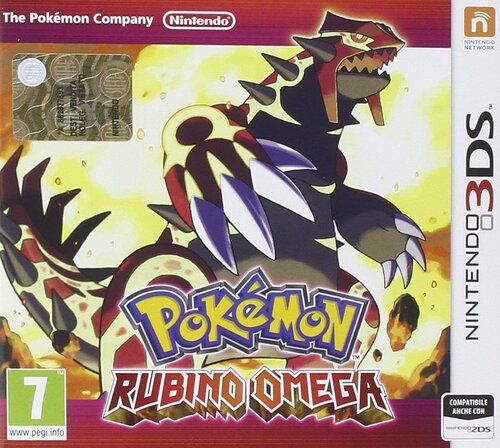
Pokemon Omega Ruby Complete Save File (Italian)
Hello everyone, back once again to share one of my save files and this is my copy of Omega Ruby
I originally completed the Pokedex in this game back in April-May 2024, but due to the fact that i wanted to shiny hunt in this game and wanted the shiny charm ASAP, i loaded this save file with a truck load of cheated lvl 100 mons with perfect stats and competitive items and natures.
I promised myself that throughout my completion of Pokemon games, one game at a time, i would eventually add some Pokemon with less stellar stats, but far more legitimate.
I can happily say that as of Summer 2025, i finally achieved this result. (Especially considering that i have what, like... Seven national dexes complete?)
So anyway, enjoy. There's plenty of good stuff here.
THIS SAVE FILE CONTAINS
1) The entire Gen.6 Pokedex of all 721 Pokemon. This is NOT a living Dex but everything is here and it's 100% legal. There might be some mons i forgot to check (in that case i am so sorry and i'll remove them ASAP)
2) A collection of my old shinies from other games, including: Some of my favorite Poke Radar hunts from Diamond, a few cute charm shinies, all my full odds shinies and a few extra ones from Black 2 😃
3) A HUGE amount of shinies obtained with all possible method hunts from this game: Dexnav, Horde encounters, Chain fishing and RNG manips (also included, a few dupes) (some of them with their hidden items too)
4) A Full team of LVL 100 Linoone with Pickup to use while item farming during Dexnav chains
5) A Muk with Sticky Hold and a Smoke Ball used for Chain Fishing
6) A Shiny LVL 100 Altaria from my old save file, with the mega stone
7) A LVL 100 Breloom with Spore and False Swipe for catching
8 ) A LVL 100 Mawile with Sweet Scent that was given to me as a pk file from a friend of mine
9) A collection of assorted events like Shiny Diancie, a few japanese ones,
10) A faithful recreation of Wolfe Glick's winning team from 2016 (Curtesy of ImaBlisy on YT)
11) A Japanese Ditto with perfect IVs and a Destiny Knot i RNG manipulated from my japanese Platinum
12) Every single team i used for the Super Maison in Singles, Doubles, Triples, Rotation and Multi
KEEP IN MIND: Gengar, for Rotation battles, Has "Toxic" and "Perish Song" instead of "Sludge Bomb" and "Protect" so if you want to use this keep this in mind 😃
13) All my teams from FR to OR (They're also at LVL 100, so if you didn't want them then, maybe you want them now!)
14) A shiny Aggron with a lot of ribbons and maxed out contest stats (the reason why the moveset is weird is because I was trying to get all possible ribbons, starting with Cool here in Omega Ruby)
3167 downloads
(0 reviews)0 comments
Updated
-
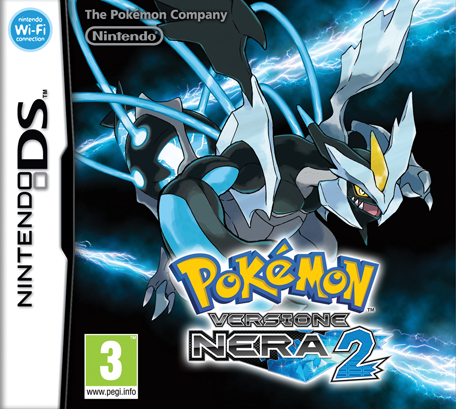
Pokémon Black 2 Five Star Save File (Italian)
Hello everyone! I come here sharing yet another big summer project of mine, that is 100% completing (it's more like 95% technically speaking) Pokemon Black 2.
This project was absolutely massive and took me many months to complete, so i hope you guys enjoy. There's plenty of good stuff in here too 😃
THIS SAVE FILE CONTAINS:
1) All of the 649 Pokemon from the Gen.5 National Dex, this is NOT a living dex but everything is here and all of them are 100% legal.
(Due to the fact that some Pokemon have been traded to me, i hold NO RESPONSIBILITIES in case these Pokemon turn out to be hacked/cheated. As far as i am concerned they're all legal and PkHeX doesn't have any issues with them too.)
2) The three shinies you obtain for free in this game as well as a shiny Maractus i found while grinding
3) All of N's Pokemon
4) All of Yancy and some of Curtis's Pokemon with their respective items
5) All the Pokemon i have used for the PWT Type Expert tournament, some have been traded to me while others have been bred and trained by me
6) Every single team of mine from LG to B2
7) My Singles Trio of Starmie, Scizor and Garchomp from SS + my Doubles rain team from Black
8 ) A good collection of event Pokemon, including a good amount of shiny ones
9) A box full of HA Pokemon, some of which are really useful for breeding like Multiscale Dragonite and Moody Smeargle. There's also a Buizel, but i kept it there cause it has some cracked stats.
10) A box full of shinies i obtained via trading, either with IRL friends or through the Poke Classics Network as well as some of mine from other games
Down here there's also a list of every Pokemon i've used for the Battle Subway/PWT and what items i've used.
BATTLE SUBWAY SINGLES:
Tokyo (Starmie) @Life orb, Roma (Scizor) @Lum berry, Berlino (Garchomp) @Focus Sash
BATTLE SUBWAY DOUBLES:
Asclepius (Politoed) @Choice Scarf, Ludicolo @Absorb Bulb, Roma (Scizor) @Life Orb, Kerykeion (Gastrodon) @Rindo Berry
(I'll also be using the same team for Battle Subway Multi but i don't have a second NDS/3DS yet so this'll have to wait)
PWT:
Tokyo (Starmie) @Life orb, Roma (Scizor) @Lum berry, Berlino (Garchomp) @Focus Sash
TYPE EXPERT TORUNAMENT:
Some of the Pokemon i used in these teams are scattered around my boxes, find them
(I also STRONGLY recommend to swap items around using the move items option in the PC, and don't worry about some of them not being Level 50+, the level is automatically set to 50, clever!)
NORMAL: STAb (Staraptor) @Choice Band, Porygon-Z @Choice Scarf, Togekiss @Leftovers
FIRE: Infernape @Life Orb, Rotom-Heat @Choice Scarf, Heatran @Air Balloon/Choice Scarf
WATER: Asclepius (Politoed) @Choice Scarf, Ludicolo @Absorb Bulb, Kingdra @Choice Specs, Kerykeion (Politoed)@Leftovers
GRASS: Mia Figlia (Whimsicott) @Focus Sash, Bruteroot (Venusaur) @Choice Scarf, Mango (Exeggutor) @Life Orb, Mustard (Victeebell) @Choice Specs
ELECTRIC: Electivire @Life Orb, Rotom Heat @Choice Scarf, Dipper (Galvantula) @Choice Specs (Galvantula is a placeholder, those two will take care of everything)
FLYING: Zapdos @Life Orb, STAb (Staraptor) @Choice Band, Dragonite @Lum Berry (You can also go with Yache berry or a Focus Sash)
GROUND: Kerykeion (Gastrodon) @Leftovers, Droop Snoot (Excadrill) @Focus Sash, Mamoswine @Choice Scarf
ICE: Weavile @Expert Belt, Mamoswine @Choice Scarf, SPIKA ICE (Cloyster) @Focus Sash
STEEL: Heatran @Air Baloon/Choice Scarf, PERF (Lucario) @Focus Sash, BUZZ (Metagross) @Choice Band
PSYCHIC: Latios @Expert Belt, BUZZ (Metagross) @Choice Band, Alakazam @Life Orb
DRAGON: Latios @Expert Belt, Dragonite @Lum Berry, Berlino (Garchomp) @Focus Sash
BUG: City Cook (Volcarona) @Focus Sash (I STRONGLY suggest you breed a Larvesta on your own, i was being lazy), Roma (Scizor) @Lum Berry, Heracross @Leftovers
FIGHTING: PERF (Lucario) @Focus Sash, Infernape @Life Orb, Heracross @Leftovers
DARK: Weavile @Expert Belt, Montogmery (Krookodile) @Life Orb, Lago Duria (Drapion) @Black Sludge
POISON: Lago Duria (Drapion) @Life Orb, Toxicroak @Black Sludge, Gengar @Choice Scarf
GHOST: Gengar @Choice Scarf, Mismagius @Life Orb, Spiritomb @Choice Specs
ROCK: Gay Lefts (Omastar) @Mystic Water, Gay Rights (Kabutops) @Water Gem, Tyrannitar @Leftovers, Terrakion @Life Orb
And that's it. If you have any question regarding my strategies for the Subway, the Type Expert Tournament or any medal in particular, feel free to let me know. As usual, feel free to grab whatever you want from this team and use it to your liking
I think i'll be taking a looooooong break from Pokémon games now and focus on something else.
2869 downloads
-
main Pokémon Ultra Moon
This is a clean game, without editing anything except the Pokémon of the team.
Details:
- Female character
- No hidden object collected.
- The game is saved just before facing the Elite Four.
- He was never connected to the internet.
2643 downloads
(0 reviews)0 comments
Submitted
-
Pokémon Legends: Arceus. Every pokemon
By Giselus
Complete pokedex.
All the pokemon have alpha mark if possible.
3204 downloads
(0 reviews)0 comments
Submitted
-
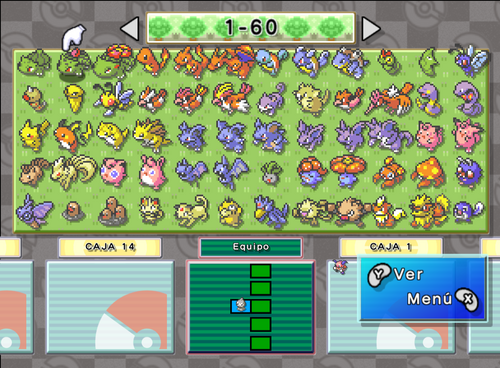
The Most Complete Save File for Gen 3 - Pokemon BOX (EUR)
By Dararakz
After 2 years of work, I have gathered all the Pokémon that can be legitimately obtained today in GEN 3, including Shadow Pokémon, Pokémon Channel, BOX, etc. All in .gci save from Pokémon BOX: Ruby & Sapphire (EUR).
List of Pokemon:
- All 384 Pokemon from the 6 GBA games (Including all forms of Unown) (Deoxys and Mew are excluded since they can only be obtained through events).
- All trade Pokemon from the 6 GBA games.
- All Pokemon from Pokemon Colosseum (Including Ho-Oh).
- All Pokemon from Pokemon Colosseum (JPN) (Including Ho-Oh, Ageto Celebi, Pikachu from the Bonus Disc and the 3 Shadow Pokemon from the e-Reader).
- All Pokemon from Pokemon XD: Gale of Darkness (Including the 3 Johto Starters with Ultimate Moves and Ribbon Master ZAPRONG).
- Jirachi from Pokemon Channel (EUR).
- All Prize Pokemons from Pokemon BOX: Ruby & Sapphire (Excluding Pichu).
- My Teams from the 6 main games, including my team from Ruby (JPN). (All the Pokémon I use in my team have the circle mark, this will be useful to identify them, since I put the Gamecube Pokemon in their box and not in my team box.).
- 2 Shinys that I got in this adventure :3
Possible missing interesting Pokemons:
- Shadow Togepi/Togetic from XD (This one is traded for ZAPRONG and I would have to play the whole game again if I wanted to have both.).
- Jirachi from Pokemon Colosseum Bonus Disc (I don't plan on finishing Colosseum again, I used the Jirachi from Pokemon Channel).
- Pichu from Pokemon BOX: Ruby & Sapphire (When you transfer it to Gen 4 you lose surf, so I'm not interested in getting it).
That's all, I hope you like it, and any comments/suggestions are welcome! I've played most of this games in Spanish and tried to give each Pokémon a nickname.
Enjoy my adventure!
2433 downloads
-
(V1.1)_000.thumb.png.28202ba252679cad1914c04dbe82d067.png)
Shiny WISHMKR Jirachi Save (Use For Colosseum Bonus Disc)
By Kelz1015
This save has been RNG manipulated to receive a Shiny Jirachi when you use the Colosseum Bonus Disc.
Info: Seed: 0x7236, PID: 0x2ec1608d, Nature: Lonely, HP: 31, AT: 23, DF: 26, SA: 29, SD: 18, SP: 5
1596 downloads
-
Pokémon Diamond Version Five Star Save File (Italian)
Hello everyone! In the summer of last year i decied to pursue a childhood goal of mine: Complete Pokémon Diamond 100%, doing everything the game can offer, and after a long four months, i managed to complete it (although i still play it to this day lol) and this is the result:
THIS SAVE FILE CONTAINS:
1) All of the 493 Pokémon available in the national dex. This is NOT a living dex but everything is in here. Darkrai, Shaymin and Arceus for some reason are flagged as "Illegal" (even though i did the events legitimately) but every single mon can be transfered to HOME no problem. There's also a lot of level 100 mons.
2) Four level 80+ Linoone with pickup for item farming
3) A perfect IV japanese Ditto with Destiny Knot i RNG manipulated in my japanese copy of Platinum for breeding/Masuda method
4) A level 70 Smeargle with Spore, False Swipe, Mean Look and Super Fang for the roamers from my copy of Soulsilver
5) All my Gen 3 and Gen 4 teams (if you want them, you may never know)
6) A shiny Aggron named "Smash" with maxed out contest stats and a yellow scarf for the contest.
7) Loads and i mean LOADS of shinies obtained via Poke Radar chaining, all of the hidden item mons include their hidden item
8 ) A LVL 100 Breloom with Spore and False Swipe for Radar chaining and catching
9) A lot of event distribution mons. Japanese, Battle in Orlando, Shiny Pichu and Milo, PKTOPIA, you name it!
10) A bunch of shinies from other save files of mine and other save files i dug up thanks to the Poke Classics Network
11) Two Chatots named "A" and "U" with chatter for RNG manipulation
12) A random Feebas i had to trade with a friend (but we never ended up trading together )
And that's it! As you can see i put a lot of love and effort into this game and to this day i'm very much in love with this save file. As always, feel free to edit this save file to your will and take everything you want 😃
2687 downloads
-

Pokemon Fire Red
By Soichi
The save file is for fire red and is a clean run with lots of trades from emerald.
3248 downloads
-
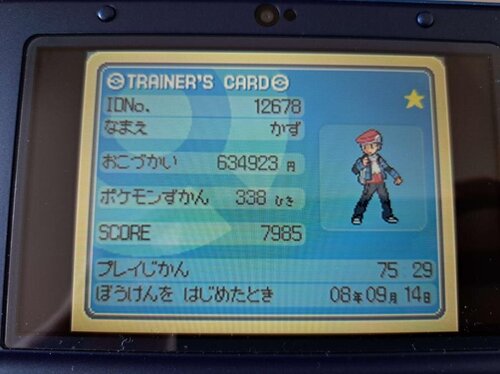
Pokemon Platinum (JPN)
By LukasEins
backed up the save file from a japanese Platinum game a friend found in Tokyo and wanted to make sure it survives by posting it on here, the save was started in 2008 which is pretty neat, also has multiple pokerus pokemon in team
2524 downloads
(0 reviews)0 comments
Updated
-
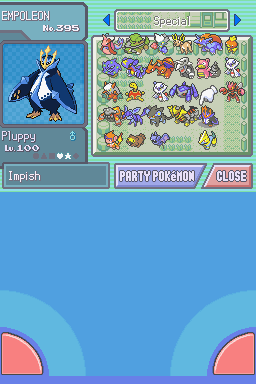
Pokemon_D_Save.sav
By P80pHat
My Pokemon Diamond save file. I completed the Pokedex back on June 11th. In case you're wondering why I have so many random eggs and Pachirisus, I was using the Masuda method to do shiny hunting because after 500 hours of playing this game (counting all the accidental resets) I have still not found a single shiny, and had to trade over the red Gyrados from my SoulSilver file to this to at least have one shiny (excluding the event Pokemon).
2334 downloads
-
Completed JP FireRed, LeafGreen, and Emerald Saves
By P Diddy
I recently purchased a full set of jp gen 3 GBA Pokemon games off Yahoo auction. I dumped the saves with a Joey Jr, and was pleasantly surprised by the following 3 saves. Ruby and Sapphire were incomplete, so I have omitted them.
3606 downloads
(0 reviews)0 comments
Submitted
-
Twitch Plays Pokemon core series save files
By Holla!
These are the saves from the famous Twitch phenomenon livestream that began with Pokemon Red on February 12, 2014 at 23:16:01 UTC.
It contains the non-ROM hack save files for the main series playthroughs of the following games:
Pokemon Red
Pokemon Crystal
Pokemon Colosseum
Pokemon Emerald
Pokemon XD: Gale of Darkness
Pokemon Platinum
Pokemon Black
Pokemon Sun
Full credit to /r/twitchplayspokemon for the saves.
1648 downloads
-
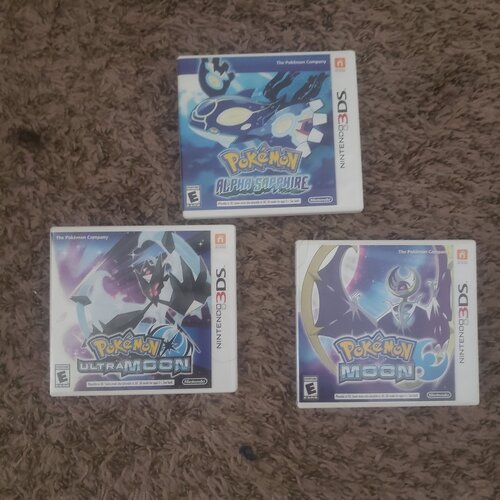
My Old Saves for Alpha Sapphire, Moon, and Ultra Moon
from circa 2015-2019
all in one zip file
All Badges and became champion in all games
Beat the Delta Episode in Alpha Sapphire
Beat Episode RR in Ultra Moon
Ultra Moon in particular has quite a sizeable collection of legit Mystery Gift Event Pokemon that I got from back in the day
backed them all up using Checkpoint
Sadly no Y because from what I remember, the save got corrupted thus I deleted it so I could trade it in at Gamestop for Kirby Planet Robobot. 😢
Enjoy!
2686 downloads
(0 reviews)0 comments
Updated