All Activity
- Past hour
-

PKHeX new update legality errors (contribution page)
JeongJeong replied to theSLAYER's topic in PKHeX
I know it's literally only been 21 hours since the event went live so I'm not pushing for it to get done immediately but I just wanted to gently remind you that shiny roaming form Gimmighoul caught between July 4th and 6th 2026 are legal but still currently flagged in PKHeX. - Today
-

Doxi's Pokemon Insurgence Save Editor (DPISE)
HGPOfficial replied to HGPOfficial's topic in Saves - Tools
Oh well cool, wasn't trying to be hostile or anything lol, my bad if it came off that way. Glad to see I wasn't the only one who was thinking about it. I did check it out and it looks pretty sweet! Only reason I didn't see it before was because it didn't pop up anywhere, not even a link to the github through Google. You have a good one as well! -
Doxi's Pokemon Insurgence Save Editor (DPISE)
HGPOfficial replied to HGPOfficial's topic in Saves - Tools
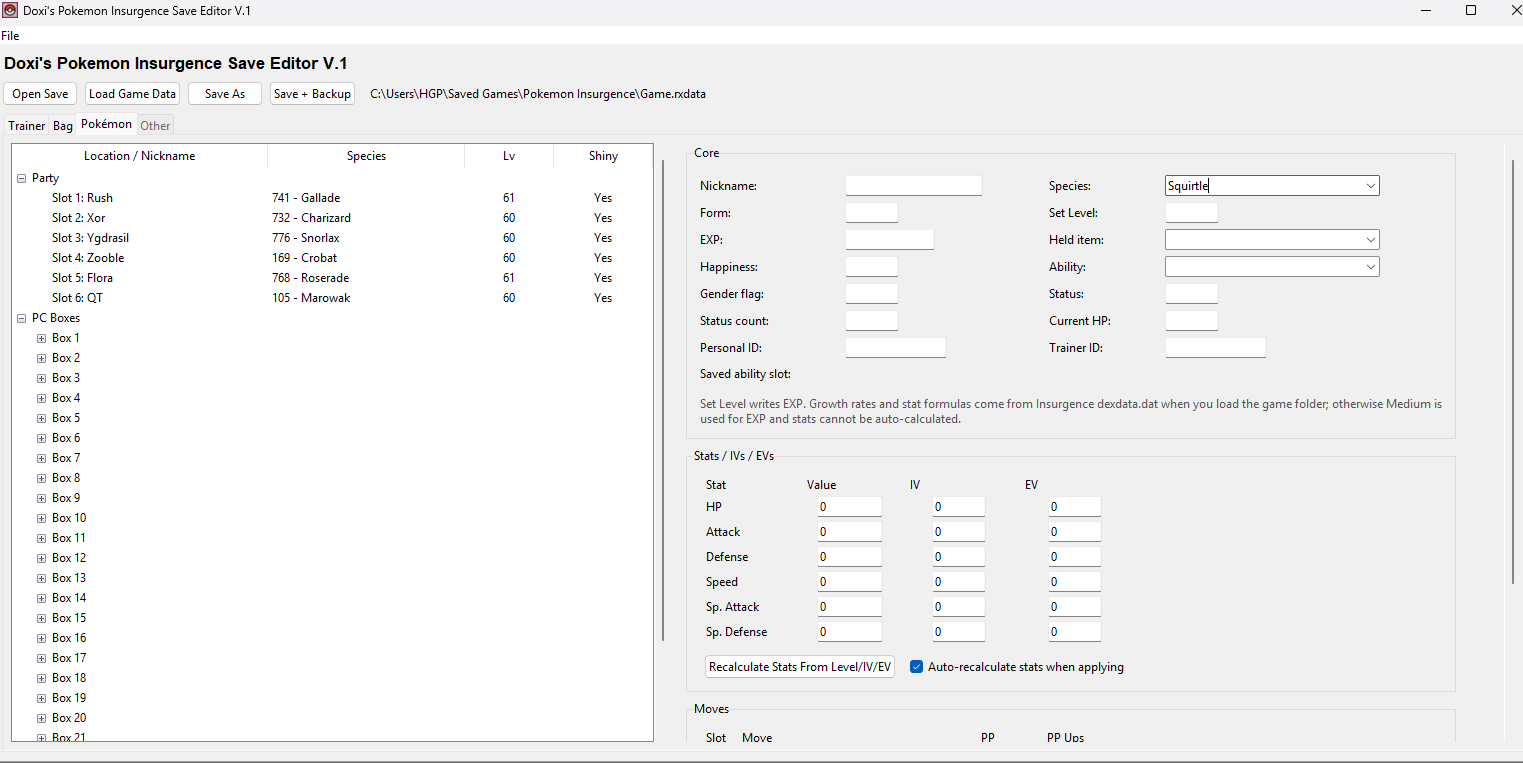
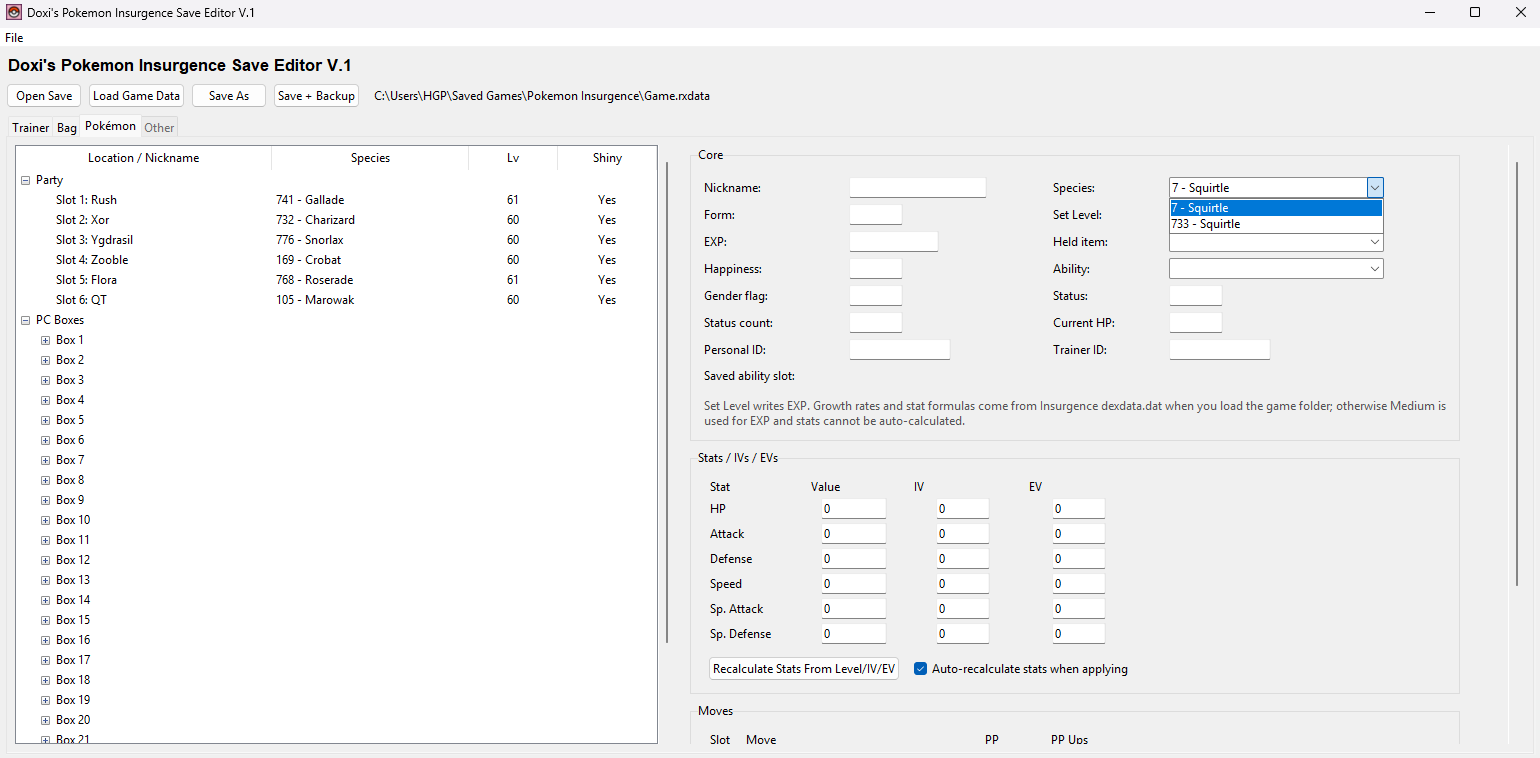
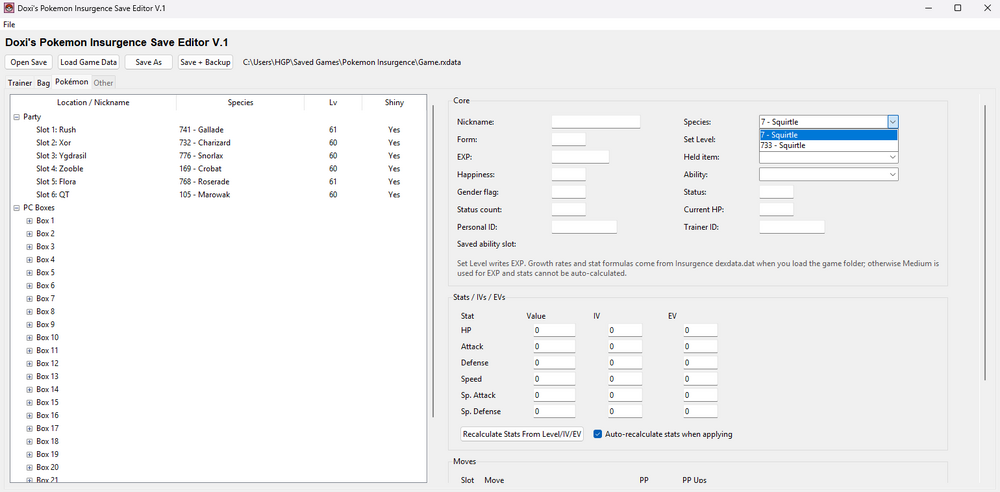
Don't change the species number. Type in the name of the starter into the Species category: Squirtle, Bulbasaur, Charmander. Then click the little arrow for the drop down menu, there will be 2 options, the one with the low number is the original version, the one with a larger number next to it is the Delta form. This applies for all deltas and their normal forms.
-
So, i'm new in this modding thing, i got the .narc of overworld sprites, but i cannot find bianca's (B/W1), can someone pls help me ?
-

WiiWare: My Pokémon Ranch Platinum Version (English - USA) Update Patch
nscf commented on RestorationProject's file in ROM hacks
 Very cool!!!!
 -
 sptnyk changed their profile photo
 -

Version 1.0.0
86 downloads
Contents: 1) Intro 2) Installation Guide 2.1) Disclaimers 2.2) Downloading & Applying the Patch to My Pokémon Ranch 3) Connecting to the Nintendo DS 3.1) Cartridge Methods 3.2) ROM File Methods 4) Call for Translators 5) Contact 6) History 7) Credits 1) Intro: My Pokémon Ranch is a game released for the Nintendo Wii in 2008 as a downloadable WiiWare title. It was developed by Ambrella and published by Nintendo. The game acts as a playground/sandbox for interacting and watching various different Pokémon on a Ranch, as well as storing them. Players can move Pokémon around, have Pokémon play with toys, take photos of them, or have them interact with one another. Each day, Hayley brings a new Pokémon to add to the Ranch. The original version of My Pokémon Ranch has the capability of connecting to the Nintendo DS mainline Pokémon games of that era, Pokémon Diamond & Pokémon Pearl. This connectivity allows them to transfer Pokémon to and from My Pokémon Ranch, allowing it be used for additional box storage, not dissimilar to Pokémon Box: Ruby & Sapphire on the Nintendo GameCube. After certain capacity milestones have been reached, the player can be rewarded with special event Pokémon, such as Phione or Mew. On November 5, 2008, an update to My Pokémon Ranch was released in Japan that allowed it to connect to Pokémon Platinum. Not only did this update boast additional connectivity, but it also included an increased storage capacity, support for (at this time) Platinum-specific Pokémon forms, new toys and ranches to visit, new music, new Pokémon interactions, updated Platinum-related encounter information and more. Unfortunately, this update was never officially released outside of Japan, so international players were unable to enjoy the full My Pokémon Ranch experience... ...Until now. Introducing the My Pokémon Ranch: Platinum Version English fan localization patch! 2) Installation Guide: 2.1) Disclaimers: This patch is a non-profit fan project that is not associated with Nintendo, Game Freak, The Pokémon Company, or Ambrella Co. Ltd. Please make sure you read these instructions carefully! This guide does not take any responsibility for user error or damaged consoles. This guide requires the USA version of My Pokémon Ranch as a base to apply a patch. The patched version, like the original USA version, only supports connecting to English copies of Pokémon Diamond, Pearl, and Platinum (other languages may be supported in a future update). Included in the patch is the ability to receive guest visitors to the ranch via WiiLink, which may come at a later date. A modded Wii console is required to be able to install this patch. For information on how to Homebrew your Wii, see the guides on wii.hacks.guide. Installing this patch will upgrade any existing USA My Pokémon Ranch saves to work with the Platinum version of the game. This format change is irreversible, so it is recommended to back up your save file. To do this, you can use SaveGame Manager GX. This patch can connect to Pokémon Diamond, Pearl, and Platinum (English) versions. However, due to signature changes in the data sent to the cartridges, special methods are required to connect to the cartridges going forward for all versions. They can be found in the Connecting to the Nintendo DS section. 2.2) Downloading & Applying the Patch to My Pokémon Ranch: Two different base WAD files are options to apply the patch to: the original USA release, and the updated USA release, which fixed a typo. These must have the correct SHA-1 hashes, listed below. You can verify you have the correct hash using a tool such as this one. 0f318003a97a99858c2ab4ef5da70f588bc90969 (Original USA) 7a7e059bcb5f91bbdcaf68e98540b86e7df62542 (Updated USA v256) To patch your WAD: Download the applicable patch file for your base WAD (Included in the above zip) and save it to a convenient location on your computer. We recommend using Rom Patcher JS to patch your game. Upload the .wad file as the ROM file, and the file from the first step as the Patch file. Click Apply patch, and save the patched .wad file your browser downloaded to your SD card or USB Drive. Use YAWM ModMii Edition to install the patched My Pokémon Ranch WAD file. Follow this guide from wii.hacks.guide for more details. Open My Pokémon Ranch on the Wii Menu and launch the game. If everything was done correctly, the game should boot up without any issues. If updating from an existing Ranch, Hayley will have a new introduction sequence acknowledging the update. 3) Connecting to the Nintendo DS: Now that we have installed the My Pokémon Ranch WAD, the next step is to patch or trick Pokémon Diamond, Pearl, and Platinum to connect to it. This is required because the DS does a digital signature check on the secondary ROM file the Wii sends, ensuring it’s signed by Nintendo. Because the patch has made changes to the secondary ROM, it is no longer properly signed by Nintendo, and so the signature check has to be removed. There are various methods available in order to patch your game. 3.1) Cartridge Methods: If you would like to use a physical copy of Pokémon Diamond, Pearl, or Platinum, you can use the MPR Connect app. This is not guaranteed to work with counterfeit copies of the game. TWiLight Menu++ (3DS HOME Menu): If you have not done so, follow these instructions to install TWiLight Menu++ onto your modded 3DS system. Download mpr-connect.nds from this GitHub link and save it to the roms/nds folder on your 3DS SD card. Launch the patched My Pokémon Ranch game on your Wii, and initiate a connection to the DS from the main menu. From the HOME Menu, launch TWiLight Menu++. Navigate to the MPR Connect application, then press A to boot it up. Insert a cartridge of Pokémon Diamond, Pearl, or Platinum into the cartridge slot. Press Start, and this should prompt the system to start a connection search to the Wii. If everything was done correctly, you should be now able to deposit and withdraw Pokémon on My Pokémon Ranch! TWiLight Menu++ (DSi Menu / Unlaunch): If you have not done so, follow these instructions to install TWiLight Menu++ onto your modded DSi system. Download mpr-connect.nds from this GitHub link and save it to the roms/nds folder on your DSi SD card. Launch the patched My Pokémon Ranch game on your Wii, and initiate a connection to the DS from the main menu. From the DSi Menu, launch TWiLight Menu++. Navigate to the MPR Connect application, then press A to boot it up. Insert a cartridge of Pokémon Diamond, Pearl, or Platinum into the cartridge slot. Press Start, and this should prompt the system to start a connection search to the Wii. If everything was done correctly, you should be now able to deposit and withdraw Pokémon on My Pokémon Ranch! Flashcard and Cartridge Swap: If you have a Slot-1 DS flashcard (R4, etc.), this can also be used to run MPR Connect on a DS Lite or DS Phat console. This method will not work on DSi or 3DS/2DS consoles, unless your flashcard is a DSpico. Download mpr-connect.nds from this GitHub link and save it onto your flashcard’s microSD card. Launch the patched My Pokémon Ranch game on your Wii, and initiate a connection to the DS from the main menu. Boot your flashcard on your DS, navigate to MPR Connect, and launch it. While MPR Connect is running, eject your flashcard from your DS and replace it with your Pokémon cartridge. Press Start, and this should prompt the system to start a connection search to the Wii. If everything was done correctly, you should be now able to deposit and withdraw Pokémon on My Pokémon Ranch! Wii DS ROM Sender: If you don’t have a flashcard or DSi/3DS system, or simply do not want to mod your system, Wii DS ROM Sender can be used to send MPR Connect to your DS over DS Download Play. To set up Wii DS ROM Sender: Download Wii DS ROM Sender from this GitHub link and extract the contents of the zip file onto the root of your Wii’s SD Card. Save a copy of DS Download Station - Volume 1 (USA) onto your SD Card’s root as haxxstation.nds. The SHA-1 of this ROM must be: f18b55f3e1259c03e10d0ecb549693b42905ceb5. Download mpr-connect.nds from this GitHub link. If it does not exist already, create the folder srl on the root of your SD card, and copy mpr-connect.nds into it. Insert the SD Card back into your Wii. Then, to use it to run MPR Connect: Boot up your Wii and use the Homebrew Channel to launch Wii DS ROM Sender. Select mpr-connect.nds as the ROM to send, and begin sending it. Insert a cartridge of Pokémon Diamond, Pearl, or Platinum into the DS cartridge slot and boot up your DS (it is important to do this before downloading the ROM from the Wii). Launch the DS Download Play app. If you are using a 3DS/2DS, it will ask you if you want to download Nintendo DS or Nintendo 3DS titles. Select Nintendo DS. The option to download from the Wii should appear. The DS should download the HaxxStation ROM and start running it. Select the title in the list and download MPR Connect from the Wii (a dummy name will be shown in its place). The MPR Connect splash screen should appear on the DS. At this point, return to the Wii Menu, launch the patched My Pokémon Ranch game, and initiate a connection to the DS from the main menu. Press Start on the DS, and this should prompt the system to start a connection search to the Wii. If everything was done correctly, you should be now able to deposit and withdraw Pokémon on My Pokémon Ranch! 3.2) ROM File Methods: Backups of ROM files of Pokémon Diamond, Pearl or Platinum that are launched via a flashcard or TWiLight Menu++ can also be used if you'd prefer to play from those. We recommend using nds-bootstrap or pico-loader to load the game in order to guarantee connectivity with the Wii. Patching: The ROM file can be patched to remove the signature check. We recommend you use a ROM with one of the SHA-1 hashes below. You can verify this using a tool such as this one. Pokémon Diamond: a46233d8b79a69ea87aa295a0efad5237d02841e (USA Rev 5) 66d2fbfb0dbc1f86a3d726971196989b950092bc (EUR English Rev 5) Pokémon Pearl: 99083bf15ec7c6b81b4ba241ee10abd9e80999ac (USA Rev 5) b5652db288c75417de159d93d297689c885dbbd1 (EUR English Rev 5) Pokémon Platinum: ce81046eda7d232513069519cb2085349896dec7 (USA Rev 0) 0862ec35b24de5c7e2dcb88c9eea0873110d755c (USA Rev 1) 8d15cd443d4e83e20493c79d3f9dc408c4f51ae0 (EUR English Rev 10) To patch your ROM: Download the applicable patch for your ROM (included in the above zip) and save it to a convenient location on your computer. We recommend using Rom Patcher JS to patch your game. Upload the .nds file as the ROM file, and the file from the first step as the Patch file. Click Apply patch, and save the patched .nds file to your SD card you use with your flashcard or DSi/3DS system. If everything was done correctly, you should be now able to deposit and withdraw Pokémon on My Pokémon Ranch using the ROM file you have patched! AR Codes: AR cheat codes may be used to remove the signature check. This method working is dependent upon the ROM loading software, and is not guaranteed. Patching the ROM file is recommended over this, if available. Pokémon Diamond/Pearl: 5230F824 E24DDE12 0230F820 E3A00001 0230F824 E12FFF1E D2000000 00000000 Pokémon Platinum: 5230ED00 E24DDE12 0230ECFC E3A00001 0230ED00 E12FFF1E D2000000 00000000 4) Call for Translators: This release only includes a patch for the USA version of the game, and not the European version. The USA version only has English text in-game. The European version also has French, German, Italian and Spanish. To release a European patch, we are asking for translators to help us. If you are fluent in French, German, Italian or Spanish, are interested in volunteering, are able to actively test your work, and understand what a “variable” is, please reach out to us via Discord. 5) Contact: If you would like to contact us, visit our website at pokewii.net to join our Discord or contact us by email. 6) History: Development on this patch began in early 2023, but was envisioned even earlier in 2020 when working on a translation patch for the Pokémon Mystery Dungeon WiiWare games. The first big hurdle of this patch was reverse engineering a custom variant of the proprietary compression format (called ASH) which is used in this game. When that was figured out, the project began development shortly after. Localizing this patch was the easy part. The hard part, by far, was getting non-Japanese copies of the game working with this patch. Not only does the game perform a series of checks to make sure it’s connected to the right version, English Platinum and Japanese Platinum are very different, and lots of small things had to be fixed. This project was struggling to devise a solution to the signature issue, and often months went by without it being worked on. Many of the people who tried to reverse engineer this were scratching their heads. Several times during the development process, we had considered just releasing the game as-is, essentially giving up on Platinum connectivity. But, we persevered, and thanks to the help of several people, we were able to get a nice solution. Thank you for all the support. After 3 and a half years of development, we are excited to finally have it finished. - The Platinum Patch Team 7) Credits: - Abel5498 Beta Testing - Absol Special Thanks - Antonio231102 Development Support, Beta Testing - Bloombuds Special Thanks - Bob A Linx Beta Testing - Bubblblobb Special Thanks - Conanac ASH Compression Tools - Darkshade Project Management, Title Screen, English Translation - Droomish English Trailer Voiceover - Fillo Development Support, Spanish Translation - Finn Special Thanks - Friendsxix Special Thanks - Funaoe24 Special Thanks - Garhoogin Technical Tools & Scripts - Gensarde Reverse Engineering - idkwhereisthisname Italian Translation - JaneRandom Special Thanks - Jonko Reverse Engineering - Joshiki Special Thanks - Larsenv Development Support, Mod Compilation Script - Le gamer 66 French Translation - Le JARB French Translation - Lyn Special Thanks - Maple Special Thanks - Matthack Special Thanks - Mow Platinum Support Coordination - Mutty Italian Translation - Netcutae Special Thanks - NWPlayer123 Technical Tools & Scripts - Pistonfish German Translation - Prayag Special Thanks - Psi-Hate Reverse Engineering - RETIRE Reverse Engineering - Rush2802 Beta Testing - Ryuzac English Translation - scj643 Special Thanks - SirToastyToes Beta Testing, English Trailer, Ranch Evangelist - Soulo Beta Testing - Specialagentape Special Thanks - Speedy77 Beta Testing - St4tch Special Thanks - Starlightfish Beta Testing - The12thGripper Special Thanks - Valentino Beta Testing - Vanny Beta Testing - Venusupreme Special Thanks - Voidkrieger Beta Testing - wertercatt Development Support - wowjinxy Reverse Engineering - Zazsona Reverse Engineering, PKHeX Support -
 JKSM on 3DS to dump the save. Move the save onto computer for PKHeX usage. Then restore the save to your SD card for your 3DS, and then restore onto your 3DS
 - Yesterday
-
Hello, I would like to know how I can force all random trainers and gym leaders to be available for a rematch in RSE ? Is there some flags or anything ? I don't want consider them already defeated (as in the trainers event tab), but available for a rematch so I can manually do the battles. I tried asking chatgpt (pls don't blame me ) linking him the decomp/pret project to help, He gave me a lot of text for nothing working in the end.
-
 Hey, great hack, love it. Can't wait for the update that adds more pokemon (though I know that'll take time, good luck with that) then it'll truly obviate every other hack out there! Noticed a small bug though, thought I'd report. Op post says "Explorer Rank upgrade dungeons are unlocked after recycling 150 times along with Zero Isle Center if you have beaten World Abyss." Zero isle center unlocks regardless of world abyss. Also, op post says that "- Field effects are disabled in Vanilla and Difficult" when they do, in fact, apply on Difficult difficulty.
 -
 I am trying to use Tera Finder as a PKHeX plugin. Am I able to use JKSV to import my save file? Or is it something that just exists on my micro SD that I can quickly grab?
 -

Movie18: Dahara City Legendary - Shiny Arceus
Guarlotte_CJ commented on theSLAYER's file in Japanese
Por onde eu uso?num computador?ou pode ser pelo celular? -
To keep things simple, download the wonder card file from here, and use PKHeX to inject it into your save. If you can use PKSM, you can use JKSM to extract the save, for use with PKHeX.
-
Movie18: Dahara City Legendary - Shiny Arceus
Guarlotte_CJ commented on theSLAYER's file in Japanese
Eu usei o inject de eventos do PKSM para adicionar o evento eu procurei por todas as opções de Arceus do evento e nenhum deles era shiny -
LEGEND! it loaded thanks!
-
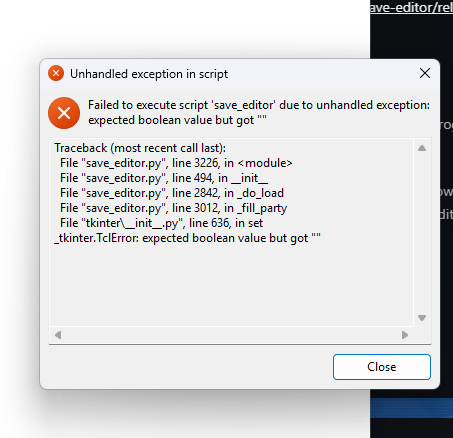
Hello. Apparently this is a bug that happens when you load a save which has empty Pokemon slots in your party. I just uploaded a fix: https://github.com/hebopaul/pok-insurgence-save-editor/releases/tag/v0.3.1
-

Doxi's Pokemon Insurgence Save Editor (DPISE)
cookiesenpai replied to HGPOfficial's topic in Saves - Tools
hi im trying to use your save editor to give myself all 3 delta starters but no matter what i change it just keeps giving me their regular forms i changed the species number from 0 to 1 and visa versa and it still gives me a regular version instead of the delta variant and i cant find any delta pokemon in the dropdown species list what am i doing wrong? any advice would be much appreciated thanks! -
when i try to run your editor i get this error how should i fix this what am i doing wrong?
- Last week
-
I don’t know how you’re injecting the event into PKSM, are you dragging in the wonder card, or selecting the pokemon from the menu? There’s a total of 19 Dahara Arceus: one for each type + one normal type shiny. If you’re using this wonder card, it should give you the correct Arceus, but if you’re doing some kind of selection, there’s a chance you’re choosing the wrong Arceus.
-
 It seems like Purity Grove non longer properly puts your party to level 1. Could you check on your end? I tried to do some missions there but my party kept their level.
 -

Doxi's Pokemon Insurgence Save Editor (DPISE)
jojomayo replied to HGPOfficial's topic in Saves - Tools
No, sorry if it came out that way. I appreciate any work done for free, for communities such as this. I actually made my own Insurgence save editor a few months, since I was playing and couldn't find one, and few days ago found your post by googling if anybody else had done it. I didn't even know this place existed, so if anything thanks. I posted my own editor if you want to check it out. Have a good one! -
Movie18: Dahara City Legendary - Shiny Arceus
Guarlotte_CJ commented on theSLAYER's file in Japanese
Eu tentei injetar o evento pelo PKSM mas todos eles vieram normais tem problema se eu mudar eles pra Shiny usando o PKSM? -
Doxi's Pokemon Insurgence Save Editor (DPISE)
HGPOfficial replied to HGPOfficial's topic in Saves - Tools
Thanks? Idk if that's sarcastic or not. Looks sarcastic though. -
 Hi, im sorry to ask but i can't download SkyTemple to look at the movepool for some reason. Do anywone know if there are a wiki of it or a solution of why i can't download SkyTemple (It say : It the wrong version for my computer)
 -
 Ultimate Items are powerful items with strong effects, at the cost of bag slots (-7 per ultimate item). Most (if not all) of them are found through endgame dungeons. Now that I think about it, I should add a symbolic link in Ultimate items descriptions so the mechanic is detailed ingame...
 -
 InMySl4b changed their profile photo
 -
Hello everyone, Here is my save editor for Pokemon Insurgence: https://github.com/hebopaul/pok-insurgence-save-editor/releases It automatically finds and opens your latest save file, and can basically edit anything. badges, money add any items/pokeballs to inventory. create any pokemon at any level, with stats of your choice (you also choose the moves with natural progression or even ones the pokemon can't normally learn) manage pokemon boxes - deposit/withrdaw without having to go to the center fully heal party all items, pokemon, and moves come with images from the actual game, lore/descriptions so you know what each does make pokemon shin, choose their variation, see explanations on their special abilities, and basically edit anything you can think of. Feel free to give feedback. Cheers!