-
Posts
22920 -
Joined
-
Last visited
-
Days Won
1008
Content Type
Profiles
Pokédex
Portal
Technical Documentation
Pages
Tutorials
Forums
Events
Downloads
Gallery
Blogs
Everything posted by theSLAYER
-
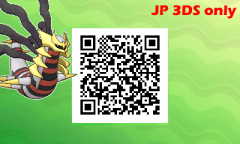
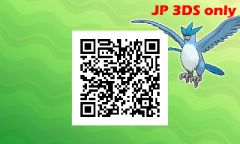
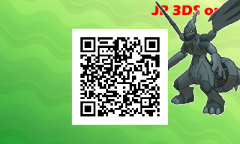
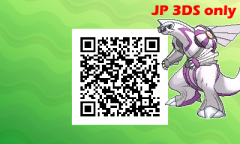
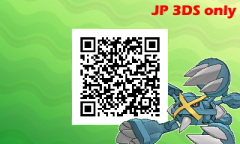
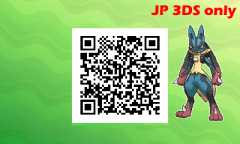
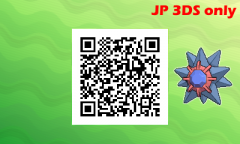
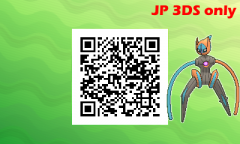
From the album: Pokémon Not in Pokédex (All JP 3DS only)
-
Can't save ingame after injecting edited savefile
theSLAYER replied to Flocki1987's topic in Saves - Editing Help
I'm under the impression that you're still using the previous copy of PKHeX. Explainer: Chances are, that version corrupted checksums, hence why any save manager injects wouldn't work. (Cause the game checks checksums upon launch) However if I'm not mistaken, Edizon injects the save while the game is already loaded, so the checksum check is skipped. Given that the fixed version of PKHeX corrects checksums upon saving, and based on the behavior explained above, I get the impression you aren't using the redownloaded one. To be sure, delete every instance of PKHeX on your computer (including the zip folders in your downloads), only then download this one. PKHeX (190705)(3).zip (I mirrored PKHeX here, in case your cache isn't cleared for some reason and you end up downloading the older one) Then retry these steps: 1. Use Checkpoint to create a backup of an unmodified save 2. Make a copy of the unmodified save 3. Use the redownloaded PKHeX to shift a mon around in the PC, on the copy of the unmodified save. (that's all) 4. Use Checkpoint to restore the copied save (which is now modified) If it still doesn't work.. then I honestly got no clue. I encountered the same thing while trying to help ya: every edit I did resulted in every save appearing corrupted. A redownload of the hotfixed versions solved that problem. -
This guide to resolve any issues users get when they try to change nature or PID of a Pokémon from Gen 3 or Gen 4. DO NOT USE ANY POKéMON WITH MODIFIED PID ONLINE! Foreword The reason why people get various PID-Mismatch or Invalid Encounter type of messages, is because they did not modify the Pokémon correctly. In Generations 3 and 4, due to an in-depth understanding of how the Pseudo-Random Number Generator works (as well as game mechanics), the Personality Value (PID) is tied to various other values related to the Pokémon generation procedure in-game, such as Individual Values (IVs), Gender, Ability slot, Nature, and Encounter Slot. (Encounter slot refers to the programmed data in a table, that hosts a list of level and species that can be encountered in a map) TL;DR: Due to how RNG is called, PID, IVs, Nature, Gender, Ability, Encounter slot are related and can be derived. Basic Preparation 1. Pokefinder will be the tool we use to find correct information (PID/IVs etc) 2. Time and patience. I cannot stress this enough. 3. Know whether the specific Pokémon is Stationary/Gift or Grass/Cave/Surfing/Fishing/Rock Smash wild encounters. 4. Begin with 'priority of information' in mind. Which is more important: PID or IVs? That will be your starting point. This will be basis for choosing Search via PID or Search via IVs below. Note: Do know that there are scenarios where the PID or IVs you want would be impossible. Learn to adapt to such scenarios. 5. If you're trying to make a shiny, and TID/SID isn't all that important to you, ignore shininess for now. (There's a Shinification portion further down. Run through the regular steps first) Search via PID - Stationary/Gift Search via PID - Wild Search via IVs - Stationary/Gift Search via IVs - Wild Shinification
-
This guide to resolve any issues users get when they try to change nature or PID of a Pokémon from Gen 3 or Gen 4. DO NOT USE ANY POKéMON WITH MODIFIED PID ONLINE! Foreword The reason why people get various PID-Mismatch or Invalid Encounter type of messages, is because they did not modify the Pokémon correctly. In Generations 3 and 4, due to an in-depth understanding of how the Pseudo-Random Number Generator works (as well as game mechanics), the Personality Value (PID) is tied to various other values related to the Pokémon generation procedure in-game, such as Individual Values (IVs), Gender, Ability slot, Nature, and Encounter Slot. (Encounter slot refers to the programmed data in a table, that hosts a list of level and species that can be encountered in a map) TL;DR: Due to how RNG is called, PID, IVs, Nature, Gender, Ability, Encounter slot are related and can be derived. Basic Preparation 1. Pokefinder will be the tool we use to find correct information (PID/IVs etc) 2. Time and patience. I cannot stress this enough. 3. Know whether the specific Pokémon is Stationary/Gift or Grass/Cave/Surfing/Fishing/Rock Smash wild encounters. 4. Begin with 'priority of information' in mind. Which is more important: PID or IVs? That will be your starting point. This will be basis for choosing Search via PID or Search via IVs below. Note: Do know that there are scenarios where the PID or IVs you want would be impossible. Learn to adapt to such scenarios. 5. If you're trying to make a shiny, and TID/SID isn't all that important to you, ignore shininess for now. (There's a Shinification portion further down. Run through the regular steps first) Search via PID - Stationary/Gift Search via PID - Wild Search via IVs - Stationary/Gift Search via IVs - Wild Shinification View full tutorial
-
This guide to resolve any issues users get when they try to change nature or PID of a Pokémon from Gen 3 or Gen 4. DO NOT USE ANY POKéMON WITH MODIFIED PID ONLINE! Foreword The reason why people get various PID-Mismatch or Invalid Encounter type of messages, is because they did not modify the Pokémon correctly. In Generations 3 and 4, due to an in-depth understanding of how the Pseudo-Random Number Generator works (as well as game mechanics), the Personality Value (PID) is tied to various other values related to the Pokémon generation procedure in-game, such as Individual Values (IVs), Gender, Ability slot, Nature, and Encounter Slot. (Encounter slot refers to the programmed data in a table, that hosts a list of level and species that can be encountered in a map) TL;DR: Due to how RNG is called, PID, IVs, Nature, Gender, Ability, Encounter slot are related and can be derived. Basic Preparation 1. Pokefinder will be the tool we use to find correct information (PID/IVs etc) 2. Time and patience. I cannot stress this enough. 3. Know whether the specific Pokémon is Stationary/Gift or Grass/Cave/Surfing/Fishing/Rock Smash wild encounters. 4. Begin with 'priority of information' in mind. Which is more important: PID or IVs? That will be your starting point. This will be basis for choosing Search via PID or Search via IVs below. Note: Do know that there are scenarios where the PID or IVs you want would be impossible. Learn to adapt to such scenarios. 5. If you're trying to make a shiny, and TID/SID isn't all that important to you, ignore shininess for now. (There's a Shinification portion further down. Run through the regular steps first) Search via PID - Stationary/Gift Search via PID - Wild Encounters Search via IVs - Stationary/Gift Search via IVs - Wild Encounters Shinification View full tutorial
-
This guide to resolve any issues users get when they try to change nature or PID of a Pokémon from Gen 3 or Gen 4. DO NOT USE ANY POKéMON WITH MODIFIED PID ONLINE! Foreword The reason why people get various PID-Mismatch or Invalid Encounter type of messages, is because they did not modify the Pokémon correctly. In Generations 3 and 4, due to an in-depth understanding of how the Pseudo-Random Number Generator works (as well as game mechanics), the Personality Value (PID) is tied to various other values related to the Pokémon generation procedure in-game, such as Individual Values (IVs), Gender, Ability slot, Nature, and Encounter Slot. (Encounter slot refers to the programmed data in a table, that hosts a list of level and species that can be encountered in a map) TL;DR: Due to how RNG is called, PID, IVs, Nature, Gender, Ability, Encounter slot are related and can be derived. Basic Preparation 1. Pokefinder will be the tool we use to find correct information (PID/IVs etc) 2. Time and patience. I cannot stress this enough. 3. Know whether the specific Pokémon is Stationary/Gift or Grass/Cave/Surfing/Fishing/Rock Smash wild encounters. 4. Begin with 'priority of information' in mind. Which is more important: PID or IVs? That will be your starting point. This will be basis for choosing Search via PID or Search via IVs below. Note: Do know that there are scenarios where the PID or IVs you want would be impossible. Learn to adapt to such scenarios. 5. If you're trying to make a shiny, and TID/SID isn't all that important to you, ignore shininess for now. (There's a Shinification portion further down. Run through the regular steps first) Search via PID - Stationary/Gift Search via PID - Wild Encounters Search via IVs - Stationary/Gift Search via IVs - Wild Encounters Shinification
-
You'll have to use a shortened version of your OT. Every other gen's event Mew has a fixed OT, and Old Sea Map Mew is only legal from Japanese Emerald. Also, if I'm not mistaken, Japanese Legal OT length is 5 characters.
-
Don't mess with Gen 3 PID/Nature/IVs, as the algorithm to generate them is different from standard GBA algorithms. Even if you have a grasp of standard methods, just don't. In USUM, Pokémon evolve to their standard non-alolan variant when evolved in Ultra Space. Japanese Character limit isn't the same as International Character limits. You can read that up on bulbapedia. Regardless of whether it's possible, it is illegal.
-
Your screenshots are rather big in screen size. Next time, when you want to post images, put them in a spoiler. Also, if you have any other question, and no one has replied you yet, simply edit the new question into your latest unanswered post. (basically, don't multipost ) I can't read Spanish, nor do I know the Spanish translation of various country names. Well, if those 3 boxes there are the same as your regular Pokémon, then it's correct. This is probably something you should know best, and I won't be much help in that regard. Before I go about answering your question, I need to clarify this point: the only events for Virtual Console Generations 1 & 2 that were released, is Mew. (what I mean by Classic and Virtual Console) Do not use any Classic events from Gen 1 & 2, such as PCNY, if you intend to have them in SM/USUM. I'm bringing this up, because your intention is likely to have the mon in USUM, and I need you remind you that Gen 1& 2 cart cannot transfer up to Gen 3 and onwards. The Classic events were only for cartridge versions of Gen 1 & 2, and those Pokémon cannot be transferred to Virtual Console Gen 1 & 2, nor can they be transferred to Gen 3 and onwards. Agility Voltorb is a Classic event, so even if we uploaded it, you shouldn't use it for the reason stated above. Going back to whats missing: I'll say beyond missing entries between Gen 1 to 3, we should have every other event.
-
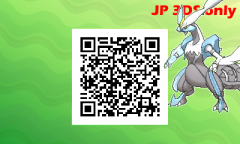
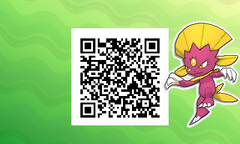
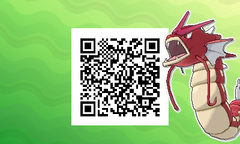
From the album: Pokémon Not in Pokédex (All JP 3DS only)
-
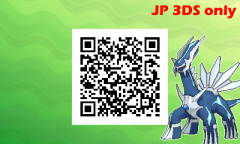
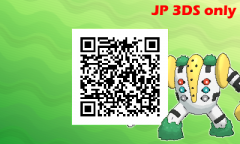
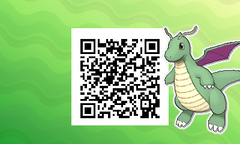
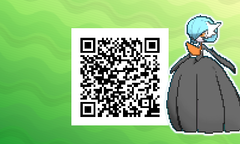
From the album: Pokémon Not in Pokédex (All JP 3DS only)
-
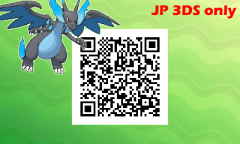
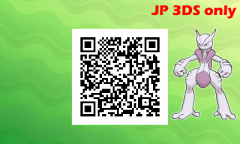
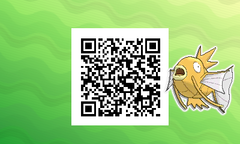
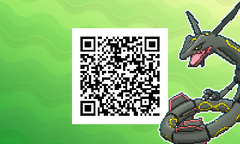
From the album: Pokémon Not in Pokédex (All JP 3DS only)
-
-
-

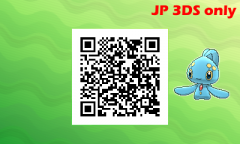
From the album: Special Pokémon (JP consoles only)
-
From the album: Special Pokémon (JP consoles only)
-
Can't save ingame after injecting edited savefile
theSLAYER replied to Flocki1987's topic in Saves - Editing Help
But is it a fresh redownload? The redownloaded one still says 190705. Can you test this: Just swap around a Pokémon in the PC, and nothing more. I just did items modification (to various degrees) and unable to replicate the issue. note: on the older 190705, every edit I did would result it not loading at all. However upon redownload, every edit allows me to load and save in game. Also, I'm using Checkpoint. Pointing this out, since you've got a weird scenario that it works on Edizon but not Checkpoint. I don't use Edizon at all. -
Can't save ingame after injecting edited savefile
theSLAYER replied to Flocki1987's topic in Saves - Editing Help
Edited message: @Flocki1987 first, redownload the latest PKHeX from our webpage, then perform the same edits as previously. If I'm not mistaken, the previous iteration of the latest PKHeX had issues with LGPE, and has since been resolved, so redownload the latest one and check if it fixes edits. Do test it by editing a copy of the unmodified save. Don't modify the already modified save. -
Can't save ingame after injecting edited savefile
theSLAYER replied to Flocki1987's topic in Saves - Editing Help
1. what homebrew/app did you use to inject the save 2. briefly, what edits did you do to the save? -
Off the top of my head, there’s a Gen 6 event (here) or Gen 7 event (here) with Surf as one of the moves. Drag the wonder card directly into your box, change the origin game and region to match event details. Besides those 2, there's also an in-game Pikachu that can be received in USUM (here). For this, you can change OT, TID, SID to yours. Region can simply follow your game. Note: PKHeX doesn’t flag it if the region details is wrong, make sure double check which region 3DS can receive the event. The file and region info would be listed on our Downloads > Event Gallery.
-
There's a reason why I said don't use Gen 3. Gen 3 Pokémon PID-IVs-Nature values are connected, so you cannot just change one and ignore the rest. Since you're new to PKHeX, I'm guessing you don't know how to correct it. [We have a guide here, but it might be too advanced for you presently, hence why I recommended against it.] Okay. Advice I can give you: do not create a Pokémon from scratch. It is easier to modify something that exist. Use Pokémon files originating from the correct generation. Here's a mini-guide for your situation. 1. Download a Gen 2 save from here. 2. Open the Gen 2 save, and drag the Butterfree icon onto your Desktop. (It should be a .pk2 file) 3. Now open your Gen 7 save, and drag the Butterfree .pk2 into the save. Now you have a Gen 2 Butterfree in your Gen 7 save. All you have to do is change the Trainer Name, Trainer ID, Moves. It's definitely possible, using the steps I've described above. Image below shows a Butterfree from Gen 2 that I just edited. If you're not getting it, it'll be because you're doing something wrong.
-
pk3DS: Pokémon 3DS ROM Editor and Randomizer
theSLAYER replied to Kaphotics's topic in ROM - 3DS Research and Development
Luma3DS game patching sometimes conflict with installed game update. Uninstall the game update via 3DS settings. That's the only one I can think of presently. -
Like I said, it can only be learned in a Gen II or Gen III game. So making it a relearn move will still make it illegal. If you're new to PKHeX, I recommend setting the origin game to Gold, Silver or Crystal, as it is less complicated. After that, just solve the legality flags that will show up. Do some trial and error, so that you familiarize yourself with PKHeX.
-
@Ragolay what is the origin game shown on your Butterfree? (See the arrow in the image below) I'm assuming the origin game is either a Gen 6 or Gen 7 game, due to your Butterfree having relearn moves. Butterfree only learns Nightmare in Gen II or Gen III. Hence why PKHeX says it cannot know Nightmare, because origin game is wrong. Also our site communicates via English. I'll try to keep my answers simple, so that it works with translator programs.
-
The issue is less with "disallowing downloading" (since you already downloaded the files), but more of "restricting folder access and modifying of files". I don't know what anti-virus you have, you gotta check it out yourself.