

Leaderboard




Popular Content
Showing content with the highest reputation on 02/07/25 in all areas
-
Woah! Thank you so much! You just did magic right now! I really thought my save file was gone for good, but no, you really helped me with that one, I appreciate a lot for your kindness.1 point
-
Hello, first time here! I would like some help on solving an issue here with my downloadable version of Pokémon Ultra Sun. A few days ago, when I opened the game it would start like normal, but now, anytime I try to enter the game, it just shows me this screen saying my save data was corrupted and asks me to read the manual for the game which just tells me to press B+X+Up Button to delete my save data. But I wouldn't like to start things over, you know? So, I'd like to know if there is a way to play the game as usual and keep my save data or if there's actually no way around. And maybe the reason why this happened. (Also, I'm not being able to open the Checkpoint backup file I made using PKHex as aparently the size is not supported, probably since it's larger then usual) I'd be very grateful if anyone would offer to help me! main
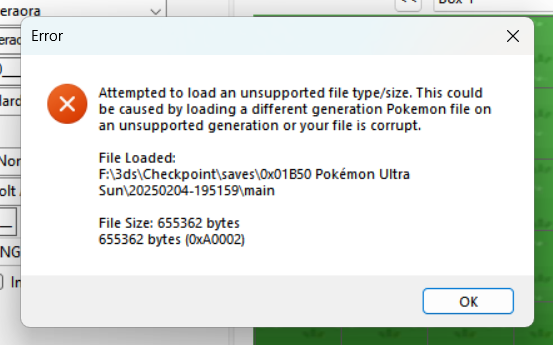
20_35.22_e8947445.thumb.jpg.4eb7d7fa952abbf1a12d55123d99ad07.jpg) 1 point
1 point -
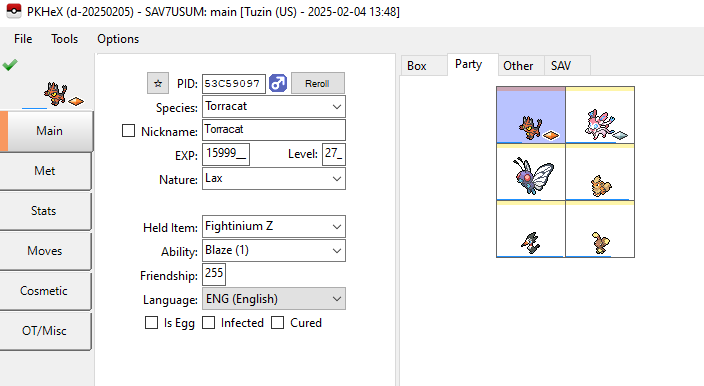
Was able to get it to load after rearranging some data in the file and trimming junk written at the end of the file. Inventory, Fashion, and LiveMatchData might have issues, but you can probably work around that. main
 1 point
 -
Sure can! I wrote up a little walkthrough on how a couple pages back, you can find it below:1 point
-
Version 1.0.1
3082 downloads
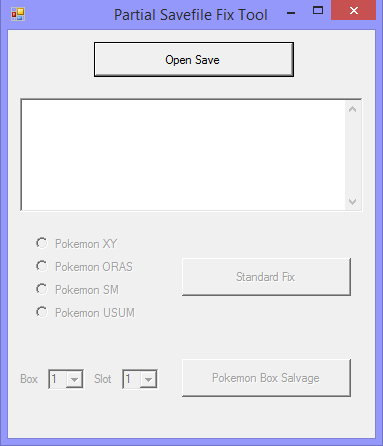
When save files are dumped incorrectly or corrupted in some way, they become unusable. PKHeX will not load save files of incorrect size (and also ignore files with such invalid/missing blocks). Example of such an error: Hence, this tool was born. This tool is unable to restore data that was lost! (it can't perform magic, obviously) There are 2 modes. Standard Fix and Pokemon Box Salvage. Always keep backup copies of your saves, even the corrupted ones, before using any tool! The program will replace the save file that being fixed. (it does keep the original save backup as a .bak file, but know that multiple uses of the software will result in the .bak being replaced) Standard Fix (open spoiler below to read details!) Pokemon Box Salvage (open spoiler below to read details!)1 point
20_35.22_e8947445.jpg.74003fcebb46b9ef0b686aa908254c42.jpg)