Leaderboard




Popular Content
Showing content with the highest reputation on 04/15/17 in Posts
-
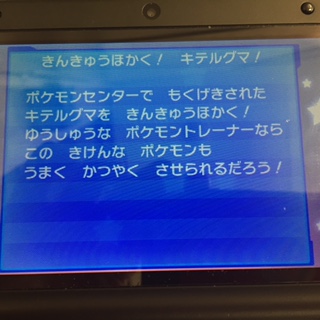
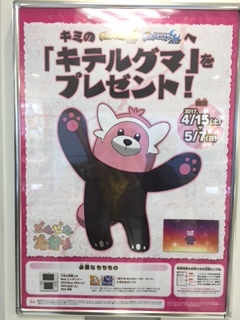
Today, I caught a bear. It is very dangerous.
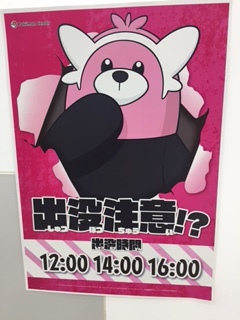 5 points
 -
Bewear informations coming, hope that someone will upload it Source:Twitter
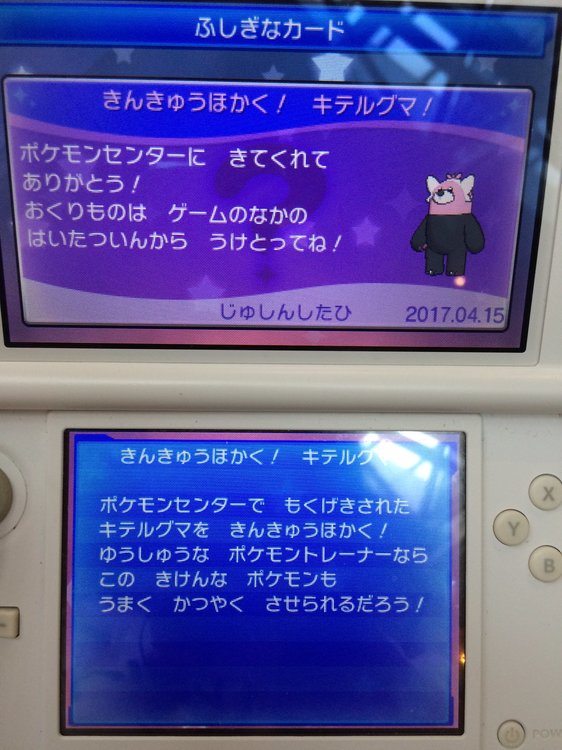
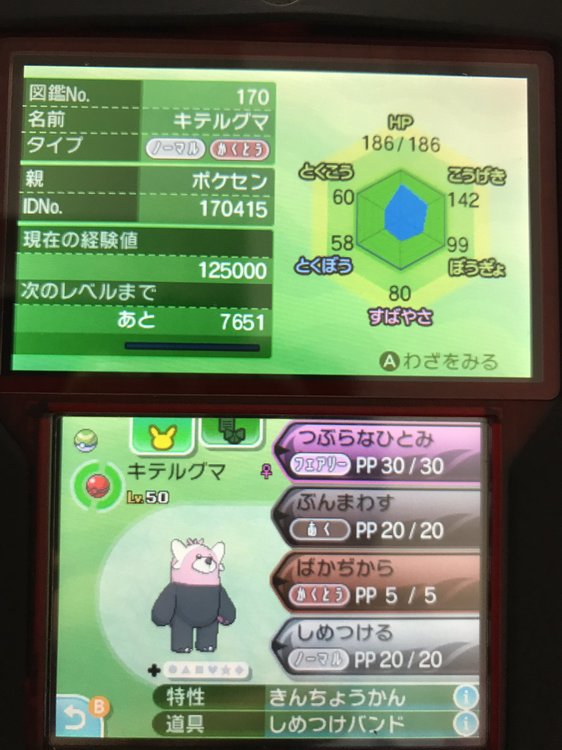 2 points
 -
yeah i think we're out of luck here unless someone has the actual gba distro cart for the negaiboshi. to figure out how it works anyway. if someone does actually have it and is weary about giving it to anyone, remember, no one knew i had the 10anniv rom for more than 5 years, and even then it became known only because other people let it out. e: same goes for pcjp2003 and anything else we need info on.1 point
-
Sorry, looks like I was wrong. Safehax was updated for 11.3, so I guess I just didn't see it.1 point
-
Will try as much as possible ^^1 point
-
was uploading to event gallery: hey @jojo12100 please give the original link to those images next time, I'll be crediting the images of the original owners in the future, in our event gallery.1 point
-
STOP EVERYONE! I feel like I know more about this topic, and the guide Poke J linked is quite outdated. Why do you want an Emunand exactly? That should be the first question since what suits you best depends on that. The recommended method is to install A9LH and don't use EMUNand at all. For that follow this guide: https://3ds.guide/ Some notes about current A9LH installation: - You do a full nand backup before the process starts. You should keep at least 2 copies of that somewhere safe (different hard disks) since this nand backup can be used to restore your 3DS to exactly how it was before you installed A9LH, used CFW or anything. - A9LH allows you to directly boot into CFW EMUNand way faster than other methods. - A9LH can be uninstalled without restoring a nand backup, so you might install A9LH to use an emunand and leave your SYSNand untouched (except for A9LH installation) and remove it anytime you want. If you don't use EMUNand and install a crapload of things to your sysnand over the months and at some point you want to "unmodify" your 3DS, the best way is to restore your Nand backup, since that gets you back where you started. IMPORTANT: if you suspend (close the lid) of your console during A9LH installation you will brick it. This is the only significant danger in A9LH installation, since the programs have many safety checks to ensure everything goes fine. Boot process on A9LH + Luma CFW (the recommended cfw): - Power ON (and that's all, you can now access everything) If you want EMUNand because you have a 9.0<->11.3 firmware console and you want to leave your SYSNand untouched, you can run EMUNand from homebrew launcher and you never have to install anyhting on your 3DS, but the boot process is tedious and longer, but valid if you are afraid of messing up A9LH installation. I don't have link for a guide for this method, but it is possible to do it this way. On firmwares that have menuhax you can speed up the boot process, menuhax sometimes fails. The boot process for Emunand on untouched sysnand would be: - Power ON - Use entrypoint to get on homebrew launcher (depends on firmware) - Run fasthax (or the alternative for 11.3 that came out recently) - Run the kernel exploit (safehax I believe) - Run the EMUNand launcher (I believe just Luma CFW launcher at this point) - Wait until EMUNand boots. To setup an emunand you just need to use Emunand9 under kernel access, (BACKUP YOUR SD CARD FIRST! CONTENTS GET ERASED AND YOU HAVE TO COPY THEM OVER AFTER SETUP!): https://gbatemp.net/threads/release-emunand9-open-source-emunand-formatter-manager.405921/ Emunand9 basically formats your SD card, makes the emunand partition and copies your sysnand over to the emunand partition ready to be boot with a CFW like Luma. Afterwars you just need to copy the contents you backed up from your SD card again onto the SD card. ps: all homebrew in the most updated version have many safety checks to ensure nothing goes wrong, but doing things with kernel access always means there's a chance something goes wrong (normally due to the user doing something wrong/skipping some steps) and bricking your 3DS.1 point
-
You sure you looking at gen7? They appear fine with gen7 origin, but can't be inherited via gen6 as males didn't pass balls yet. All situations are analyzed correctly with the latest commits...1 point
-
Confirmed to be Serial Code from the August 2017 CoroCoro and distribution is starting July 15! @theSLAYER Source: Serebii1 point
-
Ash Pikachu is like that (multi-obtainable). @Kirzi is predicting all Pikachus will be the same WCID, including rereleases.1 point
-
View -> set to another unlocked slot. We won't provide info on how to manually unlock/bypass the locked-box restriction; it keeps users honest during competitions.1 point
-
PID is just a number that is used in some generations to derive Nature / Gender / Ability / Form (gen3 only). It's just a random 32 bit value, any number is valid. PID-IV combinations are another story; they vary per generation and origin console and only matter for gen3/4. PKHeX does not do any PID-IV relationship when picking a PID; it only generates for Nature/Gender/Ability/Form. Adding in IVs and a RNG method would result in many impossible IV setups... hence it's up to the user to manually pick a PID for their IVs if that's something they really care about.1 point
-
Might want to think about WHY that isn't a feature. If you remember Battle Analyzer from 2013 you'd stay away from developing online cheating functionality for public use. Even though you may have the morals to use it responsibly, anyone on the internet can use it / modify for nefarious purposes. Just be satisfied with battle video data dumping.1 point