All Activity
- Today
-
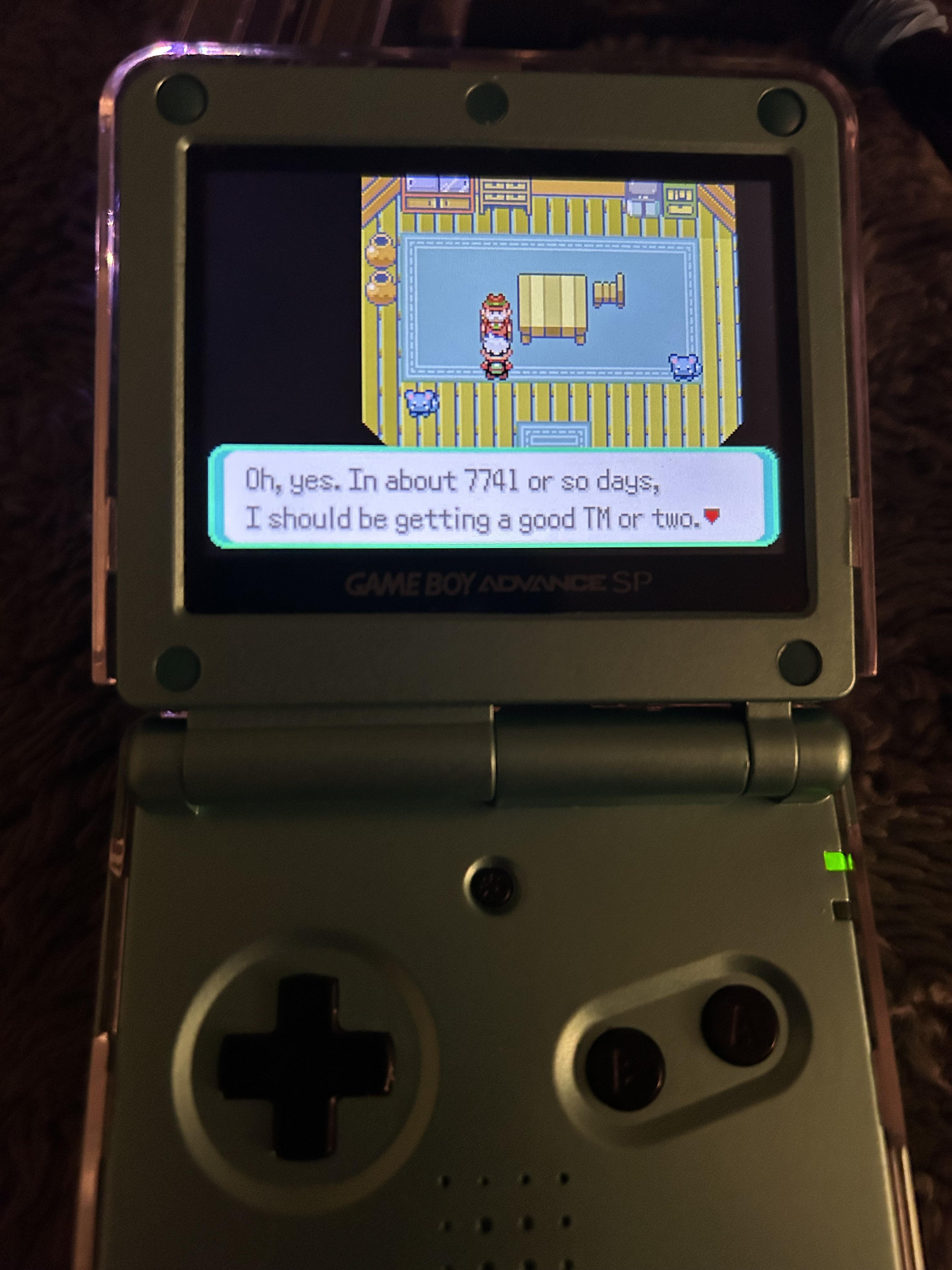
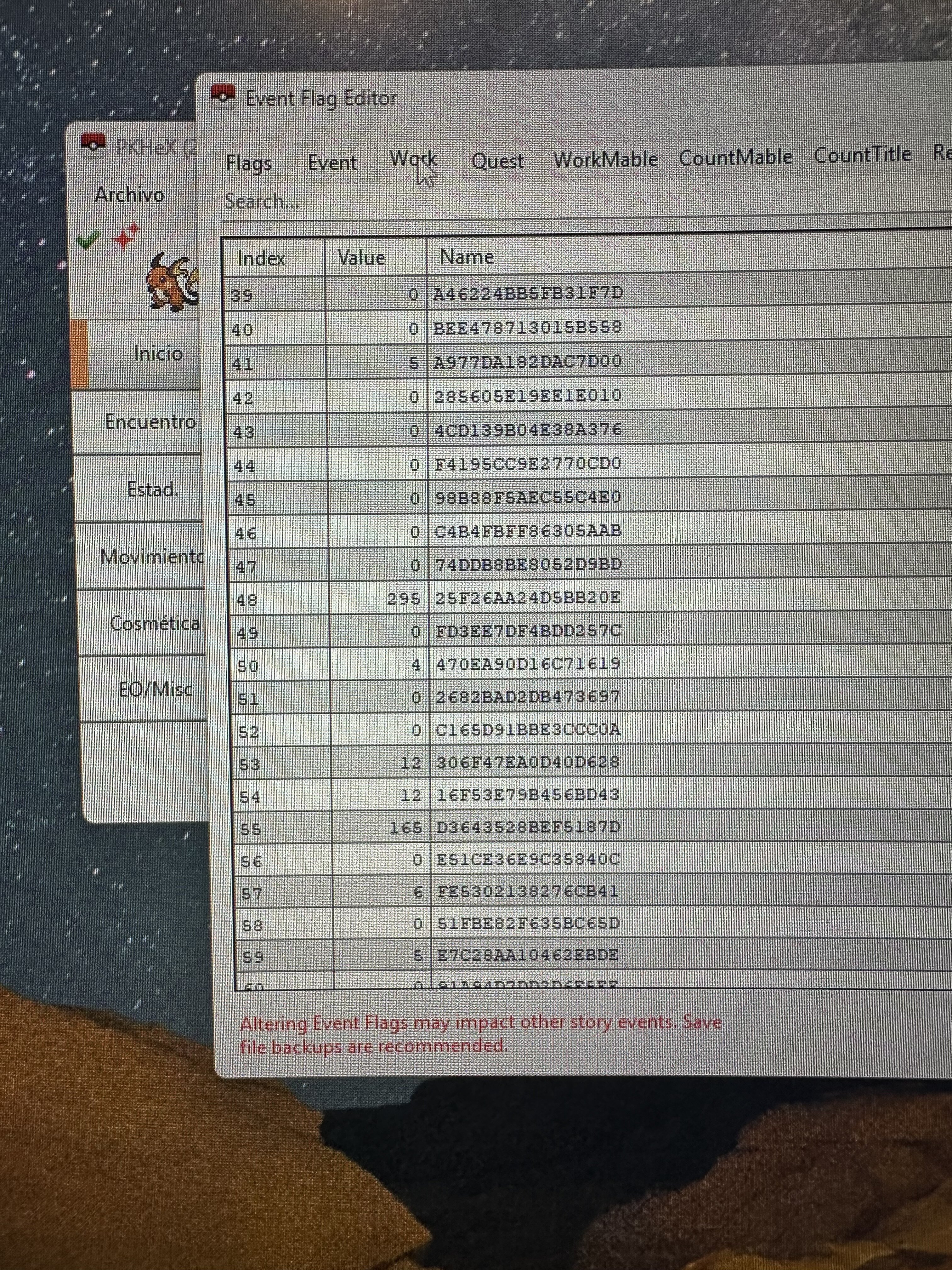
 Hello everybody, Awhile back when I was playing Emerald, I used an Epilogue GB Operator to save scum, unaware that replacing a since saved file with a prior version of that same save would completely futz the RTC. I tinkered in PK HEX to access the hidden in-game clock menu, but apparently I messed up there as well. Time IS running on my file, but due to my clumsiness I now run into things like pic attached. Can somebody give me a proper step by step to completely reset my RTC so that time runs as normal for berries, shoal cave, etc. and also resets events like the picture to once again become their usual daily/weekly loop? Thanks so much.
-

PKVault - Centralized pkm storage management & Pokedex app
yeyizo replied to chnapy's topic in Saves - Tools
Thanks for the update @chnapy Regarding the structure, the Home Live Plugin gave me two options, so I actually have the files saved in two different ways. The first format is organized by folders. I have a main directory, and inside it are subfolders named "Box 001", "Box 002", etc. Each subfolder contains the 30 .ph3 files corresponding to that box. The second format is just a single flat folder containing all 2,000+ .ph3 files directly inside it, without any subfolders. Let me know if this info helps! -

PKVault - Centralized pkm storage management & Pokedex app
chnapy replied to chnapy's topic in Saves - Tools
Hi @yeyizo, use of external pk files is expected for the next update. Since this feature is very dependent of directories structure, can you share how your files/directories are ? So i can search for the most reliable solution. -
¿Sería posible tener un documento (EXCEL/PDF, etc.) con el significado de cada código del EVENT FLAG EDITOR?
-
PKVault - Centralized pkm storage management & Pokedex app
yeyizo replied to chnapy's topic in Saves - Tools
Hi @chnapy! I just discovered this app and it looks amazing, exactly what I needed. I managed to dump my entire Pokémon HOME collection using the Home Live Plugin, so I have around 2,000 .ph3 files ready to go. I really want to migrate everything to PKVault, but I'm a bit lost on how to import them. Where should I put these files? Does the app support importing loose files/folders directly, or do I need to drag them somewhere specific? Thanks! -

Poké Transporter GB v1.2.0 released!
thaine replied to The Gears of Progress's topic in Saves - Tools
I can't see the download for the loader.gba file on the github, is there a direct download link in the github or am I just being blind? -
PKVault - Centralized pkm storage management & Pokedex app
chnapy replied to chnapy's topic in Saves - Tools
@GoatLord currently pokedex is ignoring main storage, it will be fixed in future releases. - Yesterday
-

Version 1.0.0
6 downloads
Pokemon XD: Revisited Creator: Noel (noel5229 on discord) Created using GoD Tool by @StarsMmd, a truly great resource. Version: 1.0 Link to UPS patch: https://drive.google.com/file/d/1X47dsNdSQsPoMzfzHbNV8A3P0XZb0k2Z/view?usp=sharing To patch, use NUPS patcher. If you need help, please reach out and I can show you the steps. XD Revisited is a mod that provides a QoL upgrade to base Pokemon XD along with new shadow pokemon and viable pokemon of all kinds. The focus of viability of pokemon is to make them overall feel like upgraded versions of themselves rather than drastically different. Features: - Almost all shadow pokemon are different and a few more have been added. The focus is on variety and new choices compared to the base game. - Pokemon have been upgraded in terms of stats/abilities and learnsets, expanding viability for obtainable pokemon. A few pokemon had type changes (Golduck, Masquerain, Sceptile/Grovyle, Ledian, Gorebyss, Huntail) - Moves have been updated to latter gens, some have been buffed to be more usable and provide more options (such as Mud Shot, Air Cutter) - Some fights are a little more challenging (mostly boss battles) - Expansion of poke spots to have multiple choices of pokemon. Wild pokemon may hold valuable items like evolution stones. - TMs are reusable to encourage rotating teams. - Two shadow pokemon (one mid, one late) hold lucky egg to help train. - Mt. Battle late stages have a better level progression - New starter, trade and gift pokemon Other Info: - Physical/Special split is NOT implemented. Types are still Physical and Special, aside from Shadow Moves. - All Battle CDs/Battle Bingo/Tutorial battles are possible, as tested by Noel. Documentation: NOTE: SPOILERS FOR ALL SHADOW POKEMON AND WILD POKEMON, avoid if you want to play without prior info: https://docs.google.com/spreadsheets/d/1z54UvUrT0-HcyIIZaFAgfmcs4HIN8Ba2gfHSlKmnTkI/edit?usp=sharing If you have any questions, concerns, or need to report a bug, please reach out to me on discord at noel5229! Thank you, and hope you enjoy! -
Hi. I'm making a ROM hack, and I'm testing if i can add textboxes above 10. There is no option for it however. There is this page on it: https://bulbapedia.bulbagarden.net/wiki/Save_data_structure_(Generation_III)#Options but I'm no good at checksums and all that mumbo jumbo. Would appreciate if someone could help.
-
Luckily, I had a back up save right after I had received the egg. I just pasted it into my newer save file and everything worked like it should. Problem solved. However, would be curious to know if this would have been fixable if I did not have a back up file.
-
I just started using PKHeX and saw that I could edit the Togepi egg from Mr. Pokemon. I edited it to have IV's to my liking so it is useable after it hatches (received a green check mark for validity). However, I must not have been paying attention and the Togepi was in my party already. Now, Professor Elm's event will not progress (where you get the Everstone). I have called him, I have visited his lab, and I even set the event value to "0". Is there anyway to fix this?
-
 You shouldn't change the OT cause the data was saved to HOME servers.
 -
 The seed used by the game/distro to generate stats for the mon.
 - Last week
-
 v6.29.0 Download: https://github.com/MewTracker/sv-research/releases/
 -
figured it out
-
I just noticed that I was saving onto the computer where the backup copy is, when I tried to save it onto the SD card it gives me an error message saying that I cannot save to the zip file and to choose a different location.
-
You overwrite the save file you opened, which is main.
-
Does anyone know the significance of the numbers at the end of these? What's the difference between these deoxys:
-
Ok, I got the write protection removed, my next question is (because it has been ages since I used PKHEX), when I save the file, I have the options of main and backup, do I want to rename the one to save to the SD card the same name as the backup created by JKSV to then restore it or upload it to the Legends ZA game? I have saved a copy of the JKSV created backup to my computer in case of an issue.
-
I don't think the micro SD cards have a write protection switch, at least my Sansdisk doesn't. Also I did a google search, it did mention ways around the issue, like saving the files to my computer and using either Checkpoint or JKSV to load it back to the SD card, so I thought I would go that route.
-

Pokémon Diamond Version Five Star Save File (Italian)
keemylmao commented on JackyJack307255's file in User Contributed Saves
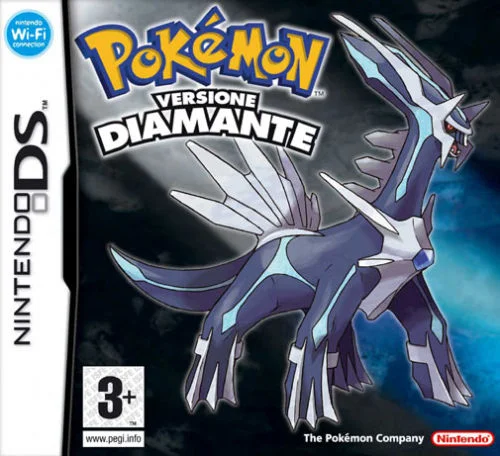 I have a question, how do you move all your previous pokemon to your save, do you use the tedious palpark, or pksm? These saves are all a joy to look through, as I am building my own forever saves. :)
 -
 hushy changed their profile photo
 -
Pokemon Mystery Dungeon: Explorers of Fortune
hushy replied to WindchildWhimsy's topic in ROM - NDS ROM Hacks
yes, windchild does indeed plan to add it in within the next update. i, however, posted a guide on how to do implement it in yourself awhile back. -
The program gave you every hint possible. Look at your SD card and check the write protection switch. If you aren't able to figure it out, it should be an easy Google search.
-
 Home checks are not related to how a gift in mainline games is obtained.
 -

Safe to add BDSP Ribbons without entering game?
Josimo replied to Tanzer's topic in Saves - Editing Help
Yes, you’re very likely creating problems for yourself. Once a Pokémon has a HOME ID, its game-visit history is effectively locked in.