All Activity
- Today
-
@Aurorans, well, I spoke about TID/SID. Pretty sure DisplaySID and DisplayTID (maybe SID16/TID16 maybe both, but whatever, one of this should work) options are. About game version actually idk, if you by a chance need that. Probably yea, still manual.
-
 daan2002 changed their profile photo
 -
This Charizard is illegal. The Kanto starter you're given from that side mission comes with the met location ID 30027, yours has 103.
-
Hi, this litte friend is still not legal. 0006 - Charizard - 3B7F45A5D41C.pa9
-
Hello all! Just a quick update: as of version 2025.12.23.0, support for drag and drop has been added! This has been the top wishlist item on my mind since the beginning, and I finally got around to it (with a lot of help from GitHub Copilot). You can drag and drop Pokémon to reorder them in your party, to reorder them in a box, or to transfer between party and box. You can also drag and drop a Pokémon file (.pk9 etc.) into a slot to import it into your game. There are some limits: You cannot drag and drop a Pokémon out into your file system. Sorry! I tried, but there were complications. You cannot drag and drop to transfer between party and box in Let's Go Pikachu / Eevee. You can still drag and drop to reorder your party though. It doesn't look like iOS / iPadOS Safari supports drag and drop. Your mileage may vary on other mobile devices / browsers! Enjoy! The site doesn't go down for maintenance. If you weren't even getting the loading screen, I'd say GitHub Pages might be down. But if you are getting it, it's probably something else. This issue should be resolved by now.
-
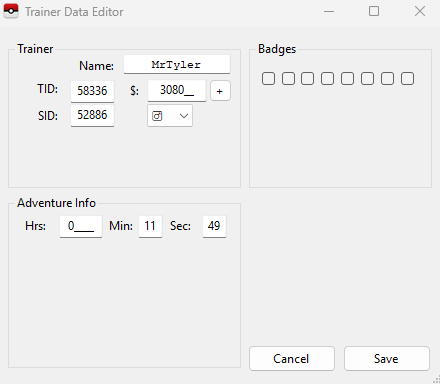
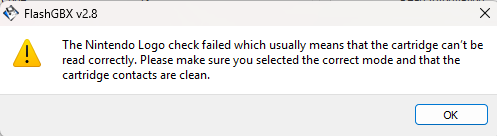
 That first save is from a brand new game before picking the starter. I have now advanced to getting the pokedex. I extracted the save again and it seems to be doing the same thing, unreadable by pkhex. My concern is making a lot of progress on this cart and never having the ability to truly back it up in case something happens. Attached is the further progressed save. Does it look any different in terms of those blocks? Edit: So I tested all of my other gen 3 carts, English and Japanese, exporting saves and loading them into PKHeX. All loaded up correctly. I tested my english Fire Red last (the one i'm having problems with) and it finally loaded up but my name is incorrect and my trainer ID? It should be MrTyler with TID 58336. I then attempted to extract the save again. I was receiving this error message. I removed and inserted the game into the dumper and I was then able to extract the game and it loaded into pkhex correctly. Still not sure why this happened with this specific cart. Perhaps the contacts on the board need to be clean to make the dumper read the cart all the way and thats why I was getting problems with extracting the save. POKEMON FIRE_BPRE.sav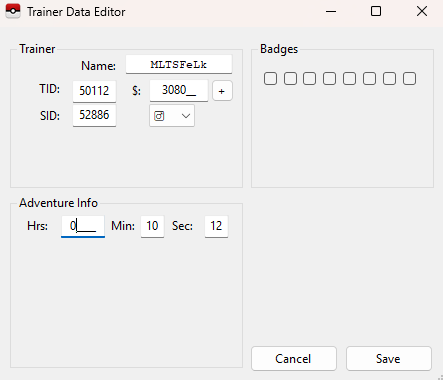
-
I have tried both the latest version and the latest development build
-
Just check if you have got the latest version of PkHex
-
I'm having the same issue. The main file works fine in game but pkhex wont open it. I transfered files from other profiles on the switch using JKSV as well but they work fine so I'm not sure why this one is 100kb larger. I opened this one once using ryubing so maybe that was itmain
-

Fire red save backed up from cart will not open in PKHeX
Poke J replied to mrtylersquared's topic in Saves - Editing Help
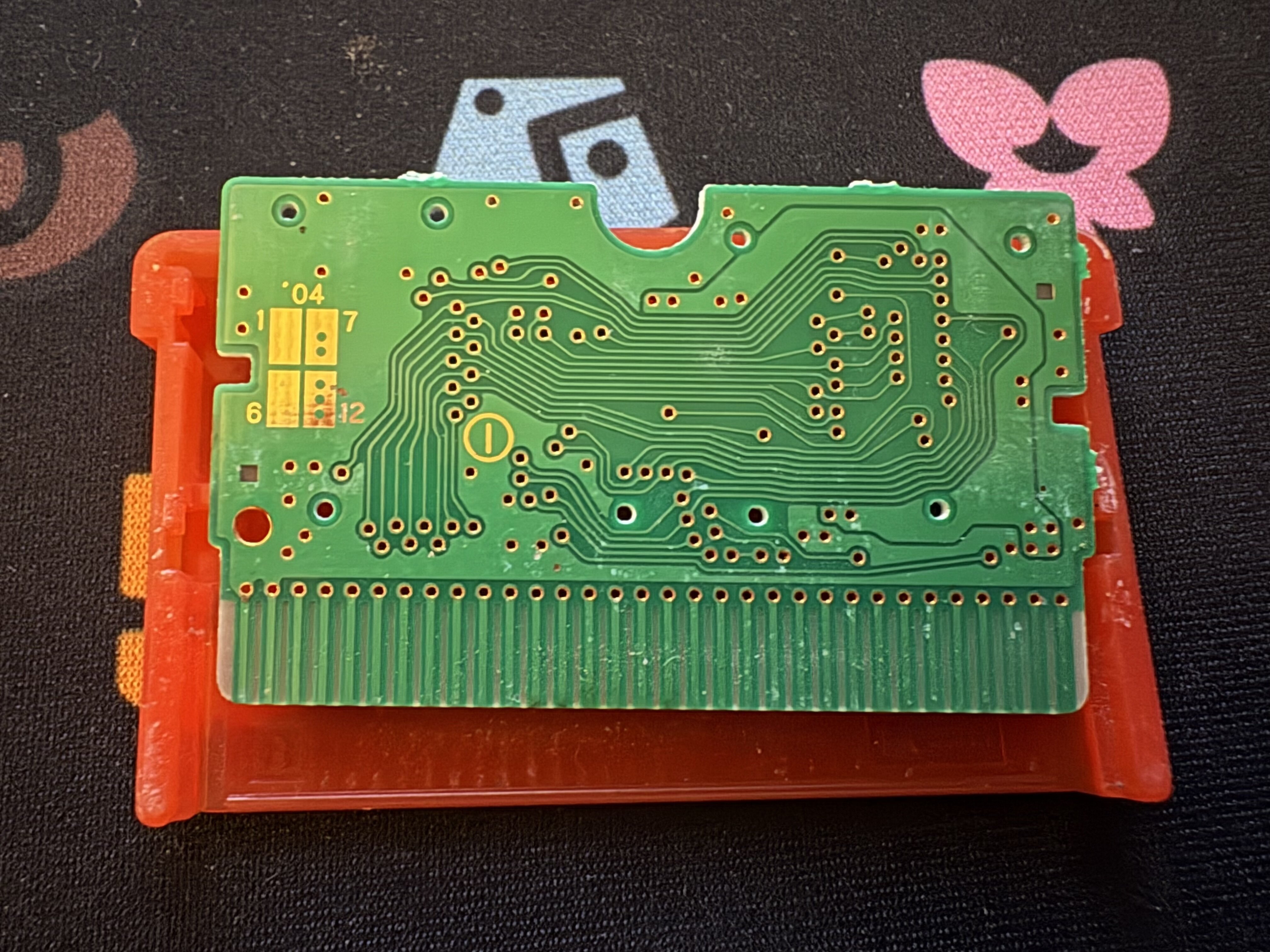
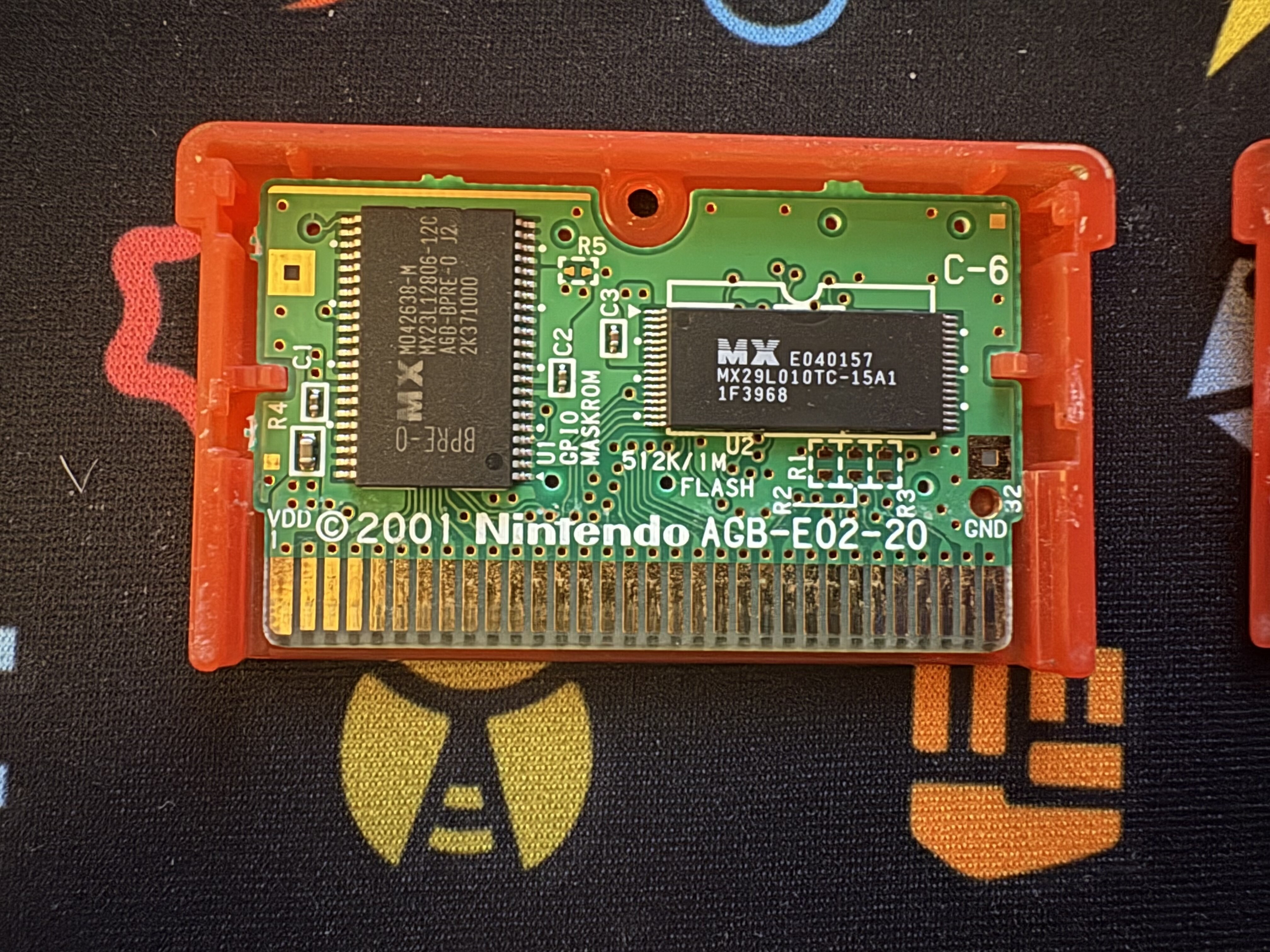
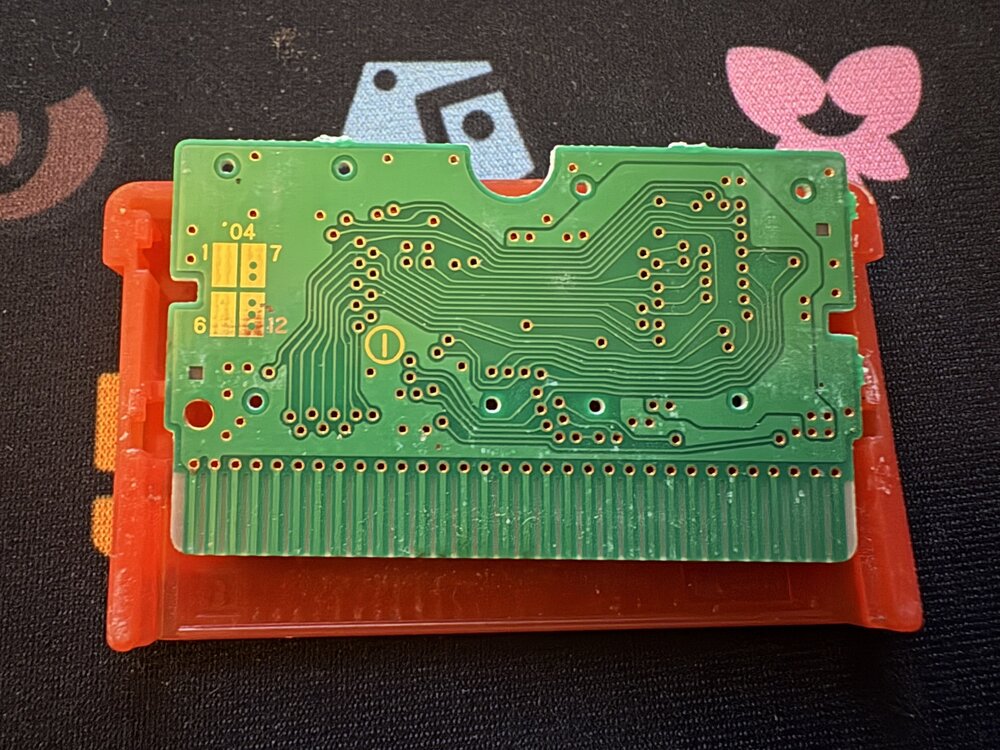
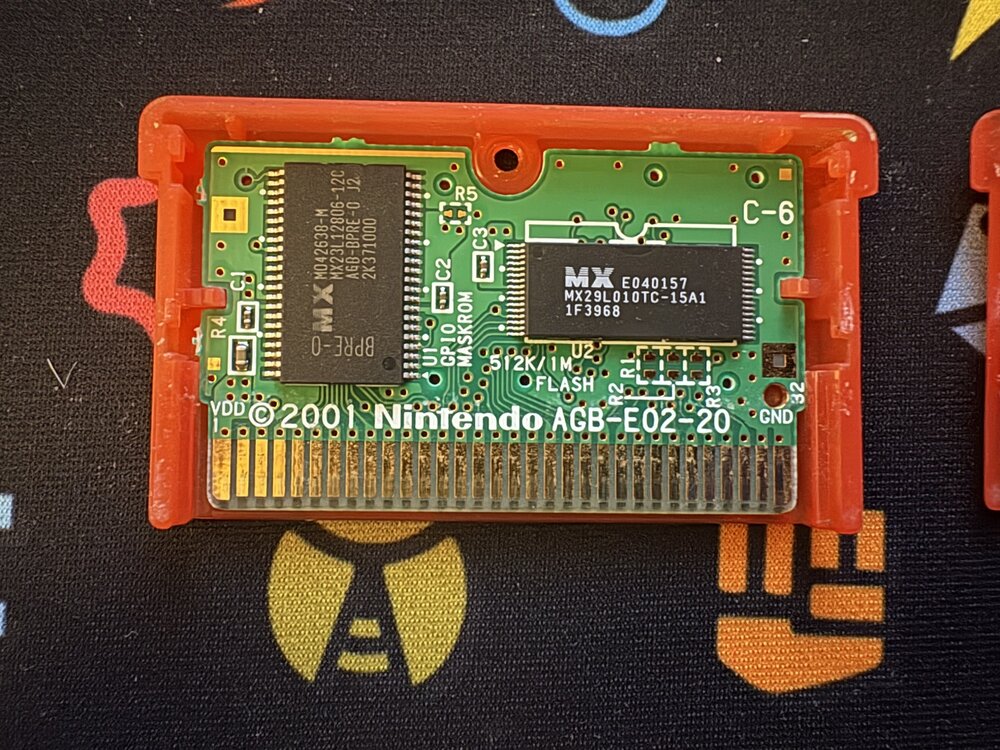
@mrtylersquaredhave you tried to dump the save again? How far did you make it into the save before you tried to dump the save? Because right now the save block index order is 8, 9, 0, 1, 2, 3, 0, 1, 2, 3, 8, 9, 10, 11 which the expected for your save would have the save block have the following order 8, 9, 10, 11, 12, 13, 0, 1, 2, 3, 4, 5, 6, 7. The long short of the block order is blocks 0-13 need to be present to be a valid save and they rotate by 1 each time you save so that is why block 8 is the first block which is normal. However, in you dump blocks 4, 5, 6, 7, 12, 13 are missing and multiple blocks are repeating. In order for a save to be valid all 14 blocks need to be present in a rotating numerical order. So my suggestion is since it is a new save file is to make sure that the save does load on the cart, save 2 times in game, and then try to dump the save again. In terms of the cart itself it looks like all of the images of a FireRed cart board that I can find online so I believe its a real cart. -
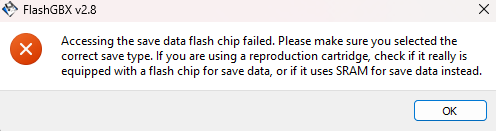
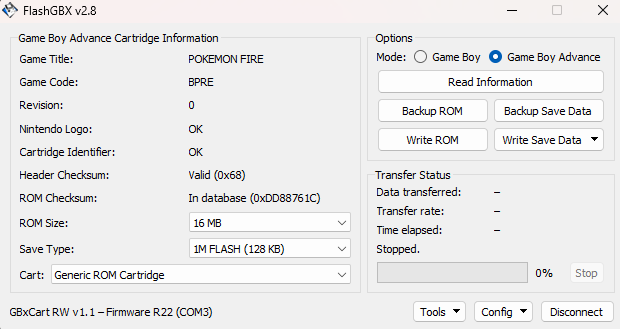
So I made a new save in Fire red. The cart is real. It is my childhood copy and I have never had any issues with it before. I backed up the save file using a Flash Boy, but it will not load into PKHex. My leaf green copy loads up just fine as do my other cartridges. I'm not sure what I'm missing. But I am concerned my cart might be bootleg after all? I opened the cart and looked at the chips and it all seems to be correct. The game seems to save properly on cart. I am getting this error message about the flash memory... is the chip broken somehow? I cant seem to import other saves over it because of this. Is my cart bootleg after all? Or something else? Any help is very much appreciated! POKEMON FIRE_BPRE.sav
- Yesterday
-

PKVault - Centralized pkm storage management & Pokedex app
GoatLord replied to chnapy's topic in Saves - Tools
Absolutely love the new bank & expanded storage update, it's just what I always needed! Amazing work! The one suggestion I would make is that it would be cool if you could choose the size the boxes are displayed at, perhaps a toggle in the settings? So instead of having a scrollbar and a very long box, you could choose to have the bigger boxes just be displayed as bigger square boxes. Say if you have a box that's 120 slots large, it could be displayed as if you took four regular sized 30 slot boxes, and put them together to form a larger square 10x12 box, instead of the current 20x6 long box with a scroll bar we currently have. A box this large might be hard to display on smaller screens, but those people could simply use the regular scrollbar boxes. However for people with larger screens, the ability to display the the entire boxes as large squares would be a godsend! -
Usually having a mismatched main and backup wouldn’t cause issues. Did you happen to rename the files? Did you give big amounts of a particular item? And how were transferring the files from Switch to PC?
-

Version 1
1 download
El Guardian Del Sol JUEGO DE ORIGEN: ULTRASOL Solgaleo.pk7 -
My save from the dlc wont boot up i tried azalea web repair and it removed everything from the dlc, i dont have a pc, can anyone help me sanitize the save? main
-

Version 1.0.0
1 download
Acerca de este archivo Al atravesar el Ultra Umbral, los jugadores pueden llegar a la Ultra Jungla, donde reside el Ultra Ente Buzzwole. Buzzwole.pk7 -
Use this web https://pl.azalea.sh/
-

Pokemon Mystery Dungeon: Explorers of Fortune
FumbLynn replied to WindchildWhimsy's topic in ROM - NDS ROM Hacks
Thank you so much! I've added all of these new discoveries into my list and I'm off to go collect them all now :3 -
 liv0 changed their profile photo
 - Last week
-
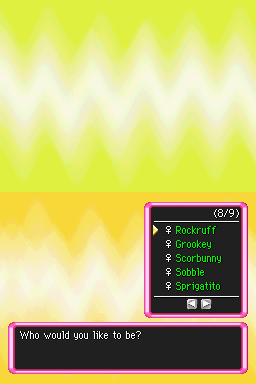 (sorry in advance if this isn't the right place for this) I've been having an absolute blast playing this hack, but due to a problem with my emulator my save got corrupted (if you use melonds don't use the 'undo state load' feature, it corrupts saves; see the github issue page here if you're curious). I'd like to switch emulators, but all I have is a savestate at a point that can't create valid in-game saves and can't be transferred to another emulator. So I'm posting here to ask if anyone would be willing share a save file (preferably in the .sav format, if possible) with an axew as the starter? I can use a save editor to recreate the rest of my save file, but I don't know how to make my player character an axew since it's not available in the base game, and therefore not an option in the save editor. edit: nvm i had a total brainfart, I can just make myself a new save on my laptop anyway cheers for making this hack, it's everything I ever wanted out of a pmdeos experience!
 -
Pokemon Mystery Dungeon: Explorers of Fortune
hushy replied to WindchildWhimsy's topic in ROM - NDS ROM Hacks
okay im still not done my autism knows no bounds and i love eos too much and i'm bustling with too much information yyayfyyuruuu40-9 yip yip h. if you like evolving somewhat early (like me), then here you go: 1. goto list > script and paste this into the search bar: "m01a0101", then click on "m01a0101.ssb" 2. copy this whooole string and paste it: 3. save and enable debug mode by pressing the icon next to the refresh button on the top right and proceed and skip whatever until you're done with mt. bristle. you should have luminous springs unlocked and if you did yyaaya!! you did it!! . also, this'll unlock the make leader function n' some other stuff so that you don't lose your leader once you evolve 4. yur done !!!!! :} -
Pokemon Mystery Dungeon: Explorers of Fortune
hushy replied to WindchildWhimsy's topic in ROM - NDS ROM Hacks
i'll also drop this in here for anyone that wants custom starters but doesn't want to go through the hassle every time: 1. navigate to to scenes > scripts 2. click on the drop down next to the common folder and double click on unionall. 3. utilizing ctrl+f paste in this: "coro EVENT_M00A_01", which will bring you to line 2294. 4. copy this whole string: coro EVENT_M00A_01 { bgm_Stop(); message_Monologue('Do you want to enable the default quiz?'); switch ( message_SwitchMenu(0, 0) ) { case menu('Yes.'): supervision_ExecuteActingSub(LEVEL_S02P01A, 'm00a01a', 0); @label_432; $SCENARIO_MAIN = scn[2, 0]; JumpCommon(CORO_EVENT_DIVIDE); case menu('No.'): supervision_ExecuteActingSub(LEVEL_S02P01A, 'newtest1', 0); supervision_ExecuteActingSub(LEVEL_S02P01A, 'newtest', 0); supervision_ExecuteActingSub(LEVEL_S02P01A, 'newtest3', 0); supervision_ExecuteActingSub(LEVEL_S02P01A, 'newtest4', 0); jump @label_432; default: return; } } 5. highlight lines 2294-2312 and paste and then save. use the emulator to check if you get the dialog box during the beginning of the personality quiz and if you did, good job ^w^ 6. goto starters and replace the dittos with whoever you so please. 7. congrats!! you can now use list > starters rather than going through newquiz3 / newquiz4 whenever you want to add different starters!! yaya ^^ -

PKVault - Centralized pkm storage management & Pokedex app
AnHeroGold replied to chnapy's topic in Saves - Tools
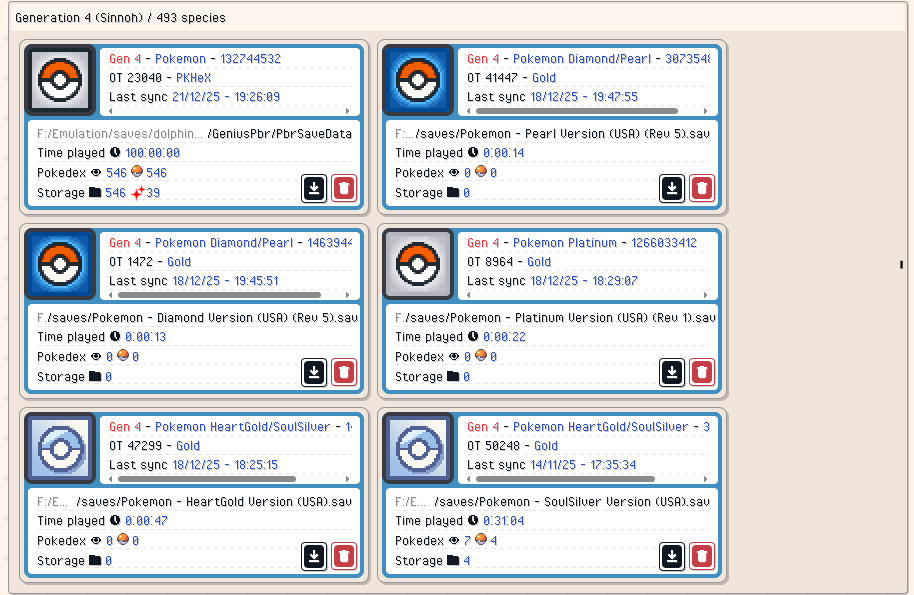
Here is what I mean, the icons don't display correctly, and the names are as if it isn't certain which is which (you were right about PBR, I guess I didn't save the path) Compared to a Gen 1 where all the icons are in use correctly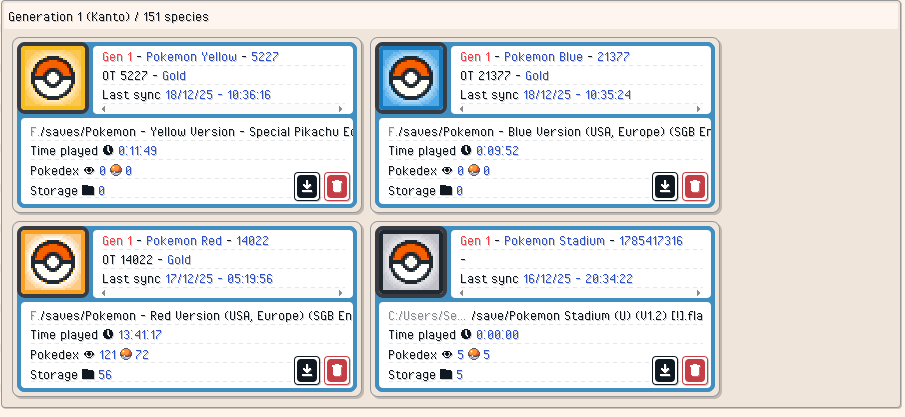
-
Pokemon Mystery Dungeon: Explorers of Fortune
hushy replied to WindchildWhimsy's topic in ROM - NDS ROM Hacks
1. all added ss/mp encounters spawn on the penultimate floor of any given dungeon. the only exception to this is are dungeons within groups, such as steam cave or amp hill, which will have the encounter explicitly on the final floor of the first half of the dungeon (or also on the second half of the dungeon if there's a galarian form) (also giant volcano is the only exclusion) -
I caught Xerneas, Yveltal and Diancie in an Ultra ball and then regretted my decision. Is it possible to modify the SAV file and reactive those missions so I can recatch them? My plan is to dump the savefile, edit it with PKHex to activate those mission and then import the save file on a secondary account. Once caught, they will have the right OT, ball, time (will change date of the console to match original catch) and I will only need to wait for Home support to move them to my main account. The IV will be different, but it's ok. I know I could just edit the pokemon ball on pkhex, but I'm trying to keep the main savefile as clean as possible. Recatching them on a cloned account, then moving them to the main file seems like the best option. EDIT: I would also love to replay Side Mission 3: "Sableye in the Cemetery", because I didn't realize you could catch it instead of knocking it out.
-
Hi everyone, sorry if I'm posting in the wrong place, I'm new here. So, I played Pokémon Legends Z-A on a hacked switch, back when I first started the game 4 days ago, I used PKHeX to add the mystery gift rewards since I cannot obviously claim them. Used JKSV to get the files out and into the switch, everything went fine. Now, I just started the DLC and thought about adding the Kalos starters' megastones, so I did the same as the previous time, but now the game doesn't even load, the switch says "The program has closed due to an error". I tried to un-edit the changes I had done, but it still says the same when I try to open it. Is there anything I can try to make it work again or did I just lost my playthrough? P.s. When using PKHeX, I did a backup of the main save, not the backup file, maybe that's why it's not working anymore?
-
Use the Block Data editor.