



Taku86
-
Posts
41 -
Joined
-
Last visited
-
Days Won
8
Content Type
Profiles
Pokédex
Portal
Technical Documentation
Pages
Tutorials
Forums
Events
Downloads
Gallery
Blogs
Everything posted by Taku86
-
You don't need Wine 9.3 in particular, it can be a newer version too. 9.3 is only the version that first included the patch needed to run PKHeX. Quoting the OP: be at least on version 9.3 (or higher). I'm on 9.16 for example. You should use whatever version is shipped by your distribution as long as it's ≥9.3. Post the terminal output. EDIT: saw the logs you attached. I don't see anything wrong with Wine. Did the .NET installation run fine? Are you perhaps using an Arabic font on your system (saw that on the logs)? There might be something wrong with your fonts configuration and this is preventing PKHeX to load. EDIT2: @hongtm77 sorry, I forgot to reply to you as I haven't been home for a while. Did you solve your problem?
-
Are you on the latest Wine version or at least on Wine 9.3? Please check with: wine --version Also, post the Wine output from the terminal when you are launching PKHeX. That might be more useful than the PKHeX logs in this case.
-
Are you sure that you installed the latest .NET version? I see from your logs that the program is complaining about the 8.0.2 version, but we are now on 8.0.7. PKHeX currently requires version 8.0.5 at least.
-
 Is there a way to clear trash bytes in batch editor? What I do is .OriginalTrainerTrash=$[]50,00,61,00,... where every value corresponds to a byte. But this is not convenient if different OTs are involved.
 -
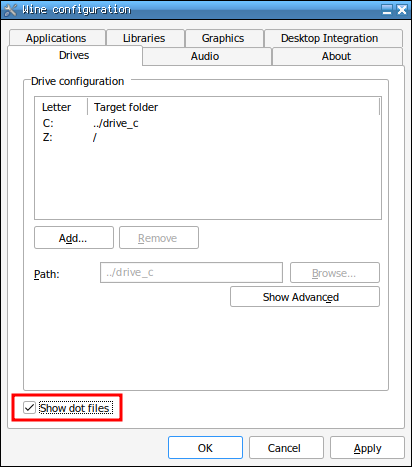
@ExNerved You can make dot files visible to Wine by running winecfg and enabling the option in the Drive section of the panel. I've added it to the OP, thanks for pointing that out!
-
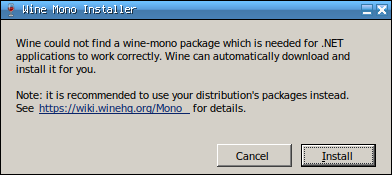
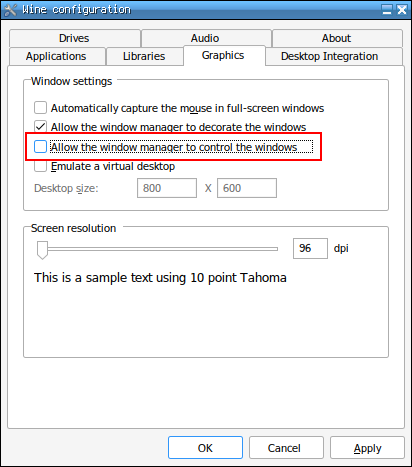
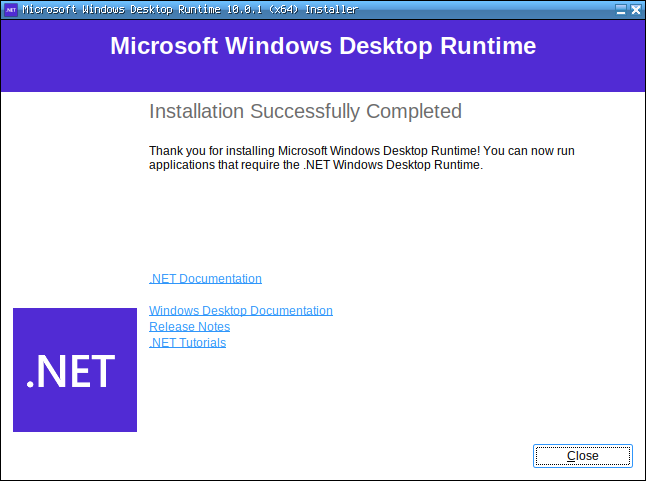
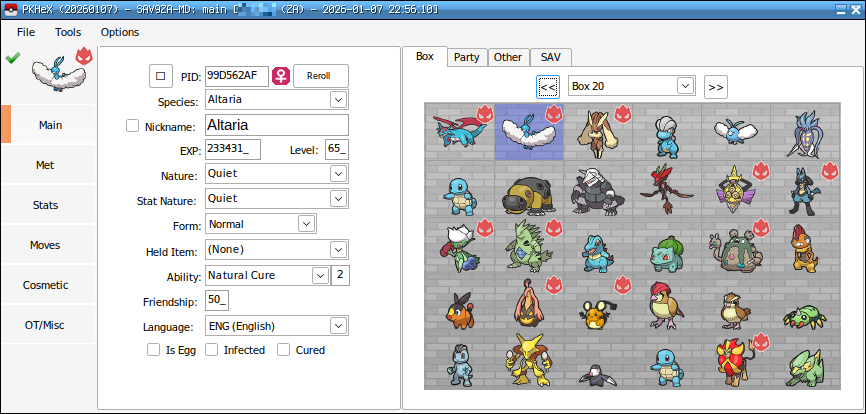
I know there are already some threads about running PKHeX on Linux (like this one or this one) but they are all outdated and none of them are simple and straightforward enough. I feel like there’s still a lot of confusion about PKHeX and Linux, so I’m making this thread hoping for it to become the ultimate reference for this subject. I'll keep it up to date. --------------------------------------------------- Latest working PKHeX version: LATEST (26.07.07) (development builds should also work unless major changes, but my thread will only keep the latest stable release as reference) Known bugs (if you know more please tell me): Drag & dropping save files into the program's window isn't really stable and could lead to a crash. This usually happens when you import/export boxes to/from a save file, and then drag another save file into the program's window. Always make a backup or try to avoid drag & drop at all by only using File > Open; Pointing to a Pokémon in the box with the cursor should display a little window with a summary of the information of the Pokémon. This is a little bit buggy as the window will only show for some seconds. Use CTRL + Left Click on a Pokémon to display it. If it doesn't work at first try, make some more CTRL + Left Click; Moving a Pokémon from one box slot to another empty slot visually duplicates it instead of just moving it. Simply switching boxes refreshes the screen and shows that the Pokémon has actually been moved. If you move multiple Pokémon, it might become inconvenient. It is still preferable to first open the Pokémon in the editor (Right Click on the slot > View) and then use Right Click > Set in the desired empty slot. When importing a Fire Red or Leaf Green save file, a dialog box will ask you to manually select if the game is Fire Red or Leaf Green. Clicking any of the option doesn't work. Rename the save file to something like FR or LG so that PKHeX can automatically load the correct game. Some plugins won't work. --------------------------------------------------- 1) Installing Wine The vanilla version of Wine is more than sufficient to use PKHeX. There is no need to use software like Bottles or Lutris, which I would not recommend unless you know what you are doing. However, if you use plugins (from the PKHeX plugins folder), it is advisable to also try the staging version of Wine (which includes more up-to-date patches), since some plugins can sometimes prevent the program from starting. As of March 2026, starting from Wine 11.5 there's a bug that prevents some PKHeX menus from opening. This includes, for example, the Trainer Info tab or the Box Search function. While waiting for a fix from Wine, there are two possible workarounds: Downgrade to Wine 11.4, which is the latest version not affected by this bug: Keep using the latest version of Wine, but with one precaution: 2) Creating a Wine prefix It's better to create a separated Wine prefix (the “Windows environment”, for those who don’t know what a prefix is) so that it won't conflict with others (if you have any). You can do that with the following command: WINEPREFIX=/path/to/your/prefix/pkhex wineboot Replace /path/to/your/prefix/pkhex with the folder you want to create the prefix in. For example: WINEPREFIX=/home/anon/Prefix/pkhex wineboot Let it set up everything. If it asks for the Mono installation you don’t need it, so you can click on cancel. 3) Installing .NET Desktop Runtime 10 PKHeX needs the 64 bit version of .NET Desktop Runtime 10 to work. You can download the latest executable from here. Launch the following command to start the installer: WINEPREFIX=/path/to/your/prefix/pkhex wine /path/to/the/installer/windowsdesktop-runtime-10.0.10-win-x64.exe As seen before replace the paths with your own ones. For example: WINEPREFIX=/home/anon/Prefix/pkhex wine /home/anon/Downloads/windowsdesktop-runtime-10.0.10-win-x64.exe 4) Launching PKHeX PKHeX can now be launched with this command: WINEPREFIX=/path/to/your/prefix/pkhex wine /path/to/pkhex/executable/PKHeX.exe In my case: WINEPREFIX=/home/anon/Prefix/pkhex wine /home/anon/Games/Pokémon/PKHeX/PKHeX.exe 5) Making a launcher for PKHeX In case you don’t want to use the terminal every time you want to launch PKHeX you can create a launcher for it. For example you can make a simple bash script for it. Paste the following content into a text editor and save the file wherever you want and with whatever name you want: #!/bin/bash WINEPREFIX=/home/anon/Prefix/pkhex wine /home/anon/Games/Pokémon/PKHeX/PKHeX.exe As always replace the paths with yours. Now make the file executable by running: chmod +x /path/to/your/script For example: chmod +x /home/anon/Games/Pokémon/PKHeX/Launcher Now you can simply open PKHeX by double-clicking the launcher. 6) Some tips and troubleshooting Chinese, Japanese and Korean fonts are not showing: PKHeX can't see files located in hidden folders: PKHeX window behaves in a strange way: Wine is in conflict with the local version of .NET:
-
From what I can understand PKHeX uses Wishmaker Jirachi Reverse Method 1 to calculate PID for Gen 3 events like 10ANNIV mons, Aura Mew or Space C Deoxys. At least as long as I use that method they are always legal according to PKHeX. Has this method been confirmed as the one used for Gen 3 events? Because I had a brief read of this thread from years ago and there doesn't seem to be a clear answer.
-
At the moment a patch is required in order to run the latest PKHeX version. While the 9.0-rc1 fixes the crash at startup, the program still crashes when right clicking on boxes or when opening menus. You have to compile Wine from source with the patch provided here. Currently using 9.0-rc2 with the patch and PKHeX is working fine. Of course .NET 8 needs to be installed in the prefix.
-
This should be fixed with 9.0-rc1.
-
Thanks for sharing! I actually hadn't thought of directly installing NET 7 in the Wine prefix. I can finally delete the Windows virtual machine A little note to @Chillsmeit's post. You don't actually need to install all of the dotnet dependencies. Installing the NET 7 one from the provided link is enough. I'm using a clean prefix with Wine 8 and it's working perfectly fine.
-
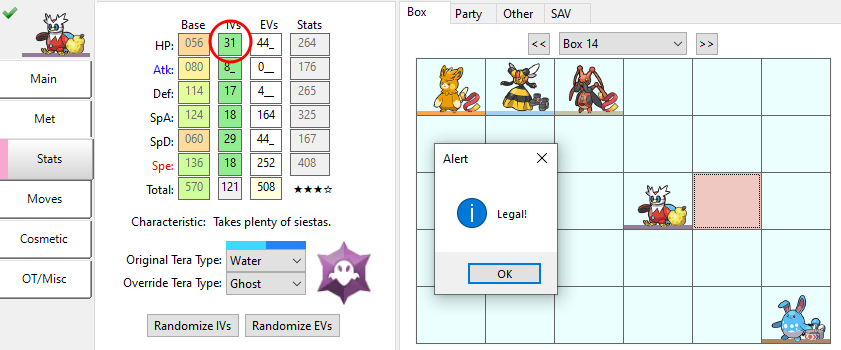
Oh, I see. In the previous version it used to throw the error "can't hyper train a perfect IV Pokémon", that's why I thought there was something wrong.
-
Latest version seems to have a bug with hyper training and legality check. Here you can see my Iron Bundle having a natural IV of 31 in HP. Setting the hyper training to it doesn't trigger the legality check.
-
Sei Italiano? Grazie ho scaricato e funziona, posso chiederti da che cosa è stato causato il problema e come hai risolto?
-
Before to start, I apologize for my poor English. I'm Italian. Today I found my old cartridge of Pokémon Diamond. Back in 2007 I was a kid and a friend of mine convinced me to use the Action Replay. I used a lot of codes to find shiny Pokémon in the grass and much more. Now, when I scroll down the Pokédex my game freezes on Rhydon. So, with Savegame Manager tool I ported my save file to my PC and tryed it with the Emulator (No$Gba). The game doesn't freeze on Rhydon but then on Chansey this appears: Then also with Kangaskhan, Jynx and Tauros. Is there a way to fix this problem? I attached my save file if you would like to find more. It's from the Italian version of the game. POKEMON D.0.sav
-
Is this Togetic I received in Wonder Trade hacked?
Taku86 replied to TokoyamiTheDark's topic in Pokémon Legality
There is a code on the Power Saves that let you change the PokéBall of a Pokémon. Maybe they used this code.


