Kaphotics
-
Posts
8101 -
Joined
-
Last visited
-
Days Won
497











-
Sure, you can continue trying and compare your dumped data in a hex editor (like HxD) to see if you're able to obtain something different.
-
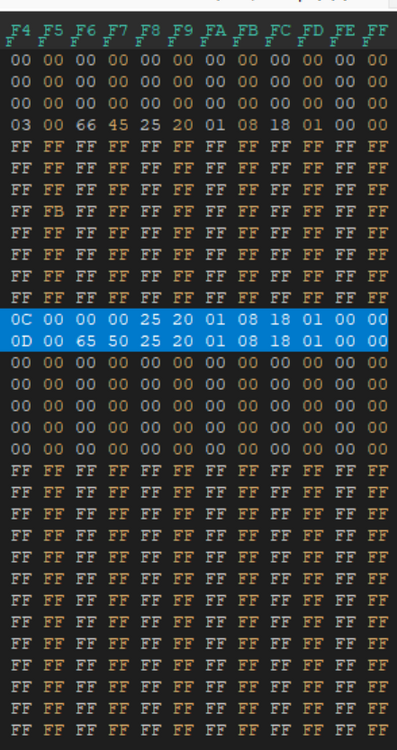
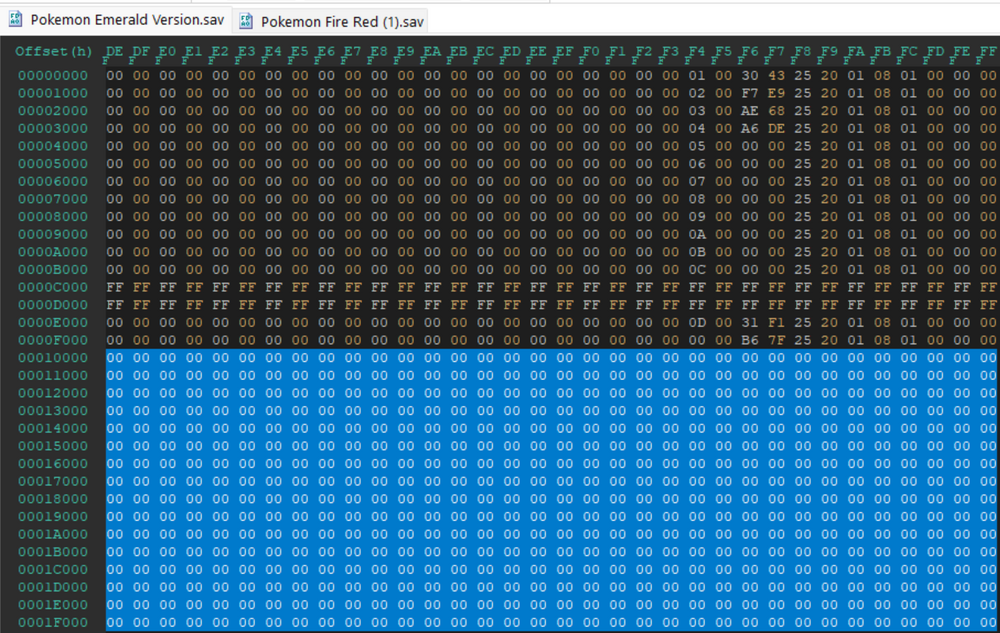
Bad news, nothing is present in your attached file that can be salvaged. Save data structure (Generation III) - Bulbapedia, the community-driven Pokémon encyclopedia Your save file only has blocks 3, C, & D present; everything else is FF FF FF... meaning uninitialized. In blocks C & D, they are all zero except for the box names being present (BOX 1, BOX 2). Block 3 is basically all zero besides a couple of bytes that aren't Pokémon. Nothing to recover, since everything is matching a "new game" state. Your save data, when viewed in a hex editor, as reference:
-

Bug in Dump Box in Pokémon Battle Revolution Saves
Kaphotics replied to Pocket Monsters's topic in PKHeX
Thanks, fixed on latest commit. PBR: retain party stats, recognize party size · kwsch/PKHeX@c46596c The latest development build should allow for importing the files that are 220 bytes. -
Thanks, fixed on latest commit: hatch4: permit rotom's room in hg/ss · kwsch/PKHeX@8ea0ee0
-
View an empty donut then clone it to all other slots.
-
That PID is not shiny for your TID/SID. There is no way around that. Use the encounter database with your save file loaded, use the criteria tab to specify the Nature/Gender/Shiny state, ideally without restricting the IVs to anything specific besides 2 (like Attack & Speed 31). Find the encounter with the search settings, then view it.
-
Picture speaks for itself:
-
Put whatever numbers you want for whatever stats you want.
-
Use the Misc editor, there is a Records tab.
-
There is no progress in this save file (it's before you named your character, aka no progress).
-
Save states are not save files (save data). Save properly in-game so that the save file is correctly flushed to the storage device. Save states are RAM snapshots of the emulator's RAM as it runs the game, containing everything about the current game play state. Save files are the savedata binary that the game encodes to save its progress when the game/console is powered off, allowing it to resume from the Game Continue screen.
-
Easily findable with a google search or the navigation bar at the top of this site. PKHeX - Save Editing - Project Pokemon Forums
-
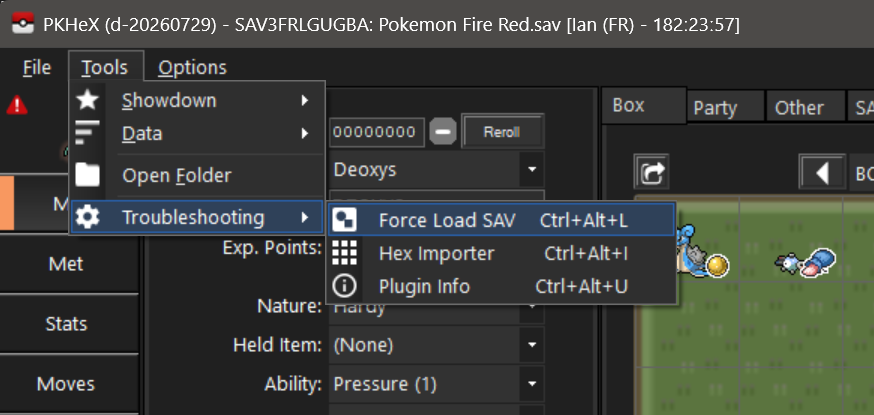
The save files are incorrectly set up in whatever emulation software you have, as they are failing to save the latter half of the savedata (e.g. it saves them as 128KB files like it should, but they're treated as 64KB instead). Using the Force Load SAV feature within PKHeX, they open just fine: Use the Recovery tool: projectpokemon/RecoverSaveGen3: Try and recover a Gen3 save file via console app! That should reformat your save file to the proper arrangement.
-
Post the files or try them in another save editor.