

Leaderboard



Popular Content
Showing content with the highest reputation on 04/16/26 in all areas
-
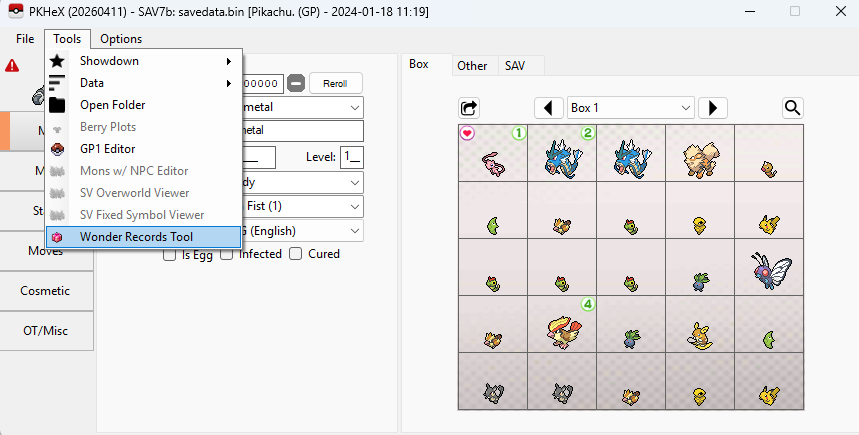
I just checked with the latest PKHeX, and the plugin is working Make sure: 1. You're using the latest plugin found here and latest PKHeX found here 2. Placed in the "plugins" folder next to the PKHeX.exe 3. The plugin should be unblocked (Right Click > Unblock)
 1 point
 -
My offer from 2022 still stands, you vanished back then and did the same again in 2023 without posting it from what I remember: As we are both in the UK you can send it to an InPost locker so neither of us have to reveal our addresses if you feel better doing it that way. Or if you purchase something like this: Cart Flasher for GameBoy from J.Rodrigo on Tindie I can help you dump the save over remote assistance. I also have a tutorial on how to do so: GameBoy / GameBoy Colour USB Save Game Backup, its pretty straightforward once you have the hardware to be fair So you have a few options on how to save this Mew if you really want to.1 point
-
![More information about "[PKHeX Plugin] Shiny Stash Map plugin"](https://projectpokemon.org/home/uploads/monthly_2026_02/517915625-30e14f4b-95d5-495c-8d1d-37502bceaada.thumb.png.473bc9a4b8e37cecd7ab708ca863c1df.png)
Version 26.02.02
398 downloads
Have you ever wondered where that shiny fletchling or pidgey that is shown on the misc tab for Pokémon ZA is located? Then this plugin is for you! In Pokémon ZA the game stores shinies that spawn in the overworld into their own block. This plugin reads that block and shows you the approximate location of these spawns. How to use Put the plugin into the plugins folder in your PKHeX directory, then access it from the Tools menu. Note: Win 10 might block DLL files downloaded from the internet. In that case right click the plugin file, go to properties and check "unblock" (as seen here). [You may have to unblock, reblock, then unblock again to get it to work] Example of how to unblock: Usages Can be used with either a ZA save file loaded into PKHeX or via a live read using sys-botbase. Connecting is optional. Click on the sprites in the plugin to have their locations shown on the map. Support for support or bug issues please utilize github1 point -
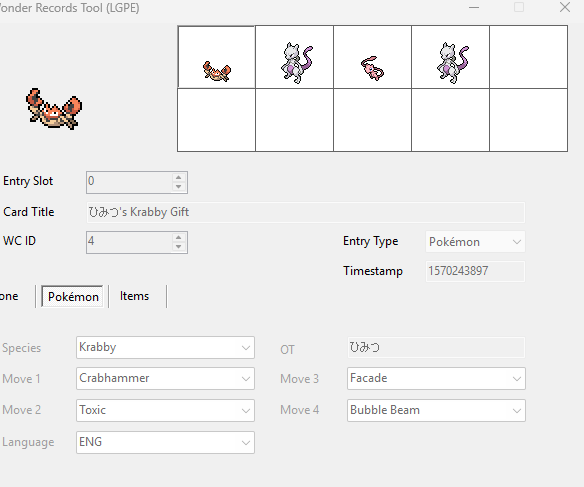
![More information about "[PKHeX Plugin] Wonder Records Tool"](https://projectpokemon.org/home/uploads/monthly_2021_09/Capture.thumb.PNG.9a1e07c0d1d7206c3b1ad82d390a8c11.PNG)
Version 1.0.19
8253 downloads
PKHeX plugin to import Wonder Cards as Wonder Record (entries that show up in the Gift Album). For SWSH, the 50 slots can be viewed via Sprite Representations: Pokémon represented by the relevant sprites; Items represented by relevant sprites (note: only the first item slot of that gift, not all); the Black Ball can represent Clothes, Money, and BP gift type; Blank represents the slot being unused. (Note: As WR don't store shininess, shininess is only determined by one particular gift title. WR also doesn't store Gmax flag, so it depends on the one particular gift title.) This edit is merely affects what show up in the Gift Album (cannot be redeemed in-game), but some people want it, so here it is. Reminder: Due to changes made starting from LGPE, injecting Wonder Cards (or Wonder Records, for that matter) won't allow the gift to be redeemed in-game. How to use Put the plugin into the plugins folder in your PKHeX directory, then access it from the Tools menu. Note: Win 10 might block DLL files downloaded from the internet. In that case right click the plugin file, go to properties and check "unblock" (as seen here). [You may have to unblock, reblock, then unblock again to get it to work] Example of how to unblock: Usages Used to view the Wonder Records in the KMysteryGift block in the save. Can be used to inject and extract WR8. Can be used to convert WC8 to WR8. Both injections can be used via the button or dragging the file into the form. Do note the conversion is based on best approximation from the data observed. Use at your own risk! Can be used to manipulate the timestamp on entries. Always back up your saves before you perform any edits. Support PLA & BDSP (to a limited extent) Sword and Shield - Viewing, WR8 Injection, WC8 -> WR8 Injection, Timecode manipulation Let's Go Pikachu & Eevee - Viewing (WR7 Injection and Extraction can be done natively using PKHeX) For help and bug reporting, go here. Credits Kaphotics for PKHeX.1 point