Leaderboard



Popular Content
Showing content with the highest reputation on 02/28/26 in all areas
-
A Plus Move is the signature mechanic of Pokémon Legends: Z-A1 point
-
Look at what game you have open for editing.1 point
-
this is...a first for me. o.o you absolutely *should* be able to? or install the Fix Memory Softlock or Anti Softlock patches in SkyTemple depending on what you're playing it on, you can either import your save, or just replace the old rom with the new one (and name it the same thing) and your save should carry over yes! every mainline starter will be available in the next update1 point
-
For anyone who finds this post in the future .PlusMoves=$suggestAll in the batch editor worked for me! If this helped, a like on this post will be very appreciated ^.^1 point
-
Use $suggest or $suggestAll similar to the other properties that support suggestion requests1 point
-
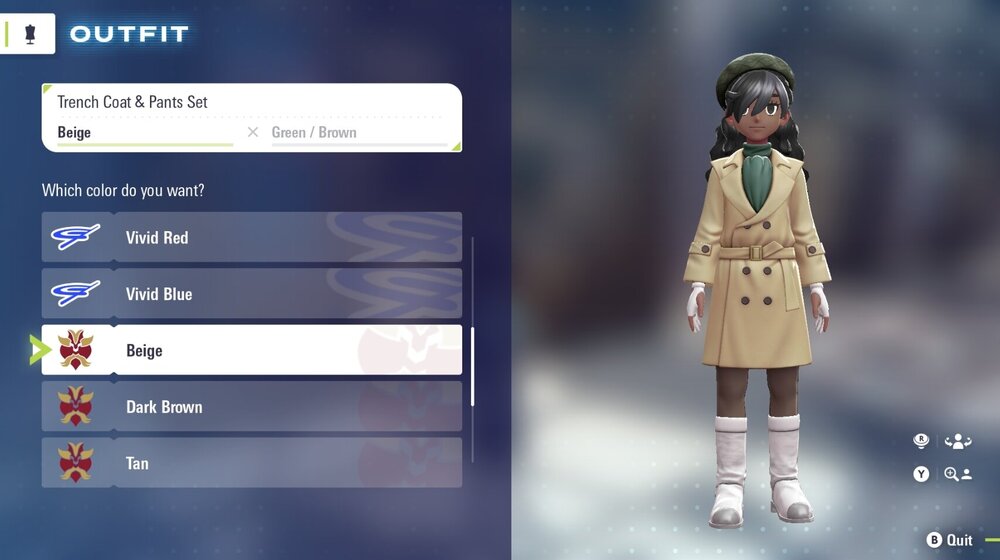
i was able to get it using the fashion editor by a way theSLAYER mentioned in a different topic open fashion -> click allinone tab -> scroll down until you see 65535 repeating -> replace the topmost 65535 value with 3021111 -> check isquipped & isowned that's what i did but idk if the value you replace matters or if there is any other check. i had already obtained every other piece of clothing/cosmetic/hair color legitmately already before doing this if that helps
 1 point
 -
Version 1.5
3893 downloads
this is the fashion data blocks for z-a I went though on pkhex and manually painstakingly checked every box so you don't have to Pokémon Legends: Z-A – Full Fashion Unlock Each file in this zip corresponds to a fashion category in PKHeX’s Block Editor. To use: 1. Open your save in PKHeX. 2. Go to Sav → Block Editor. 3. Locate each “fashion____” category. 4. Click “Import folder” and select the matching folder. (e.g., *Object KFashionTops→ "tops" folder , *Object KFashionBottoms → "bottoms" folder) 5. Save your file and reload it in-game. If certain clothing items do not appear after importing the fashion block files into your save, don’t worry—they’re already owned. Pokémon Legends: Z-A uses separate internal flags for “owned” and “discovered/unlocked.” PKHeX sets the ownership flag, but the game won’t display an item until the shop discovery flag is triggered. To fix this, simply visit every boutique or clothing shop once in-game after importing and saving; the shops will refresh their inventories, recognize your ownership data, and all hidden items will instantly appear in your wardrobe. You do not need to re-import or edit anything—just enter each shop to sync the list.1 point