


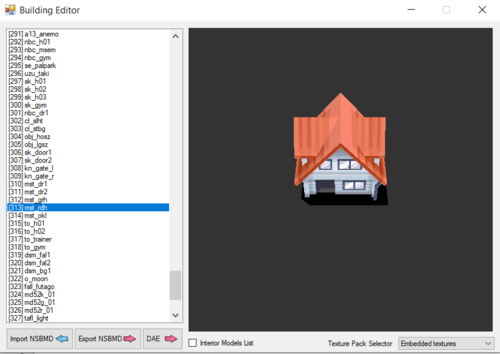
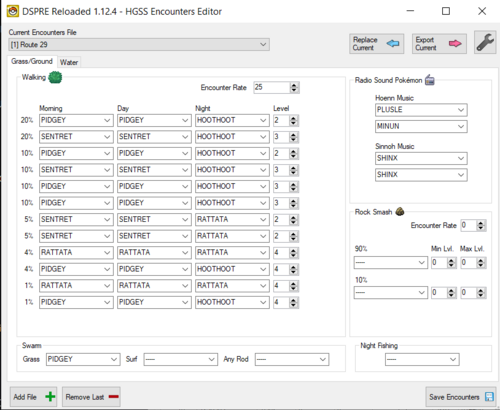
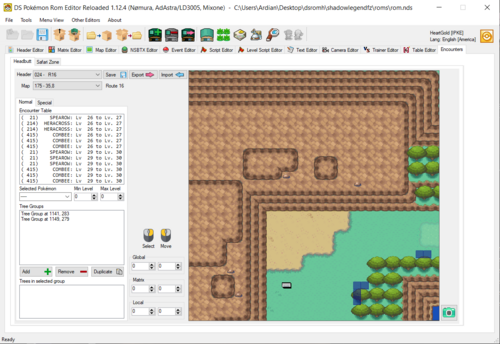
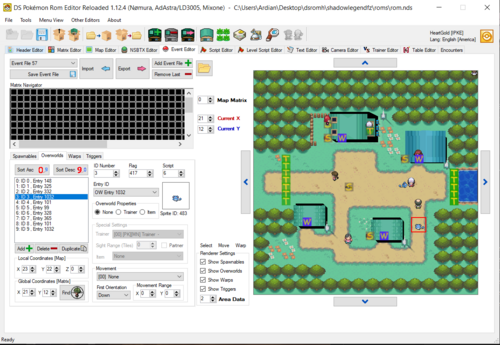


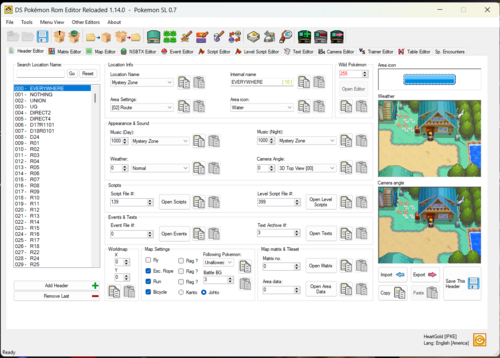
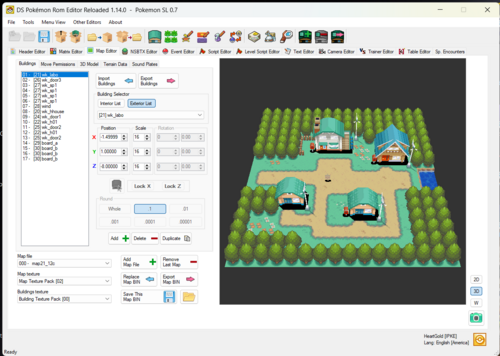
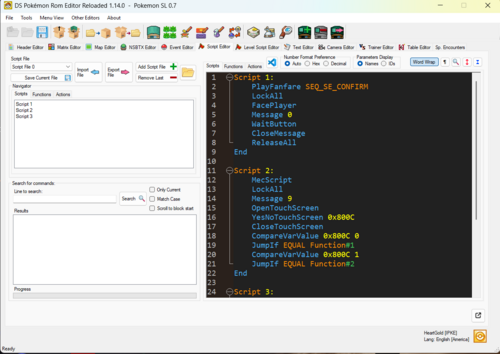
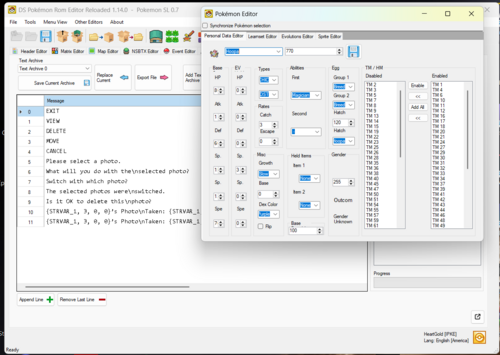
About This File
If you have any questions or need help. join here for quick assistance. Anyone who hacks Gen 4/5 should be in there!
new and way better SDSME
Pokemon Gen 4 Editor
If you are looking for an gen 5 Editor click here
By Shuckle Lord Mixone, AdAstra, Nomura
Official DSPRE Reloaded Github
(check this out for infos about all the features of this tool!)
the changelog is messy since I can't seem to edit it, sorry for that.
-When adding new screenshots the version gets automatically updated, can't seem to do anything about it.
Edited by Knoxyz
updated name
What's New in Version 2.1.8 See changelog
Released
DSPRE 2.1 User Changelog
New Editors / Features
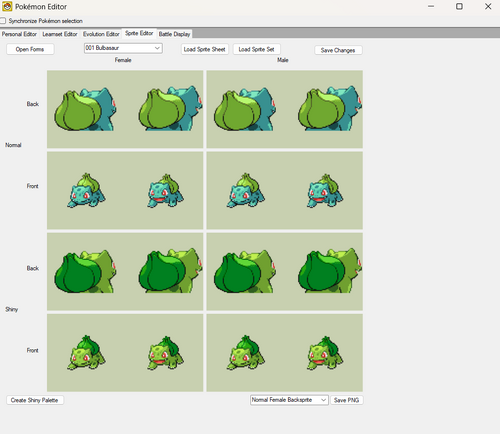
Pokémon Sprite Editor: Add Opposite Gender Sprites
New "Add Opposite Gender Sprites" button. If a species only has sprite data for one gender (or is
genderless), it duplicates the existing sprites into the missing slots so widening its gender ratio in
Personal Data doesn't leave it with broken graphics. Same fix people have long done by hand in Tinke, now
one click.
Overworld Sprite Table Expansion (WinForms)
"Add Custom Entry" for the overworld sprite table, previously Avalonia-only, is now in the WinForms
Overworld/BTX editor too. Lets you add new overworld sprite entries beyond the ROM's original table.
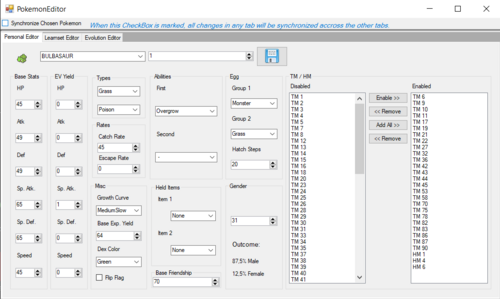
Pokémon Editor: Battle Display tab
New tab for positioning a species on the battle screen:
- Front-sprite Y offset, shadow X offset, shadow size.
- Per-gender front/back sprite heights (Diamond/Pearl and Platinum).
-
Live preview of the actual front/back battle sprites and shadow at their real position, with a
Male/Female toggle and a frame picker for 2-frame sprites (mainly the HGSS send-out bounce). - Party icon editing: pick the palette bank, Import/Export the icon graphic as PNG.
Fuzzy search in dropdowns
Editable dropdowns across the app (Personal Data, Learnset, Evolutions, Trainer Editor, Wild Encounter
editors, Move Data editor, and more) now filter as you type, matching anywhere in the name and tolerating
typos, not just prefixes. Type "chomp" and Garchomp shows up.
Changes to Existing Editors
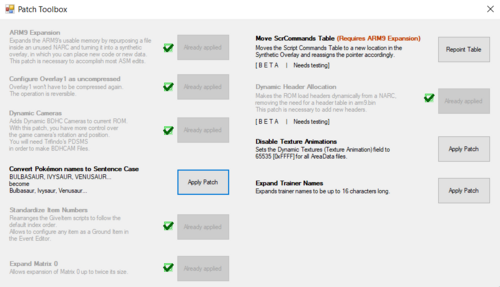
Patch Toolbox
-
New Building Rotation patch: lets supported games read a building's rotation from map data so it can
face any direction. Diamond, Pearl, Platinum, HeartGold and SoulSilver. Replaces the old "Overlay 1
mark as compressed" patch slot. -
New synthetic-overlay offset picker, shared by Building Rotation and the Move ScrCommands Table patch.
Lets you pick where a patch's payload gets written, shows the footprint, enforces 4-byte alignment, and
warns if the range already has data in it. -
Move ScrCommands Table patch now uses that picker and can go anywhere in the synthetic overlay instead
of a fixed spot. - Fixed Dynamic Cameras' internal pointers so the patch works at a custom injection address.
-
Building Rotation, Dynamic Cameras and Move ScrCommands Table now require a ds-rom-format project and
prompt you to convert if you're still on ndstool. - Fixed several synthetic-overlay patch ordering and messaging bugs found while building the above.
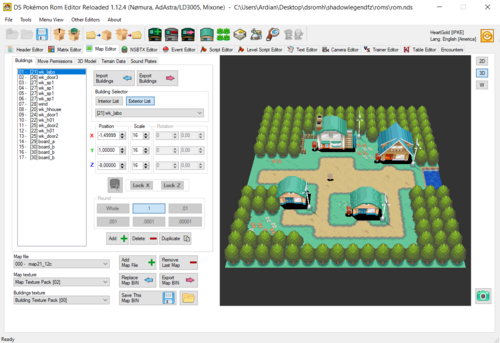
Map Editor
- Building rotation fields are only editable once the Building Rotation patch is applied.
- Fixed a rotation axis-order bug that made rotated buildings face the wrong way.
-
Texture preview now respects each material's actual alpha value (1-30) instead of forcing full opacity.
House/signpost shadows and puddle tiles no longer show as solid black. Preview-only. -
Non-matching materials render as white instead of reusing whatever texture was bound before, so
mismatches are easier to spot.
Camera Editor
- Blocks legacy ndstool HGSS projects and asks you to convert to ds-rom format first.
Overworld / BTX Editor (WinForms)
- Added the overworld sprite table expansion / "Add Custom Entry" feature (see above).
-
Fixed a texture-corruption bug in that port where adding a custom entry could overwrite an existing
NPC's texture.
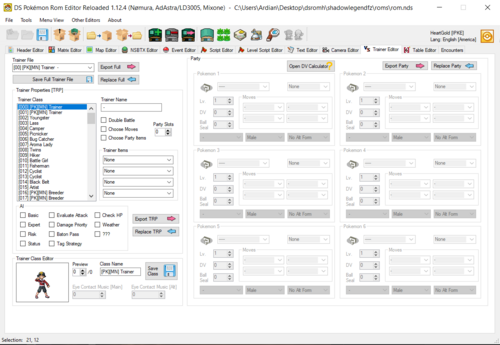
Trainer Editor
- Pickup Table Editor: fixed HeartGold rare-item offsets being off by one.
- Trainer class sprite preview: numeric up/down works now, and switching frames animates the preview.
- Added a failsafe for trainer index 0.
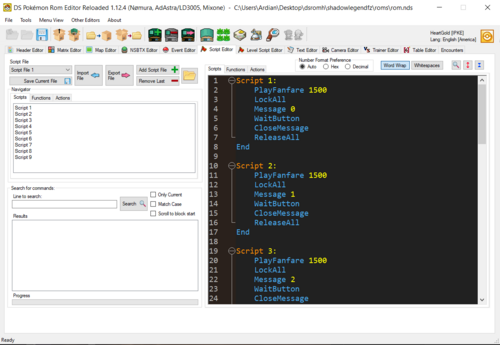
Script Editor
- Hovering a goto-script jump target now shows a popup with context before you follow it.
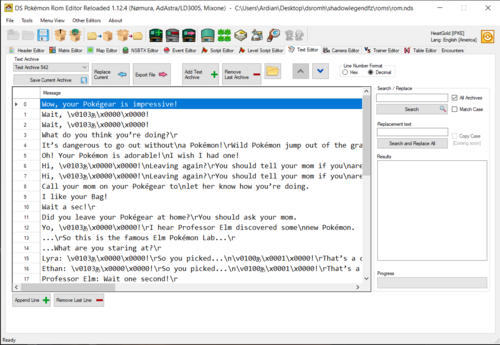
Text Editor
-
Text archives can be exported as
.msgfiles again. - Export defaults to JSON.
-
Text archives can be imported from
.binfiles.
Rotom Project Support (early groundwork)
-
Scripts are disabled when a Rotom-based project is detected, so DSPRE doesn't misread Rotom's script
format as vanilla data. More Rotom integration is coming.
Infrastructure Changes
-
Added a canary/alpha build workflow that runs from any branch, for testing in-progress changes without
waiting on a nightly or full release build.
Known Limitations
- Rotom projects have scripts disabled as a safety measure; full script/event support isn't there yet.
- Building Rotation, Dynamic Cameras and Move ScrCommands Table need a ds-rom-format project.
- Battle Display is position-only: no battle-animation editing, no arena backdrop preview.
2.1.1
-
Fixed a crash when leaving certain dropdowns bound to a fixed list, such as Trainer Editor party
moves/items, Wild Encounter species, and Personal Data fields. - Battle Display: fixed showing the wrong Pokémon's sprite.
-
Battle Display: fixed the party icon always showing palette 0 instead of the palette the ROM actually
has assigned. -
Battle Display: auto-picks the gender that actually has sprite data for mono-gender species.
2.1.2
-
Fixed a crash and a wrong-Pokémon-loaded bug when picking a match from a fuzzy-search dropdown (e.g.
Pokémon Editor's species field). - Fixed the NSBTX Editor's Area Data light type list being in the wrong order for Diamond/Pearl.
2.1.3
-
Removed the fuzzy-search dropdown filtering added in 2.1. It caused real bugs (crashes, wrong item/species
picked), so dropdowns are back to standard, native search-as-you-type behavior. -
Fixed a crash and an infinite loop in the Text Editor's Search and Replace when replacing a name with a
version of itself that only differs by letter case, e.g. "PIKABLU" to "Pikablu". -
The Patch Toolbox's Sentence Case patch now works on Pokémon names you've renamed yourself, not just
unmodified vanilla names, and also fixes that name everywhere else it appears in the game's text. -
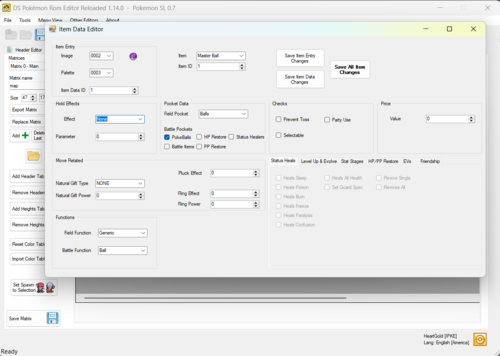
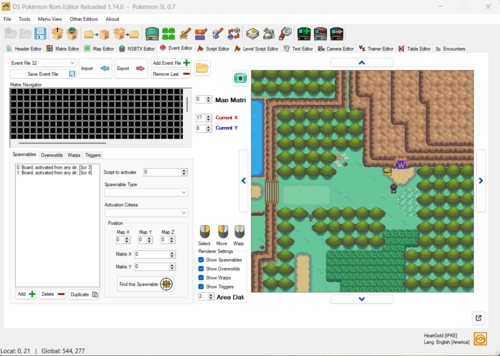
Event Editor: added a way to manage the list of ground items Overworld Item events can use. Add or remove
item + quantity entries, search items by name, quantity capped at 99. Entries still referenced by an
Overworld event can't be removed. -
Patch Toolbox: the Standardize Items patch is now disabled for hg-engine ROMs, same as the other patches
it doesn't support. -
Patch Toolbox: new "Convert Item names to Sentence Case" patch, same as the existing Pokémon one. Works on
items you've renamed yourself too, and fixes that name everywhere else it appears in the game's text.
2.1.4
-
Battle Display: HeartGold/SoulSilver now reads and edits per-gender battle-sprite height, same as
Diamond/Pearl/Platinum. It was previously always locked to one shared position for both genders, which
wasn't accurate to how the game actually renders them. -
Battle Display: both genders' height fields stay visible even when a species only has a real sprite for
one, instead of hiding the whole panel. Only the gender with an actual sprite is editable. -
Pokémon Sprite Editor: "Add Opposite Gender Sprites" now also copies the new gender's battle-sprite
height, not just the sprite graphics, so it doesn't end up rendered at a different Y position than the
gender it was copied from.
2.1.5
-
New TM/HM Bulk Editor (Pokémon Editor, TM/HM panel): edit machine compatibility for many Pokémon at
once instead of one at a time. Two views: by Pokémon (select individual species or whole evolution
families, then toggle a TM/HM for all of them at once) and by TM/HM (pick one machine and see/toggle
who learns it across the whole dex). Includes a family Sync action (Union or Intersection) and a
"Copy Compatibility To..." dialog for copying one species' whole machine list onto others. -
Learnset Bulk Editor: "Copy Learnset to Other Pokemon" no longer requires selecting the source
Pokémon's row in the grid beforehand. It opens a dialog where you pick both the source and the
target(s) directly. -
Fixed both bulk editors' "copy to" dialogs needing two clicks (select the row, then click the
checkbox) to check a target Pokémon; one click now does it. -
Pokémon Sprite Editor: fixed a crash when saving after importing a PNG with fewer than 16 colors, or
after choosing "Use PaletteMatch" to merge a new image into the existing palette. Both cases could
also silently corrupt other sprites sharing that palette (wrong colors, or a sprite turning solid
black or fully transparent) even when the save itself didn't crash. -
Fixed a long-standing issue where fields you can type a search into (species, moves, items, trainer
classes, and similar) behaved inconsistently if you opened the dropdown list before typing: most
editors selected nothing even when you typed the exact name, a few (Item Editor, Safari Zone Editor,
Headbutt Editor) crashed outright, and a couple (TM Editor, Egg Move Editor) silently picked the wrong
entry. Also added a warning instead of a crash (or, for Trade Editor, silently saving bad data) when
saving with one of these fields left unresolved, in the Trainer Editor party list, Trade Editor, and
Pokémon Sprite Editor. -
The crash report dialog now actually shows the file path it saved the report to; it used to show a
blank line there. -
Battle Display:
-
The party icon preview has a Frame selector now, so you can check both animation frames instead of
only ever seeing the first one. -
Added Animate buttons for the battle sprite and the party icon (separate from each other) so you can
watch them cycle frames instead of stepping through manually. -
The preview now shows a real background, ground platform, and HP bar pulled from the ROM instead of
a generic placeholder image, so height adjustments have real scenery to judge against. It's always
the "Lawn" terrain for now, not selectable. Known rough edge: we know this still looks a bit ugly
(text sizing/placement, overall polish) and plan to keep improving it.
-
The party icon preview has a Frame selector now, so you can check both animation frames instead of
2.1.6
-
More fixes for the dropdown search issue from 2.1.5: Item Editor's hold effect, field pocket, natural
gift type, battle function, field function, palette, and image fields now behave consistently too, and
a few of them (natural gift type, field function, battle function) could crash outright when left empty;
that's fixed. Same fix applied to Trade Editor's OT gender and language fields, and the Overworld
Sprite Editor's overworld list. -
Fixed the Egg Move Editor's Bulk Edit fields (Replace All, Delete All, "with"): typing part of a move
name would show a matching suggestion, but pressing Enter or Tab didn't actually select it, it just
marked the field as invalid. -
Fixed a bug where sprites changed in the Pokémon Sprite Editor could get silently reverted back to
their old appearance the next time you saved the whole ROM. -
New Trophy Garden editor (Diamond/Pearl/Platinum, Wild Encounters tab): edit the 16 Pokémon Mr.
Backlot can offer as the Trophy Garden's daily changing Pokémon. -
New Battle Tower Editor (Other Editors menu, Diamond/Pearl/Platinum/HeartGold/SoulSilver): edit Battle
Tower trainers (class, name, messages, and which Pokémon sets they can randomly use) and the Pokémon
sets themselves (species, moves, item, nature, EVs, form), plus buttons to add brand new trainers and
Pokémon sets rather than only editing existing ones. - Fixed the Locate button doing nothing in the Great Marsh, Trophy Garden, and Battle Tower editors.
-
Header Editor (HeartGold/SoulSilver): the three unlabeled "Flag ?" checkboxes now say what they
actually do, outgoing Pokegear calls, incoming Pokegear calls, and radio signal, since it turns out
DSPRE was already reading and saving them correctly, they just never had real names. Also added a new
field, the Mom's Call message offset, which was already being read and saved too but had no way to
see or change it. -
2.1.7
-
Fixed a crash in the Pokémon Sprite Editor when importing a front and back sprite whose PNGs declare a
different number of palette colors (even if the actual colors are otherwise compatible), and use
Palette Match on them. This could also cause Palette Match to wrongly claim the colors didn't fit at
all when they actually did. -
Battle Display: the four height fields (front/back, male/female) allowed negative values, but they're
actually unsigned in the ROM, so a negative value would just wrap around into a huge, wrong height.
Now correctly limited to 0-255. -
Fixed a crash in the Trainer Editor's DV Calculator for Platinum ROMs that add new trainer classes by
repointing the trainer-class gender table. The eye-contact music table
was already handled correctly for these ROMs.
2.1.8
-
New Rock Smash editor (Item Table Editor, HeartGold/SoulSilver): edit each map header's item-drop odds
and which of the three item tables it rolls from, plus the tables themselves (Default, Ruins of Alph,
Cliff Cave) on the English release. -
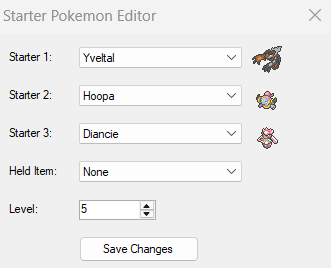
New Starter Pokémon editor (Pokémon menu, Diamond/Pearl/Platinum/HeartGold/SoulSilver): change the 3
starter species, their held item, and (HeartGold English only) their level, with Pokémon and item icons
shown next to each field. Thanks to Shamanka27 for finding the HeartGold offsets. -
Pokémon Sprite Editor: fixed a bug where importing a shiny palette for one pose (front or back) could
silently wipe out colors the other pose already had, turning them white or some other wrong color. The
editor also no longer asks a confusing "merge or replace?" question when importing, it now does the
obviously correct thing automatically depending on whether you're importing the first image for that
palette or a later one. -
Pokémon Sprite Editor: the window now scrolls if it doesn't fit on your screen, instead of just cutting
off the bottom.
