



theSLAYER
-
Posts
22874 -
Joined
-
Last visited
-
Days Won
1002
Content Type
Profiles
Pokédex
Portal
Technical Documentation
Pages
Tutorials
Forums
Events
Downloads
Gallery
Blogs
Posts posted by theSLAYER
-
-
Even if it could be traded, you're basically asking for the other party to risk their console + account.
Meloetta cannot be legitimately received at this time. -
58 minutes ago, LinkPlayer said:
Do you know where the language section is located? I want to make e-cards for the European versions
European languages should work across each other. So as long as you use the English one as base it should be enough.
-
34 minutes ago, msaraujo said:
I already open mistery gift on game... but I can't find the flag (opton) to upload mistery-gifts to my pkhex , please can anyone help me?
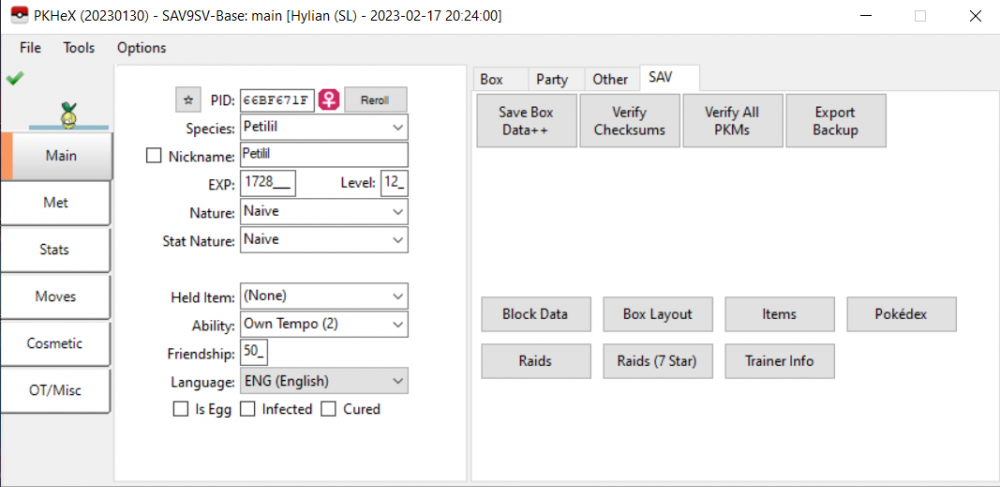
Events/mystery gifts aren't stored on any of Switch's save. It's correctly not on PKHeX.
Try this instead:
https://projectpokemon.org/home/forums/topic/62491-switch-gift-data-manager-import-wondercards-into-switch-games-by-faking-bcat-packages/ -
1 hour ago, theblokeman said:
ok so I want to put my pc save file for Pokémon ruby onto my 3ds so I can play ruby on the go but the problem is the file format is .SA2 which I have literally no idea what it means. I tried searching google for an answer but all I find are sonic adventure 2 save editors. how do I convert it to .SAV?
Simply rename it. Usually the content is the same, it’s merely changing the extension for recognition by different instances (like multiple profiles on VBA link)
-
1 hour ago, theblokeman said:
so in theory, if they homebrewed an NR reader they could possibly extract the files off the disk using a sd card memory card adaptor?
Extraction is one matter, getting it to run is another.
-
Yea. If the TID/SID was changed to yours, there’ll be a star (or lack of star) next to the PID.
-
As far as I know, they’ve not yet been able to make it compatible with any kind of emulator. The issue disc requiring the NR reader I think. They’ve already tried redeem several redemptions and shared the mons online:
-
-
21 minutes ago, NinjaXD said:
thank you
it doesnt have those options
Frankly it might be easier for you to use a different emulator. I’m unsure that file you’ve sent, if edited, could still be read. Or that the name doesn’t change. Or that the offset for edits remain consistent. There’s way too much that can change and lead to screwups.
-
3 hours ago, NinjaXD said:
Im pretty sure thats not my file since there is a beldum named STARAPTOR holding a acro bike
You’re playing a ROM hack that has changes to species and items (thus the IDs used have been manipulated). What is displayed is based on indexes of an unmodified game.
Also, I was being rhetorical. It is a file from your file, and it has your name. Of course it is yours, even if you can’t recognise it.
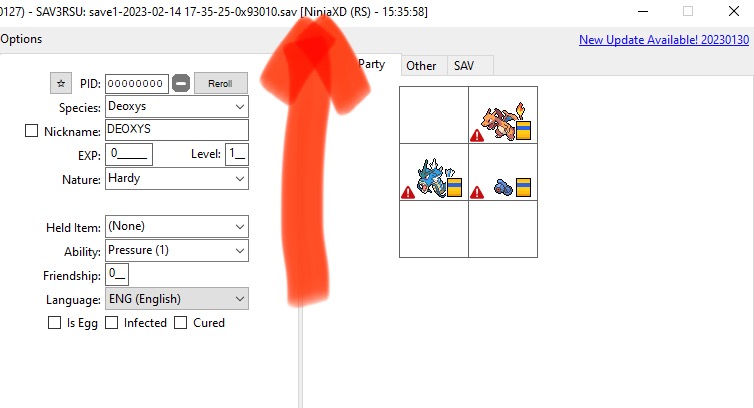
QuoteAldo how do I save my changes
After you’ve set the Mon into pc/party (for changes to the Mon), I think it’s File > Export Main > sav > save file as.
Then do what I said in the previous post. (All at your own risk).
out of curiosity, does your emulator have options to ‘export save’ or ‘export battery file’ or something similar?
-
21 minutes ago, NinjaXD said:
Please explain how to do those things. I feel incompetent
The file below, it's you isn't it?


So here's what I did:
1. Renamed your file to .gba
2. Tried to use this tool to extract the save from within.
3. I obtained this

4. Tried to open both in PKHeX. Only save1 opens (the save0 file is a false positive)
So what you probably should do.
1. Keep a save unmodified backup of your file.
2. By the way, I am concerned about the numbers in the filename. Make a few more saves, see if they change.
3. Once you're done editing the save, use HxD, go to the location listed in save1's file name (in this case, it is 0x93010. I cannot guarantee it'll remain constant) and paste overwrite that location.
4. You can now try using that new modified randomnumeral.sav in your emulator.
If it is too complicated, consider switching to a simpler emulator.-
 1
1
-
-
54 minutes ago, NinjaXD said:
Is it possible that this might be it?
At a glance, looking at the hex data, it looks more like a save. But it’s irregularly sized and has a header in the data. You’re gonna need to trim and edit to use it with PKHeX, then pad and edit to put back into the emulator.
-
On 2/7/2023 at 3:22 AM, Ldesu said:
Hello, I'm doing the same with my Manaphy, however I don't know how I can change Method_1 into Link Trade(Egg), would you please help me to know the correct way? Thank you.
if I’m not mistaken:
Met location -> change it to link trade (egg)
Hatched location -> can be any valid hatching locations
-
 1
1
-
 1
1
-
-
51 minutes ago, TheRealAlphA said:
Hello, i have some issues with the new update (im running net 7.0 and windows 10)
I have used the app with any error, but this time when I try to run the exe appears this problem:
any adv?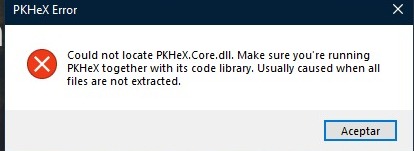
Delete the all the files and the entirely folder. Then redownload and extract to a new folder that had nothing else in it. Then let us know.
-
3 hours ago, NinjaXD said:
There are only two files that the emulator uses this file and the .gba file
edit by mod: ROM file removed. Sharing ROMs isn’t allowed. Don’t do it again.
yeap.
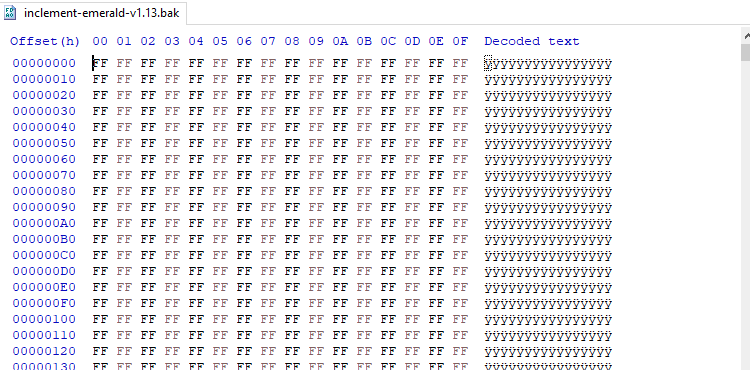
Also a ton of FFs.
Your emulator is likely saving the file somewhere else, or under some other name. -
53 minutes ago, NinjaXD said:
I play on GPemu and I go to the area where it shows your bag and party and I click save. I wait for it to finish saving and close out from the x near the minimize button
Save twice in game. Then close the emulator. Then look for the correct file in your emulator. You probably got the wrong file and it’s saving somewhere else.
-
2 hours ago, MrClean74 said:
whats so bad about it? also it said it stalled
Repro cart isn’t flash cart.
You’re using an option not meant for it.
-
15 minutes ago, MrClean74 said:
on the flash boy software, theres an option to specify the cart as a flash cart, and you can write a rom file. idk if thats gonna work but it could
Not sure if you should do that. I personally would recommend it.
If you still decide to do it despite being warned not to, remember it is all at your own risk. if you’re gonna do it, at least keep a safe backup of the ROM before proceeding.
-
1 hour ago, MrClean74 said:
wait so does any of that software work with flash boy cyclone
Not that I know of.
-
54 minutes ago, NinjaXD said:
Do you know how I could fix this or is it just not possible
No idea the exact cause of your issue. Are you playing on an emulator? How are you saving the game?
-
11 minutes ago, Lt. Lynx said:
Thank you for your answer. It would be nice if PKHeX itself could find a valid PID or tell if there's no valid PID for the stats combination.
If I remember correctly, the dev doesn’t want to bloat the program with functionality that already exists and dealt with by other programs. So that’s unlikely to happen.
-
 1
1
-
-
2 minutes ago, MrClean74 said:
im using the flash boy cyclon software
Reportedly only GB operator and Joey Jr can overwrite the ROM sectors of repro carts, but I’ve not tested it myself.
I’m saying this because for repro carts, the saves are actually stored in the ROM. Meaning if you want to edit the save, you’re actually editing a section of the ROM sector on the repro cart.
Suffice to say you’ll be easier off editing the save of a retail cart, not a repro cart.
-
23 minutes ago, MrClean74 said:
how do i put it back in the cart now?
Only specific tools can do it. What tool you using to back up again? Does it allow you to inject ROMs to overwrite repro carts?
-
19 minutes ago, NinjaXD said:
oh ok thx do you know of anything that does support rom hacks
while it is true that PKHeX don’t support ROM hacks, it would coincidentally (not by design) support saves of ROM hacks that don’t change the save structure.
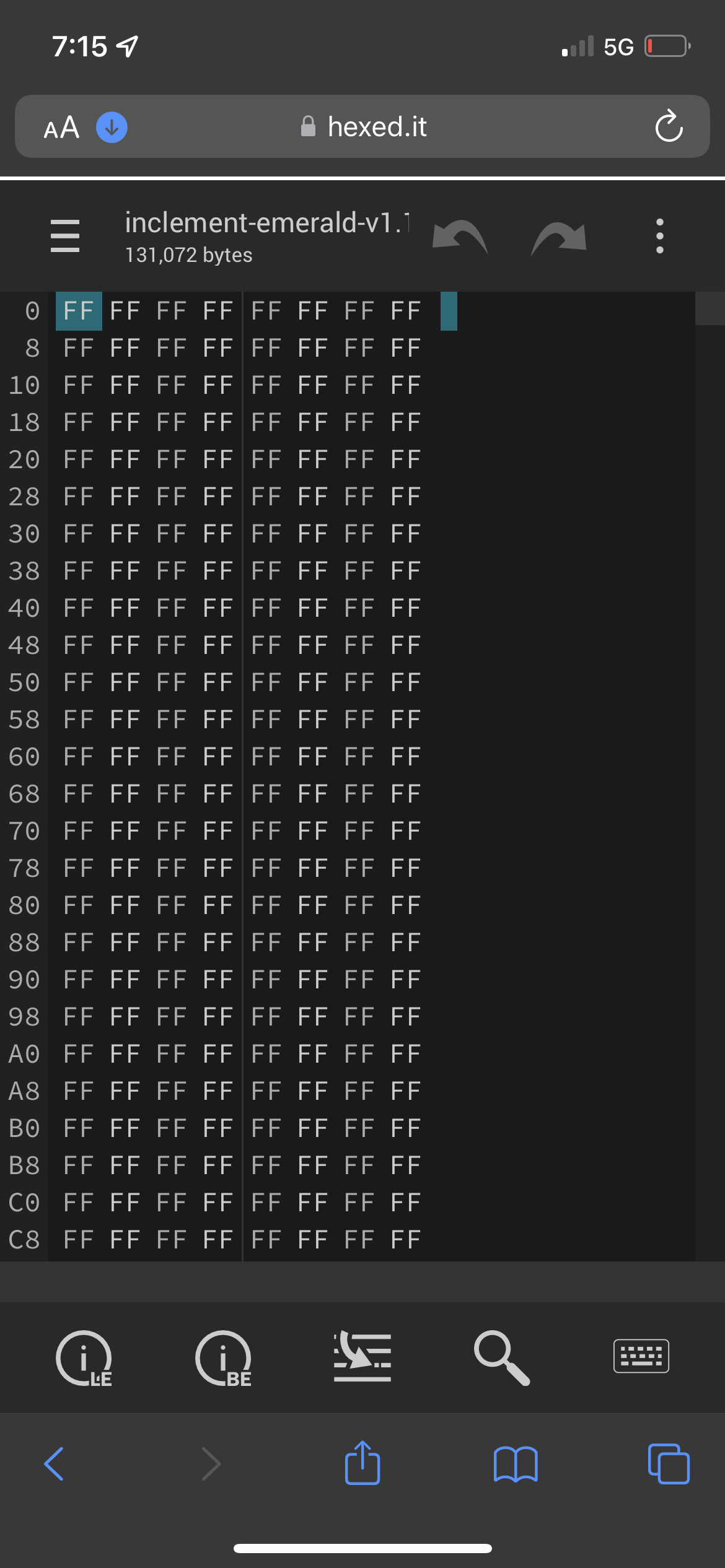
Anyhow, looking at your file under a hex editor, it’s pure garbage.
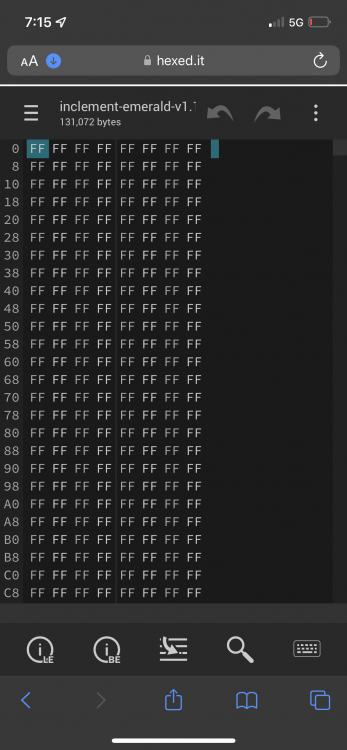
All values should not be FF. It means it wasn’t dumped properly. Or maybe you’ve been using state saves, and not actually saved in-game.
Even save editors that supports ROM hacks would not be able to read this. This file may have the size and extension of a Gen 3 save, but this isn’t a save.
-
1
-
[Tutorial] Creating custom Trainer/Berry e-Cards
in Generation 3
Posted
Didn't know that, cool, thanks ;D