Leaderboard



Popular Content
Showing content with the highest reputation on 06/27/24 in Posts
-
Releases now available on ProjectPokemon's Downloads page! CLICK HERE. Just a note that the latest updates will be posted to GitHub over at https://github.com/ReignOfComputer/RoCs-PC Update: We continue into 2019 and beyond! Little project I'm working on to go through all the Pokémon games and establish a library in 2016-2018. Yes, some people have done so before me - but this is more of a personal goal to well... Complete the PokeDex. Though my Pokémon journey started in ~1998, it never really took off until 2006 with the release of Diamond/Pearl. With the GTS and the going online, meeting many like-minded people from communities such as PokemonGTS, ProjectPokemon, and Secure, I can see how peaking behind the curtain got me to where I am today. Still here? Cool. In this thread you can find my collection, amassed since 2006 through my own game-play, The Global Terminal, friends, and more. This includes quite a number of 3rd Gen events (pre-PalParked, see 13 - Gen IV - Gen III Pal Park, rough file list here). I'm still digging through my archive folders so there's probably a lot more, but with the sheer amount of files this will take some time. Also as a disclaimer, it's been so long that I can't tell if any of the events are hacked (especially those GCEA, WISH, etc). I wouldn't assume everything is legit. I'm working on creating updated 2016-2018 versions of every game's PokeDex since I'm playing through everything from Gen I to VII (#completionist), but you can find my old 2011/2013 5/6th Gen files in zArchive. Lots of files belonging to other people, if I didn't credit you, let me know. Progress: Tools used: Thanks: Download:1 point
-
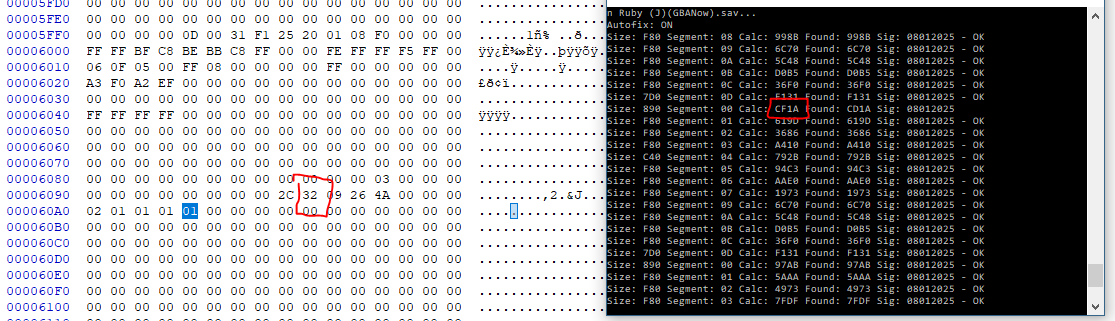
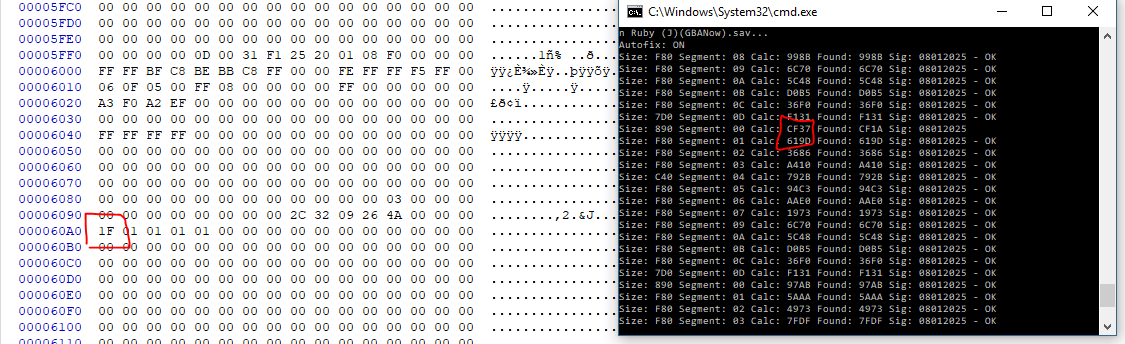
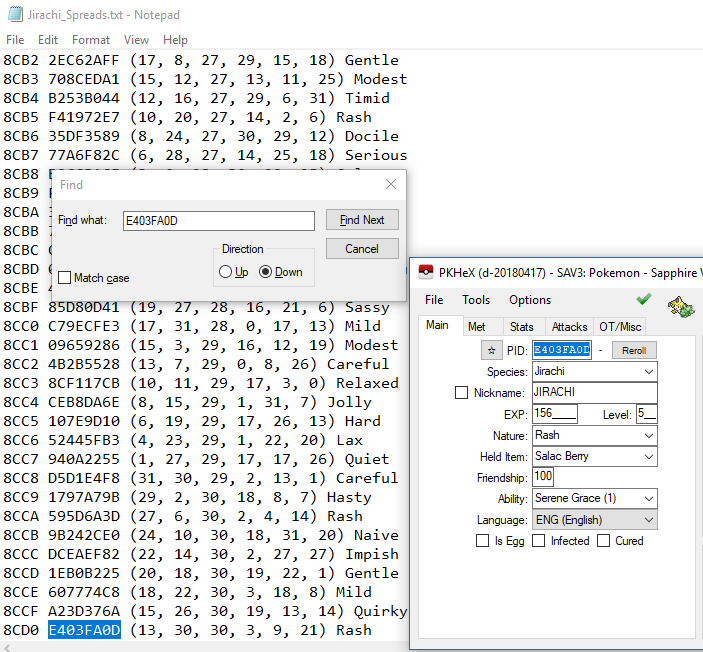
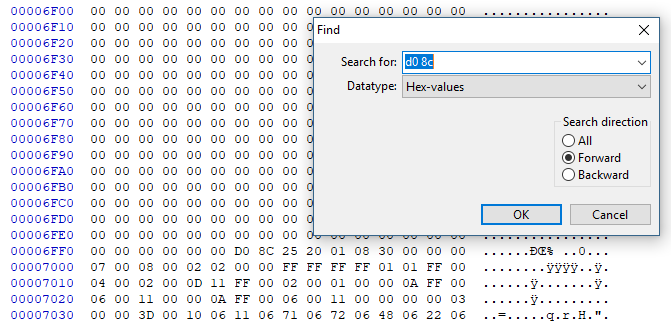
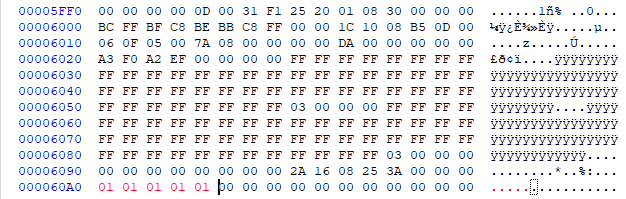
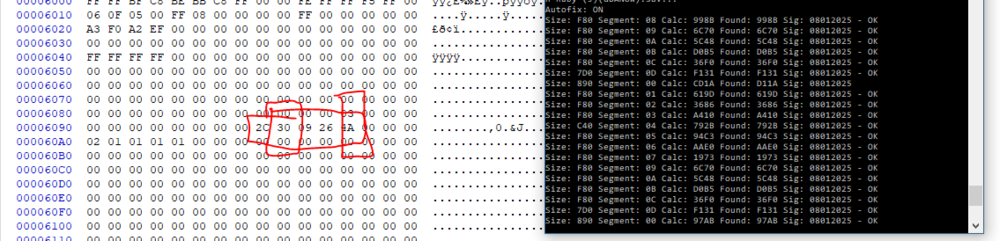
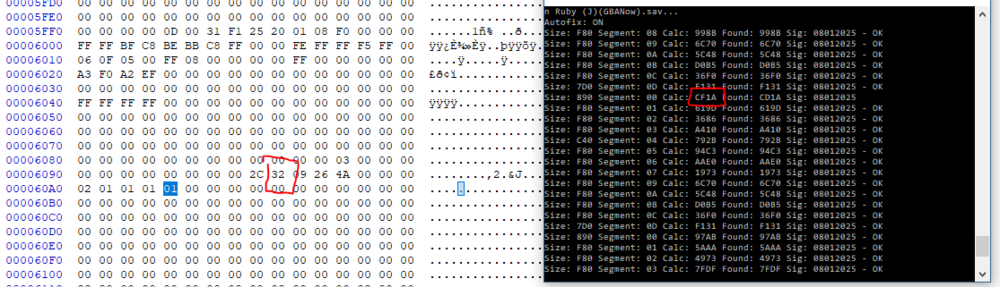
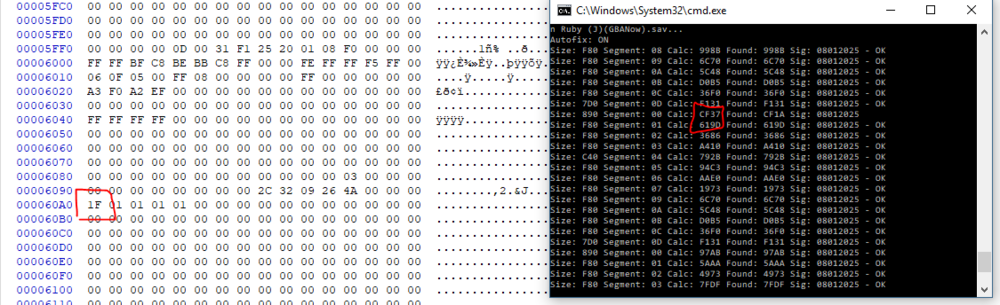
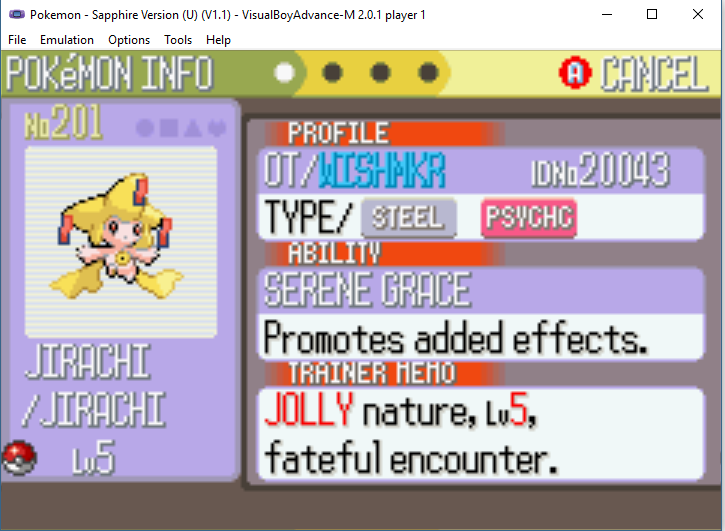
This method while it will produce a "legitimate" WISHMKR Jirachi is in-and-of itself not a legitimate method. The save file you will be creating with this method is not a legitimately obtainable save file through regular gameplay. A backup of your original save should always be stored when doing this method in-case you alter some important values outside of the relevant checksum section! For more information on how to produce a legitimate save file that will still produce your intended WISHMKR Jirachi you can read the 4th and 5th comment on this thread! I know this is not anything new, considering the first time I did it over a year ago there was already some advice as how to do it online. I've been killing time lately and decided I would write up a guide on how I personally have changed the seed for WISHMKR Jirachi in the past. For this process you are going to need: PkHex PSavFixV2 The full list of all possible WISHMKR Jirachis and their seeds A hex editor + hex calculator Basic Math Skills A target seed (for this guide I am aiming at the CF37 Shiny Jolly Jirachi) The first thing you are going to do is make a backup of your current R/S save, and store it somewhere safe. After this has been done, you want to receive a WISHMKR Jirachi from the Colosseum Bonus Disc, and then cross reference the PID of the Jirachi you received with the seed that it came from. As you can see, the seed for the Jirachi I received is 8CD0. Now I am going to open up my backed up save in a Hex editor and search for D0 8C. The location of my seed is at 00006FF0; unfortunately we cannot just edit the seed right here, we need to edit the checksum that verifies if the seed is legitimate. Since my seed is located at 6FF0, my checksum will be located at 5FF0 - > 60A0; your seed may be located at a different value, but it will always end in 'XFF0' and the checksum will always be the '(X-1)FF0'. The first thing I generally do is to start changing lots of values to 00 or 01 to see how it affects the seed value. To check how we are affecting the seed, we are going to use a very old-yet-handy tool PSavFix. The readme for the tool is pretty self explanatory, but we are going to use the tool to recalculate our seed for the adjustments we made to checksum. It is good to just mess around with values and see how it effects the outputted seed, sometimes just mindlessly changing values in this section will bring you close to your intended seed, but if not there is a general strategy. Most of the values in the checksum if increased by 1, will increase your seed by one. A couple of the values if increased by 1 will increase the first/second digit of your seed by 1; I cannot give you specific instructions for which locations do which, as in my experience the locations change save to save. After running PSavfix.exe -fix -RS savefile.sav after some of the edits I made to the checksum, I realized that the '30' value I had would increase the second digit of my seed by 1. As you can see increasing my '30' to a '32' changed my seed from CD1A to CF1A. My intended seed is CF37, so I subtract CD1A from CF37 to realize I need to increase a value in my checksum by 1D. I added the 1D to the 02 value and now I have reached my intended seed! You can now retrieve your intended WISHMKR Jirachi! Again I know this is not anything new, but I hope it is able to help someone if they go googling on how to do this!
 1 point