

Leaderboard



Popular Content
Showing content with the highest reputation on 05/08/23 in Files
-
![More information about "[PKHeX Plugin] RSE Berry Plot Editor"](https://projectpokemon.org/home/uploads/monthly_2021_09/Capture.thumb.PNG.7aac46494c24b526387438b7fd2bfb1c.PNG)
Version 1.0.9
4210 downloads
PKHeX plugin to find and edit content of Berry plots in Ruby, Sapphire, Emerald. (In the image, the plot that the character model is facing, is the berry plot that is being focused on.) FYI: The e-Reader berries are not 'real' berries, in the sense that they don't have their own data programmed into the ROMs. They just usurped the slot for Enigma Berries. So if you have those activated in your save, and wanna plant them, just plant Enigma Berries. Originated from: attempting to resolve a glitch. As such, no immediate plans for other games. How to use Put the plugin into the plugins folder in your PKHeX directory, then access it from the Tools menu. Ruby, Sapphire and Emerald are supported. Note: Win 10 might block DLL files downloaded from the internet. In that case right click the plugin file, go to properties and check "unblock" (as seen here). [You may have to unblock, reblock, then unblock again to get it to work] Example of how to unblock: Credits Kaphotics for PKHeX. BlackShark for his meticulous work with the Feebas Locator [Full disclosure: I've never made a PKHeX plugin before, so had to look at his work to figure it out] All the wonderful team members involved in pret, for the amazing work regarding disassembly for RSE, which contained all the important structures. RodrigoTR and Mark_Eire, for providing support for giving the locations and getting all the images for various screenshots of plots.1 point -
![More information about "[PKHeX Plugin] Feebas Locator"](https://projectpokemon.org/home/uploads/monthly_2018_08/FeebasLocatorGen3.thumb.png.77d3e667641f948ad76200bde077048f.png)
Version 1.10.0
29242 downloads
PKHeX plugin to find and edit Feebas fishing spots in Gen 3, 4 and 8. How to use Put the plugin into the plugins folder in your PKHeX directory, then access it from the Tools menu. Ruby, Sapphire and Emerald as well as Diamond, Pearl, Platinum, Brilliant Diamond and Shining Pearl are supported. Note: Win 10 might block DLL files downloaded from the internet. In that case right click the plugin file, go to properties and check "unblock" (as seen here). Example of how to unblock: Any questions, issues or suggestions? Create a post in my support thread, create an issue on Github or send me a DM! Credits & Thanks Kaphotics for PKHeX. TuxSH for his extensive research about Feebas fishing spots (RSE, DPPt). suloku for his Feebas Fishing Spot tool that has inspired me to make this plugin. foohyfooh for BDSP support. Translators: Chinese (CHT/CHS): ppllouf & wubinwww Source1 point -
![More information about "[PKHeX Plugin] Mirage Island Tool"](https://projectpokemon.org/home/uploads/monthly_2018_08/MirageIslandTool.thumb.png.d8b15bb1cf44d68a08e938f76cdc6558.png)
Version 1.7.0
12886 downloads
PKHeX plugin to help making Mirage Island appear in Gen 3. How to use Put the plugin into the plugins folder in your PKHeX directory, then access it from the Tools menu. The seed has to match the last 4 digits of a Pokémons PID to make Mirage Island appear. If a Pokemon was found that makes Mirage Island appear, you can select and right click it to view it. Ruby, Sapphire and Emerald are supported. Note: Win 10 might block DLL files downloaded from the internet. In that case right click the plugin file, go to properties and check "unblock" (as seen here). Example of how to unblock: Any questions, issues or suggestions? Create a post in my support thread, create an issue on Github or send me a DM! Credits & Thanks Kaphotics for PKHeX. Translators: Chinese (CHT/CHS): ppllouf & wubinwww Source1 point -
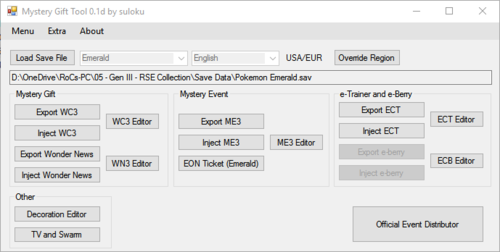
Version 0.1f
56844 downloads
Original Developer: @suloku Note: Downloads section mirror, will be replaced if the original developer uploads to the downloads page. Description: Nintendo Events, Wondercards, e-Trainer cards and e-Berry editor. Original Thread1 point