All Activity
- Today
-

 It is absolutely wonderful.
 -
Version 1.0.0
1 download
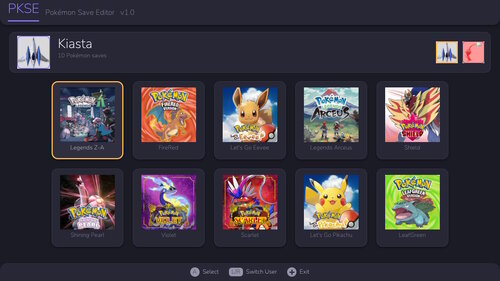
PKSE is an open-source Pokémon save editor that runs directly on a hacked Nintendo Switch console. It reads, edits, and writes save files in place on the console, so no PC, save transfer, or external tooling is required. SUPPORTED GAMES Gen 3: FireRed / LeafGreen Gen 7: Let's Go, Pikachu! / Eevee! Gen 8: Sword / Shield, Brilliant Diamond / Shining Pearl, Legends: Arceus Gen 9: Scarlet / Violet, Legends: Z-A Per-game save version and DLC detection is handled automatically. CROSS-GAME BANK PKSE includes a native storage bank shared by every supported game. A Pokémon deposited from one game is converted into the destination game's format on withdrawal, preserving origin data: OT, trainer IDs, met location and level, IVs, nature, and PID. EDITING Party and box Pokémon: species, level, stats, IVs/EVs (AVs in Let's Go), nature, ability, moves, held item, ball, OT/met/origin data, shininess, gender, and ribbons. Trainer info and item pouches are editable with per-game item and count limits enforced. A Pokémon creator builds an entity from scratch in any supported game's format, with legal values highlighted. LEGALITY A legality checker flags illegal values as you edit. It is informational only — it never blocks an edit or silently alters your data. Encounter matching is not yet implemented, so the checker should not be treated as a substitute for PKHeX's legality analysis. SAVE HANDLING Backup and restore are performed on-console with retained backup history. Users are strongly encouraged to take a backup with Checkpoint or an equivalent tool before first use. INTERFACE HOME-style UI built with NanoVG, 256px HD sprites, full touch controls, and scrollable storage and lists. REQUIREMENTS A Nintendo Switch running custom firmware with access to the Homebrew Menu. Place PKSE.nro in sd:/switch/. Tested on firmware 22.5.0. PKSE operates only on save data already present on your own console. CREDITS Built using PKHeX as a reference throughout — much of the format and structure knowledge behind this tool comes from that project and the documentation work of this community. Licensed under AGPL-3.0 license. Source and releases: https://github.com/kiasta/PKSE -
 It's an error of the game, although the one-room "version" I've only seen recently on the hack. Sometimes the game fails to properly load the target Pokémon of a mission (both one that needs rescue or an outlaw), so the Pokémon just... isn't there, and you get a message when entering the mission floor saying "... but where's the target Pokémon?". It seems like this can be accompanied with what you experienced, the game also fails to properly load a randomly generated floor on top, and as such defaults to a one-room floor.
 -
 Good evening, I've been spending some time romhacking soul silver for fun. I used some unused item slots to add new items to the game, but needed a way to make them accessible to the player so I've been reverse-engineering the game's shops and I created a list of their offsets. Also in this post will include a short tutorial on editing the shops in arm9.bin Find the offset list here (google sheet) Before I begin, I want to credit TheShadyRelapse. I used their method to find the offsets in arm9.bin, and my discoveries are built on their knowledge. Generally, you should read their tutorial before reading mine, as my tutorial won't be very in-depth and the methodology is essentially the same. The reason I created a new thread instead of responding to their old post is: I was concerned it might be considered necroposting, I'm offering a little bit more than just PokéMart edits, and TheShadyRelapse's tutorial explicitly states you can't use their method to edit dynamic shop inventories. Because I am explicitly offering dynamic shops, I don't want people to read that and leave before reaching my post. * * * * * Requirements: A method to extract/import and decompress/compress arm9.bin. I recommend NitroPacker. Other people seem to report success using CrystalTile2 and blz.exe, but I personally experience rom breakage with these. A Hex Editor of any sort. I prefer HxD. A HGSS ROM, of course. DS Pokémon ROM Editor Reloaded (DSPRE). Not a hard requirement, but very helpful and strongly recommended. Required for some tasks. PtHGSS's index of items. Not a downloadable app nor hard requirement, just a list you might need for item IDs. * * * * * 1. Unpack your ROM (instructions for NitroPacker on Windows) If you know how to unpack your ROM, or extract/import arm9.bin and uncompress/compress it using other means, feel free to skip this step if you prefer that method. Nitropacker's instructions are also on their github page; I'm basically just ripping from them. 2. Open arm9.bin with a hex editor of your choice, and start editing! I have provided a table of offsets for each of the shops that are hard-coded in the arm9 binary. Simply find on the table what shop you want to edit, choose to search by offset or by the shop's inventory code (dubbed 'full associated code' on the table) by copying it from the table and pasting it into the search function of your hex editor. In HxD: CTRL+G to search by offset, CTRL+F to search code (don't forget to select the "Hex-values" tab). Most shops or clerks that have a static inventory: Items are listed simply and in order by their 16-bit (little endian) item IDs. The hex value FFFF terminates the shop list. Once you've arrived at the shop code, use either the bulbapedia index or the hex values provided in the table (already in little endian form) to locate the shop item you want to replace. When you replace items, make sure it's in little endian form! I won't go into much detail over editing static inventory shops, you can read ShadyRelapse's post. Because the list won't terminate until it reaches FFFF, you can use this to do things like combine and expand shop inventories. I included the location of mart script files and the variable that the common script uses to call which inventory to load, and I'll explain more on that later. Dynamic PokéMart shop: Items have an added 16-bit hex value in their code that corresponds to the amount of badges you've earned. They are are arranged as: [Item hex ID][Story Variable]. Where [Item hex ID] is its 16-bit hex ID in a little endian form, which can be found in the same bulbapedia index from earlier. [Story Variable] is a 16-bit variable that changes based on the amount of badges you have: 0001 = 0 badges 0002 = 1 badge 0003 = 3 badges 0004 = 5 badges 0005 = 7 badges 0006 = 8 badges So a poke ball's code would be (always in little endian of course) 04000100, potion = 11000100, full restore = 17000600, etc.. The offset and full associated code with the pokemart is already provided in the google sheet. Change the first 4 hexes to change the item in the inventory, and the last 4 hexes to change when in the story it becomes available. Example: If you wanted to do something goofy and replace Great Balls with Master Balls and make them available ASAP, you would go to the correct offset and replace the code 03000300 ([Great Ball][3 Badges]) with 01000100 ([Master Ball][0 Badges]). The dynamic shop uniquely terminates at 0000, and not FFFF. This means the inventory count is defined somewhere else. Unfortunately this means I don't know how to expand it. Pokéathlon shop: Items are also arranged as two 16-bit values: [Item hex ID][Cost in Pokéathlon Points (AP)]. [Cost in AP] is a little endian hex value corresponding to the item's AP cost in that shop (obviously). So the code for a red apricorn would be E501C800 (01e5 = red apricorn, 00c8 = 200), moomoo milk is 21006400 (0021 = moomoo milk, 0064 = 100), and something like a fire stone would be 5200C409 (0052 = fire stone, 09c4 = 2500). Replacing this code is just like any other, except you also have control of the AP price. The Pokéathlon shop also has 14 different inventories, two for each day of the week. While most shop inventory calls are controlled by a common script, the call for the pokeathlon shop inventory seems to be an engine-level command, so I'm not sure how to change which inventory it loads based on the day of the week. Still, I have the offsets for each day listed on the google sheet. 3. Repack your ROM (instructions for NitroPacker on Windows) Again, if you have your own preferred method for compressing and importing arm9.bin, feel free to use that. * * * * * Script-based Shops (DSPRE required): A number of shops are actually script-based instead of stored on the arm9 binary. This makes modifying them much easier and less constrained. You can open the "Script-based Shops" tab in the google sheets table to find the list of script-based shops and their associated script files. Open your rom with DSPRE and select the "Script Editor" tab to access and edit the script files safely. People already familiar with IDEs and code editors probably won't need help editing scripts. For an example I'm going to add the Return TM to the Game Corner shop. To edit the Game Corner shops, load script file 910. The Pokemon Shop starts at script 5 and the Item/TM Shop starts at script 4. To add an item to the TM shop, navigate to script 4. You can mouse-over message lines of code to see what they say and their text archive location. Sometimes menu items are drawn from different text archives then their map headers would suggest. I've listed locations for known text strings in the google sheets table. In this case both messages and menu items are drawn from archive 603. This is the code for the Held Item/TM shop: ShowSpecialCurrency [par1] [par2] [par3] shows either BP or Coins. I haven't done any testing to figure out what exactly the first 2 parameters specify, but I know for par3, 1 displays BP and 2 displays current Coins. MultiTouchLocalText [par1] [par2] [par3] [par4] [par5] seems to enable an interactable text list that assigns its input into a variable set in [par5] (Var 0x4000 in this case). I haven't tested what the first 4 parameters do, probably something to do with either box alignment or colour. CreateMultiTouchBox [par1] [par2] [par3] creates the actual text box that can be selected. [par1] = box text. [par2] = selection description (set to 255 in this case which is out of bounds for the text archive, which I believe the game interprets to exclude a description). [par3] = value between 0-7 assigned to that text box which is stored in variable [par5] from MultiTouchLocalText. So "CreateMultiTouchBox 12 255 0", which is the first option in the game shop, has par1 set to message 12 which is "TECHNICAL MACHINE", par2 set to 255 which is nothing, and par3 set to 0, so when TECHNICAL MACHINE is selected, Var 0x4000 is set to 0. SetVarFromVariable [par1] [par2] copies a variable from another variable. Comparing variable values is pretty much never done directly from the MultiTouchLocalText par5 variable for some reason. I don't know why the developers decided to code like this. Maybe the variable from MultiTouchLocalText isn't stored for long, or it prevents the variable from being unintentionally overwritten by similar script functions. I haven't done the testing to confirm this. In this case it just assigns Var 0x8008 the same value as was assigned to Var 0x4000 (0). CompareVarValue [par1] [par2] loads a variable and a value for the context of the next command JumpIf [operator] [function] jumps to a specified function if par1 from CompareVarValue is equal to, lesser to, or greater than (depending on the operator) par2. In this case it jumps to function 8 if Var 0x8008 = 0 (which is assigned after a player selects a text box from CreateMultiTouchBox), so having selected the first option (TECHNICAL MACHINE), the script jumps to function 8 which handles the TMs menu. Jump [function] as you can probably tell jumps to a function without a condition. Function #8, aka the TM shop's code looks like this: To add a TM to this shop, simply add an extra line "CreateMultiTouchBox XX YYY Z" between the last two CreateMultiTouchBox's, and change the value of CreateMultiTouchBox 11 255 6 to CreateMultiTouchBox 11 255 7. For "CreateMultiTouchBox XX YYY Z", XX and YYY correspond to string indices in text archive 603. Your TM won't automatically be in text archive 603, so you'll have to navigate to the Text Editor tab and open Text Archive 603. Messages 29 and 30 are free to use, so this example will use 29 (The DSPRE text editor allows you to safely add new strings of text to archives, so if you have no free spaces, add strings with the "Append Line" button). I'm going to make it cost 1000 coins, so I'll type "RETURN\n1,000 Coins" into index 29 and save the text archive. Our extra line from earlier will actually look like "CreateMultiTouchBox 29 255 6". Now we need to create a command that jumps to an all-new function if Return is selected. Add "CompareVarValue 0x8008 6" and "JumpIf EQUAL Function#72". Function #8 should now look like: Now, we've added a jump to a function that doesn't exist yet, so we still have to create Function #72. We can just copy any of the other TM functions 20-25 and paste it at the very end of the function editor. I'm going to copy Function #25 (which handles checking your inventory space and choosing to buy the Thunderbolt TM): Edit "Function 25:" to read "Function 72:". The item ID for TM27 (Return) is 354. We don't need to translate it into a hex value, just replace "SetVar 0x8004 351" with "SetVar 0x8004 354" (hex values are prefixed with 0x). "JumpIf EQUAL Function#44" must be changed to "JumpIf EQUAL Function#73", as this is the function that actually handles checking your coins and adding the item to our inventory. Even though I think this part of the code is redundant (because both yes/no inputs jump to another function so this code never runs), it's probably wise to ensure the cost here for Return is correct; "CompareVarValue 0x8006 0x2710" and "TakeCoins 0x2710" should be changed to "CompareVarValue 0x8006 0x03E8" and "TakeCoins 0x03E8". Function 72 should look like: Next we must copy Function 44: As mentioned before, this function checks if you have enough coins to buy the item and then adds it to your inventory. Change "CompareVarValue 0x8006 0x2710" (0x2710 = 10000) to "CompareVarValue 0x8006 0x03E8" (0x03E8 = 1000). Function 73 should look like: Now don't forget to "Save Current File" in the editor! DSPRE will automatically re-arrange and re-name any functions as it deems fit to, so the functions we added won't be labelled the same anymore. This is why we didn't save mid-progress, having the script re-arranged mid-editing is a hassle. Next you can save your ROM and voila! You should see changes reflected in the Game Corner TM shop! Important notes to consider when script editing shops: You can only create a maximum of 8 selection boxes with CreateMultiTouchBox at a time. If you have more than 8 lines of CreateMultiTouchBox at once, the game doesn't know how to display it and will hardlock. If you want to add more than just 1 TM to the Game Corner shop like in my example, you'll have to get a little creative and add a second page of options. I accomplish this by copying Function 8 and pasting it as a new function, then adding a "Next Page" button in Function 8 that jumps to the newly pasted function. The new function will need appropriate edits. Once you figure out how to do this, your script shop editing options are essentially limitless. Creating a MultiTouchLocalText with only 4 or less options will automatically create wide selection boxes, so you must format your text appropriately. The new line text function "\n" doesn't work on these wide boxes, so you have to use another command to create a space between an item/pokemon name and its cost. Just copy what they do with the Pokemon Shop text and append "{CURSOR_X, 0, ###}" to your text followed by its cost. Some examples from the game: * * * * * Tips, Tricks, Suggestions, Etc.: In case you haven't noticed, Goldenrod and Celadon City Dept. Stores possess their own space in the arm9 code, but most of their stores have the exact same inventory. The engine command for the static inventory shop overlay is called by a Common Script 2052, and I don't know where common scripts are stored right now so I can't edit them. However, Common Script 2052 retrieves a variable (Var 0x8004) which decides what inventory to load, and it is set just before the common script is called. This means we can change what shops load what inventories by changing SetVar 0x8004 in the script. You can use this to set Celadon to load Goldenrod inventories, freeing space on arm9.bin for custom marts! Each shop's associated script as well as what variable it's associated with is recorded on the google sheet. For example, Celadon Dept. Store's medicine shop script is located in script file 790, it is the first script in the file: Change "SetVar 0x8004 18" to "SetVar 0x8004 3" to end up with: Save your changes and you'll observe no tangible changes in-game, but you've freed offset 000FBC02 in the arm9 binary, which can now be used for a custom shop with up to 11 items! You'll notice the 2F Item shop, the vitamin shops, and the battle item shops also take up unnecessary space and can also be repurposed the same way. Because we know which offset each variable points Common Script 2052 to in arm9.bin, we can effectively remap the entire game's mart system. Shop inventories can also by expanded if you remap them wisely. Shop inventories in arm9.bin terminate at FFFF. If you overwrite the termination code FFFF, the shop inventory will 'bleed' into the next mart inventory code, effectively 'combining' the inventories (the second shop being bled into should be unaffected, but the first shop would have its own inventory plus the second shop's inventory now). Or rather, with careful remapping, you could use the space freed from the redundant Celadon Dept. Store medicine shop code to expand the inventory in the shop preceding its code (which by default is the Goldenrod medicine shop, so you would be expanding both medicine shop inventories). * * * * * I think that is everything I wanted to share. Thank you for reading, I hope this helps other people with their romhacking. Please inform me of any errors or typos I've made.
 - Yesterday
-

Latest Scarlet & Violet Events
SkyLink98 replied to Pocket Monsters's topic in Events Help and Questions
They're now added. -
You can rename recruited Pokémon through the basic menu. Put them on your team via Chimeco, then open the menu, team, select the Pokémon and an option to rename should be there.
- Last week
-
 Hey there, I was wondering if there's a way to Rename my Pokemon I get from the Shiny Tickets?
 -
I found the cause of the issue. It was not Explorers of Fortune after all. It was the single Action Replay code that I use, which allows guaranteed recruitment. Even though the code only activates after a button combination and can be turned off with another, simply having it enabled in the emulator was enough to interfere with ALL dungeon restrictions (recruitment, EXP, and Level 1 behavior), most likely because it just hooks into the code of the game. I can't believe it didn't occur to me, especially when I was recruiting Pokémon in Temporal Tower (even though it was "off"). Disabling the cheat completely restored the intended behavior. I'm sincerely sorry for the confusion in those last two pages, given this was the ridiculous reason of my issues with the hack. And thank you and other people who might have been testing as well. The somewhat good news I suppose is that if someone happens to use the same code someday and runs into the same issues, they might run into my messages and get it resolved.
-
 How high does the IQ stat need to be for dunsparce to evolve?
 -
Okay, so it seems like all my testing was all for nothing and the problem just comes from my file. It's a bit embarrassing. But at the same time, I simply don't understand why I'd be experiencing this when I haven't touched the ROM beyond modifying a starter in the Classic starter list, which is intended by the creator... Unless that would somehow precisely be the reason. Anyways, thanks for coming back to me on this, I'll try to figure out the problem on my own, but if for now I'm the only person who has these issues, then it's not something the creator needs to look into.
-
 Just finished Purity Grove with a Hawlucha, and its level reverted to normal after I completed it like it's supposed to. I also just went into Zero Isle North and I didn't gain experience as intended. Just did a quick run through of the first few floors of Zero Isle South and none of the pokemon tried to join my team (unlike in Purity Grove, where I did occasionally have pokemon trying to join my team). It does seem like dungeon restrictions work as intended in my game
 -
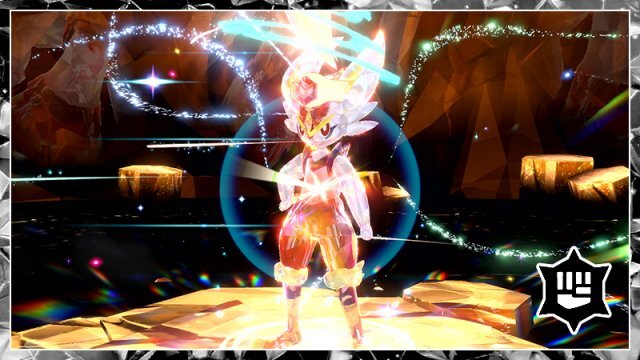
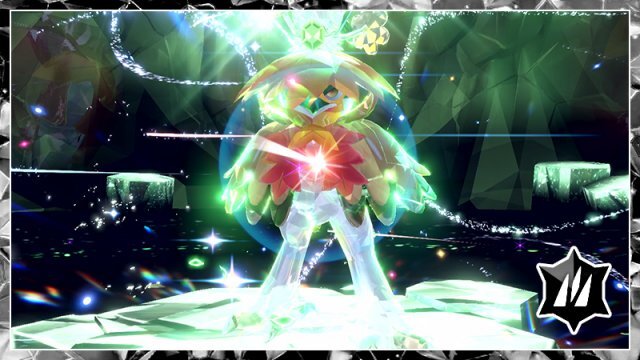
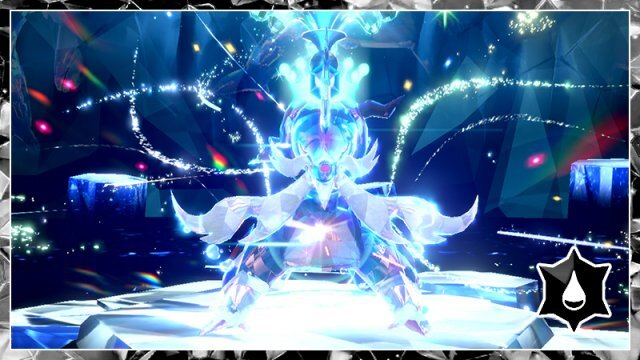
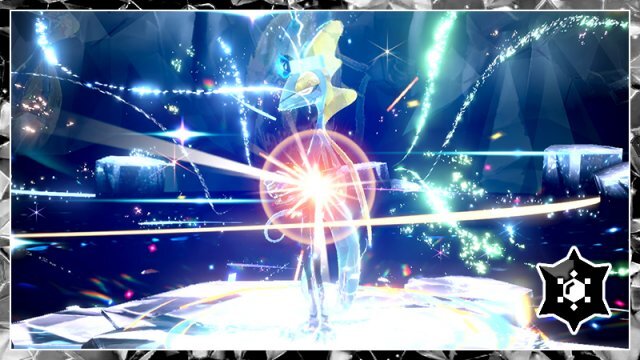
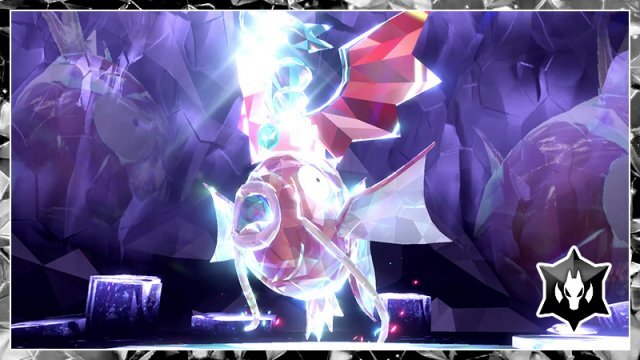
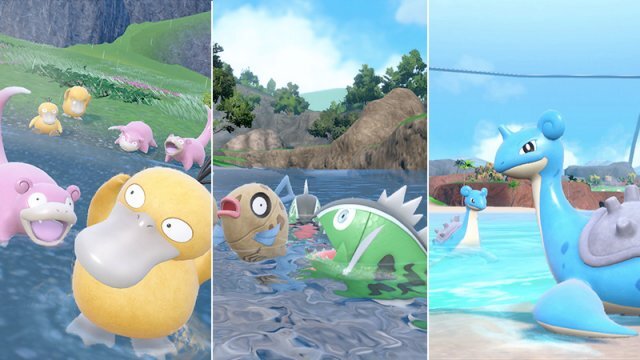
Hey Guys! Will it not be added in Event Gallery: The SV Latest Tera Raids (Cinderace Round 2, Intelion Round 2, Hisuian Decidueye Round 2, Hisuian Typhlosion Round 2, Hisuian Samurott Round 2 and Makikarp Dragon Tera Type) and Latest Mass Outbreak (Dondozo, Tatsugiri & Veluza), (Psyduck & Slowpoke in Paldea), (Feebas & Basculin in Kitakami) & (Lapras in Blueberry Academy)?


-
 Hey I've found a couple bugs with the zacian questline, nothing gamebreaking just some weird things happening. 1. After completing malice woods the morning after manaphy told me about marine resort as normal but when I went to the crossroads the zacian cutscene didn't play which I thought was supposed to happen after the last dungeon. However when I finished rumble badlands instead of going to the gzapdos fight it instead played the cutscene after the gmoltres fight again and when I went back to the crossroads the zacian cutscene played as normal for rumble and i had to play through rumble a second time. Im assuming it's because the game forgot to play the interactions because of manaphy and as they hadn't played it didnt realise I should have access to rumble. 2. When I finished bygone road and started the boss fight of the dungeon the shaymin from sky peak appeared in my team. Exact level moveset hp etc. After finishing the first part of the fight it again appears in the second half. Also I just remembered Hoopa Unbound is crashing the game whenever I load into a dungeon with it. Every other form change seems to be working fine.
 -
Thank you very much. Would you mind trying to finish one of them? Try Purity Grove with a Pokémon you don't intend on using for example, in case their level does in fact not revert properly, or just use a save state. It only has 20 floors. Other than that this is simultaneously good news and driving me nuts. Because I am also obviously playing on 1.2 and I have NOT touched anything regarding dungeons, or patches, etc on Sky Temple, only the starter list, so I don't understand what's going on (I tried to play on the original patch to make sure it wasn't because of me too, and they were still borked). I'm still pretty sure it has something to do with the EXP share ; but it was working fine before 1.2. Another thing: EXP restricted dungeons like Zero Isle North. Do you stilk get experience in them, and are you able to recruit in all Zero Isle dungeons in general?
-
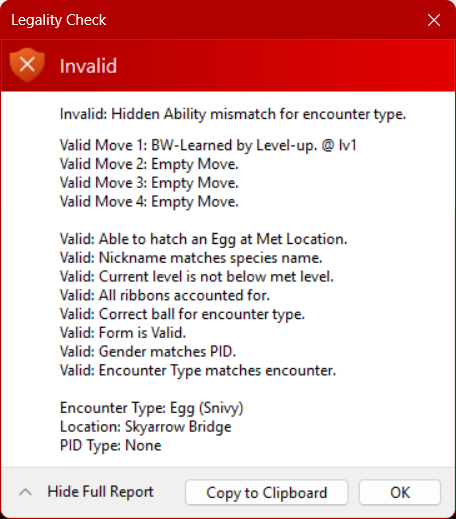
This thread is for legitimate things being flagged, not user troubleshooting for hacked mons. Please read the first post of the thread. Hidden abilities in generation 5-7 are subject to breeding restrictions needing the mother to have the hidden ability. If it is impossible to obtain a female Snivy-Serperior with the hidden ability outside of breeding, then there will never be the potential to have an egg inherit it from a parent that cannot legally exist.
-
I'm honestly not sure if it's just me or PKHeX itself but I can never seem to figure out how to get hidden abilities onto Pokemon hatched from eggs in Black 2/White2. I've checked the full details and it says everything is fine, but for some reason, it still flags it.
-
 Malo8824 changed their profile photo
 -
 citchouedu changed their profile photo
 -
Version 1.0.0
5 downloads
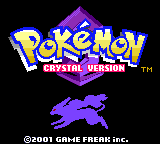
Pokemon crystal version has a very nice title screen and nice box art cover. I enjoyed playing pokemon crystal a lot and it was a lot of fun for me. Suicune is an awesome pokemon. -

Version 1.0.0
2 downloads
I like pokemon silver version a little bit more than pokemon gold version. Lugia and HO-OH are awesome. -

Version 1.0.0
2 downloads
I like pokemon gold version. The colors in this game are really nice. -

Version 1.0.0
1 download
Pokemon yellow version is fantastic. It feels like the pokemon anime with ash and pikachu, but the main protagonist in pokemon yellow version is not ash. It is pokemon trainer red. -
Version 1.0.0
1 download
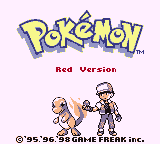
This game is fun nostalgia for me. I enjoy classic pokemon games like this. -
Hello, this tool is very nice! I'm wondering if it could be possible to add a feature to remove the (apparently permanent) block from the save, this seems to have happened from using the pokepon if you soft-reset trying to "cheat" it with a re-roll, very aggressive countermeasure the creator of the fangame coded in without a warning and now I'm forever unable to use the pokepon :(
-
Hi. I know this is an old post but I also have a recovered sav file from pokemon sun. I was able to recover this save from my original 2ds sd card, Ive tried checkpoint and jksm but its not working. maybe im doing something wrong. Ive found other sav files but I have a feeling its this one because the date on the file was the last time Ive played the game. can someone help see if this is recoverable or if theres anything on it? I still have the original console. 00000001.sav
-
 I also forgot to mention that I can't even access your GitHub or Owlcode or whatever it is. Clicking on the link produces an SSL_PROTOCOL_ERROR.
 -
If anyone who is in the post-graduation could confirm if level 1 dungeons are broken, I would appreciate it, for the creator.



(Steam).thumb.png.6cc57baf43153c9c66b3d3aa78315a5b.png)