



A Shadow
-
Posts
15 -
Joined
-
Last visited
Content Type
Profiles
Pokédex
Portal
Technical Documentation
Pages
Tutorials
Forums
Events
Downloads
Gallery
Blogs
Posts posted by A Shadow
-
-
20 hours ago, Kaphotics said:
Does an unedited save file (from the emulator) have valid checksums, via the SAV tab?
If PKHeX remembers your changes, and the emulator reversed it, then that's not an issue with PKHeX. The emulator has to import your edited save file, oftentimes it will ignore it / keep it cached internally with a RAM snapshot for faster resuming.
PkHaX does not remember my changes.
Maybe this is a sign to just forget it. -
5 hours ago, Kaphotics said:
If reopening the edited save in PKHeX shows your changes, then data doesn't magically revert.
I don't know how every single emulator works. If you're not importing the edited save, then it won't use the updated data.
What? I keep telling you, I am exporting from PkHeX, what do you mean importing?
Now PkHaX no longer shows my changes when I load the file. I tried to export it to a different folder, delete the original save data and then transfer the exported data to the game folder but while it shows the correct modification date, the changes still aren't being read by the game.
-
On 6/21/2024 at 7:17 PM, Kaphotics said:
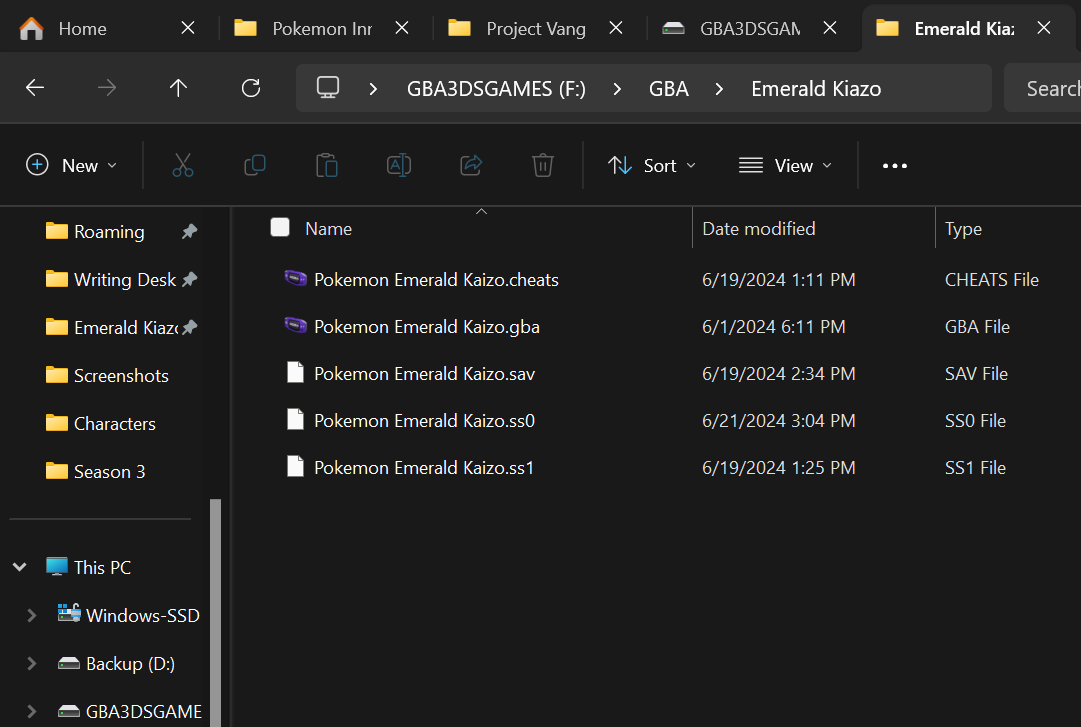
Date modified on your save file is an hour before your original post, yet you have save states with more recent timestamps (today).
Be sure you are exporting your edited save file from PKHeX (date modified changes), and that the emulator is told to look at the edited save file (depends on the emulator).
So, it's not exporting even though I am hitting 'export save' in PkHaX and I don't load save states?
How do I fix this and ensure the emulator is reading the edited save? -
Alright, interesting, when I opened the file in PkHaX just now the changes I made still seem to be in place which I swear is new, but still not showing up in the game.
I assume by "verify" you mean screenshots?
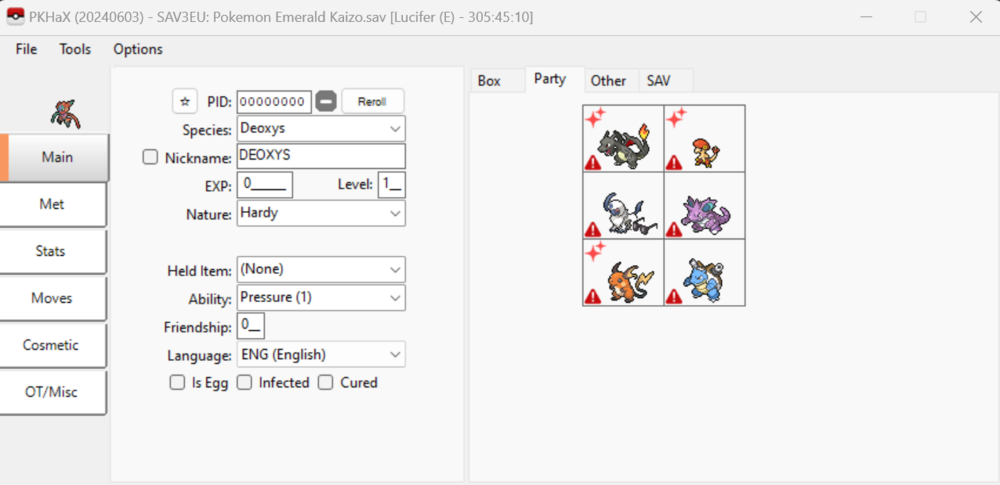
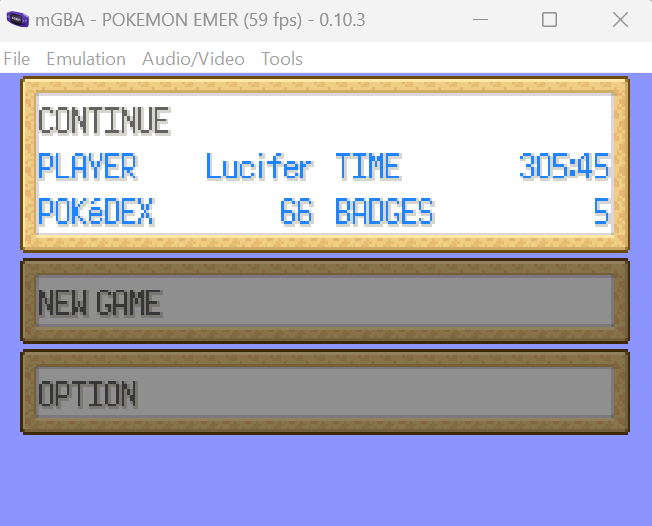
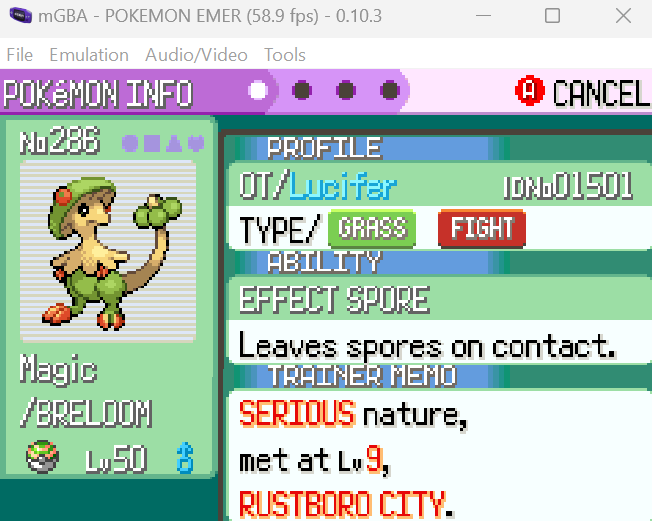
And here is the folder where I have the game:
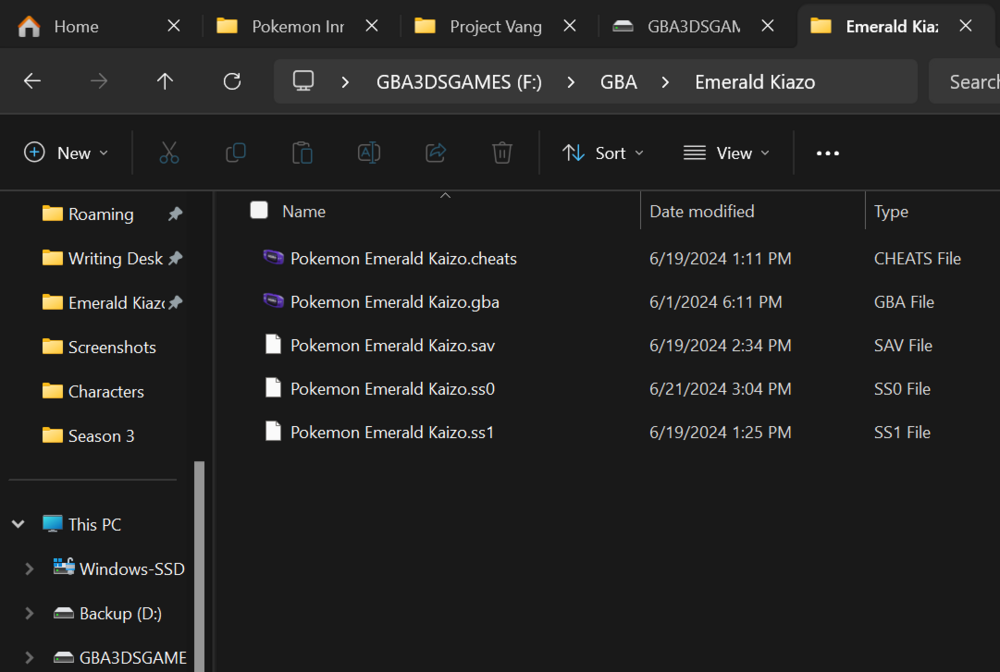
In case you can't quite tell, it is the Breloom I am focusing on right now.
This is the best I can offer. Even these shots can't definitively prove that it is not a save state shown so you're just gonna have to trust me.
-
On 6/19/2024 at 2:29 PM, Kaphotics said:
"HaX" only unclamps some editors and allows disabling the recalculation of stats.
If the emulator does not recognize changes, and your changes persist when reopening the save with the editor, then you didn't import your save back to the emulator correctly. Be sure to not be using save states when resuming your emulation session, as the emulator needs to read your saved data rather than continue from a previous snapshot.
No, changes do not remain when the file is reopened in PkHaX and while I do use save states I click 'reset' under the 'emulator' menu to load my save data after using PkHaX but the changes do not appear in the game.
(Sidenote: Hopefully I understood you correctly).
-
I am unsure if PkHaX mode is supported here, if not I apologize.
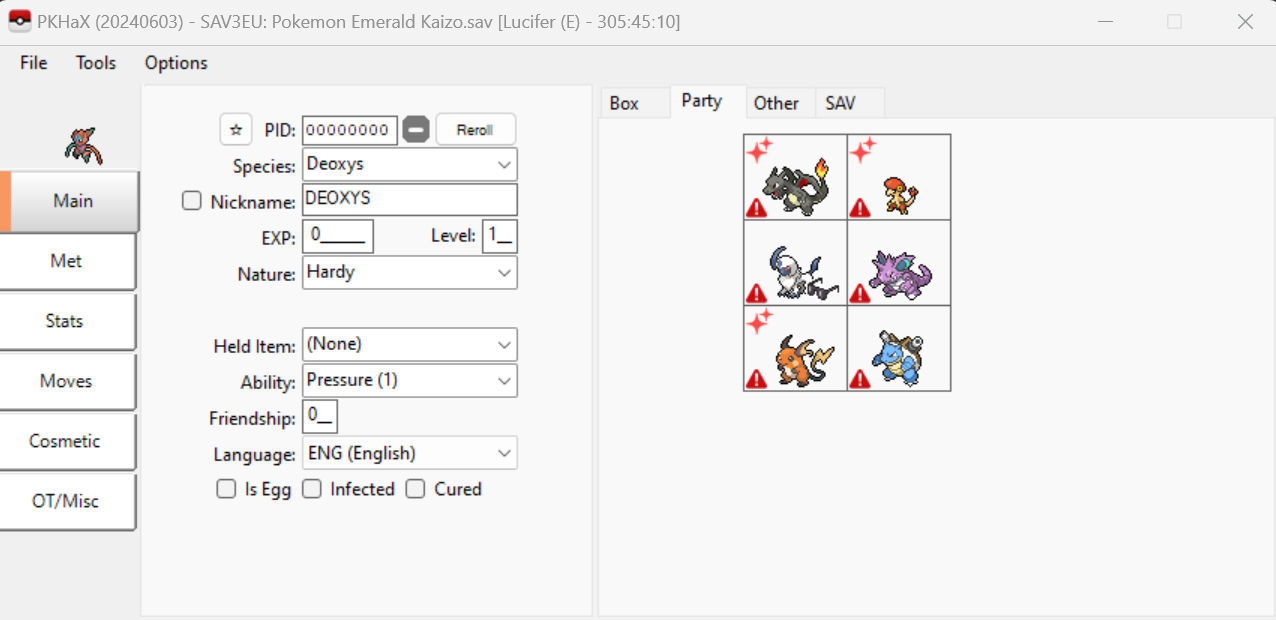
I am using the latest PkHeX version in PkHaX mode with Emerald Kaizo to create a few shinies and change a few natures. It worked once but I can't get it to work again.
There are no errors, I am able to load the save, make the changes and export the save with no issues but the changes don't appear in the game.
I am 100% certain it is in Hax mode, I get that cute little message to behave on startup and the hacked stats tick box is there.
-
I am attempting this with Emerald Kaizo and it's not working. None of the changes I import come through in the game.
I am on a Windows 11 Laptop with the latest version of PkheX.
-
Hey.
I see this thread is old and apologize if it's inappropriate to use it but I just started playing Nightmare Moon and want to evolve a Riolu. I'm realizing now when it's failing to do so at a friendship level of 255 (supposedly the necessary level is 220) that it must not be the canon friendship/daytime thing.
So I Googled for the solution (which is how I found this thread) but have found only this statement:On 8/24/2018 at 6:32 PM, darklink1010 said:Changed how Riolu evolves to be darker
Will someone please elaborate?
-
 1
1
-
-
1 hour ago, theSLAYER said:
https://3ds.hacks.guide/ has a full guide with instructions on how to get it done, use at your own risk.
Once you get past Get Started and decide to go with ntrboot as the option (for the guide),
you'll eventually land on a page that has a full list of NDS flashcarts, and it's compatibility (this way you'll know if you own one that is compatible, or which one to buy).
ntrboothax was originally known as magnethax, which is a hardware entrypoint that could not be patched.Thanx, I'll keep this in mind.
-
@theSLAYER Color me intrigued.
Could you explain this further? Sorry, I'm not savvy. -
On 5/16/2019 at 3:01 AM, ReignOfComputer said:
avast has a pretty hyperactive real-time scanner. It'll probably get cleared in 1-2 days.
Either add it as an exception, temporarily disable avast and unzip, or continue to use your old version and update later.
It was cleared and then could be run but it wouldn't open my game file.
I've returned to using my old version.Last night I moved on to something else, I tried to get homebrew on my 3DS to import a cartridge file for use with PKHex but it didn't work.
Most access points were supposedly patched and no longer usable and the internet browser QR code methods errored.
I just wanted to shiny-ify a Rowlet in Moon because I've been soft-resetting without success (or screwed it up at least one of the several times I dropped my 3DS in the middle of scrolling through the cut scene which gets me the 'the game card came out' error even though it never actually does) since I got the game about two years ago (I know I'm absolutely ridiculous but I MUST have the shiny Rowlet, it's just so beautiful!).
I didn't get around to checking my 3DS software version and read it doesn't work with some so perhaps it was that.
I think I'm gonna give in and get Powersaves for this one. I'd been holding back not wanting to pay $20 for one cheat but I'm gettin' tired of this. -
I added it as an exception WITHOUT having to delete it and reinstall it, there aren't instructions for that from what I could understand but it had no effect.
I appreciate the effort @theSLAYER but I don't mind just sticking with the previous version I was using. -
16 minutes ago, theSLAYER said:
I don’t use AVAST, but you could try to scan the zip with AVAST (so that it pops up), then proceed to add PKHeX to the exceptions?
or maybe have a folder location set up and scan excluded, then save the zip straight to there?
You’re gonna need someone who uses AVAST to give you the exact procedure, but in the mean time try to figure it out based on what I said.
(I mean, despite anti-virus systems being different, they probably do have an exception or exclusion setting somewhere)
Thanx for the response.
I tried scanning it and it instantly popped up an Avast window that came back clean. Not sure what exactly that means.
Fortunately, it turns out that I didn't delete the old version from my downloads folder so I was able to get that back. -
'Sup?
I'm a newer user of PKHex. I've been using it for the past month or so and have been enjoying it greatly with OR and now currently Y ROMs.
This evening I noticed a hyperlink in the software window to an update so I clicked it and was led to this:I installed it but am unable to use this version.
1. It was intercepted by my antivirus, Avast:
2. I get a pop-up that says I don't have sufficient permissions to access the file:
I'm annoyed at myself for my tendency to be hasty. It did not occur to me to check how current this "update" is and somehow I didn't keep the page where I downloaded my previous version, the one I was able to use without issues. Now I can not find it.What can I do?
I use a Lenovo Flex 14 Laptop with Windows 10.
Do You Look Down on People that Use Action Replay On Pokemon?
in Pokémon Franchise
Posted · Edited by A Shadow
Not at all as long as it's not being used for unfair advantages in multiplayer events.
I once GameSharked the hell out of my first and second gen carts but I never did competitive stuff. It was mostly just for shinies.