
HGPOfficial
-
Posts
8 -
Joined
-
Last visited
Content Type
Profiles
Pokédex
Portal
Technical Documentation
Pages
Tutorials
Forums
Events
Downloads
Gallery
Blogs
Everything posted by HGPOfficial
-

Doxi's Pokemon Insurgence Save Editor (DPISE)
HGPOfficial replied to HGPOfficial's topic in Saves - Tools
Oh well cool, wasn't trying to be hostile or anything lol, my bad if it came off that way. Glad to see I wasn't the only one who was thinking about it. I did check it out and it looks pretty sweet! Only reason I didn't see it before was because it didn't pop up anywhere, not even a link to the github through Google. You have a good one as well! -
Doxi's Pokemon Insurgence Save Editor (DPISE)
HGPOfficial replied to HGPOfficial's topic in Saves - Tools
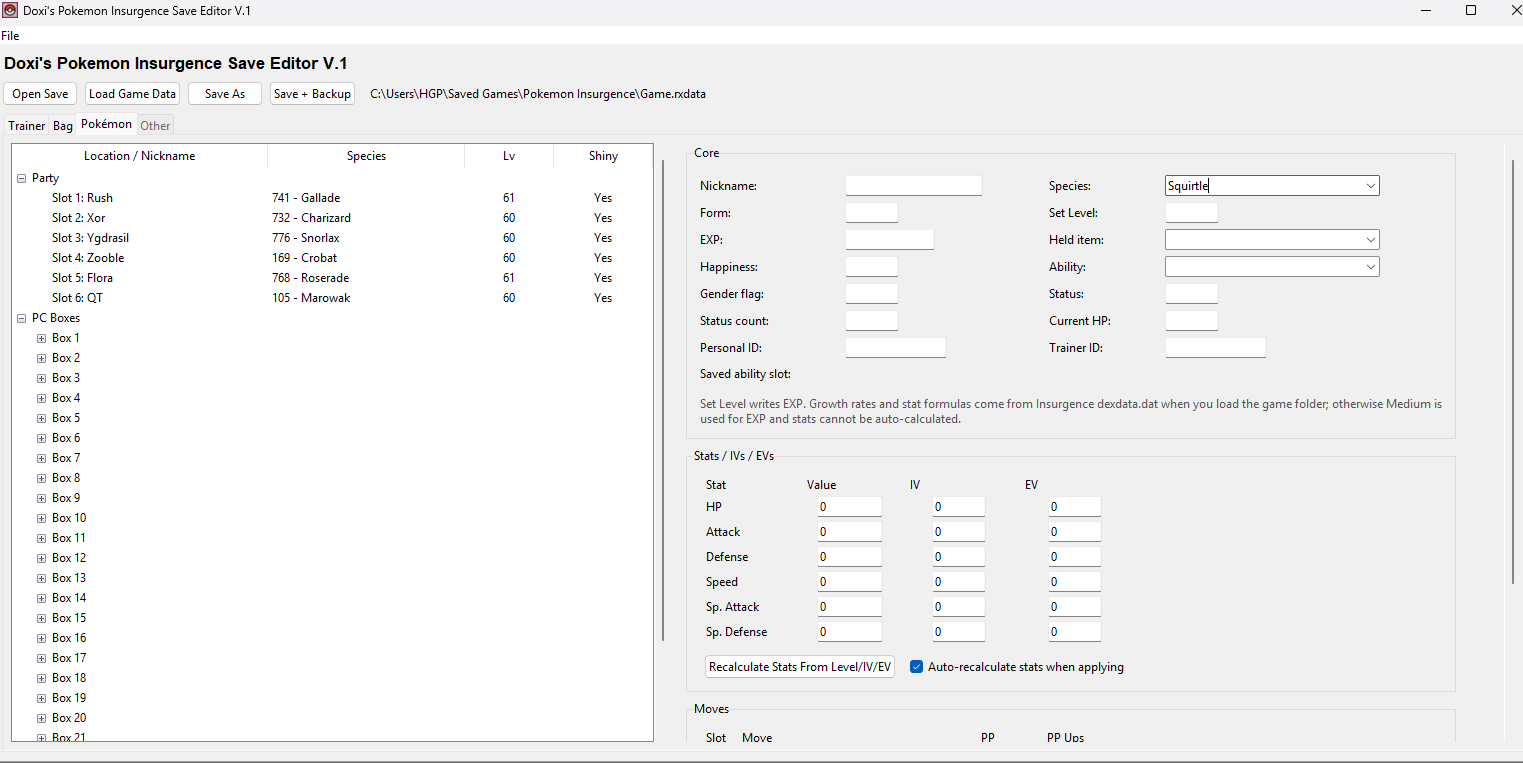
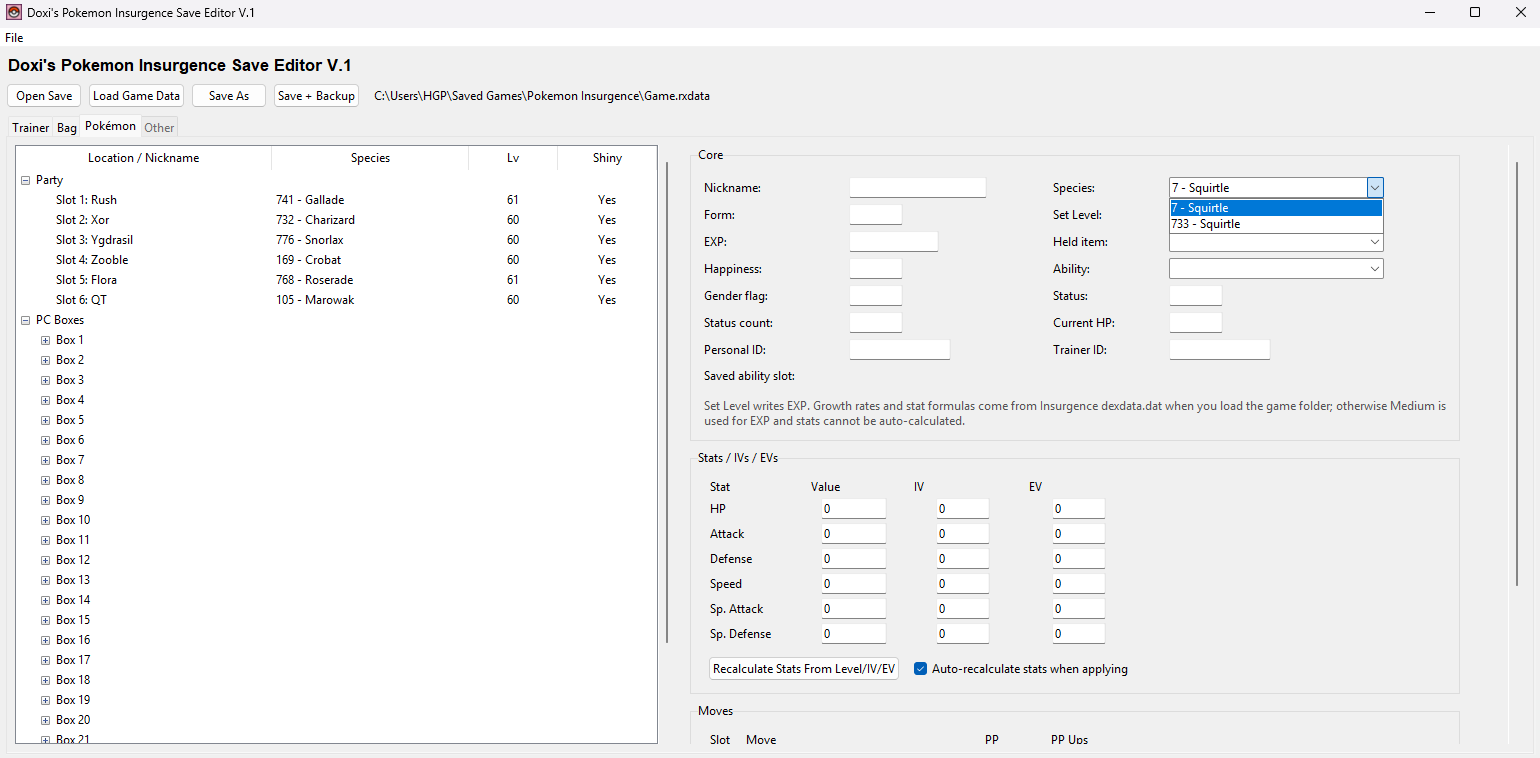
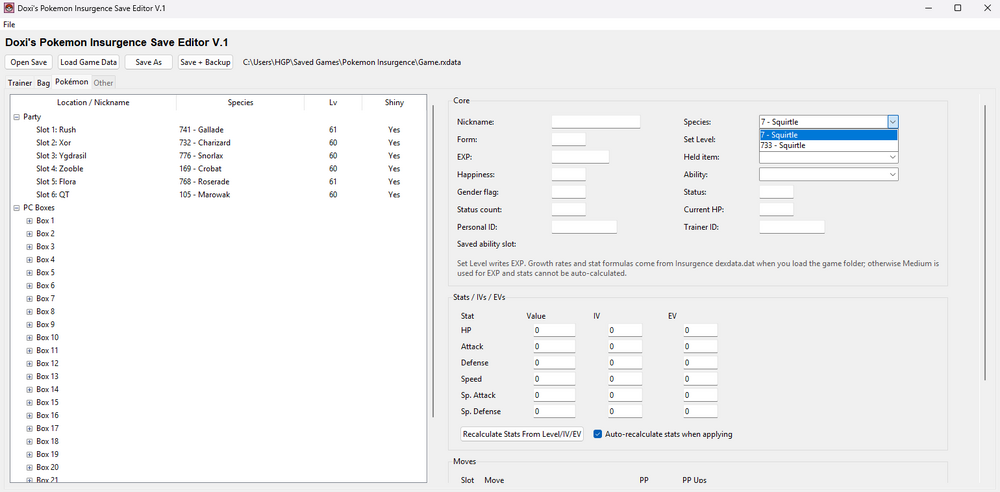
Don't change the species number. Type in the name of the starter into the Species category: Squirtle, Bulbasaur, Charmander. Then click the little arrow for the drop down menu, there will be 2 options, the one with the low number is the original version, the one with a larger number next to it is the Delta form. This applies for all deltas and their normal forms.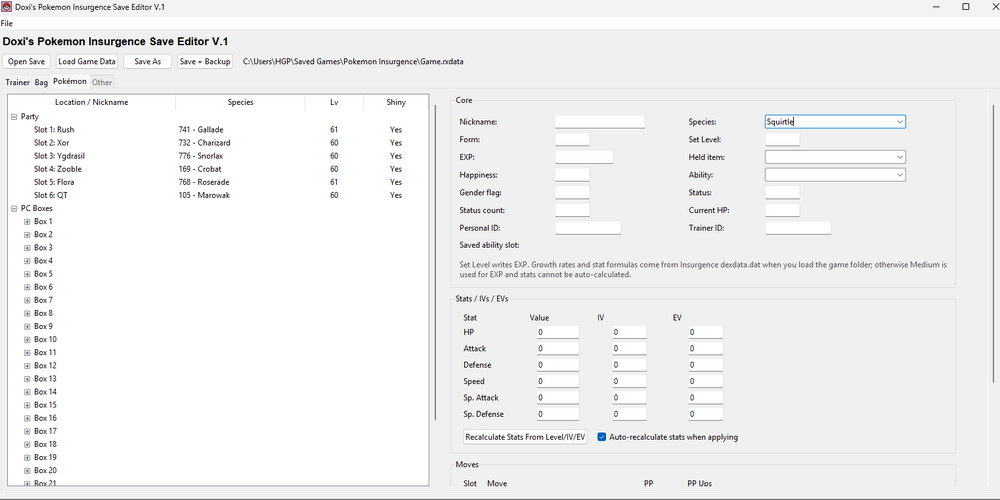
-
Doxi's Pokemon Insurgence Save Editor (DPISE)
HGPOfficial replied to HGPOfficial's topic in Saves - Tools
Thanks? Idk if that's sarcastic or not. Looks sarcastic though. -
Hey there! I made a small Save Tool for Pokemon Insurgence. It's very simple and gives access to Money, Trainer Name Editing, Pokemon Editing/Adding, Bag Editing, and Shiny Odds. So I'd like to introduce DPISE! (Doxi's Pokemon Insurgence Save Editor, if you want the government name) Let me know if there's any bugs or anything and I'll fix 'em. 1. Extract the file wherever you would like to keep them. (Probably some save editor folder, or just leave it wherever it is, doesn't matter too much.) 2. Open DPISE.exe 3. Edit your save. 4. Save your data using the "Save As" Button and rename your old Game.rxdata to something like "Game_backup.rxdata" just to be safe, replace the old file with the new one and you're good to play. (Note: When editing your Shiny Odds, the program will automatically make a backup of your old Game Data so it can be reverted to at any time, simply just reload your game data, set your Mode to "Default shiny odds" under the Other tab, and click Apply/Restore. It will automatically remove the other Game Data file and replace it with the old one with normal shiny odds.) V1.1 Changelog: Added Dark and Light mode toggle (Made UI default to Dark mode upon opening). Removed background image because clutter. Added UI graphics for Pokemon sprites in editor and Item sprites within the bag (to cause less confusion when looking for certain things). Program window widened for convenience Added Dex-like summary next to pokemon including front facing sprites and Shiny version sprites if a Pokemon is shiny in your game. Filtered Ability and Move drop down menus based on what is available for specific Pokemon. PP for moves auto fills to what it is meant to be instead of defaulting to 0. Program now Auto detects Save and Game Data (If for whatever reason it doesn't, there is a button to do so, and the original load Save and Game data buttons are there if all else fails). As always, let me know if there are any bugs and I will get right on fixing them. DPISE 1.1.zip
-
I think it's because the game updated and now pkhex can't read the save file. Mainly because of the SaveRevision section in the error. But I could definitely be wrong.
-
For whatever reason reinstalling/repairing dotnet somewhat fixes it. But trying to import a legends Z-A save file breaks it again, doesn't matter what save file it is. Edit: Scratch that. It worked for like half a second and now it's back to the same errors.
-
Here's the full error not in sharetext because I realized that link can expire. Exception Details: System.ArgumentOutOfRangeException: Specified argument was out of the range of valid values. (Parameter 'SaveRevision') at PKHeX.Core.SAV9ZA.get_SaveRevisionString() at PKHeX.WinForms.Main.GetProgramTitle(SaveFile sav) at PKHeX.WinForms.Main.OpenSAV(SaveFile sav, String path) at PKHeX.WinForms.Main.LoadInitialFiles(StartupArguments args) at PKHeX.WinForms.Program.Main() Loaded Assemblies: -------------------- System.Private.CoreLib, Version=10.0.0.0, Culture=neutral, PublicKeyToken=7cec85d7bea7798e C:\Program Files\dotnet\shared\Microsoft.NETCore.App\10.0.4\System.Private.CoreLib.dll PKHeX, Version=26.3.6.0, Culture=neutral, PublicKeyToken=null C:\Users\HGP\AppData\Local\Temp\.net\PKHeX\z_bQR0lzySoB\PKHeX.dll System.Runtime, Version=10.0.0.0, Culture=neutral, PublicKeyToken=b03f5f7f11d50a3a C:\Program Files\dotnet\shared\Microsoft.NETCore.App\10.0.4\System.Runtime.dll System.Windows.Forms, Version=10.0.0.0, Culture=neutral, PublicKeyToken=b77a5c561934e089 C:\Program Files\dotnet\shared\Microsoft.WindowsDesktop.App\10.0.4\System.Windows.Forms.dll System.ComponentModel.Primitives, Version=10.0.0.0, Culture=neutral, PublicKeyToken=b03f5f7f11d50a3a C:\Program Files\dotnet\shared\Microsoft.NETCore.App\10.0.4\System.ComponentModel.Primitives.dll System.Windows.Forms.Primitives, Version=10.0.0.0, Culture=neutral, PublicKeyToken=b77a5c561934e089 C:\Program Files\dotnet\shared\Microsoft.WindowsDesktop.App\10.0.4\System.Windows.Forms.Primitives.dll System.Private.Windows.Core, Version=10.0.0.0, Culture=neutral, PublicKeyToken=b77a5c561934e089 C:\Program Files\dotnet\shared\Microsoft.WindowsDesktop.App\10.0.4\System.Private.Windows.Core.dll System.Private.Windows.GdiPlus, Version=10.0.0.0, Culture=neutral, PublicKeyToken=b77a5c561934e089 C:\Program Files\dotnet\shared\Microsoft.WindowsDesktop.App\10.0.4\System.Private.Windows.GdiPlus.dll System.Drawing.Primitives, Version=10.0.0.0, Culture=neutral, PublicKeyToken=b03f5f7f11d50a3a C:\Program Files\dotnet\shared\Microsoft.NETCore.App\10.0.4\System.Drawing.Primitives.dll System.Collections.Specialized, Version=10.0.0.0, Culture=neutral, PublicKeyToken=b03f5f7f11d50a3a C:\Program Files\dotnet\shared\Microsoft.NETCore.App\10.0.4\System.Collections.Specialized.dll PKHeX.Core, Version=26.3.6.0, Culture=neutral, PublicKeyToken=null C:\Users\HGP\AppData\Local\Temp\.net\PKHeX\z_bQR0lzySoB\PKHeX.Core.dll System.Threading.Thread, Version=10.0.0.0, Culture=neutral, PublicKeyToken=b03f5f7f11d50a3a C:\Program Files\dotnet\shared\Microsoft.NETCore.App\10.0.4\System.Threading.Thread.dll System.Memory, Version=10.0.0.0, Culture=neutral, PublicKeyToken=cc7b13ffcd2ddd51 C:\Program Files\dotnet\shared\Microsoft.NETCore.App\10.0.4\System.Memory.dll System.Collections.Concurrent, Version=10.0.0.0, Culture=neutral, PublicKeyToken=b03f5f7f11d50a3a C:\Program Files\dotnet\shared\Microsoft.NETCore.App\10.0.4\System.Collections.Concurrent.dll System.Collections, Version=10.0.0.0, Culture=neutral, PublicKeyToken=b03f5f7f11d50a3a C:\Program Files\dotnet\shared\Microsoft.NETCore.App\10.0.4\System.Collections.dll System.Runtime.InteropServices, Version=10.0.0.0, Culture=neutral, PublicKeyToken=b03f5f7f11d50a3a C:\Program Files\dotnet\shared\Microsoft.NETCore.App\10.0.4\System.Runtime.InteropServices.dll System.Threading, Version=10.0.0.0, Culture=neutral, PublicKeyToken=b03f5f7f11d50a3a C:\Program Files\dotnet\shared\Microsoft.NETCore.App\10.0.4\System.Threading.dll System.Text.Json, Version=10.0.0.0, Culture=neutral, PublicKeyToken=cc7b13ffcd2ddd51 C:\Program Files\dotnet\shared\Microsoft.NETCore.App\10.0.4\System.Text.Json.dll PKHeX.Drawing.PokeSprite, Version=26.3.6.0, Culture=neutral, PublicKeyToken=null C:\Users\HGP\AppData\Local\Temp\.net\PKHeX\z_bQR0lzySoB\PKHeX.Drawing.PokeSprite.dll System.Linq, Version=10.0.0.0, Culture=neutral, PublicKeyToken=b03f5f7f11d50a3a C:\Program Files\dotnet\shared\Microsoft.NETCore.App\10.0.4\System.Linq.dll System.Drawing.Common, Version=10.0.0.0, Culture=neutral, PublicKeyToken=cc7b13ffcd2ddd51 C:\Program Files\dotnet\shared\Microsoft.WindowsDesktop.App\10.0.4\System.Drawing.Common.dll Microsoft.Win32.Primitives, Version=10.0.0.0, Culture=neutral, PublicKeyToken=b03f5f7f11d50a3a C:\Program Files\dotnet\shared\Microsoft.NETCore.App\10.0.4\Microsoft.Win32.Primitives.dll System.Numerics.Vectors, Version=10.0.0.0, Culture=neutral, PublicKeyToken=b03f5f7f11d50a3a C:\Program Files\dotnet\shared\Microsoft.NETCore.App\10.0.4\System.Numerics.Vectors.dll System.ComponentModel.EventBasedAsync, Version=10.0.0.0, Culture=neutral, PublicKeyToken=b03f5f7f11d50a3a C:\Program Files\dotnet\shared\Microsoft.NETCore.App\10.0.4\System.ComponentModel.EventBasedAsync.dll System.Security.Cryptography, Version=10.0.0.0, Culture=neutral, PublicKeyToken=b03f5f7f11d50a3a C:\Program Files\dotnet\shared\Microsoft.NETCore.App\10.0.4\System.Security.Cryptography.dll Accessibility, Version=4.0.0.0, Culture=neutral, PublicKeyToken=31bf3856ad364e35 C:\Program Files\dotnet\shared\Microsoft.WindowsDesktop.App\10.0.4\Accessibility.dll System.ComponentModel, Version=10.0.0.0, Culture=neutral, PublicKeyToken=b03f5f7f11d50a3a C:\Program Files\dotnet\shared\Microsoft.NETCore.App\10.0.4\System.ComponentModel.dll System.Resources.Extensions, Version=10.0.0.0, Culture=neutral, PublicKeyToken=cc7b13ffcd2ddd51 C:\Program Files\dotnet\shared\Microsoft.WindowsDesktop.App\10.0.4\System.Resources.Extensions.dll System.Drawing, Version=10.0.0.0, Culture=neutral, PublicKeyToken=b03f5f7f11d50a3a C:\Program Files\dotnet\shared\Microsoft.WindowsDesktop.App\10.0.4\System.Drawing.dll System.ComponentModel.TypeConverter, Version=10.0.0.0, Culture=neutral, PublicKeyToken=b03f5f7f11d50a3a C:\Program Files\dotnet\shared\Microsoft.NETCore.App\10.0.4\System.ComponentModel.TypeConverter.dll Microsoft.Win32.SystemEvents, Version=10.0.0.0, Culture=neutral, PublicKeyToken=cc7b13ffcd2ddd51 C:\Program Files\dotnet\shared\Microsoft.WindowsDesktop.App\10.0.4\Microsoft.Win32.SystemEvents.dll System.Runtime.Loader, Version=10.0.0.0, Culture=neutral, PublicKeyToken=b03f5f7f11d50a3a C:\Program Files\dotnet\shared\Microsoft.NETCore.App\10.0.4\System.Runtime.Loader.dll System.Collections.NonGeneric, Version=10.0.0.0, Culture=neutral, PublicKeyToken=b03f5f7f11d50a3a C:\Program Files\dotnet\shared\Microsoft.NETCore.App\10.0.4\System.Collections.NonGeneric.dll System.Net.Http, Version=10.0.0.0, Culture=neutral, PublicKeyToken=b03f5f7f11d50a3a C:\Program Files\dotnet\shared\Microsoft.NETCore.App\10.0.4\System.Net.Http.dll System.Net.Primitives, Version=10.0.0.0, Culture=neutral, PublicKeyToken=b03f5f7f11d50a3a C:\Program Files\dotnet\shared\Microsoft.NETCore.App\10.0.4\System.Net.Primitives.dll System.Diagnostics.Tracing, Version=10.0.0.0, Culture=neutral, PublicKeyToken=b03f5f7f11d50a3a C:\Program Files\dotnet\shared\Microsoft.NETCore.App\10.0.4\System.Diagnostics.Tracing.dll System.Diagnostics.DiagnosticSource, Version=10.0.0.0, Culture=neutral, PublicKeyToken=cc7b13ffcd2ddd51 C:\Program Files\dotnet\shared\Microsoft.NETCore.App\10.0.4\System.Diagnostics.DiagnosticSource.dll System.Net.Security, Version=10.0.0.0, Culture=neutral, PublicKeyToken=b03f5f7f11d50a3a C:\Program Files\dotnet\shared\Microsoft.NETCore.App\10.0.4\System.Net.Security.dll System.ObjectModel, Version=10.0.0.0, Culture=neutral, PublicKeyToken=b03f5f7f11d50a3a C:\Program Files\dotnet\shared\Microsoft.NETCore.App\10.0.4\System.ObjectModel.dll System.Private.Uri, Version=10.0.0.0, Culture=neutral, PublicKeyToken=b03f5f7f11d50a3a C:\Program Files\dotnet\shared\Microsoft.NETCore.App\10.0.4\System.Private.Uri.dll System.Windows.Extensions, Version=10.0.0.0, Culture=neutral, PublicKeyToken=cc7b13ffcd2ddd51 C:\Program Files\dotnet\shared\Microsoft.WindowsDesktop.App\10.0.4\System.Windows.Extensions.dll PKHeX.Drawing, Version=26.3.6.0, Culture=neutral, PublicKeyToken=null C:\Users\HGP\AppData\Local\Temp\.net\PKHeX\z_bQR0lzySoB\PKHeX.Drawing.dll PKHeX.Drawing.Misc, Version=26.3.6.0, Culture=neutral, PublicKeyToken=null C:\Users\HGP\AppData\Local\Temp\.net\PKHeX\z_bQR0lzySoB\PKHeX.Drawing.Misc.dll System.Text.RegularExpressions, Version=10.0.0.0, Culture=neutral, PublicKeyToken=b03f5f7f11d50a3a C:\Program Files\dotnet\shared\Microsoft.NETCore.App\10.0.4\System.Text.RegularExpressions.dll System.Text.Encodings.Web, Version=10.0.0.0, Culture=neutral, PublicKeyToken=cc7b13ffcd2ddd51 C:\Program Files\dotnet\shared\Microsoft.NETCore.App\10.0.4\System.Text.Encodings.Web.dll System.Text.Encoding.Extensions, Version=10.0.0.0, Culture=neutral, PublicKeyToken=b03f5f7f11d50a3a C:\Program Files\dotnet\shared\Microsoft.NETCore.App\10.0.4\System.Text.Encoding.Extensions.dll System.Diagnostics.StackTrace, Version=10.0.0.0, Culture=neutral, PublicKeyToken=b03f5f7f11d50a3a C:\Program Files\dotnet\shared\Microsoft.NETCore.App\10.0.4\System.Diagnostics.StackTrace.dll System.Reflection.Metadata, Version=10.0.0.0, Culture=neutral, PublicKeyToken=b03f5f7f11d50a3a C:\Program Files\dotnet\shared\Microsoft.NETCore.App\10.0.4\System.Reflection.Metadata.dll System.Collections.Immutable, Version=10.0.0.0, Culture=neutral, PublicKeyToken=b03f5f7f11d50a3a C:\Program Files\dotnet\shared\Microsoft.NETCore.App\10.0.4\System.Collections.Immutable.dll -------------------- User Message: An error occurred in PKHeX. Please report this error to the PKHeX author. PKHeX must now close.
-
I got PKHex installed and used it a couple times maybe like a week ago and it was working perfectly fine. Turned on my PC tonight to update some things I didn't want to have to grind hours for and got this error whenever I tried to open the program. Tried reinstalling it and turning my PC off to no effect. Any help is much appreciated. https://sharetext.io/6uew1bxe